- AI Fire
- Posts
- 🚀 14 Free Gemini AI Tools To Revolutionize Your 2025 Workflow
🚀 14 Free Gemini AI Tools To Revolutionize Your 2025 Workflow
Unlock 14 powerful, free Google Gemini AI tools. This guide shows you how to build apps, create content, and boost your productivity without paying a dime.

Neil Phan
December 18, 2025

What's Your Main Goal with AI? 🤖 |
Table of Contents
Introduction
In an industry where every major update comes with a higher price tag, Google is executing a profoundly different strategy. While competitors build increasingly expensive walled gardens, Google is systematically dismantling the barriers to entry, unleashing a suite of powerful AI tools to the public for free. This isn't a collection of stripped-down novelties; it's a full-fledged ecosystem designed to rival, and in many cases surpass, the most popular premium AI services.
This shift represents a fundamental change in our relationship with artificial intelligence - from a paid luxury to a ubiquitous utility. We are moving beyond simple chatbots into an era of personalized AI collaborators. This guide will serve as your comprehensive roadmap. We will dissect 14 of these game-changing Google Gemini features, exploring not just what they do, but how you can integrate them to redefine your productivity, creativity, and professional growth. Forget the monthly subscriptions; the future of AI-powered work is open, and it starts now.
Part 1: Crafting Your Personalized AI Collaborator
The true power of modern AI lies in its ability to adapt to you. Google has built two foundational features to make this a reality: Gems and Memory.
Creating Hyper-Specialized AI Assistants with "Gems"
Think of Gems as crafting a dedicated team of specialist AI employees, each trained for a specific task - a concept that was previously exclusive to paid platforms like ChatGPT Plus.
The Process:
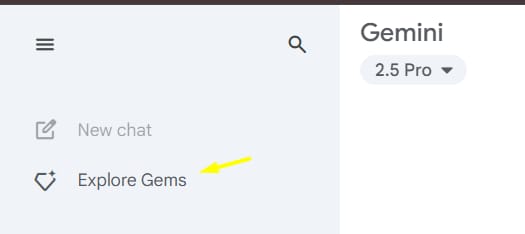
Access Gems: Navigate to Gemini, open the main menu, and select "Explore Gems."
Create Your Gem: Click "New Gem" and give your assistant a name and a core instruction. This instruction is the "soul" of your Gem.

Build a Knowledge Base: Use the "Knowledge" section to upload up to 10 source files (PDFs, text documents, etc.). This gives your Gem a private, curated library of information to draw from.
Advanced Strategies & Examples:
The Socratic Tutor Gem: Don't just ask for answers; build a Gem to help you learn.

Name: Socratic Scholar
Instruction: "You are a Socratic tutor. When I ask a question about a complex topic from the provided documents, do not give me the answer directly. Instead, ask me thought-provoking questions that guide me to discover the answer for myself. Help me break down the problem and connect concepts."
Use Case: Upload academic papers on quantum physics or philosophy, and have the Gem guide you through understanding them, strengthening your critical thinking skills.
The Content Repurposing Gem: Automate your content workflow.

Name: Content Transformer
Instruction: "You are an expert content strategist. When I provide a piece of long-form content (like a blog post or transcript), your job is to break it down into multiple formats: five key takeaways for a Twitter thread, a concise summary for a LinkedIn post, a script for a 60-second TikTok video, and a short email newsletter blurb."
Use Case: Upload a single research report and let the Gem generate a week's worth of social media content automatically.
Learn How to Make AI Work For You!
Transform your AI skills with the AI Fire Academy Premium Plan - FREE for 14 days! Gain instant access to 500+ AI workflows, advanced tutorials, exclusive case studies and unbeatable discounts. No risks, cancel anytime.
Building A Long-Term Partnership With Gemini's Memory
Gemini's Memory feature shatters the frustrating "amnesia" common to most AIs. It builds a persistent understanding of who you are, what you do, and how you work.
How It Works:

Simply tell Gemini what to remember using natural language. This information is stored privately and can be edited or deleted in your Settings.
The Strategic Implications:
This is more than a convenience; it's a massive efficiency gain.
Reduced Redundancy: You no longer have to re-explain your context in every new chat. Gemini already knows your job title, your projects, your communication style, and your goals.
Deeper Personalization: The more it remembers, the more tailored its responses become. It will start to anticipate your needs, suggest relevant follow-ups, and frame answers in a way that resonates with your stated preferences.
Example in Practice:
Initial Setup: "Save to memory: I am the founder of a startup creating sustainable packaging. Our brand voice is optimistic, educational, and slightly informal. I need all marketing copy to reflect this tone. My primary goal is to increase brand awareness among eco-conscious consumers aged 25-40."

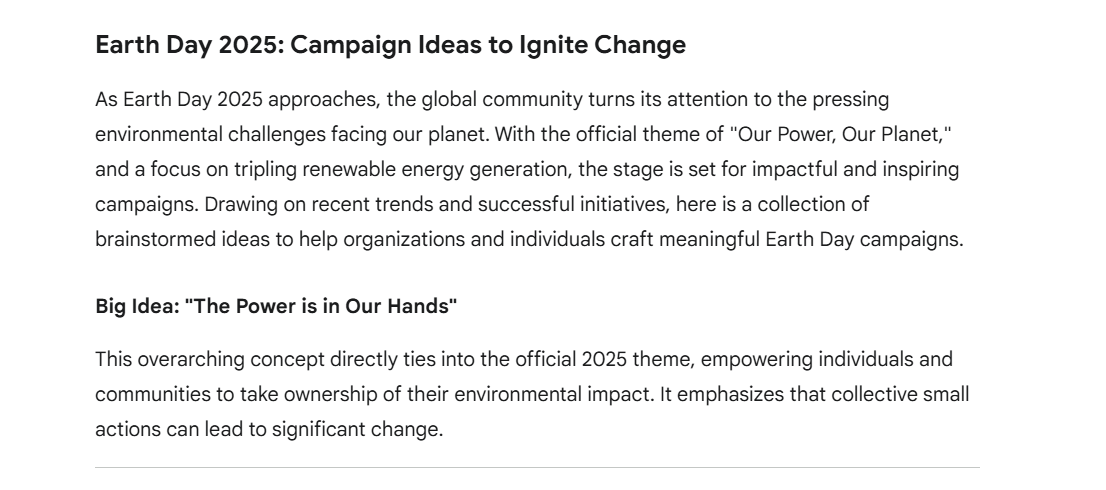
Future Prompt: "Help me brainstorm ideas for an Earth Day campaign."
Result: Instead of generic ideas, Gemini will provide concepts specifically tailored to your target demographic and brand voice, because it remembers your core mission.
Part 2: The Unfair Advantage In Research And Content Creation
Information overload is the enemy of progress. These tools turn chaotic data into clear, actionable intelligence.
Deep Research: Your On-Demand Intelligence Analyst
Google's Deep Research feature is like having a team of junior analysts at your beck and call. It goes beyond a simple search, actively synthesizing information into a structured report.
How It Excels:
When you trigger a Deep Research query, Gemini builds a multi-step research plan, queries multiple advanced search verticals, identifies key themes, synthesizes conflicting data points, and presents it all in a coherent, cited report.
Example: Competitive Analysis: "Conduct a deep research analysis of the top three competitors to 'Notion' in the productivity software space. Focus on their pricing models, primary value propositions, target audiences, and recent feature releases from the last 12 months. Present the findings in a comparative table."
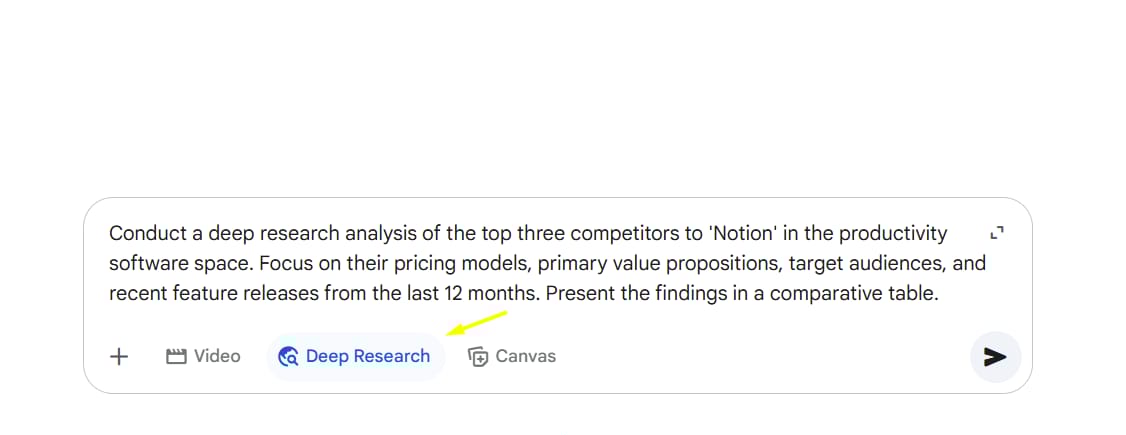
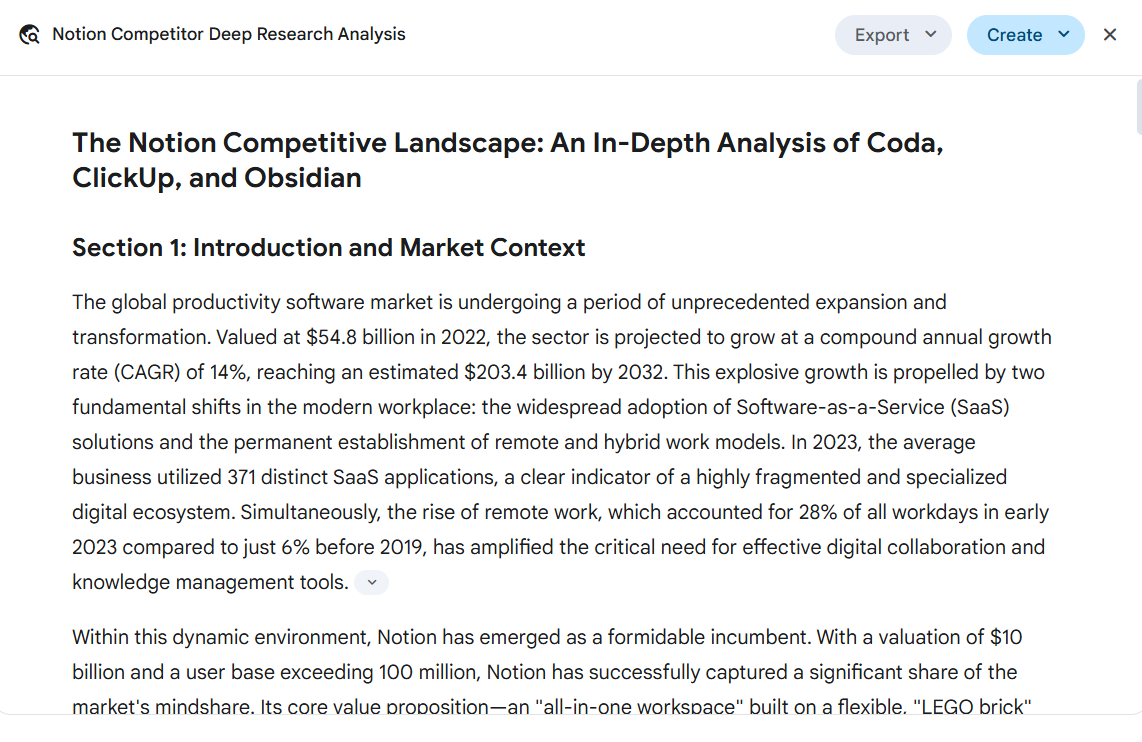
The Output: You'll receive a detailed report with sections for each competitor, a summary of market trends, and a final comparison table, all with sources linked.
NotebookLM: Transforming Sources Into A Conversation
NotebookLM is a revolutionary tool that turns your static documents (PDFs, Google Docs, text files, web URLs) into an interactive, intelligent knowledge base.
The Workflow Revolution:

Create a Notebook: Start a new project and upload your sources. This could be anything from client project briefs and user feedback to legal contracts or scientific papers.
AI-Powered Summaries: NotebookLM automatically generates summaries of all your documents.
Intelligent Q&A: Ask questions directly to your sources. It won't just find keywords; it will synthesize answers from across multiple documents.
Feature Spotlight: Use features like "Timeline View" to automatically create a chronology of events from your documents, or "Briefing Doc" to generate a comprehensive summary of all sources with a single click.
Advanced Use Case: A lawyer could upload dozens of case files and legal precedents into a Notebook. They could then ask, "What is the main legal precedent regarding intellectual property in the case files, and how does it conflict with the arguments in the uploaded 'Smith v. Jones' document?" NotebookLM will provide a synthesized answer with citations pointing to the exact pages in the source documents.
From Text To Audio: Creating Professional Podcasts Instantly
This feature bridges the gap between written and auditory learning. After conducting research in Gemini, you can generate an audio summary. But it's more than a simple text-to-speech reading.

Why It's a Game-Changer: Gemini creates a conversational podcast between two distinct AI voices. This dynamic format is far more engaging and helps with information retention. For even more control and emotional depth, the output text can be exported to a specialized tool like ElevenLabs.
Use Case Beyond Research: Convert your company's internal FAQ document into a short, engaging podcast series for new hires. Turn a dense technical blog post into an accessible audio version for your community.
Part 3: The No-Code Revolution: Building Functional Applications
The ability to create software is no longer limited to those who can write code.
From Idea to Interactive App in Minutes
Google offers a spectrum of tools for app creation, from quick visuals to deployable products.
Canvas (Visual Prototyping): This is your digital whiteboard. After research, ask Gemini to "Create an interactive infographic" or "Build a simple web tool to visualize this data." It's perfect for creating internal dashboards, visual reports, or clickable prototypes to share with your team.

AI Studio Build (Structured Projects): For more complex ideas, go to Google AI Studio. Paste a detailed prompt describing your app's functionality, user flow, and design. AI Studio will generate a complete, multi-file project with organized HTML, CSS, and JavaScript.
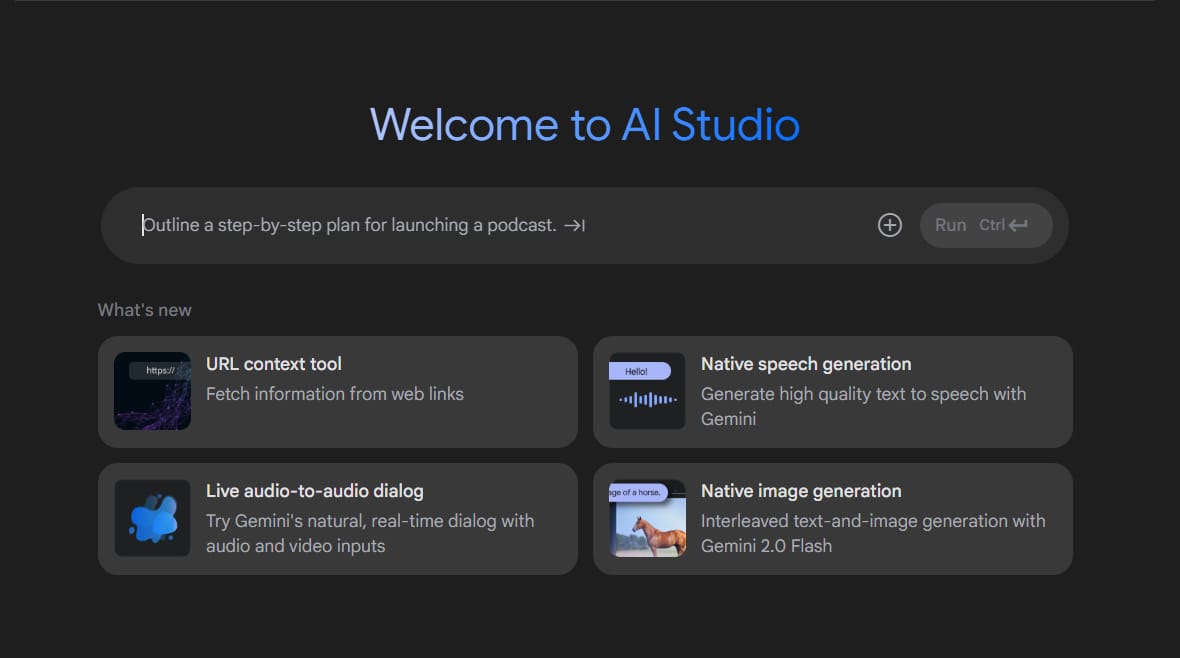
Example Prompt: "Build a project management web app. It needs a login page, a dashboard view with a Kanban board (To Do, In Progress, Done), and the ability to create new tasks with titles, descriptions, and due dates. Tasks should be draggable between columns."

Gemini Diffusion (Rapid Idea Validation): This is the fastest method, generating a functional (though less polished) app in seconds. It's ideal for the "fail fast" approach: test the core logic of ten different app ideas in an afternoon without wasting time on design.
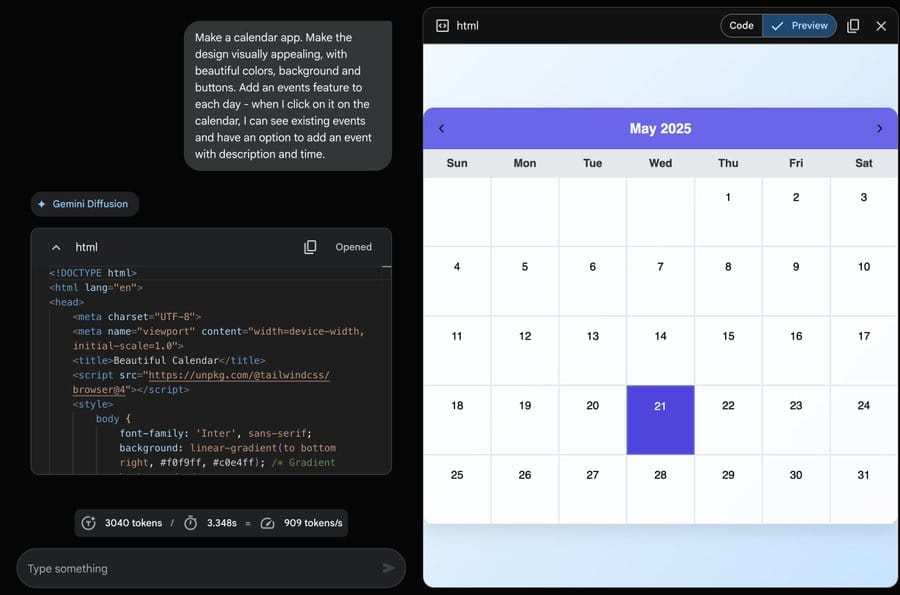
The Professional's Choice: Firebase

For applications that need to be published, scaled, and potentially monetized, Firebase is the answer. It's a professional development platform that integrates seamlessly with AI Studio. Firebase provides the crucial backend infrastructure - things like user authentication (login systems), real-time databases, and web hosting - that turn a simple prototype into a market-ready product.
Bridging the Gap: AI in Google Colab

For those who are "code-curious," the AI "Generate" feature in Google Colab is the perfect stepping stone. It allows you to describe a programming task in plain English, and Colab will write and explain the Python code for you. It demystifies coding and empowers you to create custom scripts without a steep learning curve.
Part 4: AI As Your Personal Tutor And Career Coach
Lifelong Learning: Languages And Skills
Language Learning Labs (LLL): Google's AI-powered answer to Duolingo, LLL, focuses on real-world conversational practice. The "WordCam" feature, which translates objects through your phone's camera, is a particularly powerful tool for immersive learning.

Real-Time AI Assistance: This is like having an expert looking over your shoulder 24/7. Using screen sharing in AI Studio, you can get step-by-step guidance on virtually any software, from complex video editing in Adobe Premiere to building financial models in Excel.
Creative Use Case: Share your screen while working in a design tool like Figma and ask the AI, "Based on principles of visual hierarchy and user experience, give me feedback on this landing page layout. What can I improve?"

Charting Your Future With Career Dreamer

Career Dreamer (may require a US VPN) is a sophisticated AI career counselor. It goes beyond simple job matching by analyzing your current skills, tasks, and interests to suggest concrete, actionable career paths. Its most valuable feature is the "Day in the Life" descriptions, which provide a qualitative, realistic glimpse into a potential job, helping you assess for personal fit, not just title or salary.
Part 5: The Power User's Toolkit: Advanced And Offline AI
Total Privacy And Unlimited Use With Local AI (Gemma)
Using a tool like the free LM Studio, you can download and run Google's Gemma models directly on your own computer. This is a paradigm shift for two reasons:

Absolute Privacy: For professionals handling sensitive client data, proprietary code, or confidential documents, local AI is non-negotiable. Nothing ever leaves your machine.
Freedom and Performance: You are completely free from internet requirements, API limits, and potential service outages. You can use the AI as much as you want, as fast as your computer can run it.
Gemini CLI: The Ultimate Automation Tool

The Command-Line Interface (CLI) is the most potent tool in the arsenal. It allows you to control Gemini directly from your computer's terminal, enabling powerful automation.
Chaining Commands for Complex Workflows: The true power lies in scripting. Imagine a single command that tells your computer to:
Watch a specific folder for new audio files.
When a new file appears, use Gemini to transcribe the audio to text.
Take the transcript and ask Gemini to generate a concise summary and a list of action items.
Email that summary and action list to your project team.
This is the level of automation the Gemini CLI makes possible.
A New Section: The Strategic Advantage - Integrating the Ecosystem
The true strategic advantage comes not from using these tools in isolation, but from combining them into powerful, seamless workflows.
Workflow 1: The Content Creator's Engine
Ideation: Use Deep Research to explore a trending topic and validate audience interest.

Curation & Outlining: Gather the top 10 articles and research papers on the topic and upload them to NotebookLM. Use it to generate a detailed outline and extract key statistics.

Drafting: Use Gemini (perhaps a custom "Expert Writer" Gem) to write the first draft of an article based on the NotebookLM outline.

Visuals & Audio: Use Canvas to create a summary infographic from the final article. Then, use the audio feature to generate a podcast version. One piece of research becomes five pieces of content.

Workflow 2: The Startup Founder's Toolkit
Market Validation: Use Career Dreamer to identify in-demand skills and potential market gaps.

Business Plan: Use Deep Research to create a detailed analysis of a promising business idea, including target market and competitor analysis.

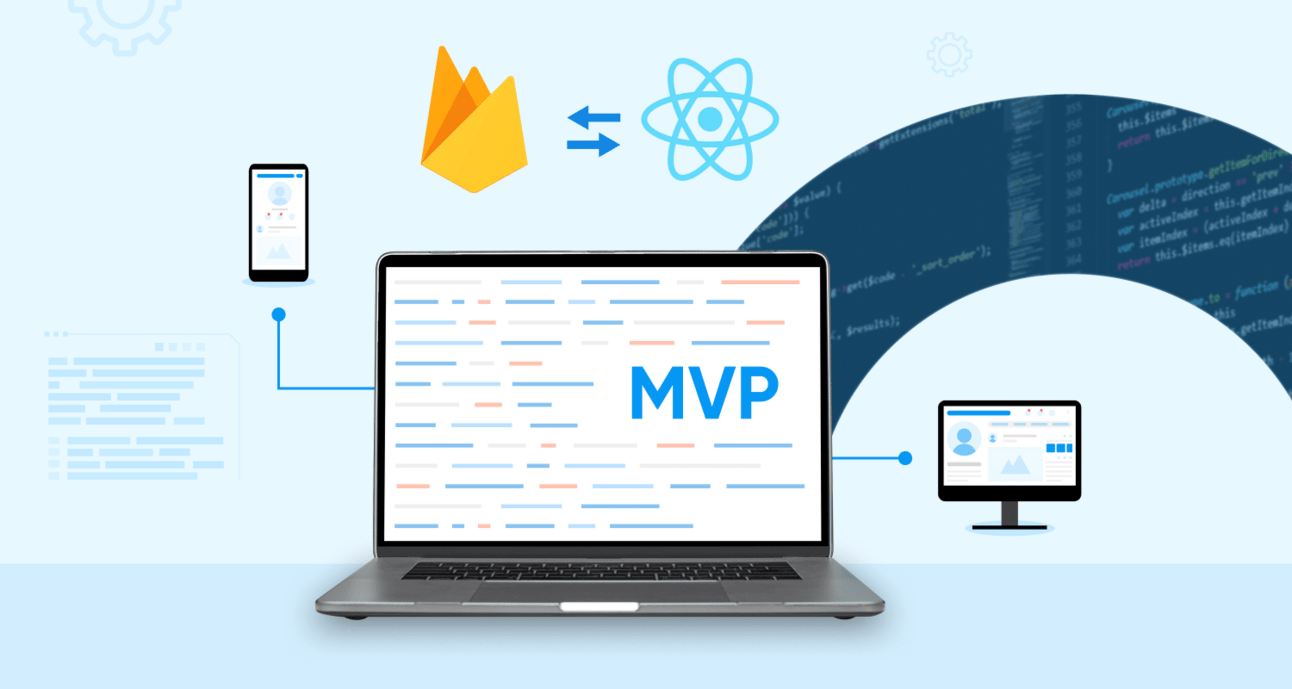
Prototyping: Use AI Studio Build to create a functional Minimum Viable Product (MVP) of your software idea in a single afternoon.

Deployment: Use Firebase to deploy the MVP, add user login functionality, and host it on the web to gather your first users.
Conclusion
We have explored 14 powerful tools that Google is offering for free. This is more than a cost-saving measure; it is the democratization of capabilities that were, until very recently, the exclusive domain of large corporations and elite developers. From personalizing your AI collaborator to building and deploying full-fledged applications without writing a line of code, the barrier to entry for high-level digital creation has effectively been removed.
Your next step is simple: choose one tool from this guide and integrate it into your workflow this week. Create a Gem to help with your emails. Upload a project brief into NotebookLM. Try building one simple app with AI Studio. The AI revolution is not a distant event to prepare for. It is a set of tools waiting on your browser tab, ready to amplify your abilities today. The only question is, what will you build?
If you are interested in other topics and how AI is transforming different aspects of our lives or even in making money using AI with more detailed, step-by-step guidance, you can find our other articles here:
VEO 3 + Genspark: The Easiest Path to Online Income in 2025 (Even for Complete Beginners)*
Claude 4: The New King Of AI Coding Is Here (And It's A BEAST!)
Build AI Powered Tools with n8n’s New MCP Integration (Step-by-Step)*
8 AI Tools That Will Completely Change How You Work (Not Just Hype)
12 ChatGPT Tricks To Instantly Transform Your Daily Workflow
*indicates a premium content, if any
How useful was this AI tool article for you? 💻Let us know how this article on AI tools helped with your work or learning. Your feedback helps us improve! |
Reply