- AI Fire
- Posts
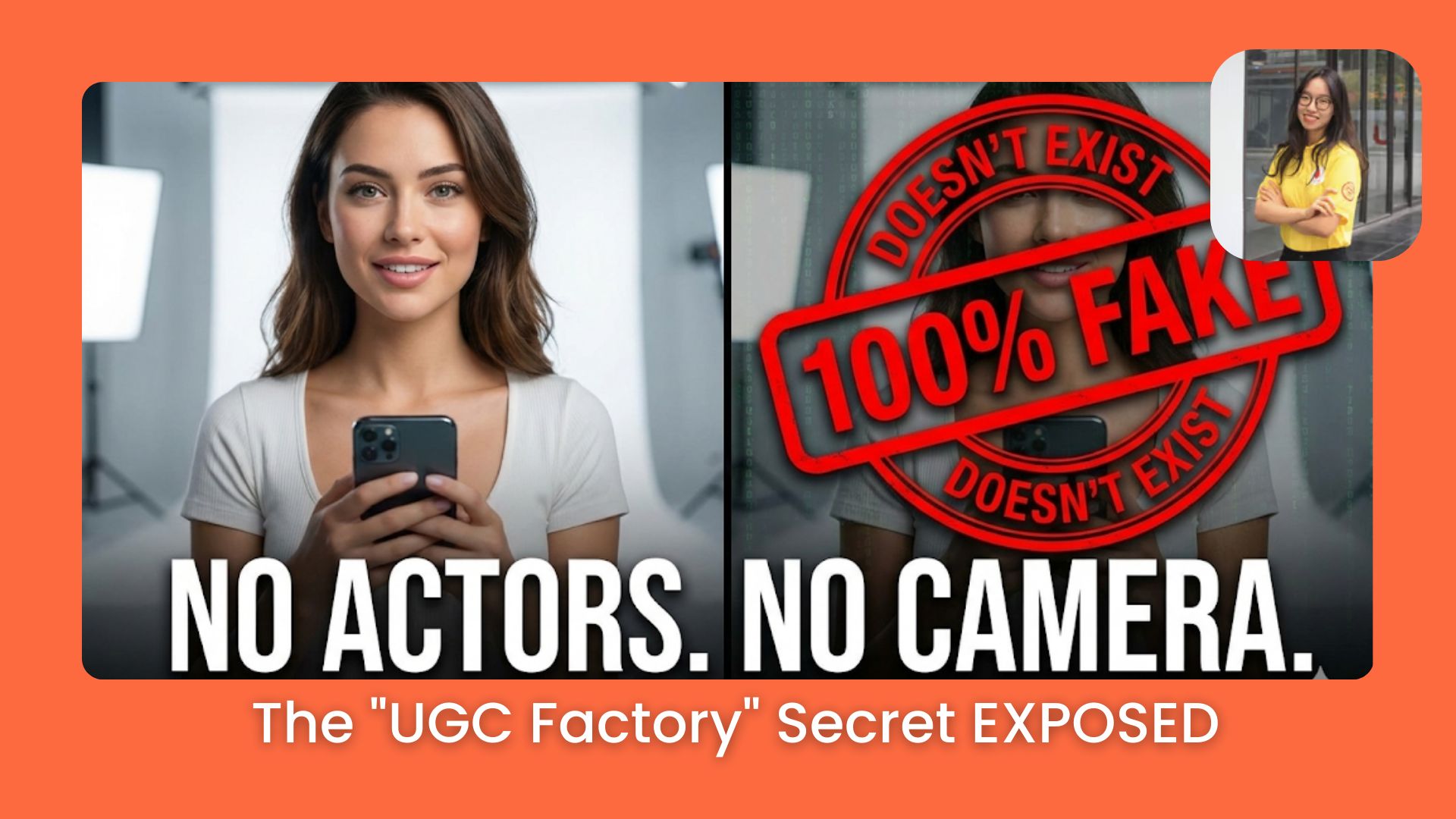
- 🤯 These Influencers Are FAKE! The "UGC Factory" Secret EXPOSED
🤯 These Influencers Are FAKE! The "UGC Factory" Secret EXPOSED
Stop filming. Use Civitai & Veo to generate 100% realistic "Faceless" video ads for $0.

Mia Pham
December 07, 2025
TL;DR BOX
Create professional UGC video ads without actors or cameras by combining specific AI image and video generators. Build a consistent digital influencer and animate them using camera-angle specific prompts to drive traffic.
Start by generating a consistent brand ambassador using tools like Civitai or Recraft to ensure visual stability. Next, use video models like Veo 3 or Sora 2 to animate these characters, applying cinematic camera terminology to avoid static footage. Finally, overlay these AI actors onto product demos using green screen techniques to create high-converting advertisements.
Key points
Fact: Specialized tool stacks outperform expensive all-in-one subscriptions for video quality.
Mistake: Avoid "One-Shot" generation; always create a character sheet for 360-degree consistency.
Takeaway: Utilize "Dutch Angle" camera shots in your prompts to visually emphasize user problems.
Critical insight
Most AI ads fail because they look like static "statues"; the secret to viral performance is forcing motion and emotion through specific camera movements (Pan, Tilt, Dolly) in your prompts.
🎥 What’s the real bottleneck in creating viral AI UGC ads?Quick pulse check before we build your UGC Factory… |
Table of Contents
In the last lesson, we built the "Ad Wizard" system to automate your marketing. You have the targeting, the strategy, and the landing page. But we left one massive hole in the plan: The Video.
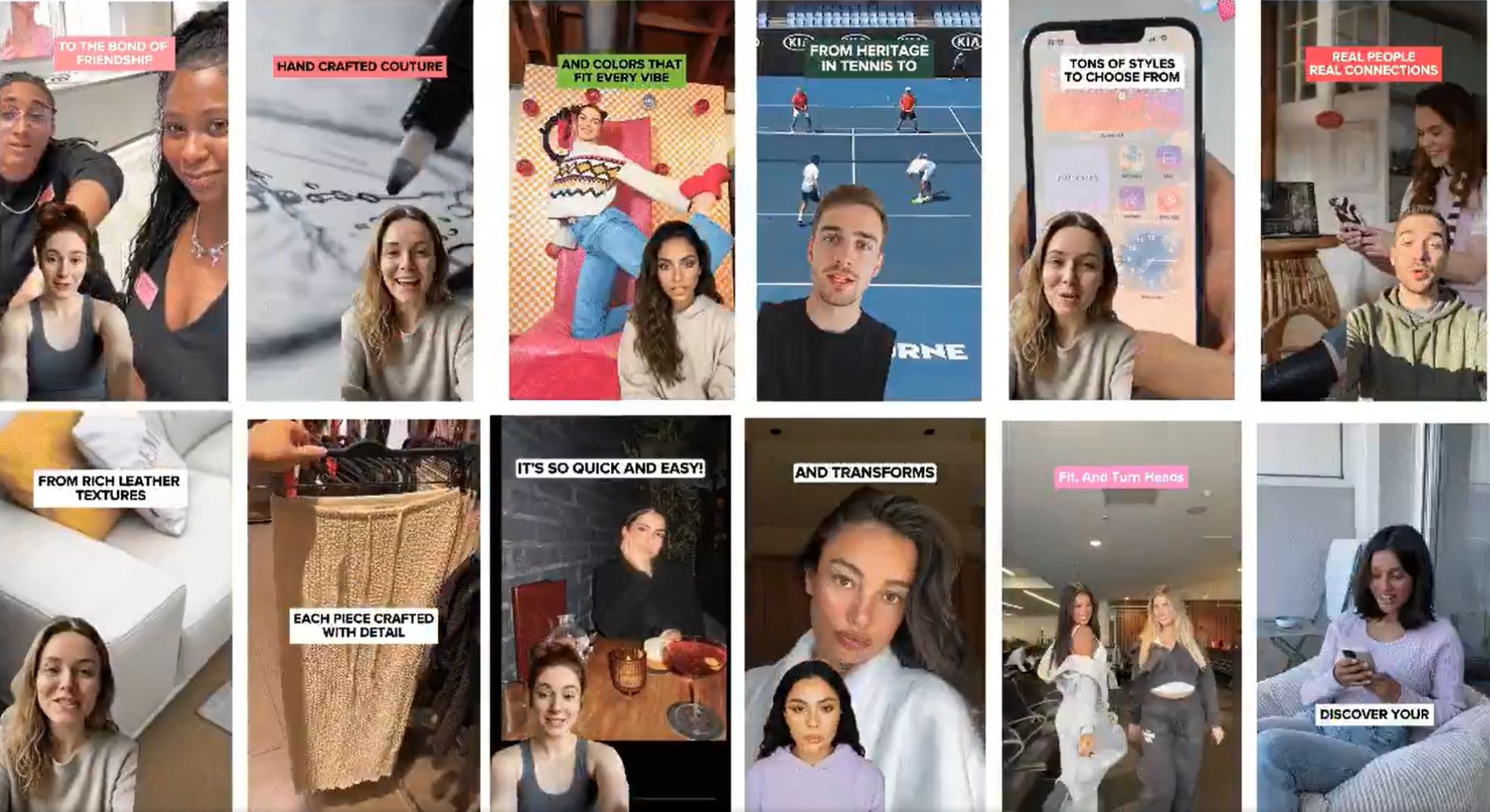
You've probably seen viral ads like these scrolling through your feed, people talking to the camera, vibrant backgrounds, and perfect lighting.
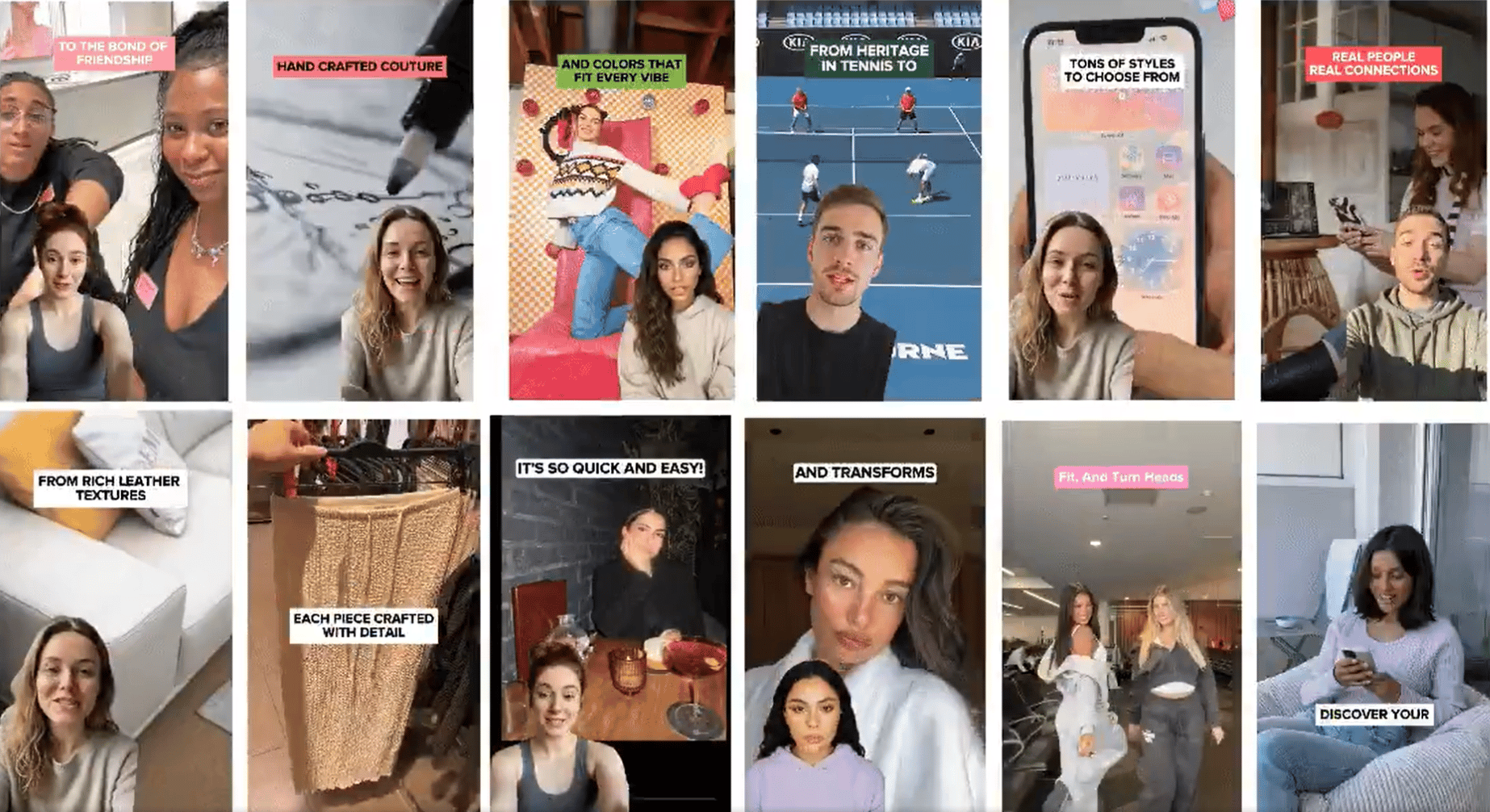
Here is the secret: None of these people exist!
Do you think the creator spent hours hiring actors, renting a studio, or setting up expensive lighting? The answer is NO. They created these videos in just a few minutes using AI tools.
I have tested over 20 AI tools to crack the code on "Faceless UGC," and I can confidently say: You can do this. That is exactly why I added this module to my course, 🔓 From Zero to Profit: Passive AI Money-Making Machine.
This guide is practical and step-by-step. We are going to build a "UGC Factory" that pumps out Hollywood-quality video ads where the actors look real and the camera work is professional... but none of it requires a camera. After this, you can upload these videos to Facebook, TikTok, Reels, or even LinkedIn to start generating passive traffic.
Let's build!
I. How do I create a consistent AI influencer? (Step 1)
First, we need to build your influencer. But listen closely, we aren't just generating a random face here; we are capturing a specific Style.
This character is going to be your Digital Brand Ambassador. They will appear in every single scene of your ads, whether they are driving a car, sitting in a kitchen, or holding your product. They are the ones projecting your company’s taste, vibe, and trust to the world. So, we can't just rush this. You need to optimize this carefully to make sure they represent you perfectly.
The Tool: Civitai (It is currently the best at capturing specific artistic elements and realistic textures).
🎁 BONUS: You can check this out to explore other image generation tools besides Civitai. These are the latest updates!: 💸 Best Free AI Tools for Image Generation
Here’s how you do it:
Go to Civitai. Type “realistic influencer” into the search bar. Scroll through the results and look for styles that are already getting high votes; this is your proof that the look works.
Once you find a winner that fits your brand vibe, open it up and copy the specific trigger words from that prompt. You will use them as the core building blocks to make sure your character looks perfect every time.
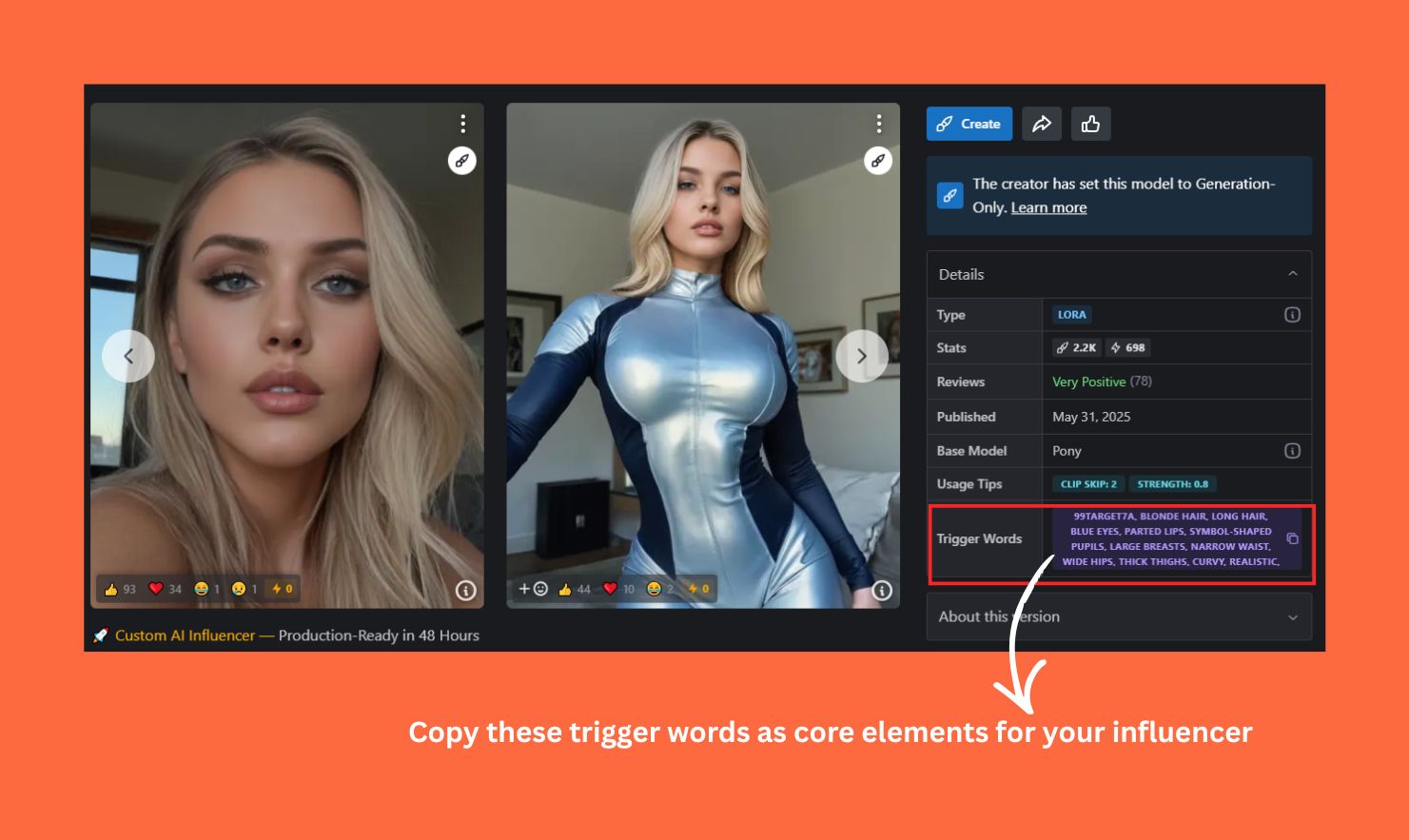
🔥 Sample Prompt: (Be specific about your unique Vibe)
"A realistic female influencer, 25 years old, glowing skin, casual tech hoodie, holding a smartphone, soft studio lighting, 4k, hyper-realistic."📍 NOTE: Don't just look at the face. Look at the lighting, the texture of the skin, the mood.
While other tools take time for image generation, Recraft is built for speed. It allows you to generate a grid of 4 images instantly, so you can compare options and finalize your influencer's look in record time.
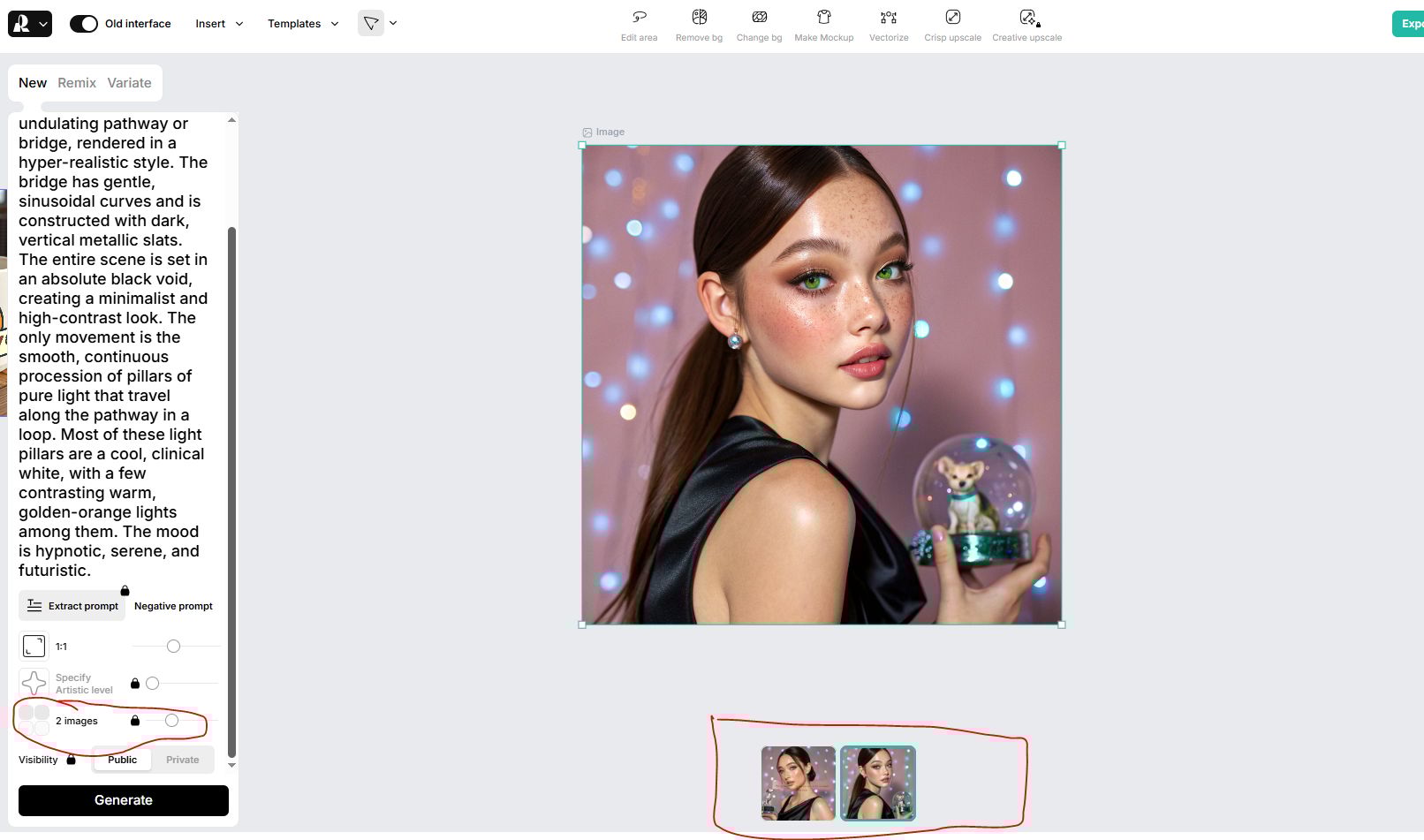
Create your influencer in Recraft
⚠️ PRO TIP: Don't make the "One-Shot" mistake. If you only have one photo of your character, the AI will guess (badly) when you try to turn their head.
→ Create a Character Sheet. Prompt in Nano Banana for "A character sheet of [Character description], front view, side view, back view."
This gives the AI a 360-degree understanding of your actor.
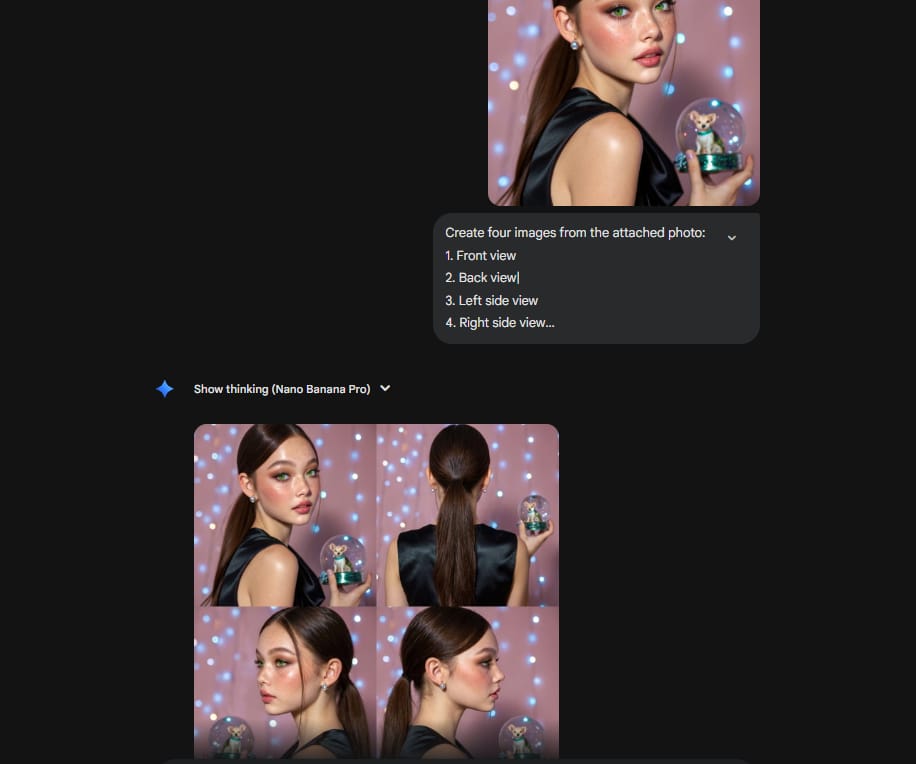
Save your winner. This image is now the DNA of your campaign.
From Passive AI Money-making Machine Course
Master the easiest AI tools for passive income (no experience needed), earn your FREE certificate, and unlock $3,200+ in bonuses.
II. How do I build scenes that look professional? (Step 2)
Once you have your influencer, let's create the picture-perfect scene. Most people fail because they try to do everything in one prompt. They say "Make a video of a girl in a car." That is amateur hour.
You need to build your video Scene by Scene.
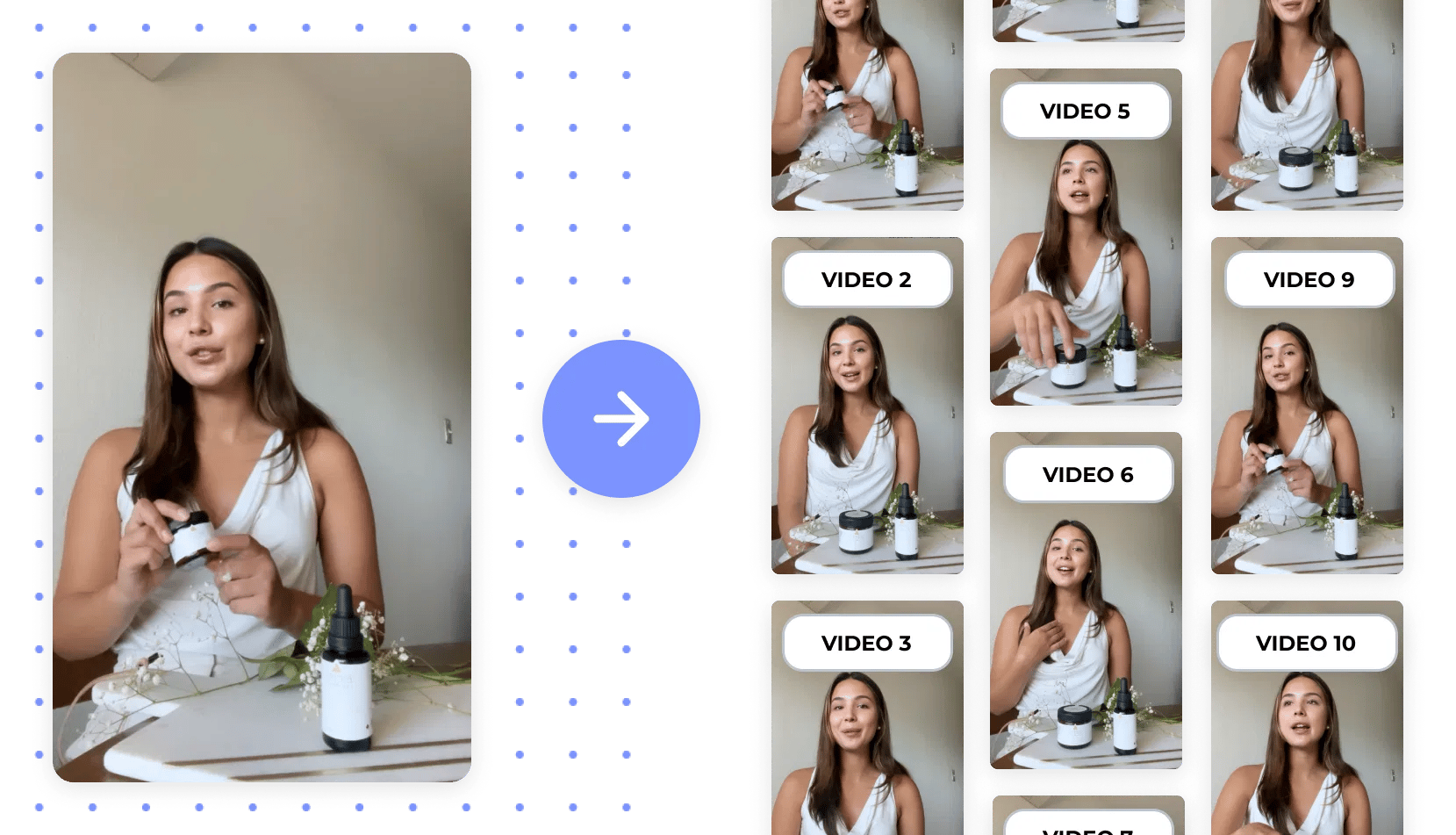
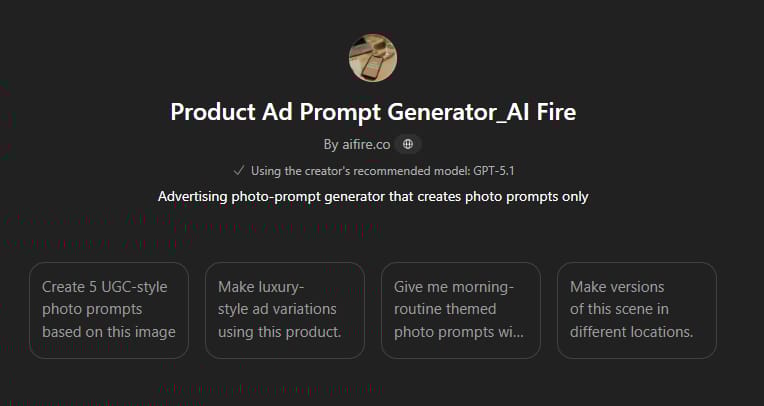
To make this workflow lightning fast, I have built 2 Custom GPTs to do the heavy lifting for you:
The Storyboarder (Script & Scenes): [Link Here]
This tool doesn't just write the script; it breaks the video down into a visual Shot List so you know exactly which scenes you need to generate.

The Product Specialist: [Link Here]
When you need a high-detail close-up of your product (without the character), this GPT writes the perfect lighting and texture prompts.
III. How do I direct AI video like a pro filmmaker? (Step 3)
It’s time to make it move using Veo 3 or Sora 2.
To make a Viral Ad, you need to think like a Film Director with the eyes of Camera Angles. Use these specific terms in your prompt to control the AI camera:
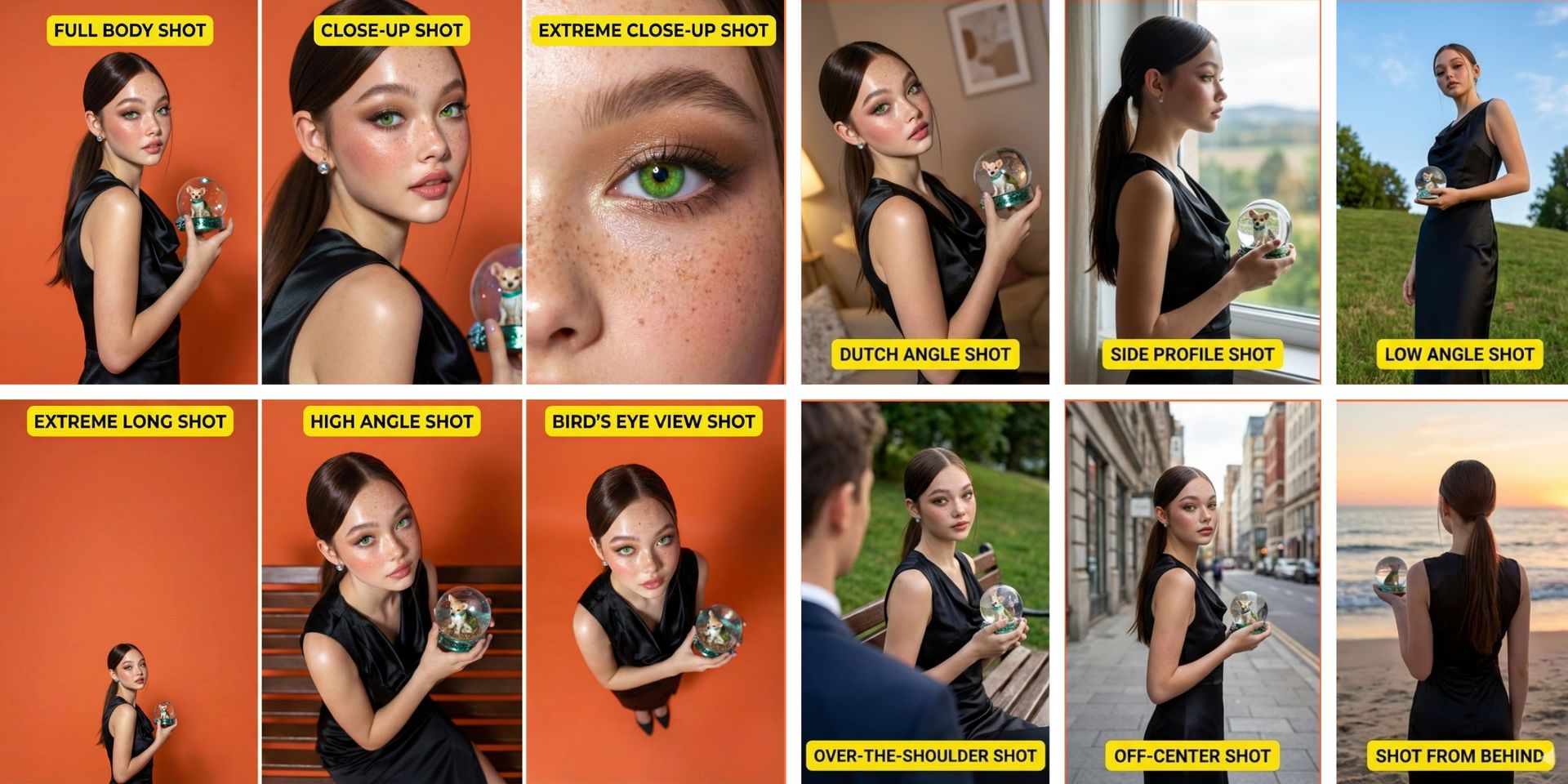
To establish authority: Use a "Low Angle Shot" (camera looks up). It makes your character look powerful and heroic.
To build intimacy/trust: Use a "Close-Up Shot" or "Extreme Close-Up". Focus on the eyes and emotions.
To show the environment: Use an "Extreme Long Shot" or "Bird's Eye View".
To add chaos/energy: Use a "Dutch Angle Shot" (tilted camera). Great for "Hook" videos about problems or stress.
To interview: Use an "Over-The-Shoulder Shot". Perfect for dialogue ads.
🔥 The Pro Prompt of the camera angle settings:
"Low Angle Shot of [Character] looking confident, holding the product up to the sky. The camera slowly pushes in (Dolly In). Cinematic lighting."Now based on the Generated Video Script, combined with your desired camera angle, and this Veo 3 prompt GPT, you can now generate each scene to make your viral UGC video 😆
IV. The Green Screen Hack (How to Sell Your Website)
Sometimes, you need to show a detailed software demo or a website scroll, and you just want your influencer tucked in the corner to provide that authentic live reviewer vibe.
For this, it is time to use the Green Screen technique
Generate your video in Veo/Sora with a Solid Green Background.
Open CapCut.
Place a Screen Recording of your website on the main track.
Overlay your AI Actor video.
Use "Auto Cutout" to remove the green.
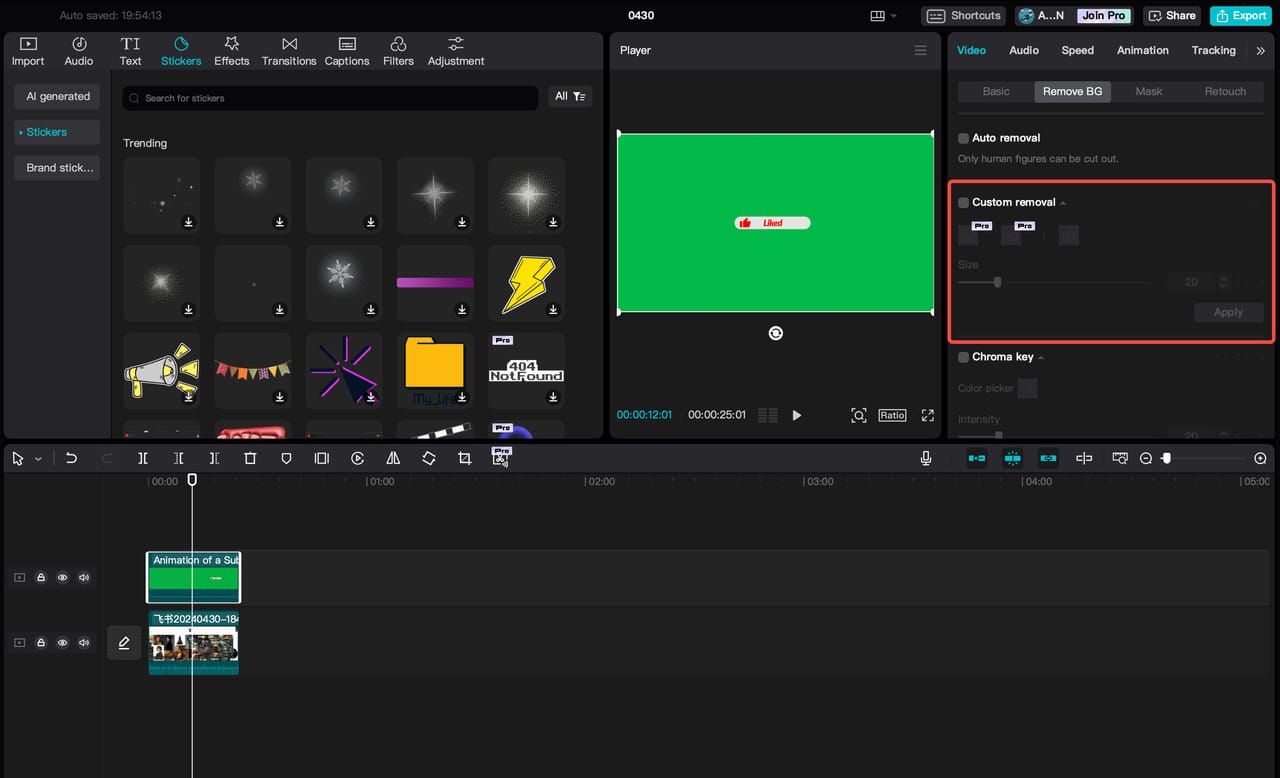
Boom: You now have a spokesperson walking around your website, pointing at features.
V. 3 Reasons Your AI Characters Look Fake (And How to Fix Them)
If you’ve tried this before and it looked glitchy, here is why. I’ve identified the top 3 mistakes people make:
Mistake 1: The Expensive Tool Trap:
You think you need the most expensive subscription.
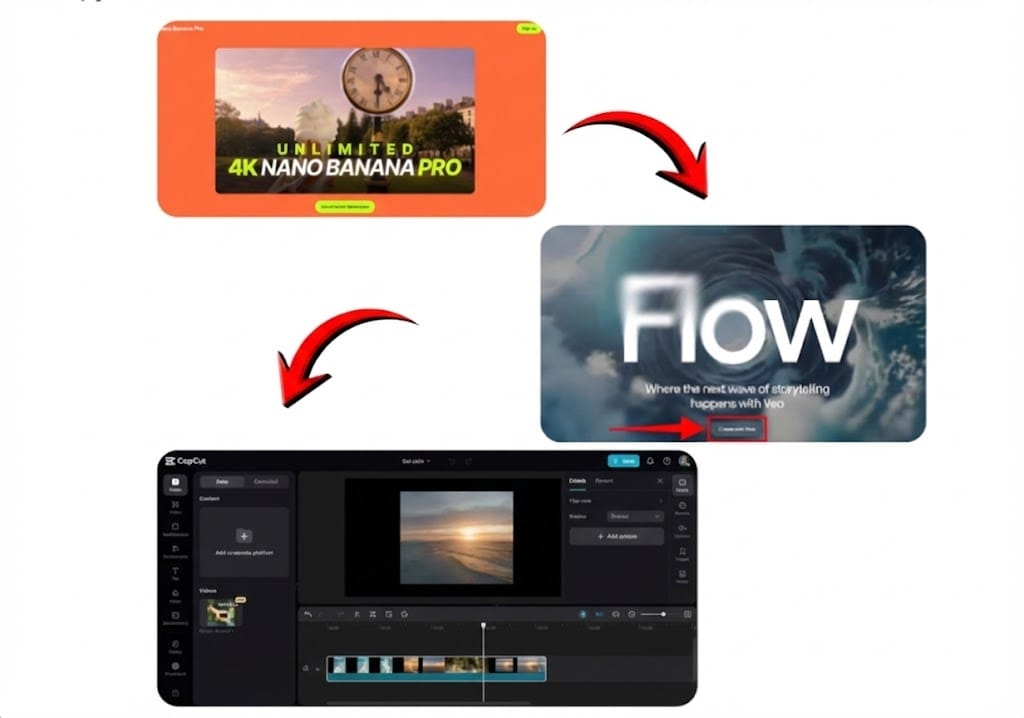
→ Mix your tools! Use Whisk for the image (cheap/free), Veo for the video, and CapCut for editing. Don't pay $100/month for one tool that does everything mediocrely.
Mistake 2: The Statue Syndrome:
Your video is high quality but boring because the camera doesn't move.
→ Use the Camera Angles we discussed above (Pan, Tilt, Dolly). Motion = Emotion.
Mistake 3: The "Text-Only" Delusion:
You think a good prompt is enough.
→ It’s not. Always use Image References. Feed the AI a style image so it knows exactly what lighting and color palette you want.
📍 AUDIO NOTE: You can use ElevenLabs to generate voiceovers, but honestly? syncing the lips manually is a time-waste. I recommend using the native lip-sync features in Veo/Flow or just using voiceover narration without on-screen talking for faster testing).
VI. How do I launch and test my UGC ads? (Step 4)
You have your video. Now, how do we turn it into money?
We go back to the Creative Testing framework from Lesson 1. Here is the launch strategy:
Spy First: Before you even upload, go to the Facebook Ads Library. Look at your competitors. What "Hook" are they using? Copy their structure, but use your AI video.
‼️ HACK: If you see a competitor's ad, click on it. Go to their site. Add to cart.
Why? You are training Facebook to tag you as a "buyer." You will suddenly start seeing all their retargeting ads in your feed. This is the best way to steal their "bottom of funnel" secrets.
Launch the Gladiator Arena:
Create your Sales Campaign. Go back to my previous lesson to see the detailed settings
Set up 5 Ad Sets (Broad Targeting).
Upload 5 Variations of your new AI video (Test different Hooks: One "Low Angle" confident hook, one "Dutch Angle" problem hook). Let them fight 😁
🎁 BONUS: You can copy this Meta Ad Campaign Template to manage all your FB ads at once.
Once everything is set up, use this AI Automation technique with n8n, now your passive income is ready to work:
Workflow automation from scratch: 📹 Forget Hiring Creators! This AI Makes UNLIMITED UGC Video
Generate Your UGC video with Veo3 and Sora2: 💰 How To Make A Viral UGC Ad For $0.10 (Without A Camera)
VII. Conclusion
Just think about what you’ve built in this session. You’ve gone from needing actors, studios, and expensive cameras to having a digital production team that fits in your browser. You have your consistent character, your virtual set, and the final UGC video to bring it all to life.
So here is your homework for today:
Head to Civitai or Recraft and birth your brand’s influencer.
Use the Green Screen hack to put them in front of your product or website.
Launch a simple test. Just $10. See what happens.
Remember, the goal isn't to make art; the goal is to make impact. And with this toolkit, you can now test 10 times faster and cheaper than any traditional competitor out there.
You have the Ad System (Lesson 1). You have the Creative Factory (Lesson 2). The only variable left is you.
Go turn on the machines. I’ll see you in the next lesson.
Until then…
Check out these related articles for more insights:
*indicates a premium content, if any
How would you rate this course on learning to make passive income with AI? |
Reply