- AI Fire
- Posts
- 📱 Claude Dispatch Changes Everything About AI Agent Automation
📱 Claude Dispatch Changes Everything About AI Agent Automation
A simple look at how Claude Dispatch turns AI agent automation into something you can actually use.

Robin Do
April 21, 2026
TL;DR
Claude Dispatch makes AI agent automation more practical by letting you run desktop AI agents from your phone. Your phone sends the task, and your desktop does the real work.
This article explains why that setup matters. Instead of forcing users to rebuild workflows on mobile, Claude Dispatch uses the desktop environment where files, tools, and browser sessions already exist. That makes automation easier to trigger, review, and manage.
You’ll also learn who this tool is best for, how it compares with Claude Code, and why many agent tools still fail because of setup friction, cost, and trust issues. The main idea is simple: AI agent automation works better when it fits how people already work.
Key points
Important fact: Claude Dispatch turns your phone into a control point, not the full workstation.
Mistake to avoid: Do not expect mobile to replace the desktop in agent workflows.
Practical takeaway: Start with repeat desktop tasks you already trust.
Critical insight
In real use, the best agent tools are usually the ones people can keep using every day.
Would you trust an AI agent to do desktop work while you control it from your phone? |
Table of Contents
Introduction
I’ve tested enough AI tools to know that many of them sound better than they feel in real use. They promise speed, automation, and less manual work. But once you try to use them in daily life, things get harder. Setup takes too long. Mobile access feels limited. And a tool that should save time starts asking for more of it.
That’s why Claude Dispatch stands out to me.
Claude Dispatch offers a more practical way to approach AI agent automation. Instead of forcing you to build a complicated system, it lets you run desktop AI agents from your phone. Your phone is where you send the task. Your desktop is where the work happens. That idea is simple, but I think it matters a lot.
One of the biggest problems with AI agent tools right now is usability. People want powerful workflows, but they also want something that feels easy to control. They do not want to sit at a desk every time they need to trigger a task. They also do not want to manage a messy stack of tools just to get one useful result.
Claude Dispatch feels different because it works with the setup many people already have. If your desktop already holds your files, browser sessions, tools, and work environment, Dispatch turns that machine into something you can manage remotely. That makes AI agent automation feel less like a technical experiment and more like something you can actually use during a normal workday.
In this article, I’ll walk through what Claude Dispatch is, how it works, why it matters, and where it fits in real workflows. Because the real value of AI agent automation is not looking impressive. It is helping you get useful work done with less friction.
I. What Claude Dispatch Is and Why It Matters
Claude Dispatch is a feature from Anthropic that lets you run and manage an AI agent from your phone while the real work happens on your desktop. I think that simple setup is the whole reason people are paying attention to it. You send the request from mobile, your computer picks it up, and the workflow runs there with access to your files, tools, and skills.
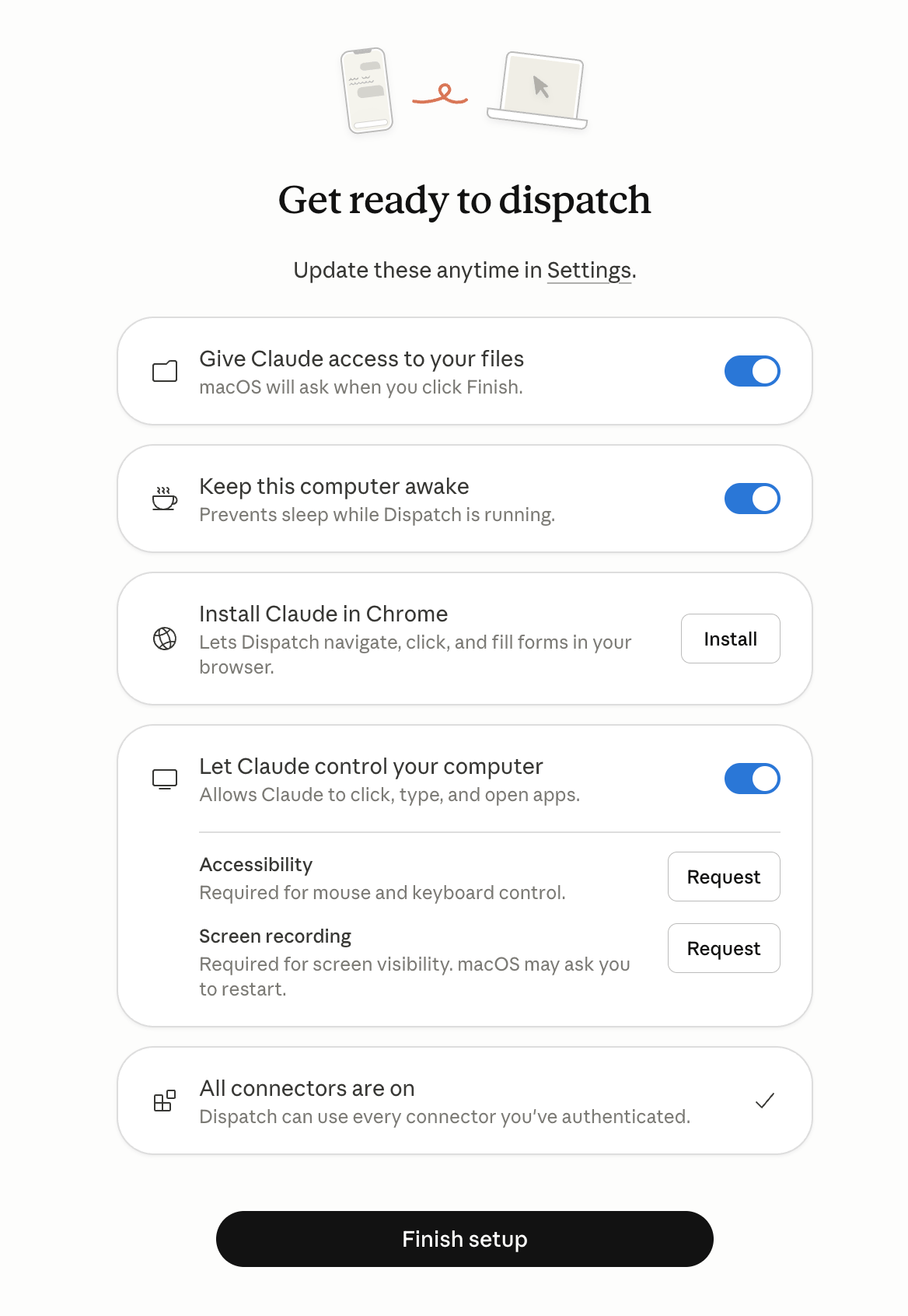
What makes this interesting is how practical it feels. A lot of people already use Claude-based workflows on desktop, especially with saved skills or repeatable tasks. The hard part starts when you leave your desk. Running those same systems from a phone can feel fragile, slow, and annoying. Claude Dispatch fixes that gap in a way that feels much more natural.
I also think it helps explain why this matters for AI agent automation right now. Most people do not need a more complicated system. They need a system they can actually use. That means fewer setup problems, fewer moving parts, and a smoother way to trigger useful work when they are outside, commuting, or away from their laptop.
Another important point is that Claude Dispatch does not seem to be positioned as the most powerful version of Claude in every possible case. From the outline, the stronger argument is usability. Claude Code may still feel better for more technical users who want full control. Claude Dispatch feels more approachable. It gives less technical users a cleaner path into AI agent automation without making them build everything from scratch.
That is why I think Claude Dispatch matters. It takes something that usually feels technical and turns it into something more usable in daily work. And in this space, usability is often what decides whether a tool becomes part of your routine or gets ignored after one test.
II. How Claude Dispatch Works in Real Life
What makes Claude Dispatch easy to understand is that the workflow feels close to how you already work.
You start on your phone. That is where you send the task, check progress, and stay involved without sitting in front of your computer. The actual work happens on your desktop, where your files, browser sessions, apps, and setup already live. That matters more than people think. Most useful work still happens on a real computer, not on a small phone screen.
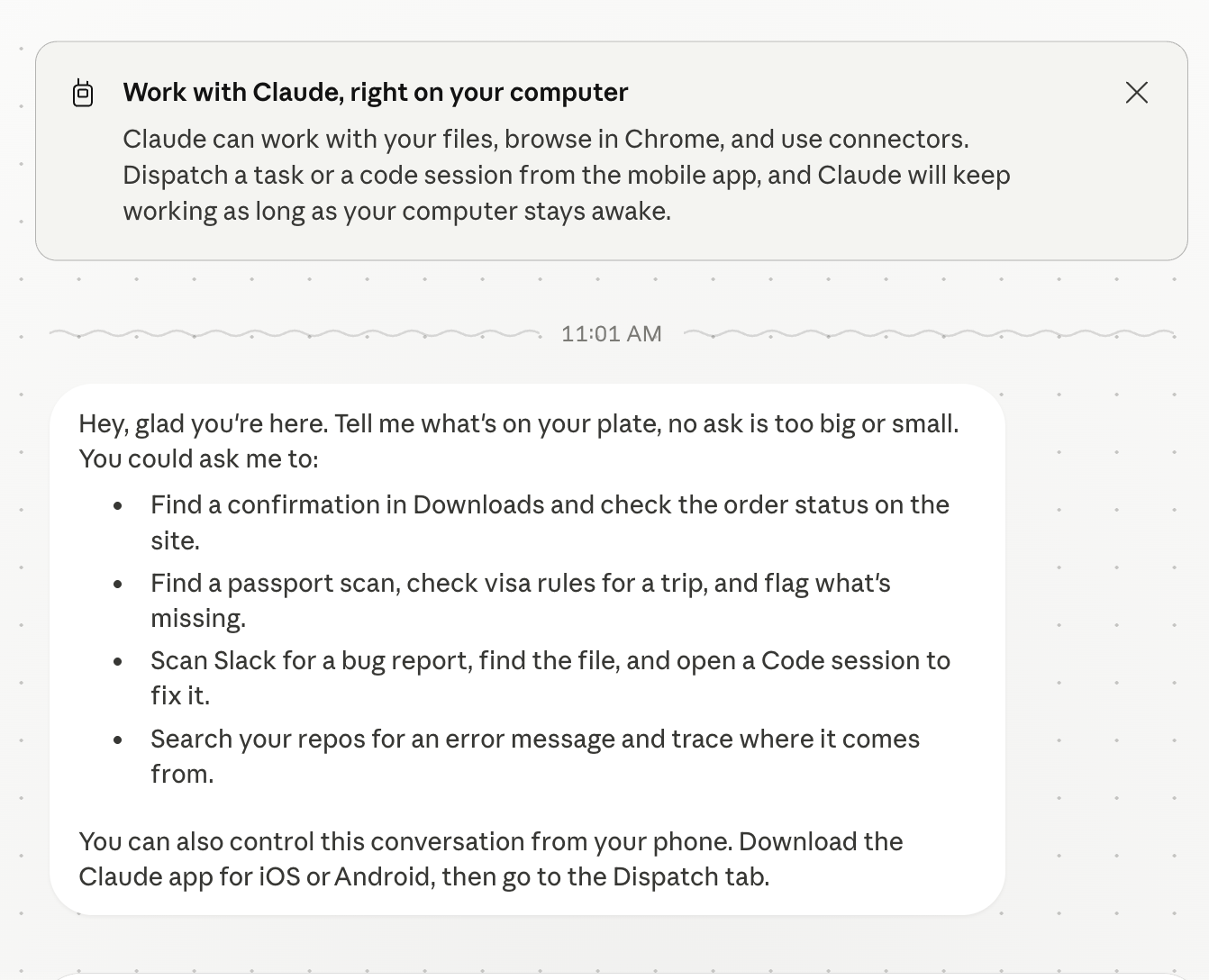
So the value of Claude Dispatch is not just remote access. It is that it brings AI agent automation into a setup that already has context. Your desktop already knows your work environment. It already has the tools you use. It already holds the documents, tabs, and workflows that make your tasks possible. Claude Dispatch simply gives you a cleaner way to trigger that system from anywhere.
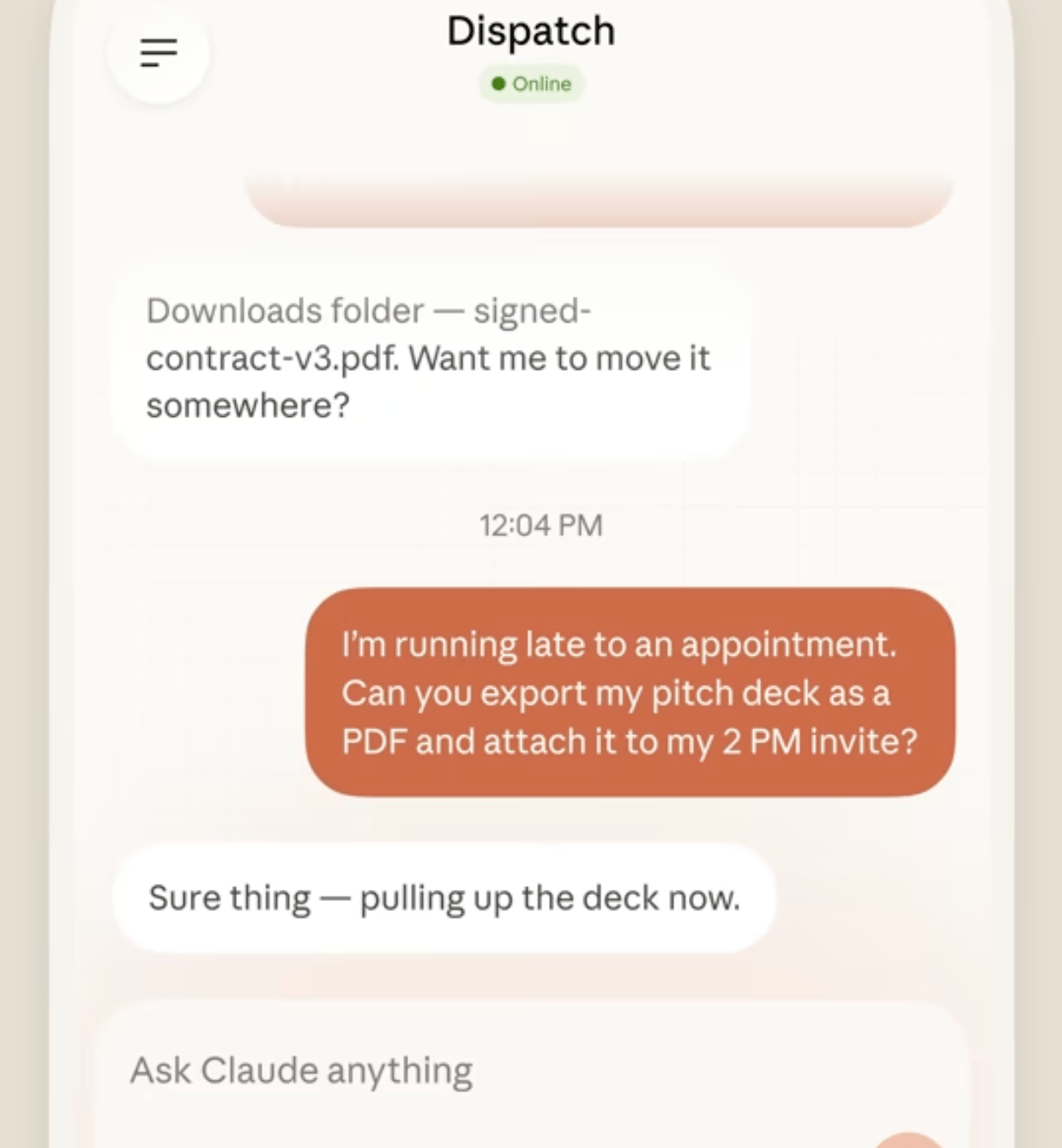
I think that changes the feeling of using an agent. Instead of stopping what you are doing, opening your laptop, and manually setting everything up, you can send a request from your phone and let the desktop handle the heavy work. Then you come back to the result, review it, and move forward.
That makes AI agent automation feel less awkward and more practical. It fits into real life better. You could be away from your desk, in a car, between meetings, or outside for coffee, and still move work forward without trying to do everything on mobile.
To me, that is the real appeal here. Claude Dispatch does not ask your phone to become your full workstation. It lets your phone become the control point, while your desktop stays the place where serious work gets done.
Learn How to Make AI Work For You!
Transform your AI skills with the AI Fire Academy Premium Plan - FREE for 14 days! Gain instant access to 500+ AI workflows, advanced tutorials, exclusive case studies and unbeatable discounts. No risks, cancel anytime.
III. The Problem Claude Dispatch Solves
A lot of people already use Claude Code or other agent workflows on desktop with custom skills. Those skills can do real work, like scraping leads, cleaning inboxes, or handling repeat tasks. The problem starts the moment you leave your desk. Suddenly, something that felt powerful on your computer becomes awkward on mobile.
That gap is bigger than it sounds.
Most AI agent automation tools still assume you are sitting in front of a full setup. They work best when you can see every tab, check every prompt, and manage every little step. On a phone, that same flow feels fragile. The screen is smaller. The controls feel limited. And when the setup depends on extra tools or DIY stacks, things get annoying fast.
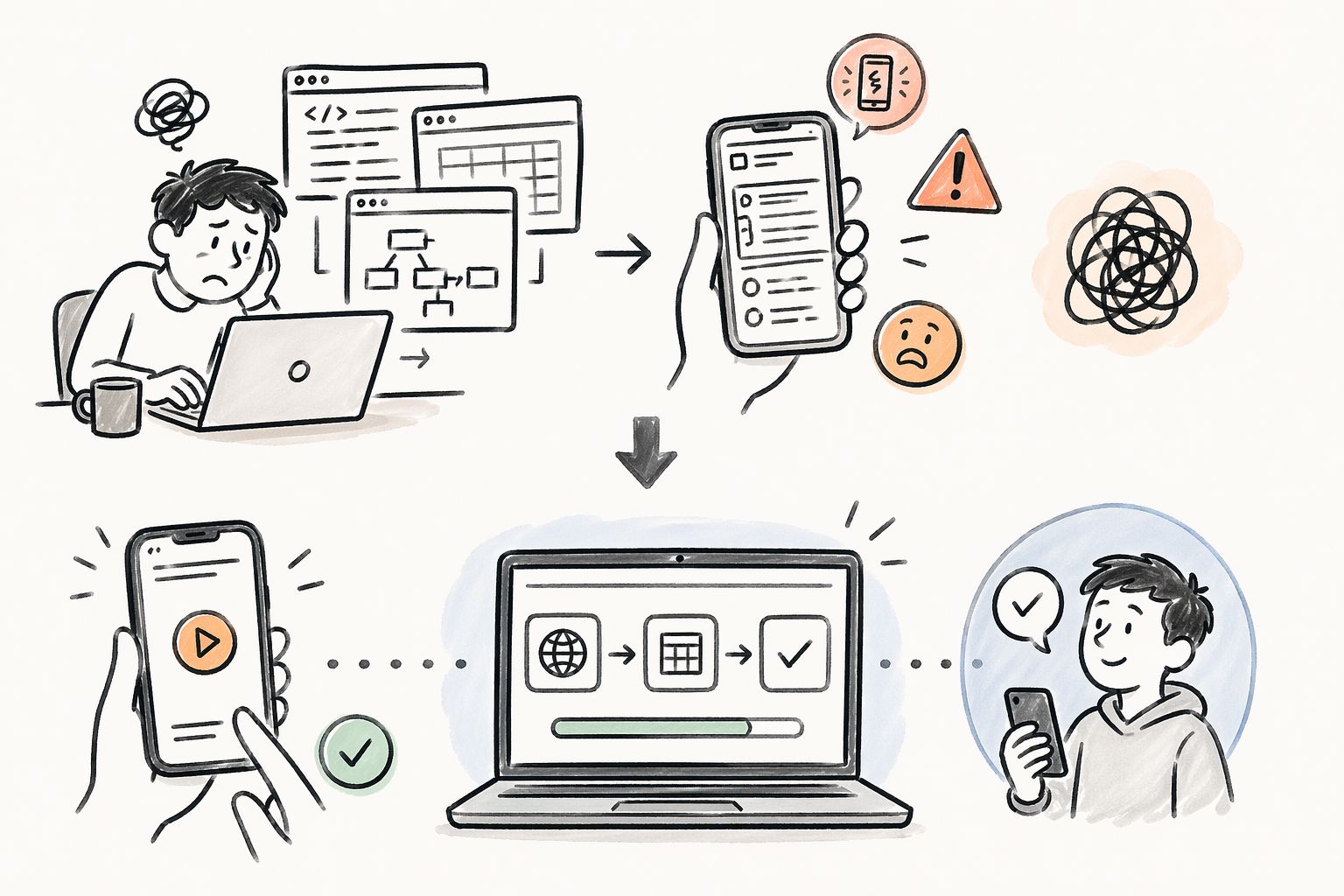
I’ve seen this happen a lot with agent products that look exciting in demos. They promise fast automation, but real use comes with too much friction. You may need extra setup, more technical knowledge, and more patience than most people want to give. That is usually where interest drops.
Your phone does not need to become the place where all the work happens. It just needs to become the place where you start, monitor, and manage the task. Your desktop still does the heavy lifting. That one change makes AI agent automation feel much more usable.
And to me, that is the real shift here. Claude Dispatch does not try to make mobile do everything. It gives mobile a cleaner job. You send the request, your desktop runs the workflow, and you stay in control without dragging your laptop everywhere.
IV. Claude Dispatch vs. Claude Code
I think this is where many people get confused, because Claude Dispatch and Claude Code can sound similar at first. But they are not trying to do the exact same job.
Claude Code feels better suited for people who want more control. If you are technical, like working close to the system, and want to shape workflows in a more detailed way, Claude Code will probably feel stronger. It gives you more room to build, test, and adjust how the agent works.
Claude Dispatch feels different.
It feels more like a bridge between normal users and AI agent automation. You do not need to sit there building everything from zero just to make it useful. You already have your desktop setup. You already have your files, apps, browser, and working environment. Dispatch simply gives you a cleaner way to send tasks to that setup from your phone.
That difference matters.
Tool | Best for | What it feels like | Main strength | Limitation |
|---|
Claude Code | Users who want deeper control | Working close to the system | More room to build, test, adjust workflows, and shape how the agent works | More technical and asks more from the user |
Claude Dispatch | Users who want easier access to agent workflows | A bridge between normal users and AI automation | Lets you send tasks to your desktop setup from your phone, using your existing files, apps, browser, and workspace | Less focused on deep control than Claude Code |
A lot of people do not need the most flexible tool. They need the tool they will actually keep using. In my experience, that is where many agent products fail. They offer a lot of power, but they ask too much from the user. Too much setup. Too much patience. Too much technical comfort.
Claude Dispatch lowers that barrier. It makes AI agent automation feel more approachable without removing the value of the desktop environment behind it. You still get serious work done, but the entry point feels lighter.
So I would look at it this way: Claude Code is for users who want deeper control. Claude Dispatch is for users who want easier access to useful agent workflows from anywhere.
Neither one is wrong. They just fit different needs.
And honestly, that is a smart move. Not every user wants to build the machine. Some people just want to send the task, review the output, and move on with their day.
V. Who Claude Dispatch Is Best For ?
I do not think Claude Dispatch is for every kind of user. And honestly, that is fine. A tool does not need to be for everyone to be useful.
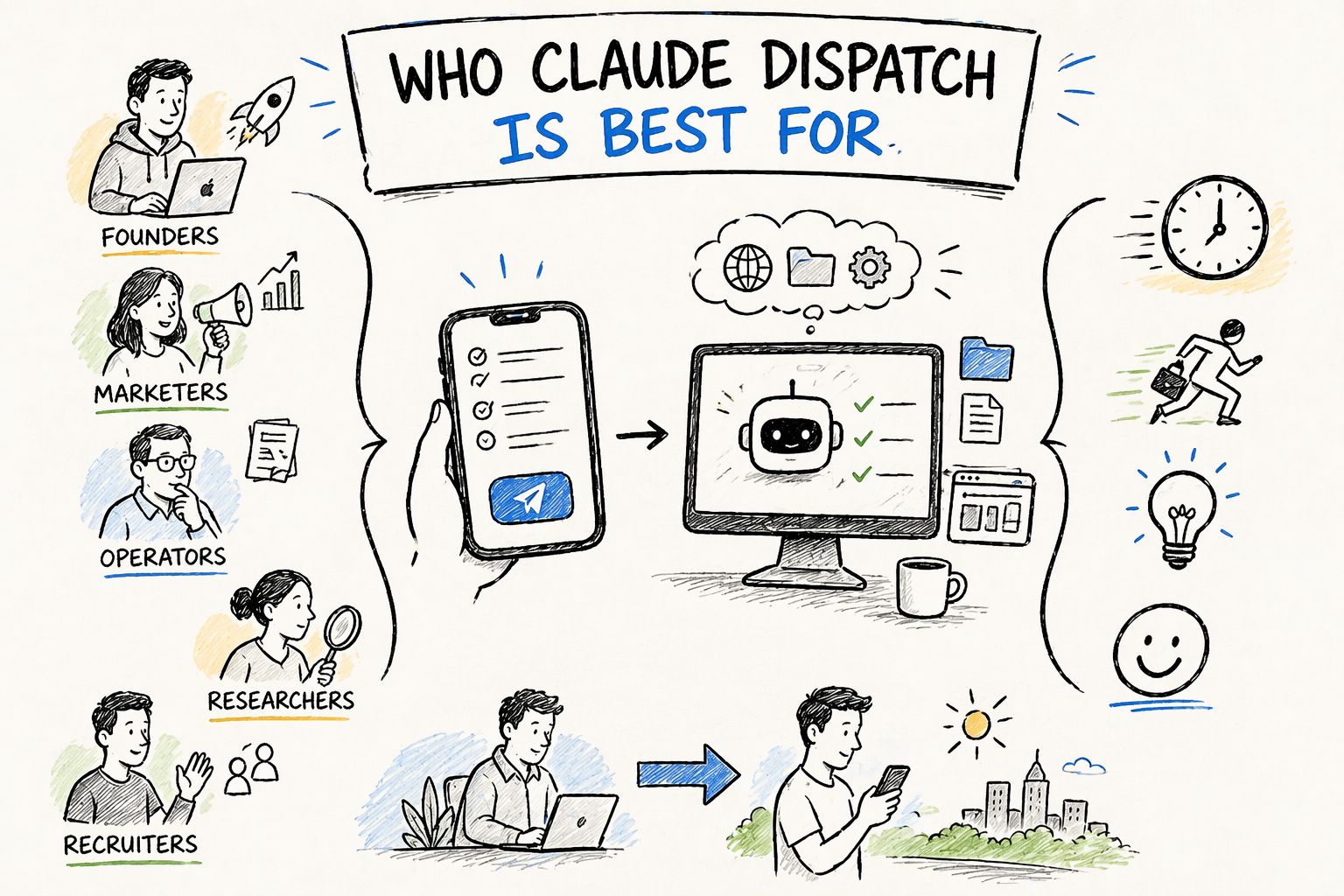
To me, Claude Dispatch makes the most sense for people who already do real work on desktop but do not want to be stuck at their desk all day. That could be founders, marketers, operators, researchers, recruiters, or anyone who runs repeatable workflows and wants a faster way to trigger them from a phone.
This is where AI agent automation starts to feel practical. You are not trying to build some huge experimental system. You are using the setup you already have. Your desktop already holds your browser tabs, files, logins, and tools. Claude Dispatch just gives you a simpler way to tell that setup what to do while you are away.
I can also see this working well for people who are interested in agents but feel blocked by technical complexity. A lot of agent tools still feel like they were made for people who enjoy setup work. That is not most users. Most people just want to send a task, check the result, and keep moving. Claude Dispatch feels closer to that kind of experience.
At the same time, I would not frame it as the best choice for users who want deep control over every part of the workflow. Those users may still prefer something more technical and flexible. But for people who care more about access, speed, and ease of use, Claude Dispatch feels like a smarter entry point into AI agent automation.
That is why I think this product matters. It gives normal users a more realistic path into agent workflows. Not a perfect one. But a much more usable one.
VI. Real Use Cases for Claude Dispatch
This is the part I care about most, because a tool only matters if it helps with real work.
Claude Dispatch starts to make sense when you think about repeat tasks you already do on your desktop. Things like checking leads, reviewing inboxes, pulling information from tabs, organizing notes, or running a workflow you use again and again. These are the kinds of jobs that fit AI agent automation well, especially when your desktop already has the right context.
For example, let’s say you have a workflow for lead research. Your browser is already logged in. Your files are already there. Your process already works on desktop. With Claude Dispatch, you do not need to rebuild that flow on your phone. You can send the task from mobile, let your desktop handle it, and come back later to review the result.
The same idea works for admin tasks. I can see people using it to clean up inboxes, sort information, summarize documents, or run repeat actions that normally eat up small pieces of the day. On their own, those tasks do not feel huge. But together, they take a lot of energy. That is where AI agent automation becomes useful. It helps reduce the boring parts that keep slowing you down.
I also think this matters for people who work in short gaps of time. You may be outside, between meetings, or away from your desk, but still want your system to keep moving. Claude Dispatch gives you a way to do that without forcing full work onto a phone screen.
To me, that is the strongest use case here. Not flashy demos. Not giant promises. Just practical work moving forward in a cleaner way.
VII. Why Most AI Agent Tools Still Fall Apart
I think this is the part many people quietly agree with: a lot of agent tools sound great until you actually try to trust them with real work.
On the surface, many DIY tools look attractive. Sending a message to a bot feels easy. Triggering a workflow from chat feels familiar. That is a big reason people get interested in them in the first place. But after that first impression, the problems start to show.
The first problem is security. If a tool needs broad access to your files, browser, and workflows, you need to trust how that access is handled. That is where many third-party setups start to feel risky. One weak point, one bad configuration, or one exposed key can turn a useful system into a problem. For business use, that risk is hard to ignore.
The second problem is cost. A lot of these tools run on direct API usage, which sounds fine until the workflow gets busy. Then every action, every retry, and every extra task starts adding more cost. AI agent automation becomes much harder to recommend when the price feels unpredictable.
The third problem is friction. Many of these systems still ask users to do too much setup. That may be fine for people who enjoy building stacks. But for normal users, it usually becomes a barrier.
This is why Claude Dispatch feels different to me. It makes AI agent automation feel more stable because it leans on your own desktop, your own setup, and a more controlled approval flow. It also feels easier to trust when the goal is not just testing an agent for fun, but using it for work you actually care about.
That difference matters more than hype. A tool becomes useful when it feels safe, usable, and worth keeping around.
VIII. What Claude Dispatch Could Change for AI Agent Automation
I think Claude Dispatch matters because it pushes AI agent automation in a more useful direction.
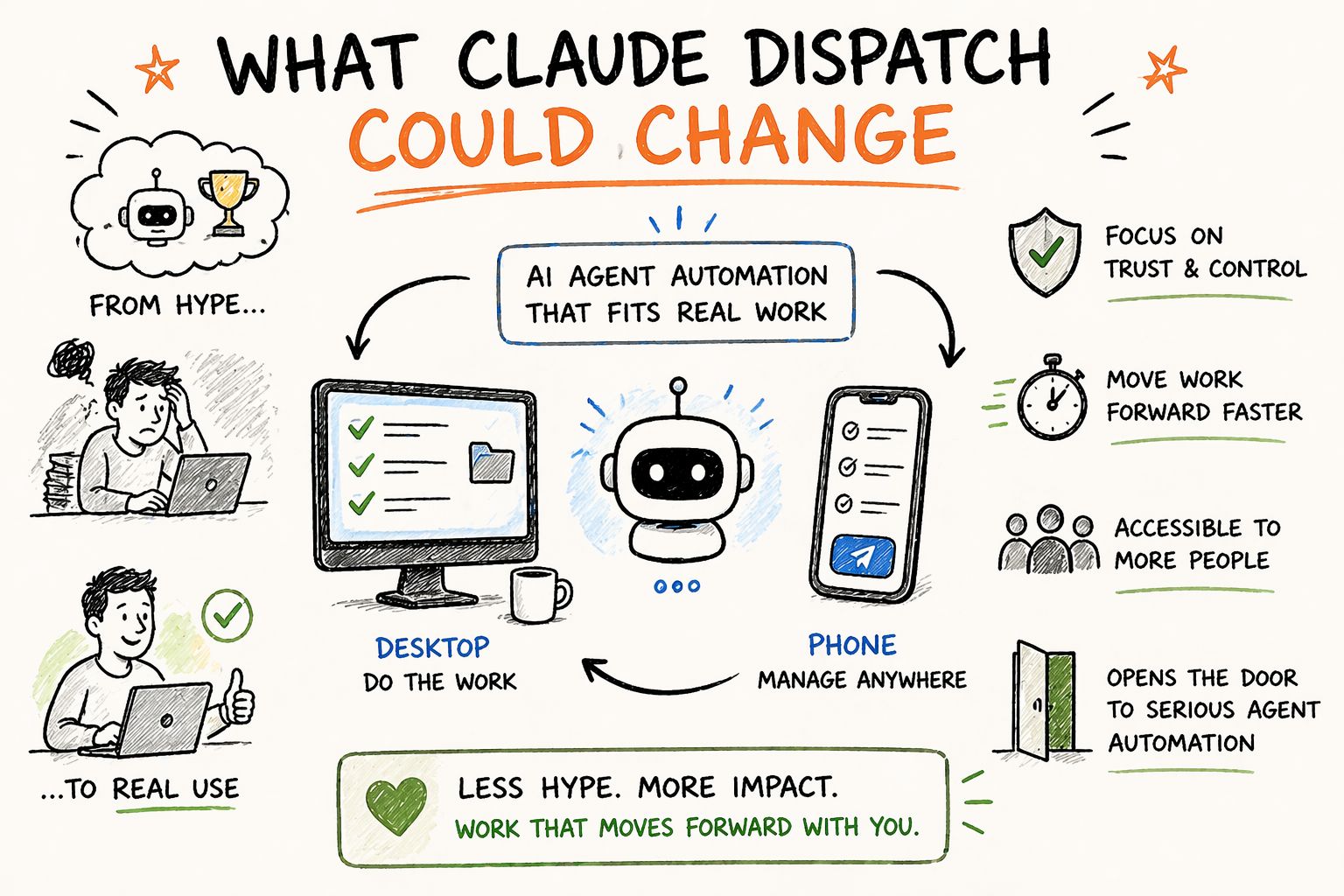
For a while, a lot of agent products have been built around the idea of showing what AI can do. That helped create hype, but hype does not always turn into daily use. Most people do not keep a tool in their workflow because it looked impressive once. They keep it because it saves time without creating new stress.
That is why Claude Dispatch feels important.
It takes a model that already makes sense for real work and makes it easier to access. Your desktop stays the place where the heavy work happens. Your phone becomes the place where you manage that work. That may sound basic, but I think it solves a real problem many teams and solo users have been dealing with for a while.
It also changes how people may start thinking about AI agent automation. Instead of asking, “Can this agent do everything by itself?” the better question becomes, “Can this agent help me move work forward in a way I can trust?” That is a much smarter standard. It brings the focus back to control, speed, and actual usefulness.
I also think this opens the door for more people to use agents in a serious way. Not everyone wants to build complex systems. Not everyone wants to manage API costs, connect extra tools, or babysit a fragile workflow. A product like Claude Dispatch makes the space feel more realistic for people who want results without all that extra weight.
So to me, the real value here is bigger than one feature. Claude Dispatch shows that AI agent automation gets more interesting when it fits into normal work instead of asking people to rebuild everything around it.
Conclusion
For a long time, a lot of agent tools have felt interesting in theory but tiring in practice. They looked smart, but they asked too much from the user. Too much setup. Too much monitoring. Too much trust in systems that did not always feel stable. That is usually the point where people lose interest.
Claude Dispatch takes a different path.
It keeps the heavy work on the desktop, where your tools, files, and workflows already live. Then it lets your phone become the place where you send tasks and stay involved. That setup feels small, but I think it changes a lot. It makes AI agent automation feel more usable, more normal, and easier to fit into a real workday.
I also think that is why this matters beyond one product launch. Tools in this space do not win just because they are powerful. They win because people keep using them after the first week. They become part of daily work. They help people move faster without adding extra stress. That is the standard that matters.
Claude Dispatch may not be the perfect fit for every user. Some people will still want deeper control and more technical flexibility. But for many users, especially people who want easier access to desktop workflows from mobile, this feels like a strong step forward.
So to me, the biggest takeaway is simple: AI agent automation becomes much more useful when it fits the way people already work. And Claude Dispatch feels like one of the clearer examples of that shift.
If you are interested in other topics and how AI is transforming different aspects of our lives or even in making money using AI with more detailed, step-by-step guidance, you can find our other articles here:
Building Apps with Bolt: A No-Code Guide to Turning Ideas into Reality
Detailed Guide: How To Automatically Get Unlimited High-Quality LinkedIn Jobs*
Prompt Engineering Automation: Build a Mini AI Assistant with n8n
Discover My Ultimate AI Tools Productivity Kit for 2024*
*indicates a premium content, if any
Overall, how would you rate the AI Fire 101 Series? |
Reply