- AI Fire
- Posts
- ⚡ Manus AI 1.6 Max Guide & Review: 7 Practical Yet Game-Changing New Use Cases!
⚡ Manus AI 1.6 Max Guide & Review: 7 Practical Yet Game-Changing New Use Cases!
See how Manus AI builds real mobile apps and games in minutes. We test 7 crazy examples to show you how to create software without coding skills.

Neil Phan
January 30, 2026
TL;DR
Manus AI 1.6 Max has shifted the AI landscape from "chatbots that talk" to "agents that build." Unlike traditional tools, it acts as a digital employee that handles coding, design, and hosting autonomously. By using natural language prompts, users can launch mobile apps, conduct multi-tab market research, and build entire digital businesses in minutes.
This tool effectively removes the technical barrier for non-coders, allowing anyone to turn a vision into a functioning product without hiring an expensive developer.
Key points
Role: Manus AI is a "Contractor" agent that directly builds and hosts products.
Feature: Version 1.6 Max supports complex app building, deep research, and visual editing.
Capability: It syncs data across workflows, turning research spreadsheets directly into business strategies.
Critical insight
In 2026, the technical wall is gone; your success no longer depends on your ability to code, but on your ability to clearly describe a problem and its solution.
What stopped your last big app idea? 🛑 |
Table of Contents
Introduction
You’ve likely seen the buzz around Manus AI lately as it takes over Discord and X. Pitched as a general autonomous agent, it handles complex multi-step tasks entirely on its own, feeling like something straight out of a sci-fi movie.
Now, Manus AI has released a new update called version 1.6 Max, and honestly, it is a game-changer. This is a tool that can build real, functioning technology for you.
In this guide, I’m going to walk you through 7 real-world examples. We will start small and build our way up to launching a full business.
By the end of this article, you will see that you don't need to be a "tech person" to build something amazing.
Let’s dive in and see exactly how this tool works.
I. What Is Manus AI and Why Is It a Game-Changer?
Before we start building, you need to understand what makes this tool different from things like ChatGPT.
Manus AI acts as a digital contractor that delivers finished products. Beyond merely providing code snippets, it takes full ownership of the build process by creating files, managing logic, and deploying your applications into live environments.
Key takeaways
Action: Autonomously plans, codes, and launches products into live environments.
1.6 Max Power: Optimized for complex multi-step tasks like app development and deep research.
Experience: Removes technical barriers by allowing you to control the entire build process via natural language.
Manus AI works like a digital employee rather than just a search engine. When you ask it to do something, it actually does the work. It writes the code, creates the files, and hosts them for you.
When you log in, you will see a few options, but for everything we do today, we will use the Manus AI 1.6 Max model. This is the most powerful version, designed specifically for complex tasks like app building and deep research.
Now that you have the right tool selected, let’s handle our first big project: building a mobile app.
II. Use Case 1: Building a Mobile App with Manus AI
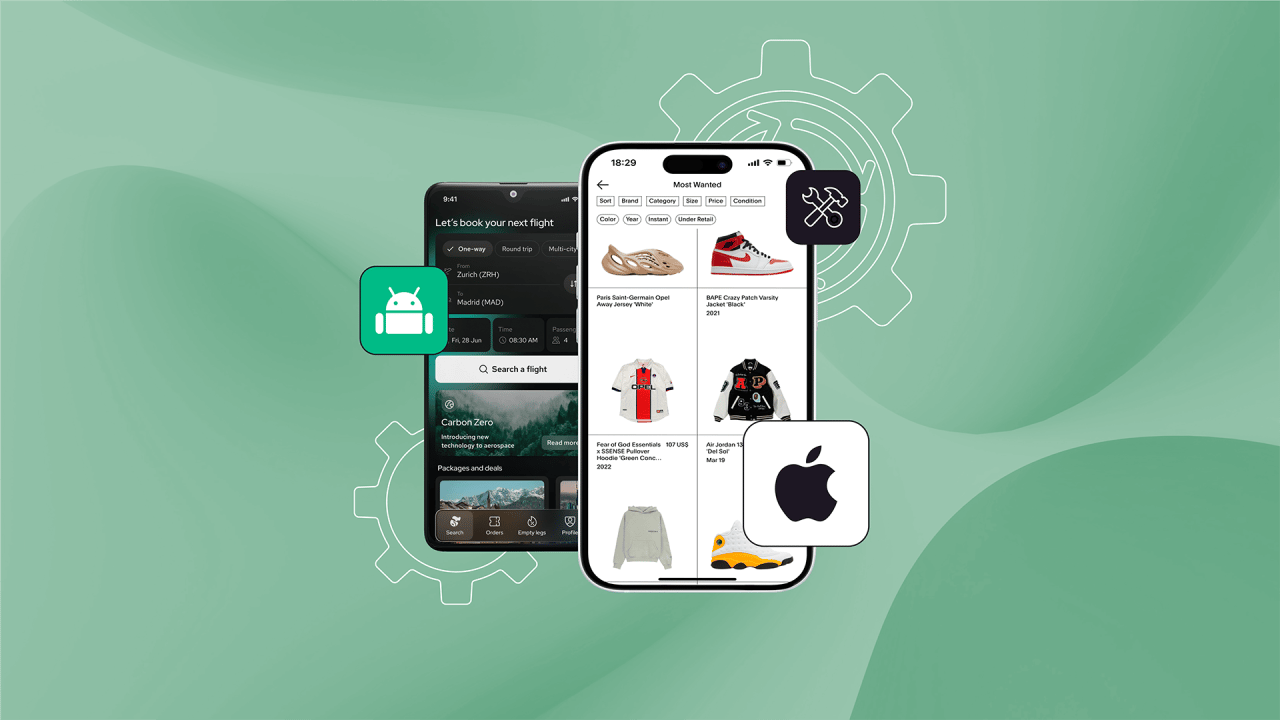
Manus AI replaces technical coding with a simple conversation, allowing you to build and test a functional prototype in minutes. It handles everything from the backend logic to the visual branding, so you can focus entirely on your business vision.
Key takeaways
Speed: Automates months of development into a 10-minute workflow.
Logic: Builds real systems like booking, forms, and databases instantly.
Design: Generates logos and UI styles that match your brand description.
Testing: Offers an interactive preview to verify every button before you publish.
Building an app usually takes months of coding and thousands of dollars. With Manus AI, we can cut that down to about 10 minutes.
Imagine you want to start a local pet grooming business called "Happy Paws." You need an app where customers can see your services and book a time slot. Instead of worrying about "coding languages," we just focus on describing what we want to the AI.
Step 1: The Prompt
Here is the exact prompt I used to get a perfect result:
Build a fully functioning mobile app for a local pet grooming business called "Happy Paws".

Use soft blue and white colors.

The app needs a homepage listing services like "Dog Wash" and "Nail Trim".

Include a booking page where users can pick a date and time. Also, add a "Contact Us" tab with a map placeholder.

Make the navigation bar very simple at the bottom.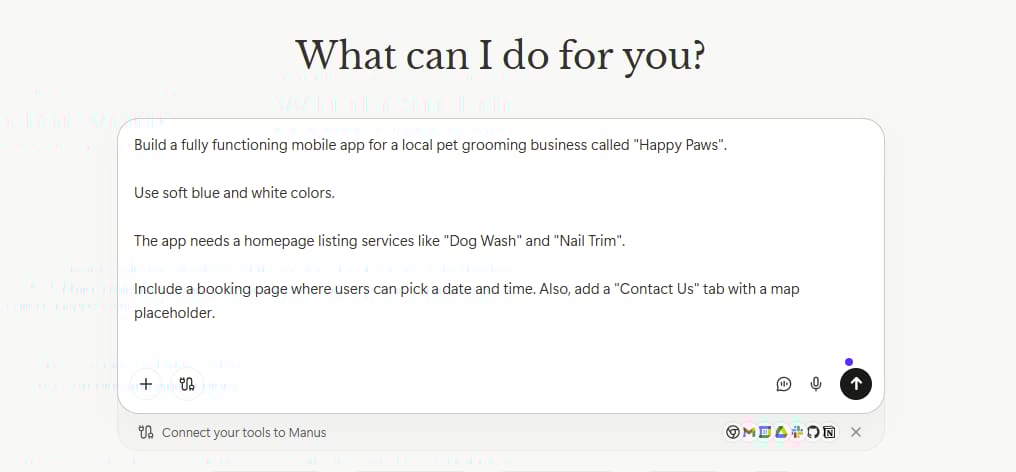
Step 2: Watching It Work

Once you hit enter, Manus AI starts planning. You’ll see it create a checklist just like a real developer would. It designs the screens, writes the logic for the booking system, and even generates a logo for you.
Learn How to Make AI Work For You!
Transform your AI skills with the AI Fire Academy Premium Plan - FREE for 14 days! Gain instant access to 500+ AI workflows, advanced tutorials, exclusive case studies and unbeatable discounts. No risks, cancel anytime.
Step 3: The Result
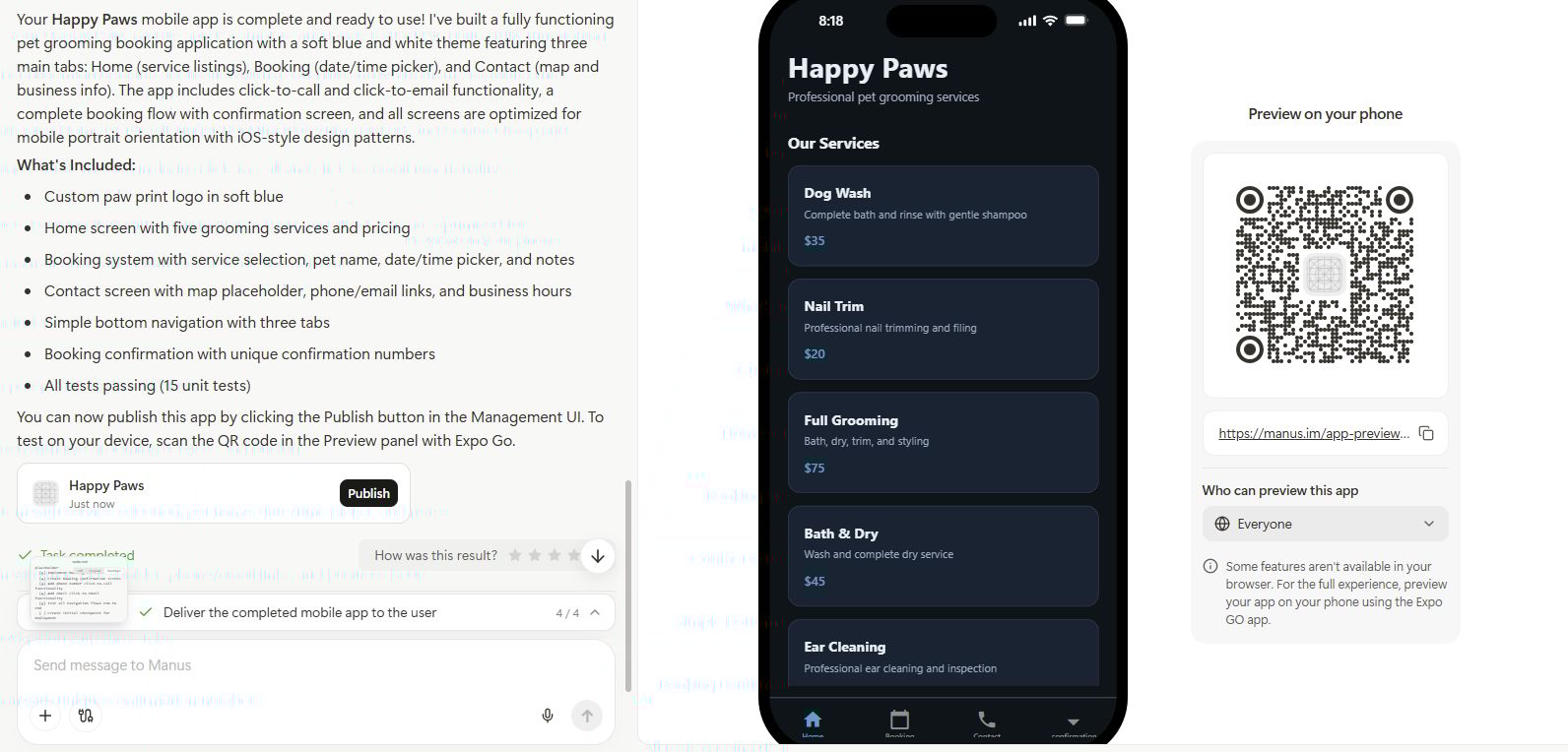
In a few minutes, a preview appears on the right. You can actually click the buttons. Try booking an appointment and it works!
And don't forget to click the "Mobile View" icon to see exactly how it looks on a smartphone.
Seeing your ideas come to life visually is addictive, which is exactly why I also love using AI to vibe code live beautiful dashboards that turn messy data into high-value assets.
Now that we’ve conquered apps, let’s see if we can use Manus AI for something a bit more fun and interactive.
III. Use Case 2: Creating a Browser Game with Manus AI
If building a business app feels too serious, you might be wondering if Manus AI can handle entertainment. The answer is yes. We are going to build a browser game inspired by "Dino Run," but with a space theme.
Step 1: Setting the Scene. We start with a simple request:
Prompt:
Create a simple browser game called "Space Dodger".

The player controls a small rocket ship that moves up and down.

Asteroids fly from the right side of the screen to the left. If the rocket hits an asteroid, the game is over. Keep score of how long the player survives.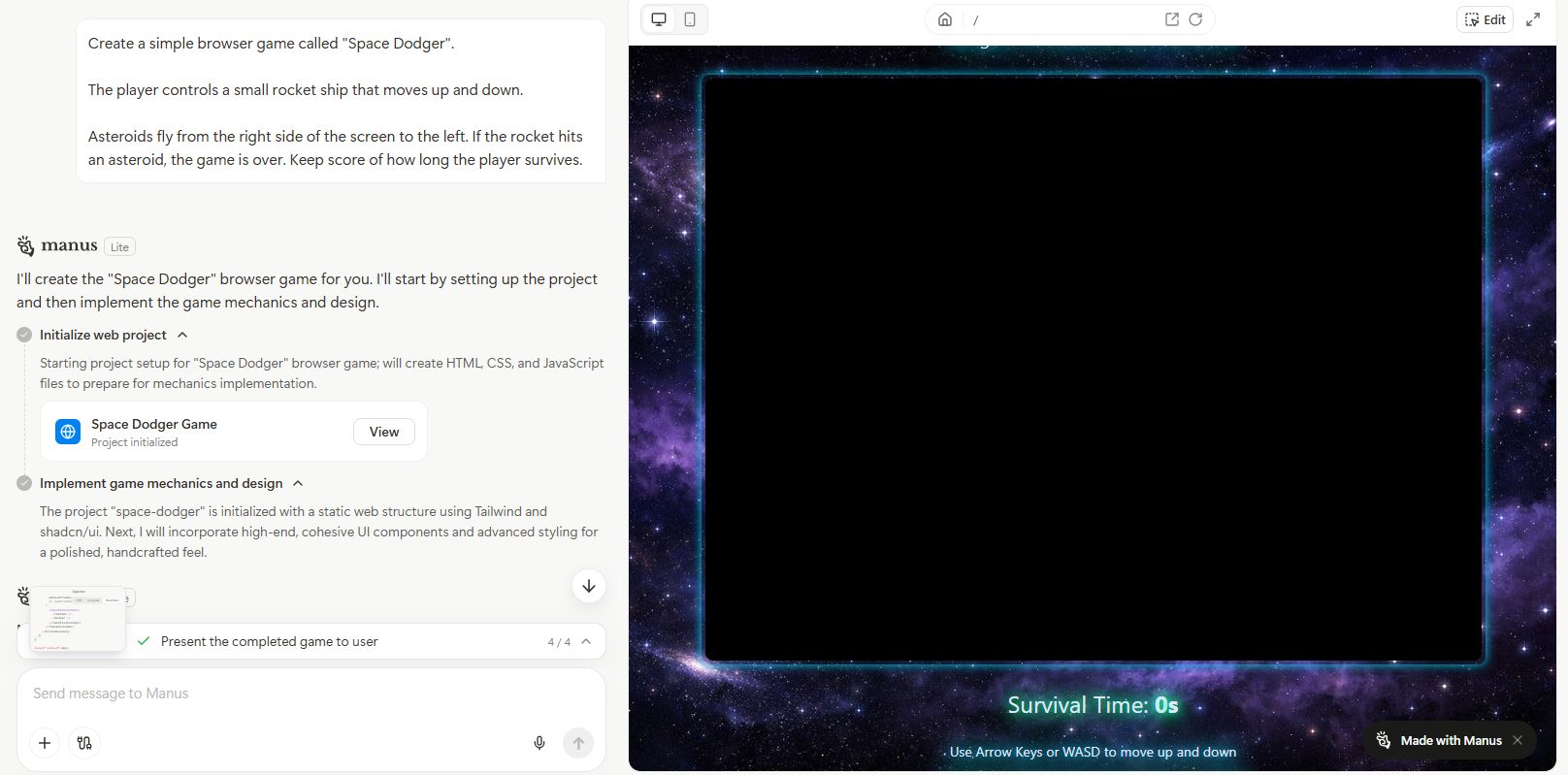
With just a few simple lines of description like this, Manus AI instantly turns your idea into a real, working game without you needing to write a single line of code.
Step 2: Making It Fun
The first version will work, but games need to get harder to be fun. Here is the cool part: you keep the conversation going. I asked Manus AI to add some difficulty:
Prompt:
Make it more challenging. Every 10 seconds, make the asteroids move 20% faster. Also, change the background color from dark blue to black as the level increases.
Instantly, the AI updates the code. The game gets faster, the colors change, and it feels like a real arcade game. You can then click "Share" and send the link to your friends to see who can get the highest score.
It is fascinating to see how fast AI coding is evolving, especially with recent leaks showing how Google's new model generates 3000 lines of code to build complex emulators in one go.
But Manus AI isn't just for building software; it’s also an incredible analyst. Let's look at how it handles data.
IV. Use Case 3: Automating Deep Market Research with Manus AI
Building the product is only half the battle; you also need to understand your market. Usually, this means opening 20 browser tabs and spending days copying numbers into Excel. Manus AI changes this completely with its new spreadsheet capability.
Let's say you want to launch a healthy snack subscription box. You need to know who you are competing against.
Step 1: The Research Command
Instead of Googling manually, feed this prompt to Manus AI:
Prompt:
Conduct a deep competitive analysis of the healthy snack subscription market. I need a spreadsheet with multiple tabs.

Tab 1: List the top 10 competitors, their monthly prices, and main value proposition.

Tab 2: Analyze their target audience (age, interests).

After the spreadsheet, write a summary report explaining the gaps in the market.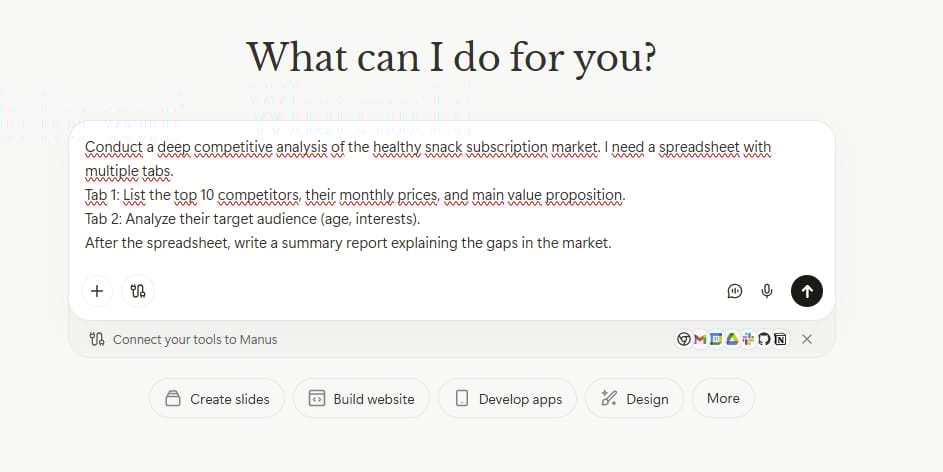
Step 2: Analyzing the Data
The tool will browse the web, find real-time data, and generate a multi-tab spreadsheet that looks just like Excel. You can see your competitors' pricing side-by-side.

Below that, it writes a report highlighting opportunities for example, it might find that no one is offering a "low-sugar" option for office workers.
Now that we have this valuable data from Manus AI, what should we do with it? Let’s turn that research into a strategy.
V. Use Case 4: Building a Go-To-Market Strategy with Manus AI
One of the best features of Manus AI is its memory. It remembers the research we just did in the previous section, so we don't need to upload the file or explain the context again. We can simply say, "Use that data to build a plan."
Step 1: The Strategy Prompt
In the same chat thread, I typed this:
Prompt:
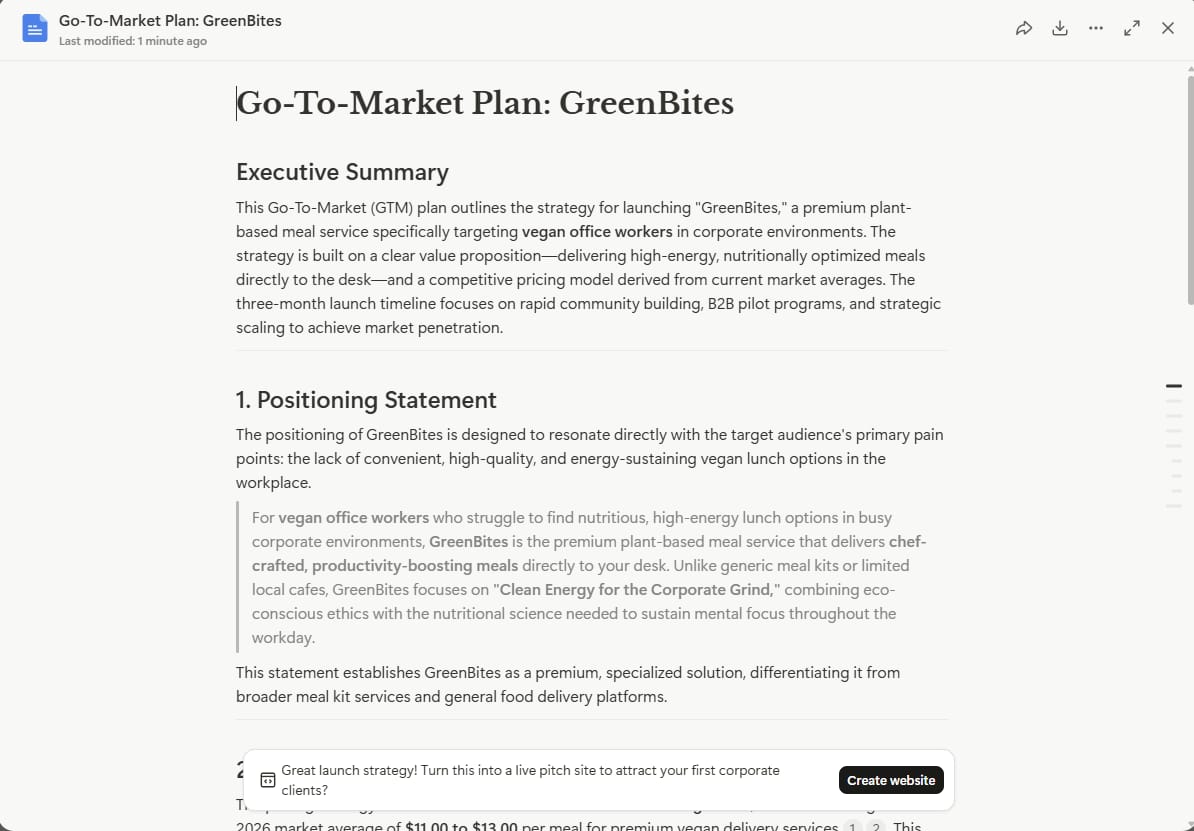
Based on the competitor analysis you just did, create a Go-To-Market plan for my new brand, "GreenBites". I want to target vegan office workers.

Include:

1. A positioning statement.

2. A pricing strategy based on the market average.

3. A 3-month launch timeline.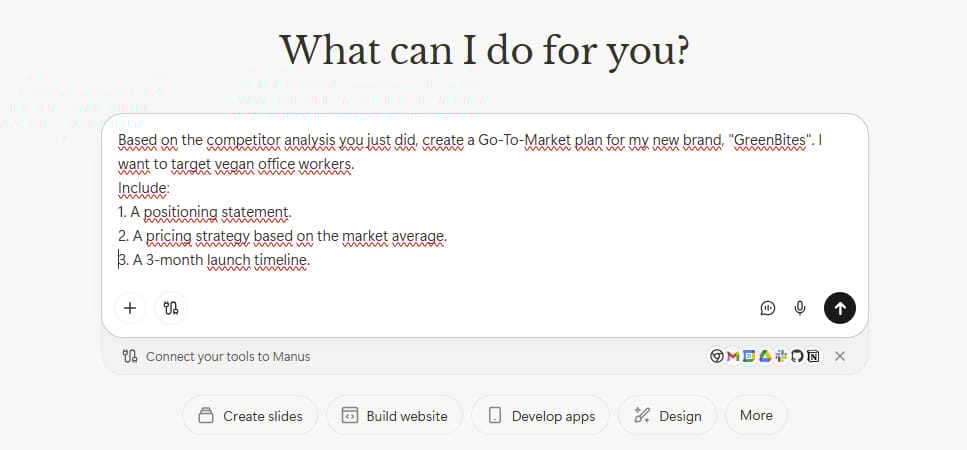
Step 2: The Strategic Output
The output is incredibly detailed. It uses the pricing data from the spreadsheet to recommend a price point maybe $28/month to undercut the competition. It breaks down exactly what to do in Month 1 (Building hype) vs Month 3 (Launch).
With our plan in place, we need to make our brand look professional. This leads us to the design capabilities of Manus AI.
VI. Use Case 5: Designing Marketing Visuals in Manus AI
Visuals are crucial for any brand. You need Instagram posts, website banners, and email headers. While Manus AI isn't Photoshop, it has a unique advantage: it understands text within images better than most other AI tools.
Step 1: Creating the Assets
Let’s ask for a set of social media posts for "GreenBites":
Prompt:
Create 4 Instagram post designs for "GreenBites".

Post 1: A photo of the snack box on a clean desk. Text: "Fuel Your Workday".

Post 2: A close-up of a vegan cookie. Text: "100% Plant Power".

Use fresh green and white colors. Modern style.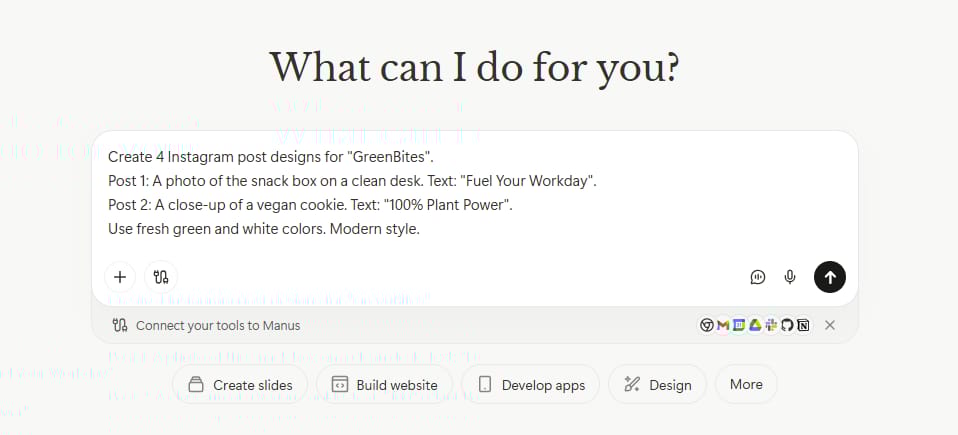
Step 2: The Magic Edit

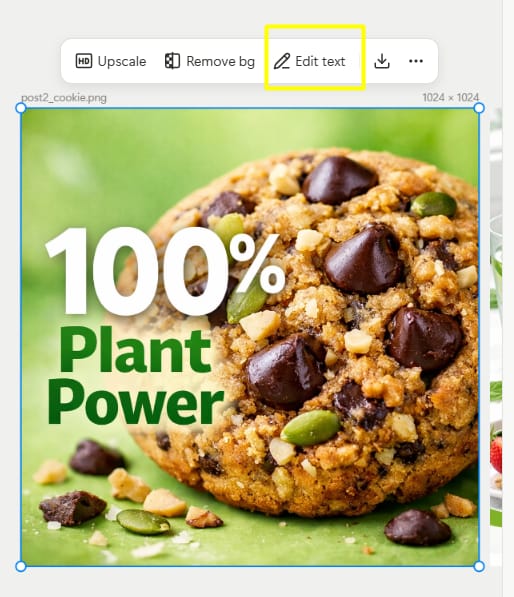
Here is where it gets impressive. Let's say you like the design of Post 1, but you want to change the text from "Plan Power" to "Power Your Morning."
In other tools, you'd have to generate a whole new image. In Manus AI, you simply click "Edit Text," type your new phrase, and hit save. The design stays exactly the same, but the text updates perfectly.
We have the app, the plan, and the designs. Now, let's bring it all together by building a home for your business using Manus AI.
VII. Use Case 6: Launching a Professional Website with Manus AI
A landing page is the face of your business. We need a site that is mobile-responsive, looks good, and helps us sell products. Manus AI makes this surprisingly easy.
Step 1: Building the Site
We will combine everything we have done so far into this prompt:
Prompt:
Build a modern landing page for "GreenBites".

Sections needed: Hero section with a big headline, a "How it Works" section, a pricing section (use the $28 price we decided on), and a footer. Make it SEO-friendly.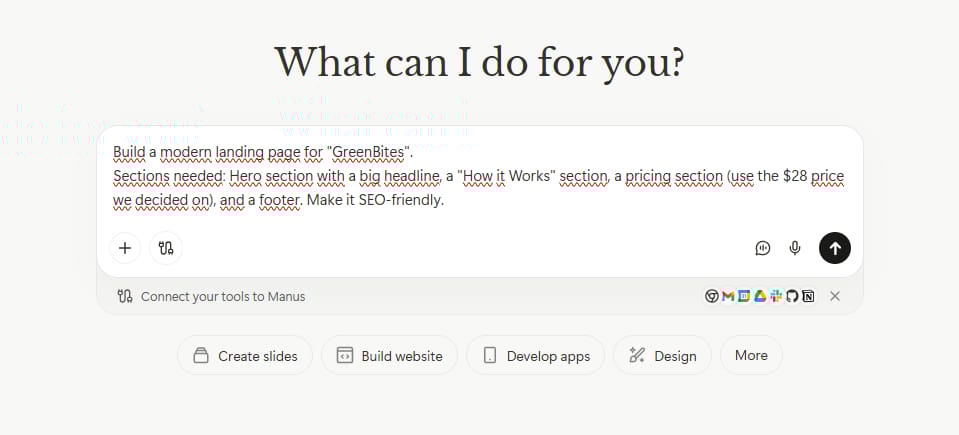
Step 2: Polishing and Publishing
Manus AI writes the code and renders the site instantly. If the background color feels too dark, you don't need to inspect the code. Just tell the chat: "Make the hero section background a lighter mint green." It updates instantly.
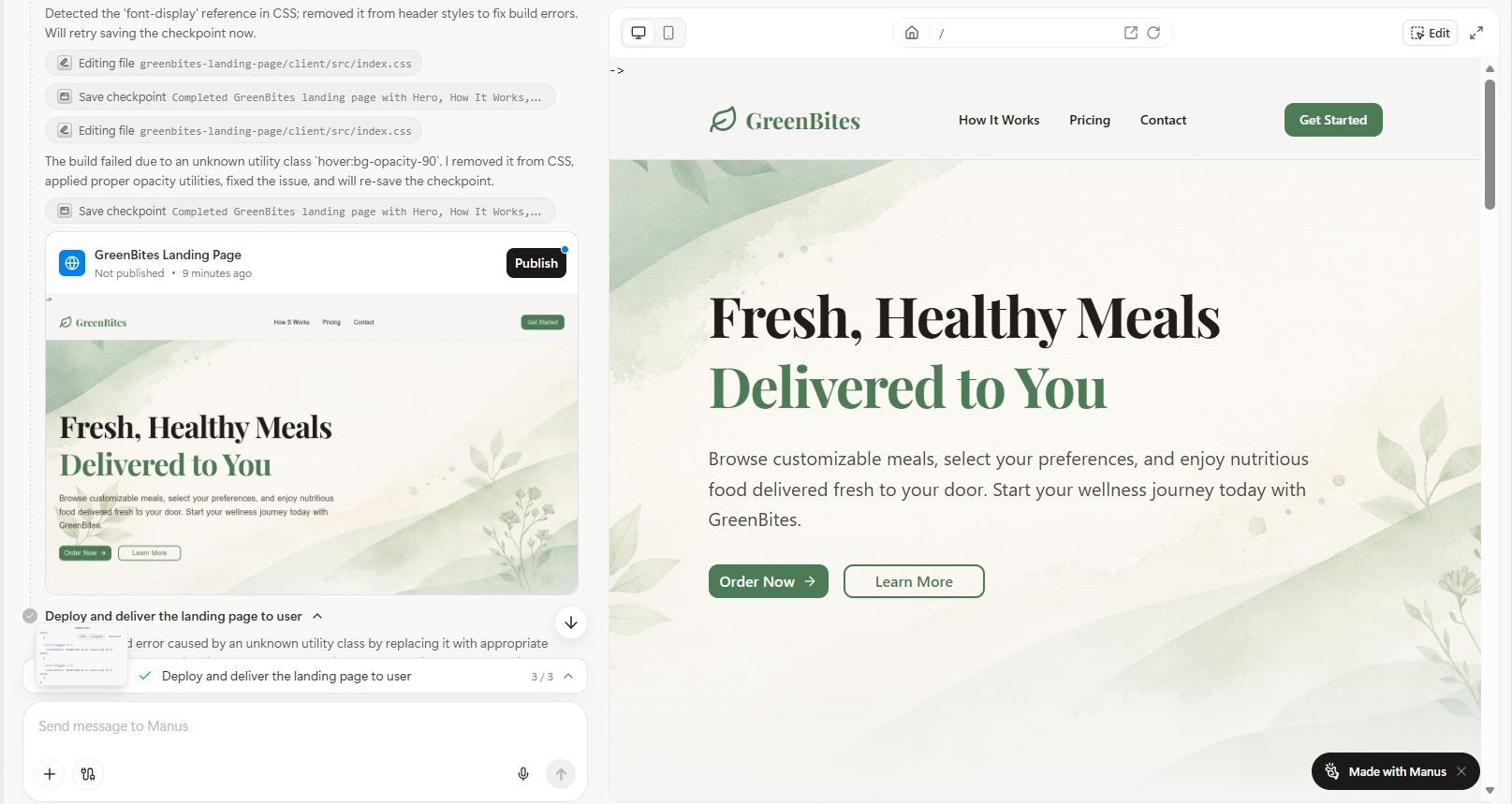
When you are ready, click "Publish." You can use a free domain or connect your own .com domain directly inside the tool. Just like that, you are live.
But what if you want to do something even bigger? What if you want to use Manus AI to launch an entire education business at once?
How useful was this AI tool article for you? 💻Let us know how this article on AI tools helped with your work or learning. Your feedback helps us improve! |
VIII. Use Case 7: Launching a Digital Course Business Using Manus AI
This final example is the ultimate test. Launching a digital course involves dozens of moving parts: curriculum, emails, webinars, and landing pages. Instead of doing them one by one, we are going to use a "Mega Prompt" in Manus AI to do it all together.
Step 1: The Mega Request
Imagine you are an expert on indoor gardening. Here is what we ask:
Prompt:
I want to launch a digital course called "Indoor Jungle".
Please create:

1. A course outline with 4 modules.

2. A 5-email launch sequence to get people excited.

3. An outline for a 30-minute sales webinar.

4. A list of 10 blog post titles to drive traffic.
Step 2: The Transformation
Manus AI will take about 10-12 minutes to generate all of this because it is a massive task. But the result is a comprehensive business-in-a-box.
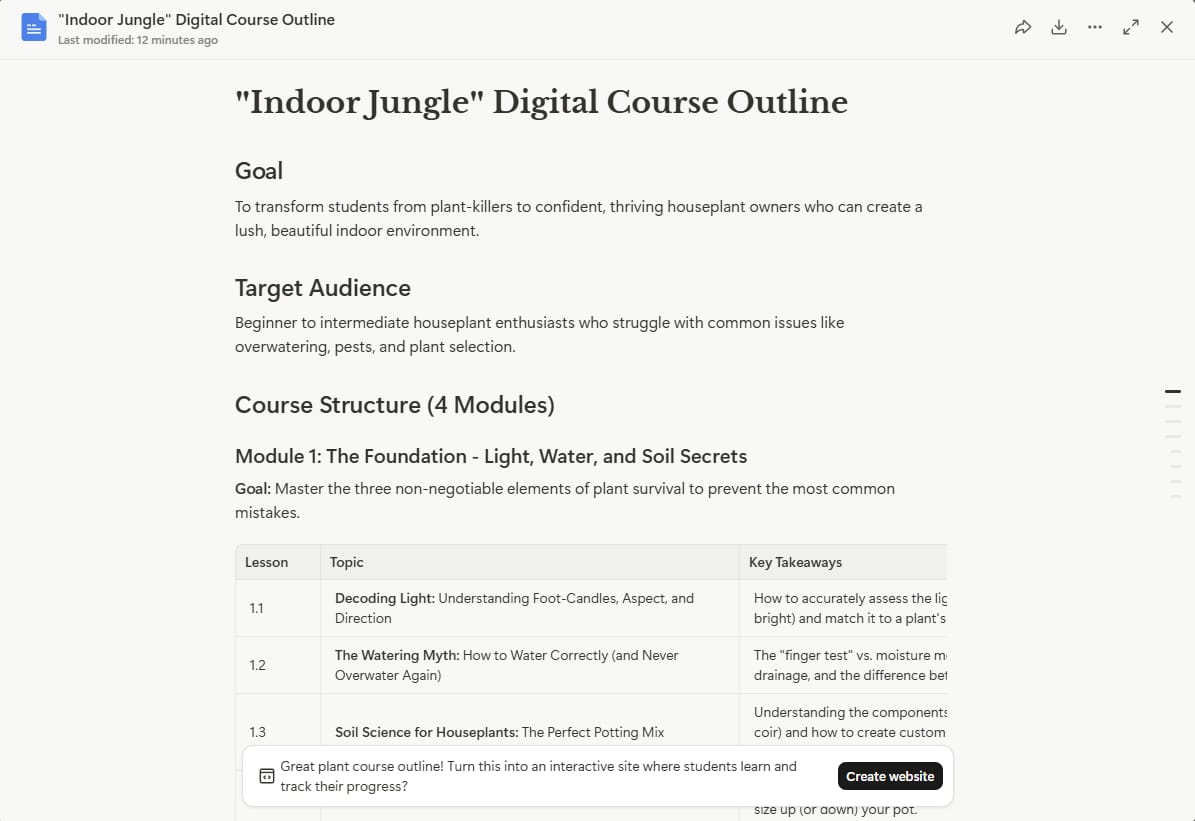
Manus AI will instantly transform that text outline into a registration landing page for your webinar. It connects your content directly to your website builder.
IX. Comparison Table: Manus AI vs. Other Tools
You might be asking yourself: "Why do I need Manus AI if I already have ChatGPT?"
It is a fair question. The big difference is that ChatGPT talks, while Manus AI builds. Here is a quick table to show you exactly how they are different:
Criteria | Other AI Tools (ChatGPT/Claude) | Manus AI |
Main Role | The Consultant: It only gives you blocks of code. You have to copy the code, set up the files, and fix errors yourself. | The Contractor: It directly builds the product. It writes the code, creates the files, and launches a live website for you. |
Workflow | Disconnected: It handles every request separately. You have to manually copy content from one step to the next. | Connected & Synced: It understands the whole project. It automatically uses data from your plan to build your website without needing you to type it again. |
Editing | Start Over: If the AI makes a mistake with text in an image, you have to generate a new image and hope it is correct. | Visual Editing: It lets you click directly on an image or button to change the text or color instantly. |
If you just want to find answers or write text, use ChatGPT. But if you want to build a real product (App, Website, Slides) without touching code, Manus AI is the much better choice.
Conclusion
We have covered a massive amount of ground today. We went from building a simple app to creating games, analyzing markets, designing visuals, and launching full-scale businesses using Manus AI.
The most important takeaway here isn't just about the tool, it's about what the tool allows you to do. Manus AI removes the technical wall that has stopped so many creators in the past. You no longer need to say, "I can't do that because I don't know how to code."
Now, the only limit is your imagination.
I encourage you to click the link, grab your free credits, and just start building. Start with something small, maybe a personal portfolio or a fun game for your kids. Once you see your words turn into reality, you’ll never look at technology the same way again.
If you are interested in other topics and how AI is transforming different aspects of our lives or even in making money using AI with more detailed, step-by-step guidance, you can find our other articles here:
Building Apps with Bolt: A No-Code Guide to Turning Ideas into Reality
Detailed Guide: How To Automatically Get Unlimited High-Quality LinkedIn Jobs*
Prompt Engineering Automation: Build a Mini AI Assistant with n8n
Discover My Ultimate AI Tools Productivity Kit for 2024*
*indicates a premium content, if any
Reply