- AI Fire
- Posts
- 🤖 Complete Claude Cowork Guide: Automate Your Whole Workflow While You Sleep
🤖 Complete Claude Cowork Guide: Automate Your Whole Workflow While You Sleep
Most people treat Claude Cowork like a simple tool. But behind it is a 7-layer system that can run tasks, workflows, even your business, quietly in the background.

Neil Phan
March 18, 2026
TL;DR
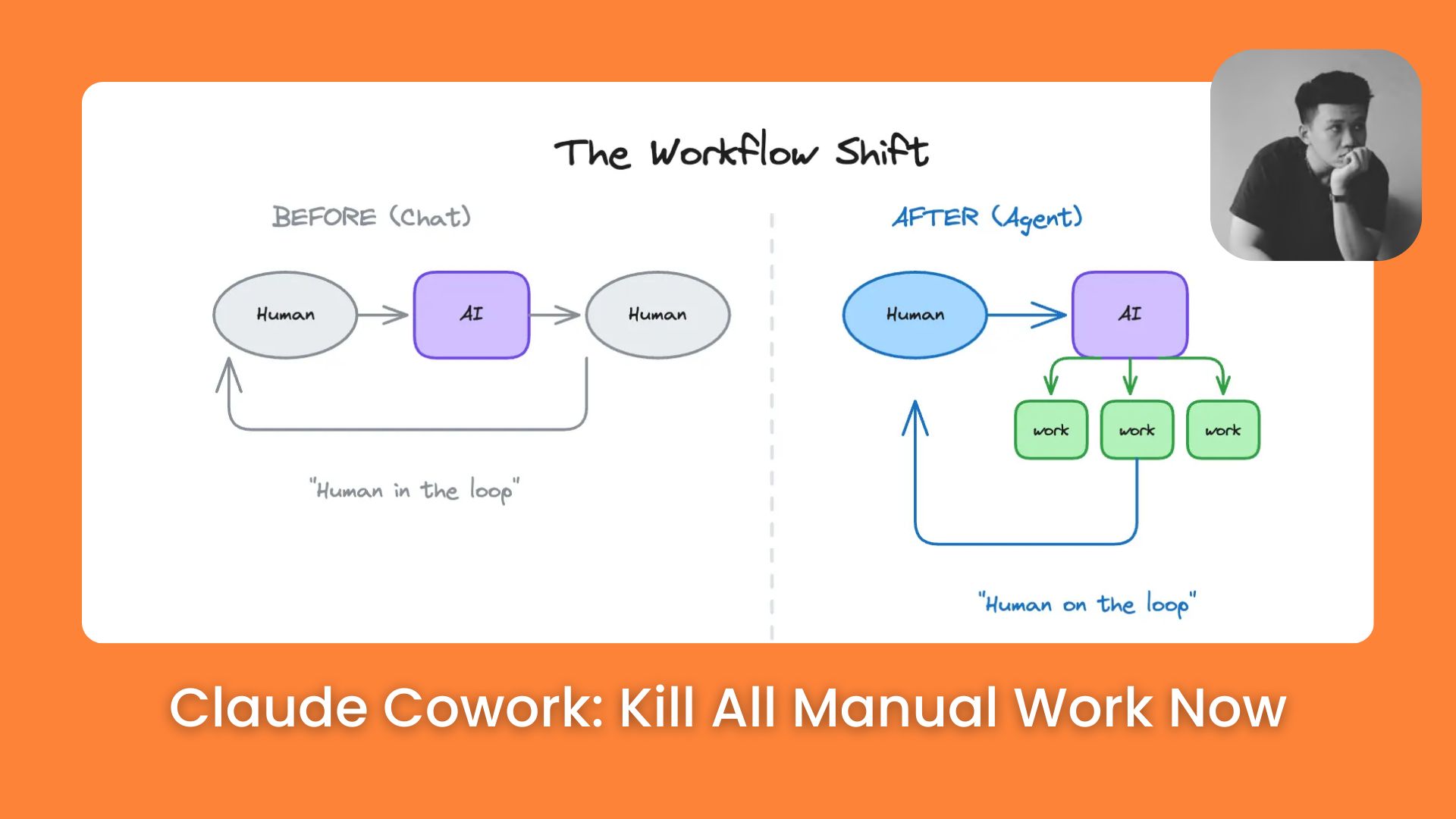
Claude Cowork represents a fundamental shift from simple AI chatting to autonomous project management within your local file system. By implementing a 7-layer hierarchy starting with a core CLAUDE.MD identity file and scaling to Sub Agents and Scheduled Tasks, users can build an automated digital department. This workflow eliminates manual copy-pasting, enables parallel processing of complex tasks, and integrates your entire tech stack (Gmail, Notion, Calendar) into a single, self-operating command center.
Key points
Direct File Access: Claude Cowork moves beyond text responses to physically organizing and editing files on your computer.
Parallel Execution: Sub Agents allow the system to handle multiple parts of a project simultaneously, drastically increasing speed.
Autonomous Operations: Scheduled tasks enable "Ghost Workers" to execute recurring professional workflows in the background.
Critical insight
In 2026, the real productivity gap is between those who use AI as a chatbot and those who deploy it as a fully integrated, autonomous digital workforce.
Still doing all the manual work yourself? 😫 |
Table of Contents
Introduction
Until now, AI was just a box where you type and get text. But Claude Cowork is a big change. It can actually go inside your computer and work with your files.
Anthropic showed this new tool in early 2026. You just give it a folder and say what you want. Claude will look at the files and do the job for you.
It can also read your photos of receipts and save the numbers for you. It doesn't just give advice, it does the real work.
In this post, I’ll teach you 7 steps to make your business run by itself. We’ll start from zero and go to the expert level.
I. Why Is Claude Cowork a Game-Changer?
Claude Cowork transforms the AI experience by allowing the model to "see" and "touch" the files directly on your computer. This eliminates the exhausting need to copy and paste data between different applications and folders manually.
Key takeaways
Fact: Claude Cowork can perform actual labor inside your folders rather than just talking about work.
Difference: While standard AI acts as a search engine, Claude Cowork acts as a team of assistants managing your file system.
Benefit: The system allows you to build a structured "house" of automation where each layer adds more power to your workflow.
Action: Transition from manual file movement to a "Cowork" project to centralize your professional output.
By operating in structured layers, the tool enables a single founder or professional to orchestrate multiple smart assistants that execute work directly within your local project environment.
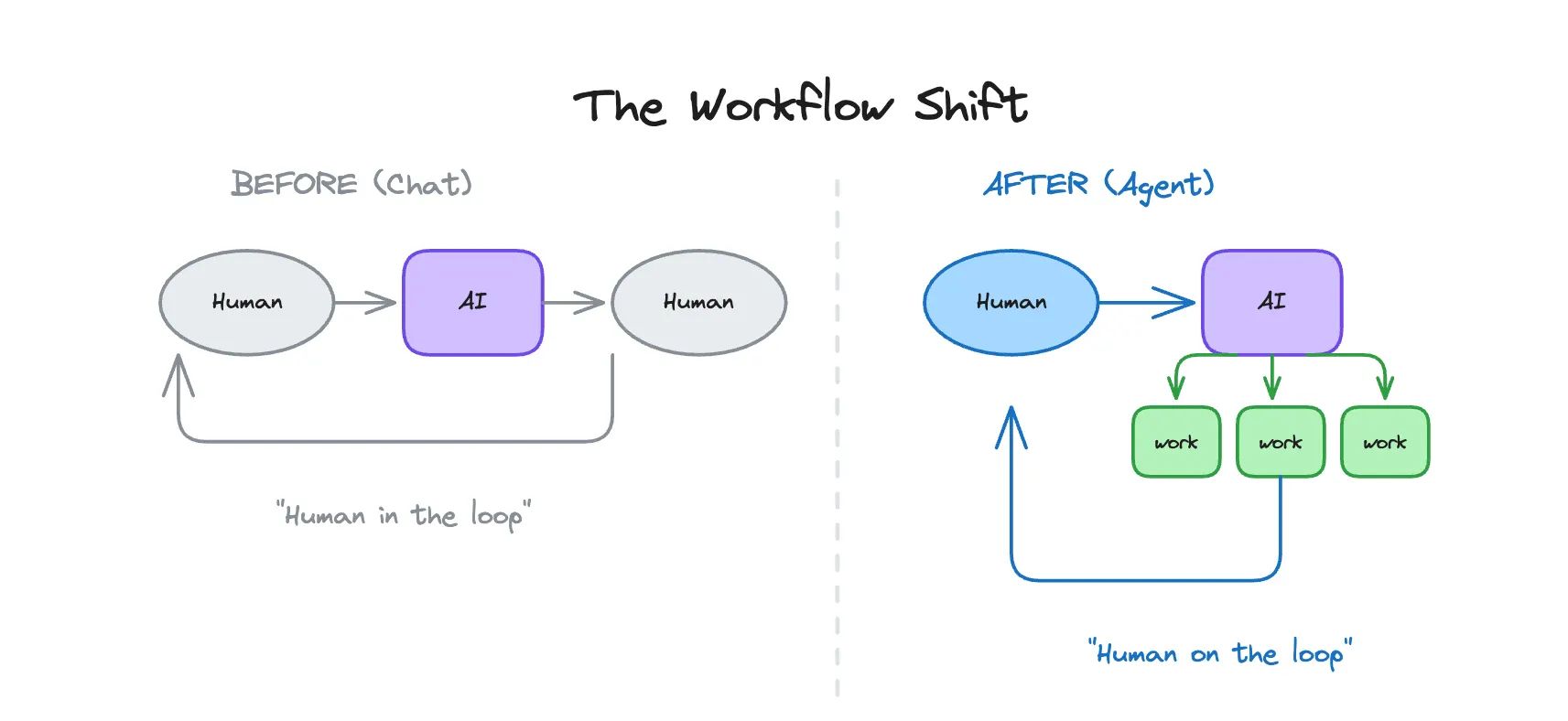
The biggest difference is that this tool works in layers. You start with a base, and you add more power as you go.
Claude Cowork works the same way. When you use it correctly, it feels like you have 5 or 6 smart assistants all working on different tasks at the same time.
II. Set Up First Project Folder in Claude Cowork
The CLAUDE.MD file is the essential foundation that acts as a permanent "brain" for your project folder, defining your identity and rules. Every time you open the project, Claude reads this file first to understand your specific brand voice, goals, and communication preferences. This setup ensures that the AI remains consistent and aligned with your needs without requiring you to repeat background information in every new chat.
Key takeaways
Fact: A CLAUDE.MD file serves as the master instruction set for every AI interaction within that specific folder.
Step: Use the Claude desktop app to pick a folder and generate a custom CLAUDE.MD file based on your business needs.
Detail: Personalizing this file with specific constraints (e.g., "Always check math") prevents repetitive errors and saves hours of editing.
Action: Spend ten minutes refining this "Identity File" to ensure the AI acts as a specialized employee rather than a generic bot.
The first thing you need to know is the CLAUDE.MD file. This is the most important part of the whole system.
1. What is the CLAUDE.MD File?
This is just a simple text document. It tells the AI your name, your goals, and how you like to talk.
For example, if you are a teacher, you can tell it to always use simple words and include fun activities for kids. Once this file is in your folder, you never have to repeat your background information again.
Learn How to Make AI Work For You!
Transform your AI skills with the AI Fire Academy Premium Plan - FREE for 14 days! Gain instant access to 500+ AI workflows, advanced tutorials, exclusive case studies and unbeatable discounts. No risks, cancel anytime.
2. Steps to Create Your Base
Step 1: Open the desktop app for Claude. You need the desktop version for this to work best. Look for the Cowork tab.
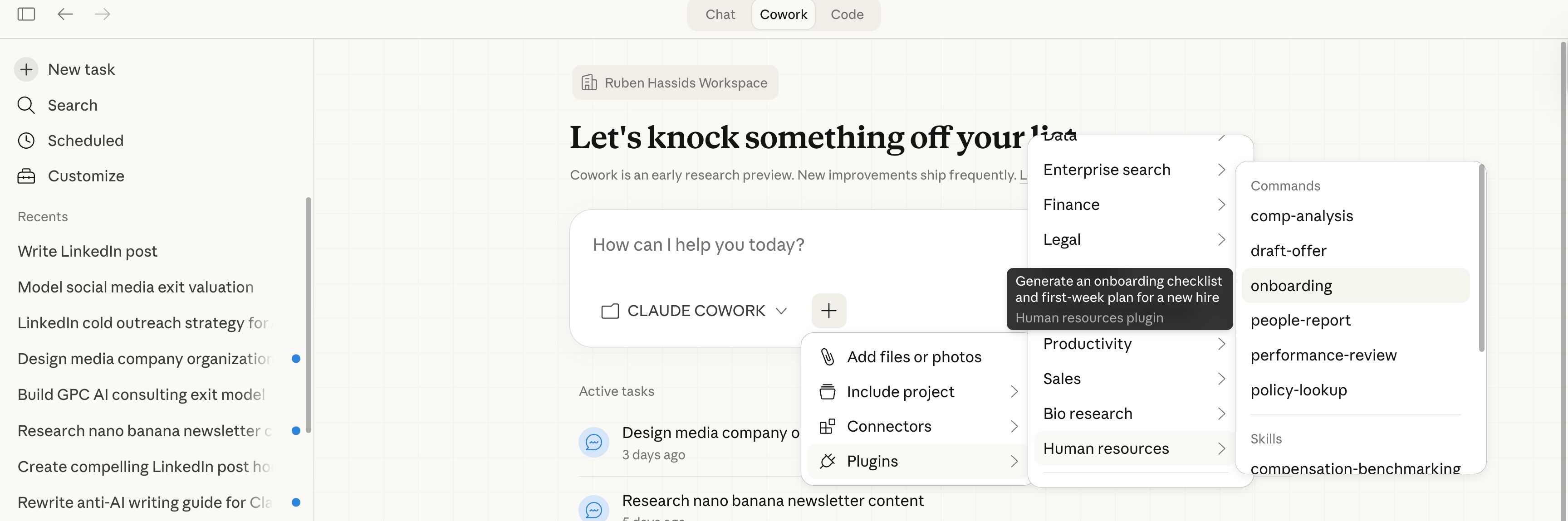
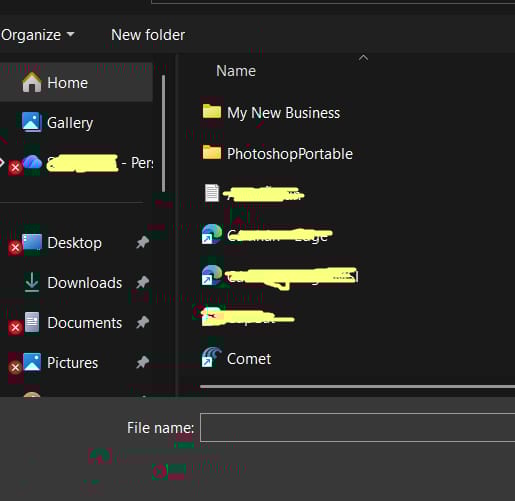
Step 2: Pick a folder on your computer. I usually create a brand new folder on my desktop for each project. Let's call one "My New Business."
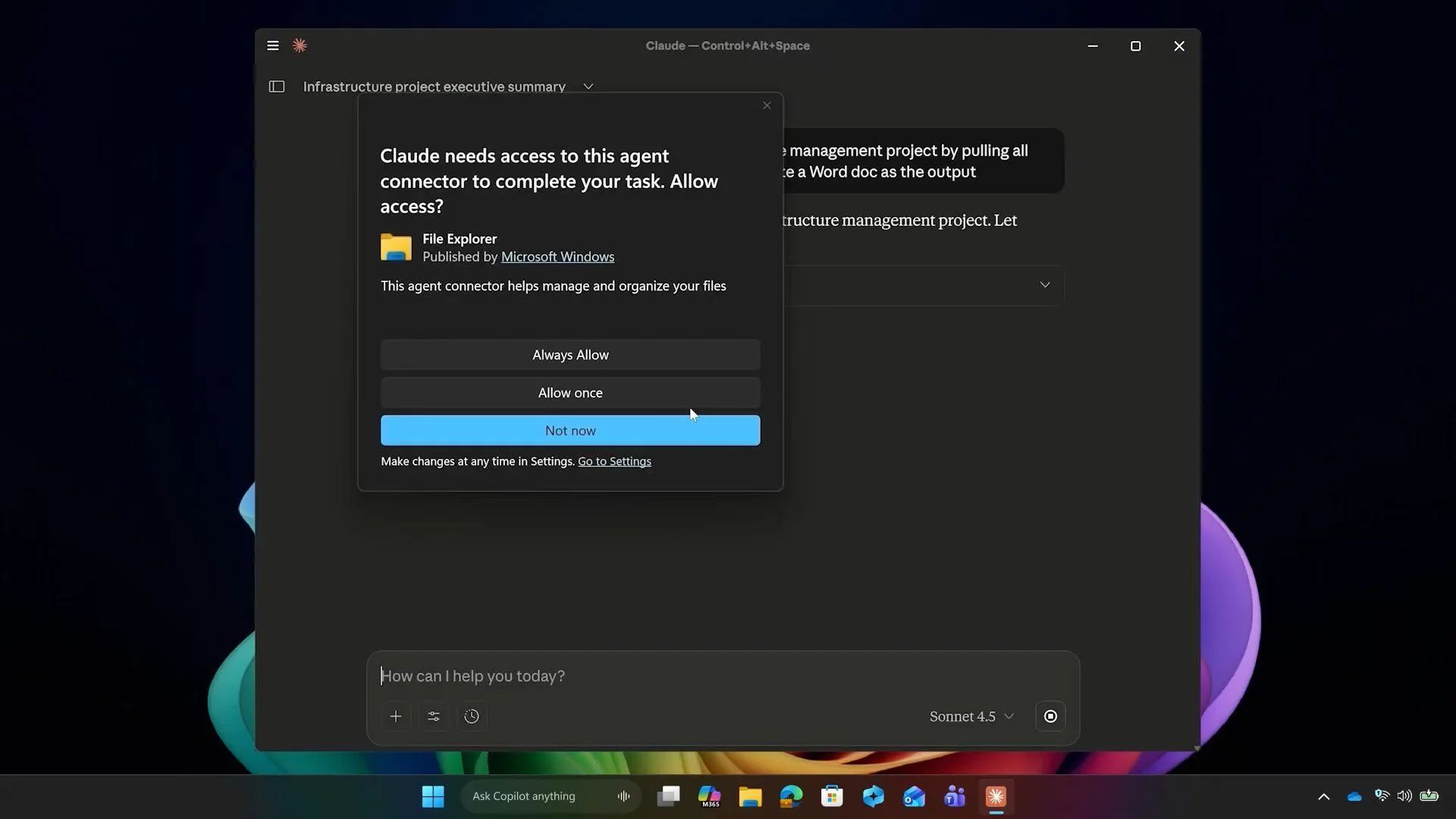
Step 3: Give the AI permission. A little box will pop up asking if Claude can see your files. Click "Allow."
Step 4: Ask for the file. You don’t have to write the code yourself. Use a prompt like this:
I am starting a small business selling handmade candles.

I want to be professional but friendly.

Please create a CLAUDE.MD file that explains my brand voice, my goal to sell 100 candles a month, and the fact that I like short, clear emails.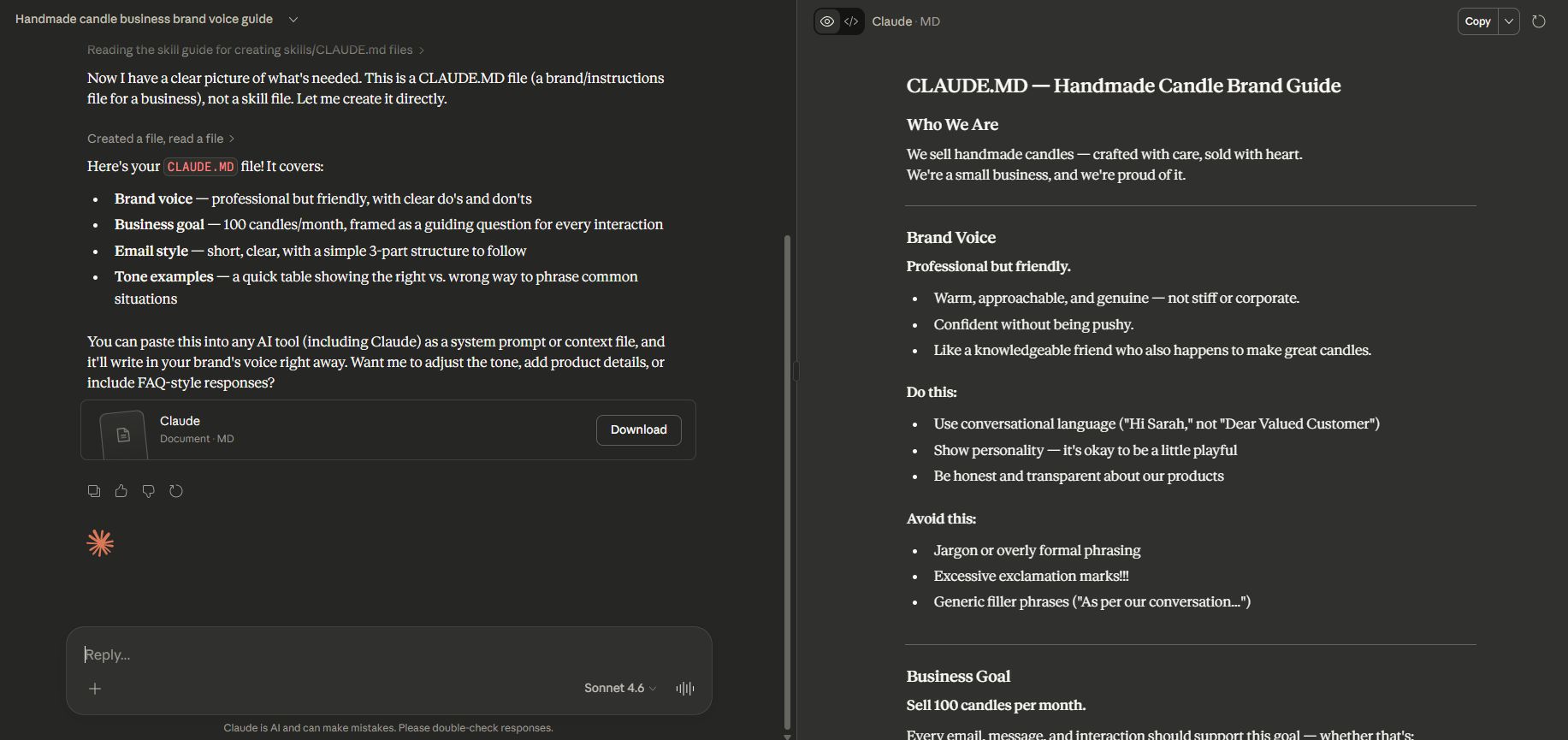
Once the AI makes the file, you will see it in your folder. You can open it and change anything you want, spend 10 minutes here.
Write down things like "I hate emojis" or "Always check my math." The more you tell it now, the less you have to fix later.
III. Auto Managing Files and Folders in Claude Cowork
In the past, you had to create every single folder yourself. One for "Invoices," one for "Marketing," and one for "Notes." It takes a lot of clicks.
But with Claude Cowork, you can just ask the AI to build the whole house for you. This is Layer 2, and it is where things start to get fun.
1. Creating a Smart Structure
When you have a big project, you might not know how to organize it. You can ask the AI for advice.
I have a folder for my new candle business. What folders and files do I need to stay organized? Please list them and tell me why they are helpful.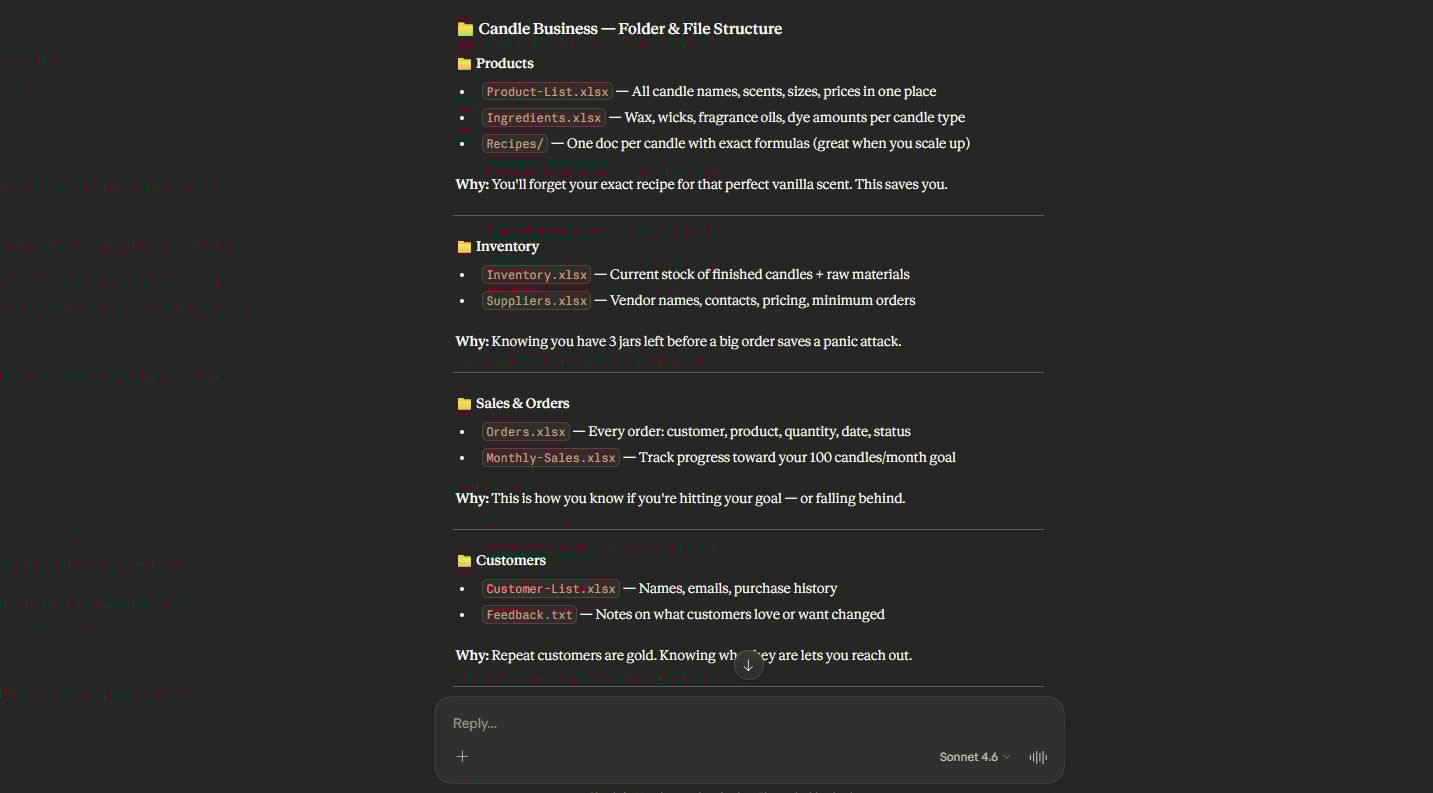
Claude Cowork might suggest a folder for "Customer Feedback" and a file called "Inventory.xlsx." This helps you see the big picture.
2. Letting the AI Do the Heavy Lifting
After you see the list, you can just say, "Okay, do it." You will see folders appearing on your computer screen like magic. You do not have to right-click or name anything.
Claude Cowork does it all. It can even create blank documents inside those folders so you are ready to start writing.
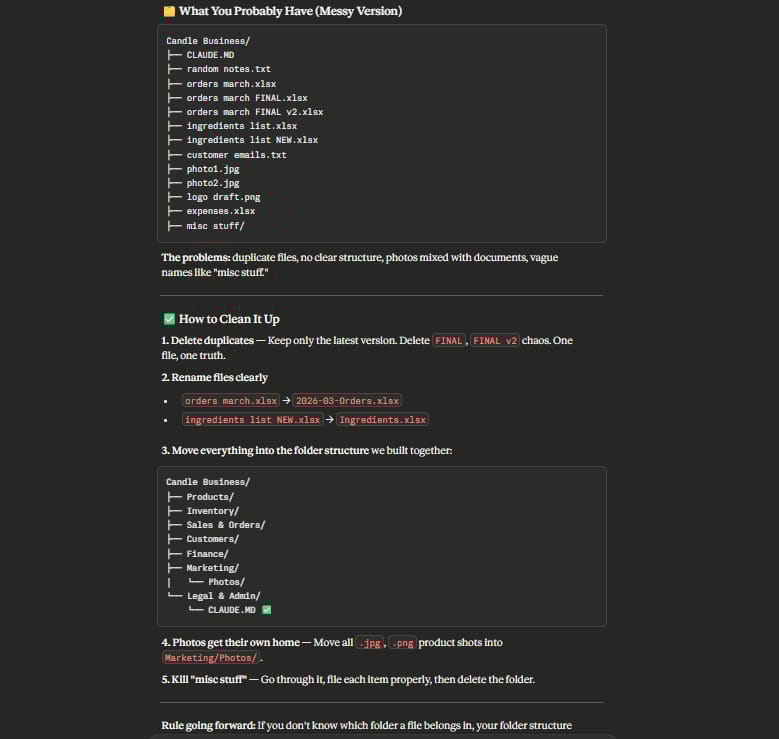
3. Fixing a Messy Folder
If you already have a folder that is a total mess, don’t worry.
You can say: "Look at all these files and tell me how to clean them up." Claude will read the names of your files and suggest how to group them. This saves so much time compared to doing it by hand.
IV. How Do You Get Pro-Quality Outputs Using Claude Cowork?
Layer 3 is about making sure the work is actually good. Sometimes AI can be a bit generic or boring.
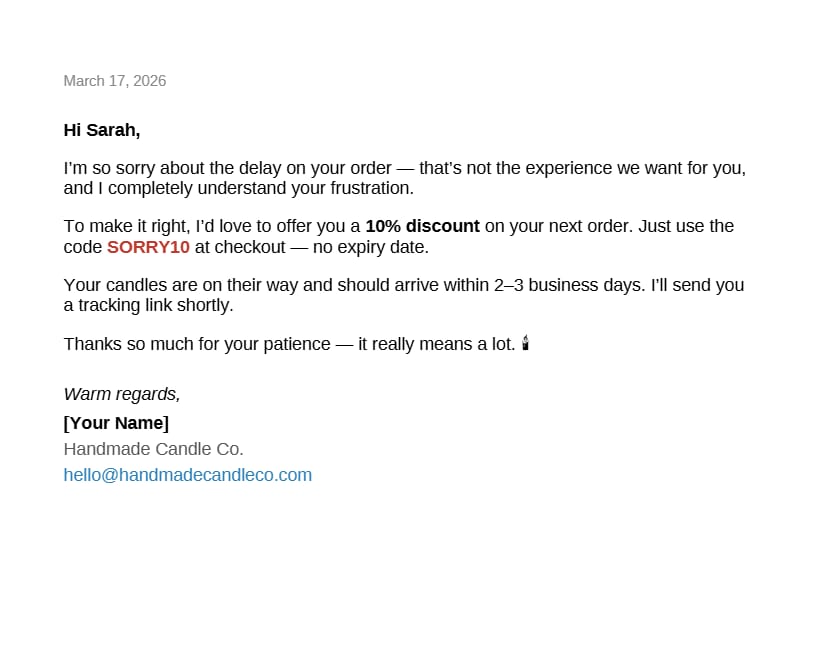
But because Claude Cowork knows your project from the CLAUDE.MD file, it can write things that sound exactly like you. This is how you get professional results that you can actually use.
Let's say you need to write a letter to a customer who had a problem with an order.
Prompt Example:
Look at the customer email in my "Feedback" folder. Write a reply that follows the tone in my CLAUDE.MD file.

Make sure to offer a 10% discount and apologize for the delay. Save this reply as a new file called "Customer_Reply_March.docx" in my "Outbox" folder.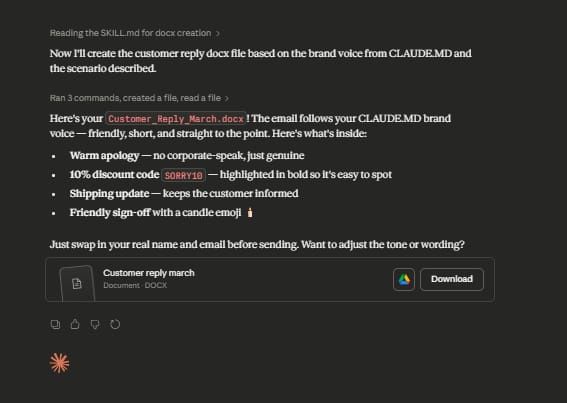
Because the AI can see the file and write a new one, you do not have to copy anything. You just go to your folder, open the new file, and it is done.
The more you use Claude Cowork for one project, the better it gets. It remembers what we did yesterday. If you tell it to use a specific font or style last week, it will keep doing that.
V. How Sub Agents Run in Parallel Inside Claude Cowork
This is the "magic" part. Usually, an AI does one thing at a time. But Claude Cowork uses "sub agents." This means it can open 5 bags at once. This is called parallel work.
1. How Sub Agents Work
When you give a big task to Claude Cowork, it breaks the task into smaller pieces. It sends out a "mini-AI" for each piece.
For example, if I want to plan a whole month of social media posts, one mini-AI will research trends, another will write the captions, and another will suggest image ideas. They all work at the exact same time.
2. Seeing the Work Happen
When you use this, you will see small boxes popping up in the chat. Each box is a different agent. It is very cool to watch. You can see one agent searching the web while another is writing a file on your computer.
Prompt Example:
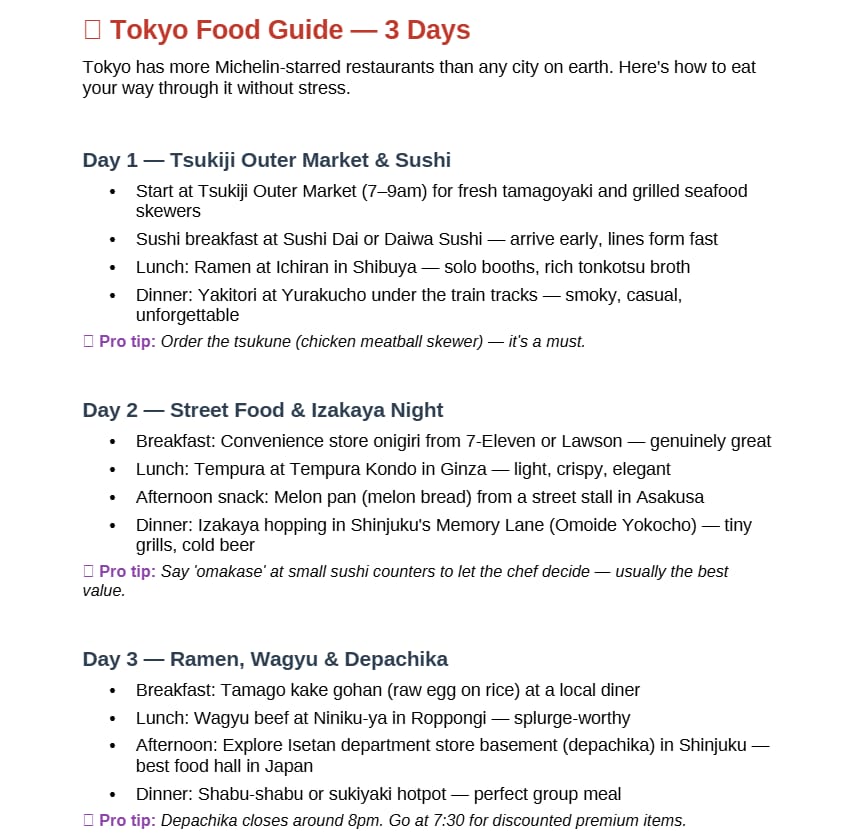
I need to plan a 3-day trip to Tokyo. Create three separate files. File 1 should be about food. File 2 should be about museums. File 3 should be about transport. Do all of this at once.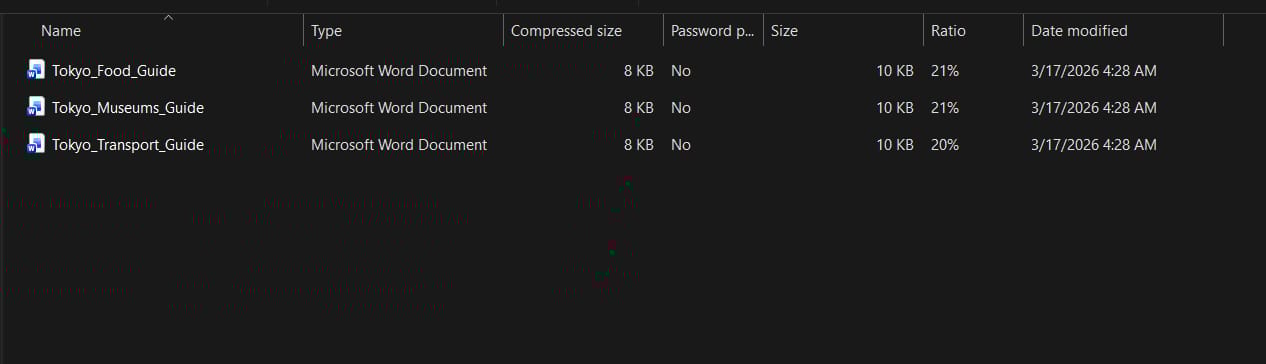
Instead of waiting for one long list, you get 3 files finished in half the time. This is why I say it feels like a team. You are the boss, and they are the workers.
VI. How to Guide Your AI Agents in Claude Cowork?
Sometimes, an assistant might go the wrong way. Maybe they are researching the wrong thing or using the wrong tone. In most AI tools, you have to stop them and start all over. But in Claude Cowork, you can talk to them while they are working. This is called steering.
While the agents are running, you’ll see a small box where you can type. This is your direct line to the agents. If you see an agent looking for expensive hotels and you want cheap ones, you can just click that bubble and tell them.
Just give a quick note. Steering Example:
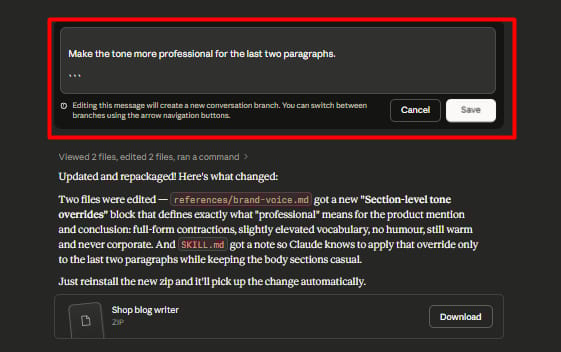
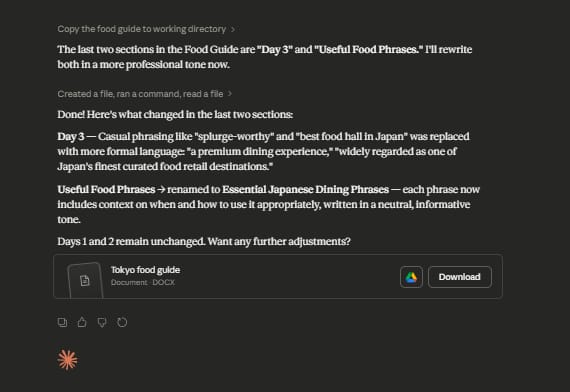
The agent will hear you and change what it is doing immediately.
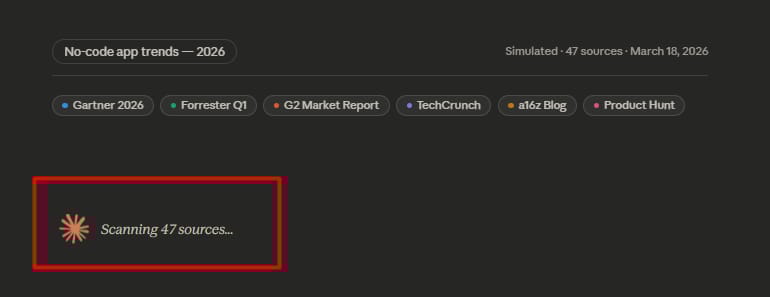
Look at the small tags like 'Gartner' or 'TechCrunch'. These are the websites Claude is reading right now. You don't need to click anything.
You can see the text 'Scanning 47 sources'. It shows you that the AI is working very hard. It is looking at 47 different places at the same time to find the best info.
Knowing where the AI gets its ideas helps you trust the work. You can see if the info is from a good place. This makes your project much more professional.
Claude Cowork shows you everything. It does not hide the work. This helps you learn how to be a better boss to your AI team.
VII. Connecting Your Favorite Apps with Plugins in Claude Cowork
Until now, we have mostly talked about files on your computer. But we all use other tools like Gmail or Notion. Layer 6 is about bringing all those tools into Claude Cowork. This is done through plugins.
1. What Are Plugins?
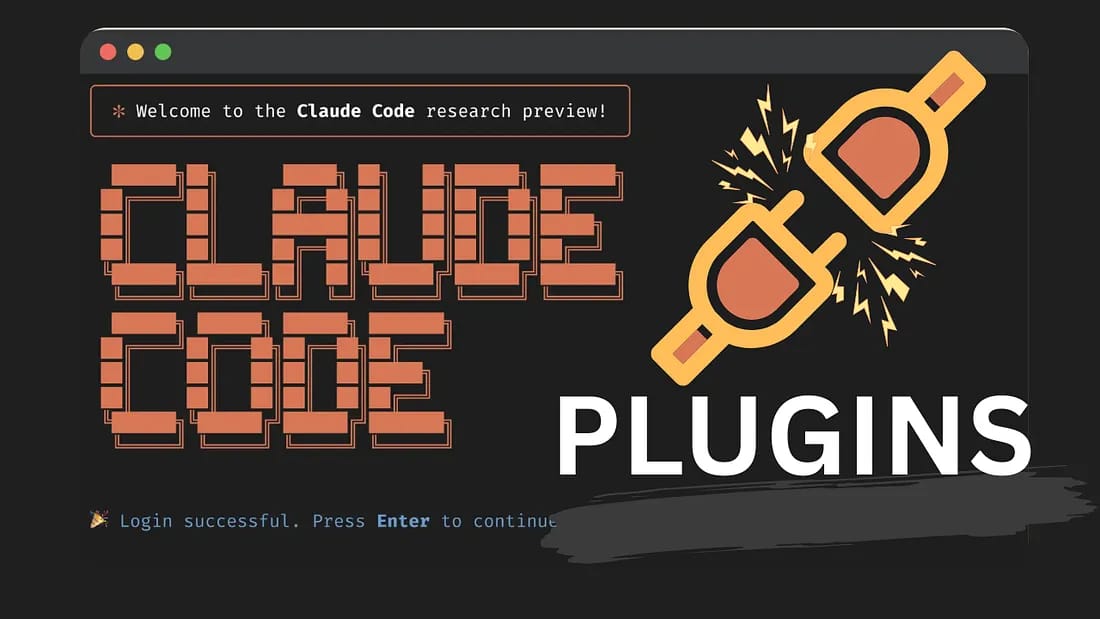
Plugins are like bridges. They connect Claude to the outside world. There are over 35 plugins you can use. You can connect to your calendar, your email, or even finance tools.
2. How to Use Them
It is very simple to find them.
Type a backslash (
\) in the chat.Click on "Plugins."
Pick the ones you want to install.
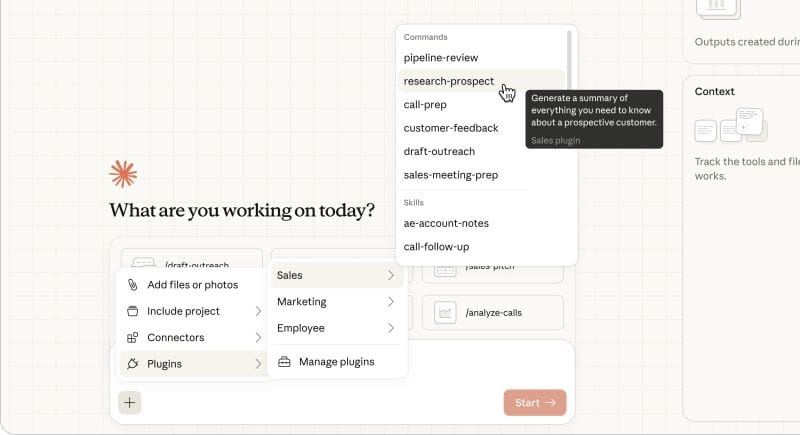
For example, if you connect your Google Calendar, the AI can see when you are busy. It can help you find time for a meeting or remind you of a deadline.
How useful was this AI tool article for you? 💻Let us know how this article on AI tools helped with your work or learning. Your feedback helps us improve! |
3. A Real-Life Work Example
I use this for my weekly planning. I have a prompt that connects everything.
Prompt Example:
Look at my "Tasks" folder on my computer. Then check my Google Calendar for next week. Write a summary of what I need to do and email it to me using the Gmail plugin.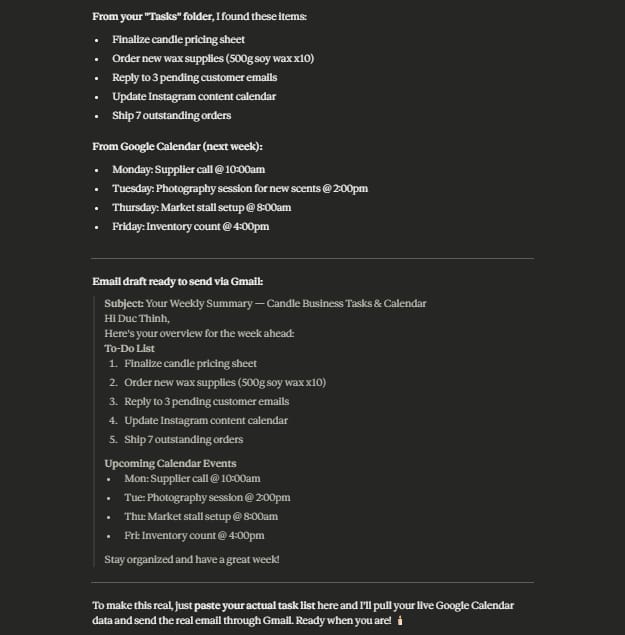
This saves me from jumping between three different tabs. Everything happens inside one screen. If you are a student, you can connect your school email and your notes in Notion to help you study.
VIII. Use Scheduled Tasks to Automate Your Life in Claude Cowork
This 7th layer turns you from an AI worker into a real boss. Scheduled tasks will help your work run by itself. You won't need to open your computer or type commands every day.
This is the newest feature that makes Claude Cowork very different from other chat tools.
1. Create a “Ghost Worker” Who Works All the Time
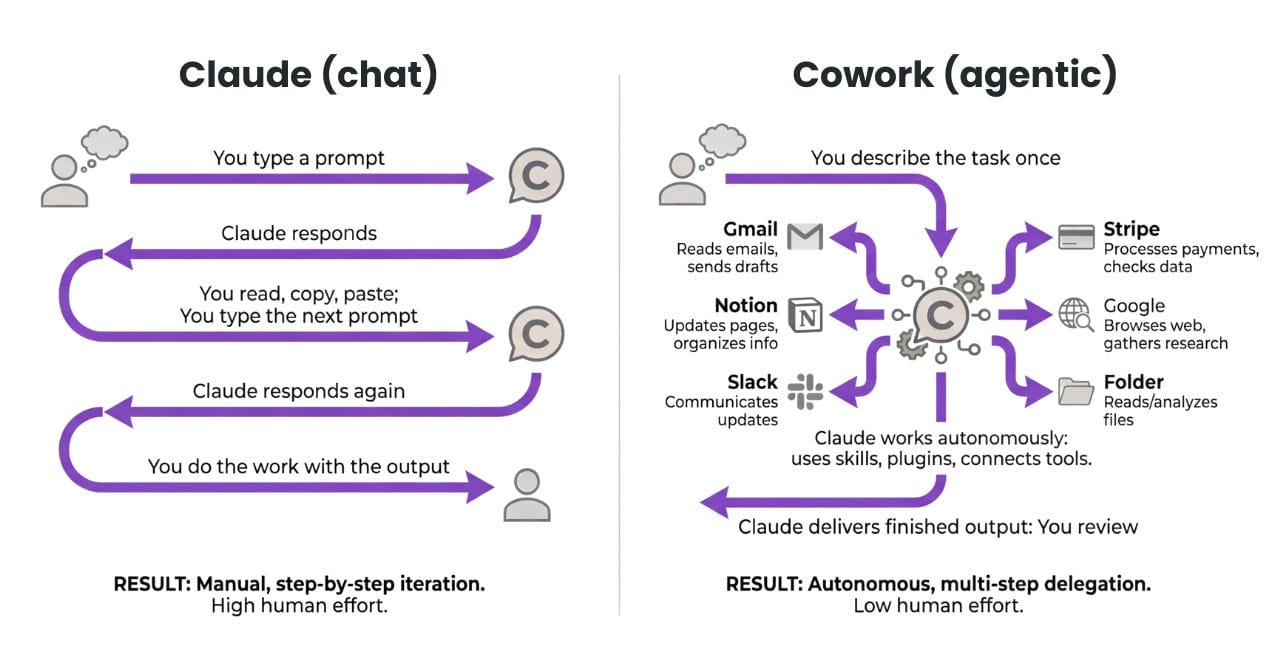
I call this a "ghost worker" because it’s very hard-working and quiet. Imagine waking up to find a report in your email without doing anything.
You don't have to remind the AI to work every day. Just give the order once. Claude Cowork will remember and do it at the time you pick.
It helps with boring tasks that repeat every day.
You can set a schedule for daily, weekly, or any time.
It frees your brain so you can focus on important things.
Having a system that runs in the background can make your life much easier. You don't need to worry about forgetting a report because the AI already did it.
2. Staying in Control
Even if it’s automatic, you still make the final choice. Many people worry that the AI will send a wrong email to a customer.
Don't worry, Claude Cowork has a "Draft Mode" that is very safe. Instead of sending it right away, the AI will only write the draft for you.
AI can do the hard parts like reading files and writing text.
Then it leaves the email in your "Drafts" folder for you to see.
You only need 10 seconds to check it and hit send.
This way helps you save 90% of your time but keeps everything 100% correct. This is the secret to managing a huge amount of work by yourself.
IX. Extra Tips for Power Users
Before we finish, I want to share a few things I learned while testing this for hundreds of hours. These are small "hidden" features that make a big difference.
1. Using Multiple Sessions
You can have more than one Cowork project going at once. I have one for my "Home Finances" and one for my "Work Projects." They do not mix up. You can switch between them on the left side. It is like having different rooms in an office.
2. Self-Checking Agents
I often ask the agents to check each other. I will say: "Agent 1, write the article. Agent 2, read it and look for spelling mistakes." This makes the quality much higher. It is like having an editor and a writer working together.
3. The Folder as a database
Do not just store documents. Store information. You can tell Claude Cowork to "Update my customer list every time I get a new email." Your folder becomes a living thing that grows as you work. It is much better than a static notebook.
Conclusion
We have covered a lot of ground today. We went from the basic CLAUDE.MD file all the way to full automation with scheduled tasks. Claude Cowork is a very deep tool, but you do not have to learn it all in one day.
My advice is to start with Layer 1. Go to your computer, create a folder, and make your first CLAUDE.MD file. Once you see how much smarter the AI becomes, you will want to try the other layers.
You will find that you have more free time and less stress because you are not doing the "busy work" anymore.
If you have questions, just try talking to the AI like I showed you. It is very patient and will help you learn. You have the map now, so go ahead and build your own team.
If you are interested in other topics and how AI is transforming different aspects of our lives or even in making money using AI with more detailed, step-by-step guidance, you can find our other articles here:
Building Apps with Bolt: A No-Code Guide to Turning Ideas into Reality
Detailed Guide: How To Automatically Get Unlimited High-Quality LinkedIn Jobs*
Prompt Engineering Automation: Build a Mini AI Assistant with n8n
Discover My Ultimate AI Tools Productivity Kit for 2024*
*indicates a premium content, if any
Reply