- AI Fire
- Posts
- 🚀 Stop Guessing, Start Building: A Guide To Context Engineering
🚀 Stop Guessing, Start Building: A Guide To Context Engineering
Move past simple prompts. This is the definitive guide to Context Engineering, the skill of providing perfect information to AI for superior results.

Neil Phan
December 04, 2025
How much do you trust the code generated by your AI assistant? 🤔 |
Table of Contents
Have you ever felt the frustration of an AI-generated code snippet that looks perfect on the surface but crumbles the moment you integrate it into your actual project? If you're still relying on "vibe coding" - that trial-and-error method of tossing disconnected prompts at an AI and hoping for the best - then it's time for a revolutionary change. A new methodology is reshaping how developers interact with AI coding assistants, and it's called Context Engineering.
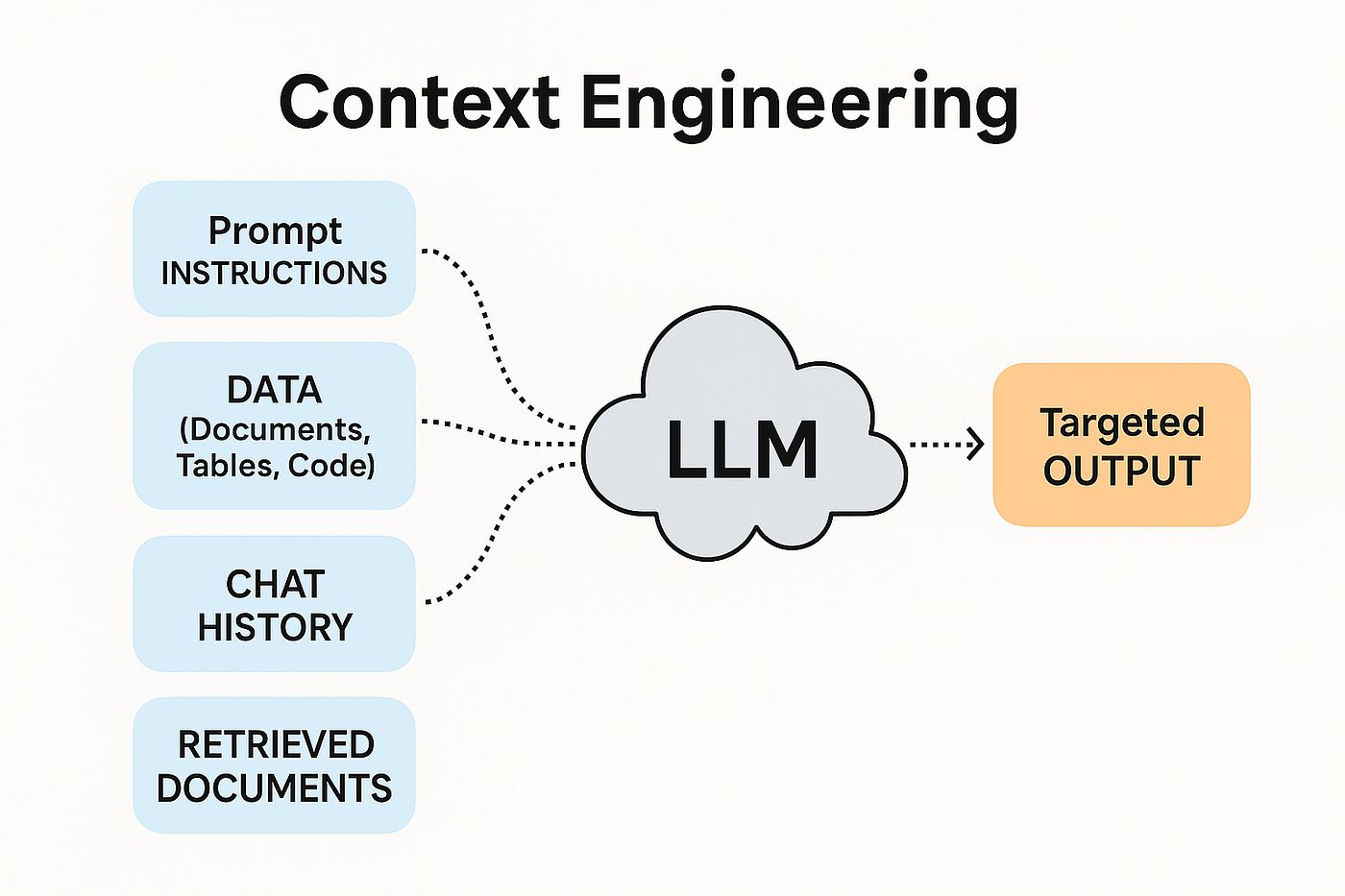
This isn't just another trendy buzzword. Context Engineering is a systematic approach to dramatically improving your AI's coding results by providing it with the precise information it needs to succeed. This article will take a deep dive into how this approach can transform your development workflow from a source of frustration into a bastion of phenomenal productivity.
The Root Problem With AI Coding Today
Before we jump into the solution, we need to thoroughly analyze the problem. A recent study by Qodo revealed an alarming statistic: 76.4% of developers do not trust AI-generated code without human review. Why such a profound lack of trust? The reason is that "hallucinations" and simple mistakes occur far too often.
The problem isn't with the inherent nature of AI, but in how we communicate with it. Large Language Models (LLMs) are like brilliant interns with vast knowledge but zero practical experience with your project. They know a lot about everything but nothing about your specific system: its architecture, the libraries you use, your team's coding conventions, or the business goals behind a feature.

"Vibe coding" exacerbates this issue. When we give short prompts like "Write me a user management API with Express.js," we force the AI to "guess" a host of critical details:
What is your project's directory structure?
Are you using MongoDB or PostgreSQL?
Is the authentication mechanism JWT or OAuth 2.0?
Do you have specific logging or error-handling standards?
What do the existing data models look like?
Without this information, the AI generates a generic piece of code based on the most common assumptions. This code might run in isolation but will almost certainly be incompatible with your existing system, leading to hours of costly debugging. This is precisely where Context Engineering emerges as a comprehensive solution.
A Precise Definition Of Context Engineering
Context Engineering was introduced by Andrej Karpathy (who also coined the term "vibe coding"). Recently, Tobi Lütke, the CEO of Shopify, made a statement that perfectly captures the essence of this concept: "I really like the term 'context engineering' over 'prompt engineering.' It describes the core skills better - the art of providing all the context for the task to be plausibly solvable by the large language model."
Let's illustrate the difference with an analogy:
Prompt Engineering is like giving a chef a brief request: "Cook me something nice with beef." The result could be a steak, pho, or beef stir-fry - it entirely depends on the chef's interpretation.
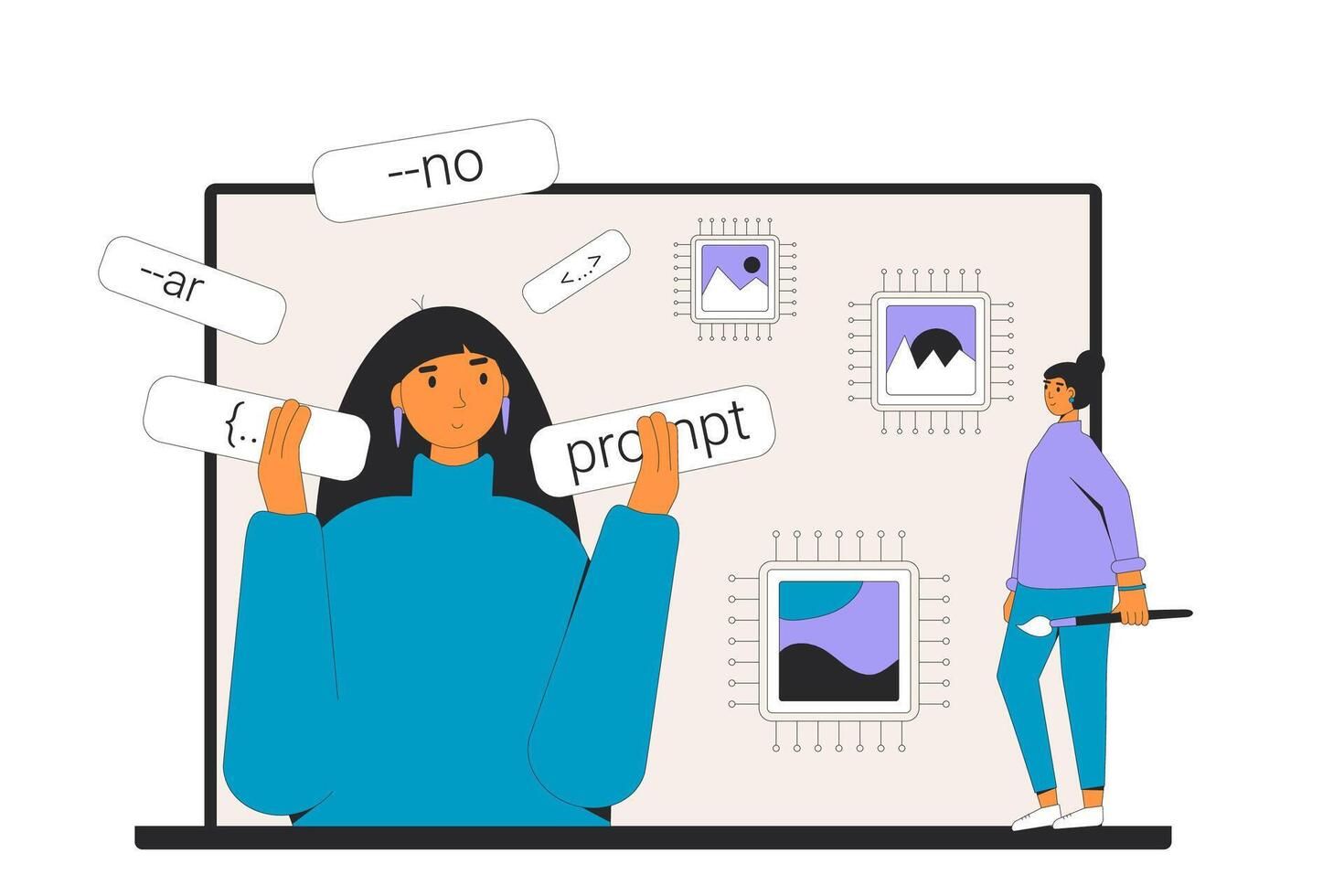
Context Engineering is like giving the chef a detailed recipe: a precise list of ingredients (300g Australian beef, cut 2cm thick), the available tools (oven, cast-iron skillet), the spices in the cabinet (rosemary, garlic), and specific requirements (medium-rare doneness, served with roasted asparagus). The result will almost certainly be the dish you envisioned.
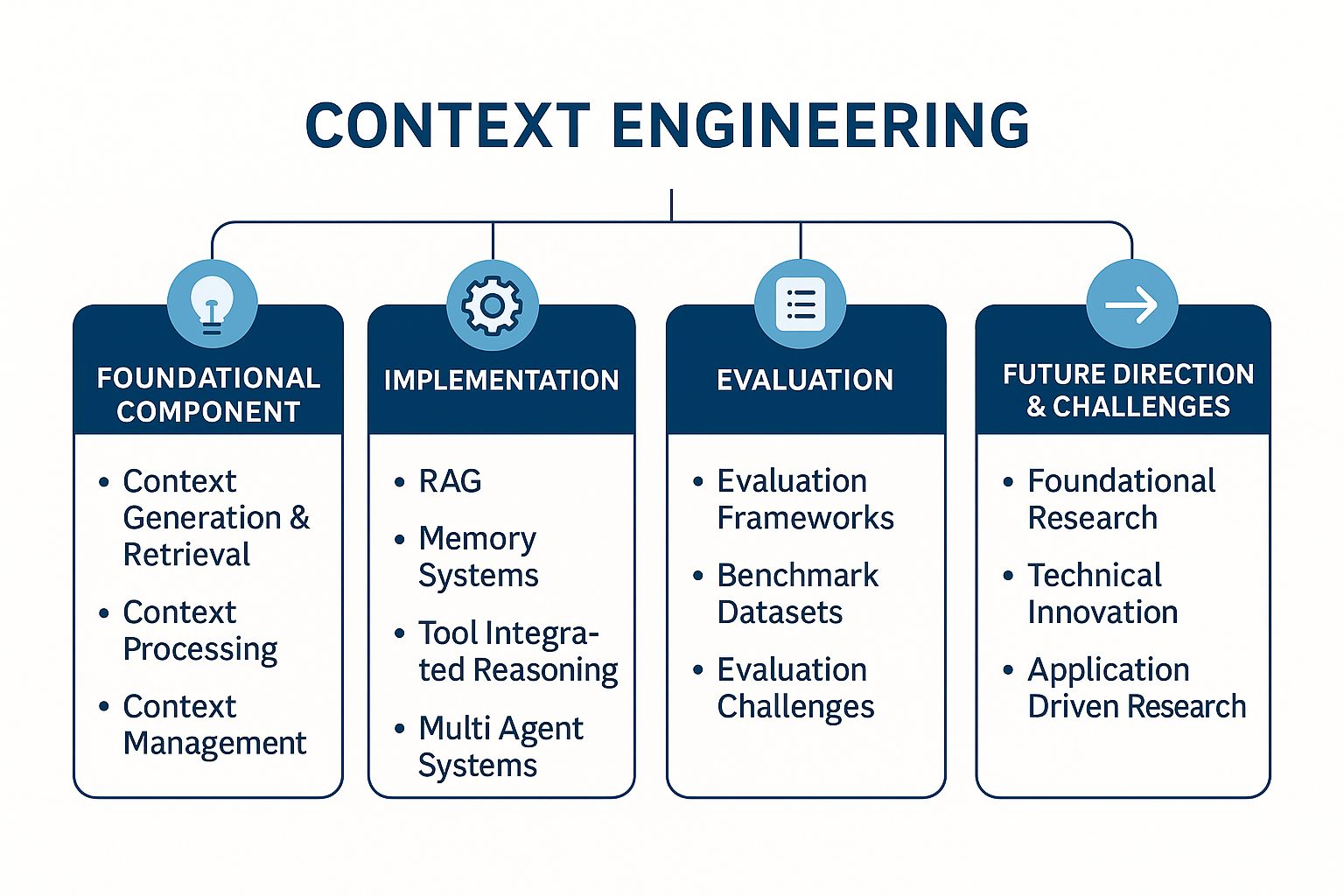
Therefore, a complete definition could be:
Context Engineering is the skill and art of strategically selecting, organizing, and managing the entire set of information an AI needs at each step to perform complex tasks efficiently and accurately - without overwhelming it with redundant data or omitting critical details.
Learn How to Make AI Work For You!
Transform your AI skills with the AI Fire Academy Premium Plan - FREE for 14 days! Gain instant access to 500+ AI workflows, advanced tutorials, exclusive case studies and unbeatable discounts. No risks, cancel anytime.
Why Context Engineering Is Vastly Superior
Unlike a single prompt, "context" encompasses everything the AI model "sees" before it generates output. It's a multi-layered, structured set of information:
Current State of the Project: The file tree structure, the content of relevant source code files, the
package.jsonorrequirements.txtfile to understand dependencies and versions.Historical Information: Previous conversations within the same session, architectural decisions that have already been made.
User Prompts: A detailed description of the feature to be built, including both business and technical requirements.
Available Tools: A declaration of APIs, functions, or commands that the AI is allowed to use (e.g., a function to query the database, an API to send emails).
RAG (Retrieval-Augmented Generation) Instructions: Guidance on how the AI should search for and use information from external documents (official documentation, API docs, technical articles).
Long-term Memory: Rules, preferences, and standards defined once and applied to every interaction (e.g., "always use type hints in Python," "write unit tests for every public function").
By assembling all these elements into a single "context window," the AI can cross-reference information to make far better decisions. It's no longer guessing; it's working from a detailed blueprint.
Criterion | Vibe Coding | Context Engineering |
Reliability | Low. Frequently produces errors and incompatible code. | High. Code adheres to project rules and architecture. |
Debug Time | High. Most of the time is spent fixing the AI's mistakes. | Low. The AI proactively avoids common errors thanks to sufficient information. |
Scalability | Very Low. Every new request is a new gamble. | High. Context templates can be reused and adapted. |
Consistency | Poor. Results vary wildly between prompts. | Good. Outputs are consistent and follow established standards. |
Cost (Tokens) | Potentially High. Many back-and-forth prompts to fix errors. | More Optimal. One large, detailed initial request is more efficient than many small ones. |
The Context Engineering Template: A Detailed Step-By-Step Guide
Now, let's explore a practical Context Engineering template. This template, inspired by the work of Cole Medin, is especially effective with programming assistants like Claude, but its principles are applicable to any AI model.

Step 1: Laying The Foundation (Preparing Your Environment)
Before you begin, ensure you have the necessary tools installed. This is the foundation for a smooth workflow.
Git: The version control system needed to clone the template repository.

Node.js: The JavaScript runtime environment, often required for modern tools and IDE extensions.
AI Programming Assistant: In this example, we'll refer to a tool like the Claude Code extension for VS Code, but you can adapt the process to your tool of choice.
Step 2: Acquiring the Template
Navigate to the GitHub repository containing the Context Engineering template:
https://github.com/coleam00/context-engineering-intro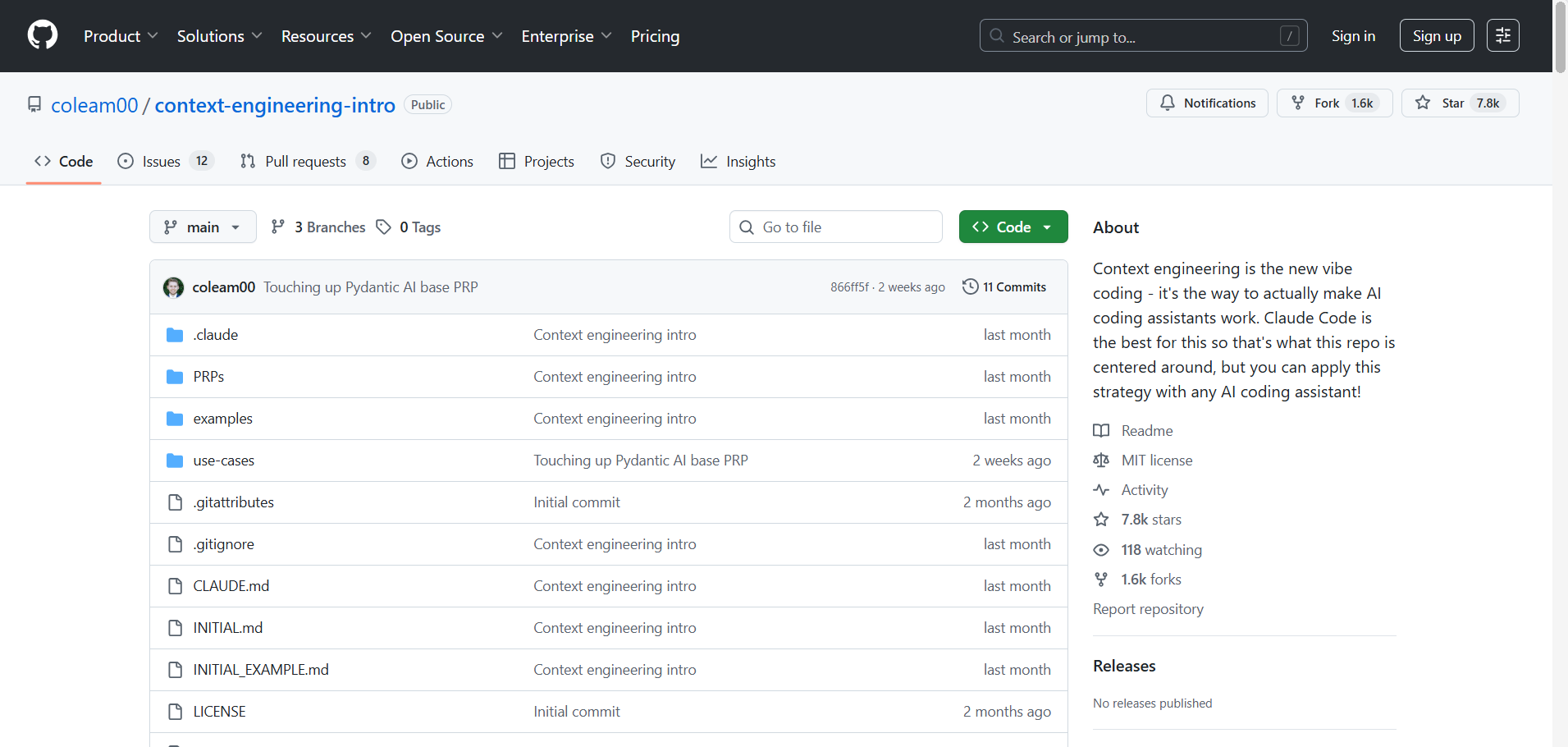
Clone this repository to your local machine using the following command in your terminal:
Bash
git clone https://github.com/coleam00/context-engineering-intro.git
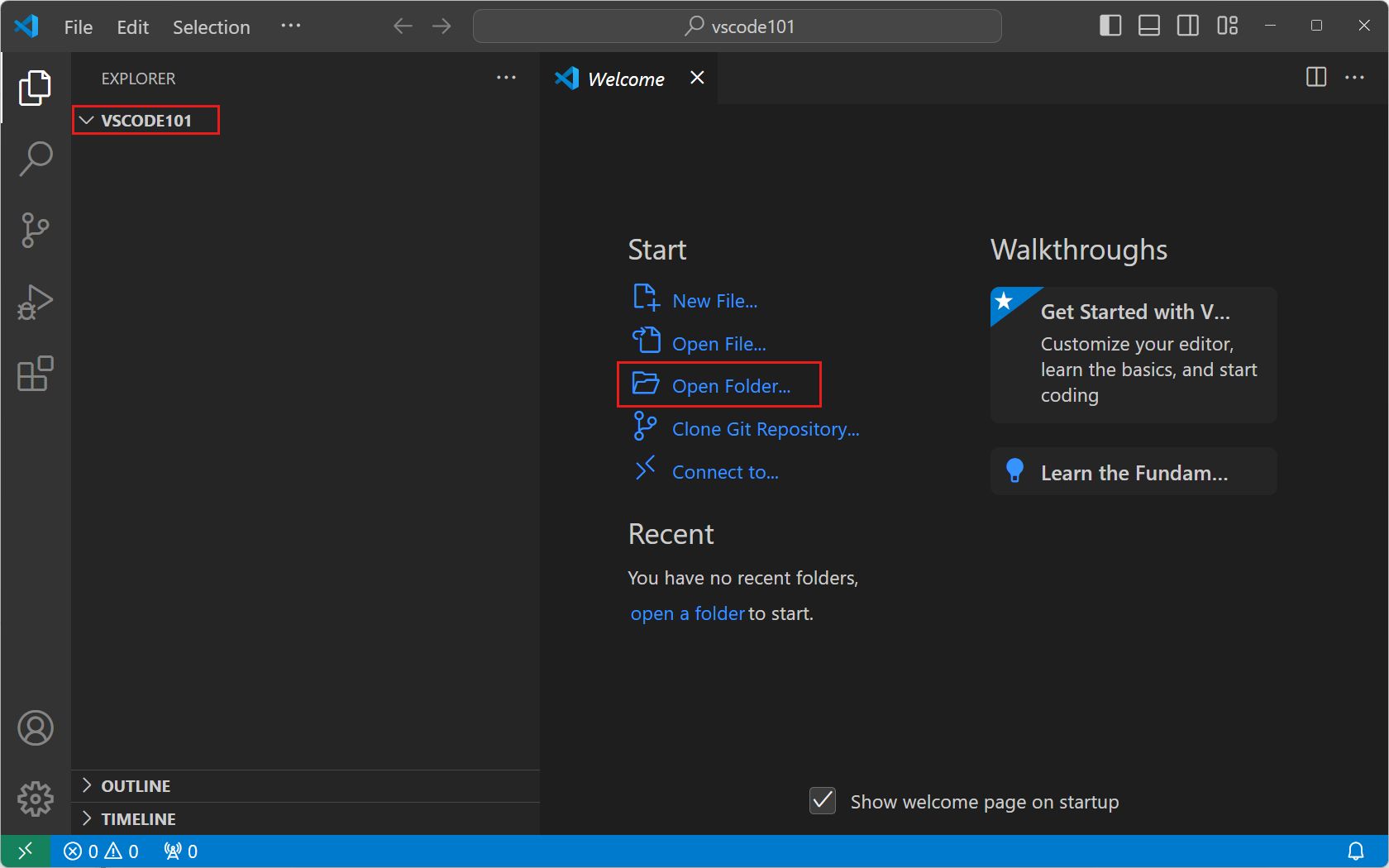
Once complete, navigate into the context-engineering-intro directory and open it with your favorite IDE, such as VS Code.
Step 3: Configuring Global Rules (Defining The "Rules Of The Game")
Open the claude.md file. This is your project's "constitution" - the master file containing core instructions that will guide the AI in every conversation. This file defines:

Code Structure Preferences: e.g., "Use a hexagonal architecture," "All React components must be functional components with Hooks."
Testing Requirements: e.g., "For every new API endpoint, create a corresponding test file using Jest and Supertest," "Code coverage must be at least 85%."
Reliability Standards: e.g., "Always include try-catch blocks for I/O calls and log errors using the standard logger."
Task Completion Guidelines: e.g., "Only mark a task as complete when both the source code and its associated tests have been generated."
System and Conversation Rules: e.g., "Think step-by-step in a
<thinking>block before writing code," "If you are unsure about a requirement, ask clarifying questions instead of making assumptions."
The provided template offers a solid baseline configuration, but its true power lies in your customization to precisely reflect the standards of your project and team.
Step 4: Creating Your Feature Request
Next, open the initial.md file. This is where you will describe in detail the feature you want to build. The structure of this file is key to success.
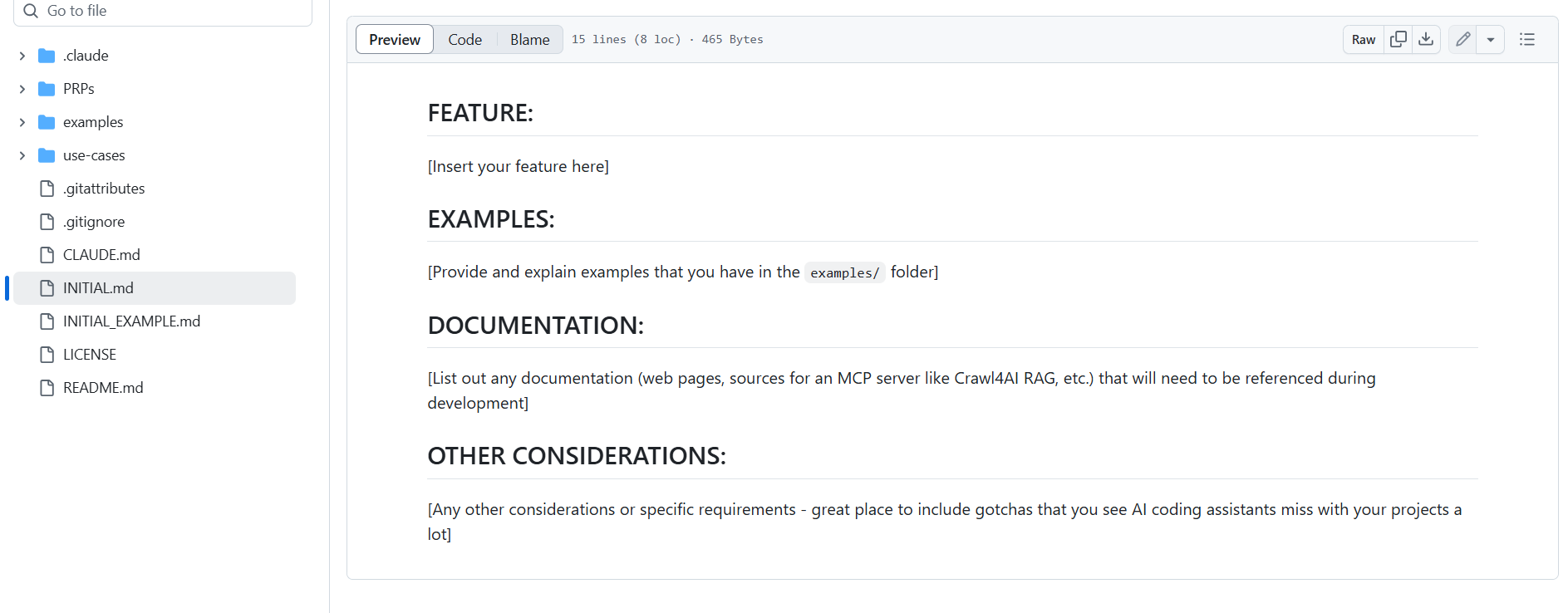
[Features]Section: Clearly and meticulously describe what you want the AI to do. Instead of "Create a login function," write: "Build aPOST /api/v1/auth/loginAPI endpoint that accepts an email and password. Authenticate the user against theuserstable in the database. On success, create a JSON Web Token (JWT) with a 24-hour expiration containing theuserIdandrole, then return this token."[Examples]Section: This is critically important. Provide example files of how you write code. The AI will learn your style, design patterns, and conventions from these. For instance, you could provide anexisting_controller.jsfile so the AI knows how you structure controllers, or adatabase_model.tsso it knows how you define schemas. Store these files in theexamplesdirectory.[Documentation]Section: Paste links to relevant technical documentation. If you're working with the Stripe API, provide the link to the specific endpoint you want the AI to use. If you have internal architectural documents on Confluence, link to those.[Additional Considerations]Section: List edge cases, security requirements, performance concerns, or any other important details. For example: "The login endpoint must be rate-limited to protect against brute-force attacks," "Passwords must be hashed using bcrypt before comparison."
Step 5: Generate The Product Requirement Plan (PRP)
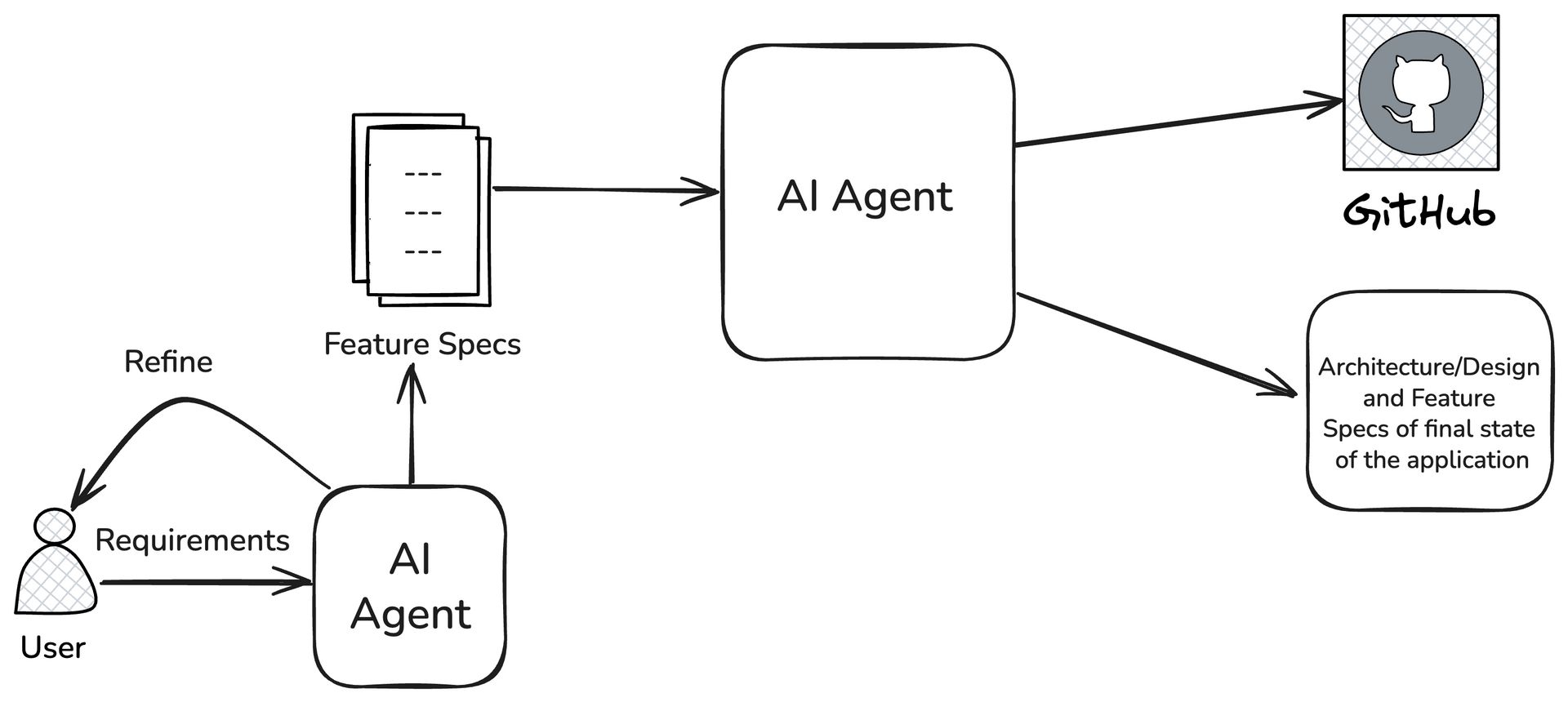
This is the magic step. Instead of immediately asking the AI to write code, you will ask it to first generate a PRP (Product Requirement Plan) - a detailed, comprehensive blueprint before construction begins.
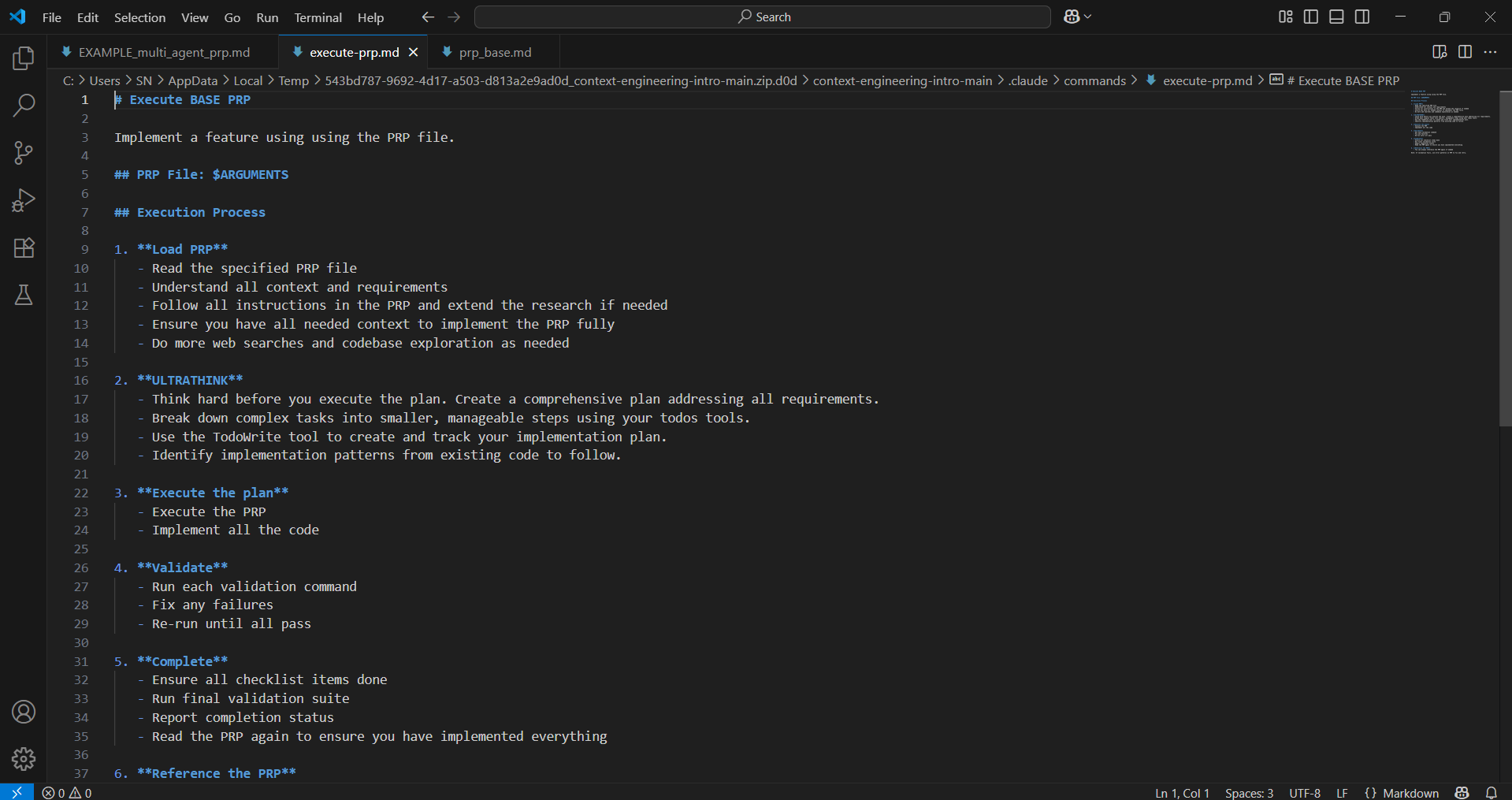
In a customized tool like a properly configured Claude Code extension, you might run a special command. Imagine a command like this:
/agent:plan --request=requests/feature_login.md --output=plans/login_plan.md
This command would trigger an automated process where the AI will:
Conduct Deep Research: Read and analyze all the documentation links you provided.
Analyze the Codebase: "Read" your entire current codebase, especially the example files, to fully understand the context.
Build the Plan: Generate a detailed, step-by-step planning document.
This process may take a few minutes, but it's incredibly worthwhile. The AI isn't coding blindly; it's performing real research and building a reliable plan.
Step 6: Review Your Generated PRP
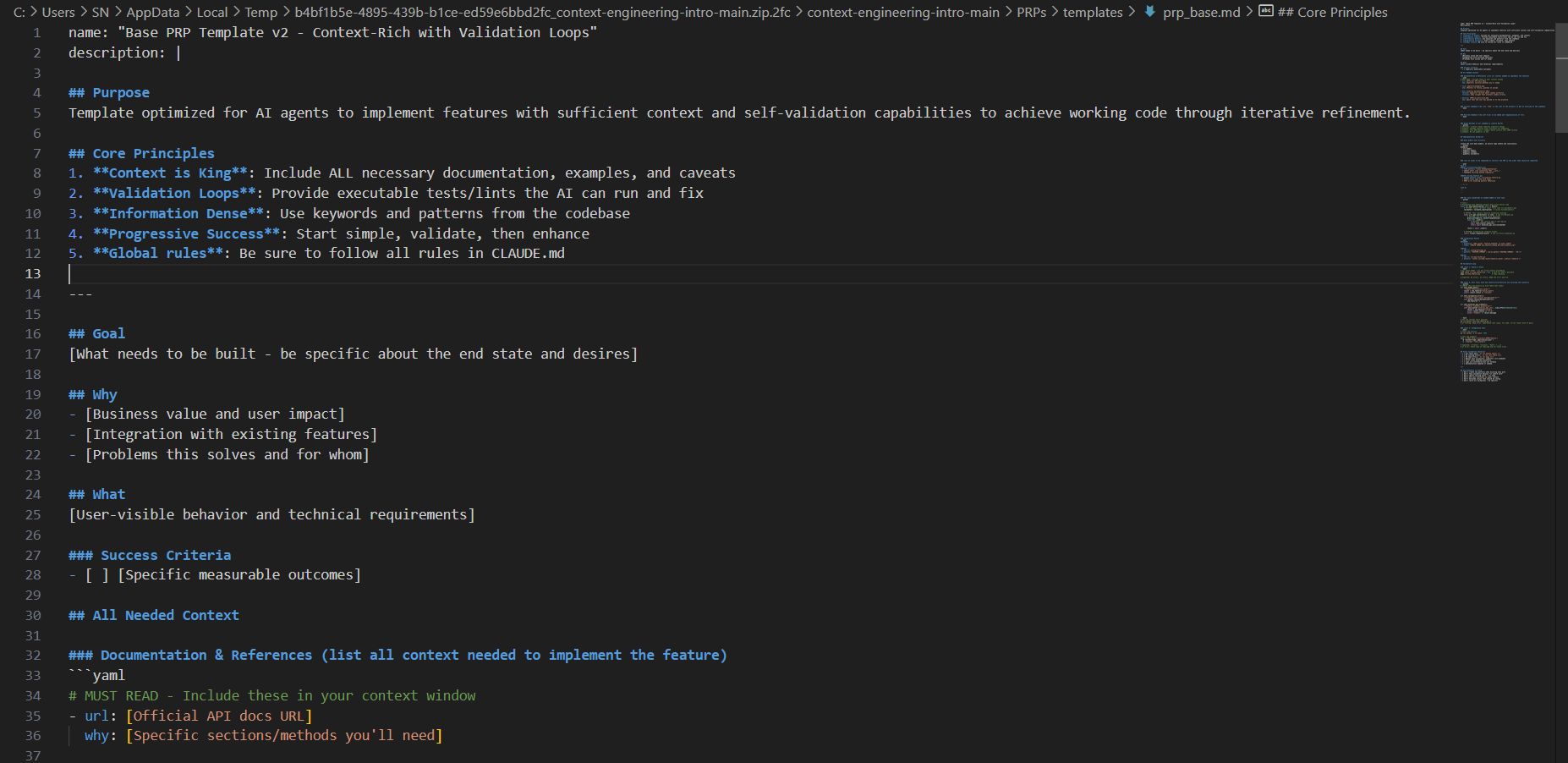
Once the PRP is complete, you will find it in the plans directory. Open it, and you'll be amazed at the level of detail. A good PRP will include:
Requirement Summary: The AI rephrases your request in its own words to confirm understanding.
Documentation References: Specific links and quotes from the documentation it researched.
File Structure Analysis: The current file tree and the desired file tree, showing which new files will be added or modified.
Detailed Implementation Plan: A list of specific steps. For example: "1. Create file
auth.controller.js. 2. Add new route toroutes/index.js. 3. Write authentication logic in the controller. 4. Create test fileauth.controller.test.js."Risk Assessment: Potential issues it has identified and how it plans to address them.
This approach dramatically reduces hallucinations and saves tokens in the long run by avoiding a constant cycle of corrections.
Step 7: Execute Your PRP
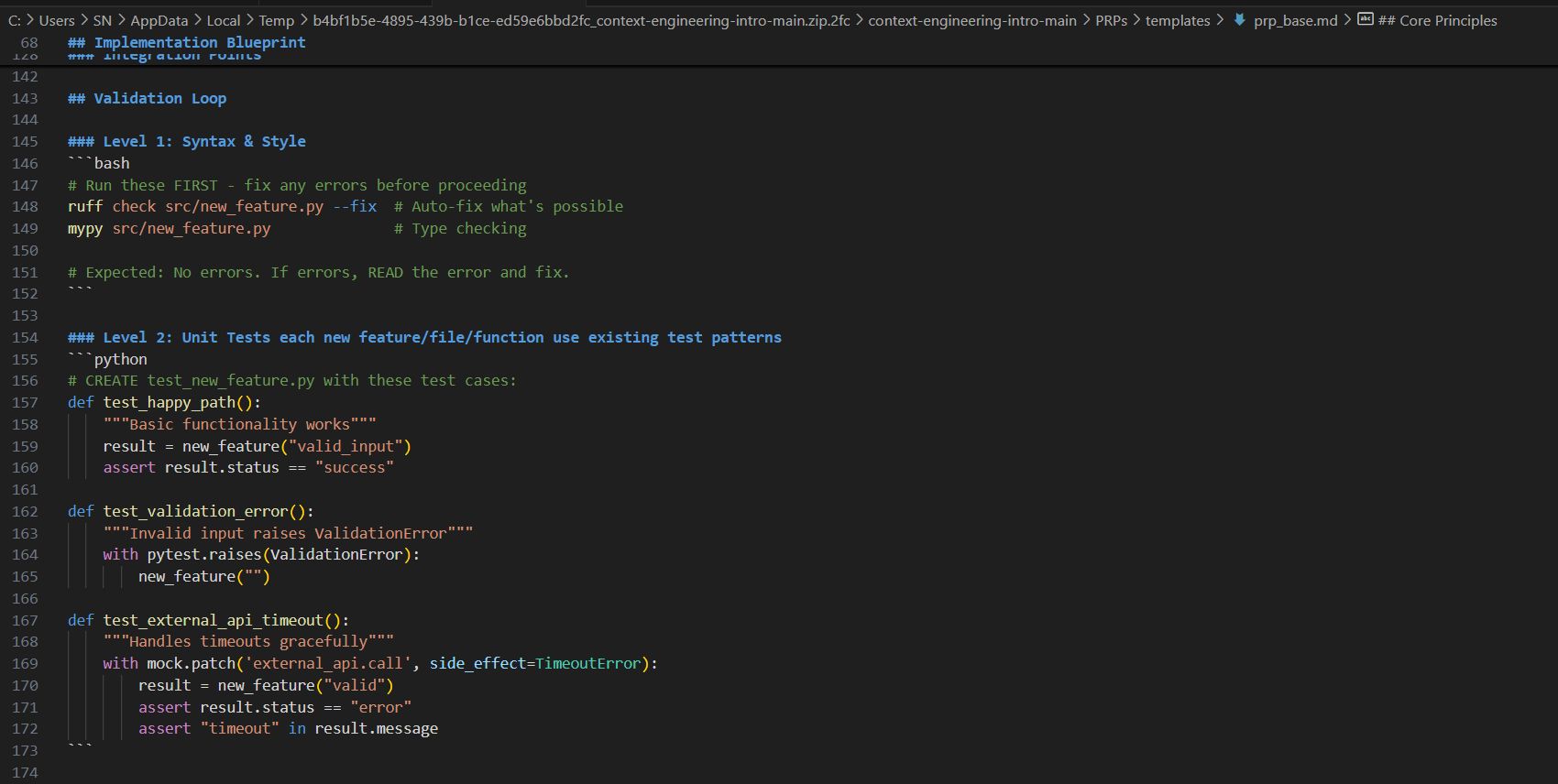
Now it's time to turn the plan into reality. You will instruct the AI to execute the PRP file it just created. Imagine a command like:
/agent:execute --plan=plans/login_plan.md --workspace=./src
The AI will now begin working systematically:
Creating necessary directories and files.
Installing dependencies if required.
Writing the code for each file exactly as planned.
Running validation commands (e.g., linters, builds) to check its own work.
Automatically fixing minor errors that arise during the process.
This process may take a while and consume a significant number of tokens in one go, but the resulting quality is far superior to the "vibe coding" method.
Step 8: Test And Deploy
Once execution is complete, the AI will provide you with final setup and testing instructions:
Steps to configure environment variables (
.env).Instructions for setting up API keys.
Commands to install dependencies (
npm install).Commands to run the application and execute tests (
npm test).
You simply need to follow these instructions to get your application up and running.
Advanced Real-World Example: Building an Automated Financial Analysis System
To illustrate the power of this method, let's imagine a more complex task. Instead of a generic research system, we'll ask the AI to build an automated system that analyzes quarterly financial reports and drafts an email summary for an investment team.
Request in the initial.md file:
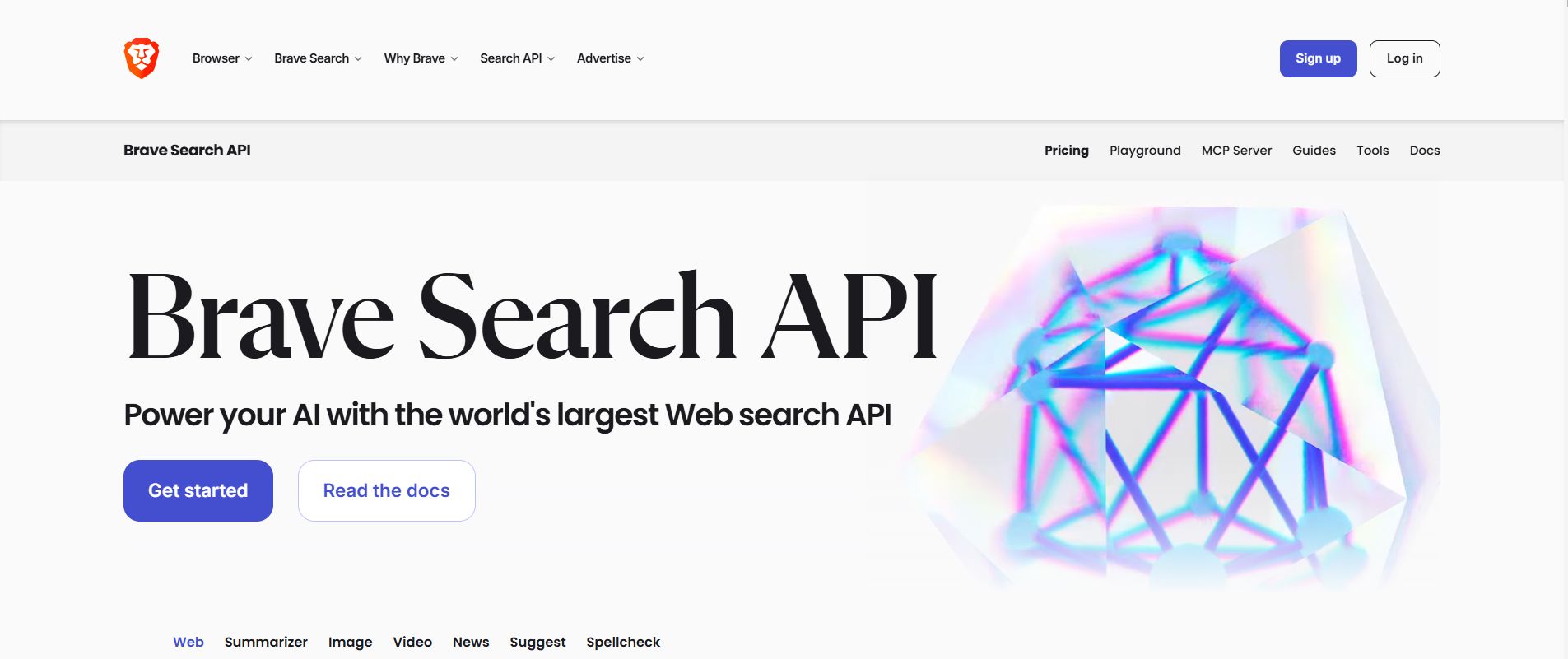
[Features]: "Build an automated system capable of: 1. Accepting a list of stock tickers as input (e.g., NVDA, AMD, INTC). 2. Using the Brave Search API to find links to the latest quarterly earnings reports (PDF or webpage) for each company. 3. Analyzing the content of these reports to extract key metrics: revenue, net income, EPS (earnings per share), and future guidance. 4. Drafting an email in Gmail via the Gmail API that summarizes these findings, including a comparison between the companies."
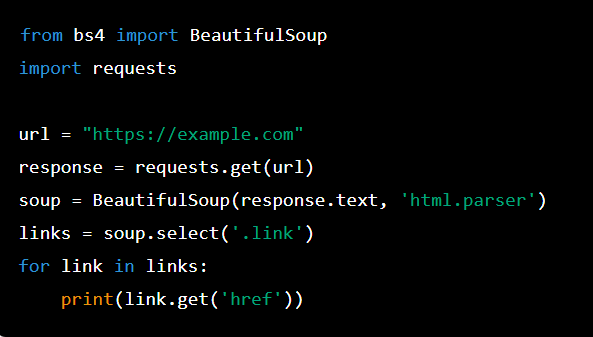
[Examples]: Provide a sample Python file showing how you want the AI to use therequestsandBeautifulSouplibraries. Provide a Markdown template for the email format.
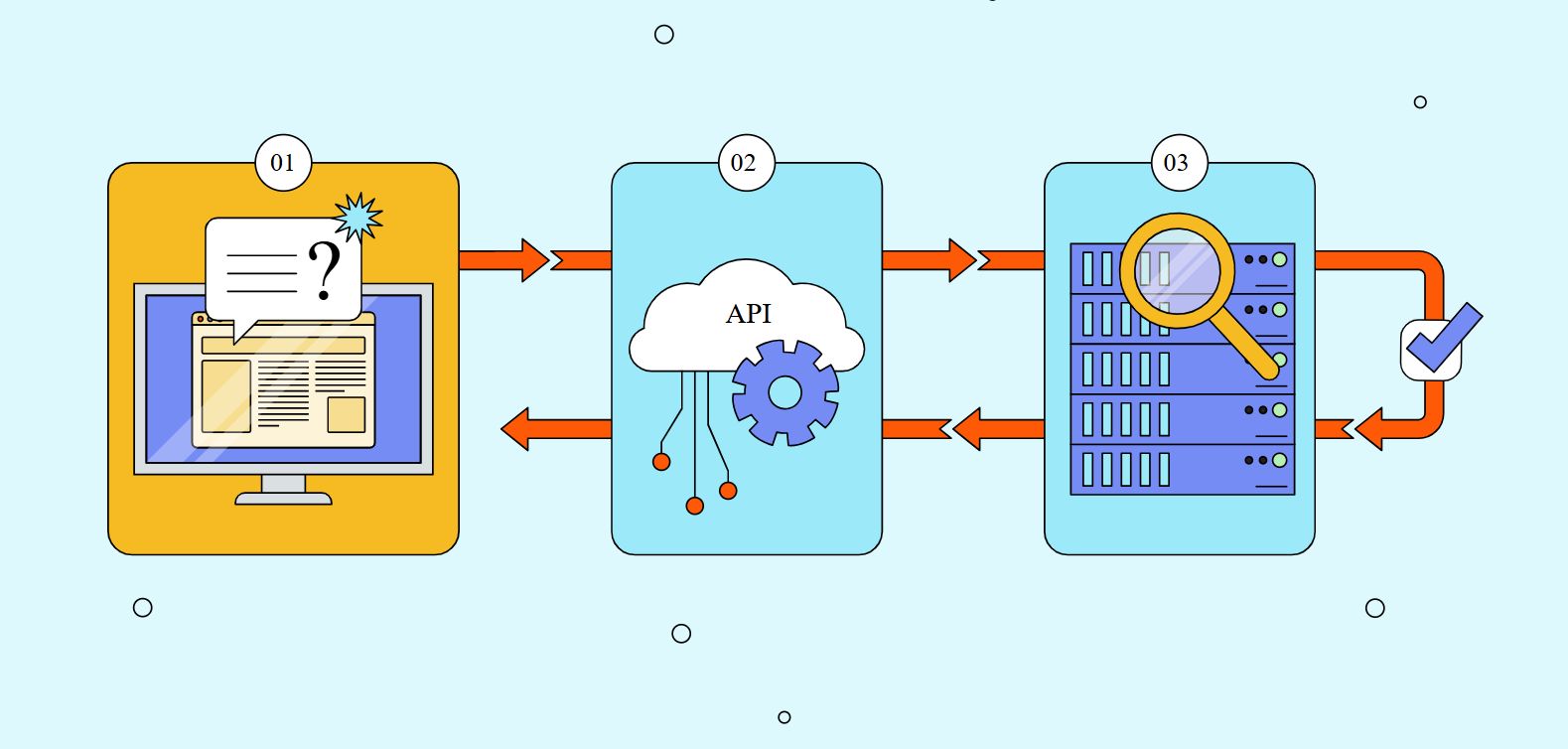
[Documentation]: Provide links to the Brave Search API and Gmail API documentation.
[Additional Considerations]: "The system must handle cases where a report cannot be found. The summary email must have a professional, objective tone."
After running the /agent:plan and /agent:execute commands, the result is a complete system, including files like financial_analyzer.py, brave_tool.py, gmail_client.py, and main.py. When run with the input ['NVDA', 'AMD', 'INTC'], the system automatically performs the research, analyzes the data, and a detailed draft email appears in the specified Gmail account, ready for review and sending. The entire process might only cost a few dollars in API fees but saves hours of manual labor.
The Compounding Benefits Of A Context-First Approach
Reduced Hallucinations: By providing a complete and bounded "worldview," the AI is far less likely to invent information. It operates on the ground truth you provide.

Superior Planning: Forcing the AI to plan before coding eliminates most architectural and logical errors. You get to fix mistakes on the "blueprint" instead of on the "constructed building."

Cognitive Offloading: Instead of having to micromanage every small step, the developer can focus on defining the "what" at a high level and let the AI handle the detailed "how."
Creating a Living Codebase Specification: The context files (
claude.md,initial.md) and the generated PRPs become a form of living, always-up-to-date documentation that describes exactly how the system is built.
Consistent Quality: With proper context, the AI consistently produces high-quality results that adhere to your standards, regardless of the task's complexity.
Pitfalls To Avoid When Adopting

While powerful, Context Engineering has its own pitfalls:
Over-constraining: Providing too many rigid rules can stifle the AI's "creativity," preventing it from finding optimal solutions.
Conflicting Context: If the global rules file contradicts the request in the feature file, the AI can get "confused" and produce unpredictable results.
Skipping PRP Review: Blindly trusting the AI's plan without reviewing it can lead to it executing a flawed architectural plan.
Insufficiently Detailed Context: The opposite of over-constraining, providing a sparse context will lead you right back to "vibe coding." Balance is key.
The Future Of AI-Assisted Software Development

Context Engineering represents a fundamental shift in how we interact with machines. We are moving from being command-givers to becoming information architects. The most critical skill of the future won't be writing clever prompts, but the ability to systematically gather, organize, and present information.
These skills will become increasingly valuable as AI assistants grow more powerful and prevalent in software development. We are not just training an AI to write code; we are training it to become a member of our development team.
Getting Started Today
Ready to transform your AI coding experience? Here’s what you should do right now:
Set Up the Foundation: Install Git, Node.js, and a customizable AI assistant in your IDE.
Clone the Template: Grab the Context Engineering template from GitHub as your starting point.
Start with a Small Project: Pick a simple feature to test the approach and familiarize yourself with the workflow.
Customize the Rules: Spend time adapting the global rules file (
claude.md) to reflect your coding style and standards. This is the highest-leverage investment you can make.Build Your First PRP: Create a detailed feature request and let the AI generate a Product Requirement Plan.
Execute and Learn: Run through the entire process and see the difference for yourself.
Remember, this approach requires a greater upfront investment of time and thought, but the payoff is enormous. Instead of spending hours debugging AI-generated code, you'll get reliable, high-quality results that you can actually use in production.
The era of unreliable "vibe coding" is ending. The age of systematic, context-driven software development has begun. Are you ready to be a part of it?
To dive deeper into AI coding techniques and stay updated on the latest developments, the Context Engineering template and all resources mentioned in this guide are available for free. A whole community of developers is already experimenting with these advanced approaches, and you could be next.
If you are interested in other topics and how AI is transforming different aspects of our lives or even in making money using AI with more detailed, step-by-step guidance, you can find our other articles here:
How useful was this AI tool article for you? 💻Let us know how this article on AI tools helped with your work or learning. Your feedback helps us improve! |
Reply