- AI Fire
- Posts
- 📈 The Ultimate Canva AI Workflow: Your A-Z Marketing Guide
📈 The Ultimate Canva AI Workflow: Your A-Z Marketing Guide
Build a full marketing campaign with Canva AI. This detailed guide covers strategy, visuals, video, and content automation to streamline your entire workflow.

Neil Phan
December 10, 2025
What's your BIGGEST challenge in content creation right now? |
Table of Contents
Have you ever felt that your creative process is fragmented? Ideas live in one place, the strategy draft in another, images need to be sourced from stock photo sites, video requires separate software, and the content calendar is on an Excel spreadsheet. This is the reality for many content creators, marketers, and business owners - a chaotic mix of tools, passwords, and subscription fees.
But what if that entire process - from the first spark of an idea to the final post being published - could flow seamlessly within a single ecosystem?
This is no longer a future vision. This is the power of Canva AI. If you still think of Canva as just a drag-and-drop tool for creating cover photos or social media posts, you're missing out on 90% of its true potential. Its Artificial Intelligence (AI) features are not mere add-ons; they represent a revolutionary new way of working, transforming Canva from a design tool into an automated marketing command center.
In this in-depth guide, we won't just skim through features. We will build a complete marketing campaign together for a fictional brand: "Urban Sprout" – a modern plant shop for city dwellers. The goal of this article is to equip you with a new mindset and workflow, helping you build and grow your online brand with superior efficiency and creativity.
Part I: The Foundation – Setting The Stage For Success
Before we hit "Generate," we need to understand the playing field and the rules. This preparation step determines 80% of your success when working with AI.
1. Your Canva Account: Which Choice Is Right For You?
Canva Free: Excellent for getting started and familiarizing yourself. However, for AI, it has a major limitation: you only get 50 lifetime credits. This means after 50 AI generations (images, text, etc.), you won't get any more. Think of this as an "extended trial" for the AI features.

Canva Pro: This is a strategic investment. Don't just look at the monthly cost. Think in terms of ROI (Return on Investment). A Canva Pro account can replace:
Stock photo/video subscription fees (worth tens to hundreds of dollars per month).
The cost of hiring freelance designers for small tasks.
Licensing fees for complex photo and video editing software.
Most importantly: Time. The hours you save by automating repetitive tasks can be reinvested into strategic thinking and business development.

Actionable Advice: Use your 50 free credits to test all the AI features mentioned in this article. Once you see the potential and identify which features best fit your workflow, upgrading to Pro will be an easy decision.
2. Understanding The Interface: Magic Studio - Your Power Hub
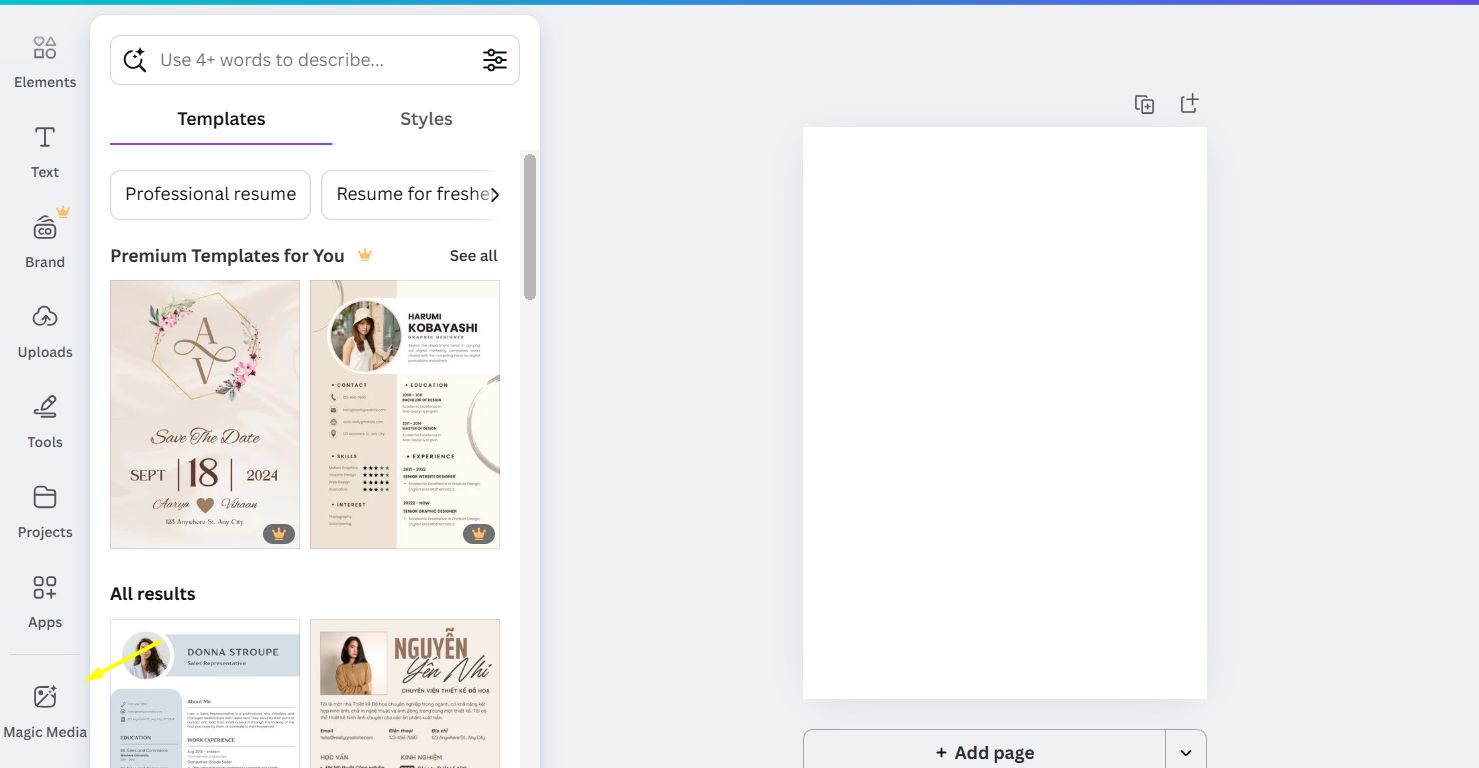
In Canva's left-hand toolbar, look for Magic Studio. This is your gateway to all the most powerful AI tools, from text, image, and video generation to specialized AI applications. We will constantly return to this "command center" throughout this guide.
Part II: The 8-Step Workflow For Building A Complete Marketing Campaign
Now, let's get to work with our brand, "Urban Sprout."
Step 1: Forging The Brand's Soul - AI-Powered Logos
A logo isn't just an image; it's the first impression, the brand's promise. AI can help you explore creative directions you might never have considered.
Strategic Mindset: A good prompt doesn't just ask for "a logo." It must convey the brand's soul. For "Urban Sprout," the core keywords are: modern, minimalist, fresh, urban, sophisticated.
How to do it:
From the Canva homepage, go to Canva AI.
Use a structured and highly detailed prompt. Don't be afraid to "brief" the AI as if it were a real creative director.
Sample Prompt:

"Act as a senior brand designer specializing in modern lifestyle brands. I need logo concepts for 'Urban Sprout,' a plant shop for young city dwellers.

Requirements: Generate 3 distinct logo concepts that adhere to a minimalist and sophisticated style:

Abstract Icon Concept: A stylized geometric shape that evokes a sprouting leaf. Make clever use of negative space.

Wordmark Concept: Use a clean, elegant sans-serif font for the words 'Urban Sprout' and integrate a tiny, subtle sprout icon into one of the letters.

Line-art Concept: A minimalist line-art drawing of a potted Monstera plant.

Color Palette: Forest green, charcoal grey, and off-white."
Real-World Tip:

AI can generate beautiful icons, but the text might have font errors or spelling mistakes. The trick here is to see the AI's output as an endless supply of icons. Choose an icon you like, use the Magic Eraser or crop it to isolate the image. Then, go into the Canva editor and add your brand name yourself using Canva's fonts for full control.
Upload a reference image (a mood board) of the style you like to "teach" the AI more about your aesthetic.
Learn How to Make AI Work For You!
Transform your AI skills with the AI Fire Academy Premium Plan - FREE for 14 days! Gain instant access to 500+ AI workflows, advanced tutorials, exclusive case studies and unbeatable discounts. No risks, cancel anytime.
Step 2: Building The Compass - Marketing Strategy With AI Docs
Most campaigns fail not because of bad design, but because of a lack of direction. This step creates the "North Star" for all your activities.
Strategic Mindset: A good strategy document isn't just a bulleted list. It should be a living document that helps the entire team (even if it's just you) understand where you're going and what you're saying.
How to do it:
Create a new document using Canva Docs.
Use Magic Write to request an in-depth plan.
Sample prompt:

"You are a marketing strategist specializing in D2C (Direct-to-Consumer) brands. Create a 'Brand Manifesto' for 'Urban Sprout.'

This document must include the following sections:
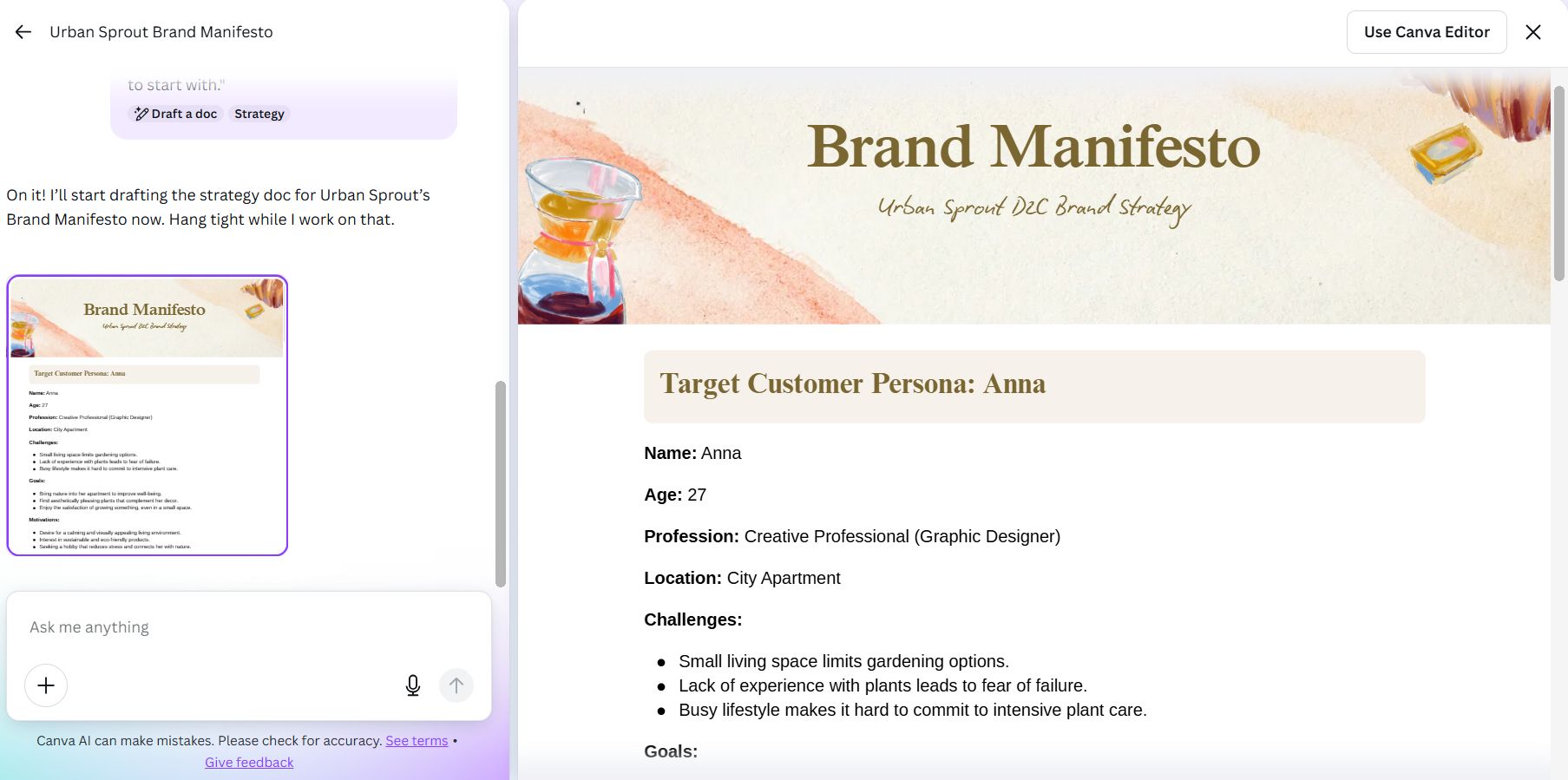
Target Customer Persona: Build a persona named 'Anna,' a 27-year-old creative professional living in a city apartment. Describe her challenges (small space, lack of experience with plants).

Brand Voice Chart: Create a table with 3 columns: 'Characteristic' (e.g., Knowledgeable, Inspiring, Calm), 'Description' (Explain how that characteristic is expressed), and 'Dos & Don'ts' (Provide real examples for caption writing).

Three Key Messaging Pillars: For example: 'Sustainable Beauty,' 'Green Therapy for the Soul,' 'Effortless for Beginners.' For each pillar, write a sample tagline.

Recommended Communication Channels: Briefly analyze why Instagram and Pinterest are the most suitable channels to start with."
A Word of Caution: Don't copy and paste the strategy generated by the AI. It's a fantastic first draft, but you - the person who understands your business best - must edit it, adding your unique stories and core values.
Step 3: Breathing Life Into Visuals – Magic Media & Magic Studio
Content is king, but visuals are queen. This is where we create unique visual assets.
Strategic Mindset: Think about the emotion you want to evoke. For "Urban Sprout," it's peace, freshness, and inspiration.
How to do it:
In a new design, open Magic Media from the Apps menu.
Write a prompt that describes the image as if you were directing a photographer.
Sample Prompt:
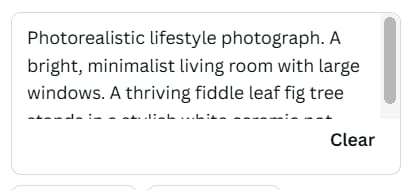
"Photorealistic lifestyle photograph. A bright, minimalist living room with large windows. A thriving fiddle leaf fig tree stands in a stylish white ceramic pot. Morning sunlight streams through the window, casting soft light and shadows on the wooden floor. The overall mood is serene and aspirational. 4K quality, sharp details."Level up your editing with tools in Magic Studio:

Magic Grab Use Case: The AI generated an image with a beautiful plant, but it's in the middle of the frame, leaving no room for text. Use Magic Grab to "lift" the plant and move it to the right corner, creating the perfect empty space for your headline.
Magic Edit Use Case: The photo is great, but the pot is terracotta, which doesn't fit your brand's grey-and-white color palette. Select the pot, choose Magic Edit, and type the command: "change to a matte black ceramic pot."
Magic Expand Use Case: You have a square product photo but need a horizontal Facebook cover image. Drag the edges of the photo outward, and Magic Expand will logically draw the rest of the room.
Steps 4 & 5: Creating Motion And Sound – AI Video And AI Voice-over
Video is the most engaging format today. And now, you don't have to be a professional videographer.
Strategic Mindset: AI video credits are precious (even with a Pro account). Use them for high-impact content: short ads, website background videos, or unique Reels.
How to do it:
In Magic Media, switch to the "Video" tab.
Sample Prompt:
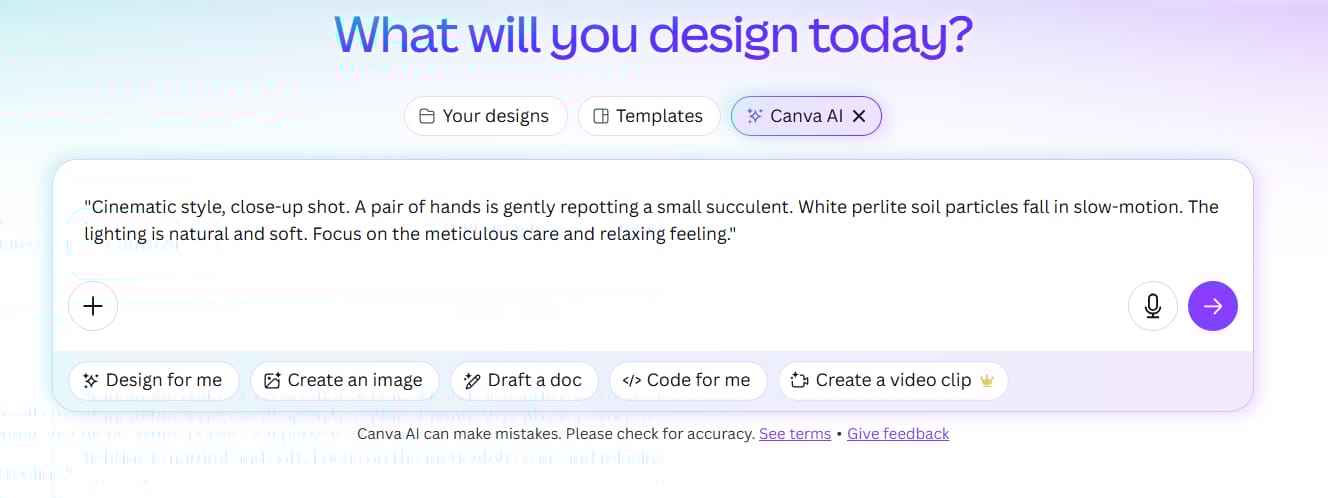
"Cinematic style, close-up shot. A pair of hands is gently repotting a small succulent. White perlite soil particles fall in slow-motion. The lighting is natural and soft. Focus on the meticulous care and relaxing feeling."Once you have the video, go to Apps > AI Voice.
Sample Script:

"Urban Sprout. Bring nature into your living space." Choose a warm, inspiring female voice.Step 6: Persuading Partners – AI-Powered Presentations
Have a last-minute meeting with a partner and need a professional deck immediately? AI to the rescue.
Strategic Mindset: Clearly define the goal of your presentation. Is it to pitch for funding? Introduce products to retailers? Each goal requires a different structure and language.
How to do it:
From the homepage, go to Magic Studio > Magic Design for Presentations.
Sample Prompt (New):

"Create a professional 7-slide presentation to introduce 'Urban Sprout' to corporate office partners. The goal is to persuade them to use our plant decoration and care service.
Structure:
Slide 1: Impactful title.
Slide 2: The Problem (Lifeless workspaces, impact on employee morale).
Slide 3: The Solution (Introducing 'Urban Sprout' and the benefits of green spaces).
Slides 4 & 5: Showcase our service packages and sample project photos.
Slide 6: Pricing and collaboration process.
Slide 7: Call to action and contact information."
Step 7: The Command Center – Content Management With Canva Sheets
This is the feature that transforms Canva from a creative tool into a marketing operations hub. It combines the power of spreadsheets, project management tools, and design.
Strategic Mindset: The goal is to create a "single source of truth." Everything related to your content plan lives here, saving you time from switching between Google Sheets, Trello, and Canva.
How to do it:
Create a new design and choose Sheets.
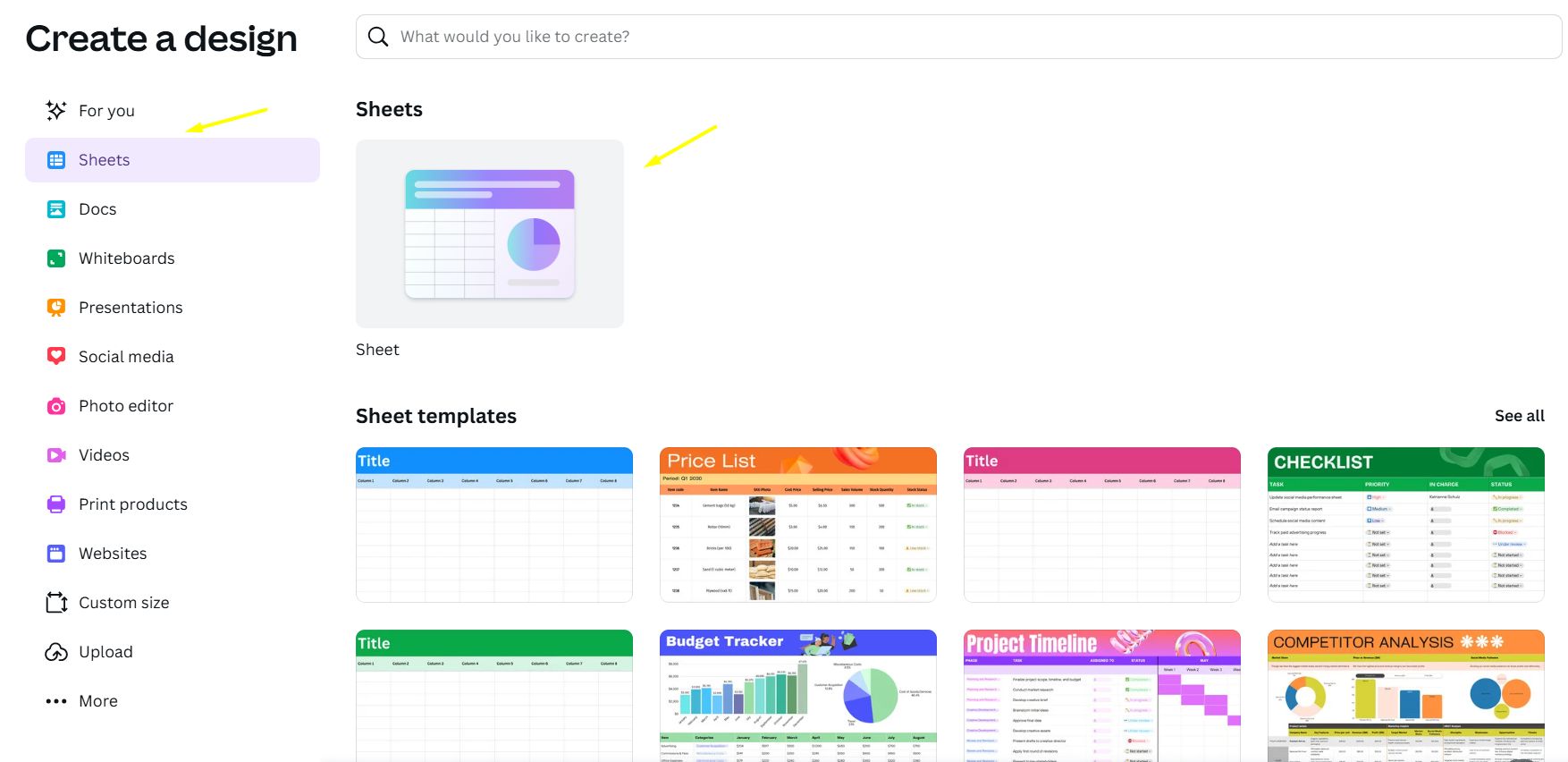
Sample Prompt:

"Create a detailed social media content plan for 'Urban Sprout' for one month.
Require the following columns: Week, Post Date, Channel (Instagram, Pinterest), Format (Reel, Carousel, Story), Content Pillar, Specific Idea, Notes for Designer, Caption, Hashtags, Status.
Prefill 4 sample ideas for 4 main pillars:
Plant Care: A Reel demonstrating how to water a Fiddle Leaf Fig correctly.
Green Spaces: A Carousel of 5 ideas for decorating a home office with plants.
New Arrivals: A Story introducing new self-watering pots.
Expert Q&A: A post answering '3 common mistakes new plant owners make'."
Pro-Tip for Efficiency: Use the Dropdown feature for the "Status" column with options like: Idea, In Progress, Pending Review, Ready to Post, Published. Assign a color to each status to create a visual Kanban board, allowing you to track your workflow at a glance.

Step 8: The Multiplier Effect - Automation With Bulk Create
This is the final step, where the real magic happens. It connects your content plan spreadsheet to your design templates to generate assets in bulk with just a few clicks.
Strategic Mindset: Think about anything with a repetitive structure. "Plant of the Week," "Quick Care Tips," product quotes, thank you cards... all can be automated.
Real-World Example: You've planned 30 "Plant Care Tip" posts in Canva Sheets. Instead of manually creating 30 design files, you just:
Prepare a single "Plant Care Tip" design template.
Open the Bulk Create app.

Connect the data from your spreadsheet (map the "Idea" column to the title, the "Caption" column to the text body, etc.).
Click "Generate."

In less than 5 minutes, you'll have 30 unique design files, each containing the correct content and image you planned. A task that would have taken a full day is now done in the time it takes to make a cup of coffee.
Part III: The Master's Mindset - The Synergy Of AI And Human Intelligence
No matter how powerful, an AI tool is still just a tool. True effectiveness comes from the synergy between the computational power of the machine and the strategic thinking, empathy, and creativity of the human.

AI is the executor; you are the creative director. AI can generate 100 ideas, but you are the one who chooses the 1 idea that best fits the strategy.
AI provides the draft; you add the soul. AI can write a grammatically correct caption, but you are the one who adds a touching story, a witty joke, or a call to action that resonates emotionally.
AI analyzes the data; you make the decision. Magic Insights can show that "posts about Monstera plants have the highest engagement," but you are the one who must decide, "should we launch a dedicated product line for Monsteras?"
Think of AI as an incredibly talented and diligent assistant. Your job is to give it the right direction.
Part IV: Resources And An Actionable Checklist
Suggested Resources:

Canva Design School: The official source for free tutorials and courses from Canva.
The Canva Blog: Stay updated on design and marketing trends and the latest feature releases.
Prompt Hero: A community for sharing effective AI prompts for image generation (useful for learning how to write better prompts).
Quick Checklist: The Canva AI Campaign Creation Workflow
Step 1: Preparation
Clearly define the campaign's objective.
Research and identify 3-5 core brand keywords.
Ensure your Canva Pro account is ready (if you plan to use AI regularly).
Step 2: Strategic Foundation
Use Magic Write in Canva Docs to generate a brand plan/manifesto.
Edit and finalize the strategy with human insight.
Step 3: Brand Identity
Use Magic Media to generate logo concepts based on brand keywords.
Refine and finalize the logo in the Canva editor.
Step 4: Content Planning
Use Canva Sheets to create a detailed content calendar.
Use interactive dropdowns to manage workflow status.
Step 5: Creative Asset Production
Generate images/videos with Magic Media based on ideas from the content calendar.
Use Magic Studio (Grab, Edit, Eraser) to refine the assets.
Step 6: Automation & Scaling
Prepare design templates for repetitive content types.
Use Bulk Create to connect Canva Sheets with templates and produce content en masse.
Step 7: Review & Publish
Always review all AI-generated content before publishing.
Schedule posts and monitor performance.
Conclusion
We are living in a remarkable time where the barriers to creating professional, beautiful, and effective marketing campaigns have never been lower. Canva AI doesn't just save you time and money; it liberates you from tedious, repetitive tasks so you can focus on what only humans can do: strategic thinking, emotional connection, and telling compelling brand stories that move people.
Start with one small step from the checklist above. Experiment, fail, learn, and optimize. Gradually, you will build a workflow that is not only efficient but also incredibly inspiring. The future of creativity is here, and it's right at your fingertips.
If you are interested in other topics and how AI is transforming different aspects of our lives or even in making money using AI with more detailed, step-by-step guidance, you can find our other articles here:
How useful was this AI tool article for you? 💻Let us know how this article on AI tools helped with your work or learning. Your feedback helps us improve! |
Reply