- AI Fire
- Posts
- 🤖 The Ultimate Guide To Building A No-Code AI Research Agent
🤖 The Ultimate Guide To Building A No-Code AI Research Agent
Build your own 24/7 research assistant without writing a single line of code. Combine n8n, OpenRouter, and Perplexity to get deep insights on any topic.

Neil Phan
December 05, 2025
📊 What is your biggest challenge when it comes to research? |
Table of Contents
Introduction
In today's digitally saturated world, the greatest challenge is no longer finding data, but distilling wisdom from an endless ocean of information. Professionals in every field, from market analysis to academic research, face a daunting task: spending countless hours sifting through sources, synthesizing disparate findings, and trying to stay one step ahead. What if you could automate this laborious process? What if you could deploy a tireless digital research assistant that works 24/7 to deliver insightful, fully synthesized reports in minutes?

Welcome to the world of autonomous AI agents. This is no longer science fiction; it is an accessible reality. This comprehensive guide will show you how to build a powerful research AI agent using no-code tools. We will combine the workflow automation platform n8n, the multi-model access of OpenRouter, and the specialized research power of Perplexity AI. The result? An intelligent system that can perform deep research on any topic, from competitor analysis and market trends to exploring complex scientific literature.
The best part is that you don't need to write a single line of code. This guide is designed for everyone, from entrepreneurs, marketers, and analysts to researchers. By the end of this article, you will not only have a working AI agent but also a mental framework to customize and expand its capabilities for countless applications. Let's begin the journey of transforming raw data into a strategic advantage.
What Are We Building? A Deep Dive Into The Architecture
Before diving into the technical steps, it's crucial to understand conceptually what we are creating. An AI agent is more than just a chatbot. A chatbot reacts to queries; an AI agent perceives, reasons, and acts to achieve a goal. Our system consists of three main pillars, working in harmony.
1. The Control Brain (OpenRouter)
If the AI agent is a body, then OpenRouter is its brain. It acts as the command center, providing access to a wide range of advanced Large Language Models (LLMs) like OpenAI's GPT series, Anthropic's Claude, and many others, all through a single API. Using a model router offers strategic advantages:
Flexibility: You are not locked into a single AI provider. You can switch models based on the specific task - using a fast, cost-effective model for simple tasks and a more powerful one for deep analysis.
Cost Optimization: OpenRouter allows you to choose the model with the best performance-to-cost ratio for your needs.
Future-Proofing: As new models emerge, integrating them becomes effortless.
This brain is responsible for understanding user requests, planning a course of action, and synthesizing information from its tools into a coherent response.
2. The Deep Research Tool (Perplexity AI)
Perplexity AI acts as the agent's senses, providing awareness of the digital world. It goes far beyond a standard search engine. Perplexity doesn't just fetch links; it reads and understands the content within those sources, synthesizes the information, and provides structured answers with accurate citations. This is the tool that gives our agent the ability to conduct true research:

Real-time Search: Access the latest information, which is critical for market and news analysis.
Multi-source Synthesis: Capable of processing and synthesizing information from dozens of sources simultaneously to provide a comprehensive view.
Reliable Citations: Automatically tracks the origin of information, ensuring integrity and verifiability for your research.
3. The Automation And Communication Framework (n8n)
n8n is the agent's nervous system and skeleton, connecting everything. As a workflow automation platform, it allows us to define the logic and flow of operations without code.
Flexible Interface: Initially, we will use a simple chat interface for interaction. However, n8n allows you to trigger your agent from almost anywhere: a new row in a Google Sheet, an incoming email, a scheduled time, a webhook from your CRM, and more.
Customizable Workflows: You can build complex chains of actions. For example, the agent researches a topic, then sends the result to another AI tool for translation, and finally posts the summary to Slack.
Scalability: Start with a simple agent and gradually build more complex systems as your needs evolve.
The beauty of this modular architecture is its infinite flexibility. Once you have the basic framework set up, adapting it for new tasks is as simple as changing the prompt and the input data source.
Your Step-By-Step Guide To Setting Up The Research AI Agent
Step 1: Initialize Your Workflow On N8N
First and foremost, you need an environment to build in. n8n offers both cloud and self-hosted options. For beginners, the cloud version is the quickest way to get started.
Create an n8n Account: Visit n8n.io and sign up.
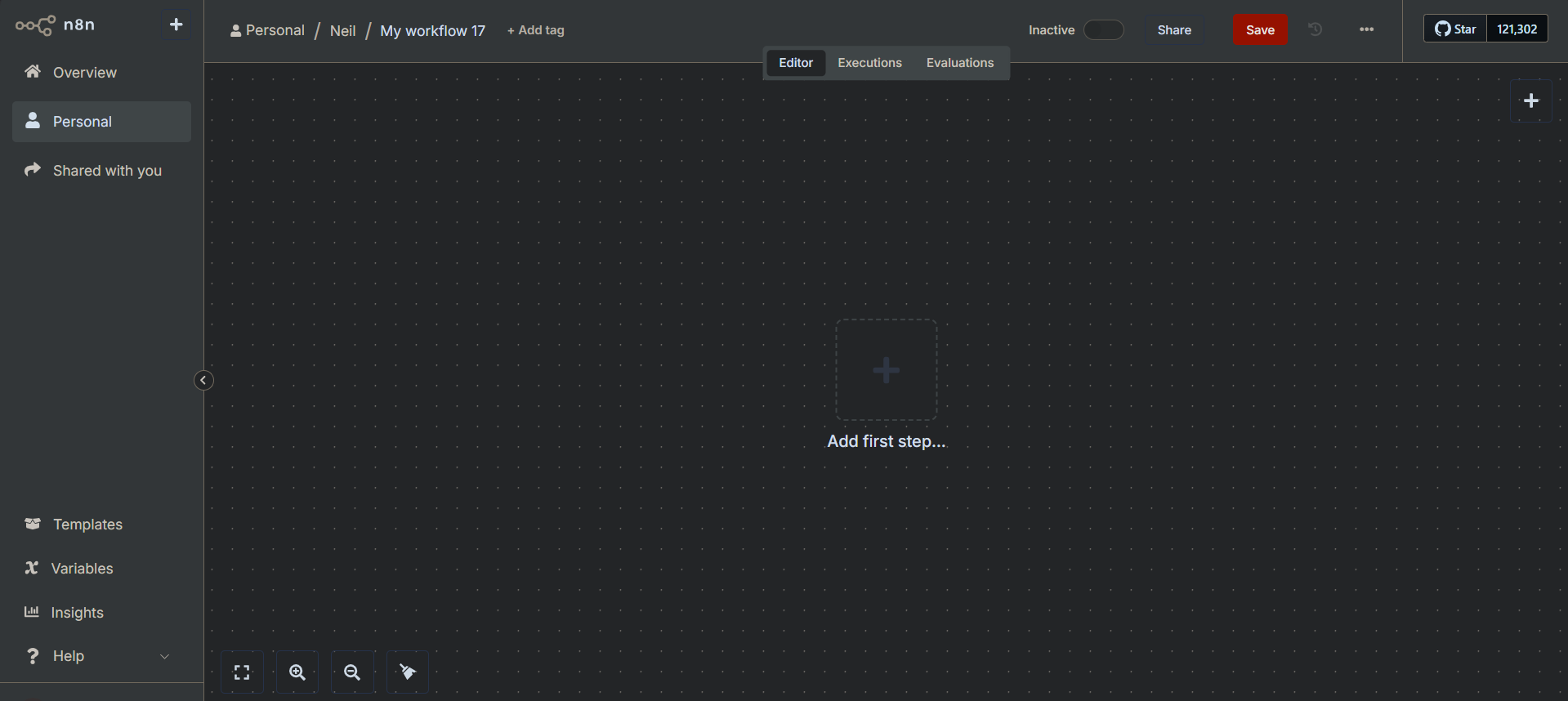
Create a New Workflow: After logging in, you'll see a dashboard. Click the button to create a new workflow. You'll be greeted by a blank canvas - this is your playground.
Add a Trigger: Every workflow starts with a trigger. This is the event that starts your agent.
Click on "Add first step" or the large
+button.Search for "On Chat Message" and select it.
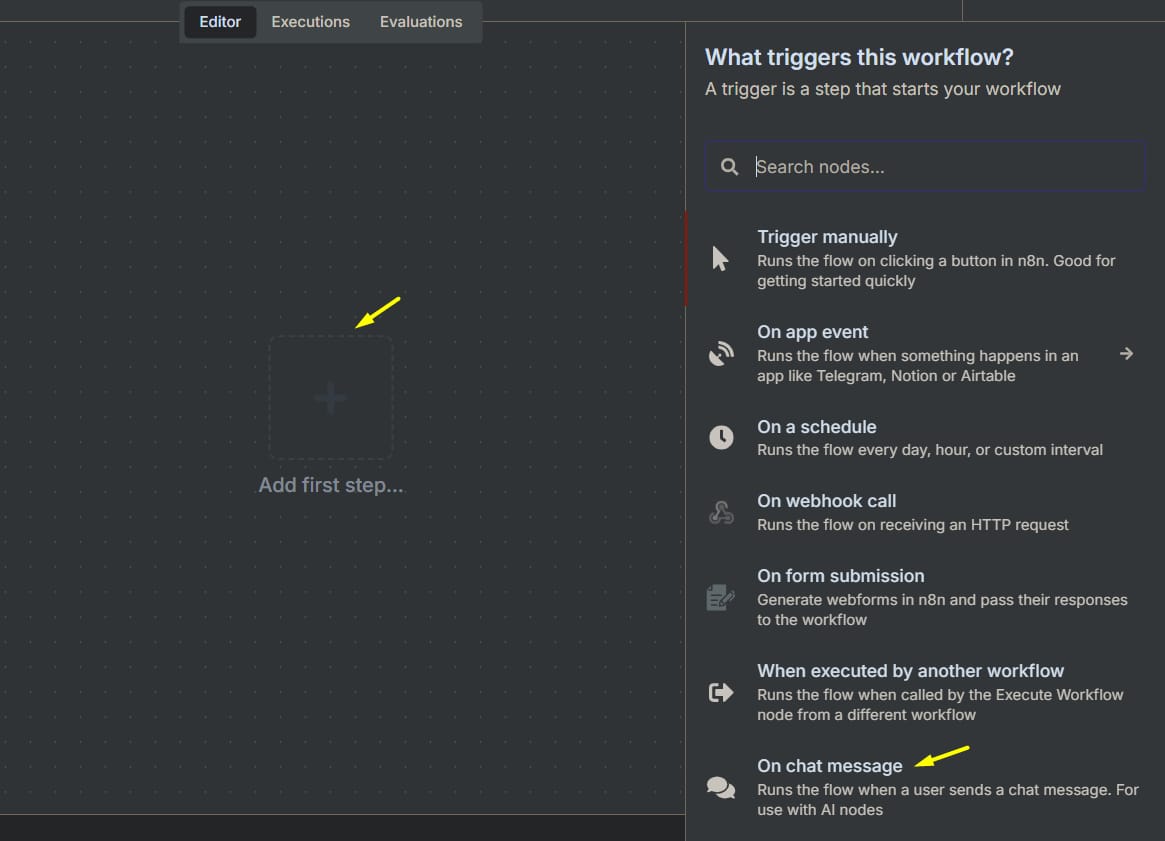
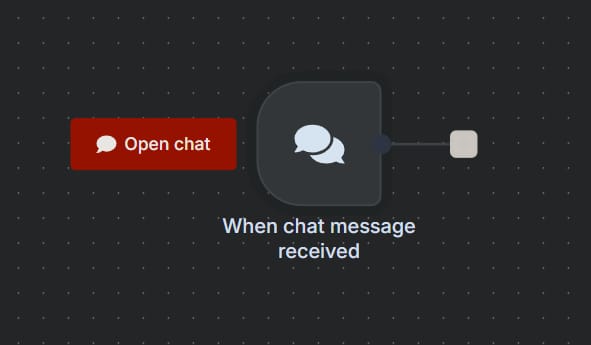
This trigger creates a simple chat interface, allowing you to interact directly with your agent for testing. Later, you can replace this with a more automated trigger.
Learn How to Make AI Work For You!
Transform your AI skills with the AI Fire Academy Premium Plan - FREE for 14 days! Gain instant access to 500+ AI workflows, advanced tutorials, exclusive case studies and unbeatable discounts. No risks, cancel anytime.
Step 2: Add The AI Agent Node
Now, let's add the control brain to the workflow.
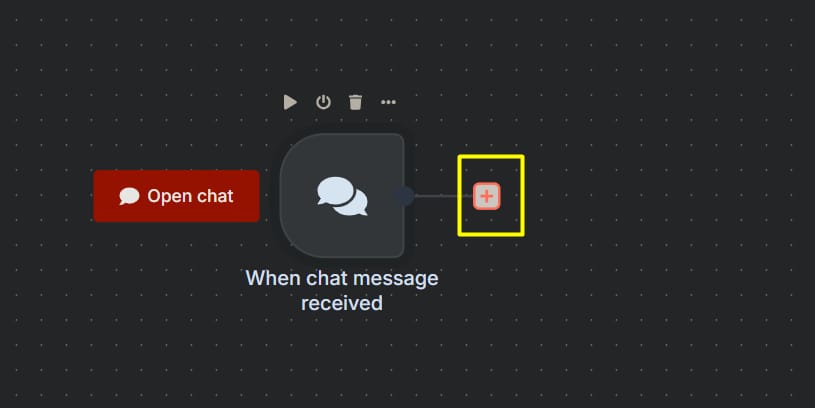
Click the
+button after your "Chat Message" node.
In the search box, type "AI Agent".
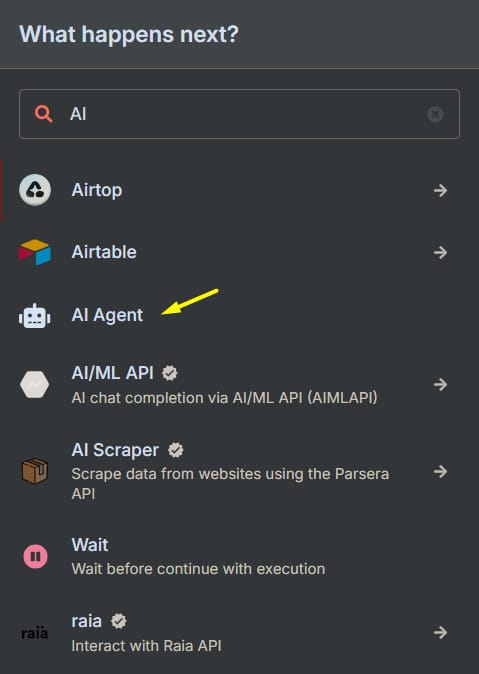
Select the "AI Agent" node from the list.
This node is the heart of our operation. It will manage the conversation, decide when to use tools, and format the final output. Think of it as the conductor of your research orchestra.
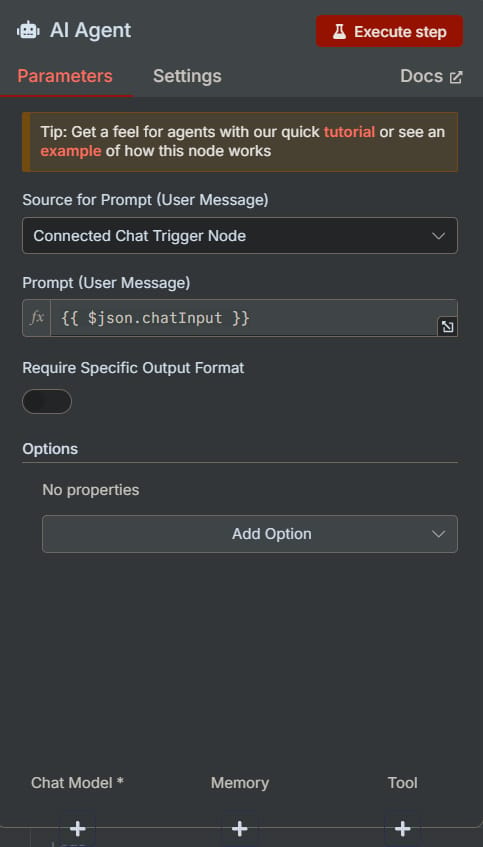
Step 3: Connect The AI Brain (OpenRouter)
An agent without intelligence is no agent at all. Let's give it processing power.
In the n8n AI Agent node:
Find the "Chat Model" section.
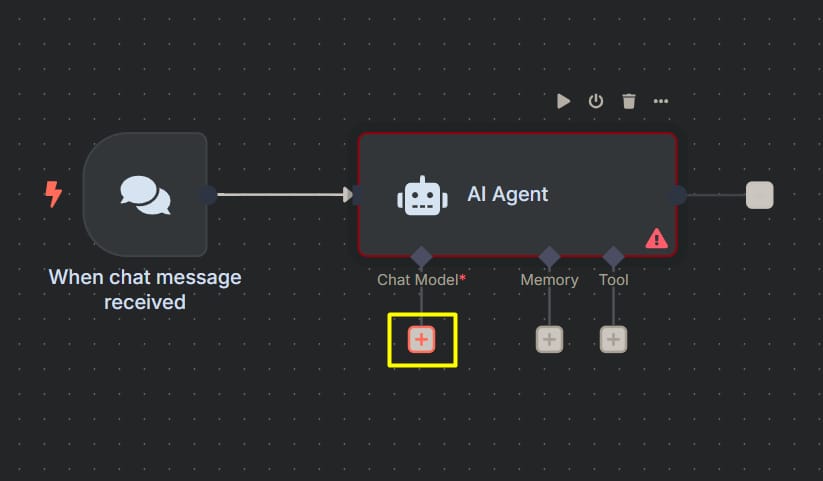
Click the dropdown menu and select "OpenRouter Chat Model". If it's not readily available, you may need to search within the list of integrations.
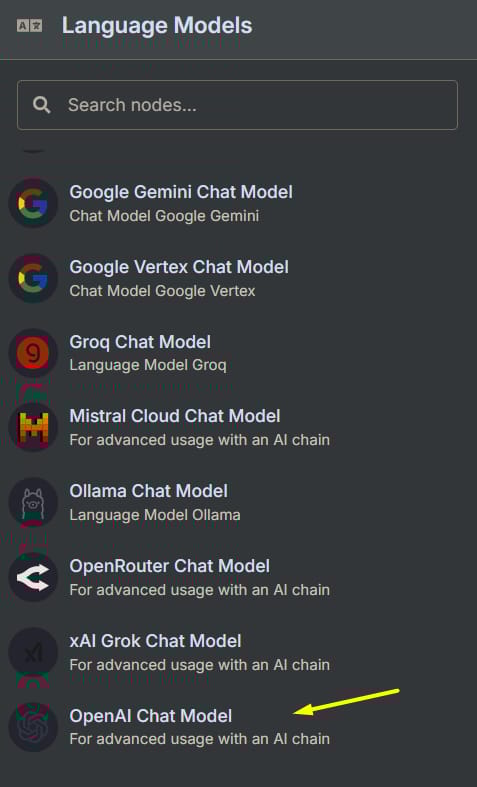
You will be prompted to create new credentials.
Getting Your OpenRouter API Key:
Open a new tab and go to openrouter.ai.
Sign up for an account. You will need to add a small amount of credit to start using the models, but the initial cost is very low.
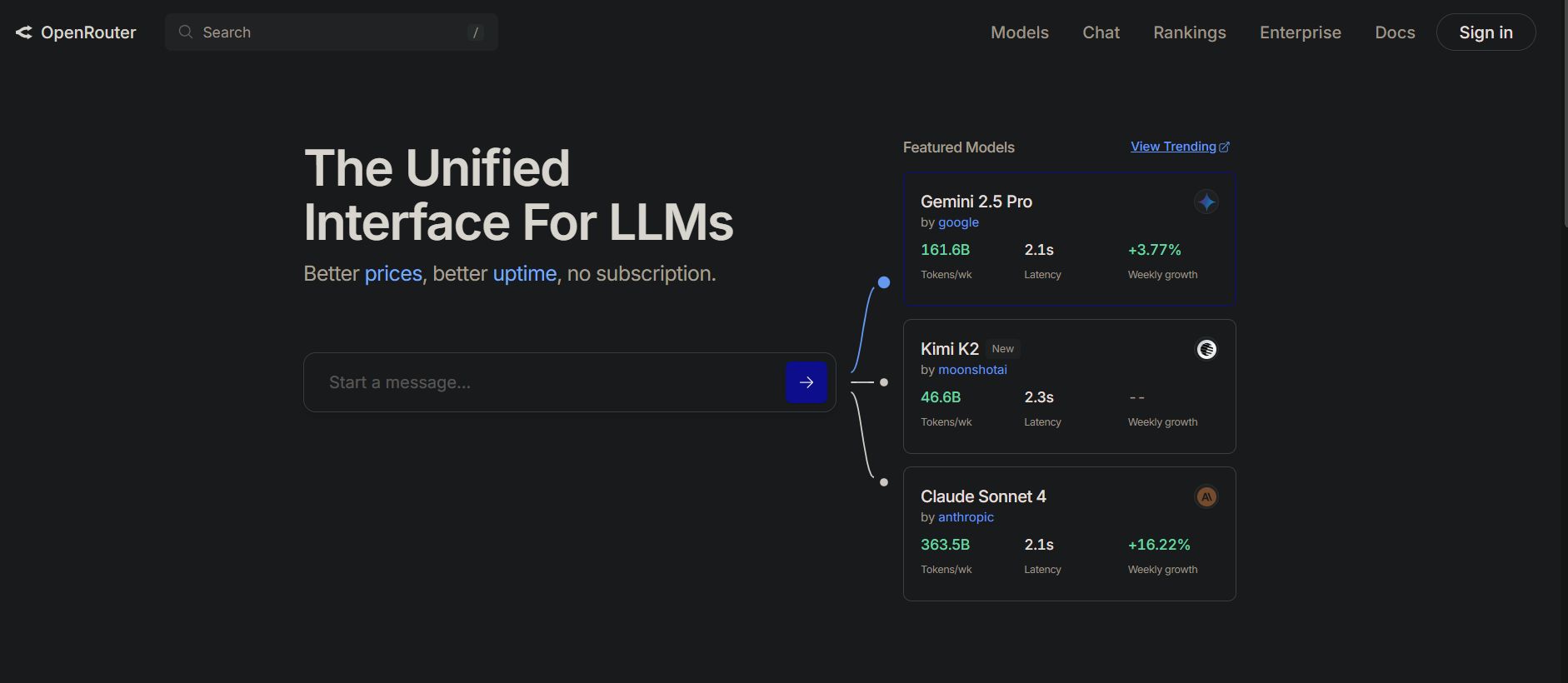
Navigate to your profile and click on "Keys".
Click "Create API Key". Give it a recognizable name (e.g., "n8n Research Agent").
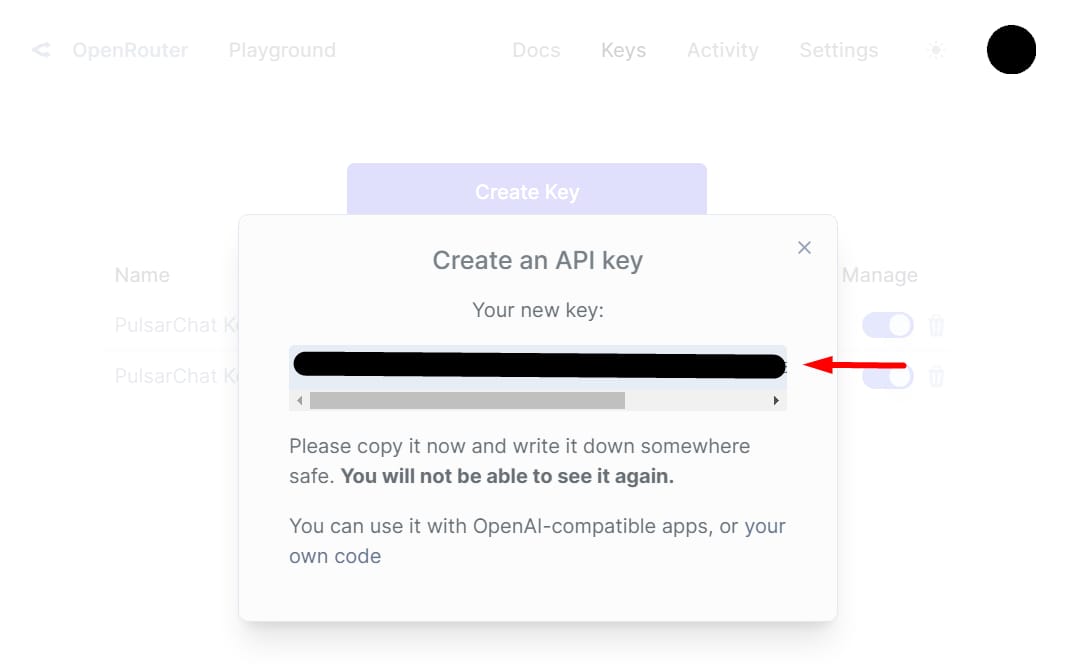
Copy the key immediately. For security reasons, it will not be shown again. Treat this key like a password.
Back in n8n:
Paste your API key into the credential field.
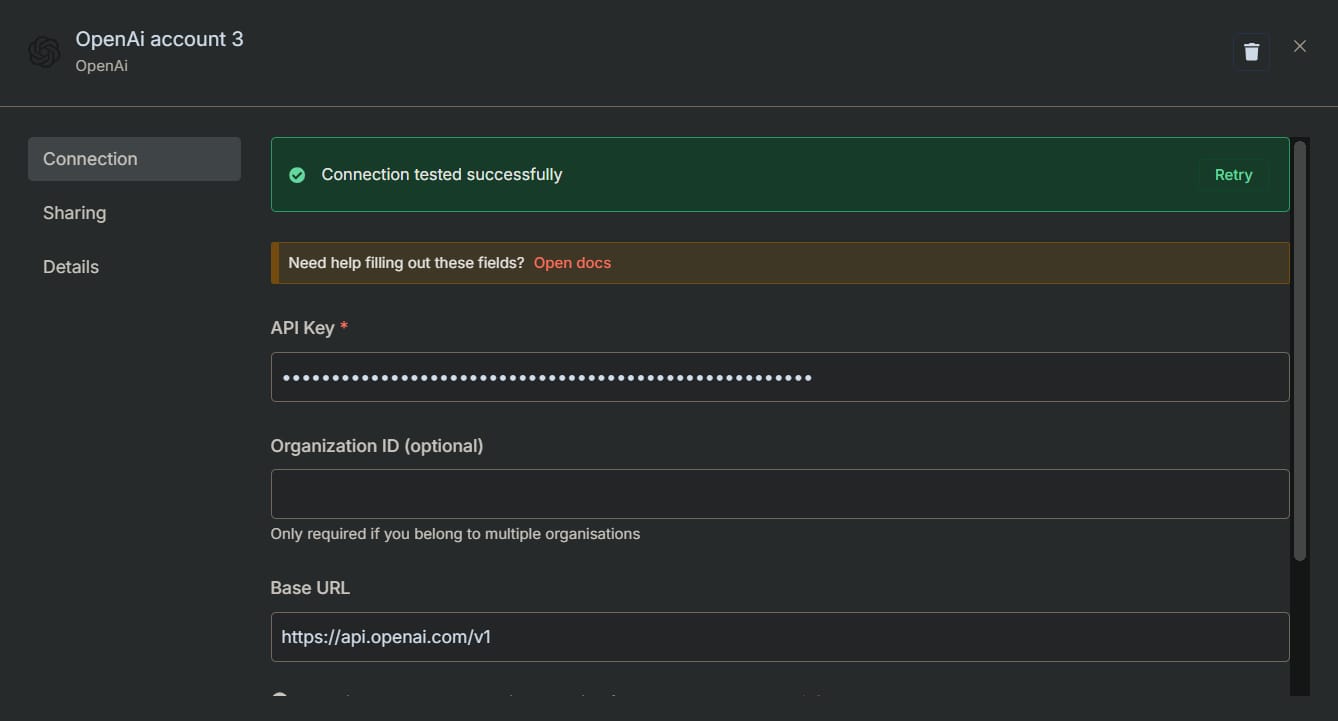
Save the credentials. n8n will automatically test the connection.
Choosing Your AI Model:
In the AI Agent node settings, you can now choose from the list of models that OpenRouter provides. A great starting choice is GPT-4o Mini or Claude 3 Haiku, as they offer an excellent balance of high performance and low cost. You can always change this later.
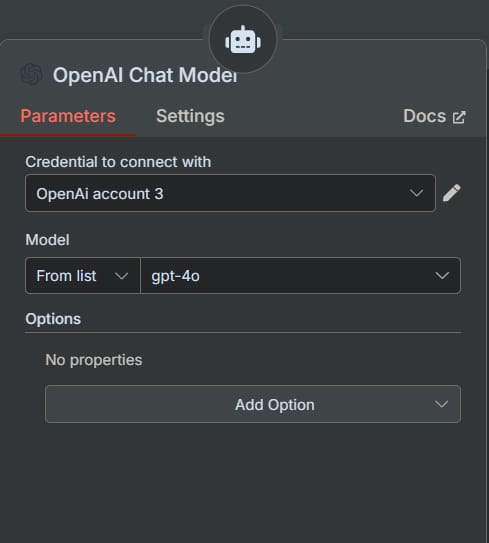
Step 4: Equip The Research Tool (Perplexity)
Now that the brain is connected, let's give it eyes and ears to explore the internet.
In the same AI Agent node, find the "Tool" section.
Click the
+"Add Tool" button.
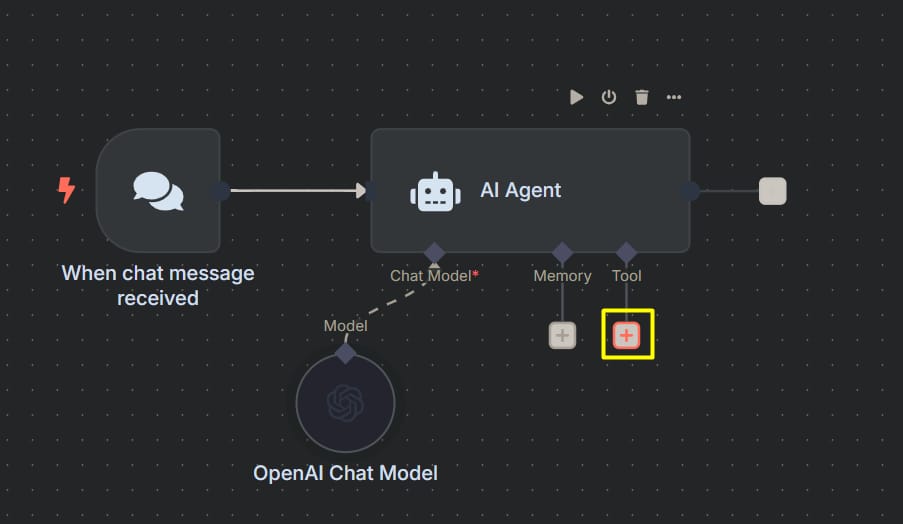
Search for "Perplexity" and select "Perplexity Tool".
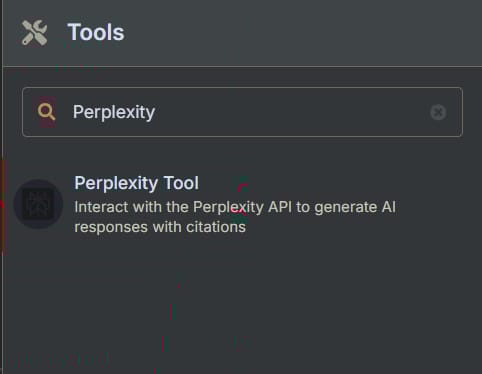
Again, you will need to create new credentials.
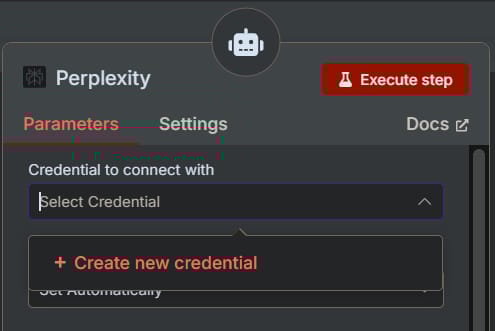
Getting Your Perplexity API Key:
Open a new tab and go to perplexity.ai.
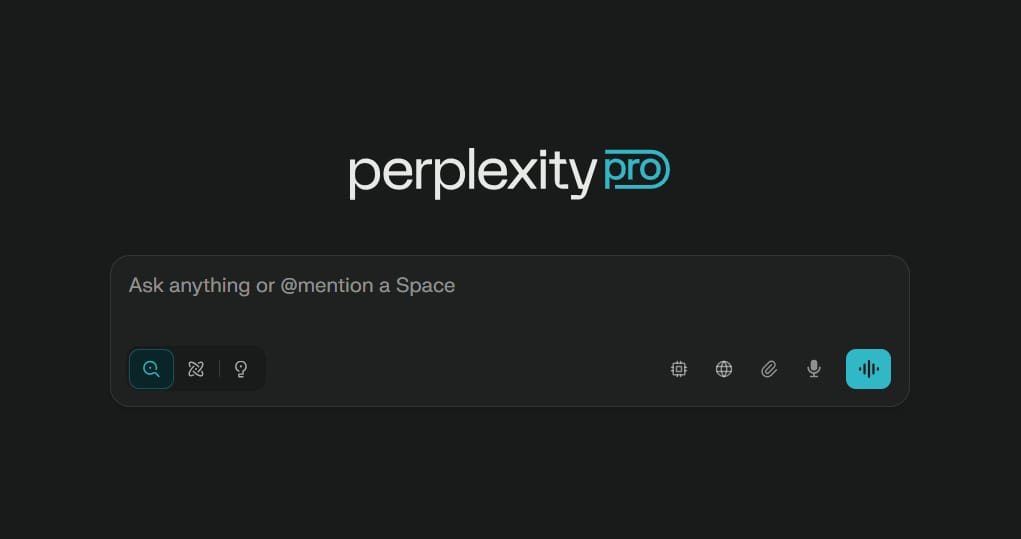
Sign up for an account if you don't have one.
Navigate to "Settings" (usually in the bottom-left corner), then find the "API Keys" section.
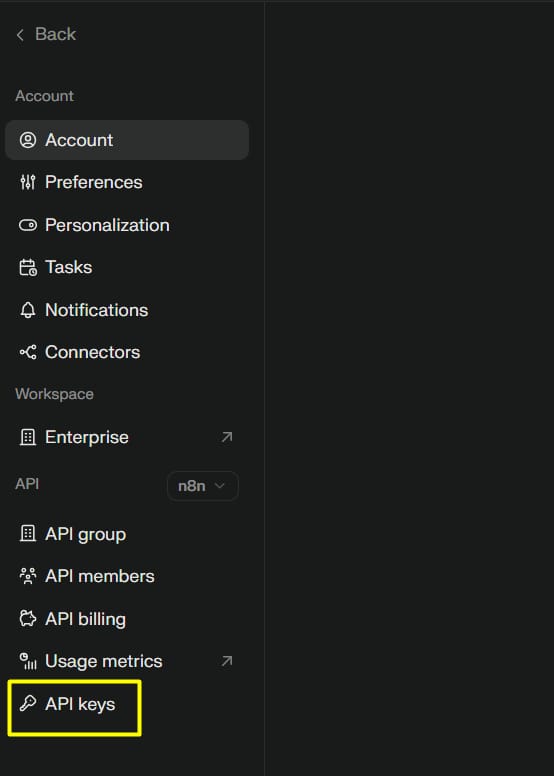
Create a new key and copy it. Like OpenRouter, you may need to add credits to activate the API.
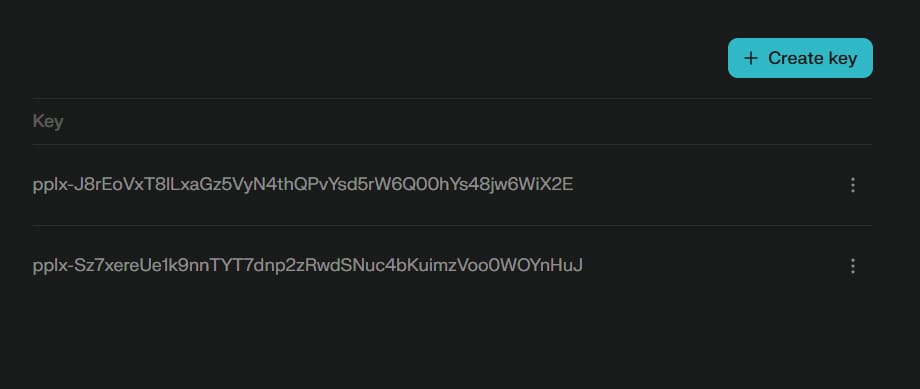
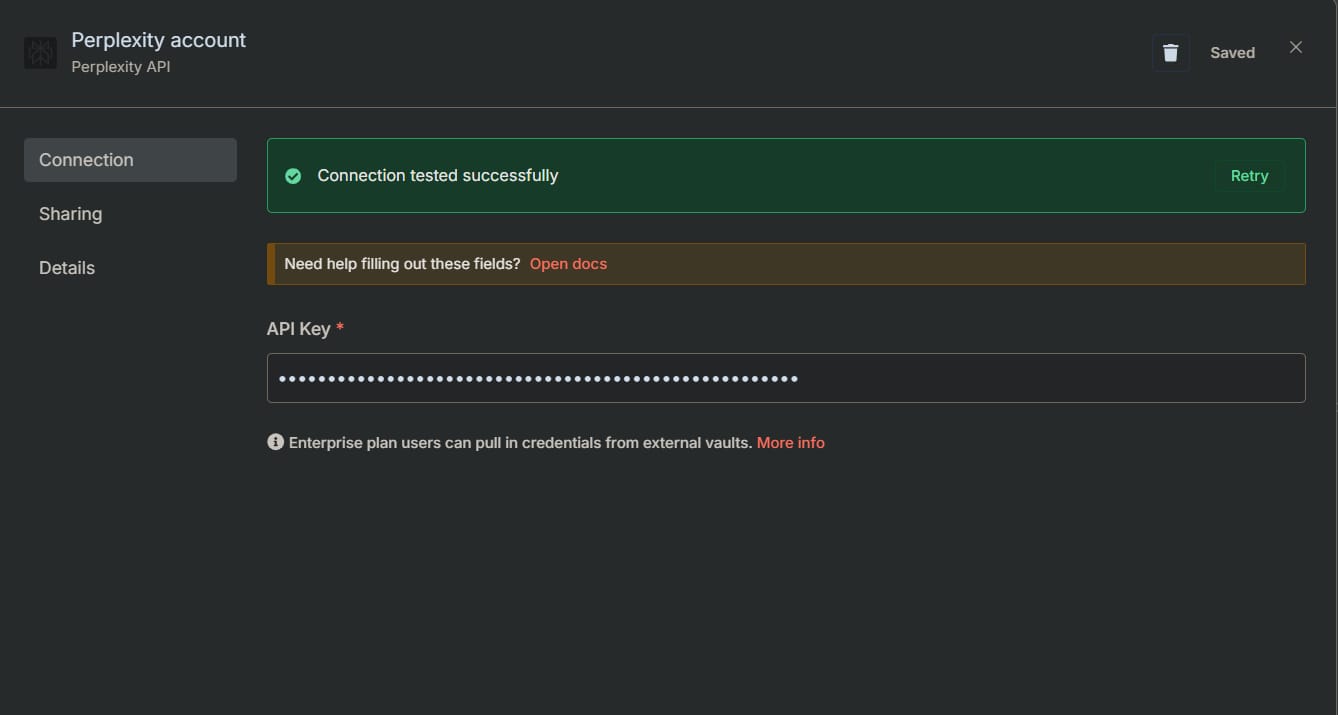
Back in n8n:
Paste your Perplexity API key into the credential field and save it.
Step 5: Configure Perplexity's Research Models
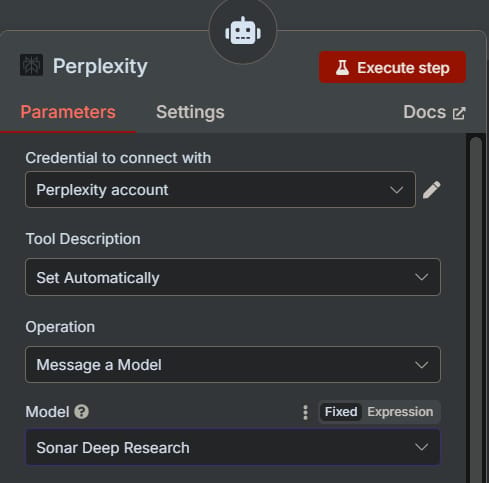
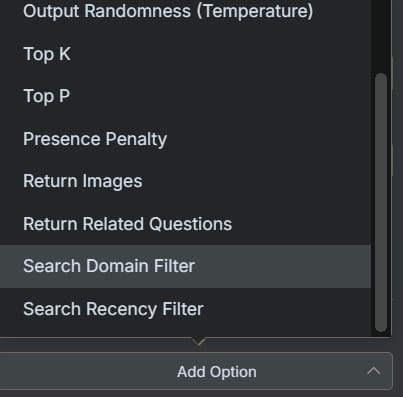
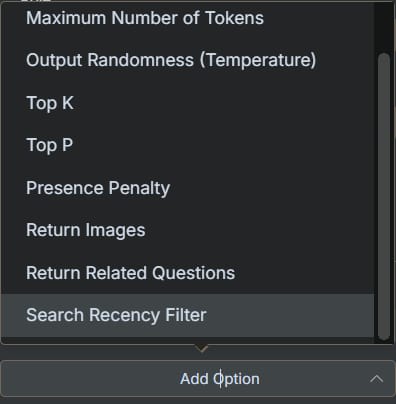
Within the Perplexity tool settings in n8n, you have several important options to shape how your agent conducts research:
Model:
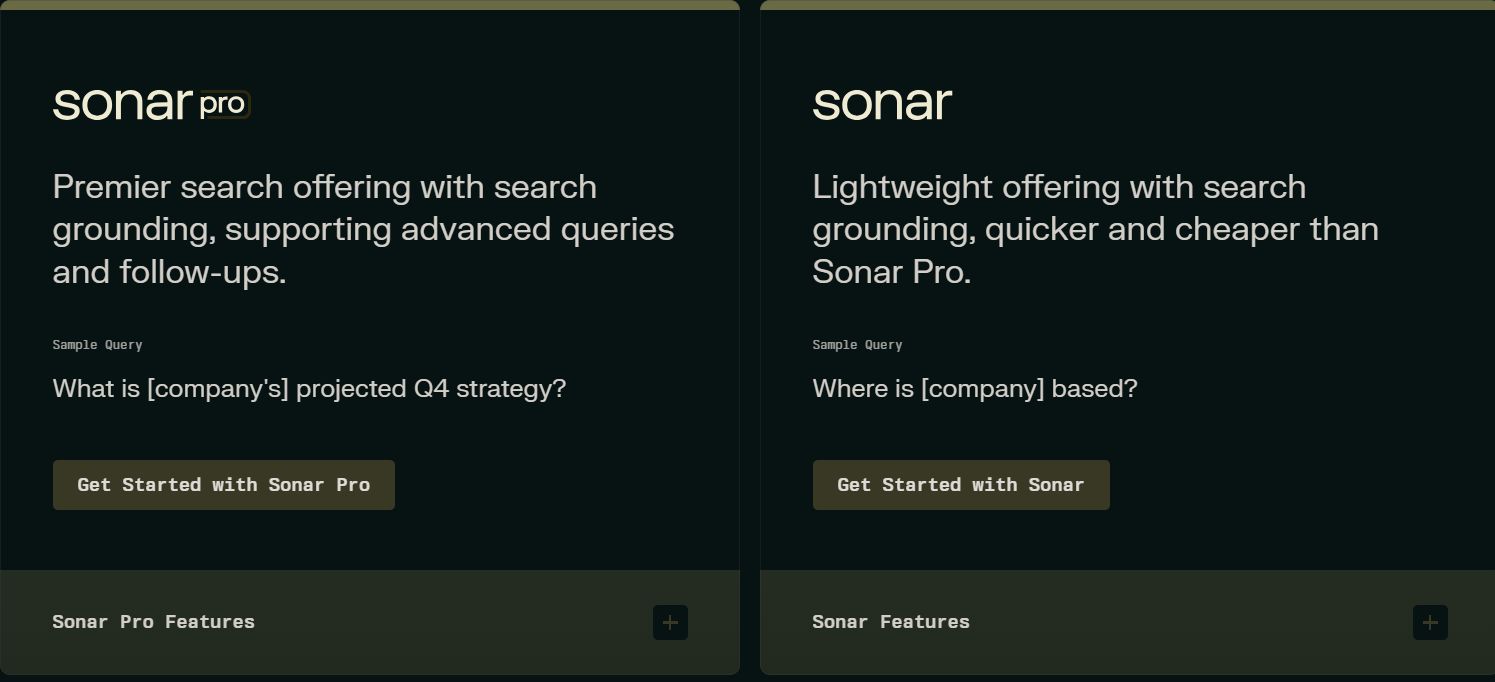
sonar-search: For quick, topical searches. Good for simple queries.sonar-online: A more powerful model for complex, conversational answers with live web access.For our purposes, selecting
sonar-onlineis often the best choice for comprehensive answers.
Advanced Configuration Options:
Focus: This allows you to restrict the search to specific domains like "academic," "writing," "YouTube," or "Reddit." This is extremely useful for refining the quality of your results.
User Message: Set this to "Let the model define this parameter". This is a critical setting. It allows the brain (OpenRouter) to automatically generate optimized search queries for the tool (Perplexity) based on your initial request.
Step 6: Test Your Research Agent
This is the moment of truth. Let's see our creation in action.
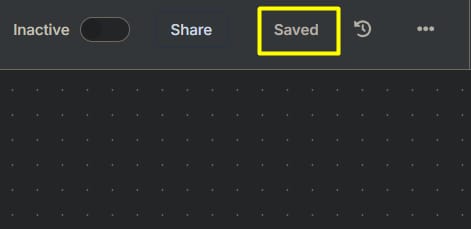
Save your workflow (top-right corner).
Activate the workflow.
Open the chat interface (there is usually a "Chat" tab or button at the bottom of the screen).
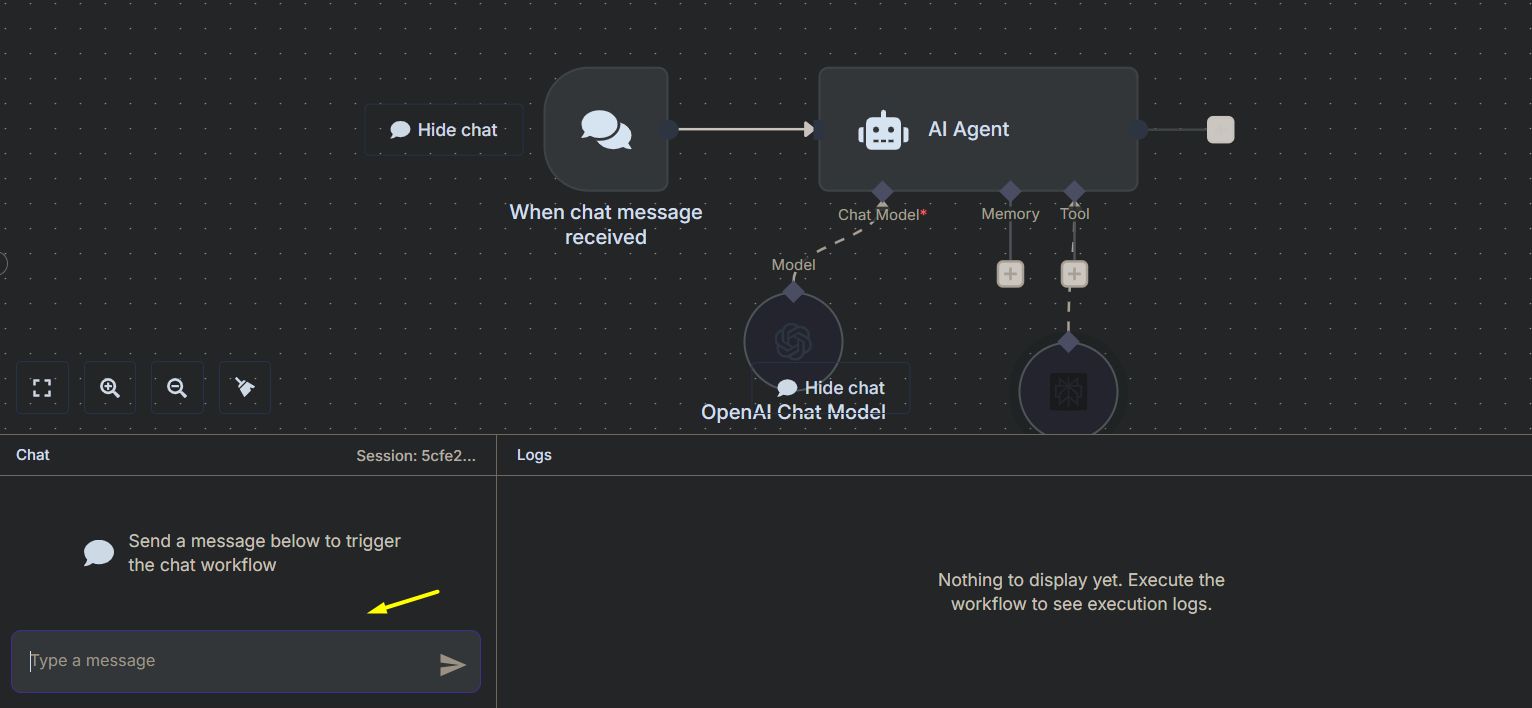
Ask a research question. Don't ask a simple question. Try something that requires synthesis:
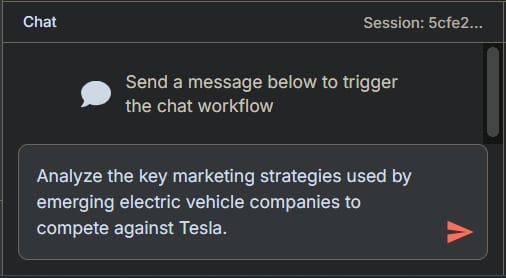
"Analyze the key marketing strategies used by emerging electric vehicle companies to compete against Tesla."
"Summarize recent advancements in solid-state battery technology, focusing on manufacturing challenges."
"What are the major trends shaping the future of remote work in 2025, based on recent industry reports?"
What happens behind the scenes:
Your question is sent to the AI Agent node.
The OpenRouter model (the brain) analyzes the request. It determines that to answer this, it needs information from the outside world.
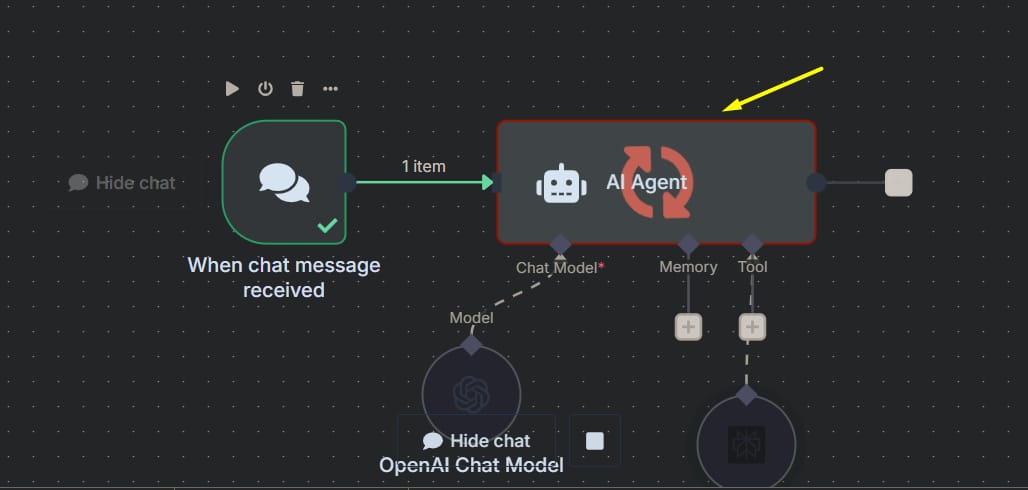
It decides to use the Perplexity tool. It formulates one or more detailed search queries (e.g., "emerging EV company marketing strategies vs Tesla," "solid-state battery manufacturing challenges 2024").
Perplexity receives these queries, scours the web, reads dozens of sources, and returns a structured summary to the brain.
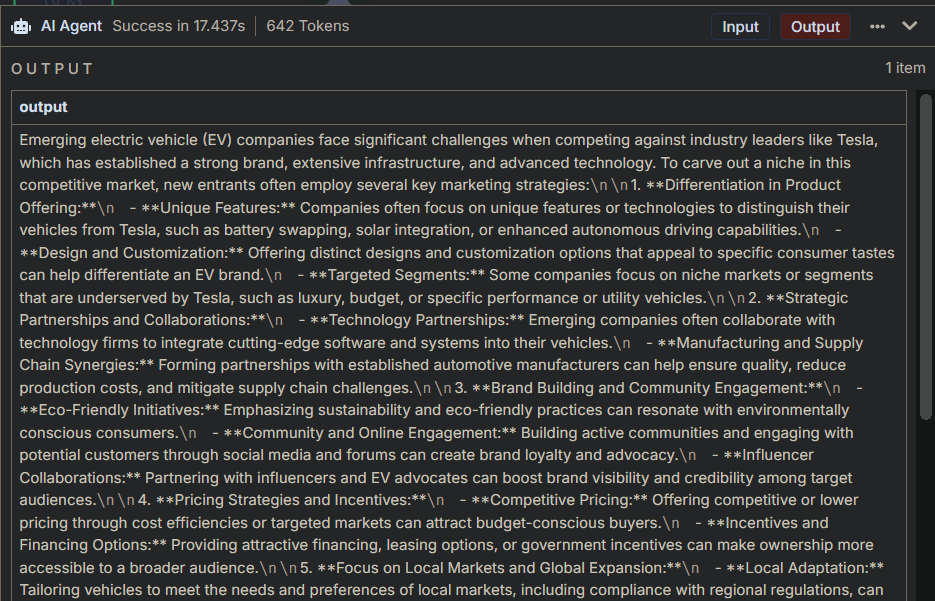
The brain receives this processed information, synthesizes it into a final, coherent answer, and presents it to you in the chat.
You will receive a mini-report, well-researched with insights and (often) citations, all in just a minute or two.
Expanding The Potential: Advanced Use Cases And Automation
The chat interface is great for testing, but the real power lies in automation. Let's explore how to turn this agent into an autonomous business asset.
Automating Competitor Research
Imagine waking up every morning to an intelligence briefing on your key competitors.
Setup:
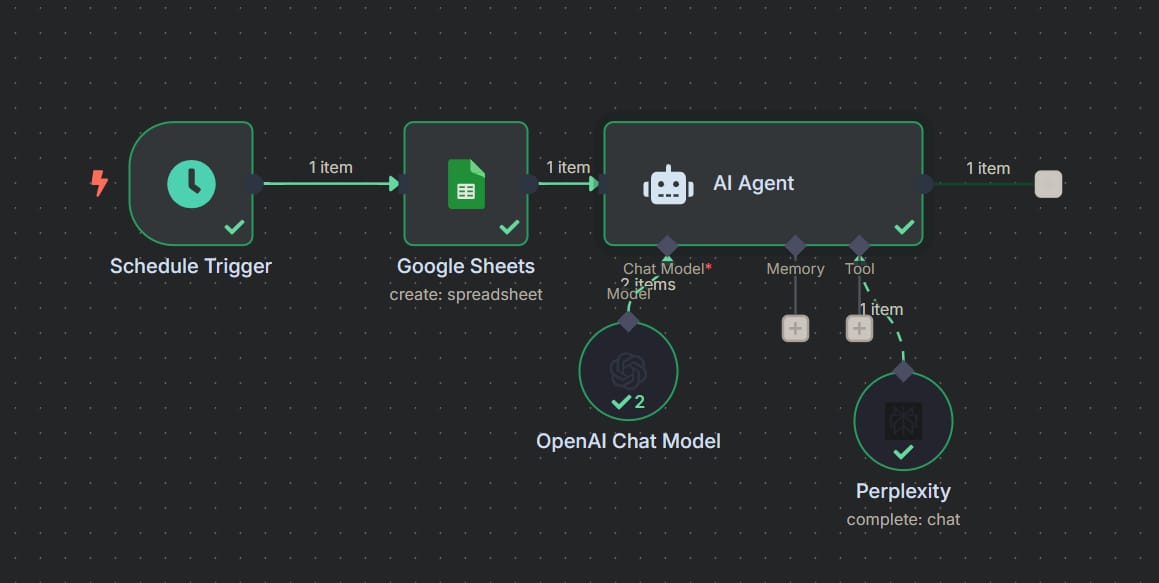
Change the trigger: Remove the "Chat Message" node. Replace it with a "Schedule" node. Set it to run daily at a specific time (e.g., 5 AM).
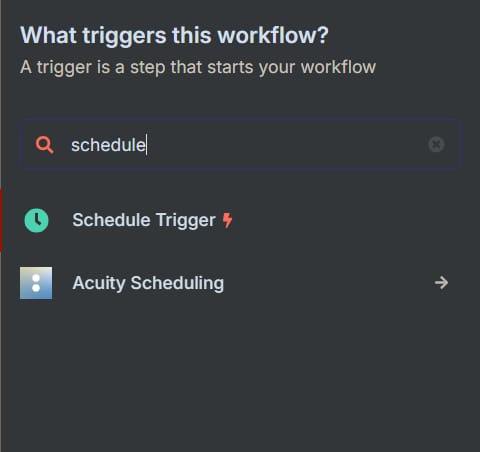
Get the competitor list: Add a "Google Sheets" node. Configure it to read a column from a spreadsheet where you list the names of your competitors (e.g., "Competitor A," "Competitor B"). This node will output one item for each company.
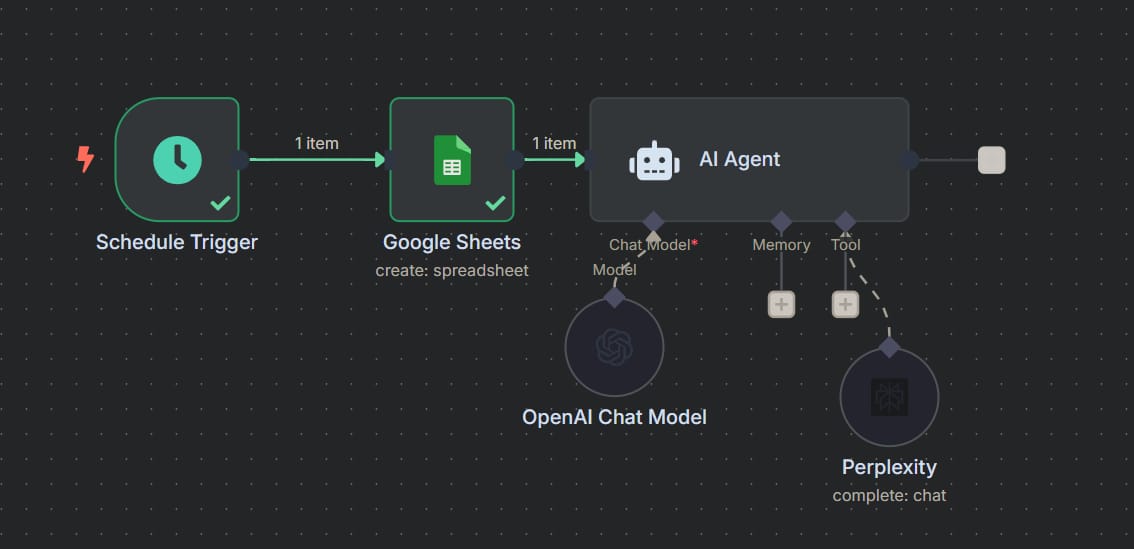
Smart looping: The workflow will automatically process each competitor one by one. Connect the output of the Google Sheets node to the input of the AI Agent node.
Refine the System Prompt: This is the most critical part. In the AI Agent node, craft a detailed system prompt:
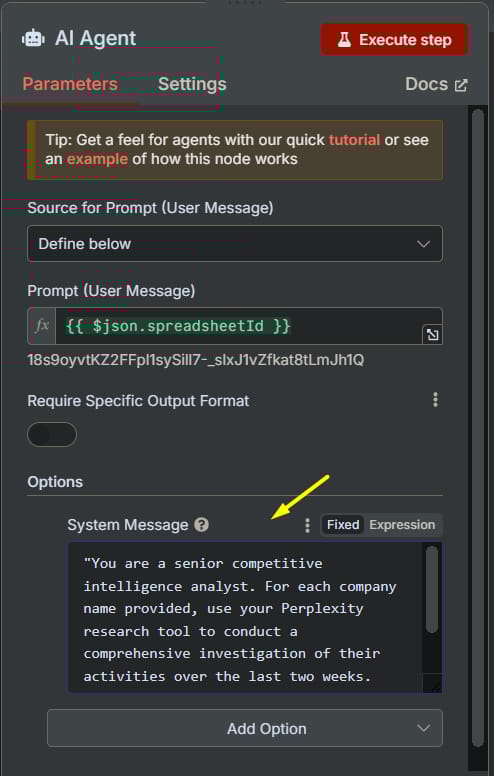
"You are a senior competitive intelligence analyst. For each company name provided, use your Perplexity research tool to conduct a comprehensive investigation of their activities over the last two weeks.

Your mission is to synthesize information on the following areas:
1.  **New product launches or feature updates.**
2.  **Major marketing or public relations campaigns.**
3.  **Announced strategic partnerships or M&A activity.**
4.  **Changes in senior (C-suite) leadership.**
5.  **Any commentary in recent financial reports or investor calls.**

Format your output for each company as a clearly structured report using Markdown. Begin with a 3-sentence Executive Summary, followed by detailed bullet points for each of the areas above. Always cite your sources."
Save the results: After the AI Agent node, add another "Google Sheets" node set to "Append/Update" mode. Configure it to write the generated report into a new column next to the competitor's name.
You now have a fully automated system that delivers fresh competitive intelligence every day.
Other Powerful Applications
The possibilities are endless. Here are a few more ideas to spark your inspiration:
Lead Research: Trigger the agent whenever a new lead is added to your CRM (e.g., Salesforce, HubSpot). The agent can research the lead's company, their role, and recent news to provide your sales team with personalized talking points.

Market Intelligence and Trend Tracking: Set up the agent to monitor specific keywords or topics (e.g., "AI in healthcare," "decentralized finance," "sustainable fashion") and send you a weekly digest of the most important developments.

Content Creation Support: Give the agent a topic for a blog post or video. It can generate a detailed research brief, including key statistics, expert quotes, and counter-arguments, forming a solid foundation for your content.
Investment Research: Automatically analyze potential stocks by asking the agent to summarize recent financial reports, analyze news sentiment, and compare key metrics against industry peers.

Mastering The Craft: Tips For Superior Results
The quality of your agent's output is directly proportional to the quality of your instructions.
Crafting Effective System Prompts
The system prompt is your agent's constitution. It defines its role, personality, and rules of engagement.
The "Persona-Task-Format" Principle:

Persona: Clearly define its role. This helps the model adopt the correct tone and knowledge base.
Example: "You are a seasoned financial analyst with expertise in the consumer goods market."
Task: Describe exactly what it needs to do with specific details.
Example: "Your task is to analyze the latest quarterly earnings report of the provided company. Identify key revenue growth drivers, analyze profit margins, and summarize management's outlook."
Format: Specify the desired output structure.
Example: "Present your analysis as a structured memo. Use Markdown headings. Include a 'Key Risks' section and conclude with a 'Recommendation' rated as Buy/Hold/Sell."
Advanced Prompt Example (Academic Research):
"You are an academic research assistant specializing in computer science. When given a topic, use the Perplexity tool with the 'academic' focus to find the 5 most influential papers published in the last 3 years. For each paper, provide:
1.  A 100-word summary of its abstract.
2.  A bullet point stating the primary methodology used.
3.  A bullet point stating its key conclusions.
4.  A full citation formatted in APA style.
Exclude review articles and focus only on original research."
Managing Costs And Best Practices
Building powerful tools comes with the responsibility of managing costs.
Managing API Costs
Both OpenRouter and Perplexity AI charge based on usage.
OpenRouter Costs: Depend on the AI model you choose (more powerful models are more expensive) and the length of both the input and output.
Perplexity Costs: Depend on the depth of the research and the number of requests.
Cost-Saving Tips:

Tiered Usage: For complex workflows, use a cheaper, faster model (like Claude 3 Haiku) for initial tasks like classification or routing, and reserve the more expensive models (like GPT-4) for the final analysis and synthesis.
Prompt Optimization: More concise prompts and requesting more succinct outputs cost less.
Caching: For repetitive requests, consider building a simple logic (e.g., in a Google Sheet) to store results and avoid re-running the same research multiple times.
Set Limits: Both platforms typically offer dashboards where you can monitor your usage and set spending limits to avoid surprise bills.
Security And Ethical Best Practices

Protect Your API Keys: Never hardcode API keys directly into your workflow if you plan to share it. Use n8n's built-in credential management features. Treat them like passwords.
Data Handling: Be mindful of the sensitive information you are feeding into your research queries. Understand the data policies of the services you are using.
Human-in-the-Loop: Do not blindly trust the AI's output. Use it as a powerful assistant, not an infallible oracle. Always review and verify critical information, especially figures or claims that could influence business decisions.
Avoid Unintended Loops: When setting up automated workflows, ensure you have a clear stopping condition to prevent the agent from running out of control and incurring large costs.
Scaling Up: From A Single Agent To An Agentic Swarm
Once you've mastered building a single agent, the next step is to think about multi-agent systems, or "agent swarms." This is an advanced concept where specialized agents collaborate.
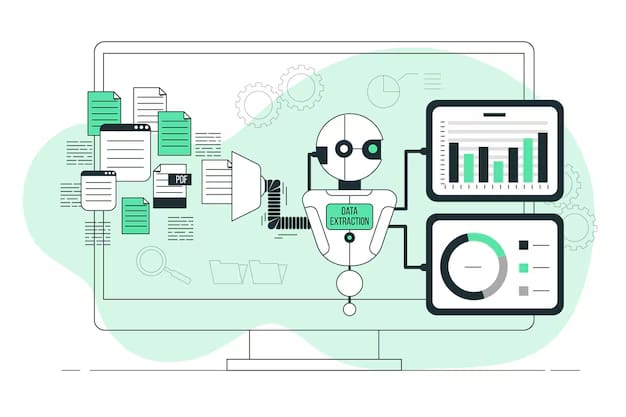
You can build this in n8n:
Coordinator Agent: A high-level agent receives a complex goal (e.g., "prepare a full investment report on Company X").
Task Decomposition: The coordinator agent breaks the task into sub-tasks and calls other specialist agents via webhooks or other n8n triggers.
Financial Analyst Agent: Tasked with pulling and analyzing financial statements.
News Analyst Agent: Tasked with scanning the web for recent news and sentiment analysis.
Competitor Research Agent: Tasked with benchmarking Company X's metrics against its key rivals.
Synthesis: The coordinator agent collects the results from each specialist agent and synthesizes them into a final, coherent report.
This approach allows for modular, scalable, and incredibly powerful AI systems that mimic the structure of a human analyst team.
Conclusion
Congratulations! You have not just learned how to build a tool; you have learned a fundamental skill for the future of knowledge work. The ability to create autonomous AI agents that handle time-consuming research tasks is not just a productivity hack - it's a fundamental competitive advantage. It frees up your most valuable resources - your time and cognitive energy - to focus on what humans do best: strategic thinking, creativity, and decision-making.
Key Takeaways:
Democratization of AI: No-code tools like n8n have made it possible for anyone to build sophisticated AI applications.
Agents > Chatbots: The paradigm shift is from reactive tools to autonomous, goal-oriented systems.
Customization is Key: The real power comes from tailoring these agents to your specific business or research needs through carefully crafted system prompts and intelligent workflows.
Start Simple, Scale Gradually: Begin with a single agent, test it thoroughly, and gradually add complexity as you become more confident.
Your journey with AI agents has only just begun. Challenge yourself to identify the biggest bottlenecks in your daily work and consider if an automated research agent could solve them. By integrating automated intelligence into your processes, you are not just keeping up with a technological trend; you are actively shaping the future of how we work and innovate.
Disclaimer: This guide provides a framework for building research AI agents. The use of third-party tools and APIs is subject to their respective terms of service and pricing policies. Always practice responsible AI usage and monitor costs.
If you are interested in other topics and how AI is transforming different aspects of our lives or even in making money using AI with more detailed, step-by-step guidance, you can find our other articles here:
Launch Your AI Automation Agency With These 6 No-Code Skills
From Idea to AI Automation – Build Your First App in 10 Mins*
Build a Micro AI SaaS in Hours: Automate Custom Reports with Images and Voice Notes*
I Built a Web Scraper in 10 Minutes—Here’s How You Can Too!*
Master AI Marketing: Build Your 24/7 Digital Assistant Without Code!
*indicates a premium content, if any
How would you rate the quality of this AI Workflows article? 📝 |
Reply