- AI Fire
- Posts
- 🎙 How I Copied a $1K/Day YouTube Channel With AI. Here’s the Automated System!
🎙 How I Copied a $1K/Day YouTube Channel With AI. Here’s the Automated System!
Learn how to script, voice, caption, and publish English-learning podcast videos using a workflow that a solo creator can actually manage.

TL;DR BOX
In 2026, a great way to make money on YouTube without showing your face is by creating AI English Learning Podcasts. With over 1.5 billion people currently learning English, demand for "Natural Listening Practice" is at an all-time high. By using Wondercraft, an all-in-one AI podcasting platform, a solo creator can produce a full 12-minute episode, complete with human-like dialogue, animated sound waves and synchronized captions, for under $2 in credits.
Some channels are getting 1 million subscribers in just 9 months. They make between $11,000 and $31,000 every month from YouTube ads. The workflow uses Wonda (Wondercraft’s AI agent) for scriptwriting and Gemini 3.1 (Nano Banana 2) to generate high-quality background visuals.
Key Points
Fact: As of March 2026, English-learning content often earns $9-$14 RPM in high-tier countries (US, UK, Australia).
Mistake: Using "Convo Mode" for language learners. In 2026, Standard Mode is the winner because it provides the clear, measured pacing that non-native speakers need to follow along.
Action: Go to Wondercraft and use the "Wonda" AI to write a 12-minute script about a "Morning Routine" today.
Critical Insight
The real advantage of 2026 is Auto-Revision Loops. Wondercraft’s Wonda agent doesn't just write scripts; it self-audits them for length and natural flow, ensuring your episode hits the 10-14 minute "algorithm sweet spot" without manual rewriting.
Table of Contents
I. Introduction
What if you could run a YouTube channel with no camera, no studio and no team and still make $11,000 to $31,000 per month?
That's what's happening right now with one of the quietest, most underrated YouTube niches in 2026: AI-generated English learning podcasts.
These channels usually feature two AI hosts having slow, natural, easy-to-follow conversations about everyday topics like commuting, food or travel.
The audience consists of hundreds of millions of non-native English speakers who want to practice listening and learn real conversational vocabulary. All they want is clarity, consistency and real-sounding speech.
And thanks to a tool called Wondercraft, one person can produce a full, polished YouTube episode (script, audio, captions, visuals, everything) for under $2 and in under an hour.
By the end, you'll know exactly how to launch and run this type of channel yourself.
🌍 Which English-learning "Vibe" do you think would grow fastest? |
II. How Much Money Can AI Podcast YouTube Channels Make?
Some AI-driven English learning channels generate significant ad revenue. One documented example gained over one million subscribers within nine months. With roughly 3.8 million monthly views, the estimated revenue ranges from about $11,000 to $30,000 per month. Earnings vary depending on audience location and advertiser demand.
Key takeaways
Example channel reached 1.1M+ subscribers in 9 months.
Monthly views reached roughly 3.2 million.
Typical YouTube RPM ranges from $3 to $8.
Estimated monthly revenue: $10K-$26K.
One channel in this niche, verified and fully monetized, was studied closely:
Channel age: 11 months.
Subscribers: Over 1.1 million.
Monthly views: 3.3 million, consistently every month for several months in a row.
Monetization proof: The channel has a Super Thanks button active, a feature YouTube only unlocks for channels that are fully monetized under the YouTube Partner Program. That’s something you can’t fake.

Source: YouTube.

Now, YouTube channels earn between $3 and $8 per 1,000 views on average, depending on the niche, audience location and advertiser demand.
Applied to 3.8 million monthly views:
RPM | Estimated Monthly Revenue |
|---|---|
$3 (low) | ~$9,900/month |
$8 (high) | ~$26,400/month |
Average | ~$880+ per day |
That’s from a single channel, less than a year old, built without showing a face, running a studio or hiring voice actors. That’s the scale of the opportunity.
III. Why This Niche Works So Well with Wondercraft
English-learning content attracts a massive global audience. Millions of learners actively search for listening practice videos. Simple conversations help viewers improve comprehension and vocabulary. Because these topics remain relevant over time, the videos continue generating views long after publication.
Key takeaways
More than 1.5 billion people study English worldwide.
Listening practice is a common search query.
Evergreen topics maintain long-term traffic.
Repeat listening improves engagement signals.
Educational content grows when viewers return repeatedly to the same videos.
1. The Audience Is Enormous
There are over 1.75 billion people in the world currently learning English and most of them are looking for ways to practice listening outside of a classroom.
Simple, natural conversations are exactly what they search for and related terms like “English listening practice” clearly have huge demand.

Source: Global English Test.
2. The Content Never Expires
A conversation about everyday topics (commuting ordering coffee or talking with friends) can stay useful for years.
This is evergreen content, which means videos can keep generating views and ad revenue long after they’re uploaded.

Source: Quillbot.
3. Viewers Come Back Again and Again
Language learners rarely watch once and leave. They replay clips, pause to check vocabulary and come back the next day to listen again.
That kind of repeat viewing tells the YouTube algorithm that the content is high quality, which helps the algorithm push it to new viewers.
4. The Format Is Easy to Scale
Once you have the workflow down, a solo creator can realistically produce two or three episodes a week. Many competing channels post inconsistently, so creators who publish regularly grow much faster.

5. The Cost Collapsed
Before AI, producing a polished podcast with real voice actors could cost $500-$1,000 per episode. Now the same result can cost under $2 per episode.
That drop in cost makes the model viable from day one, even for channels starting with zero subscribers.
IV. What Is Wondercraft and Why Does It Matter?
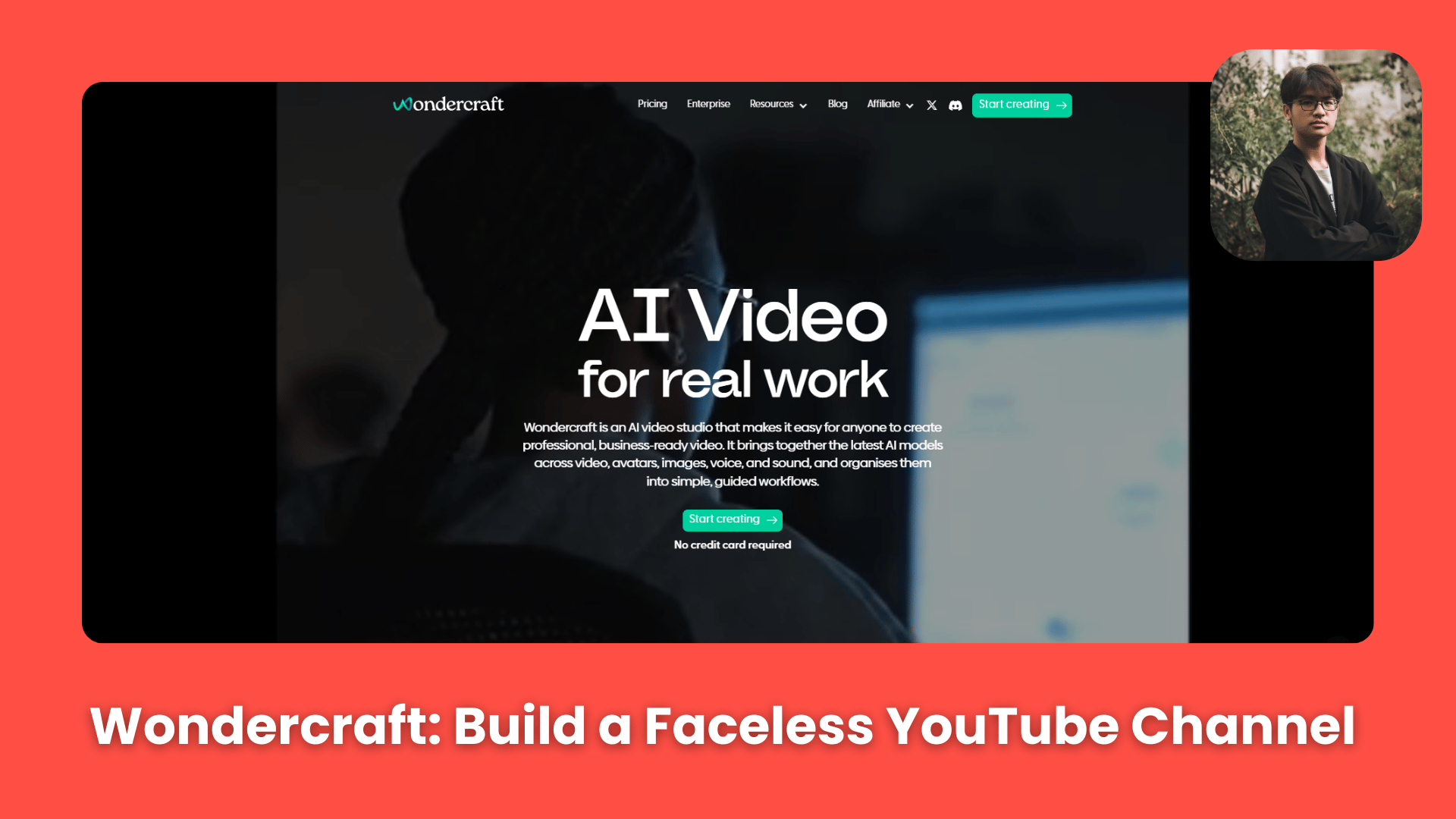
The entire production runs through Wondercraft, an AI podcasting platform. What makes it useful here is that it covers most of the production pipeline in one place:
AI script generation (via a built-in AI agent called Wonda).
AI voice selection and audio generation.
Video editing with an audiogram and captions.
AI music generation.


Most tools make you jump between 5 different apps to do what Wondercraft does in one. The video editor is a recent addition, which means older tutorials about this niche are already outdated.
The full end-to-end workflow now lives inside a single platform.
V. Step 1: Generate Your Podcast Script (Free Tier)
The first thing to know: you don't spend a single credit on script generation. Script generation happens entirely on the free tier because Wondercraft’s built-in AI agent, Wonda, handles it for you.
How to set it up
Log in to Wondercraft and create a new project from scratch.

Wondercraft Dashboard.
Switch to Text Mode, then toggle on Script Mode.

In the left panel, open Wonda, Wondercraft's built-in AI agent.
Then switch Wonda to Audio Mode and choose Claude Sonnet 4 as the model (this produces the most natural-sounding dialogue).

Once that’s set, write your prompt and let Wonda generate the script.
What to put in your prompt
The script quality depends heavily on the prompt. A vague prompt produces a vague episode, so it helps to be clear about the context of the show.
Here are the things you need for a good prompt:
Podcast context: Explain what the podcast is about, who the audience is and what kind of tone the conversation should have.
Host identities: Give each host a name and a personality, along with a few small details that make them feel real.
For example: Lucy wakes up early and likes to exercise before work, while Mike prefers to wake up slowly and start his day with coffee.
These details make the conversation feel more natural.
Episode topic: Be specific. Instead of something broad like “transport,” try something more focused, such as “how they begin their mornings, their habits, what helps them feel productive and how their routines affect their day.”
Structure: Ask for a simple structure, like an introduction, a natural back-and-forth conversation and a closing section.
Target length: Request 10 to 14 minutes. That's the sweet spot for this niche and long enough to feel substantial, short enough to stay focused.
You can copy and adjust the prompt below for your channel:
Hi Wonda. I run a conversational podcast called "English For Everyone" designed for people who are learning English. The goal of the show is to help learners improve their conversational English by listening to simple, natural discussions about everyday topics.
The podcast hosts are Lucy and Mike.
Today they will be talking about their daily morning routines. Lucy wakes up early and likes to exercise before work, while Mike prefers to wake up slowly and start his day with coffee. They will discuss how they begin their mornings, their habits, what helps them feel productive and how their routines affect their day.
The episode should include a short introduction, a relaxed and natural conversation between the hosts and a brief outro where they thank listeners for tuning in and invite them back for the next episode.
The full episode should be approximately 10-14 minutes long. Please generate the full script.
What Wonda does automatically
One interesting thing about Wonda is that it doesn’t just produce a draft and stop. It evaluates the script itself.
In testing, it generated an initial script, decided it was too short at around 8 minutes, went back in and expanded sections on its own until the episode reached about 12 minutes without being prompted to do so.

That auto-revision loop is a newer feature and it saves a lot of back-and-forth.
How would you rate the quality of this AI Workflows article? 📝 |
Should you edit the script?
After the script is ready, you can either leave it as it is or spend a few minutes polishing it.
A quick pass to remove one awkward sentence or tighten the ending can noticeably improve the final audio. It usually takes 5-10 minutes and is worth the effort.

VI. Step 2: Generate the Podcast Audio in Wondercraft
Once the script is ready, the next step is producing the audio and assigning voices. This is the only part of the entire workflow that uses credits.
Choosing voices
Click on Speaker 1 (e.g., Lucy) and select Change Voice. You can preview any voice by clicking the profile picture before choosing it.
The voice library is large, so filters help narrow things down:
Language/accent: Match the location of your show. American English works for a San Francisco-style podcast, British English for a London-based one, etc.
Use case: Select Podcast to filter down to voices that sound natural in conversational audio.

Once you assign a voice to the first speaker, repeat the process for the second speaker using the same accent but a different tone or gender.
Standard Mode vs. Convo Mode
Wondercraft offers 2 generation modes and the choice changes the feel of the audio:
Mode | What It Sounds Like | Best For |
|---|---|---|
Standard Mode | Clear, measured, each clip generated separately | English learning content |
Convo Mode | All clips blended together, more casual and overlapping | Commentary podcasts, entertainment |

For educational or language-focused content, I’d use Standard Mode first. The pacing is slower and the pronunciation is clearer, which helps listeners follow along more easily.
Handling glitches
AI voices aren’t always perfect on the first pass. Occasionally, a line may include an awkward pause, mispronunciation or odd rhythm.
When that happens, you can regenerate the clip. Each speaker has two free regenerations per line, so you can correct mistakes without using additional credits.

Credit usage
The rate is 10 credits per minute of audio. A 12-minute episode uses roughly 127 credits. The Creator plan includes 1,000 credits per month, which covers approximately 7 to 8 full episodes.

VII. Step 3: Turn the Audio Into a YouTube Video
Once the audio is finished, switch to Video Editing Mode. It’s a single click from the audio workspace and the entire audio timeline carries over automatically. From there, you build the visual layer on top.
Most successful channels in this niche use the same three visual elements:
An AI-generated background image of the podcast hosts.
An animated audiogram (the sound wave visual).
Large, synchronized captions.
Here’s how to build it.
1. Generate the Background Image
Start with one image of your 2 hosts together. This becomes the static background for the entire video. There are several ways to create it:
Option A: Generate inside Wondercraft (9 credits): Go to the Image Tab, click Generate Image, write a prompt describing your hosts and the scene and choose Nano Banana 2 as the model. The image generates and imports directly into your video timeline.

Option B: Unlimited generation for free via Google Gemini (highly recommended by AI Fire): Open Google Flow, then create a new project. In there, you will select the Nano Banana 2 model, type your image prompt and choose the ratio and variation numbers. After finding the best result, you download and upload it back to Wondercraft as your background.

Option C: Generate free via Leonardo AI (completely free, one image per day):
This is the most underrated trick in the entire workflow. Here's exactly how it works:
Go to Leonardo AI and create a free account.
Free accounts receive 150 credits every day they log in.
In the image generation section, open the AI Model selector.
Find and select Nano Banana 2. Yes, it's available directly inside Leonardo AI for free.
Nano Banana 2 costs 80 credits per image (1K quality), 120 credits for 2K quality.
Since you receive 150 free credits daily, you can generate one full Nano Banana 2 image per day, with no watermark and full commercial usage rights.

That means you get access to one of the most advanced AI image generators available today, at zero cost, with full rights to use the images in monetized YouTube videos.
The reason I show you this tool is that in Leonardo, you can customize your ratio, which can’t be done in Google Flow. That’s the only reason, besides that, I still recommend using Google Flow for unlimited generation.
Oh, here is the prompt I used in case you need an example of an image prompt:
Please create a 16:9 cartoon image featuring 2 podcast hosts sitting at a table in a cozy home podcast studio for a show called "English For Everyone". The hosts are Lucy and Mike. Lucy is a woman in her 30s-40s with blonde hair and Mike is a man in his 40s-50s with brown hair and a short manicured beard. They are smiling and having a relaxed conversation while recording their podcast about daily morning routines. Lucy looks energetic and cheerful, while Mike looks calm and easygoing. Make sure their entire bodies are visible in the image, including their legs and feet. Their heads should be close to the top of the image and their feet close to the bottom. The studio should include simple podcast equipment like microphones and headphones, creating a friendly and welcoming learning environment. Do not include any text in the image.
2. Add the Animated Audiogram
Next comes the audiogram, the animated sound-wave visual that pulses in sync with the audio. It's a signature element of every successful podcast video in this space.
The process is straightforward:
You click on the Elements panel in Wondercraft's video editor.
Choose Add Animated Audiogram.
Then, move and resize it to fit into an open area of your background image, such as a clear wall section next to the hosts works well.

Once added, the animation automatically syncs to the audio timeline, so no manual timing is required.
3. Add AI Captions
Captions are essential for this format, especially when the audience is learning a language. Good captions improve watch time, comprehension and overall engagement.
Click Captions in the editor.
Choose Block Read style, which highlights each word as it’s spoken and is the most effective format for language learners.
Click Edit to customize:
Set block background color to black for strong contrast.
Increase text border thickness for readability on varied backgrounds.
Save your styling as a preset so future episodes match automatically.
Apply the preset to your video.

Because Wondercraft generated both the audio and the captions from the same script, the timing is usually very accurate.
Optional: Add an AI Intro Jingle (0.4 credits)
For less than half a credit, you can also generate a short music intro for the beginning of the episode.
Click the Music Tab, then Generate Music.
Set duration to 10 seconds.
Choose the lowest-cost generation option (Stable Audio 2.5).

Describe the vibe: "upbeat, friendly intro jingle for an English learning podcast, warm and welcoming".
Generate and preview.
Recommended settings once the jingle is added:
Volume: 20% (keeps it under the voices).
Fade In: 0 seconds.
Fade Out: 3 seconds (smooth blend into the conversation).

With these elements in place, the audio transforms into a polished video ready for publishing.
VIII. Step 4: Final Edits and Export in Wondercraft
Before exporting, you need to make sure that every visual element matches the length of your audio. Background images, audiograms and captions often appear shorter than the full track by default, which can leave empty space at the end of the video.
Before exporting, check these items:
Open the video timeline at the bottom of the editor.
Hover over the right edge of the background image.
Drag it until it reaches the end of the audio track.
If the clip is long, zoom out to see the full timeline.
Repeat the same step for the audiogram and any text elements.

Once the timeline looks correct, you can export the video. Click Download, choose 720p resolution (if you’re using the free plan) and save the file to your computer.

At that point, you have a fully produced 12-minute AI podcast video, ready to upload to YouTube.
If you’d like to watch my podcast, it’s already up on YouTube. You can check it out here:
IX. The Full Wondercraft Cost Breakdown
Item | Cost |
|---|---|
Script generation (Wonda AI agent) | Free |
Podcast audio (~12 minutes) | ~127 credits |
Background image via Wondercraft | 9 credits |
Background image via Leonardo AI | Free (1 per day) |
Animated audiogram | Free (built-in) |
AI captions | Free (built-in) |
AI jingle (optional) | 0.4 credits |
Total credits used | ~136 credits |
Equivalent cost with professional voice actors | $500-$1,000/episode |
For context: at $1.09 per episode and three episodes per week, the monthly production cost is about $13. That's less than a Netflix subscription.
X. Why This Channel Model Holds Up Long-Term
Building a YouTube channel takes time but this model has a few advantages that help it last.
First, the content doesn’t expire quickly. Everyday topics like commuting, food, hobbies and travel stay useful for years. A video made today can still teach the same vocabulary two years later, so older uploads continue bringing views.
Second, the workflow is efficient. When the full process takes less than an hour per episode, publishing two or three videos a week becomes realistic even for a solo creator.
Third, the audience is clearly defined. English learners exist in every major YouTube market. They actively search for content, return regularly and represent a group advertisers want to reach.
Consistency also matters more than competition. Many channels in this niche upload irregularly. A channel that publishes every week has a much better chance of compounding growth than one that disappears for months.
Finally, income doesn’t stop with ads. As the channel grows, additional revenue sources appear, including memberships, Super Thanks, merchandise and sponsorships from English learning apps and platforms that want access to that audience.
XI. Conclusion
Many YouTube channel ideas demand a heavy upfront investment, like cameras, editing tools, talent and a lot of time. This model doesn’t.
The AI English-learning podcast format is one of the lowest-friction YouTube models available right now. The niche already has demand, the tools are easy to access and the production cost can stay under a couple of dollars per episode. And the channels that commit to consistency are earning real money.
The only thing between you and a working channel is deciding to start.
Pick a topic: it could be two friends talking about their neighborhood, their weekend or their favorite food. Open Wondercraft, let Wonda build the script, assign two voices, add the visuals and export. Your first episode can be done today.
After that, the strategy is simple: show up every week and publish.
If you want a list of proven episode topics you can start recording immediately, grab the complete content idea sheet here.
If you are interested in other topics and how AI is transforming different aspects of our lives or even in making money using AI with more detailed, step-by-step guidance, you can find our other articles here:
5 SaaS Ideas with Real Demand to Make You Richer (No Code + Free Prompts)*
The NEW Way to Create Cinematic Al Ads Using All Your Current Tools, No Editing
SIMPLEST way to Make Money with Al Using the Silhouette Method & Nano Banana Pro*
The $ 1M Opportunity Hidden Inside ChatGPT in 2026 (Before Everyone Notices)*
*indicates a premium content, if any
Reply