- AI Fire
- Posts
- 🤖 Work Smarter: Your Guide To 8 Free AI Productivity Tools
🤖 Work Smarter: Your Guide To 8 Free AI Productivity Tools
Stop wasting time. Our complete guide covers 8 powerful, free AI tools that automate everything from market research to content creation. Your 2025 toolkit.

Neil Phan
December 11, 2025

Table of Contents
Introduction
Running a business in 2025 without the aid of artificial intelligence is like trying to navigate the digital ocean with a rowboat. Most business owners spend up to 70% of their week performing repetitive tasks that AI could handle instantly. The problem isn’t a lack of effort - it’s information overload or uncertainty about what AI can actually do for their business.
This guide breaks down eight powerful, completely free AI tools that can transform how you operate. These aren’t trendy gadgets - they are proven solutions that replace hard work, recover time, and deliver results with zero upfront cost. Think of this as your minimum viable AI stack for 2025.
The real challenge most entrepreneurs face isn't a lack of time - it's decision fatigue. Every week brings new AI tools, trends, and tutorials. You start one, open five more tabs, but never finish anything, then revert to doing everything manually. This is modern burnout: you're not overwhelmed because of effort, but because of scattered energy.

Here’s the cost no one talks about: every task you repeat manually, every process you could automate but don’t, you're not just wasting time - you're leaking focus. Studies from firms like McKinsey show that knowledge workers spend around 19 hours per week on administrative tasks like searching for information, answering emails, and data entry. For a solo founder, that number is often higher. That’s nearly two full workdays each week consumed by tasks a machine could do better. The opportunity cost is immense. That time and mental energy could be invested in strategy, customer relationships, and innovation - the domains where only humans can lead.
Think of these tools not as individual apps, but as an Operating System for your lean business. Just as Windows or macOS manages your computer's resources, this AI stack manages your most critical workflows: research, communication, content creation, and knowledge management. They work in the background, automating processes and freeing up your cognitive capacity to focus on growing the business, not just running it.
1. Perplexity AI: Your AI Research Strategist
What It Does
Traditional research often feels like falling down a rabbit hole. You open 20 tabs, skim 50 blog posts, watch half a YouTube video, and somehow end up less clear than when you started. Perplexity AI changes this completely.
Why Use It
Clarity wins in business, and clarity starts with quality input. Perplexity gives you source-backed insights that separate noise from real opportunity. It helps overcome confirmation bias by presenting multiple, vetted viewpoints.
What You Get (Free Version)
Unlimited smart search capabilities
Citations and links to dig deeper into sources
Follow-up question threads for deeper exploration
Web, academic, and YouTube data fusion
Real-time information access
Best For
Solo founders doing market research
Coaches and creators building unique points of view
AI agency builders writing outreach and offer pages
How to Use It
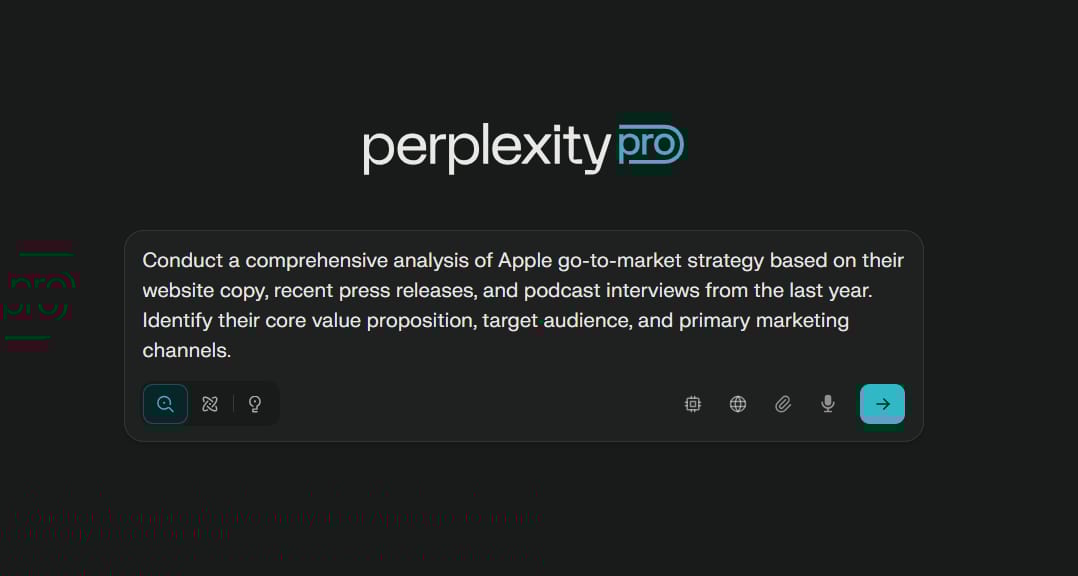
New Use Case (Competitor Teardown): An agency can use the prompt: "Conduct a comprehensive analysis of [Competitor's Name] go-to-market strategy based on their website copy, recent press releases, and podcast interviews from the last year. Identify their core value proposition, target audience, and primary marketing channels." In minutes, you have a competitive intelligence brief that might have previously taken days to compile.
Reducing Hiring Needs: Perplexity acts as a junior market research analyst. Instead of hiring a freelancer or a junior analyst to compile industry reports, summarize trends, or perform competitive analysis, a founder can accomplish 80% of that work instantly, allowing them to focus financial resources on revenue-generating roles.

Integration Suggestion: Use Perplexity to conduct deep research on a topic. Then, take the synthesized key points, statistics, and citations and feed them into Gamma with the prompt "Create a presentation based on these research points." This turns raw research into a client-ready, visual asset in minutes.
Learn How to Make AI Work For You!
Transform your AI skills with the AI Fire Academy Premium Plan - FREE for 14 days! Gain instant access to 500+ AI workflows, advanced tutorials, exclusive case studies and unbeatable discounts. No risks, cancel anytime.
2. Gamma: Build Polished Presentations In Minutes
What It Does
Many people still build presentations like it's 2011. Gamma is like having a professional slide designer who works in seconds, not hours.
Why Use It

In business, clarity converts. Gamma helps you go from an idea in your head to a narrative that sells in minutes, not hours.
What You Get (Free Version)
Unlimited document creation (with slide limitations)
Real-time collaboration features
Beautiful AI-generated slides and layouts
Multiple export formats
Template library access
Best For
Founders pitching offers or investors
Coaches creating training slide decks
Agency owners productizing expertise into visual assets
Creative Uses
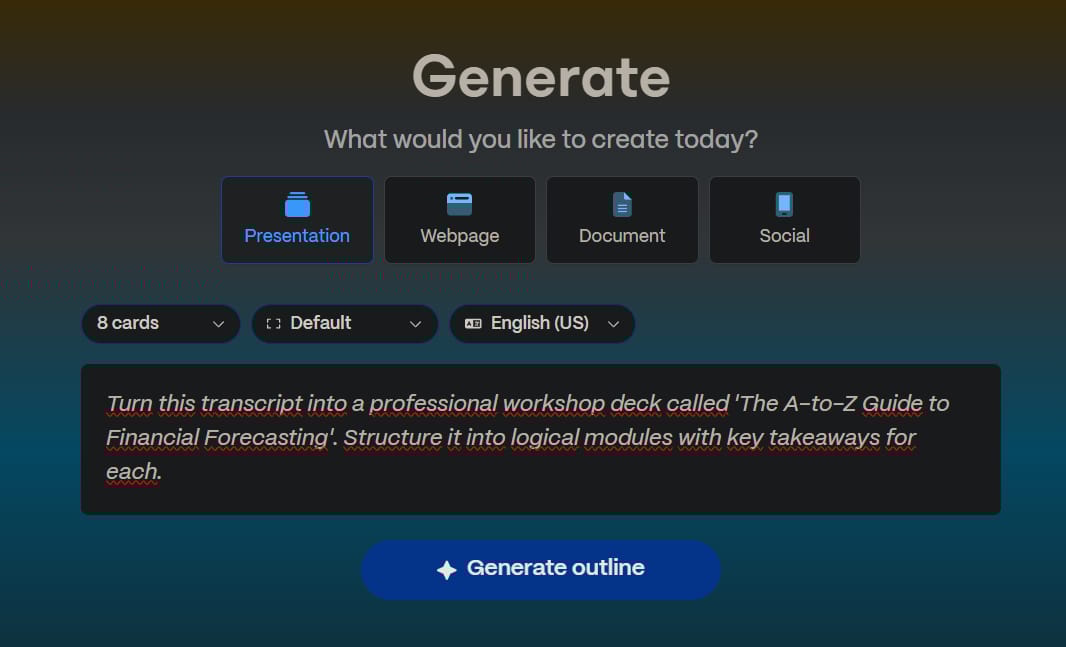
New Use Case (Productizing Knowledge): A consultant can record themselves explaining a complex process. They can then take the transcript and feed it to Gamma with the prompt: "Turn this transcript into a professional workshop deck called 'The A-to-Z Guide to Financial Forecasting'. Structure it into logical modules with key takeaways for each." Their expertise is now a reusable product.
Reducing Hiring Needs: Gamma eliminates the need for a graphic designer or presentation specialist for most day-to-day tasks. Instead of spending $50-$200 per hour for a designer to create a sales deck, webinar presentation, or client proposal, you can generate a 90% professional result in minutes for zero cost.

Integration Suggestion: After hosting a webinar or a strategy call, take the transcript from Otter.ai. Paste the full transcript into Gamma and ask it to generate a 10-slide "visual summary" of the conversation. This makes for a fantastic follow-up asset for attendees or stakeholders.
3. MindOS (Formerly Manis AI): The AI That Executes Tasks
What It Does
Most AI tools generate words, but MindOS gets things done. It’s not just a writer - it’s an operator that thinks, acts, and executes like a strategist on autopilot.
Why Use It

This isn’t AI that talks to you; it's AI that performs for you. It automates operations, not just outputs.
What You Get (Free Version)
One free "AI agent" (task or workflow)
Limited runs per month (approximately 30 tasks)
Core writing tools
Basic prompt and workflow editor
Best For
Founders juggling operations, marketing, and content alone
AI automation agency builders prototyping agents quickly
Solo founders running newsletters
Practical Example
Create a workflow: "Every Friday at 4 PM, scan my top 3 competitors' blogs and Twitter feeds for new product announcements or major marketing campaigns. Summarize any findings into a 3-bullet point brief and send it to my Slack channel #competitive-intel."
New Use Case (Automated Outreach Assistant): A founder could set up a MindOS agent to monitor specific industry-related hashtags on Twitter or LinkedIn. When a new post appears, the agent could auto-reply with a helpful, pre-defined (but variable) comment like: "Great point on [topic]. We actually just published a guide on this that might be helpful. No strings attached, just sharing!"

Reducing Hiring Needs: MindOS can take on the role of a part-time virtual assistant (VA). Tasks like generating daily reports, monitoring social media mentions, posting scheduled updates, or even managing basic email inboxes can be automated. This saves the $15-$40 per hour you might pay a VA, freeing up cash flow for growth activities.
Integration Suggestion: Create a powerful automation chain. Use Opus Clip to generate short videos from a long-form one. Then, set up a MindOS agent with the workflow: "Every day at 9 AM, grab one new video from the Google Drive folder [where Opus Clip saves], write a compelling caption for it, and post it to Twitter and LinkedIn."
4. ElevenLabs: Studio-Quality Voice from Text
What It Does
In the age of AI, your voice is no longer limited by your vocal cords. ElevenLabs lets you create studio-quality voiceovers from text in seconds.
Why Use It

Sound builds trust. ElevenLabs turns your written assets into beautiful audio assets without recording anything.
What You Get (Free Version)
Up to 10,000 characters per month
Voice cloning capabilities
Access to dozens of pre-trained, natural-sounding voices
Multi-language support
Best For
YouTubers and course creators scaling narration
SaaS founders creating audio onboarding
AI automation builders embedding voice into agents
Creative Applications
Audio Blog Posts: Turn every blog post into an audio version to serve audiences who prefer listening over reading.
New Use Case (Personalized Audio Voicemails): For high-value leads, instead of a generic follow-up email, use ElevenLabs to generate a 20-second voice message. "Hi [Name], it's [Your Name]. Just following up on our proposal. I had a quick thought about how we could specifically help with [their pain point]. Give me a call back when you have a moment." Drop it using a voicemail drop service. The response rate can be significantly higher than email.
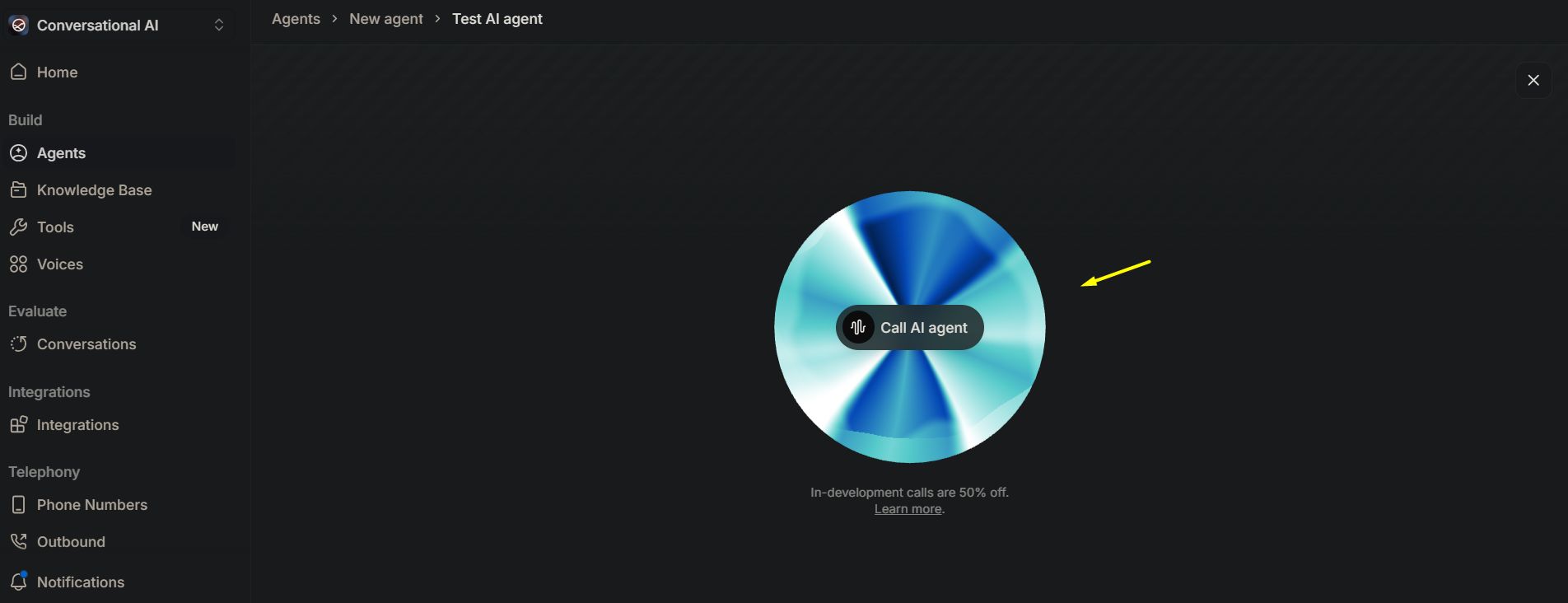
Reducing Hiring Needs: This tool completely removes the cost of hiring a voiceover artist, who often charges hundreds of dollars for a short video or ad. For course creators, video marketers, or podcasters, this means being able to produce high-quality audio content consistently without a per-production cost.

Integration Suggestion: Use Descript to edit a video interview. If you notice you misspoke a sentence, use Descript's "Overdub" feature, powered by your ElevenLabs voice clone. You simply type the correct sentence, and the video is seamlessly patched with your own voice without needing to re-record.
5. Otter.ai: Your Business Memory Machine
What It Does
Otter.ai is more than a note-taker - it's a real-time memory machine for your business. It joins your calls, transcribes conversations live, and pulls out key highlights and action items.
Why Use It
Recall is leverage. Otter turns every conversation into a searchable, actionable resource.
What You Get (Free Version)
300 minutes of transcription per month
30 minutes per conversation
Live transcription capabilities
Speaker identification
Keyword summary and highlights
Best For
Agency owners managing multiple clients
Solopreneurs running back-to-back sales calls
Coaches and consultants documenting intellectual property
Advanced Integration
Connect Otter to Zapier for automatic CRM population. When a call ends, an AI can summarize the key points and automatically update HubSpot or Asana.
New Use Case (Capturing "Voice of the Customer" Data): During customer discovery calls or feedback sessions, have Otter running in the background. Later, instead of relying on memory, you can search across all your transcripts for keywords like "frustrating," "confused," "challenge," or "wish." This creates an invaluable repository of the exact language your customers use to describe their problems - pure gold for copywriting.
Reducing Hiring Needs: Otter replaces the need for a dedicated meeting notetaker or a costly transcription service. For agencies or consultants running dozens of client calls a month, the savings on transcription alone can be hundreds of dollars, while ensuring no critical details are ever missed.
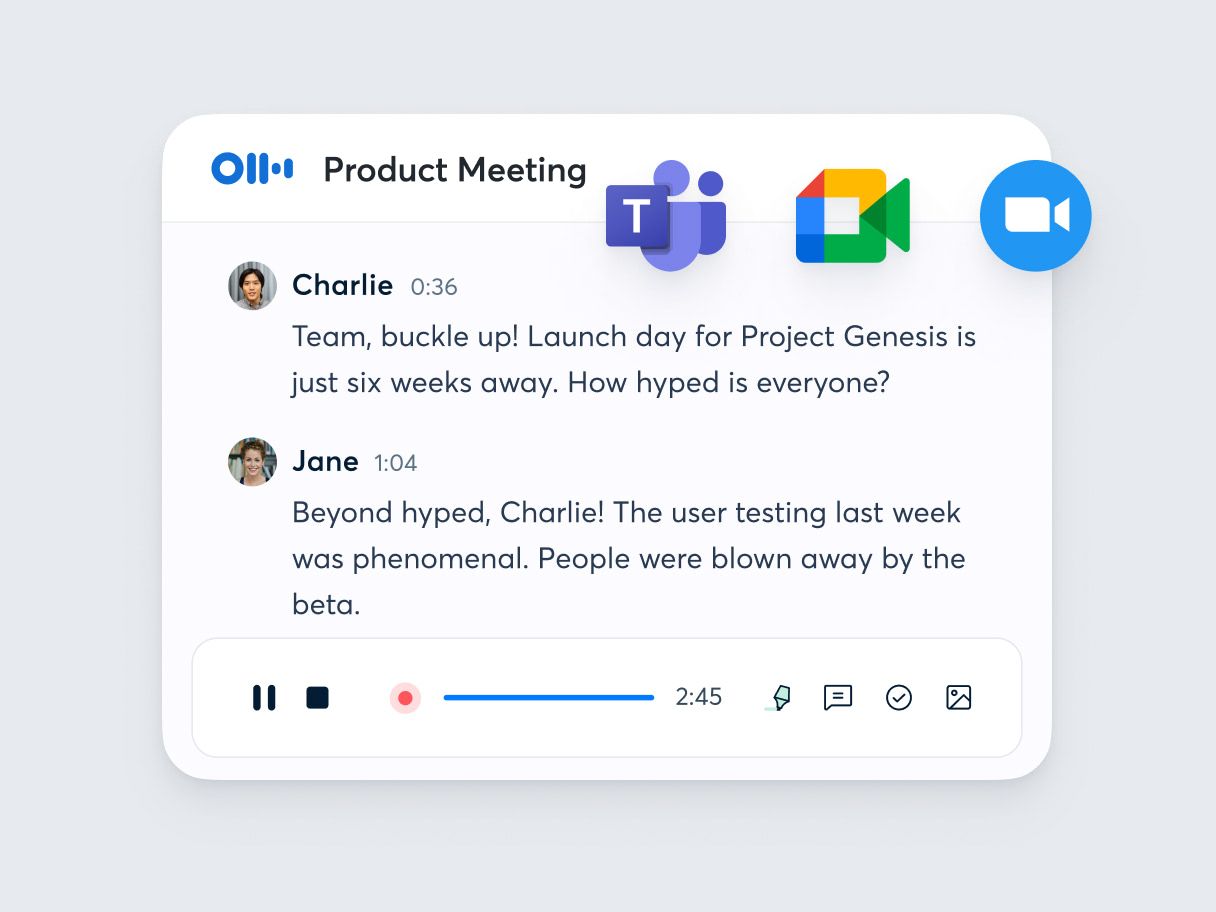
Integration Suggestion: After a client call is transcribed by Otter.ai, take the full transcript and feed it into Opus Clip. Try a prompt like: "Extract the 3 most emotionally compelling statements from this transcript and turn them into short video clips for LinkedIn." This turns a routine call into powerful testimonial assets.
6. Descript: Edit Video Like A Word Document
What It Does
Descript is like having a full video studio in a word document. Upload a video, get it transcribed, and then edit the text to cut the video to match.
Why Use It
Video is still the most powerful format for building trust. Descript removes the barriers of time, tech, and perfectionism.
What You Get (Free Version)
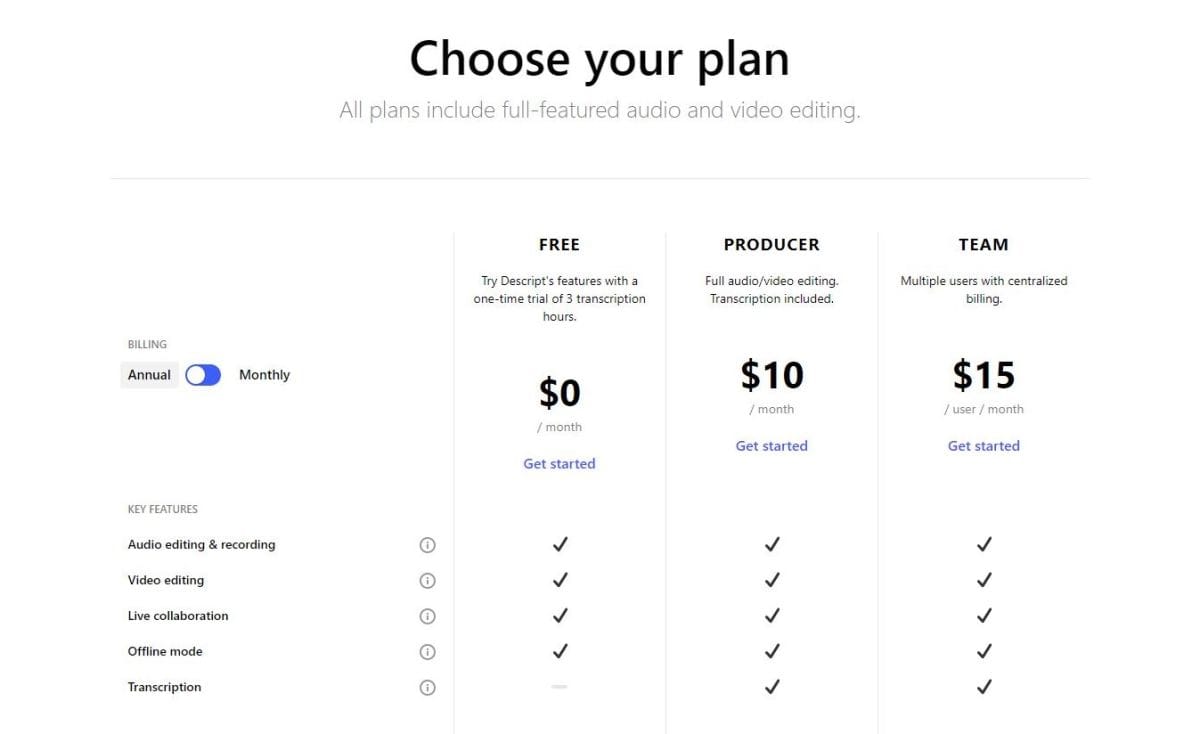
1 hour of video transcription per month
Full transcript-based video editing
Auto filler word removal
Screen recording capabilities
Export to MP4 and YouTube-ready formats
Best For
Coaches repurposing Zoom calls into short-form content
Agency builders turning sales calls into content
Course creators making modules without an editor
Game-Changing Feature
Use Descript's Overdub to rewrite sections of your script after recording. Perfection isn't slow anymore - it's automated.
New Use Case (Creating Internal SOPs): A founder can record their screen while walking through a complex process (e.g., setting up a new ad campaign). They can then use Descript to quickly cut all the pauses and mis-clicks, add text titles to clarify each step, and export a clean standard operating procedure (SOP) video for their team in under 15 minutes.

Reducing Hiring Needs: For most basic video editing needs - like creating social media content, internal tutorials, or course modules - Descript can completely replace a freelance video editor. This saves $40-$100 per hour and reduces turnaround time from days to minutes, allowing you to publish content at a much higher velocity.
Integration Suggestion: Record a long-form video. Use Descript to clean up the transcript and edit out mistakes. Then, export the final video and upload it to Opus Clip to automatically generate 10+ social-ready shorts. You’ve turned one recording session into a week's worth of content.
What It Does
Predis.ai is like hiring a full-stack content team without the payroll. Give it an idea, and it generates social media posts with copy, visuals, hashtags, and scheduling.
Why Use It
Content is oxygen for your business. Predis lets you scale content without becoming a full-time content creator.
What You Get (Free Version)
15 content generations per month
Auto visual generation
AI-generated captions and hashtags
Platform-optimized posts
Content calendar and scheduler
Best For
Solo business owners without time for daily posting
Agencies offering social media services
Creators wanting consistency without burnout
Content Angle Testing Strategy
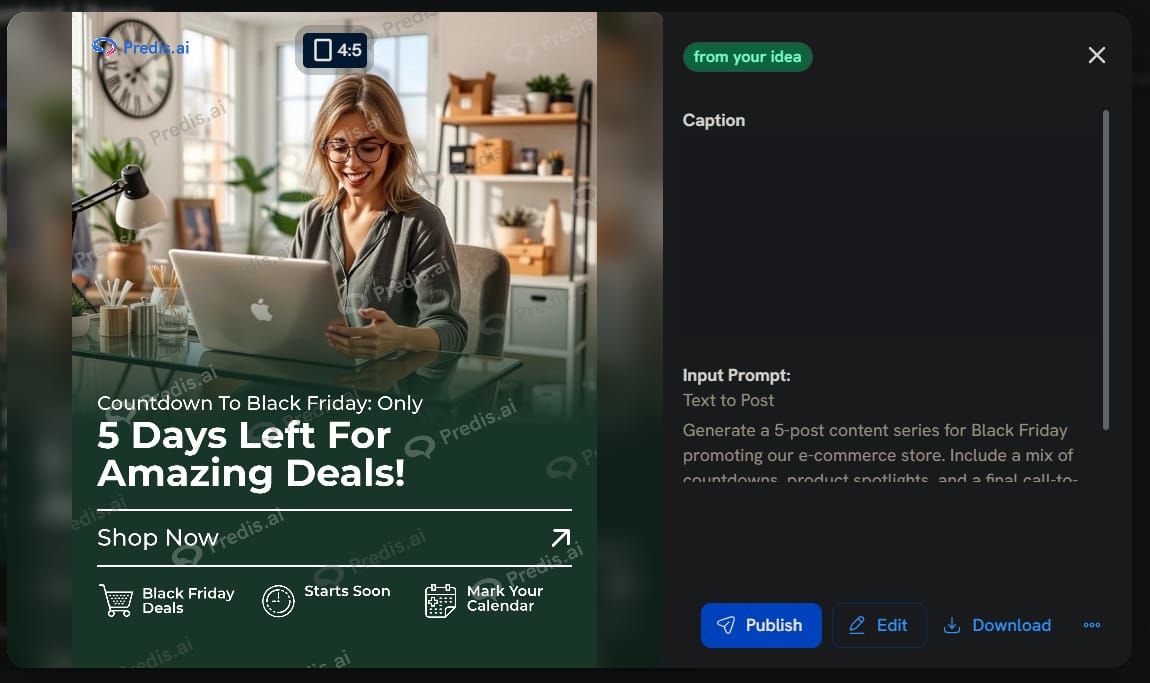
New Use Case (Holiday & Event Content Planning): Instead of scrambling at the last minute, a small business owner can use Predis a month in advance. Prompt: "Generate a 5-post content series for Black Friday promoting our e-commerce store. Include a mix of countdowns, product spotlights, and a final call-to-action." The tool generates a complete drip campaign you can schedule and forget.

Reducing Hiring Needs: Predis acts as a junior social media manager. It handles the brainstorming, copywriting, basic visual creation, and scheduling that a human SMM would charge hundreds or even thousands of dollars a month for. While it doesn't replace strategy, it automates 90% of the execution.
Integration Suggestion: Take a core idea validated by Perplexity AI. Feed that idea into Predis.ai to generate 5 social media posts. Take the copy from the best-performing post and use it as a script in ElevenLabs to create a short audio-gram or video ad.
8. Opus Clip: Turn Long-Form Into Viral Shorts
What It Does
Opus Clip is like a content editor who lives inside your uploads and works at 10x speed. Give it a YouTube link or a Zoom recording, and it automatically identifies viral moments and turns them into punchy shorts.
Why Use It

One long-form video should equal 20+ pieces of content. Opus Clip automates the content flywheel.
What You Get (Free Version)
60 minutes of upload time per month
Auto clip detection using AI virality scoring
Smart cut editing with subtitles
Auto hook highlights
Vertical and square formatting
Best For
Coaches and consultants who record deep content
Founders growing personal brand awareness
Agencies offering repurposing services
Content Multiplication In Action
Internal Knowledge Base Creation: Take an internal training session and let Opus Clip create micro-learning videos for your company’s knowledge base.
New Use Case (Repurposing Guest Appearances): If you were a guest on a podcast or webinar, get the link to the recording. Feed it into Opus Clip. It will automatically extract your best moments, reframe the video to keep your face centered, and add captions. You can generate a week's worth of content from a single guest appearance, maximizing your time ROI.

Reducing Hiring Needs: Opus Clip replaces the role of a "content repurposing specialist" or a video editor who specializes in creating social clips. This is a niche role that agencies can charge upwards of $1,000/month for. Opus Clip does the most time-consuming part - finding the good clips - automatically, allowing a single person to manage a content calendar that previously required a small team.

Integration Suggestion: Host a webinar using a slide deck from Gamma. Record the session. Upload that video recording to Opus Clip to generate 10-15 highlight shorts. You’ve turned one presentation asset into over a dozen marketing video assets, all stemming from a single content creation effort.
How To Choose The Right Tool For You
Starting with everything at once is a recipe for overwhelm. Instead, identify your primary role and solve your biggest pain point first. Here’s a suggested roadmap:
For The Solopreneur / Founder:
Biggest Pain Point: Lack of time and wearing too many hats (CEO, Marketing, Sales).
Start With (Beginner):

Otter.ai: To never lose an idea or action item from a call. This is your second brain.
Perplexity AI: For rapid market research and idea validation without guesswork.
Level Up With (Intermediate):

Automate & Scale (Advanced):
MindOS: To automate reporting and repetitive outreach, acting as a robotic VA.
For the Coach / Consultant:

Biggest Pain Point: Capturing and packaging their intellectual property (IP) to scale.
Start With (Beginner):
Level Up With (Intermediate):
ElevenLabs: To create audio course modules or personalized messages for clients.
Opus Clip: To turn long coaching sessions into short social media tips to attract new clients.
Automate & Scale (Advanced):
Descript: To create entire video courses from your Zoom recordings, edited and perfected.
For The Agency Builder:

Biggest Pain Point: Streamlining service delivery and creating content for lead generation.
Start With (Beginner):
Level Up With (Intermediate):
Automate & Scale (Advanced):
MindOS: To build automated agents that handle client onboarding or reporting, creating a scalable service offering.
Frequently Asked Questions (FAQ)

1. Is it safe to use free AI tools for business data?
It depends. For general research, content creation, and non-sensitive communications, free tools are generally safe. However, for highly confidential or proprietary data (e.g., secret product formulas, sensitive financial records), you should exercise caution. Always read the privacy policy and terms of service. The best practice is to avoid uploading your most critical "crown jewel" data to any free cloud service.
2. Can I integrate these tools with each other easily?
Most of these tools do not have direct, one-click integrations with each other. However, their power lies in workflow integration. The output of one tool (e.g., a transcript text file from Otter) becomes the input for another (e.g., pasting that text into Gamma). For more advanced automation, tools like Zapier or Make.com can often connect these services, creating powerful chains where an action in one tool triggers an action in another.
3. Is it worth upgrading to the paid versions?
Absolutely, once you hit the limits of the free plan. The business case is simple: if a tool's free plan saves you 5 hours a month but its limitations cost you an extra 2 hours, upgrading for $20 is a massive win. Treat these subscriptions not as costs, but as investments in leverage. If paying $20/month for Descript saves you from hiring a $500/month video editor, the ROI is enormous. Start with free, and upgrade as soon as you feel the friction.
4. What’s the learning curve like for these tools?
Remarkably low. Most of these tools are designed for non-technical users. You can expect to be functional and get tangible value from any of them within the first hour of use. Achieving mastery and understanding all the advanced features might take a few weeks of consistent use, but the barrier to entry is almost non-existent.
Conclusion: The Future Is Human-AI Collaboration
Most businesses don't fail because of a lack of tools - they fail because of a lack of clarity and focus. They drown in shiny apps, juggle 20 dashboards, and spend hours solving problems that should be handled in minutes.
The winning businesses of 2025 will be those that pick fewer tools with sharper intent. They don't just use AI to replace tasks; they use AI to amplify human capability, creating leverage. AI isn't just about speed; it's about scaling your thinking. By automating the noise - generating reports, cutting videos, scheduling posts - you free yourself to focus on the signal: strategy, relationships, and creativity. It allows a single person or a small team to have the impact and reach of a much larger organization. This is the true competitive edge.
By using just these eight tools, you can save hours every week, replace roles you might have otherwise hired, and build momentum without burnout. In the age of AI, leverage is free, but clarity is priceless.
Your next steps:
Bookmark this guide for future reference.
Choose one tool from the "How to Choose" section that fits your biggest pain point.
Spend 60 minutes this week setting it up and completing one task with it.
Focus on action. Don't just read; implement. Action is the only antidote to overwhelm.
Remember: the goal isn't to use every AI tool available. It's to use the right tools consistently to amplify your unique human skills and focus on what only you can do. The future belongs to those who can blend human creativity with AI efficiency. These eight tools give you that competitive edge - completely free.
If you are interested in other topics and how AI is transforming different aspects of our lives or even in making money using AI with more detailed, step-by-step guidance, you can find our other articles here:
How useful was this AI tool article for you? 💻Let us know how this article on AI tools helped with your work or learning. Your feedback helps us improve! |
Reply