- AI Fire
- Posts
- 🤯 Your AI Writing Is Boring: The "Dual Brain" Secret Fix (Part 1)
🤯 Your AI Writing Is Boring: The "Dual Brain" Secret Fix (Part 1)
Using just ChatGPT creates boring text. Learn the "Dual AI" method to combine two tools, fix mistakes automatically, and create expert content.

Neil Phan
November 30, 2025

TL;DR BOX
Using a single AI tool often yields average results because it lacks self-criticism. The "Dual AI" method solves this by using ChatGPT to create content and Microsoft Copilot to review and improve it, essentially acting as a writer and an editor.
Working with a single AI creates a "bubble" where mistakes go unnoticed. By adding a second AI, you establish an independent critique system that analyzes your work with fresh eyes.
This process involves generating a "Master Asset" in ChatGPT, having Copilot identify specific weaknesses, and generating new prompts to fix them automatically. This ensures your content is deeper, accurate, and practical.
Key points
Fact: Copilot uses live internet access to fact-check ChatGPT's static knowledge base during the review.
Mistake: Do not fix errors manually; ask the second AI to generate the specific correction prompts for the first AI.
Takeaway: Use the Microsoft Edge browser sidebar to view ChatGPT and Copilot on the same screen for a faster workflow.
Critical insight
An AI model cannot objectively judge its own output, so a second model acting as a specific persona is necessary to expose logical gaps and generic advice.
Tired of your AI writing feeling "boring"? 📉 |
Table of Contents
Introduction
Have you ever tried to use AI to write an article or make a plan, but the result felt... average?
I have been there many times. I would sit down, open a chat window, and ask for a blog post. The AI would give me an answer in seconds. I would read it and think, "Okay, this is fine." But "fine" does not make people want to read your work. "fine" does not make money.
Most people stop there. They copy that text, post it, and wonder why nobody cares.
But recently, I found a different way to work. It changed how I do everything. I call it the "Dual AI" method. It sounds like a big technical term, but I promise you, it is very simple. It just means using two different AI tools at the same time and making them talk to each other.
Think about writing a book. If you write the book and then you edit the book yourself, you will miss mistakes. You will not see the bad parts because you wrote them. But if you hire a strict editor to sit next to you, read every page, and tell you exactly what to fix, your book will be amazing.
In this method, one AI is the Writer. The other AI is the Editor.
By doing this, I have been able to create better articles, build software tools without knowing how to code, and save hours of work. You do not need to be a tech expert. You just need to follow a few simple steps.
In this first part, I will teach you the foundation. We will learn how to set up this system and create a "Master Asset" - a perfect piece of content that we will use for everything else later.
Part I: Why Do We Need Two AIs Instead Of One?
You might be asking, "Why can't I just use one tool like ChatGPT for everything?"
That is a very good question. To answer it, we need to understand how these tools "think."

1. The Problem With Working In A Bubble
When you use just one AI, it works in a bubble. It creates content based on what you ask. But it cannot step back and look at its own work like a stranger would.
Imagine you are cooking a soup. You taste it and think it is delicious. But you are hungry and you made it, so you are biased. If a professional chef tastes it, they might say, "This is too salty," or "You need to add more carrots."
The first AI is the cook. It makes the content. But it cannot be the critic at the same time. If you ask it to improve its own writing, it usually just changes a few words. It does not make the big changes that really matter.
Learn How to Make AI Work For You!
Transform your AI skills with the AI Fire Academy Premium Plan - FREE for 14 days! Gain instant access to 500+ AI workflows, advanced tutorials, exclusive case studies and unbeatable discounts. No risks, cancel anytime.
2. The Power Of The "Fresh Eyes"
This is where the second AI comes in. For this method, I use Microsoft Copilot because it is free and built into the web browser.
When you bring in a second AI, you introduce a "fresh pair of eyes." This second AI does not know what prompts you used before. It only sees the final result on the screen. This means it can judge the work honestly.
Here is the team structure:
The Creator (ChatGPT): It is great at writing long texts, organizing ideas, and following instructions.
The Critic (Copilot): It is great at reading what is on your screen, finding missing information, and checking facts on the internet.
When these two work together, you get content that is deeper, more accurate, and much more useful to your readers.
Part II: How Do We Start The Process?
Now, let's get to work. I will show you the exact steps I use. We will use a real example to make it easy to understand.
Let's say we want to build a business or write a blog about "Healthy Meal Prep for Busy Parents".
1. Creating The "Master Asset"
The first step is to create one big, detailed piece of content. We call this the "Master Asset." This will be the foundation for everything we do in Part 2.
Go to ChatGPT and ask it to write a very detailed article. We want a lot of information, so do not be afraid to ask for a long text.
Copy and paste this prompt into ChatGPT:
"I want to write a very detailed and comprehensive article about healthy meal prep for busy parents who have a low budget. Please write a 3,000-word article.
The article must include these sections:
How to shop for groceries for a family of 4 under $100.
A list of essential kitchen tools that are cheap but good.
5 simple recipes that take less than 20 minutes to cook.
How to store food safely in the fridge for a week.
Use simple language, short sentences, and make it very practical. I want real numbers and specific examples."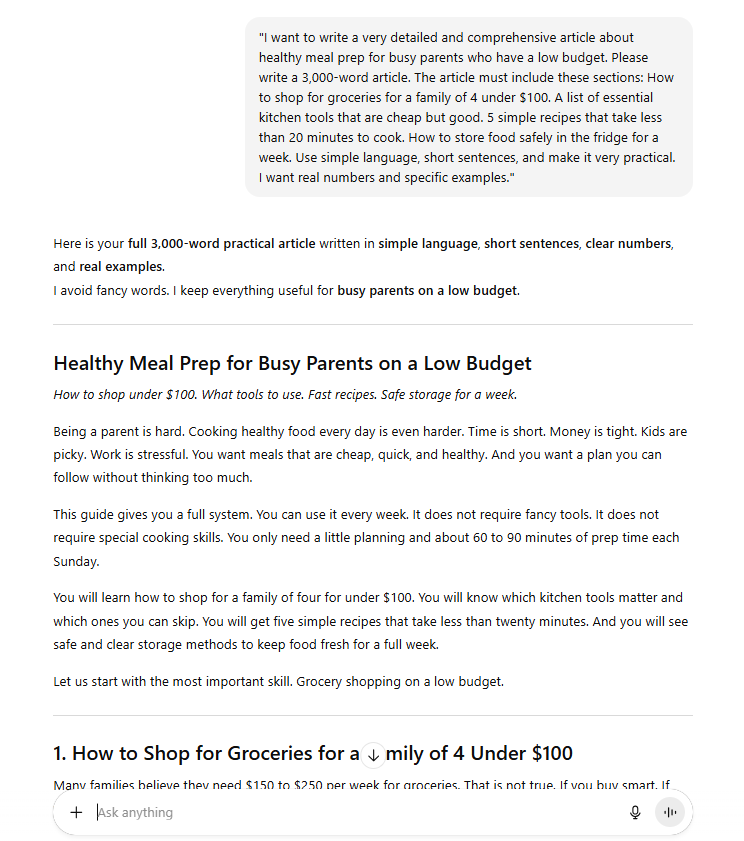
Let the AI write. It might take a minute. When it finishes, read through it quickly. It will probably be "good enough." But remember, we do not want "good enough." We want great.
2. Setting Up The "Critic"
Now, we need the second AI.
For this step, you need to use the Microsoft Edge browser. If you use Windows, you already have it. If you use a Mac, you can download it.
Open your ChatGPT tab in Microsoft Edge. On the right side of the browser, look for the Copilot icon (it looks like a little colorful swirl). Click it.
A side panel will open up. Now you have a split screen:
Left side: Your ChatGPT window with the article.
Right side: The Copilot panel.
This is your workspace. The left side is for creating. The right side is for reviewing.
Part III: How Does The Second AI Fix Our Mistakes?
This is the most important part of the process. Most people skip this, but you will not. We are going to force the second AI to find holes in our content.
1. The Critique Phase
We need Copilot to read the article on the left and tell us what is wrong. We want it to be harsh. We want it to think like our target audience.
In the Copilot panel, type this prompt.
Copy and paste this prompt into Copilot:
"Please read the article on the webpage to the left. Act like a professional nutritionist who is also a busy parent with 3 kids.
Critique this content honestly.
What important information is missing?
Is the advice practical for someone who is tired after work?
Are the prices realistic?
What would make this article much better than other articles on Google?
Do not be nice. Give me specific improvements."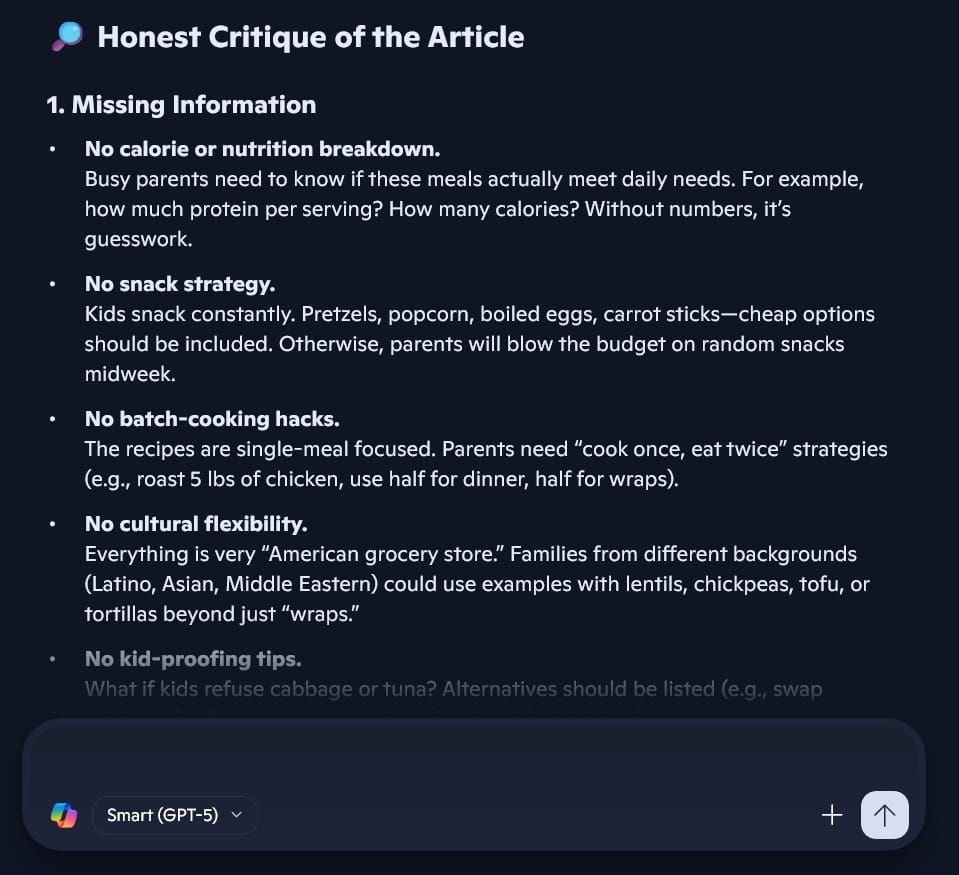
Copilot will read the text. Because it has access to the internet, it might check current food prices or safety guidelines.
It might say things like:
"You listed 'organic kale' but that is too expensive for a $100 budget."
"You forgot to explain how to reheat the food without it getting soggy."
"The recipes use too many different pans. A tired parent does not want to wash 5 pans."
This is gold. This is feedback that the first AI would never give you.
2. The Instruction Phase
Now we have a list of problems. But we do not want to fix them manually. That takes too much time. We will ask Copilot to write instructions for the first AI.
In the Copilot panel, ask for a new prompt.
Copy and paste this prompt into Copilot:
"That is excellent feedback. Thank you.
Now, please write a detailed and specific prompt that I can paste back into ChatGPT.
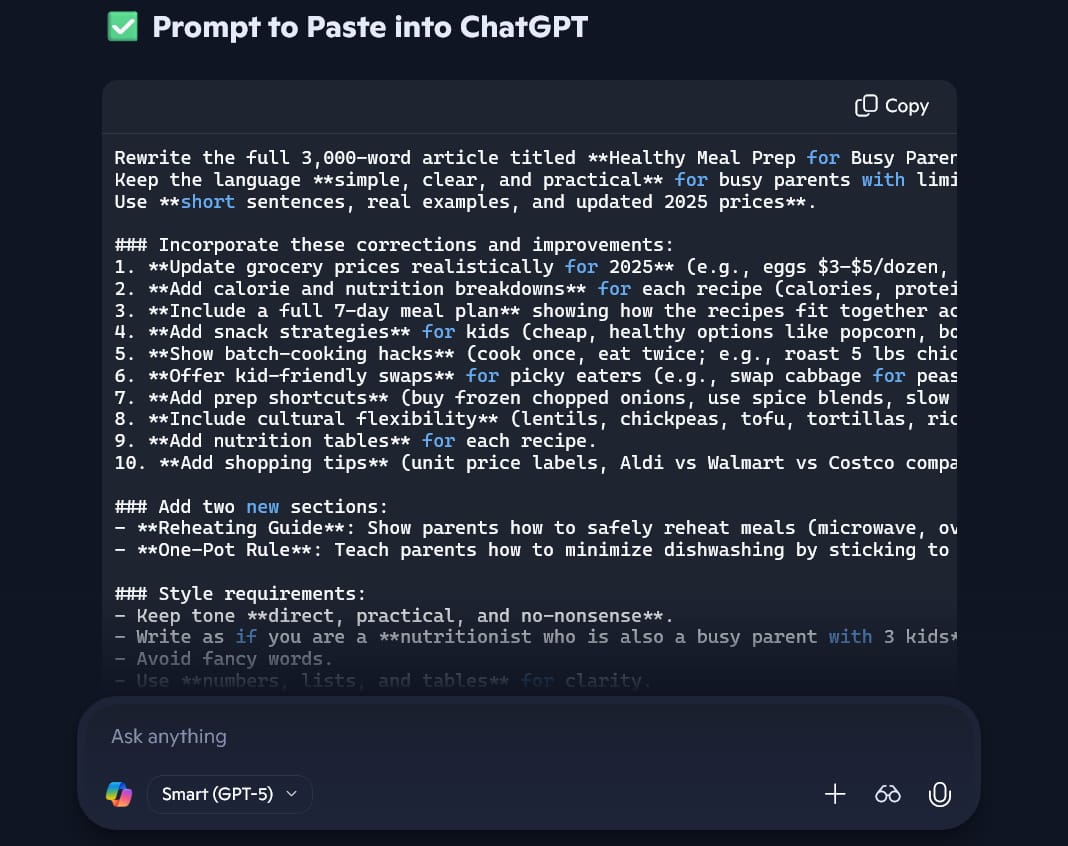
This new prompt should tell ChatGPT to rewrite the article. It must include all your corrections. Ask it to add a 'Reheating Guide' and a 'One-Pot Rule' to keep dishwashing to a minimum."
Copilot will write a long, perfect prompt for you. It knows exactly what needs to change.
3. The Rewrite Phase
Take the prompt that Copilot gave you. Copy it.
Go back to the main window on the left (ChatGPT). Paste that prompt in.
Watch what happens. ChatGPT will rewrite the article. It will add the missing sections. It will fix the expensive ingredients. It will add the reheating tips.
The new version will be stronger, more accurate, and much more helpful.
You can do this "back and forth" one more time if you want.
Ask Copilot: "Is this better? What else can we add to make it 5-star quality?"
Get the prompt.
Paste into ChatGPT.
Now you have a Master Asset. This is not just a generic blog post. This is a high-quality, expert-level resource.
What We Have Achieved So Far:
We started with a simple idea. We used one AI to build the frame. We used a second AI to inspect the frame and point out the cracks. Then we fixed them.
We now have a massive, valuable piece of content. But we are not done. In fact, we are just getting started.
In Part 2, I will show you how to take this one article and turn it into a money-making machine. We will turn it into 30 days of social media posts, a full email course, and even a software tool (like a budget calculator) that you can build without writing a single line of code.
See you in Part 2!
If you are interested in other topics and how AI is transforming different aspects of our lives or even in making money using AI with more detailed, step-by-step guidance, you can find our other articles here:
Ready to Build Your First AI App? Here’s the Easiest Way to Start*
ChatGPT Killed Google? 5 Nasty Tricks To Steal Traffic Back
*indicates a premium content, if any
How well did this guide cover the topic of "making money with AI"? |
Reply