- AI Fire
- Posts
- 🚨 The Truth About Using Gemini 3 Pro for AI Automation in n8n
🚨 The Truth About Using Gemini 3 Pro for AI Automation in n8n
A practical, no-hype guide you can follow step by step to using Gemini 3 Pro for real AI automation in n8n.

Robin Do
April 19, 2026
TL;DR
Gemini 3 Pro helps AI automation in n8n by handling large context, images, and workflow design, but it is not reliable for tool-calling agents yet.
Gemini 3 Pro can read very large documents, understand images and diagrams, and reason across long context without chunking or vector databases. This makes it useful for analysis, audits, planning, and generating n8n workflows.
At the same time, Gemini 3 Pro has real limits. It costs more than smaller models, key settings like thinking level are hidden in n8n, and tool calling breaks due to missing thought signatures. Because of this, it should not be used for execution-heavy agents today.
This article shows where Gemini 3 Pro works well, where it breaks, and how to combine it with other models to build stable AI automation without wasting time or money.
Key points:
Gemini 3 Pro supports ~1M input tokens and ~64K output tokens.
A common mistake is using Gemini 3 Pro for tool-calling agents.
Best results come from splitting thinking and execution across models.
Critical insight:
In real workflows, Gemini 3 Pro works best as a planner and analyst, not as the executor.
How are you choosing models for AI automation right now?There're no wrong answers. But some get expensive fast. |
Table of Contents
Introduction: Why Gemini 3 Pro Changes How You Build AI Automations?
If you’ve been building AI automation with n8n for a while, you’ve probably noticed something frustrating: the workflows are not the hard part. The weak point is almost always the “brain” behind them.
You can wire triggers, connect APIs, and move data cleanly from one node to the next. But the moment you feed the AI something real - a long PDF, a messy image, a full call transcript, or a task that depends on context from days ago - the automation starts to feel fragile. It works in demos, then breaks in production.
I’ve spent months testing different models inside n8n. OpenAI models, Anthropic models, fast cheap ones, slower expensive ones. Most of them are fine at short prompts and one-off tasks. They struggle when reasoning needs to stretch across large context, when inputs are not clean, or when the automation needs to plan instead of just reply.
That’s why Gemini 3 Pro is interesting, and not for the reasons Google puts in the headline. Ignore the “new era of intelligence” talk. What actually matters for AI automation is that Gemini 3 Pro changes what is realistic to automate. You can drop in entire documents without chunking. You can ask it to understand images, flowcharts, and structure. You can use it to design workflows, not just answer questions inside them.
This article is a reset. I’m not here to sell you on a model or tell you to replace everything overnight. I want to show you what Gemini 3 Pro actually does well in n8n, where it clearly breaks today, and how to use it without wasting time or money. If you’re building agents, workflows, or internal tools and you want them to feel reliable instead of brittle, this is where the shift starts.
I. Gemini 3 Pro Capabilities You Need to Understand Before Using It
Before you plug Gemini 3 Pro into any AI automation workflow, you need to understand what it’s actually good at. Not in theory. In practice. These three areas determine whether it’s the right model for your job or an expensive mistake.
1. Context Window (Why You Can Stuff Huge PDFs into Prompts)
Gemini 3 Pro supports roughly 1,000,000 input tokens and around 64,000 output tokens. That sounds abstract until you actually use it inside n8n.
In simple terms, you can paste in:
Full books
Long legal documents
Large financial reports
Internal SOPs
And it still works.
For AI automation, this means you can often skip vector databases, chunking, and retrieval logic. You put the entire document into the system prompt or input, then ask questions directly. I’ve tested this with 100+ page PDFs, and it doesn’t come close to the limit.
This doesn’t mean vector databases are dead. They still matter for very large or changing datasets, but for many internal automations, Gemini 3 Pro removes an entire layer of complexity.
2. Pricing Reality (Why “Best Model” ≠ “Use Everywhere”)
Gemini 3 Pro is more expensive than Gemini 2.5 Pro, and much more expensive than Gemini 2.5 Flash. That matters a lot once your AI automation runs hundreds or thousands of times per day.
This is where people get it wrong. They hear “best model” and assume they should use it everywhere. That’s how costs quietly spiral.
Gemini 2.5 Flash still has a clear role. It’s cheap, fast, and good enough for bulk tasks like tagging, routing, simple summaries, and lightweight logic. Gemini 3 Pro earns its cost only when reasoning quality or large context actually affects the result.
The real lesson is simple: you don’t choose the best model, you choose the best model for the job. Strong AI automation setups mix models instead of betting everything on one.
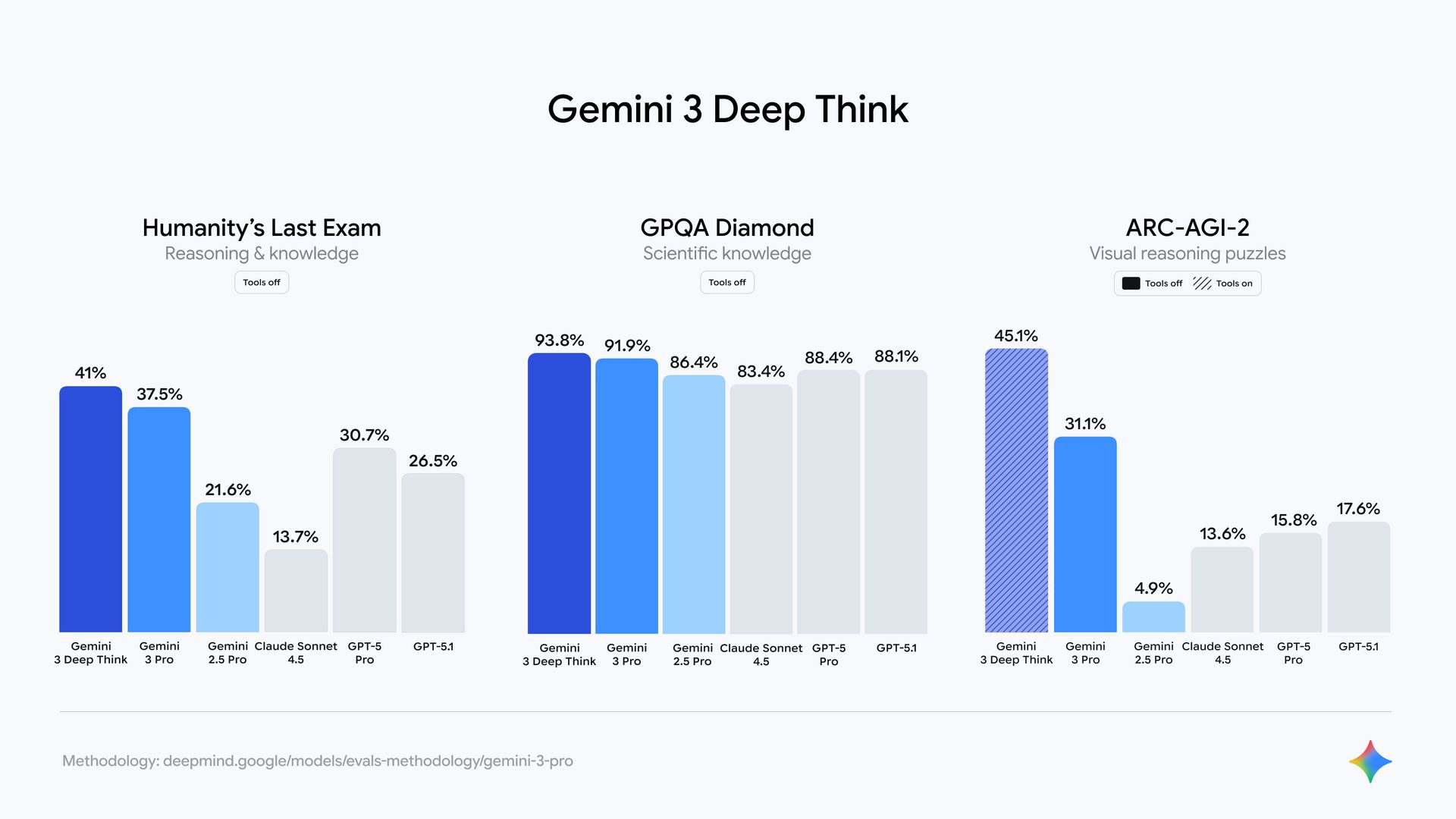
3. Benchmarks That Actually Matter for Automation
Most benchmarks don’t matter. For AI automation, only a few are useful.

Image understanding is one. Benchmarks like ScreenSpot Pro show how well a model understands structure, not just objects. This matters for diagrams, screenshots, flowcharts, damage photos, and scanned forms. Gemini 3 Pro is noticeably better here.
Long-horizon tasks are another. Benchmarks like VendingBench test whether a model can plan, adapt, and stay aligned over time. This is critical for agents that don’t finish in one step. Gemini 3 Pro holds context and goals more reliably.
Code generation and structured reasoning matter most when building workflows. If you ask a model to generate n8n logic, JSON, or multi-step plans, reasoning quality matters more than speed. Gemini 3 Pro produces cleaner structure with less fixing.
If you understand these three points, you’ll know exactly when Gemini 3 Pro helps your AI automation and when it’s unnecessary.
Learn How to Make AI Work For You!
Transform your AI skills with the AI Fire Academy Premium Plan - FREE for 14 days! Gain instant access to 500+ AI workflows, advanced tutorials, exclusive case studies and unbeatable discounts. No risks, cancel anytime.
II. How Can You Connect Gemini 3 Pro to n8n for AI Automation (And What Are the Tradeoffs)?
There are three practical ways to connect Gemini 3 Pro to n8n. All of them work. None of them are perfect. Which one you choose depends on how much control you need and what kind of AI automation you’re building.
Method 1: Native Google Gemini Node (Fastest Setup)
This is the quickest way to get started and the one most people try first.
How to set it up:
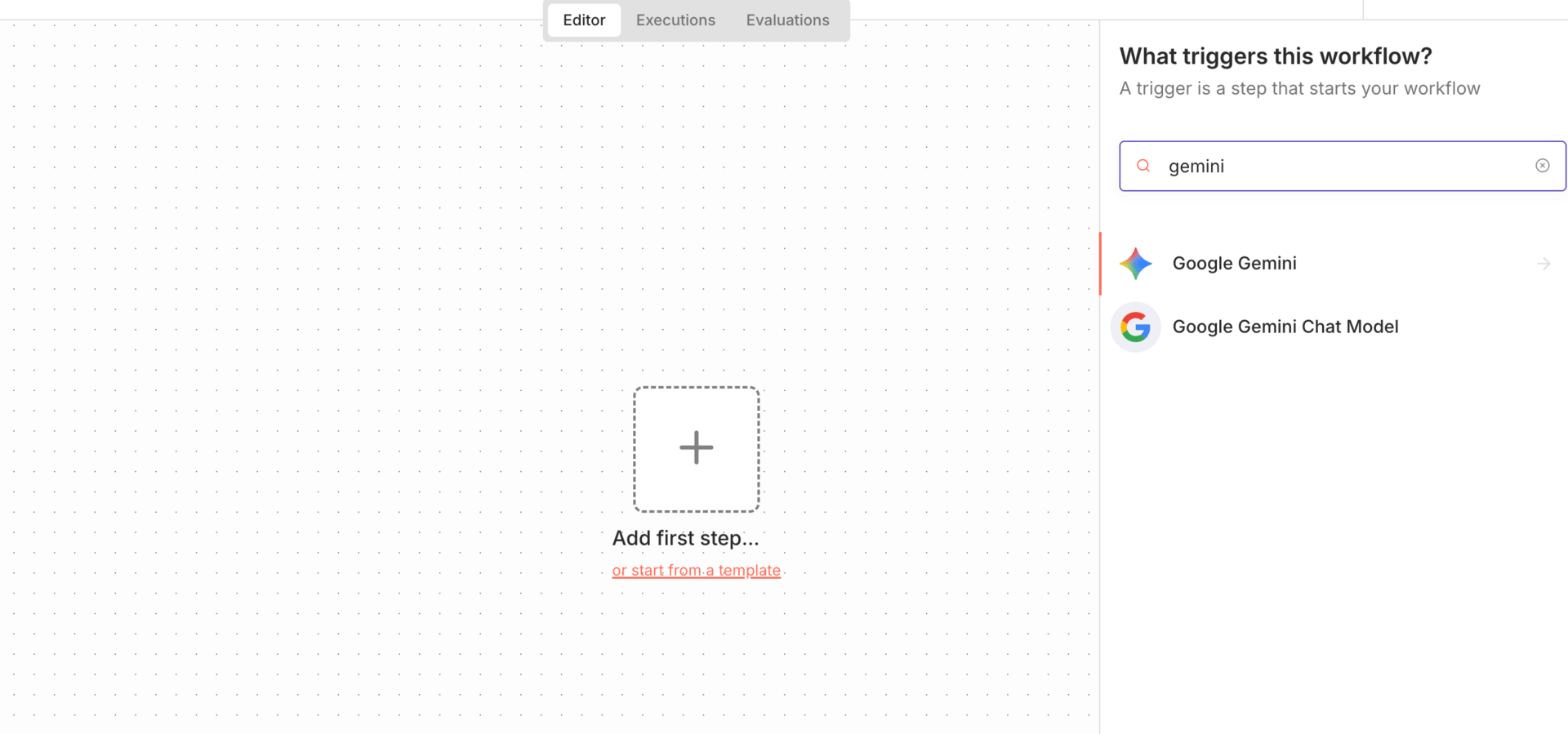
In n8n, add a new node and search for Gemini
Choose an action:
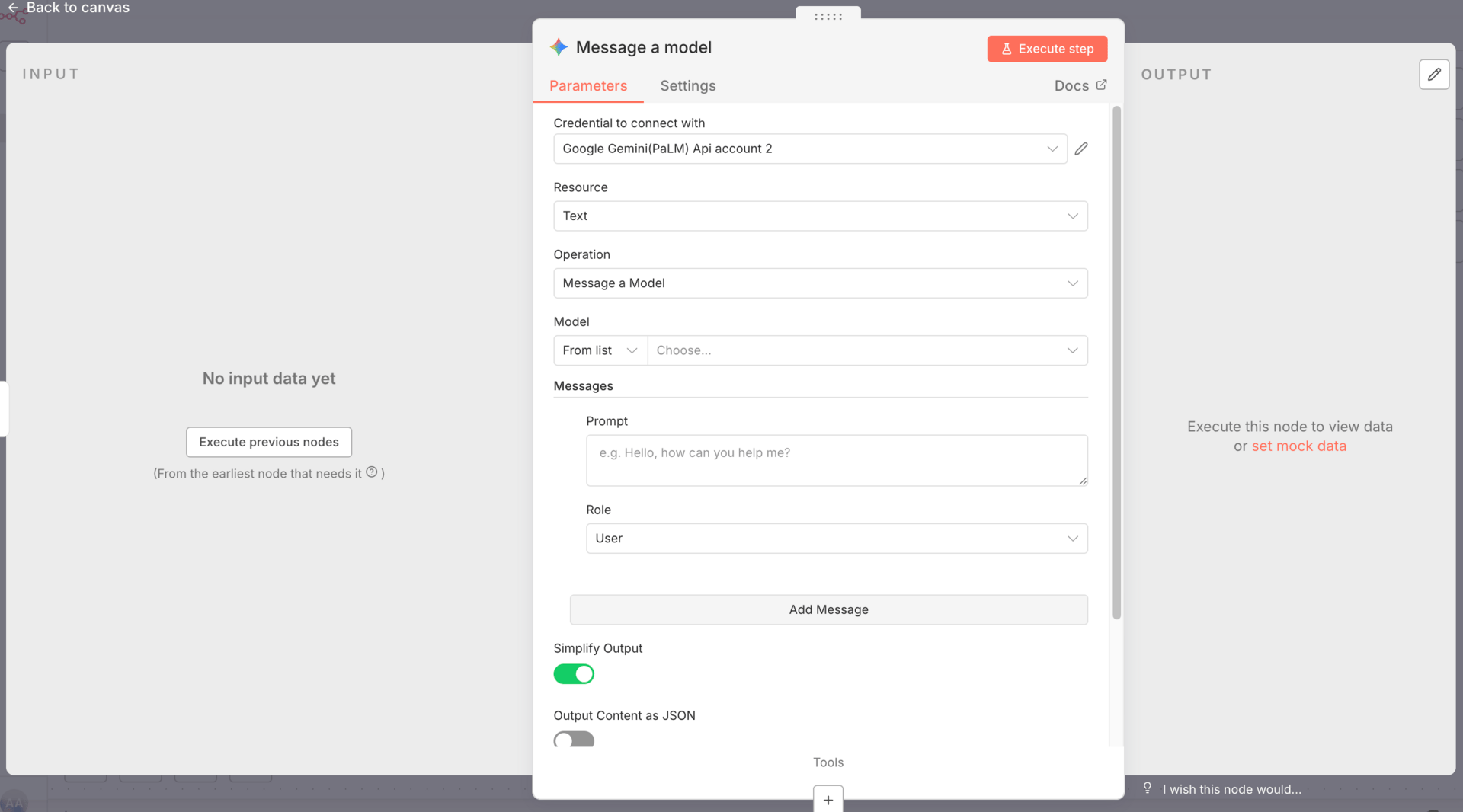
Create credentials:
Go to Google AI Studio
Generate an API key
Add billing
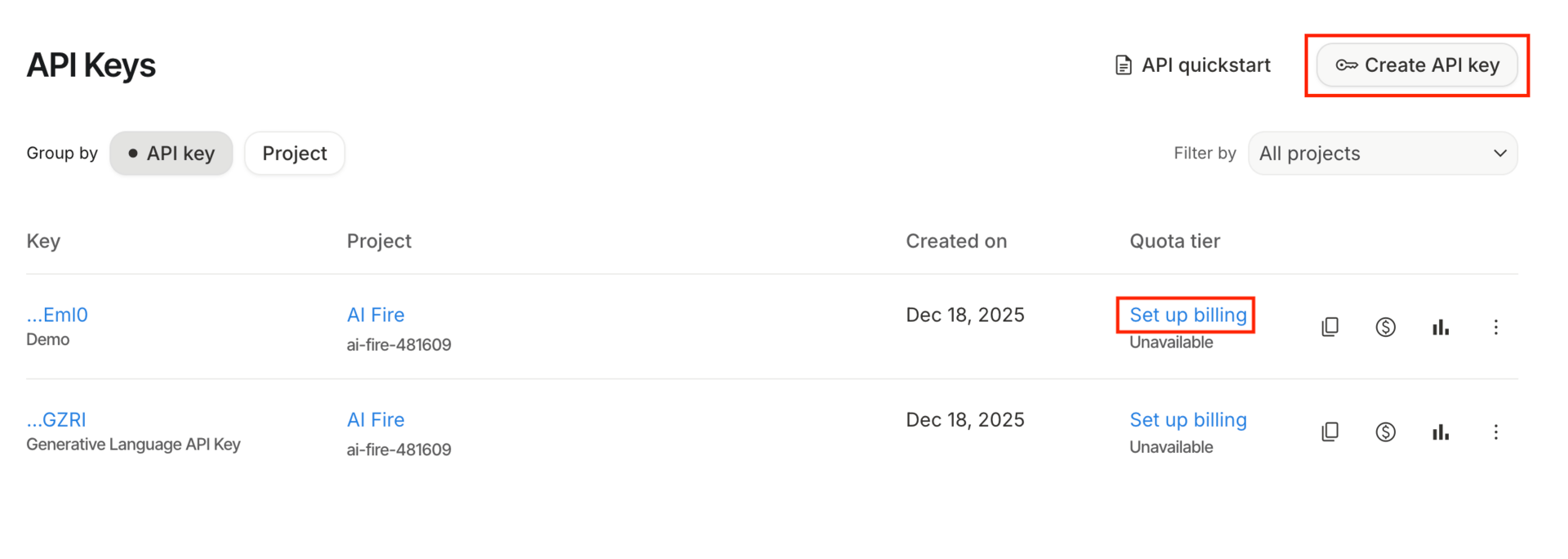
Paste the key into n8n
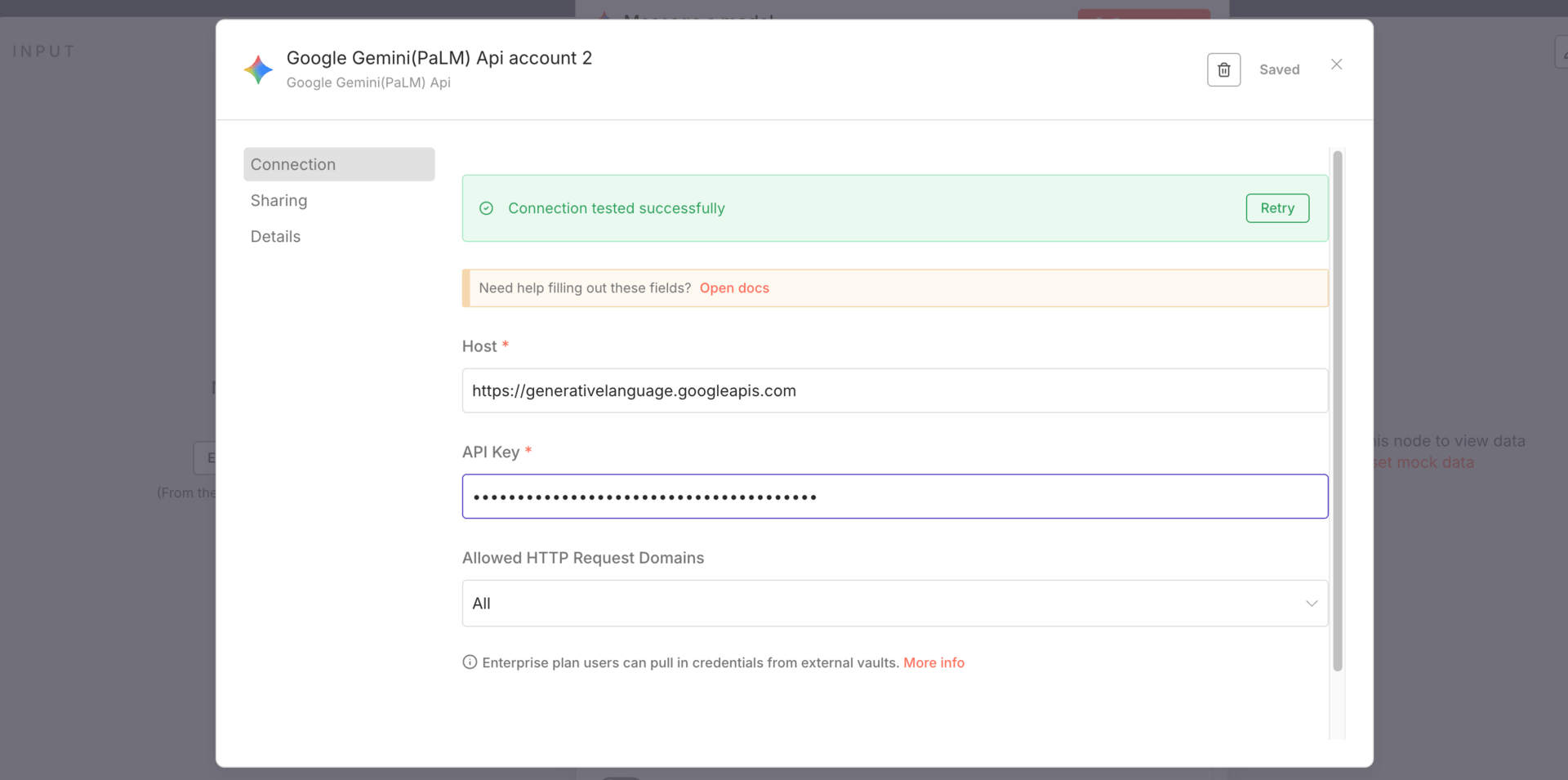
That’s it. You’re connected.
Pros:
| Cons:
|
For simple analysis-based AI automation, this node works well. Once you need more control, it starts to feel restrictive.
Method 2: Gemini as a Chat Model for an AI Agent
This method treats Gemini 3 Pro as the “brain” of an AI agent instead of a one-off analysis tool.
How to set it up:
Add an AI Agent node in n8n
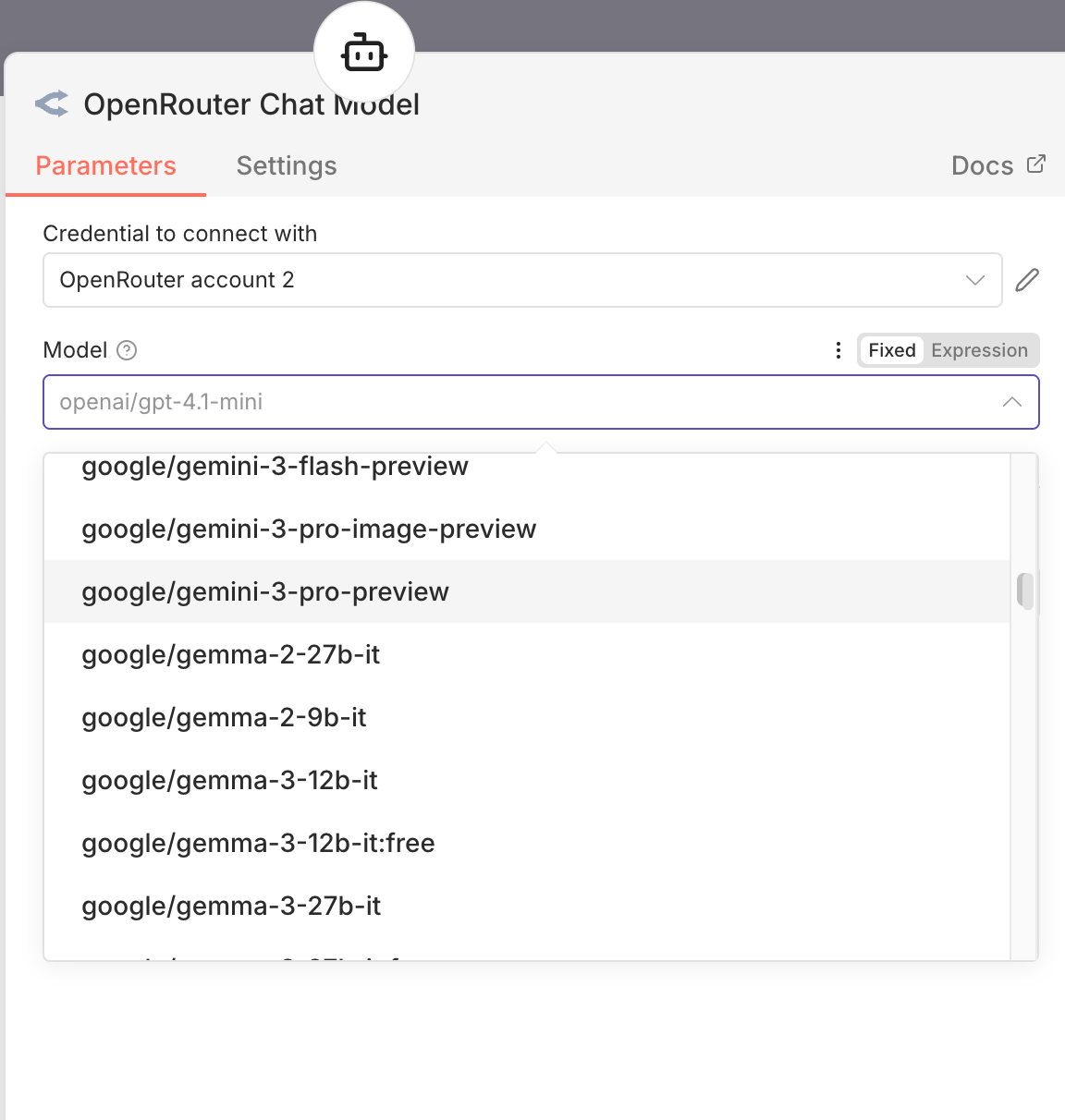
Select Chat Model → Google Gemini
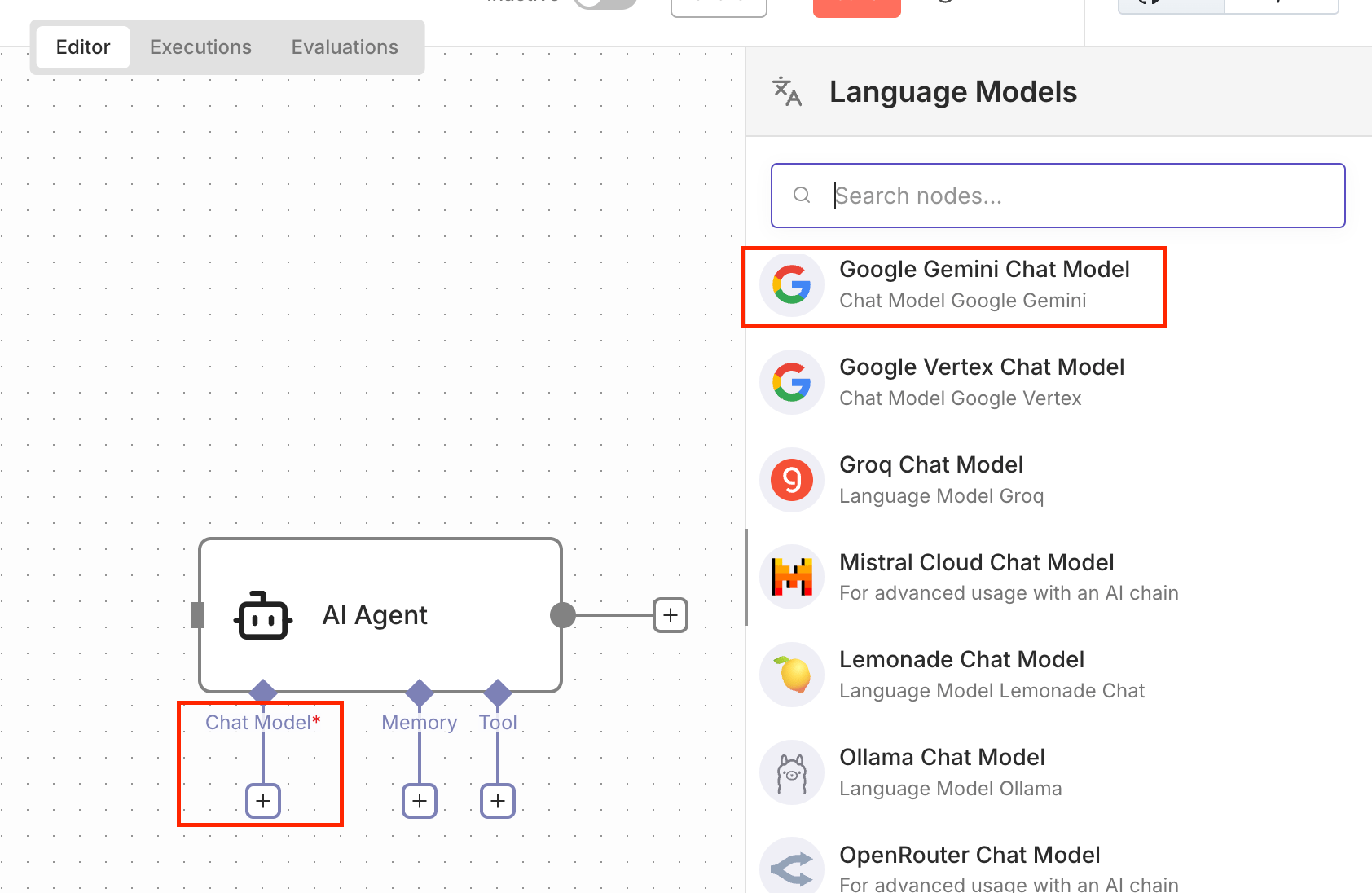
Reuse the same API credentials you already created
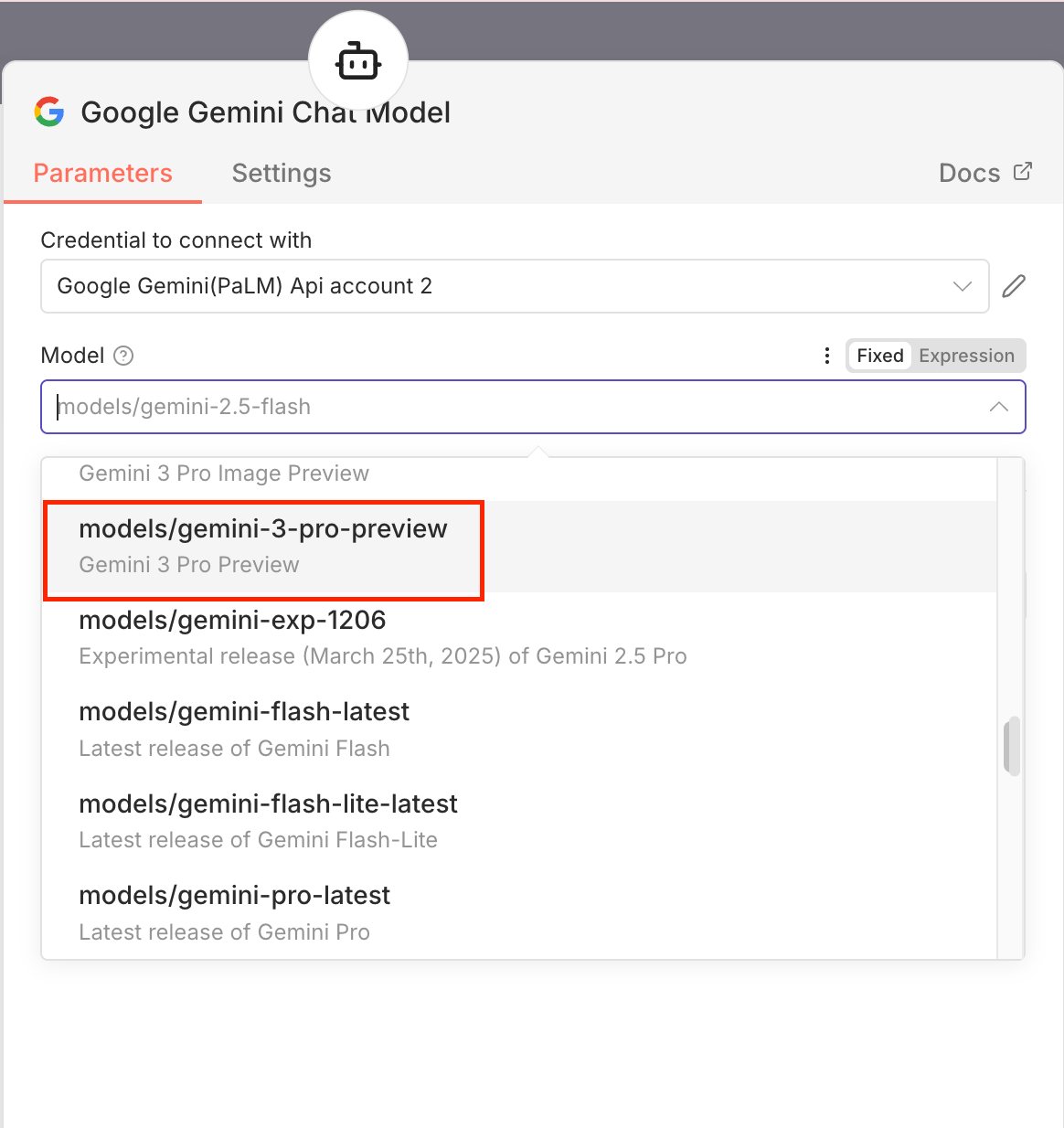
Use this when:
You want Gemini to reason, plan, or decide
You’re building multi-step logic
The agent needs to think, not just describe inputs
This is the setup most people expect to use for serious AI automation. It works well for thinking and analysis, but you still run into limitations later, especially around tool calling and advanced configuration.
Method 3: OpenRouter (Advanced Users)
OpenRouter sits between n8n and the model providers. Instead of connecting directly to Google, you route requests through OpenRouter.
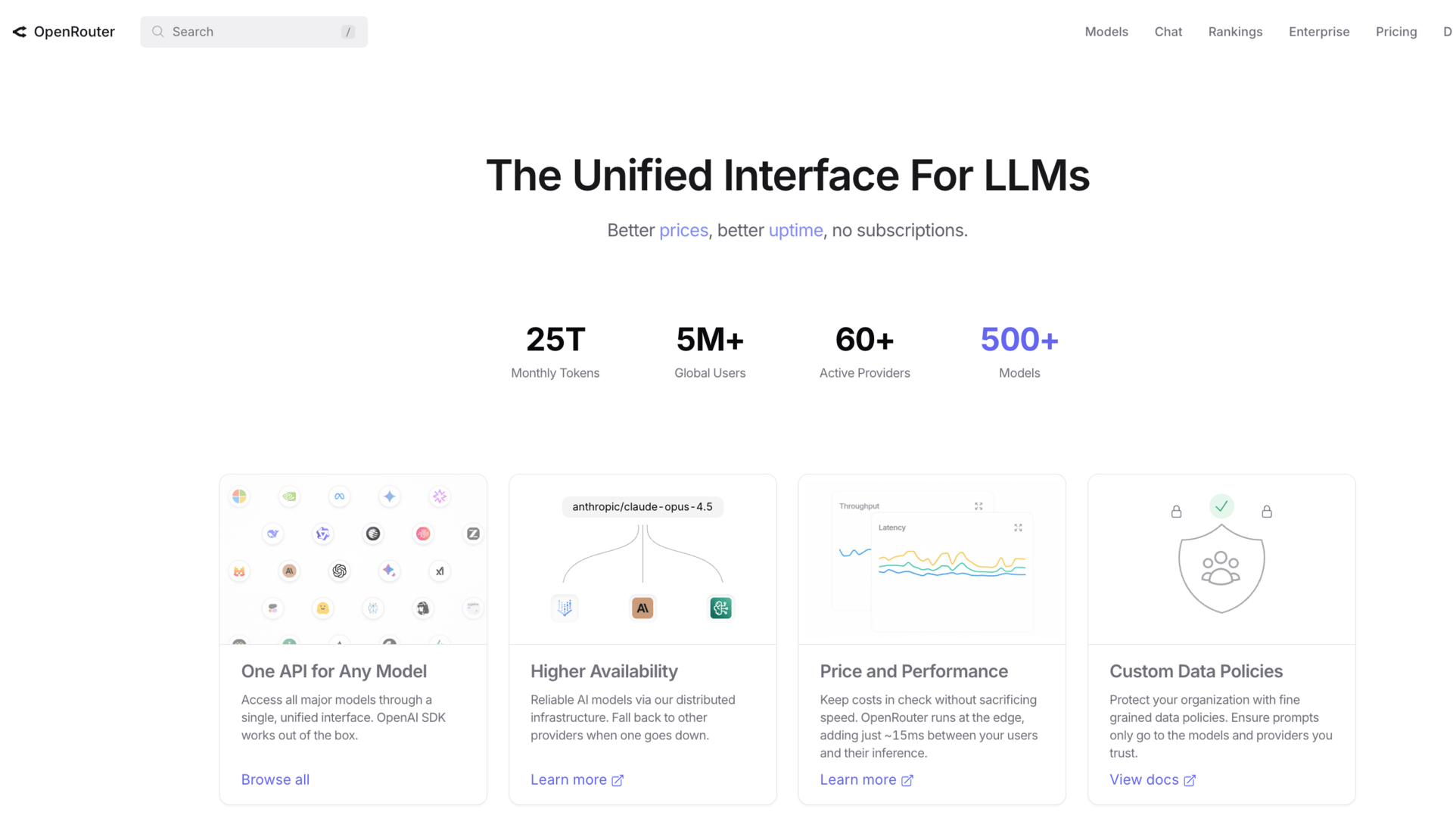
Why use OpenRouter:
One billing account for multiple models
Easy switching between Gemini, OpenAI, and Anthropic
Much easier to run evaluations and comparisons
How to set it up:
Sign up at OpenRouter
Generate an API key
Add the key to n8n
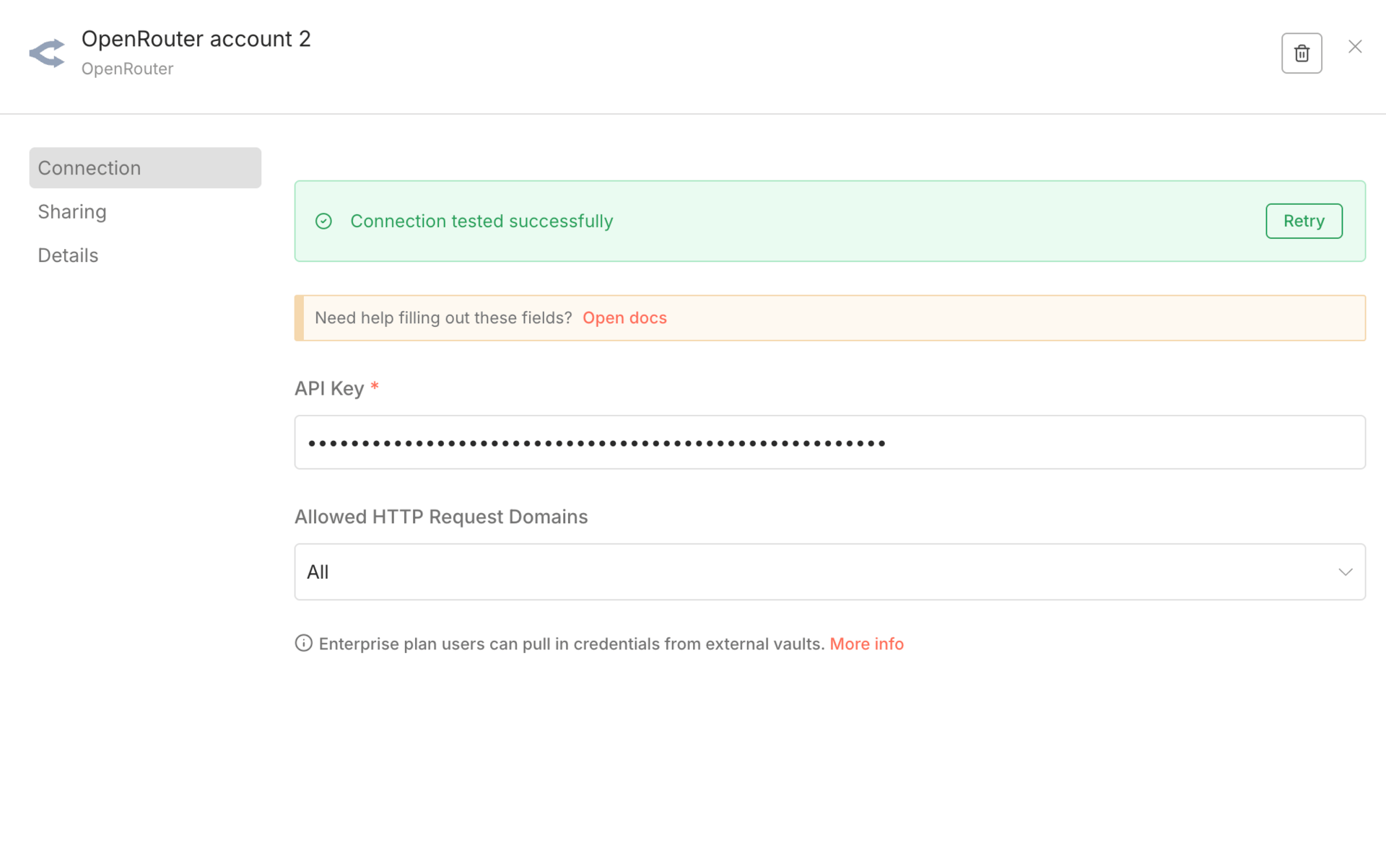
Select Gemini 3 Pro Preview as your model
Limitation
Still missing some Gemini-specific controls
Does not solve all integration issues
For people serious about AI automation, OpenRouter is often the cleanest setup. It makes testing, swapping, and optimizing models far easier, even if it doesn’t expose every Gemini feature yet.
III. Which Gemini 3 Pro Settings Actually Matter for AI Automation in n8n?
Gemini 3 Pro has a lot of settings on paper. In AI automation, only one of them really changes behavior in a meaningful way. And it’s also the one most people don’t realize they can’t control in n8n.
Gemini 3 Pro supports different thinking levels.
Low → faster, cheaper, less reasoning
High → default, slower, deeper reasoning
This setting decides how much internal reasoning the model uses before answering. In real workflows, this directly affects latency and cost.
Here’s the problem: n8n does not expose this setting.
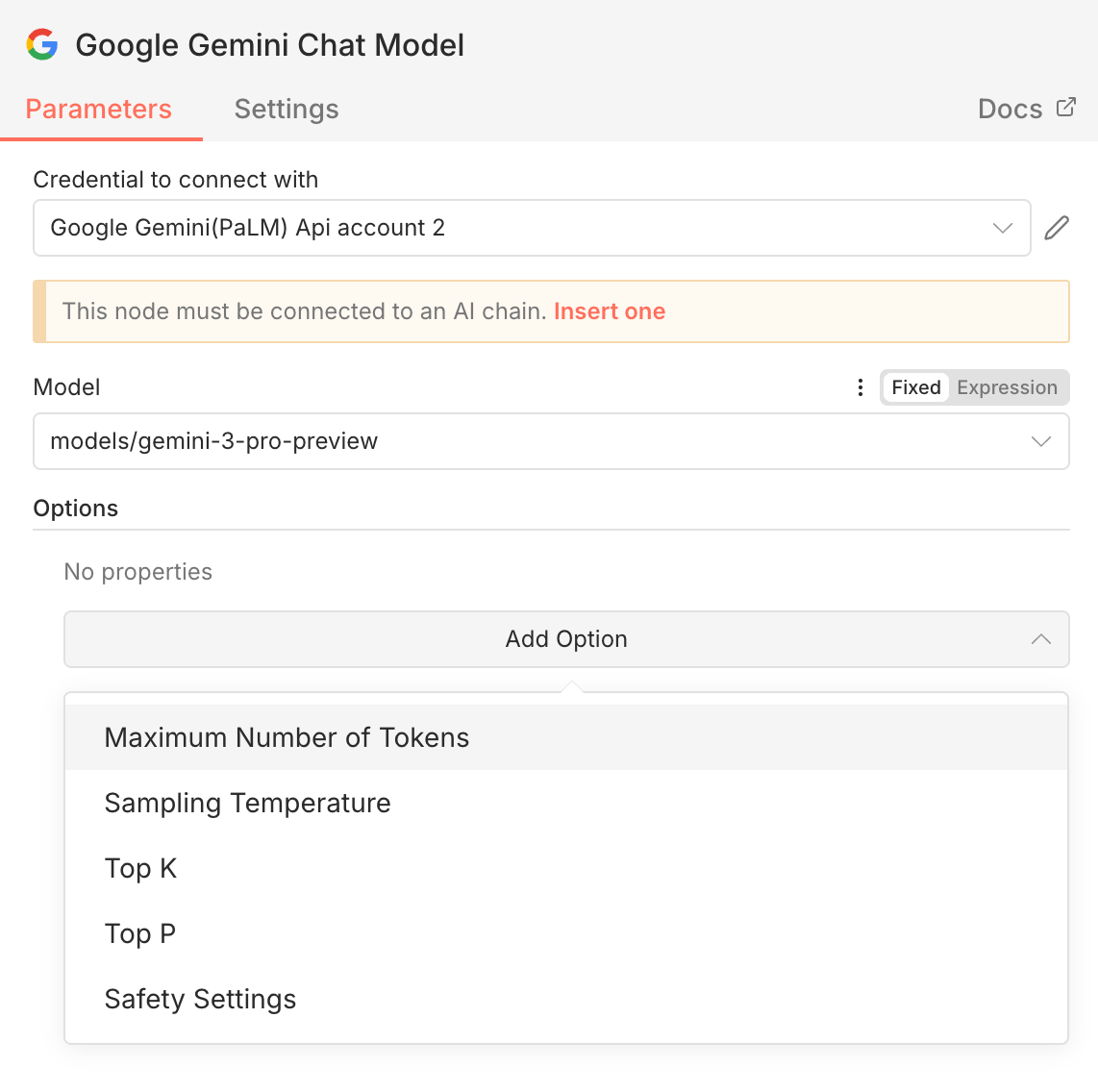 | 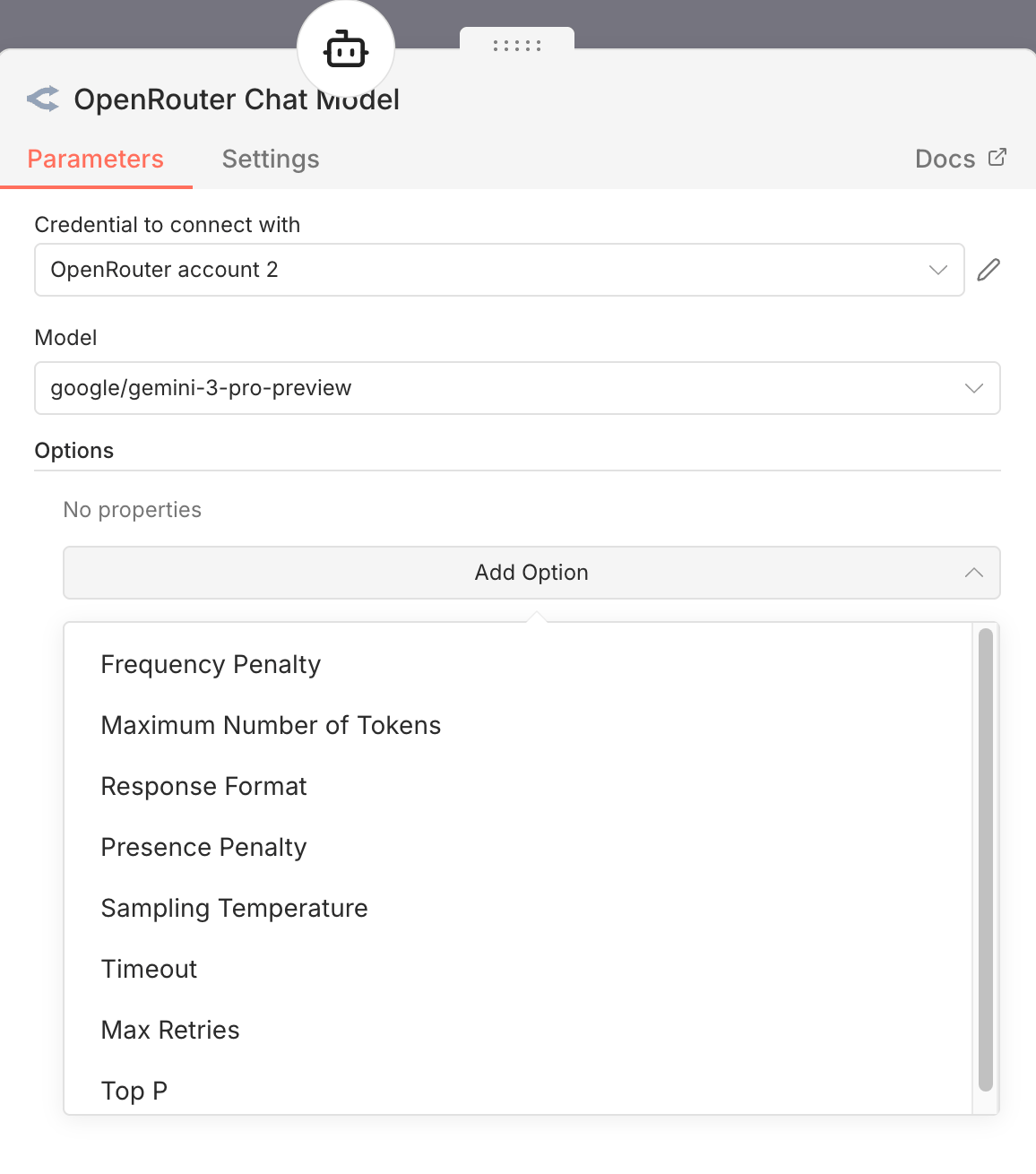 | 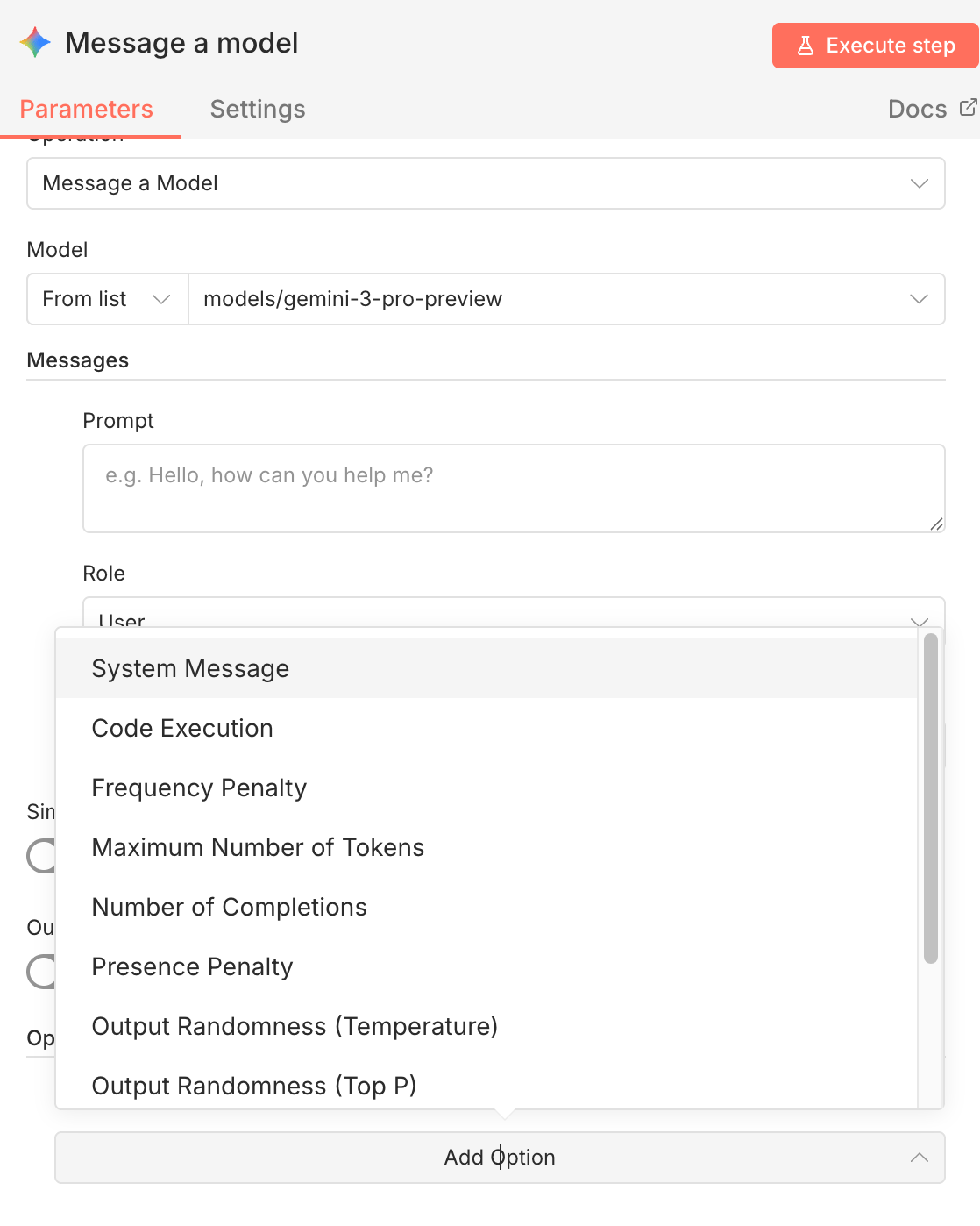 |
If you use the native Gemini node, the AI Agent node, or even OpenRouter, you don’t see a thinking level toggle. You can adjust temperature and token limits, but not this. So by default, you’re always running Gemini 3 Pro in high-thinking mode, even when the task doesn’t need it.
For AI automation at scale, that’s a silent cost problem.
2. Why the HTTP Request Node Is Sometimes Mandatory
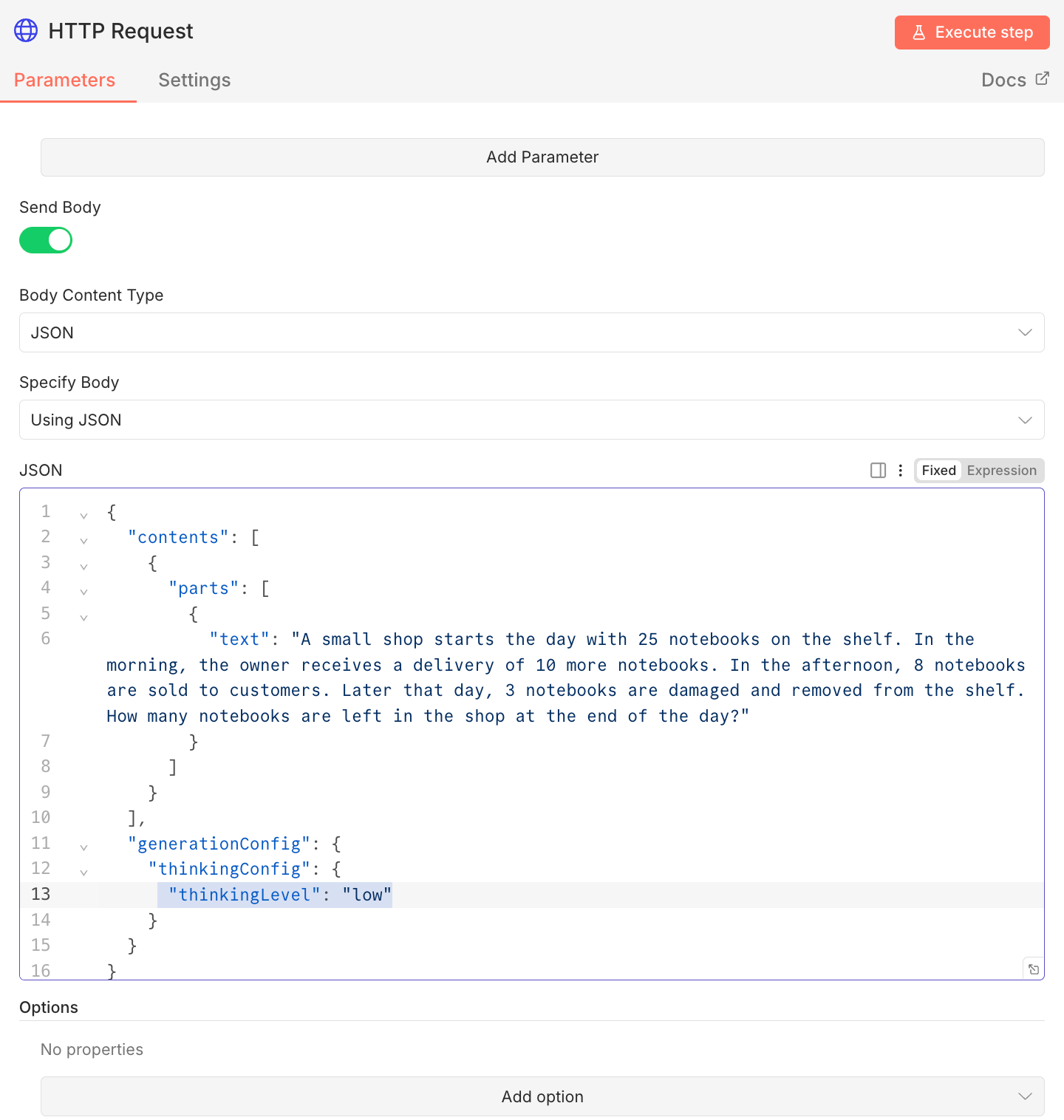
If you want real control over Gemini 3 Pro behavior, you have to call the API directly. That means using an HTTP Request node. To change the thinking level, you must explicitly send it in the request body, like this:
Basic setup:
Add an HTTP Request node
Use the Gemini API endpoint
Include your API key in the headers
Add the thinking configuration in the request body
Send your prompt as usual
This approach does the same job as the built-in Gemini nodes, but with full control over how the model reasons.
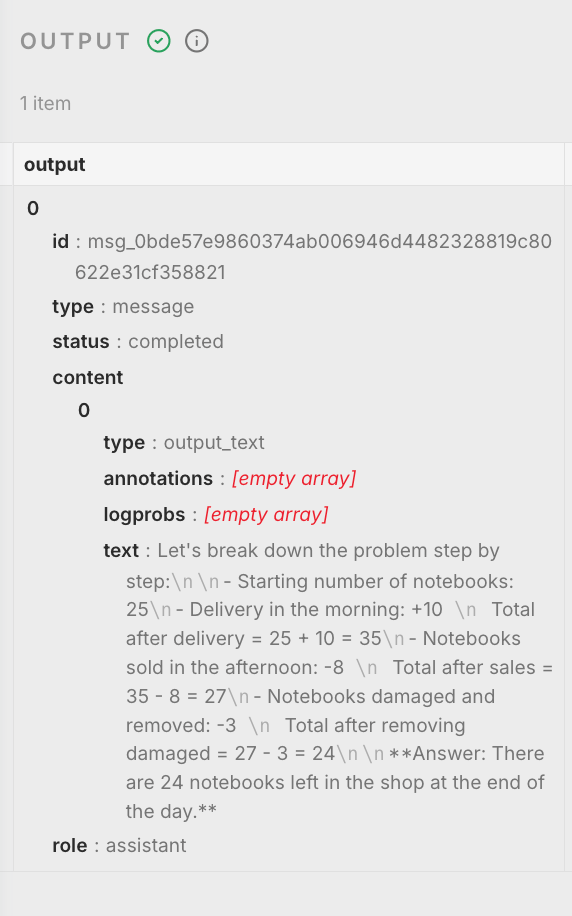
When this is worth the effort:
High-volume AI automation
Cost-sensitive workflows
Simple or repetitive reasoning tasks
If you’re summarizing, classifying, extracting, or doing basic decision logic, low thinking is often enough. You save money and reduce latency without hurting output quality.
The tradeoff is complexity. HTTP requests are less friendly and easier to misconfigure. But if you care about cost and performance, this is currently the only reliable way to tune Gemini 3 Pro properly inside n8n.
This is one of those cases where the model is ahead of the tooling. Until n8n exposes thinking level directly, serious AI automation setups need to work around it.
IV. Practical AI Automation Experiments and Real Conclusions
I ran a series of experiments to see where Gemini 3 Pro actually helps in real AI automation, and where it doesn’t. The goal wasn’t benchmarks or demos. It was practical behavior inside workflows.
First, I tested image analysis in real automation scenarios. I sent the same images through n8n to Gemini 3 Pro and OpenAI with very minimal prompts. In flowcharts, property damage photos, and car damage images, both models could describe what was visible.
The difference showed up in reasoning. OpenAI stayed mostly at surface description.
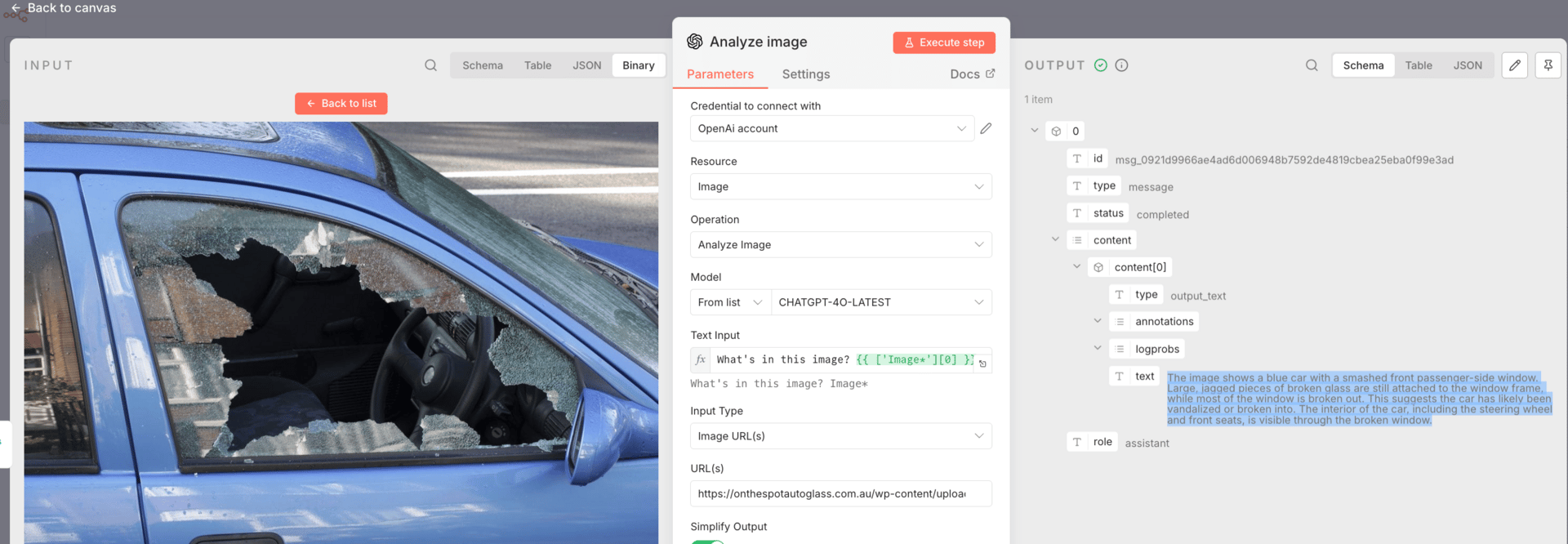
Gemini 3 Pro consistently explained structure, decision paths, and likely causes.
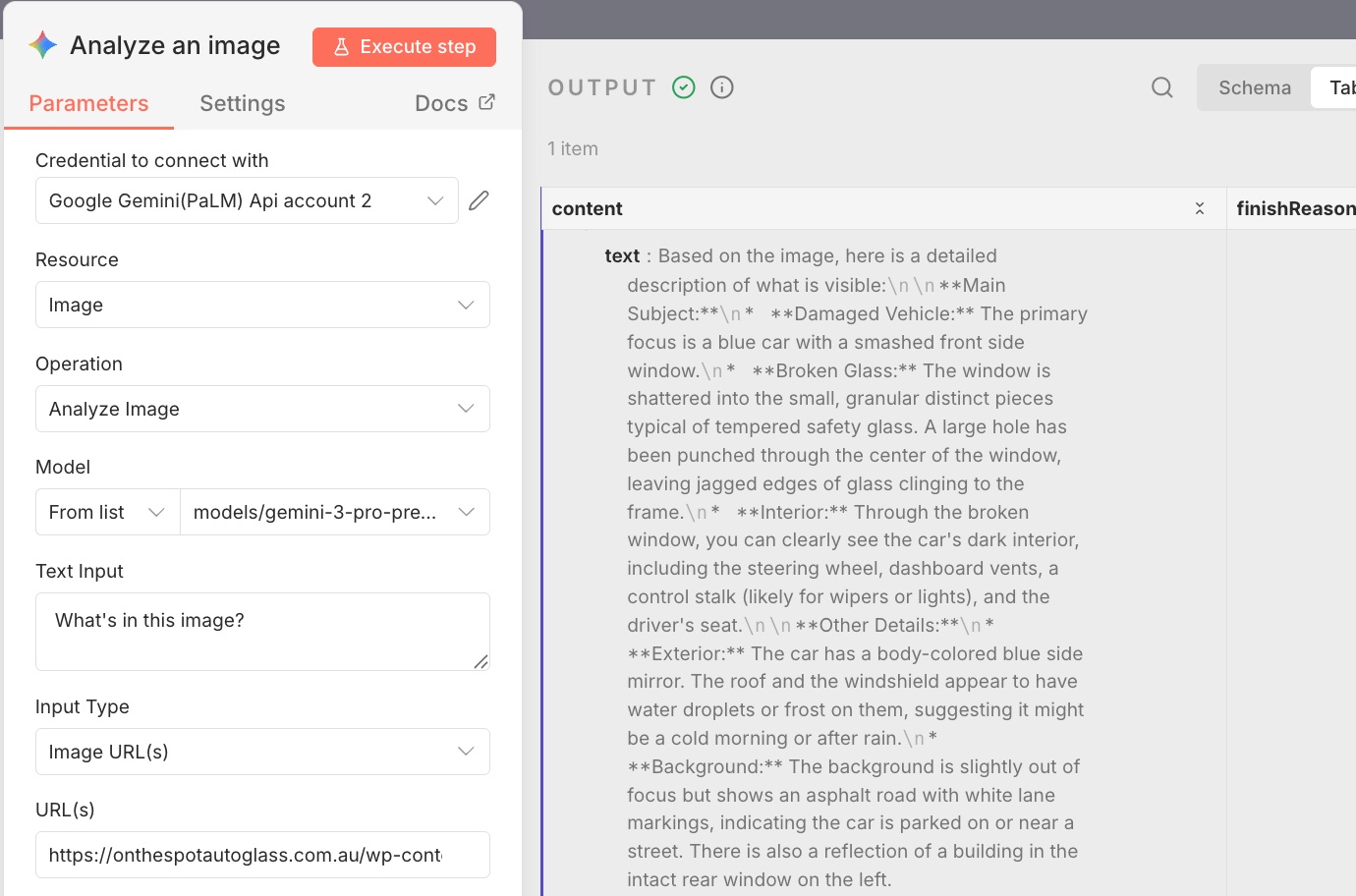
That shift from “what is visible” to “why this happened” is what makes image analysis usable in automation, because downstream workflows need causes, not captions.
Next, I tested large-context handling by stuffing a full 126-page PDF directly into an agent without chunking, embeddings, or retrieval. Gemini 3 Pro handled the entire document without collapsing.
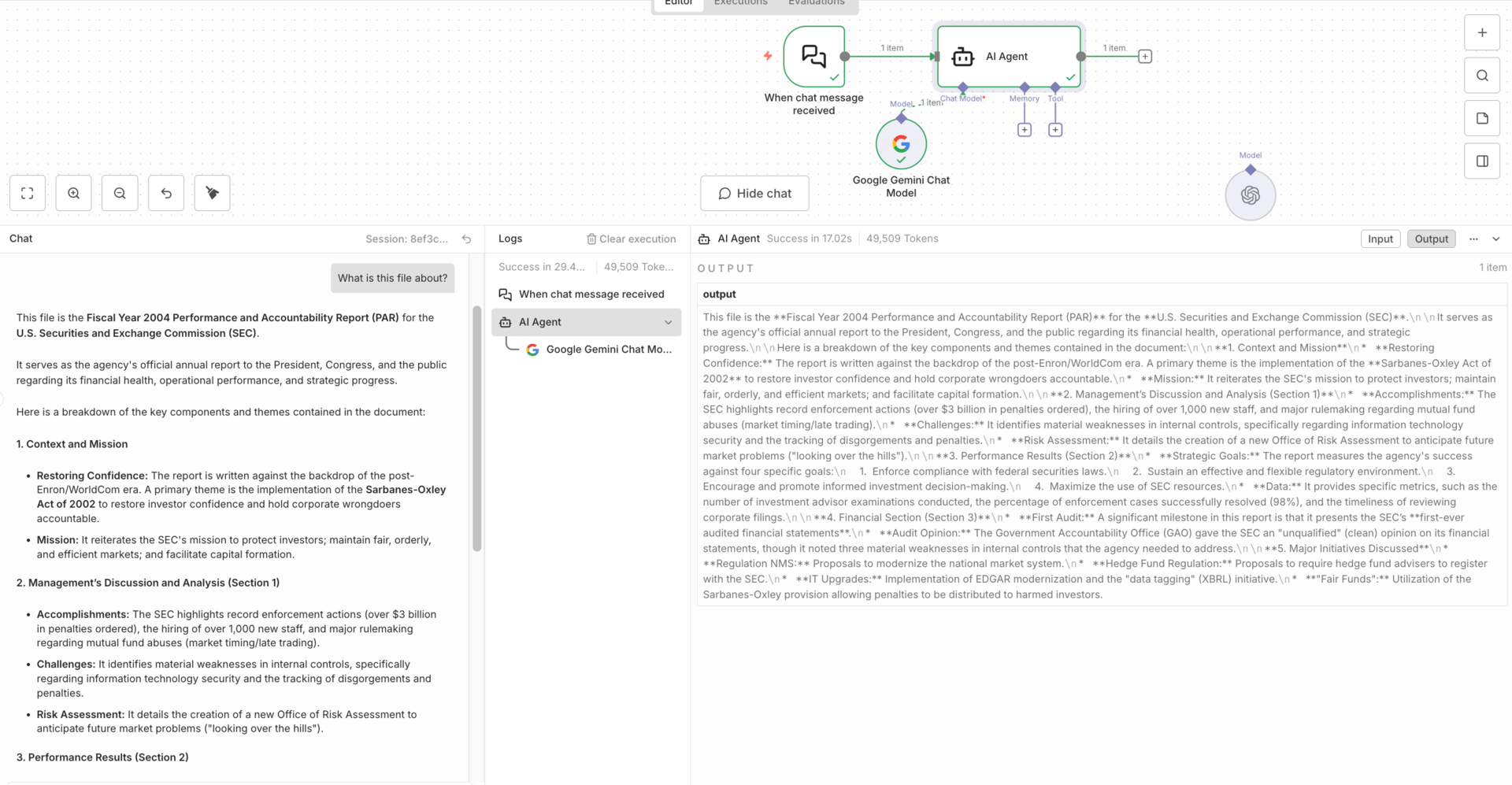
Using n8n evaluations with known answers, its accuracy matched or slightly exceeded other models. The important conclusion here isn’t that it always wins, but that it removes a lot of engineering work when you need consistent reasoning across long documents.
For static internal docs, this is a real advantage.
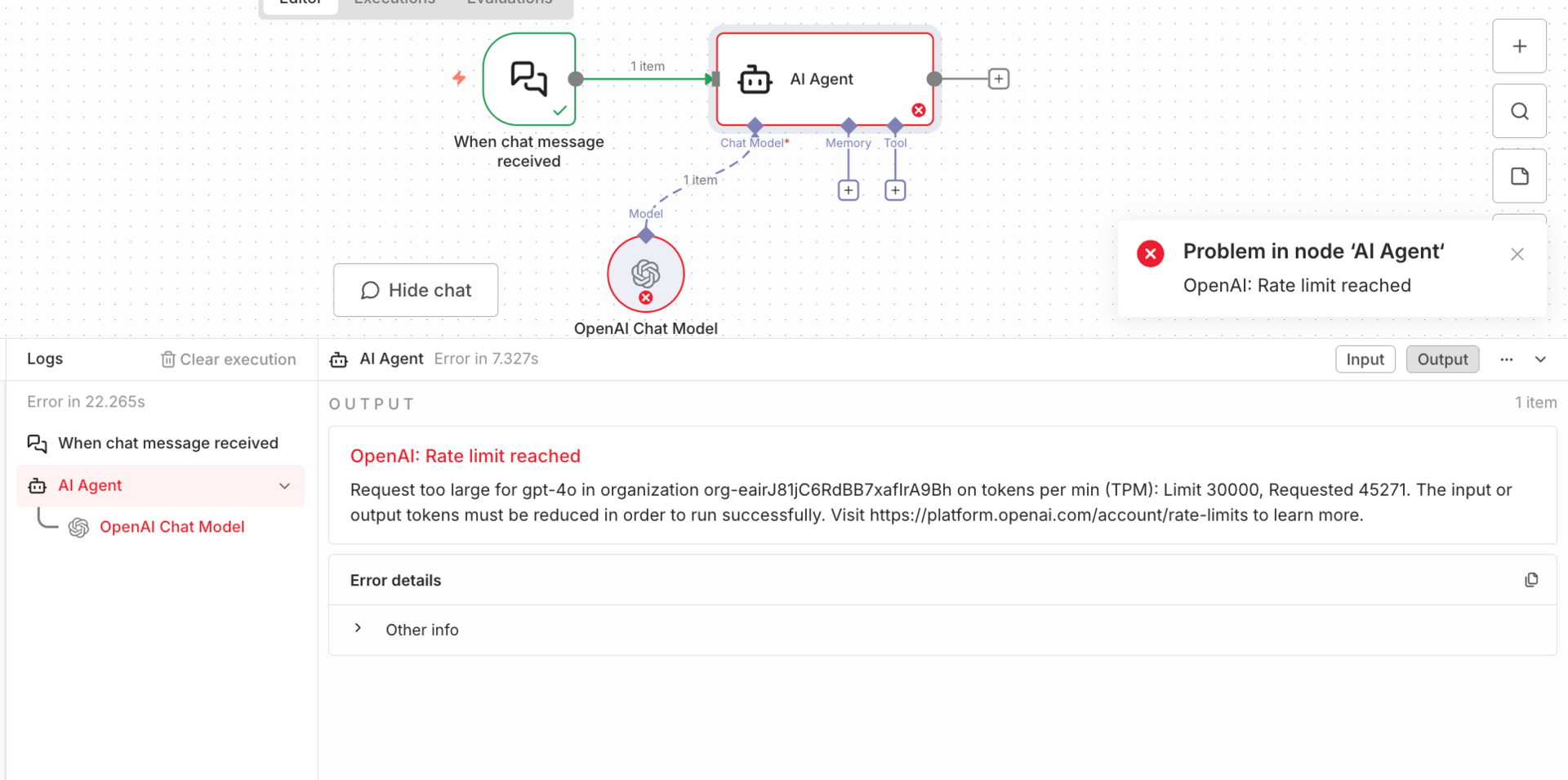
The biggest limitation showed up with tool calling. Gemini 3 Pro breaks in n8n when it needs to call tools and then continue reasoning. The tools often execute successfully, but the agent errors out afterward because n8n doesn’t support Gemini’s thought signatures. This makes Gemini 3 Pro unreliable for execution-heavy agents that need to confirm actions or summarize results after tool use.
The overall conclusion is straightforward. Gemini 3 Pro is excellent at analysis, planning, long-context reasoning, image interpretation, and workflow design. It is not safe yet for tool-heavy execution inside n8n. The most effective setups right now split responsibilities: let Gemini think and plan, and let other models handle execution. That division avoids fragile workflows and gets the best value out of each model.
Conclusion: Final Reality Check (Read This Before You Build)
Gemini 3 Pro is genuinely powerful. For AI automation, it raises the ceiling on what models can understand, reason through, and design. Long documents, complex images, and multi-step planning are no longer edge cases. They’re workable.
But it is not plug-and-play. Right now, n8n’s integrations are not fully ready for how Gemini 3 Pro operates. Key controls are hidden. Tool calling breaks in real workflows. Some things look like they work until you try to run them at scale or in production.
That doesn’t mean you shouldn’t use Gemini 3 Pro. It means you need to use it intentionally. The winning strategy is simple: use Gemini where it’s strong, and avoid it where the platform isn’t ready yet.
Let Gemini 3 Pro handle analysis, reasoning, and workflow design. Let other models handle execution and tool-heavy steps. Test with evaluations instead of assumptions. Build systems that respect both the model’s strengths and the tooling’s limits.
That’s how you build reliable AI automation today. Not by chasing the most powerful model everywhere, but by putting the right model in the right role.
If you are interested in other topics and how AI is transforming different aspects of our lives or even in making money using AI with more detailed, step-by-step guidance, you can find our other articles here:
How do you feel about the AI Automations Series? |
Reply