- AI Fire
- Posts
- 🍌 OpenAI's Nano Banana-Beater Win


OpenAI quietly downgraded free users, plus dropped a shockingly good image model. Some of this looks exciting. And Day 1 of Beginners’ Daily AI plan is our guys, enjoy!
What's on FIRE 🔥
IN PARTNERSHIP WITH FRONTEGG

AgentLink gives you the confidence that any access to your SaaS product is done responsibly, so you can fast track your participation in the AI revolution.
With AgentLink you get a no-code, hosted MCP server, fine-grained policies for agents, and step-up safeguards.

AI INSIGHTS

Have you ever asked ChatGPT to generate or edit an image… and waited almost 1 minute just to get something weird, janky, or misspelled? Now, OpenAI just launched GPT Image 1.5 and it fixes all of that. Here’s what GPT Image 1.5 does better:
Precise Edits: You can now add, remove, or change elements without melting your subject’s face
Real Text Support: It actually renders dense, small fonts clearly
Instruction Following: Want a 6×6 grid of 36 unique objects, each in the right spot? It gets it right.
Creative Filters: Apply stylized presets in seconds (movie posters, 80s ads,…)
Speed: It’s 4× faster than GPT Image 1.0.
And there’s a whole new Images tab now in the ChatGPT sidebar with trending prompts & prebuilt styles. OpenAI’s approach is about speed + control for casual and pro users.
Meanwhile, Nano Banana Pro is focusing on production-grade workflows, more enterprise features yet slightly slower.
So if you're doing brand-level campaigns, Nano might still be your go-to. But if you're iterating fast or need quick edits, GPT Image 1.5 just became your new default.
PRESENTED BY GLADLY
AI that actually handles customer service. Not just chat.
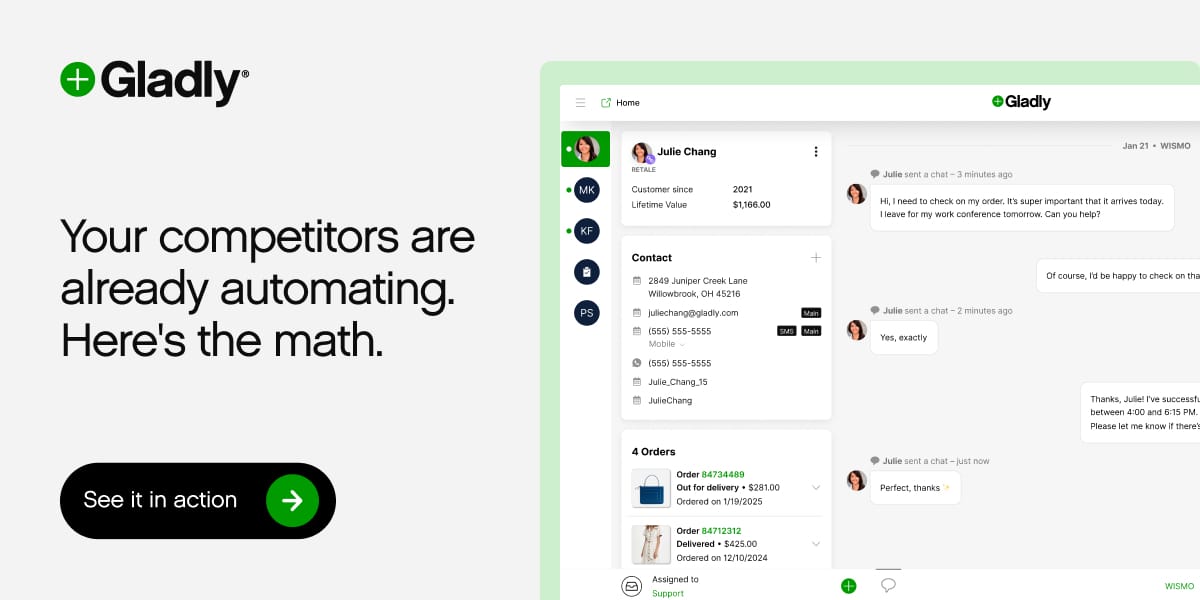
Most AI tools chat. Gladly actually resolves. Returns processed. Tickets routed. Orders tracked. FAQs answered. All while freeing up your team to focus on what matters most — building relationships. See the difference.
AI SOURCES FROM AI FIRE
1. The exact 4-stage path you should use in 2026 to reach $1M with AI. Most people fail because they skip steps to go from beginner to earning millions
2. Here’re 5 Stanford hacks we collected for 10x better answers. These will force ChatGPT to think logically & write in your unique human voice
3. 5 "Quiet" AI apps actually making $300K/Mo (Part 2). In Part 2, we analyze 5 more apps making up to $300k/mo & the master framework to spot profitable ideas and start building
4. DeepSeek-V3.2 beats GPT-5 for Free? Here's my honest test results. Why the Speciale version scores 93% on math & should you switch today
DAY 1: BEGINNERS DAILY AI PLAN
1️⃣ Stop FOMO: Get the Whole AI World in 2 Minutes

Goal: You don’t need to understand everything. You just need to know what’s what. When people say “AI,” they usually mean:
1. AI tools → made for a specific task. Like: image generation, video creation, voice cloning, scheduling, writing, editing. You’ll use a ton of these.
2. LLMs or chatbots (Large Language Models). The most famous ones are ChatGPT by OpenAI, Claude by Anthropic, Gemini by Google or Grok from Elon’s xAI. These are closed-source, companies keep the model secret and run it on their servers. You use it through a chat window.
3. Open-source models → free and public, anyone can build on them like DeepSeek. It’s usually a source of code on Hugging Face, so it’s mostly for coders.
Now, you’ll hear this term more and more: AI Agent. It’s a smart tool that can take actions for you, step by step. Like: reply to emails, summarize a PDF, schedule your calls, upload a post,… all in one flow. You’ll try one later in this series.
So Why Does It Feel So Overwhelming? Because new stuff drops every single day. Companies update tools, release features, or launch entire models. And then… you see blog posts, newsletters, videos, even YouTube ads hyping up everything.
If you just want to work faster, smarter, or automate boring stuff, you don’t need to read everything. That’s why newsletters like AI Fire exist to collect only the upgrades, use cases, and tools worth caring about.
FOMO is fake unless you’re building AI code yourself. In Day 2, we’ll explore exactly what kind of real-world tasks AI can help you with. So save this series!
TODAY IN AI
AI HIGHLIGHTS
🎨 Like we said, OpenAI rushed out GPT Image 1.5 to fight Google Nano Banana. If you're not sure which leading model's better for you, see this quick comparison.
📖 "Slop" is 2025 Word of the Year. If you have been on the internet lately or followed our daily news, you won’t surprise at all. Take a look at these videos & you’ll get why.
📚️ ChatGPT just dropped Skills for specific tasks. If it sounds familiar, basically their version of Claude Skills users have been loving. Here's how to access & set them up.
👀 Google’s Gemma 4 is about to drop? Google DeepMind lead just told people to bookmark and refresh their Hugging Face page (link here). We're refreshing too.
🍽️ DoorDash dropped Zesty, a social app for finding restaurants. You ask for "low-key dinner for introverts" & it'll pull recs from Google Maps, TikTok for you. Try it here.
🤫 OpenAI's betting you won't notice this. Free users now default to GPT-5.2 Instant instead of routing to better models automatically, you'll have to switch manually.
💰 Big AI Acquisition: Nvidia acquired SchedMD, the open-source scheduler used in AI data centers. It supports massive AI workloads & employs ~40 people.
NEW EMPOWERED AI TOOLS
📬 Google’s CC scans your Gmail, Calendar, Drive to send you a personalized briefing every morning
🎬 Adobe Firefly now lets you edit videos with text prompts or use Nano Banana/GPT Image inside
🗂️ Nodejam creates and edits documents, spreadsheets, slides, everything you need for office suite
🧪 Okara lets you chat with every open-source model instantly: Llama, Qwen, DeepSeek,…
AI BREAKTHROUGH

We’ve heard all the hype that AI agents book flights, order your groceries, handle your to-do list like a robo-butler. Then Perplexity and Harvard revealed people aren’t using agents like that at all!?
Instead, they're using AI to think better. Here's what users are actually doing with AI agents:
Over half the queries were about summarizing long documents, editing reports, managing research workflows or just getting coursework help
Users were knowledge workers:
Tech folks
Marketers
Finance professionals
Academics
The biggest predictor of usage is education level and GDP. More education = more agent usage. It makes sense
People might start with light tasks (travel planning, gift ideas), but quickly graduate to deeper tasks once they see what the agents can do
But, there’s one thing we want you to keep in mind. This study uses Perplexity’s user base (which is more research-heavy than, say, ChatGPT’s), so the results may not reflect how ALL people use AI agents.
We read your emails, comments, and poll replies daily
How would you rate today’s newsletter?Your feedback helps us create the best newsletter possible |
Hit reply and say Hello – we'd love to hear from you!
Like what you're reading? Forward it to friends, and they can sign up here.
Cheers,
The AI Fire Team
Reply