- AI Fire
- Posts
- 📚 Easily Make AI Your Personal 24/7 Professor to Master Anything You Want
📚 Easily Make AI Your Personal 24/7 Professor to Master Anything You Want
Connect your physical library to a private cloud and turn quiet pages into a talkative brain. Link your books to a smart system for better memory in minutes.

Neil Phan
January 19, 2026
TL;DR
Reading books is often a "one-way" street where information is quickly forgotten, but you can change this by building an AI Tutor using tools like a CZUR scanner and Microsoft Copilot. By digitizing your physical books and engaging in active, two-way conversations with the AI, you turn passive reading into "Active Processing" that locks knowledge into your long-term memory. This guide shows you how to scan, upload, and prompt your AI to act as a personal professor who quizzes you and simplifies complex topics 24/7.
Key points
Concept: Turn passive reading into a two-way conversation to boost memory retention.
Tool: Use Microsoft Copilot and OneDrive as the "brain" and "memory" of your tutor.
Action: Scan books into Searchable PDFs so the AI can actually read and analyze the text.
Critical insight
Don't just read; debate the book with an AI to force your brain to truly master the material.
Do you struggle to remember what you read? 🧠 |
Table of Contents
Do you ever feel sad when you look at your bookshelf full of books, but you don’t remember much of what you read?
I used to feel that way too. I bought many books, read them carefully, and used colorful highlighters, but I forgot everything just a few weeks later. The problem is not that you are lazy. It is because traditional reading is a one-way street.
In this guide, I will help you change that. We will work together to build a personal AI tutor from the paper books on your shelf.
This is not about replacing your books with machines. It is about using technology to help your brain remember more and understand deeply what the author wants to say.
However, as you chat with your AI Tutor, it is important to ensure your own insights stay sharp and authentic; you can use this method to escape robotic AI patterns and keep your learning process human-centered.
Part 1: What Is An AI Tutor And Why Do You Need It Now?
An AI tutor transforms passive reading into an active two-way conversation, acting like a virtual teacher who has memorized every page of your book.
Unlike standard chatbots, it understands the full context of the text, allowing you to ask questions, debate concepts, and clarify difficult passages instantly. This process of "Active Processing" prevents information from leaking out of your brain, pushing knowledge deep into your long-term memory instead of letting it fade away after a week.
Key takeaways
Definition: A virtual teacher that knows your specific book inside out.
Problem: Traditional reading is a "one-way street" prone to forgetting.
Solution: AI enables "Active Processing" (two-way debate) to lock in memories.
Benefit: Turns dusty books into living partners available 24/7.
To truly understand the power of this tool, we need to talk about 'Context.' Most AI chats rely on general internet data, which can be vague or inaccurate. By contrast, this system creates a closed loop of knowledge centered strictly on your uploaded book. It means every answer, summary, or quiz question is grounded in the author's actual words, eliminating hallucinations and ensuring you are learning exactly what the book teaches.

Usually, when you read a paper book, it is a one-way street. The author speaks through the pages, and you just sit there and listen. If you don't understand a sentence, the book cannot explain it better.
If you feel bored, the book cannot change its tone. This is why many people stop reading halfway or forget everything a week later.
However, when you use an AI tutor, learning becomes a two-way conversation. It is like sitting at a coffee shop with the author of the book.
Why Is This A "Must-Have" Tool Today?
In the past, we had to take long notes or draw mind maps by hand to remember books. It took hours! Now, having an AI tutor for each book helps you stop the cycle of forgetting.
Our brains are like leaky buckets; information drips out very fast. But when you talk to an AI about what you just read, you are doing something called "Active Processing." You are not just looking at words; you are playing with ideas. This makes the knowledge stick to your brain much more strongly.

Looking at the illustration, you can see exactly how this system works: instead of letting information from books just pass through your Working Memory and disappear, asking questions or debating with an AI activates your mental gears.
This active, two-way interaction is the force that pushes knowledge deep into your Long-Term Memory. Simply put, the AI helps your brain chew on every page so you truly master the knowledge instead of just "swallowing" it and forgetting it instantly.
Instead of letting your expensive books "sleep" on the shelf and gather dust, you are giving them a second life.
You turn a heavy stack of paper into a living, breathing knowledge partner that is ready to talk to you 24/7. Whether it is 2:00 AM or during your lunch break, your personal teacher is always there to help you grow.
Learn How to Make AI Work For You!
Transform your AI skills with the AI Fire Academy Premium Plan - FREE for 14 days! Gain instant access to 500+ AI workflows, advanced tutorials, exclusive case studies and unbeatable discounts. No risks, cancel anytime.
Part 2: What Tools Do You Need To Prepare For Your AI Tutor?
To build your AI tutor, you need three specific tools: a scanner to digitize the book, Microsoft Copilot to act as the "brain," and OneDrive to store the files securely. A dedicated scanner like the CZUR is best for flattening curved pages, but free apps like Adobe Scan work for budgets.
Copilot is essential because it can process large documents (hundreds of pages) to understand context, unlike basic chatbots that only handle short text snippets.
To truly unlock this potential and avoid generic responses, you can apply these 10 secret prompt blueprints that force the AI to give you perfect results instead of boring, surface-level summaries.
Key takeaways
Scanner: CZUR (Pro) or Adobe Scan (Free) to digitize paper.
AI Brain: Microsoft Copilot analyzes entire books, not just keywords.
Storage: OneDrive allows the AI to "index" and search your library instantly.
Goal: Create a digital bridge between your physical shelf and the AI.
To start this journey, we need some basic tools. Don't worry if you are not good at technology. I will explain everything simply.
1. A Book Scanner
This is the most important step to move words from paper to the digital world. You need clear and flat pictures so the AI can read the text correctly.
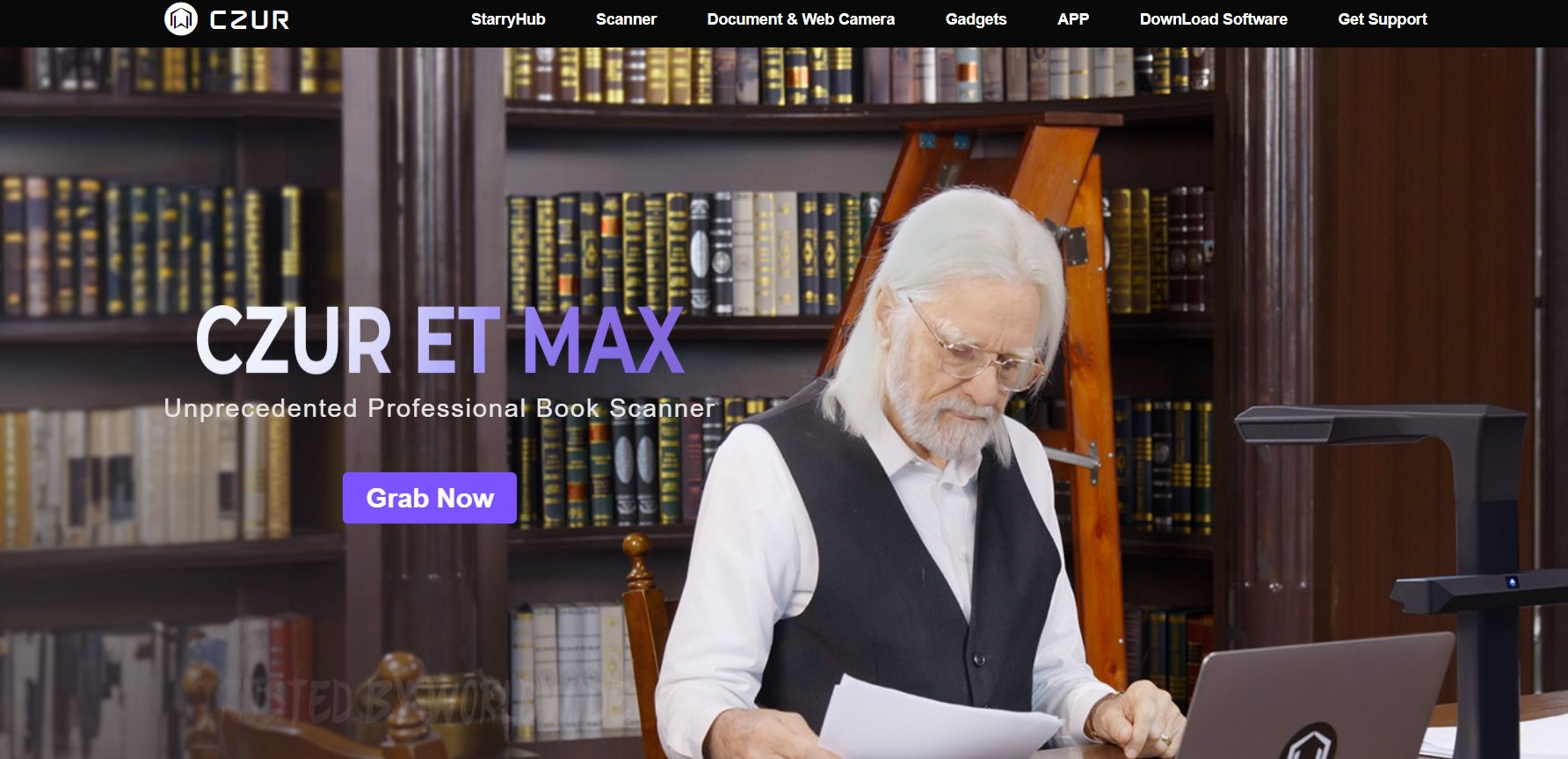
Professional Scanners: Machines from CZUR (like the Shine Ultra Pro) are very good. They have technology to make the curved pages look flat. You just turn the page and press a foot pedal. The machine does everything else.
Cheap Option: If you don't want to buy a scanner, you can use your phone. Apps like Adobe Scan or Microsoft Lens are great. However, it takes more time and your hands might get tired.
2. Microsoft 365 Account (With Copilot)
Microsoft Copilot acts as the central "brain" of your learning ecosystem. Unlike standard chatbots that can only handle short pieces of text, Copilot is designed to analyze and "digest" the entire content of books that are hundreds of pages long.
This tool does not just look for keywords; it also understands the context, the author's tone, and how different chapters relate to each other.
Because of this, you can turn a quiet PDF file into an intelligent partner that can explain difficult technical terms and act like a teacher to guide you through every lesson.
To take this efficiency even further, you can pair your AI Tutor with a beginner-friendly automated workflow to stop chasing messy data, ensuring that your study notes and insights flow seamlessly into your database without any manual struggle.
3. OneDrive Cloud Storage
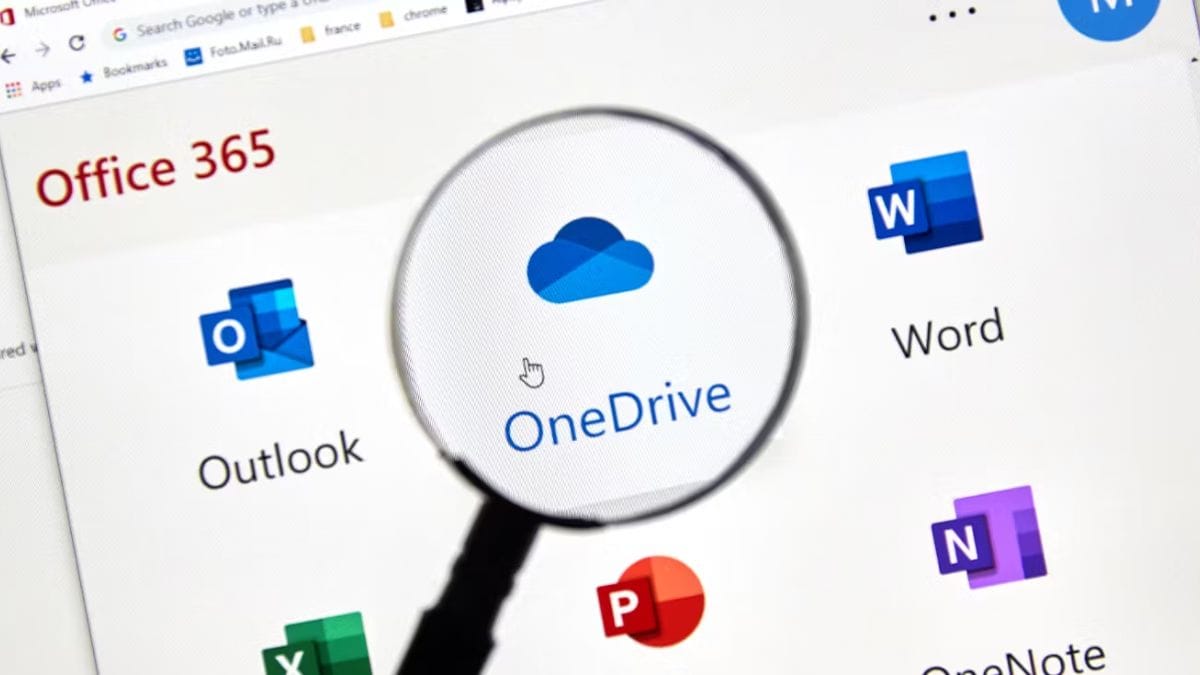
For your AI tutor to work, it needs a safe workspace to access your files, and that place is OneDrive. Think of OneDrive as a secure bridge between your physical bookshelf and the AI's intelligence.
Copilot can only read the books that you have specifically saved and given permission for within this cloud environment. Using OneDrive helps the system "index" the data from your book quickly, allowing the AI to find the exact page and paragraph for your answer in just a few seconds.
At the same time, it helps you sync your learning across all devices, from your computer to your phone.
Part 3: How To Scan Your Book Correctly For Your AI Tutor?
This step needs a little patience. If the scan is bad, the AI will read the wrong words.
Steps Using A CZUR Scanner:
Set up: Put the scanner on a flat table and connect it to your computer.
Place the book: Open the book under the camera. Don't worry about your fingers holding the pages; the software will hide them automatically.
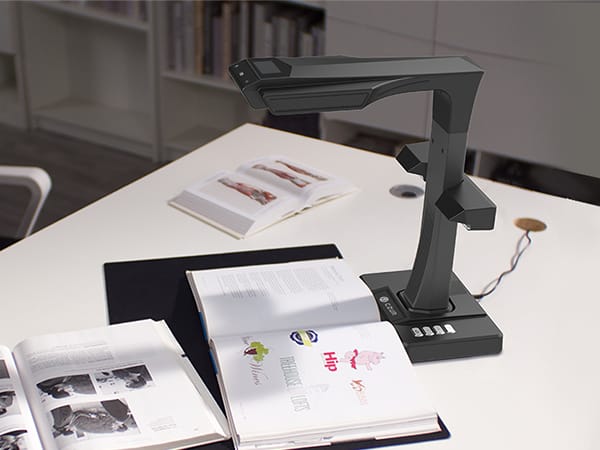
Fast scanning: Use the foot pedal to take pictures. Every time you turn a page, press the pedal. A 300-page book usually takes only 15 to 20 minutes.
Save as Searchable PDF: This is the secret! You must choose "Searchable PDF." This turns the image into text that the computer can actually understand.
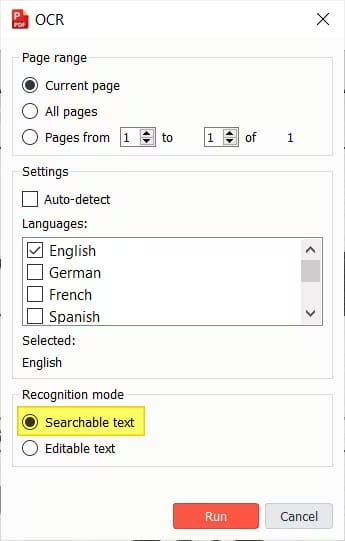
My personal tip: Scan in a room with good light. Avoid direct sunlight because it makes the pages too shiny and hard to read.
Part 4: How To Upload Your Book To OneDrive To Start The AI Tutor?
After you have a good PDF file, we need to put it on the cloud.
Log in to your OneDrive account.
Create a folder named "AI Library" so it is easy to find.
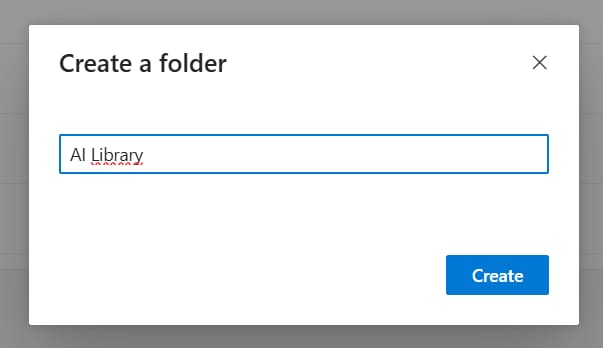
Drag and drop your book PDF here. Wait for it to finish uploading.
Open the file on your web browser. Try to highlight some words. If you can highlight them, it means the AI can read them too.
Part 5: How To Start Talking To Your AI Tutor For The First Time?
Now, let's wake up your teacher.
Go to the Copilot website or open Copilot in Microsoft Word.
Look for the plus (+) icon or the paperclip icon to attach a file.
Select your book file from your OneDrive.
Your first command (Prompt): Don't just upload the file. Talk to it! For example: "I just uploaded a Marketing book. Please act like a college professor and help me understand this book deeply."
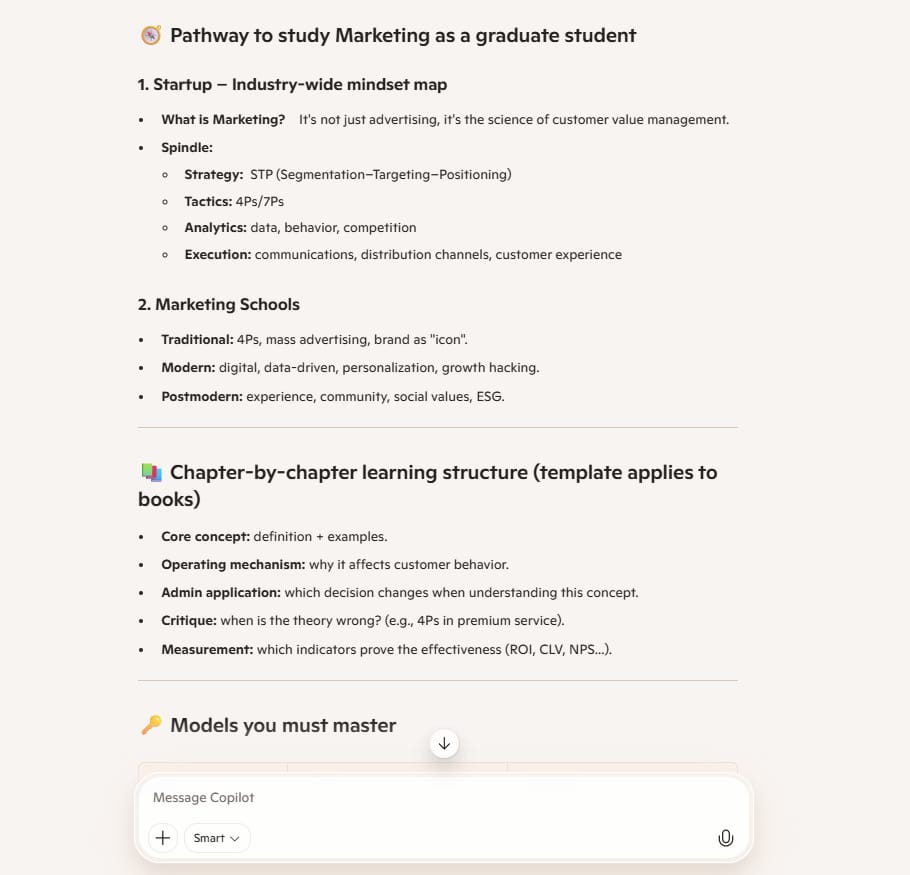
Now, the AI tutor will look at the table of contents and tell you it is ready to help.
Part 6: Which Interaction Methods Help The AI Tutor Teach You Best?
To learn effectively, you should not think of the AI as just a search engine. Instead, treat it like a teacher sitting right across from you. Rather than just reading, you need to actively ask the AI for help in the following ways:
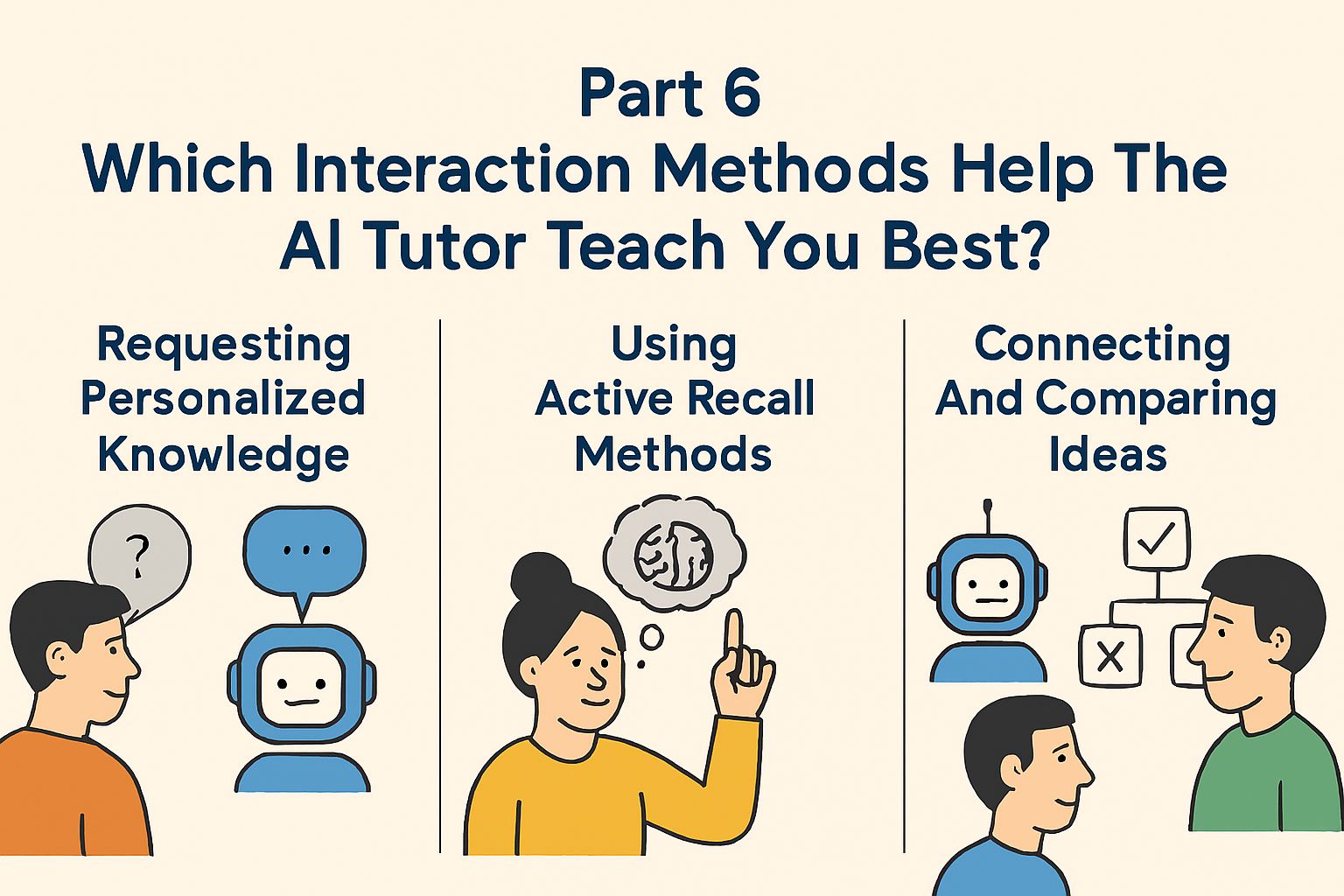
1. Requesting Personalized Knowledge
When reading books, we sometimes find technical terms that are too difficult or explanations from the author that are too complex.
Instead of skipping them, ask your AI Tutor to rephrase the information using simpler language. You can ask it to explain things as if it were talking to a total beginner, or even tell a story to clarify abstract concepts. This helps you grasp the core of the issue without feeling overwhelmed.
2. Using Active Recall Methods
This is the best way to truly "master" knowledge instead of just skimming through the pages. Let the AI play the role of an examiner.
Instead of trying to remember everything by yourself, ask the AI to create test questions based on the content you just read.
More importantly, you can tell the AI not to give the answers right away. It will wait for your response, then tell you if you understood correctly and help fill in any gaps in your knowledge.
3. Connecting And Comparing Ideas
A good book often has ideas that are closely related across different chapters. You should ask the AI to find those connections for you.
For example, you can ask how the knowledge in the first chapter supports what the author says in the final chapter.
Additionally, if the book mentions many different methods, you should have the AI create a comparison table of the pros and cons of each one. This approach helps you get a deep and complete view of the entire book.
Part 7: Who Can Benefit From An AI Tutor?
No matter who you are, this system is very helpful.
Who are you? | How to use the AI Tutor | Real-world benefits |
Students & Learners | Turn dry textbooks into interactive practice tests or multiple-choice quizzes. Ask for instant explanations of complex scientific definitions in simple, everyday language. | Makes exam preparation efficient and removes the fear of studying thick, heavy books. |
Professionals & Workers | Extract key strategies and frameworks from business or skill-based books in just a few minutes. Ask the AI to create a "To-Do List" or an action plan to apply to your job tomorrow morning. | Saves time on reading and quickly turns book theories into practical actions at the workplace. |
Book Lovers & Researchers | Digitize your physical bookshelf into a library on OneDrive to find old ideas or specific quotes in seconds. Use the AI to "connect the dots" between ideas from different authors across your library. | Stores knowledge forever and makes it easy to search through your entire collection without flipping pages. |
Part 8: Important Notes So The AI Tutor Doesn't Make Mistakes?
Even though AI is very smart, it is not perfect and can sometimes "hallucinate" or create information not found in the book. To get the most accurate help, follow these simple rules:
Be strict with the source: AI models are trained on the entire internet and might give you answers from external websites. To prevent this, always tell the AI: "Only use information from the PDF file I provided; do not use outside knowledge".
Focus on scanning quality: The AI can only understand what it can clearly "see". If your scan is blurry or words are cut off near the book's spine, the AI will try to guess, leading to mistakes. Using a high-quality scanner ensures the text is flat and clear.
Verify the OCR: After scanning, open your PDF and try to search for a specific word. If the search works, the Optical Character Recognition (OCR) is successful, and the AI can "read" your book.
Keep your tools updated: Technology changes fast, and Microsoft frequently updates Copilot to better handle large and complex documents. Always use the latest version of the app or browser for the best results.
Part 9: Why Is Using An AI Tutor Better Than Old Ways Of Learning?
This system is much more effective than traditional reading because it follows proven learning science:
Active Recall (Brain Workout): Traditional reading is passive, but when an AI asks you questions, it forces your brain to work hard to find answers. This process builds stronger memory connections.
Spaced Repetition: You don't need to re-read the whole book to remember it. You can ask your AI Tutor for a 5-minute refresher or a quick quiz on a book you read months ago to keep the knowledge fresh.
Personalized Learning: Everyone learns differently, and an AI can change its style just for you. It can explain a concept multiple times using different examples or stories until you truly understand.
Immediate Feedback: When you get a question wrong during a self-test, the AI corrects you instantly. This prevents you from accidentally remembering the wrong information.
Part 10: How Much Does an AI Tutor System Cost?
Building your own learning system requires some investment, but you can choose a path that fits your current budget. Let’s look deeper into the costs and why investing in better tools can save you a lot of time in the long run.
Item | $0 Option (Budget-Friendly) | Professional Option (High Efficiency) |
Scanner | Use a smartphone app like Adobe Scan or Microsoft Lens (Free). | CZUR Professional Scanner (Price ranges from about $150 to $600 depending on the model). |
AI Software | Use the free version of Microsoft Copilot or other basic AI tools (Limited file uploads). | Microsoft 365 with Copilot Pro (Monthly subscription fee). |
Time Investment | Very slow; you have to take a photo of every single page by hand. | Very fast; the scanner automates the flattening and capturing process. |
Privacy And Security
When you pay for a professional subscription like Microsoft 365, your data is much safer. Your scanned books and your conversations with the AI are private and protected by enterprise-grade security. Microsoft does not share your personal files with others, so you can learn with peace of mind.
Conclusion: The Future Of Your Personal Library
Turning your paper books into an AI tutor is a major breakthrough for anyone who is serious about learning. This system allows you to keep the traditional feel of a physical book in your hands while using the immense power of artificial intelligence to ensure you never lose that knowledge again. You are no longer just a passive reader; you are now an active learner with a digital partner that understands your books as well as you do.
Don't let the valuable wisdom on your bookshelf sit idle and gather dust. By digitizing your collection, you are building a "second brain" that is searchable, interactive, and available 24/7. Whether you are a student preparing for exams or a professional looking to sharpen your skills, this technology bridges the gap between simply reading a page and truly mastering a subject.
The journey to smarter learning starts with a single step. Grab that book you’ve been meaning to finish, start your first scan, and begin the conversation with your new personal teacher today. Your future self will thank you for the time and effort you invested in making your knowledge permanent.
If you are interested in other topics and how AI is transforming different aspects of our lives or even in making money using AI with more detailed, step-by-step guidance, you can find our other articles here:
AI Generalist: How To Make 2026 The Best Year of Your Life With GPT/Gemini
The New Way to Build Profitable AI Websites With Gemini 3 (It Starts With One Page)
Earn Money with MCP in n8n: A Guide to Leveraging Model Context Protocol for AI Automation*
Transform Your Product Photos with AI Marketing for Under $1!*
The AI Secret To Reports That Clients Actually Implement
*indicates a premium content, if any
How useful was this AI tool article for you? 💻Let us know how this article on AI tools helped with your work or learning. Your feedback helps us improve! |
Reply