- AI Fire
- Posts
- 🤯 Your AI Writing Is Boring: The "Dual Brain" Secret Fix (Part 2)
🤯 Your AI Writing Is Boring: The "Dual Brain" Secret Fix (Part 2)
A text file makes no money. Learn how to use Copilot to turn one article into 30 social posts, emails, and videos to dominate your niche fast.

Neil Phan
December 01, 2025

TL;DR BOX
This guide explains how to repurpose a single "Master Asset" article into thirty distinct content pieces using the "Dual AI" method. You use ChatGPT to write code and Copilot to generate marketing angles, building software tools and campaigns rapidly.
The process involves using Copilot to extract social media hooks, email outlines, and video scripts from your main article. This solves the problem of content fatigue by using one foundation for all channels. It also demonstrates how to build interactive no-code tools and find affiliate revenue opportunities by analyzing your text.
Key points
Fact: Copilot uses live internet data to find high-traffic SEO keywords your article is missing.
Mistake: Using the same AI for creation and critique fails to produce necessary improvements.
Takeaway: Ask Copilot to suggest simple web calculators based on your article that ChatGPT can code.
Critical insight
True efficiency requires treating your initial article as a raw ingredient database rather than a single finished product.
What is your hardest content struggle? 😩 |
Table of Contents
Introduction
Welcome back. In Part 1, we did the hard work. We used two AI systems - ChatGPT and Microsoft Copilot to build something amazing. We created a "Master Asset."
In our example, this Master Asset was a huge, detailed article about "Healthy Meal Prep for Busy Parents." It has everything: recipes, shopping lists, and money-saving tips. It is perfect because we used one AI to write it and a second AI to fix it.
But here is the problem: A text file sitting on your computer does not make money. A text file does not get you followers on Instagram. A text file does not build a business.
You need to turn that text file into other things. You need videos, emails, social media posts, and products.
Usually, this takes weeks. You have to sit down and write tweets. Then you have to write emails. Then you have to think of product ideas. It is exhausting.
But today, I will show you how to use the "Dual AI" method to do all of this in one afternoon. We are not going to write anything new. We are going to take our Master Asset and multiply it.
Think of it like a Thanksgiving turkey. You cook the big turkey once (that is Part 1). But then, for the next week, you make turkey sandwiches, turkey soup, and turkey salad (that is Part 2). You use the same main ingredient to make many different meals.
In this lesson, I will show you how to turn one article into 30 pieces of content, build a software tool without coding, and find hidden ways to make money.
Part I: How Can We Turn One Article Into One Month Of Content?
You have your big article in the left window (ChatGPT). You have your "Critic" in the right window (Copilot). Now, we are going to use them to fill your content calendar.
Most people stare at a blank screen and think, "What should I post on Facebook today?" You will never have that problem again.
Social media is fast. People scroll quickly. They do not want to read long paragraphs. They want short, punchy ideas.
We can ask Copilot to look at our big article and pull out the best parts. But we must be specific. If you just say "Write some posts," the AI will write boring things like "Check out my new article!" No one clicks that.
We need "Hooks." A hook is the first sentence that grabs attention.
Step-by-Step:
Keep your Master Asset open in ChatGPT.
Open Copilot on the side.
We will ask Copilot to find the "pain points" (the problems) in the text and turn them into posts.
Copy and paste this prompt into Copilot:
"Look at the meal prep article on the left. I need to create content for Twitter (X) and Facebook.
Please extract 10 strong 'hooks' from this content.
A good hook identifies a problem a parent has and promises a solution.
Examples of styles I like:
'Stop throwing away money on...'
'The secret to cooking in 20 minutes is...'
'If you are tired of fast food, read this...'
For each hook, write a short caption (under 50 words) based on the advice in the article. Use emojis."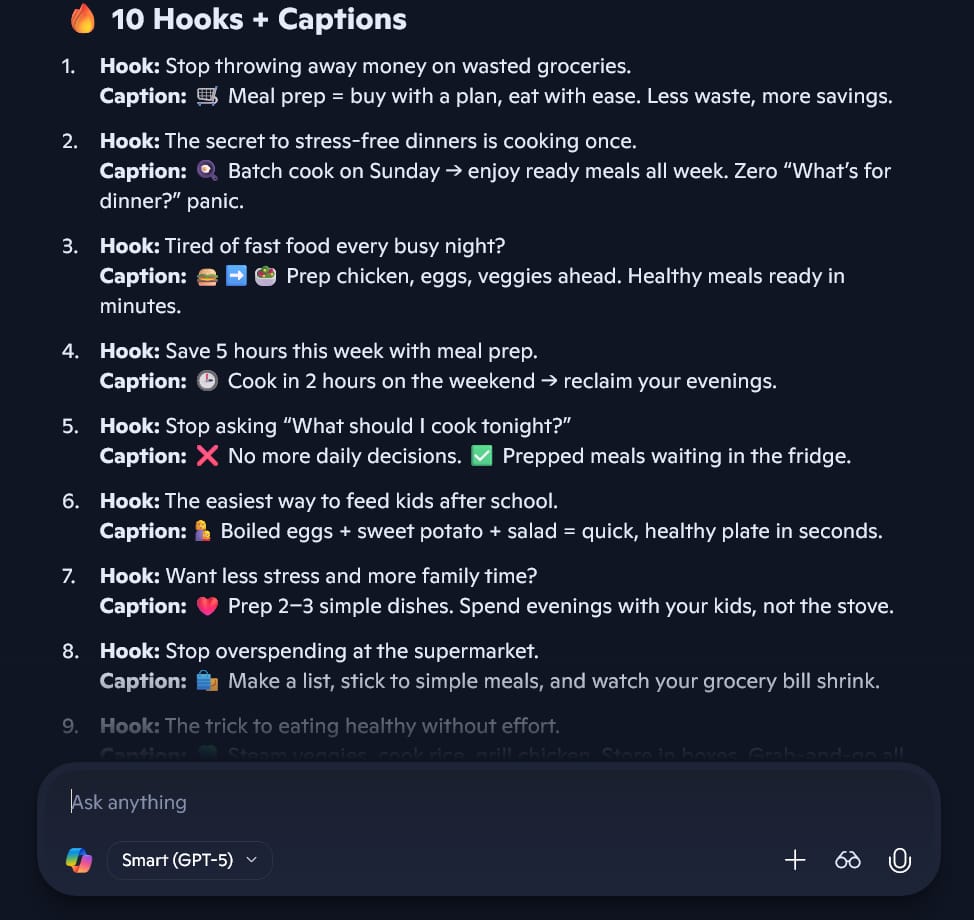
Copilot will read your text and give you a list. For example, it might give you:
Hook: "Stop throwing away $50 of vegetables every week!"
Caption: "Our guide shows you exactly how to store spinach so it lasts 10 days. The secret is using a paper towel. Read more in the link! 🥬💸"
Now you have 10 posts ready to go. You did not have to think of them. They came directly from your expert content.
2. Creating An Email Sequence To Build Trust
If you want to sell something later, you need people to trust you. The best way to do this is by sending them helpful emails.
Instead of sending one long email with the whole article, we will break it into a "5-Day Challenge." This makes people excited to open your emails every day.
Copy and paste this prompt into Copilot:
"I want to turn this article into a 5-Day 'Healthy Wallet, Healthy Kids' Email Challenge.
Please write an outline for 5 emails based on the content.
Email 1: Focus on the shopping list and saving money.
Email 2: Focus on the kitchen tools.
Email 3: The cooking day (recipes).
Email 4: Storage hacks.
Email 5: How to reheat food so kids will eat it.
Just give me the outline and the subject lines for now."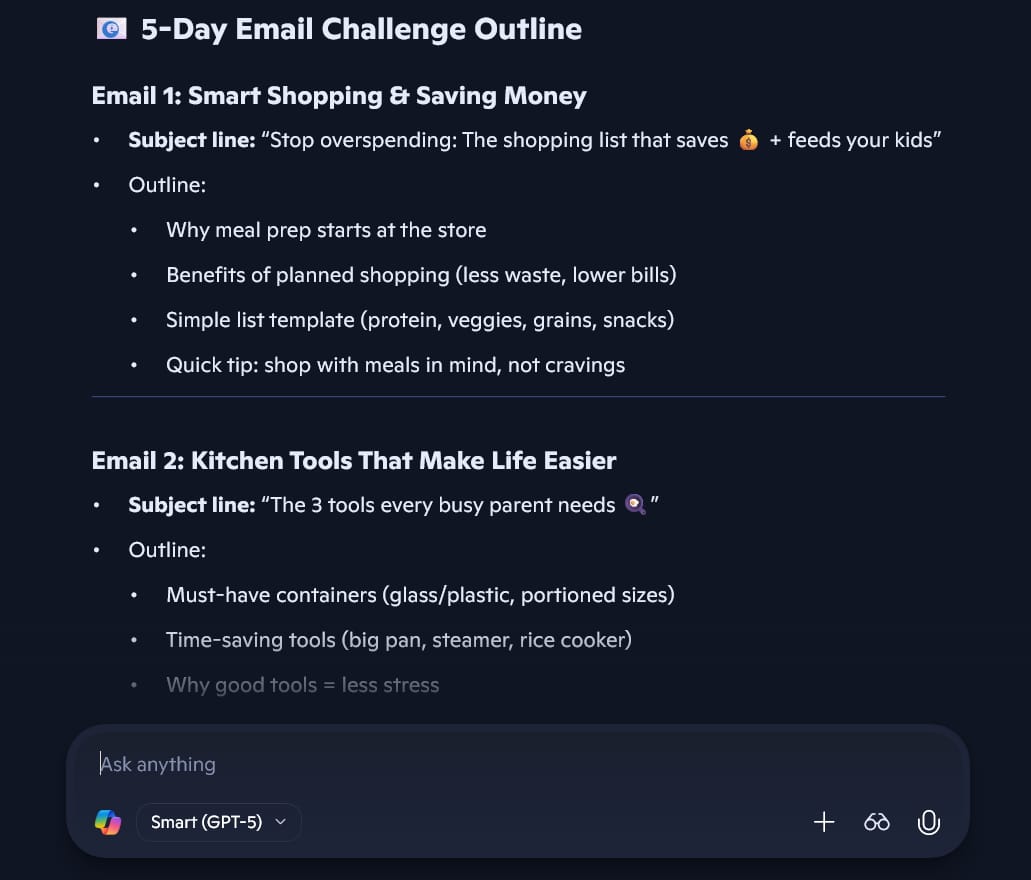
Copilot will give you the plan. Once you like the plan, you can ask it to write the actual emails one by one.
Why this works: You are reusing the same information, but you are packaging it differently. Some people like to read a long blog post. Some people like short emails. You are serving everyone.
Learn How to Make AI Work For You!
Transform your AI skills with the AI Fire Academy Premium Plan - FREE for 14 days! Gain instant access to 500+ AI workflows, advanced tutorials, exclusive case studies and unbeatable discounts. No risks, cancel anytime.
You might be shy on camera. That is okay. You can just record your voice or use simple visuals. But you need a script.
A blog post is very different from a video script. A video needs to be conversational.
Copy and paste this prompt into Copilot:
"Take the section about '5 simple recipes' from the article.
Turn this into a script for a 60-second TikTok or YouTube Short video.
Start with a loud question.
Give the 3 best tips quickly.
End with a Call to Action telling them to comment 'RECIPE' to get the full list.
Keep the language very casual, like a friend talking to a friend."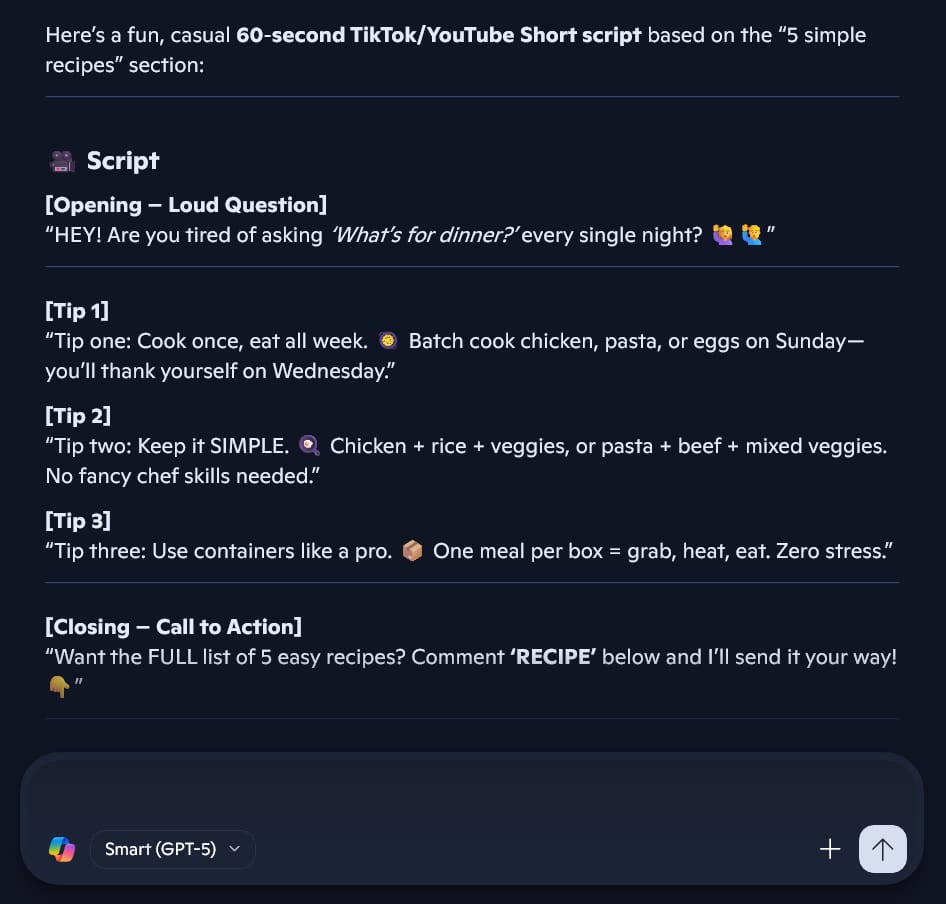
Now you have a script. You can read it while you film yourself cooking, or just film the food.
Part II: How Do We Build Tools Without Knowing Code?
This is the most exciting part. This is where you move from being a "writer" to being a "creator."
Articles are great, but Tools are better.
Think about it. Do you search for "How to calculate mortgage"? Or do you search for "Mortgage Calculator"? People love interactive tools where they can type in their own numbers and get a personal answer.
In the past, you had to pay a developer $500 or $1,000 to build a simple calculator. Now, you can do it for free with Dual AI.
1. Finding The Tool Idea
First, we need to know what tool to build. Do not guess. Ask your "Critic" (Copilot) what fits your content.
Copy and paste this prompt into Copilot:
"Based on the 'Healthy Meal Prep' article, what is a simple web-based tool or calculator that would be very useful for my readers?
I want something that helps them save money or save time. It should be simple enough that I can build it with AI."
Copilot might suggest:
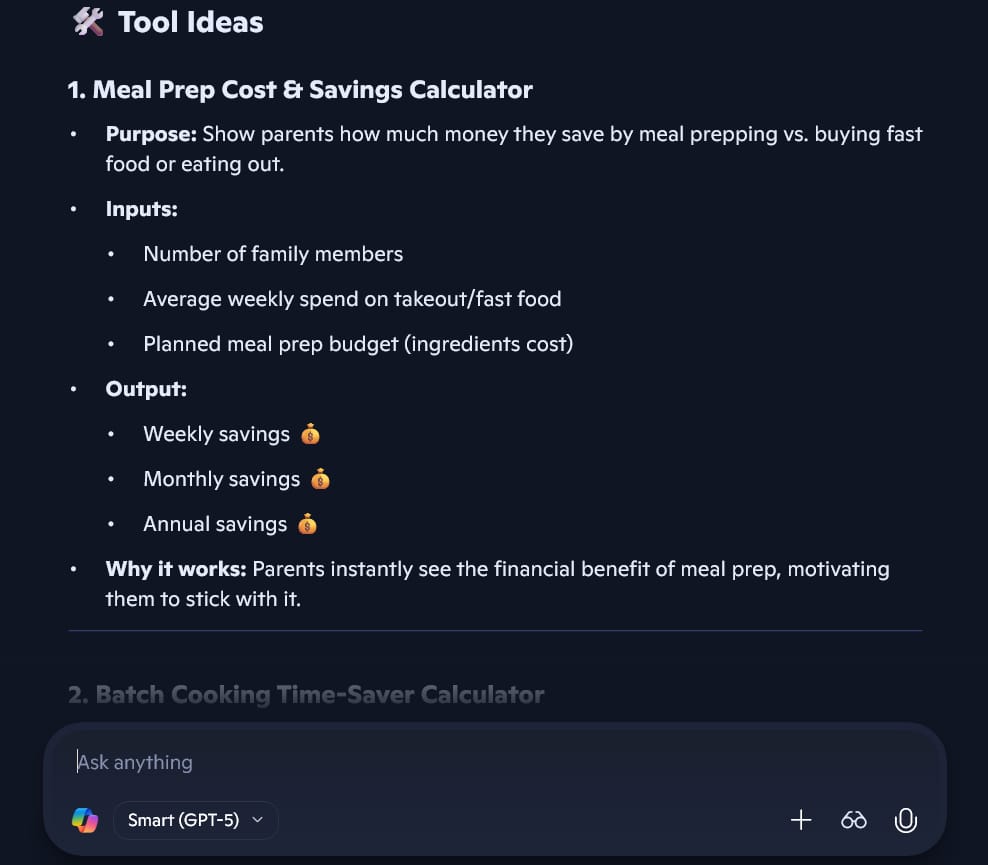
"Leftover Ingredient Matcher" (Type in what you have, get a recipe).
"Grocery Budget Calculator" (Type in budget, get a breakdown).
Let's choose the Grocery Budget Calculator.
2. Writing The Code
We need to get the code. For this, we go back to the "Creator" (ChatGPT). ChatGPT is very good at writing code languages like HTML, CSS, and JavaScript.
Copy and paste this prompt into ChatGPT:
"I want to build a simple 'Grocery Budget Calculator' for my blog.
Please write the HTML, CSS, and JavaScript code for this tool in a single file.
How it works:
The user enters their total weekly budget (e.g., $100).
The user selects how many people are in their family.
The tool calculates how much they should spend on: Proteins (30%), Vegetables (30%), Grains (20%), and Extras (20%).
It displays the dollar amounts clearly.
Make the design clean, green, and mobile-friendly."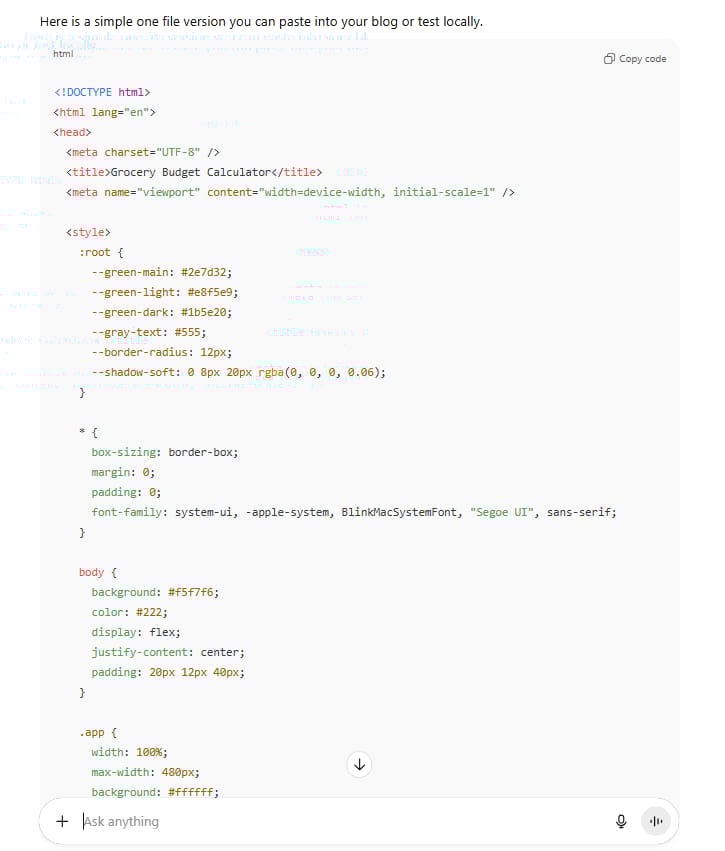
ChatGPT will write a block of code. It looks like a bunch of strange text. That is okay. You do not need to understand it. You just need to copy it.
3. Testing And Fixing (The Feedback Loop)
You can test this code by saving it as an .html file on your computer and opening it in your browser.
When you open it, it might look a bit ugly. Maybe the buttons are too small. Maybe the green is too bright.
Take a screenshot of the tool. Or, copy the code. Paste it into Copilot.
Copy and paste this prompt into Copilot:
"Look at this calculator code/screenshot. It looks a bit boring.
Act like a professional web designer (UI/UX expert).
How can we make it look more trustworthy?
Can we add a pie chart to visualize the budget?
Please write a specific prompt I can give to ChatGPT to make these changes."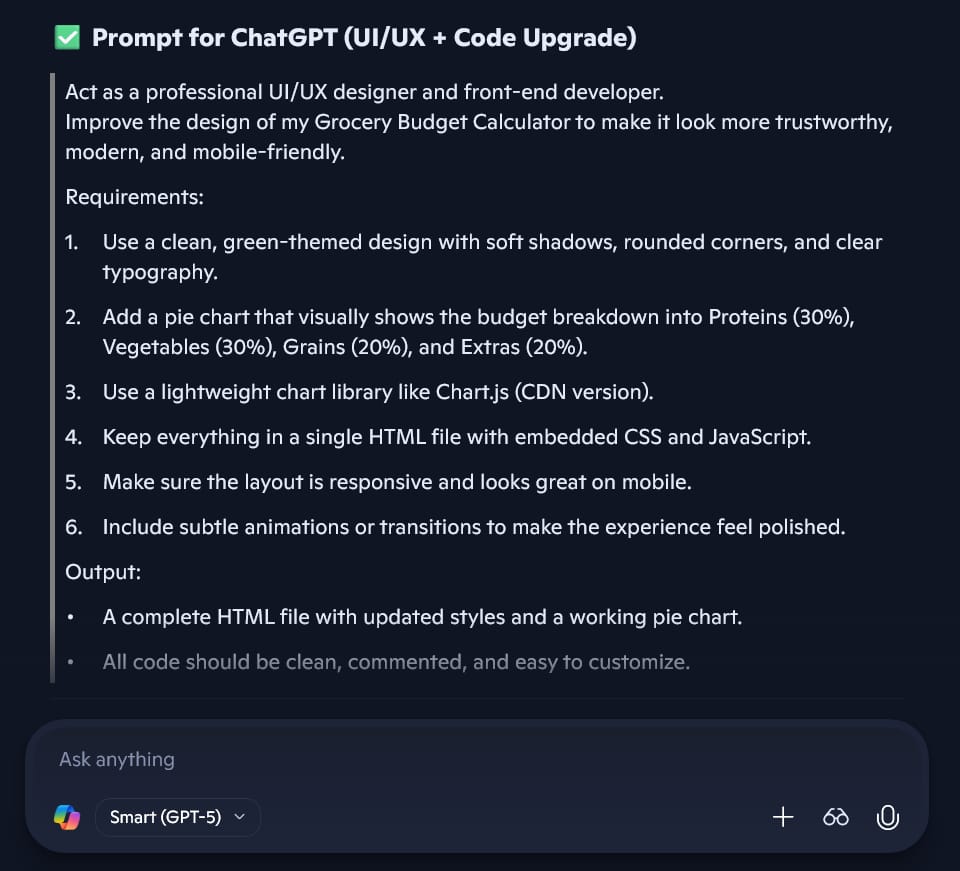
Copilot will tell you exactly what to ask for. It might say: "Add a shadow box around the calculator and use a darker green for the button."
Take that new prompt back to ChatGPT. Update the code.
Now you have a custom software tool. You can put this on your website. People will bookmark your site just to use this tool. This brings you traffic forever.
Part III: How Do We Make Money From This?
We have content. We have tools. Now, how do we get paid?
Many people write blogs for years and make zero dollars. That is because they hope money will just appear. It won't. You have to build "money traps" (in a good way!) into your content.
1. Finding Affiliate Products
Affiliate marketing means you recommend a product, and if someone buys it, you get a small commission.
You have a big article about meal prep. There are probably 20 products hidden in that text that you can sell.
Copy and paste this prompt into Copilot:
"Scan the article on the left. Act like an affiliate marketing expert.
Identify 10 specific physical products or software that I could recommend in this article.
For each item, tell me where in the text it fits naturally.
Examples to look for: Kitchen gadgets, storage containers, recipe apps, grocery delivery services."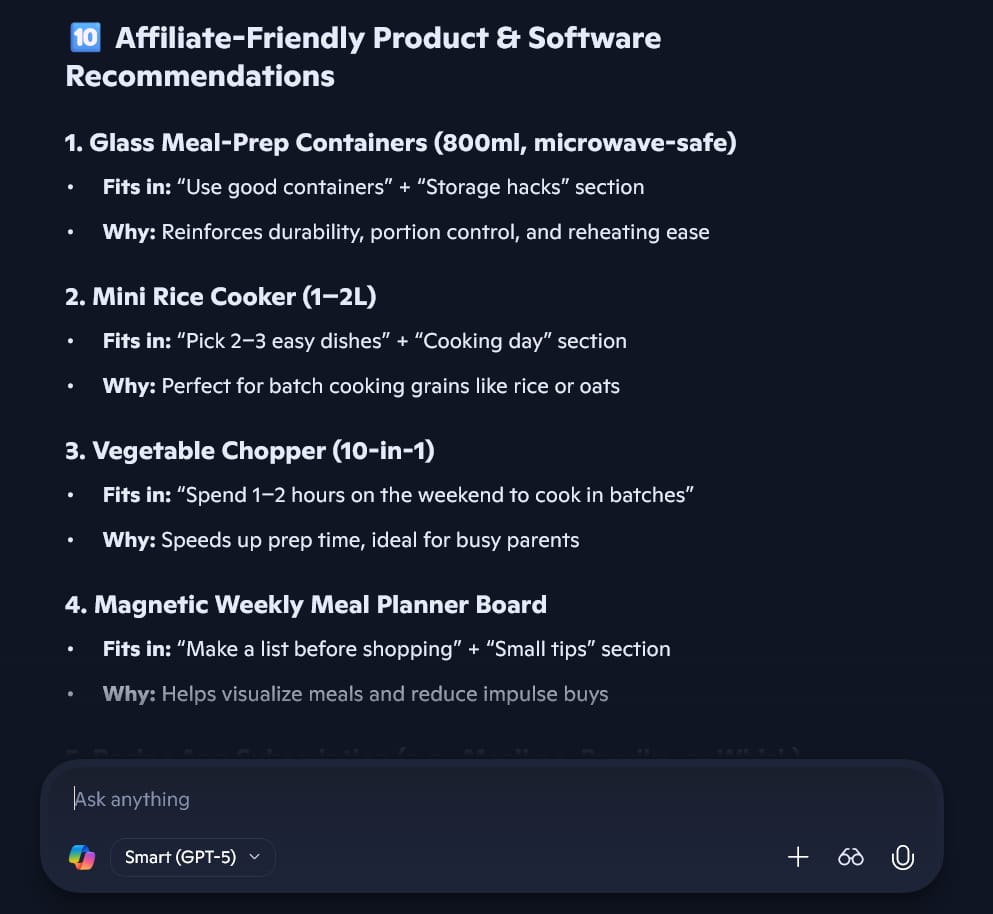
Copilot might find:
"In the section about storage, you mention 'airtight containers.' You should link to a specific Glass Container set on Amazon."
"In the section about recipes, recommend a specific Slow Cooker."
Now, you go to Amazon (or other sites), get your link, and put it in the article. You are not just giving advice anymore; you are shopping for your readers.
2. Creating A "Lead Magnet"
A lead magnet is something free you give away to get someone's email address.
Copy and paste this prompt into Copilot:
"I want to build an email list. What is a simple, one-page PDF resource I could create based on this article that people would be desperate to download?
Give me 3 ideas."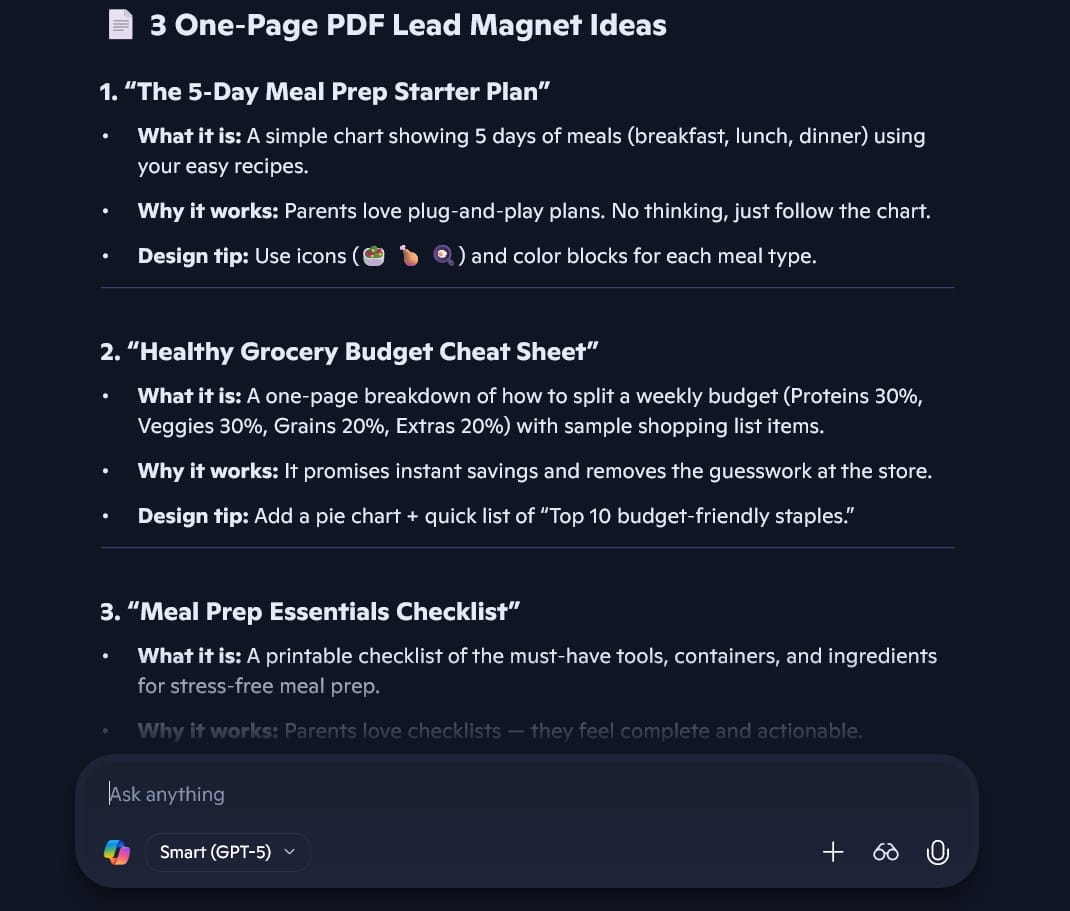
It might suggest: "The 5‑Day Meal Prep Starter Plan"
Then, ask ChatGPT to write the content for that checklist. Copy it into a document, save it as a PDF, and offer it to your readers.
Part IV: How Do We Get Found on Google (SEO)?
You have a great article, but you need Google to show it to people. This is called SEO (Search Engine Optimization).
Usually, SEO is hard. You have to guess what keywords people are typing. But Copilot has access to the internet, so it knows what people are searching for right now.
1. Researching Keywords
Copy and paste this prompt into Copilot:
"Act like an SEO expert. Look at my article on the left.
Research the current top keywords related to 'Meal Prep for families' on Google.
Which keywords should I add to this article to help it rank higher? Look for 'long-tail' keywords (phrases that are 3-4 words long)."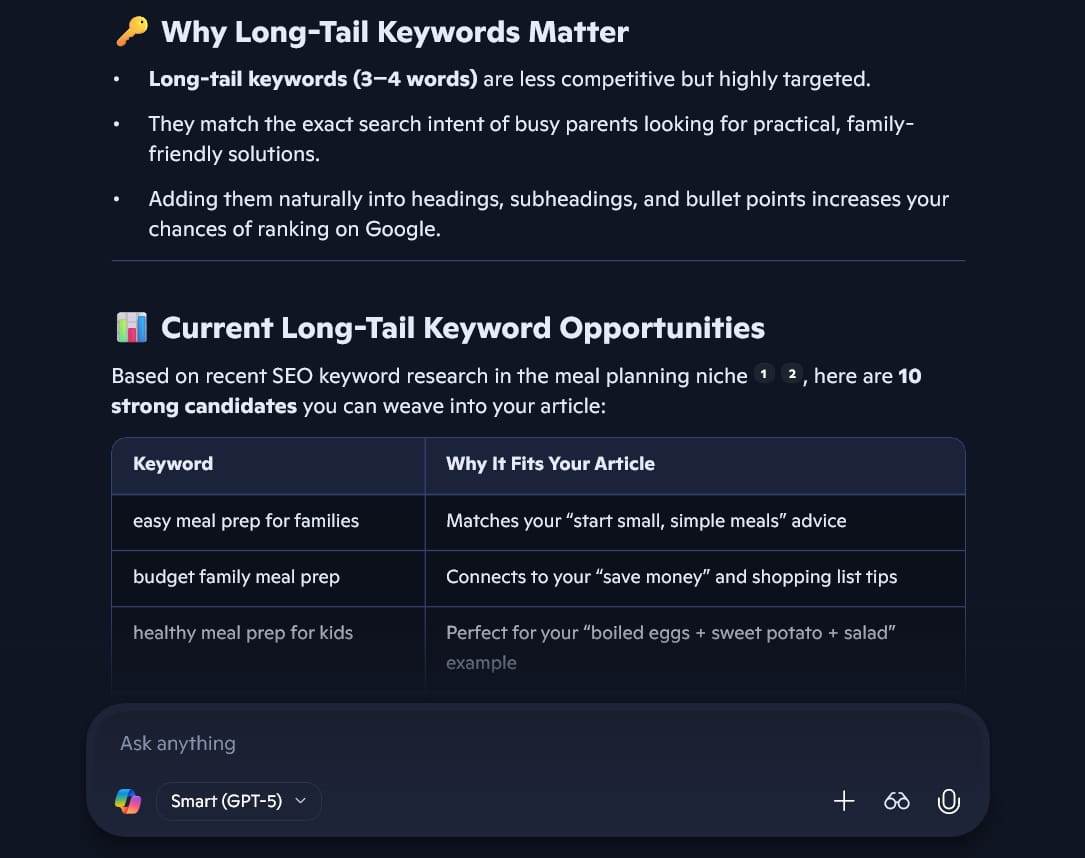
Copilot might say: "People are searching for 'cheap meal prep for 4 people' and 'gluten-free meal prep ideas'."
2. Updating The Content
Now, go back to ChatGPT.
Copy and paste this prompt into ChatGPT:
"I need to optimize my article for SEO.
Please rewrite the Introduction and the First Section.
Include these exact phrases naturally:
'Cheap meal prep for 4 people'
'Budget-friendly family dinners'
Do not make it sound robotic. Keep the friendly tone."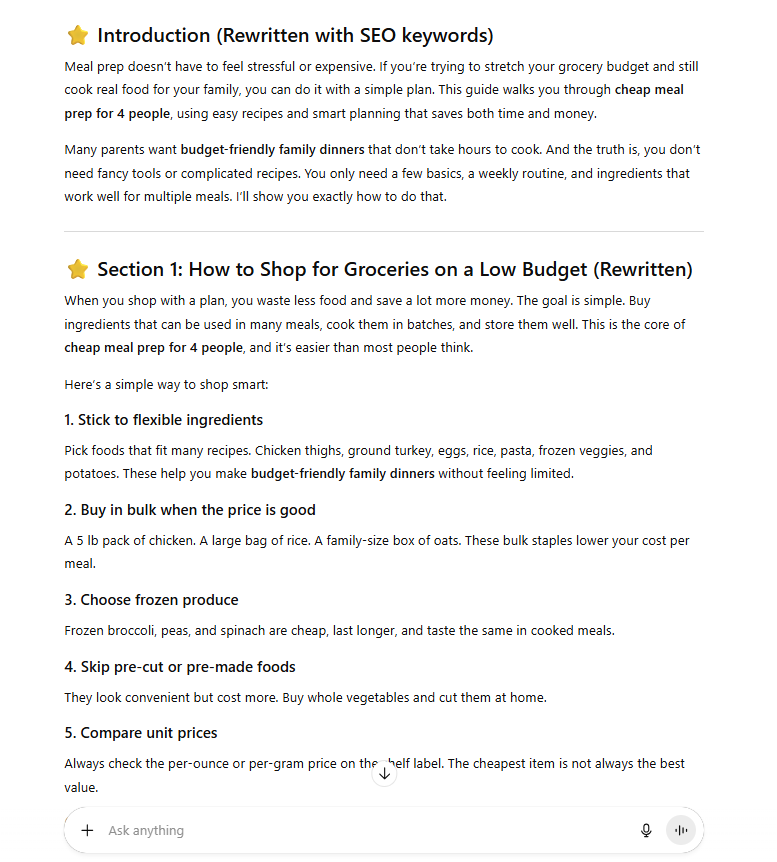
Now your article is not just helpful; it is optimized for search engines.
Part V: What Are The Common Mistakes To Avoid?
I have used this method for a long time. I have messed up many times. Here are 3 big mistakes you should avoid.
1. Losing The "Master Asset"
Sometimes, you get excited and start creating tweets and emails, and you forget to save the original article.
Rule: Always save your Master Asset in a Google Doc or Word file on your computer. That is your source of truth.
2. Not Checking The Facts (Hallucinations)
AI is smart, but sometimes it lies. It might invent a price. It might say "You can buy 10kg of beef for $5." We know that is wrong.
Rule: You must read the content. You are the pilot. The AI is the co-pilot. If a number looks wrong, check it.
3. Using Two AIs To Do The Same Job
Do not use ChatGPT to write the article and then ask ChatGPT to critique it. It is like asking a student to grade their own homework. They will be too nice.
Rule: You need the "friction" of two different systems. Use ChatGPT for creation and Microsoft Copilot for critique.
Conclusion: Your New Workflow
Congratulations. You have made it to the end of Part 2.
Let's look at what you have built. You started with a blank screen. Now you have:
A massive, expert-level guide (The Master Asset).
A month of social media posts.
A 5-day email course.
Video scripts for TikTok/YouTube.
A custom interactive software tool.
A strategy to make money from affiliate links.
You did all of this without hiring a writer, a coder, or a marketing agency. You did it by acting as the "Conductor" of an AI orchestra.
This is the future of work. The people who win will not be the ones who type the fastest. The people who win will be the ones who know how to manage AI tools to do the work for them.
Your Next Step:
Do not just close this tab. Pick one thing from this list—maybe the social media posts, or maybe the checklist. Open your Dual AI setup and create it right now. It will take you 10 minutes.
Go make something amazing!
If you are interested in other topics and how AI is transforming different aspects of our lives or even in making money using AI with more detailed, step-by-step guidance, you can find our other articles here:
How well did this guide cover the topic of "making money with AI"? |
Reply