- AI Fire
- Posts
- 🤖 Use AI Better Than 99% of People & Finish Your Weekly Work in Just 1 Single Day
🤖 Use AI Better Than 99% of People & Finish Your Weekly Work in Just 1 Single Day
Master AI Communication to reclaim your time. Learn the exact methods professionals use to get perfect results from ChatGPT and Claude instantly.

Neil Phan
January 13, 2026

TL;DR
To become an AI power user in 2026, stop treating AI like a search engine and start giving it structured instructions. By using frameworks like "Role-Task-Context-Format," mastering multi-model workflows (e.g., combining Perplexity for research with Claude for writing), and automating repetitive tasks with Zapier, you can eliminate the "Edit Tax" and produce high-quality work in minutes. Success lies in communication teaching the AI exactly who to be and how to act - rather than just chasing the latest expensive tools.
Key points
Strategy: Use the "Role-Task-Context-Format" framework for every prompt.
Tool: Use Perplexity for research, Claude for writing, and Gemini for data.
Tactic: Ask the AI to critique and rewrite its own work to improve quality by 10x.
Critical insight
AI amplifies your thinking process; if your thoughts are disorganized, AI will just generate mess faster.
What is your biggest struggle when working with AI? 🤔 |
Table of Contents
If you feel like AI keeps changing every week and you cannot keep up, you are not alone. New models pop up constantly, tools multiply like rabbits, and before you know it, you are exhausted just trying to stay current. But you do not need to chase every shiny new AI release to get amazing results.
Just look at what happened in the last few days: OpenAI sent shockwaves through the industry by launching ChatGPT Health to integrate personal wellness data. Almost immediately, Anthropic 'counter-attacked' with Claude for Healthcare, and within hours, rumors of Grok for Health began flooding the news cycle. This breakneck speed is enough to make anyone feel like they are falling behind.
In 2026, the gap between "regular users" and "power users" isn't about who has the most expensive subscription. It is about AI communication.
In this guide, I will walk you through a practical roadmap to working with AI. Instead of feeling overwhelmed, you will learn exactly how to work smarter with tools you already have access to.
We will cover everything from writing better prompts to building automated systems that save you hours every week. By the end of this article, you will know how to talk to AI like a pro, pick the right tools for your needs, and create workflows that actually make your life easier.
Let’s get started.
Part 1: Why Is AI Communication The Foundation Of Success In 2026?
AI models crave instructions, not keywords, so treating them like search engines is the primary reason most users fail. Mastering AI communication shifts your role from searching to delegating, unlocking the deep knowledge hidden inside the model's "black box." A strong prompt reduces the "Edit Tax" - the time spent fixing bad AI output, allowing you to get a near-perfect result in minutes rather than struggling for hours.
Key takeaways
Shift: Stop searching for answers; start instructing for outcomes.
Concept: The "Edit Tax" is the time wasted fixing bad AI drafts.
Benefit: 2 minutes of prompting saves 30 minutes of editing.
Goal: Unlock the model's full potential with structured commands.
Before we dive into the "how," we must understand the "why." Why is AI communication the most valuable skill you can learn right now?
1. The Shift From "Search" To "Instruction"
For 20 years, we learned how to use Google by typing keywords like "best coffee shop New York." But AI does not want keywords. AI wants instructions.

Most people fail because they still talk to AI like it is a search engine. When you master AI communication, you stop searching and start delegating.
2. AI Is A "Black Box" of Potential
Inside a model like ChatGPT or Claude, there is a world of knowledge. However, that knowledge is locked. Your prompt is the key. A weak prompt only opens a small door. A strong, structured prompt based on solid AI communication principles opens the entire vault.
Learn How to Make AI Work For You!
Transform your AI skills with the AI Fire Academy Premium Plan - FREE for 14 days! Gain instant access to 500+ AI workflows, advanced tutorials, exclusive case studies and unbeatable discounts. No risks, cancel anytime.
3. Reducing The "Edit Tax"
Have you ever spent 30 seconds writing a prompt, only to spend 30 minutes fixing the messy result the AI gave you?
I call this the "Edit Tax." Power users pay a low Edit Tax because they invest 2 minutes in a high-quality prompt to get a 95% perfect result.
This guide is designed to help you lower your Edit Tax to almost zero.
Part 2: How Can You Master AI Communication Through Structured Prompting?
Use the "Role-Task-Context-Format" framework to instantly improve your prompts: assign a persona (Role), define the mission (Task), provide detailed background (Context), and specify the output style (Format).
Instead of vague requests like "make a workout plan," give specific details about your age, injuries, and equipment to get a tailored result. Adding constraints such as "no corporate jargon" or "under 200 words" - further filters out generic fluff, forcing the AI to deliver exactly what you need.
By mastering these specific inputs, you shift from being a passive observer to a strategic architect of your own career. This level of precision is actually the ONLY skill that lets you stay in control when AI automates everything, ensuring that you are the one directing the machine rather than being replaced by it.
Key takeaways
Framework: Role (Who) + Task (What) + Context (Background) + Format (Output).
Context: Detailed inputs (e.g., "knee injury") act as filters for better answers.
Constraint: Tell the AI what not to do (e.g., "no jargon") to improve quality.
Example: Don't ask for a "plan"; ask for a "4-week table for a busy professional."
To get great results, you need to be a clear boss. Let's break down the perfect prompt structure that works for any model.
1. The "Role-Task-Context-Format" Framework

This is the "Golden Square" of AI communication. If you include these four things, you will already be better than 90% of people.
Role: Who should the AI be? (e.g., "Act as a Senior SEO Specialist").
Task: What is the mission? (e.g., "Analyze these 10 keywords").
Context: What is the background? (e.g., "We are a small bakery in Paris trying to sell more sourdough bread").
Format: How should the answer look? (e.g., "Give me a Markdown table with columns for Keyword, Difficulty, and Content Idea").
Putting it all together, a professional prompt looks like this:
[ROLE]: Act as a Senior Growth Marketer specializing in artisanal food brands.

[TASK]: Create a 7-day Instagram content plan designed to increase physical foot traffic to our shop.

[CONTEXT]: We are a small bakery in Paris called 'Le Sourdough.' We use a 100-year-old sourdough starter. Our biggest challenge is that we are located in a hidden alley 2 blocks away from the main tourist street, so people often miss us.

[FORMAT]: Present the plan in a Markdown table with the following columns: Day, Content Pillar, Visual Idea (Reels/Post), and a 'Hook' for the caption.
By using this structure, you eliminate the "Edit Tax" immediately. You aren't just asking for a "plan", you are giving the AI a specific lens to look through.
2. Deep Dive Into Context
In AI communication, context isn't just information you add for fun; it acts as a "filter" that helps the AI eliminate millions of generic answers to find the one response tailored specifically to you. Most people fail because they provide "empty context."
Take, for example, asking for a workout plan. If you simply say, "Create a workout schedule for me," the AI will pull from the average data of millions of people and give you a boring routine that you could find on any random website.
However, if you provide detailed context, the AI will function like a true Personal Trainer (PT):
Biological Metrics (Age, Weight, Body Fat %): The AI uses these to calculate your Total Daily Energy Expenditure (TDEE). A 20-year-old and a 45-year-old require completely different intensity levels to maintain cardiovascular safety.
Environment & Equipment: If you are at home without a gym, the AI will automatically swap bench presses for push-up variations. Knowing you have a single resistance band or one pair of dumbbells determines whether the plan is actually executable.
Injury History: This is the core safety element of AI communication. If you state, "I have a knee injury," the AI triggers a "Low Impact" mode, removing jumping exercises to protect your joints.
Goals & Preferences: AI can substitute exercises with equal caloric burn based on what you actually enjoy (e.g., swapping running for cycling), ensuring you stay consistent rather than quitting after three days.
Example of a Bad Prompt: “Give me a workout plan."
Example of a Professional AI Communication Prompt:
I want you to act as a Personal Fitness Coach specializing in busy professionals. My goal is to lose 5kg and build core strength. I only have 30 minutes, 3 times a week, and I work out in my living room with no equipment. I used to have lower back pain, so avoid heavy jumping. Create a 4-week plan in a table format, and explain why you chose each exercise.
3. Setting Constraints
Constraints are just as important as instructions. Tell the AI what not to do.
"Do not use corporate jargon."
"Keep the response under 200 words."
"Do not mention our competitors."
"Avoid using the word 'comprehensive' or 'unlock'."
Part 3: Why Does Choosing The Right AI Model Change Everything?
In 2026, we have a "Multi-Model" term. Mastery of AI communication means knowing which "brain" to use for which problem.
1. Understanding The Strengths
I have spent months testing these, and here is my personal breakdown:

ChatGPT: This is your "Creative Partner." It is excellent for brainstorming, writing engaging social media posts, and role-playing. It feels the most "human."
Claude: This is your "Intellectual Assistant." It is much better at following complex, multi-step instructions. It has a "longer memory" (context window), making it perfect for uploading a 100-page PDF and asking questions.
Gemini: This is your "Data & Integration King." Because it is built by Google, it can "see" your Google Drive, your Gmail, and live YouTube videos. Use it when you need real-time data or analysis of your own files.
Perplexity AI: This is your "Research Librarian." It doesn't just guess; it searches the internet and gives you footnotes with links. Never write a research paper without it.
2. Master One, Then Branch Out
As a teacher, I always tell my students: don't be a "jack of all trades, master of none." Pick one tool, I suggest Claude for its logic and use it for everything for two weeks.
Once you know its "personality," you will understand how to adapt your AI communication style to other tools.
Part 4: How Do Advanced Prompting Techniques Elevate Your Results?
Once you have the basics, it’s time to use the "Pro" strategies. These techniques make the AI think harder.
1. Chain-of-Thought (CoT) Prompting
Research shows that if you ask an AI to "Think step-by-step," it becomes significantly more accurate, especially in math or logic.
The Prompt:
I need to calculate the ROI of this marketing campaign. Before you give me the final number, show your work step-by-step and explain the logic behind each calculation.
2. Few-Shot Prompting
AI is a world-class copycat. If you give it 2 or 3 examples of how you write, it will match your style perfectly.
The Prompt:
Here are two examples of my writing style:

[Example 1]

[Example 2]

Now, write a new blog post about 'Remote Work' using the same tone, sentence length, and humor found in the examples above.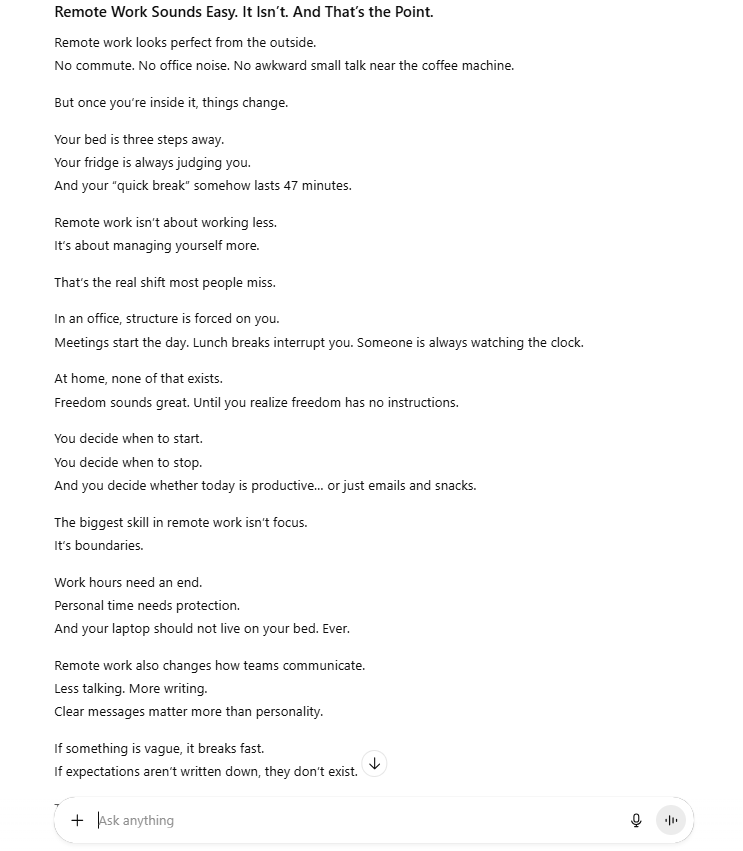
3. Iterative Refinement
Stop expecting the first answer to be the best. In AI communication, the "chat" is a conversation.
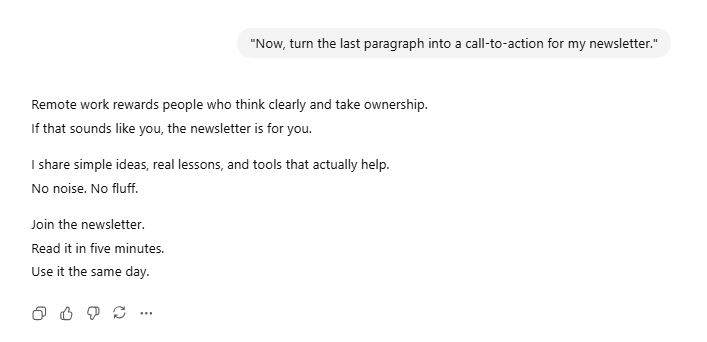
Step 1: Get a draft.
Step 2: Say:
"Now, turn the last paragraph into a call-to-action for my newsletter."
4. The "Ask For Critiques" Method
Most users accept the AI’s first draft as the final word. However, in the world of AI communication, the first response is often just a "polite average", the AI tries to be as agreeable as possible, which leads to generic content.
To get 10x better results, you must force the AI to flip its perspective from creator to critic.
This method works because it triggers a "self-correction" loop. When you ask an AI to critique itself, it re-scans its own output using a different set of logic parameters, identifying hallucinations or "fluff" that it missed during the generation phase.
The Expert-Level Prompt:
Critique the article you just wrote from the perspective of a skeptical, high-level executive.

Point out 3 logical gaps where the argument is weak, and 2 sections where the prose feels robotic or boring.

Once you have listed these flaws, rewrite the entire piece to address these critiques, ensuring the tone is more assertive and the logic is airtight.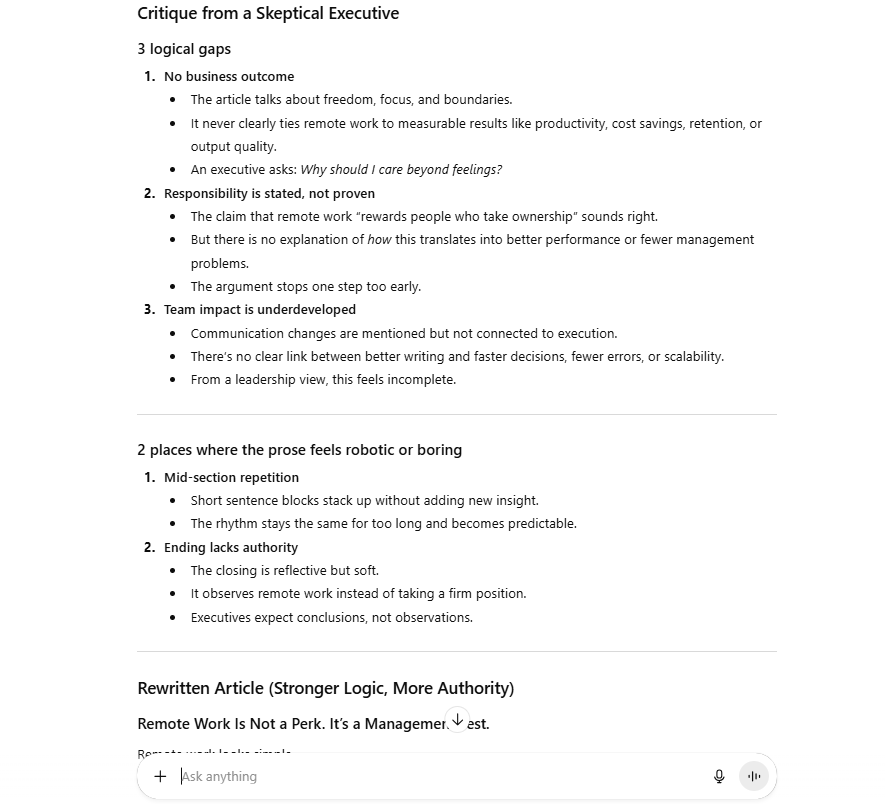
Part 5: Why Is Context Management The Secret To Long-Term Efficiency?
One of the most annoying things is explaining your business to the AI every single morning. Here is how to stop that.
1. Custom Instructions & System Prompts
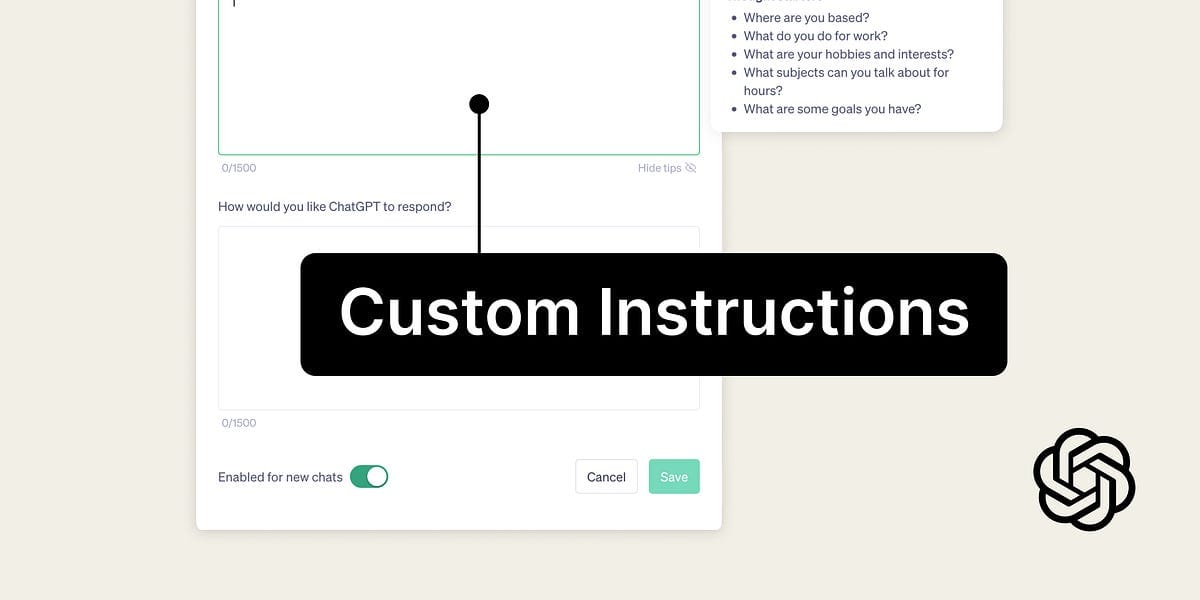
Most tools like ChatGPT have a "Custom Instructions" section. Use this to tell the AI permanent facts about you:
"I live in the US."
"I write for an audience of beginner entrepreneurs."
"I prefer short, bulleted lists over long paragraphs."
"Always use a friendly, encouraging tone."
2. Creating A "Context File"
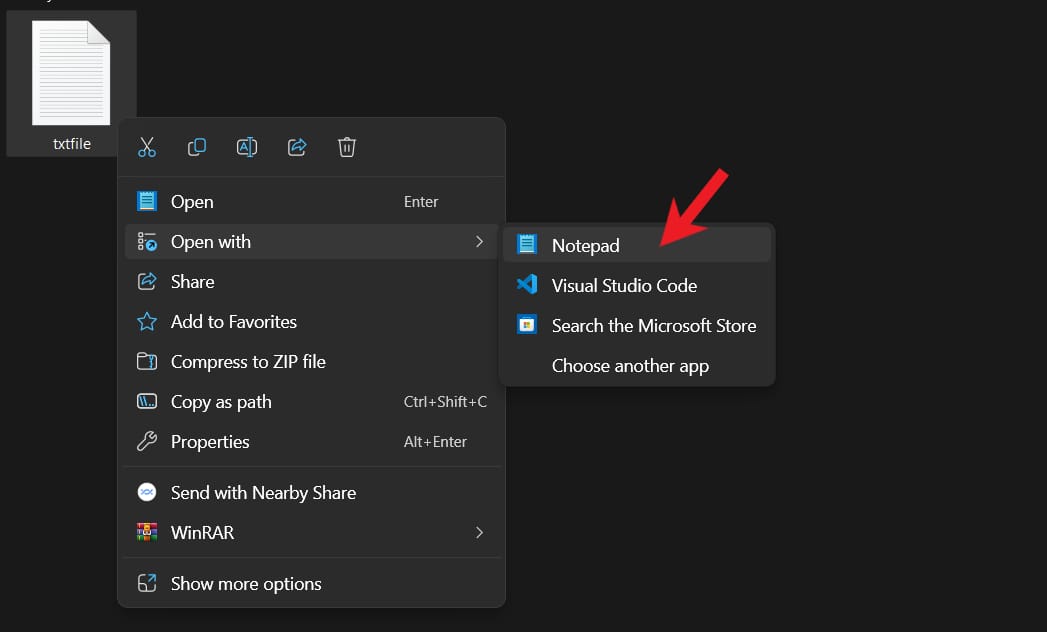
I keep a simple .txt file on my desktop called PROJECT_CONTEXT.txt. It contains everything about my current project. Whenever I start a new chat, I just upload that file. It saves me 10 minutes of typing every time.
3. Leveraging Memory Features
In 2026, AI models are getting better at "remembering" past conversations. However, do not rely on it 100%. Always be ready to remind the AI: "Remember the project we discussed yesterday about the sourdough bakery? Let's continue that."
Part 6: How Can You Automate Your Life With AI Systems?
This is the "Advanced Level." We are moving beyond simple AI communication, where you manually type back and forth to building autonomous systems that function while you sleep. In 2026, the goal is not to talk to AI more; it is to talk to it once so it can work for you a thousand times.
1. The Automation Mindset
Most people use AI as a high-speed typewriter. They use it to write an email, a report, or a social media post. This is a waste of potential.
To truly master AI communication, you must adopt an Automation Mindset: don't just ask AI to describe a solution; give it the authority to execute the process.
To identify what to automate, look for the "Low-Value Loops" in your day. These are tasks that are:
Repetitive: You do them every day or week.
Logic-Based: They follow a clear "If This, Then That" rule.
Boring: They require focus but zero creative inspiration.
Whether it is summarizing long meetings, organizing messy receipts, or triaging customer support tickets, these are not "jobs", they are "processes" waiting for an AI manager.

To move AI out of the chat box and into your actual workflow, you need "Interconnectors" like Zapier or Make. Think of these platforms as the central nervous system of your digital life. They act as the "glue" that connects your AI’s brain to your business’s hands (your apps).
Instead of manually copying and pasting text into ChatGPT, these tools allow you to build a Pipeline. When an event happens in one app (like receiving a file), the data flows automatically through the AI, gets processed based on your specific AI communication instructions, and then lands exactly where it needs to be.
This eliminates the "Human Middleman," allowing you to scale your output without increasing your hours.
How to Get Started with Automation
If you are new to this, don't let the technical terms scare you. You don't need to be a coder to build these systems.
Pro Tip: If you're a beginner, head over to the AI Fire Community and search for "Zapier" or "Make." You’ll find dozens of step-by-step guides and beginner-friendly tutorials that will help you master these tools in no time.

3. Building Your Own "GPTs"
You can now build "Agents" that have specific jobs. I have an agent called "Social Media Manager." I have trained it on my brand voice, my favorite hashtags, and my posting schedule.
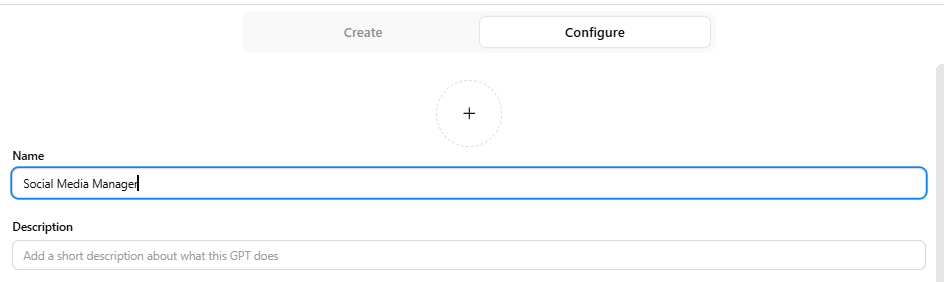
When I give it a link to a blog post, it automatically creates 5 tweets, 1 LinkedIn post, and a script for a TikTok video.
Part 7: How Do You Ensure Quality and Accuracy in AI Outputs?
AI can be a "hallucinator" - it makes things up. If you want to use AI better than 99% of people, you must be a world-class fact-checker.
1. Source Anchoring
Whenever you ask for facts, tell the AI: "Only use the information provided in this attached PDF. If the answer is not in the PDF, say 'I do not know'." This "anchors" the AI and stops it from guessing.
2. Cross-Model Verification
If I am working on a very important legal or medical summary, I use two different models.
I ask Claude to do the work.
I paste Claude's answer into ChatGPT and say: "Check this for errors or missing information." If both agree, I feel safe. If they disagree, I investigate.

3. The "Human In The Loop" (HITL)
Never, ever let an AI post directly to your social media or send an email to a client without a human looking at it. You are the "Pilot." The AI is the "Co-pilot." The pilot is always responsible for the landing.
Part 8: Practical Use Cases: AI Communication In Action
Mastering AI communication is not just about knowing what to say, but knowing which "entity" to speak with. Every AI model has its own unique "soul," and picking the wrong tool will inevitably bottleneck your productivity.
1. For The Freelance Marketer: Real-Time Creativity
Marketers require a hybrid of red-hot data and sharp, evocative language. Why is the combination of Perplexity and Claude the ultimate "weapon" here?

Perplexity is not a standard chatbot; it is an AI-powered search engine. While other models are limited by outdated training data, Perplexity accesses the live web to find exactly what is trending this morning.
Feeding this data into Claude is a strategic masterstroke because Claude currently possesses the most fluid, least "robotic" writing style on the market. The final result is not just a list of ideas, but a structured, ready-to-execute content plan.
2. For The Small Business Owner: Strategic Diplomacy
Business owners often struggle with "decision fatigue" when forced to answer complaints while stressed. This is where ChatGPT excels, thanks to its Custom Instructions feature.
The reason you should choose ChatGPT is its ability to memorize your brand’s "DNA." By pre-loading your refund policies and service values into its memory, the AI acts as an emotional filter.
Instead of facing angry emails directly, you use the "3-option technique" to have the AI generate scenarios ranging from firm to empathetic. You don’t let the AI decide for you; you simply choose the best tactic to protect your brand’s reputation without draining your personal energy.
3. For The Student & Learner: Deep Comprehension
Students don’t need an answer machine; they need a mentor who can simplify complexity. Gemini is the top choice here due to its deep integration with the Google ecosystem.
Unlike other tools, Gemini can instantly pull relevant YouTube tutorials or Google Scholar papers to illustrate a difficult concept.
The true power of AI communication in education lies in its interactivity: you turn the AI into a tutor by demanding real-world analogies and asking it to quiz you. This shifts your learning from "passive reading" to "active thinking," helping you master any subject faster than anyone relying on rote memorization.
Part 9: Common Mistakes To Avoid (The "Don't" List)
To stay in that top 1%, avoid these traps:
Don't be polite: You don't need to say "please" and "thank you" (though it doesn't hurt). AI doesn't have feelings. It needs clarity, not manners.
Don't give "Wall of Text" prompts: Use bullet points and headers in your prompts to help the AI process the information.
Don't forget to update your instructions: As your project changes, your AI communication must change too.
Don't use AI for things it's bad at: AI is still not great at high-level strategy or deep emotional empathy. Use it for the "heavy lifting" of data and drafting, but keep the "thinking" for yourself.
Part 10: Your 30-Day AI Mastery Plan
You cannot learn all of this in one day. Here is a simple plan:
Week 1: Focus on Clarity. Every prompt you write must have a Role, Task, Context, and Format.
Week 2: Focus on Tools. Try Perplexity for research and Claude for writing. See the difference.
Week 3: Focus on Refinement. Never accept the first answer. Push the AI to give you 3 versions or to critique itself.
Week 4: Focus on Systems. Try your first simple automation with Zapier or create your first Custom GPT.
Conclusion: The Future Is Conversational
Using AI effectively in 2026 isn’t about chasing every new tool or memorizing complicated formulas. It’s about understanding a few core principles and applying them consistently.
The people who will use AI better than 99% of others aren’t those with the most tools or the longest prompts. They’re the ones who understand how to communicate clearly, verify carefully, and combine AI capabilities with human creativity and expertise.
I have spent hundreds of hours talking to these machines. The biggest lesson I've learned is that AI doesn't replace your brain it amplifies it. If you are a disorganized thinker, AI will make you disorganized faster. If you are a clear, structured communicator, AI will make you a superhuman.
The key question now is: What will you build with these skills? The roadmap is clear, the tools are ready, and the opportunity is right in front of you. It’s time to put this knowledge into action and see what’s possible when you use AI the right way.
Ready to get started? Pick one technique from this guide and try it today. Tomorrow, add another. Before you know it, you’ll be working smarter, faster, and more creatively than ever before.
If you are interested in other topics and how AI is transforming different aspects of our lives or even in making money using AI with more detailed, step-by-step guidance, you can find our other articles here:
Building Apps with Bolt: A No-Code Guide to Turning Ideas into Reality
Detailed Guide: How To Automatically Get Unlimited High-Quality LinkedIn Jobs*
Prompt Engineering Automation: Build a Mini AI Assistant with n8n
Discover My Ultimate AI Tools Productivity Kit for 2024*
*indicates a premium content, if any
How useful was this AI tool article for you? 💻Let us know how this article on AI tools helped with your work or learning. Your feedback helps us improve! |
Reply