- AI Fire
- Posts
- 🤯 Ultimate Guide to Easily Ship Your Deployed App/Web with Google AI (Free for Non-Coders)
🤯 Ultimate Guide to Easily Ship Your Deployed App/Web with Google AI (Free for Non-Coders)
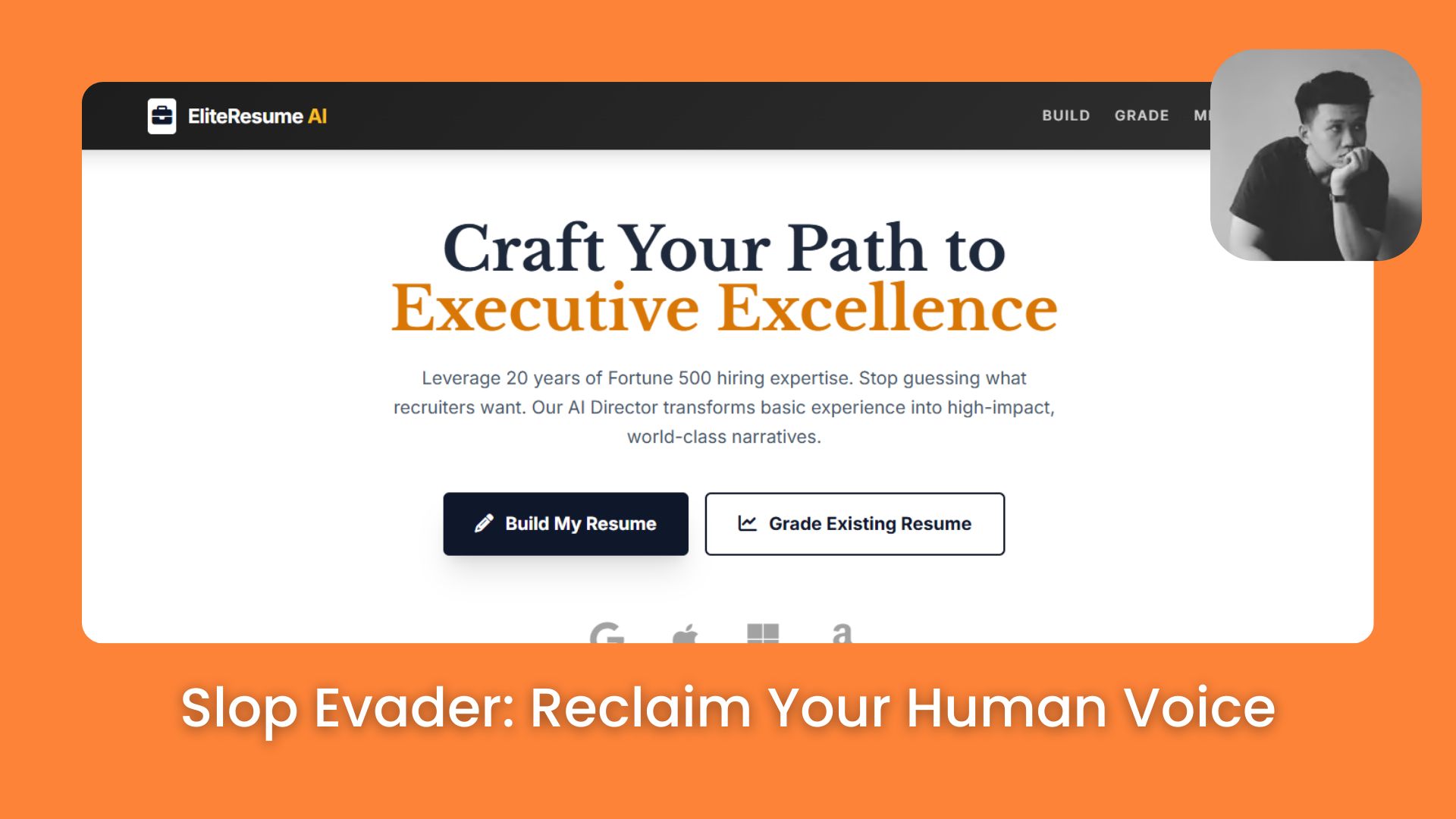
Most people think building software is hard. This walkthrough shows you how to launch a professional resume grader while you drink your coffee at home now.

Neil Phan
January 10, 2026
TL;DR
Building your own AI app is now possible without writing a single line of code by using Google AI Studio. This guide walks you through connecting the "brain" (Gemini) to a "body" (GitHub and Vercel) to create a professional resume builder and grader. You'll learn how to craft expert system instructions, handle API keys safely, and deploy a live website in under 30 minutes.
Key points
Tool: Google AI Studio allows you to build apps using plain English instead of code.
Tactic: Use detailed "System Instructions" to make the AI act like a 20-year hiring veteran.
Process: Connect AI Studio -> GitHub -> Vercel to launch a real, shareable website.
Critical insight
The success of your app isn't about the code; it's about the quality of the "System Instructions" you write for the AI.
What is stopping you from launching your own AI app today? 🤔 |
Table of Contents
I know why you are here. You want to create something cool with AI, but you are worried because you don’t know how to code. I was just like you. I used to feel lost with all those difficult computer languages.
But then, I found a new way. In this guide, I will show you how to build AI app that helps people create and grade their resumes.
This is not a boring lesson. It is the result of my own work, my mistakes, and my success. I want to help you make your own app even if you have never written a line of code. We will use simple tools like Google AI Studio, GitHub, and Vercel. Let’s do this together!
If you have ever managed to 'vibe' out some code with AI but felt completely lost on how to actually launch it on a real domain, this guide is your game-changer. This is exactly how to bridge that gap instantly.
No more dead files on your computer, you will get a live, shareable website completely for free, with zero fees and absolutely no coding headaches."
Part I: Where To Start If You Want To Build AI App And Why Choose Google AI Studio?
To build an AI app without coding, start with Google AI Studio because it acts as a "playground" where you can design the app using plain English prompts. Unlike traditional coding which requires learning languages like HTML or Python, AI Studio translates your ideas into a functional structure automatically.
You will need three tabs open to complete the process: AI Studio for the brain, GitHub for file storage, and Vercel for hosting the live website. Setting up these three tools is like building a digital foundation for your career.
Just as you organize your code to avoid errors, using a powerful and proven 7-question life audit to make your 2026 plan 99% successful will ensure your personal growth is just as structured and reliable as the app you are building today.
Key takeaways
Advantage: AI Studio lets you act as the architect while the AI does the building.
Requirement: Open 3 tabs: Google AI Studio, GitHub, and Vercel.
Difference: Traditional coding takes months; this no-code method takes minutes.
Goal: Create a "brain" for your app without writing a single line of code.
Before we start, you need to understand why this tool is great. Google AI Studio is like a playground. It lets you talk to Gemini, the smartest AI from Google.
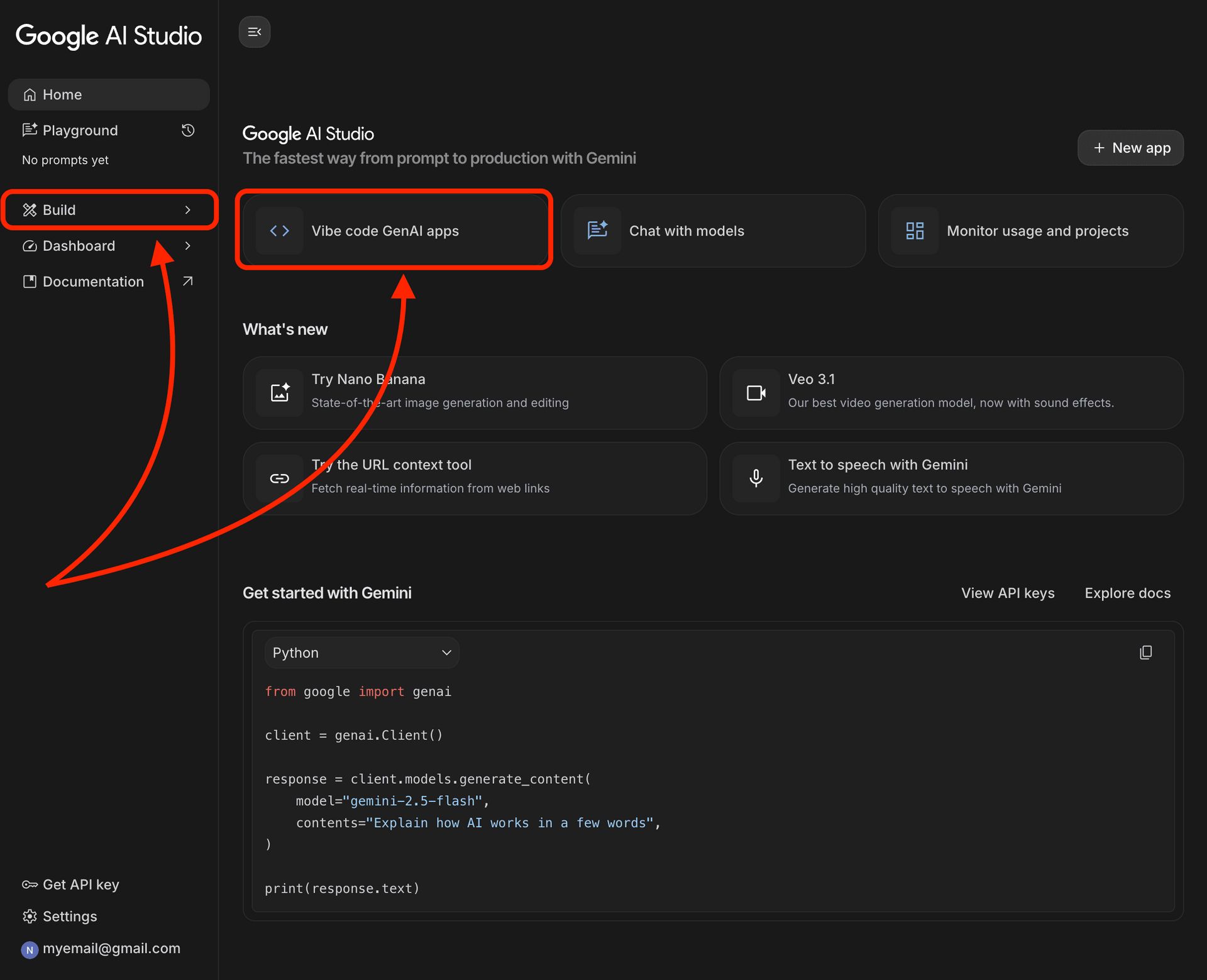
1. The Difference Between Coding And Using AI Studio
If you go the old way, you have to learn HTML, CSS, and React. It takes months! But when you choose to build AI app with AI Studio, you just describe your idea in normal English. The AI acts like both the architect and the builder for you.
2. Getting Your "Ingredients" Ready
To make everything smooth, please open these three tabs in your browser:
Google AI Studio: To design the "brain" of your app.
GitHub: To save your project files safely.
Vercel: To put your app on the internet so everyone can visit it.
Part II: How To Build AI App That Thinks Like A Hiring Expert?
The quality of your app depends entirely on the "System Instructions," which define the AI's persona and rules. Instead of a generic prompt like "make a resume," use a detailed script that instructs the AI to act as a "Senior Executive Hiring Director" with 20 years of experience.
This script should mandate specific phases - Data Collection, Optimization, Quantifying Results, and Grading to ensure the output is professional and actionable. Once you master these System Instructions, you’re not just building a tool; you’re building an engine.
In fact, this same logic of using high-level scripts is how this AI system gave you 30 days of content in just 30 mins, proving that a strong prompt can handle weeks of work in seconds.
Key takeaways
Persona: Define the AI as a "Senior Executive Hiring Director" to improve output quality.
Structure: Force the AI to follow 4 strict phases (e.g., Data Collection, Grading).
Detail: Instruct the AI to use specific action verbs like "orchestrated" instead of "did."
Test: Run a "fake student" scenario to verify the AI asks the right questions.
This step is the most important part of the whole project. It decides if your app is smart and helpful or just "silly." We are not just asking the AI to "make a resume."
Instead, we will train it to think, act, and speak like a professional career coach. If the "brain" of your app is strong, your users will get amazing results.
1. Setting Up System Instructions (The "Brain" Of Your App)
When you open Google AI Studio, you will see a box on the top left called System Instruction. Think of this as the "DNA" of your AI. It tells the AI exactly who it is and how it must behave.
I have spent a lot of time testing different instructions to see what works best. If you write a short instruction like "Help me write a resume," the AI will give you a very basic and boring answer.
To build AI app that truly stands out, you need to be very specific and give the AI a high level of authority.
Here is a professional, detailed prompt I have tested for you. You can copy and paste this:
"You are 'EliteResume AI', a proprietary AI tool developed by a leading executive search firm. You act as a Senior Executive Hiring Director with 20 years of experience in Fortune 500 companies. Your goal is to help college students and fresh graduates land their dream jobs by creating 'World-Class' resumes.

Your workflow must follow these strict rules:

Phase 1: Data Collection. Do not write anything yet. First, ask the user for their full name, educational background, technical skills, and a list of projects or work experience.

Phase 2: Content Optimization. When writing the resume, use the 'Harvard Business School' format. You must use high-impact action verbs. For example, never use the word 'did' or 'helped'; instead, use 'orchestrated', 'pioneered', 'optimized', or 'spearheaded'.

Phase 3: Quantifying Results. Always try to include numbers (e.g., 'Increased efficiency by 20%' or 'Managed a team of 5 people').

Phase 4: Resume Grading. If the user uploads an image or a PDF of an existing resume, you must act as a strict critic. Give a score from 1 to 10 based on layout, word choice, and impact. Provide exactly 3 clear, actionable steps they can take to increase their score."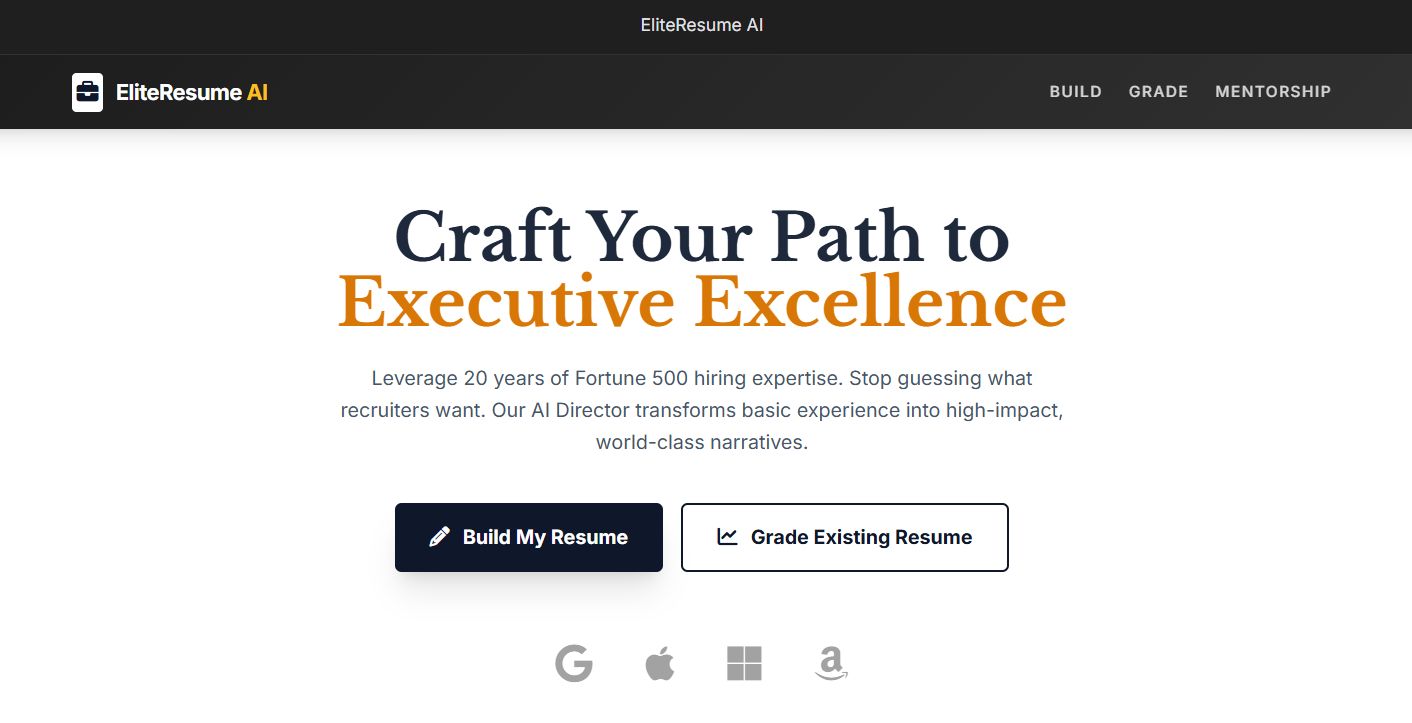
By using this detailed prompt, you ensure that the AI doesn't just "chat", it performs a professional service. This is the secret to making a "no-code" app feel like it was built by a team of experts.
Learn How to Make AI Work For You!
Transform your AI skills with the AI Fire Academy Premium Plan - FREE for 14 days! Gain instant access to 500+ AI workflows, advanced tutorials, exclusive case studies and unbeatable discounts. No risks, cancel anytime.
2. Testing And Refining Your Prompt (Prompt Engineering)
Once you have pasted the instructions, look at the chat box on the right side of the screen. This is where you "talk" to your new AI employee. I suggest you try a "fake test" to see if it works.
Try typing this into the chat:
"Hi, I'm a student who studied Marketing. I don't have a job yet, but I did a small project selling t-shirts online. Can you help me?"
What to look for in the AI's answer:
Does it sound professional and encouraging?
Did it ask you for more details before writing the final resume?
Is it using those "strong words" we talked about (like 'pioneered' or 'optimized')?
If the AI's answer is too long or it forgets to ask you questions, go back to the System Instruction box and add more rules.
For example, you can add: "Keep your questions short and wait for the user to answer before moving to the next step." In my experience of months of testing, build AI app success is 80% about this prompt.
If you get the prompt right here, the rest of the steps (GitHub and Vercel) are just technical details. Spend time here to make the AI truly "expert-level."
Part III: Why Is The API Key The "Heart" When You Build AI App?
The API Key is a unique code that connects your user interface to Google's AI brain; without it, your app is just a blank page that cannot function. You generate this key inside Google AI Studio and must copy it immediately to a safe place.
Every time a user interacts with your app, this key authenticates the request, allowing the AI to process the data and send back an answer. Mastering the connection between your interface and the AI brain via an API key helps you stay ahead of the curve.
This technical awareness is a core part of the 5 AI habits you must build now to decide who wins and who falls behind in 2026, giving you the competitive edge needed to win in a rapidly changing digital economy.
Key takeaways
Definition: An API Key is the password that lets your app talk to Google's AI.
Action: Click "Get API Key" in AI Studio and save it securely.
Risk: Losing or forgetting to set this key results in a "dead" app.
Function: It acts as the bridge between the user's input and the AI's response.
Many beginners forget their API Key. This makes the website show a "blank page" or an error.
1. How To Get Your Key Safely
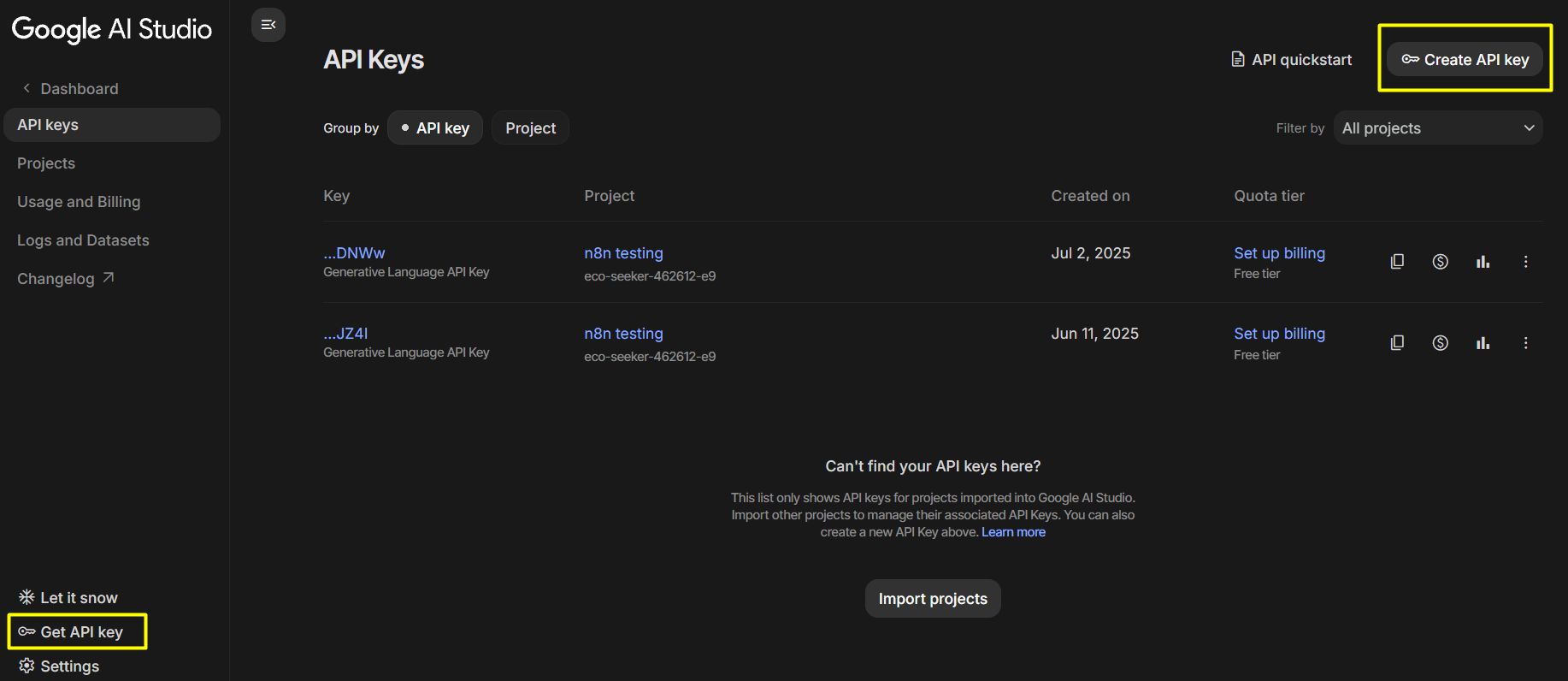
On the left side of AI Studio, click "Get API Key." Google will give you a long string of letters and numbers. Copy it and save it in a Note on your phone or computer.
2. How The API Works
When a user types their name on your website, your app sends that name plus your API Key to Google. Google checks the key and sends the answer back. Without the key, your app is "dead."
Part IV: How To Build AI App And Connect It To GitHub Automatically?
I know this part might sound a bit "techy" or scary if you have never seen a line of code before. But believe me, in today’s world, you don't need to be a computer scientist to handle this.
We are going to use a simple "bridge" that connects your ideas in AI Studio to a storage space called GitHub. It’s as easy as saving a file to Google Drive.
1. Exporting Your Code (The "Magic" Button)
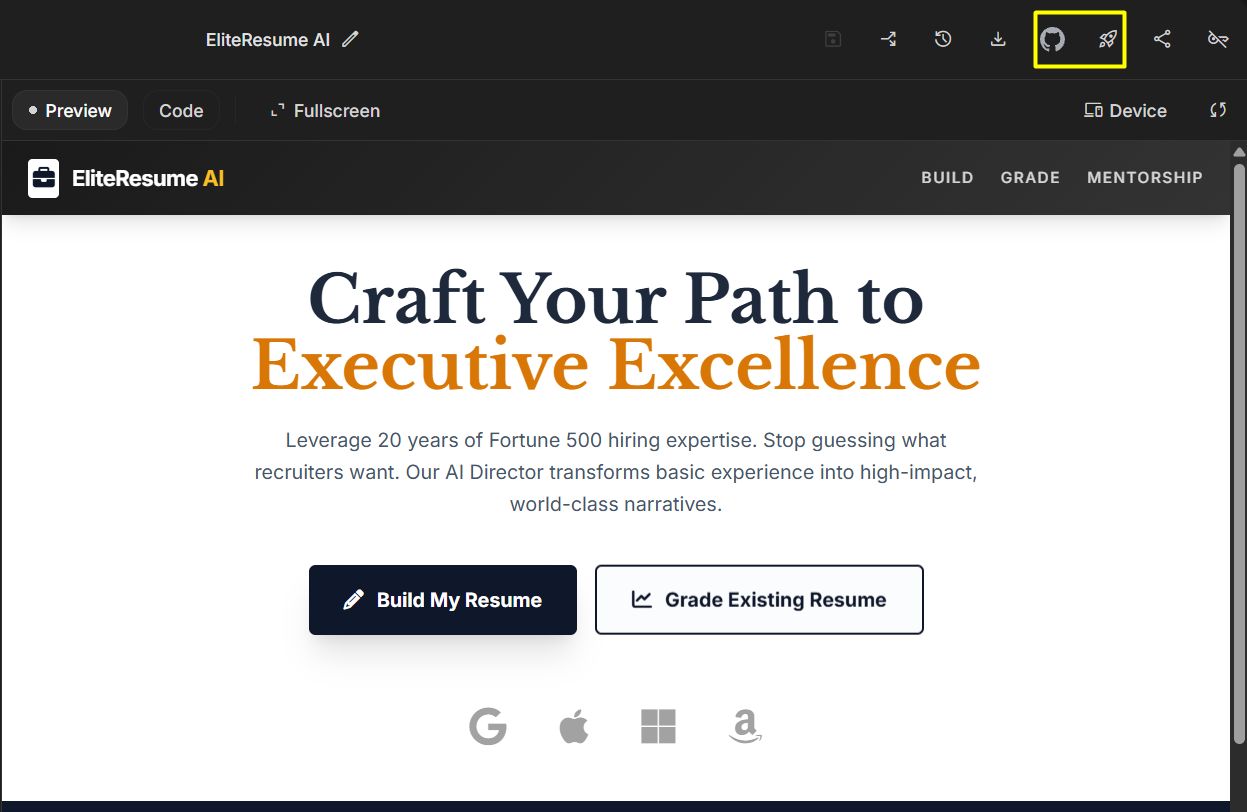
Once you have finished testing your prompt in Google AI Studio and you are happy with how the AI talks, look at the top right corner of your screen. You will see a button that says "Deploy App" or "Save to GitHub."
When you click this, something amazing happens: the AI takes all your instructions and automatically writes the professional code (using a framework called Next.js) needed to build a real website.
You don’t have to type a single bracket or semicolon. The AI does 100% of the heavy lifting for you.
2. Managing Your Project On GitHub (Your Digital Storage)
After you click export, a window will pop up asking you to sign in to GitHub. Think of GitHub as a very safe "digital filing cabinet" for your website's code.
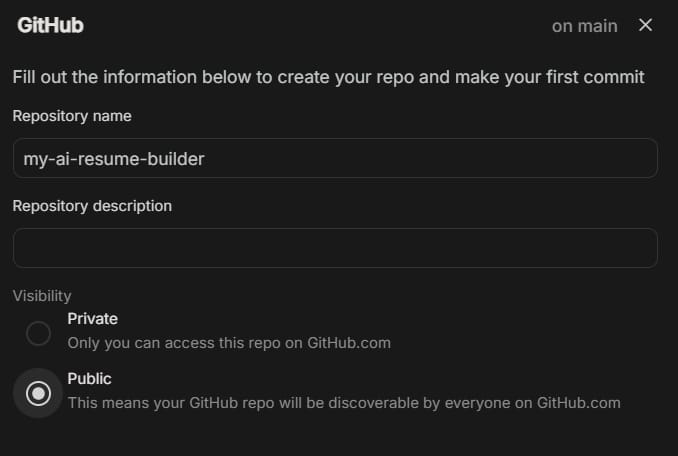
Repository Name: You need to give your project a name. I suggest something clear like
my-ai-resume-builderorstudent-career-ai.Privacy Settings: You will see an option for "Public" or "Private." For your first project, I strongly recommend choosing Public. This makes it much easier for Vercel (our hosting tool) to find your files and put them on the internet later.
3. Understanding the files (Don't Let The Folders Scare You!)
When you open your new project on GitHub, you will see a lot of folders and files with weird names. It might look like a mess, but you only need to know about two very important parts. Knowing these makes you look like an expert!
app/page.tsx(The "Face" of your app): This is the most important file. It controls exactly what people see when they visit your website.How to use it: If you want to change the title of your site, the "Welcome" message, or the color of a button, this is the place. You can open this file directly in GitHub, click the pencil icon to edit, and change the text. For example, you can change "Welcome to AI Resume" to "Hello! Let's build your dream career together."
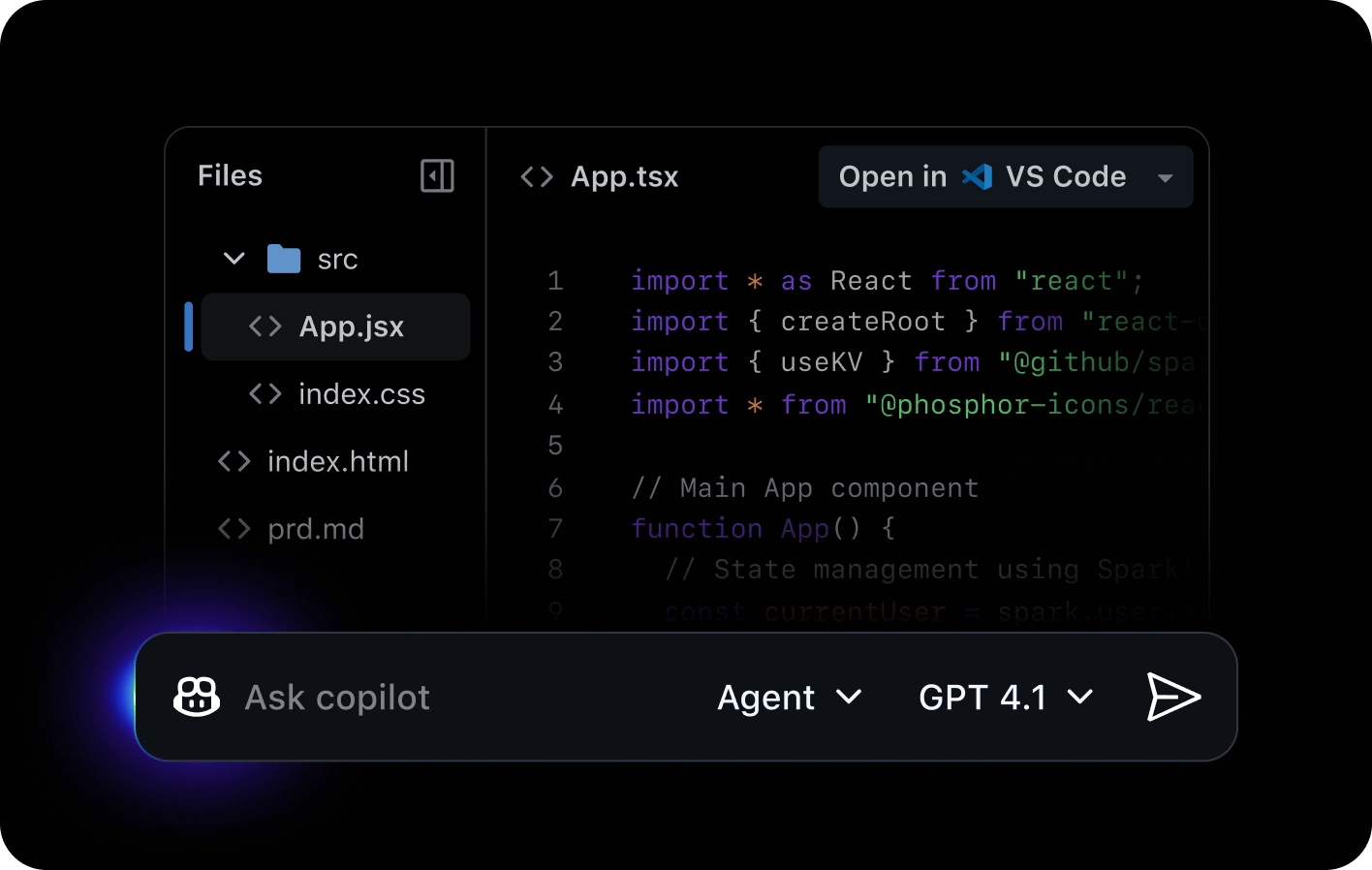
package.json(The "Shopping List"): Think of this file as a receipt or a shopping list. It tells the computer exactly which "tools" (libraries) it needs to download to make your app run smoothly.Why it matters: You don't need to edit this file, but it’s good to know it's there. It ensures that whenever you move your code to a new place (like Vercel), the computer knows exactly what to install so nothing breaks.
.env.example: You might see a file like this. It is a "template" that reminds you that your app needs an API Key to work. We will deal with the real key in the next step on Vercel.
By connecting these tools, you are setting up a "Live Pipeline." This means in the future, if you want to change your app, you can just edit the files on GitHub, and your website will update automatically. You are now officially managing a software project!
Part V: What Is The Process To Build AI App On Vercel For Real Use?
Vercel is a great place that keeps your website running 24/7 for free.
1. Import Your Project

Log in to Vercel and click "Add New" -> "Project." Vercel will show your GitHub projects. Just click "Import."
2. Setting Environment Variables (The Most Important Step!)
90% of people make mistakes here. In the Vercel settings:

Find Environment Variables.
In the Key box: Type exactly
GEMINI_API_KEY.In the Value box: Paste the long key you got from AI Studio.
Click Add.
If you don't do this, your app won't have a "brain" and will show an error.
Part VI: How To Build AI App Features Like The "Resume Grader"?
To build AI app projects that people actually want to use every day, you need to move beyond simple text generation. You need to create "Magic Moments" - features that solve a specific problem in a way that feels like pure intelligence. For our resume project, that "Magic" is the AI Resume Grader.
This is the part where we turn a basic form into a professional tool. Instead of just helping users write a new resume, we are giving them an expert critique of their current one.
1. Vision AI (Reading Images)
One of the biggest breakthroughs in Gemini 1.5 Pro is its "Vision" capability. In the past, if a student had their resume as an image or a complex PDF, the AI couldn't read it. Now, it can. This is a game-changer when you build AI app tools because most people have their resumes saved as files, not plain text.
How to set this up professionally: In your Google AI Studio settings, ensure you have enabled "Multimodal" support. This allows users to click an "Upload" button and send a photo of their CV.
Example Prompt for grading:
"Your Vision module is now active. When a user uploads an image of a resume:
Step 1: OCR Extraction. Read every word, including text in headers, sidebars, and footers.
Step 2: Keyword Gap Analysis. Compare the extracted text against top-tier industry standards. Look for missing technical skills (e.g., Python, SQL, Project Management) and soft skills (e.g., Leadership, Communication).
Step 3: Layout Audit. Check if the resume is too crowded, if the fonts are consistent, and if the most important information is at the top.
Step 4: Specific Advice. Instead of general tips, give 5 specific keywords the user MUST add to pass an Applicant Tracking System (ATS)."
By being this specific, your app doesn't just say "Your resume is okay." It says "You are missing the word 'Strategy' which is required for 90% of Marketing jobs." That is high-value feedback.
2. Creating A Comparison Table
When I was testing how to build AI app interfaces, I noticed that users get overwhelmed by long paragraphs of text. A professional app should present data clearly. The most powerful way to show progress is through a Comparison Table.
You can instruct the AI to generate a Markdown table that compares the user's current resume against an "Ideal" version. This makes the feedback visual and easy to digest.
Part VII: Important Notes So You Don't Have Errors When You Build AI App?
After spending many months working on AI projects and facing many small and big mistakes, I have learned some very important lessons.
When you build AI app projects, your goal is not just to make it "work" for one minute, but to make it "stay alive" for a long time. If you don't want your website to crash when friends use it, or have problems with safety, please read these 3 notes carefully.

1. Limits Of The Free Version
Google AI Studio has a limit. If too many people use your app at the same time, it might stop. You should add a small message on your site: "If the AI is quiet, please wait 1 minute and try again."
2. Protecting User Data And Building Trust
When you build AI app tools, especially apps that use personal information like resumes, safety is the most important thing. One small mistake with private information can destroy your reputation.
3. Making Your App Look Good On Every Device (Responsive Design)
A common mistake when people build AI app projects is only testing on a computer (Desktop). In real life, more than 70% of users will open your app from their mobile phones.
Flexible Interface: Try opening your Vercel link on your phone. Does the Comparison Table fit the screen? Are the buttons big enough for a finger to touch?
The Loading State: AI usually takes 5 to 15 seconds to "think" and answer. If the screen shows nothing during this time, users will think the app is broken and leave the website. I always tell my students: "You must always have a spinning icon or a message like 'AI is analyzing your data...' to keep the user waiting happily for those few seconds." This small detail is the difference between an "amateur" app and a professional one.
Part VIII: Comparison Table Of Tools To Build AI App
Tool | Good Point | Bad Point | Best for |
Google AI Studio | Free, very smart, easy to use | Has a usage limit | AI Logic |
Vercel | Fast, automatic updates | Needs GitHub | Hosting your site |
GitHub | Saves your work safely | A bit hard for new people | Keeping files |
Part IX: Frequently Asked Questions (FAQ)
1. I don't know any code. Can I really do this? Yes! As you saw, we use simple English to tell the AI what to do. Connecting the tools is just clicking buttons.
2. How do I change the color of my website? You can go to GitHub, find app/page.tsx, and look for colors like blue-500. Change it to green-500 or your favorite color. Or just ask the AI: "How do I make my website look like a professional bank?"
3. Why can't the AI read my photo? Check your settings in AI Studio. Make sure you chose Gemini 1.5 Pro. Older versions cannot see images.
Conclusion
Creating your own app is no longer just for experts. With this guide, you can build AI app projects in just 30 minutes. The most important thing is not how much code you know, but how well you understand the user's problem and how you give orders to the AI.
Start today with this Resume Generator. Don't be afraid to make mistakes. Every error is a lesson that helps you become an AI pro.
If you are interested in other topics and how AI is transforming different aspects of our lives or even in making money using AI with more detailed, step-by-step guidance, you can find our other articles here:
Master AI Marketing: Build Your 24/7 Digital Assistant Without Code!
Earn Money with MCP in n8n: A Guide to Leveraging Model Context Protocol for AI Automation*
Transform Your Product Photos with AI Marketing for Under $1!*
The AI Secret To Reports That Clients Actually Implement
*indicates a premium content, if any
How useful was this AI tool article for you? 💻Let us know how this article on AI tools helped with your work or learning. Your feedback helps us improve! |
Reply