- AI Fire
- Posts
- ⚡ Google's AntiGravity Becomes Unstoppable with 150+ AI Models for Building Apps
⚡ Google's AntiGravity Becomes Unstoppable with 150+ AI Models for Building Apps
Turn your raw ideas into live products using the 2026 Google workflow. This is a practical path for beginners to build functional apps at no cost today.

Neil Phan
January 30, 2026
TL;DR
Building functional apps in 2026 is now possible for free by combining Google AI Studio's massive free tier with Google Antigravity's advanced debugging. By using a "Plan-First" prompting strategy and bridging tools via GitHub, even non-coders can bypass expensive subscriptions and complex bug loops. This professional workflow ensures your code is grounded in real-time documentation, automatically tested in virtual browsers, and securely version-controlled.
Key points
Strategy: Use Google AI Studio for 90% of development and Antigravity for high-power debugging and audits.
Safety: Connect GitHub to create "save points" and prevent progress loss if browser sessions expire.
Control: Use a Project Map (
roadmap.mdanddevlog.md) to maintain AI context as the project grows.
Critical insight
The key to AI coding isn't knowing the language, but knowing how to force the AI to think through the logic before it writes a single line of code.
🤔 Are you tired of high fees and AI limits? |
Table of Contents
I. Introduction
If you try to build an app today, you usually face 2 big walls. First, professional coding tools like Claude or ChatGPT Plus cost $20 a month and still have strict limits on how many messages you can send.
Second, coding is hard. Even with AI, you can get stuck in "bug loops" where the AI keeps repeating the same mistake.
Key takeaways
Fact: Google AI Studio offers a massive free tier for writing thousands of lines of code.
Contrast: AI Studio is the construction worker; Antigravity is the expert architect and inspector.
Benefit: Bridging tools with GitHub creates a professional development environment for zero dollars.
Detail: This system automates testing and fixing, reducing manual labor for the user.
This guide will allow you to create professional-grade software without financial risk or advanced technical training.
Using an AI coding assistant is the first step toward independence. Once you master this, you can apply the same logic to build an automated digital empire with Google AI tools and scale your income for free.
II. Set Up Your Workspace For an AI Coding Assistant
Setting up requires only a browser and 3 specific accounts: Google for AI Studio, GitHub for version control, and a simple notepad for ideas.
Key takeaways
Requirement: A standard Google account provides access to AI Studio and Antigravity.
Storage: GitHub is essential for tracking progress and preventing code loss.
Environment: All development happens in the browser; no heavy software installation is needed.
Organization: Use three browser tabs: AI Studio, GitHub, and a project notepad.
You don’t need to install heavy software on your computer. Everything we are doing happens in the browser.
First, you need a Google account. This gives you access to both AI Studio and Antigravity.
Second, you need a GitHub account. GitHub is where your code lives. It keeps track of every version of your app so you never lose progress.
I recommend opening three tabs in your browser right now:
Google AI Studio
GitHub
A simple notepad (to keep track of your app ideas)
Once these are open, you are ready to start the actual development process. We will begin in AI Studio because it is the most generous with its "free" limits.
Learn How to Make AI Work For You!
Transform your AI skills with the AI Fire Academy Premium Plan - FREE for 14 days! Gain instant access to 500+ AI workflows, advanced tutorials, exclusive case studies and unbeatable discounts. No risks, cancel anytime.
III. Full Steps For an AI Coding Assistant
When you enter Google AI Studio, it might look a bit technical, but focus on the "Build" section. This is where the magic happens.
Here, you aren't just chatting; you are creating a project structure. If you are new to this, you can also check out this step-by-step guide to building full-stack apps with no-code to see how simple professional deployment has become.
Step 1. Choosing The Right Model
You will see options like Gemini 3 Pro and Gemini 3 Flash. For coding, I always use Gemini 3 Pro.
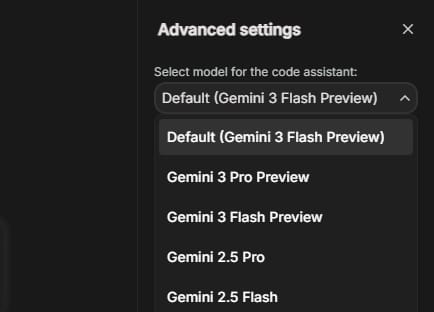
It is smarter and understands complex logic better. Gemini 3 Flash is great for quick tasks, but for building the brain of your app, stick with Pro.
Step 2. Grounding With Google Search
One of the best features in 2026 is the Grounding toggle. Most AI models only know things up to a certain date.
If you turn on Google Search grounding, your AI coding assistant can look up the latest documentation for the libraries you are using.
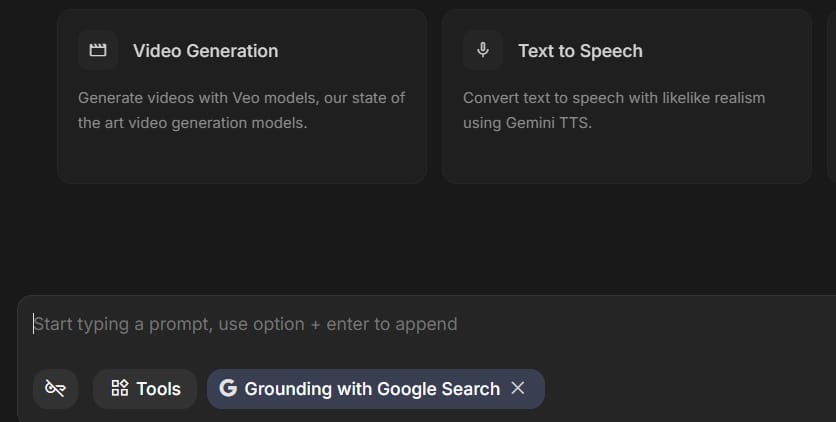
This prevents the AI from giving you "hallucinated" or outdated code that doesn't work anymore.
Step 3. Creating The Initial Prompt
Don't just say "make a fitness app." You need to be a teacher. Explain what the app does, who it is for, and what the main screen should look like. Starting with a System Instruction works best.
Tell the AI:
You are an expert full-stack developer. We are building a web app today using React and Tailwind CSS.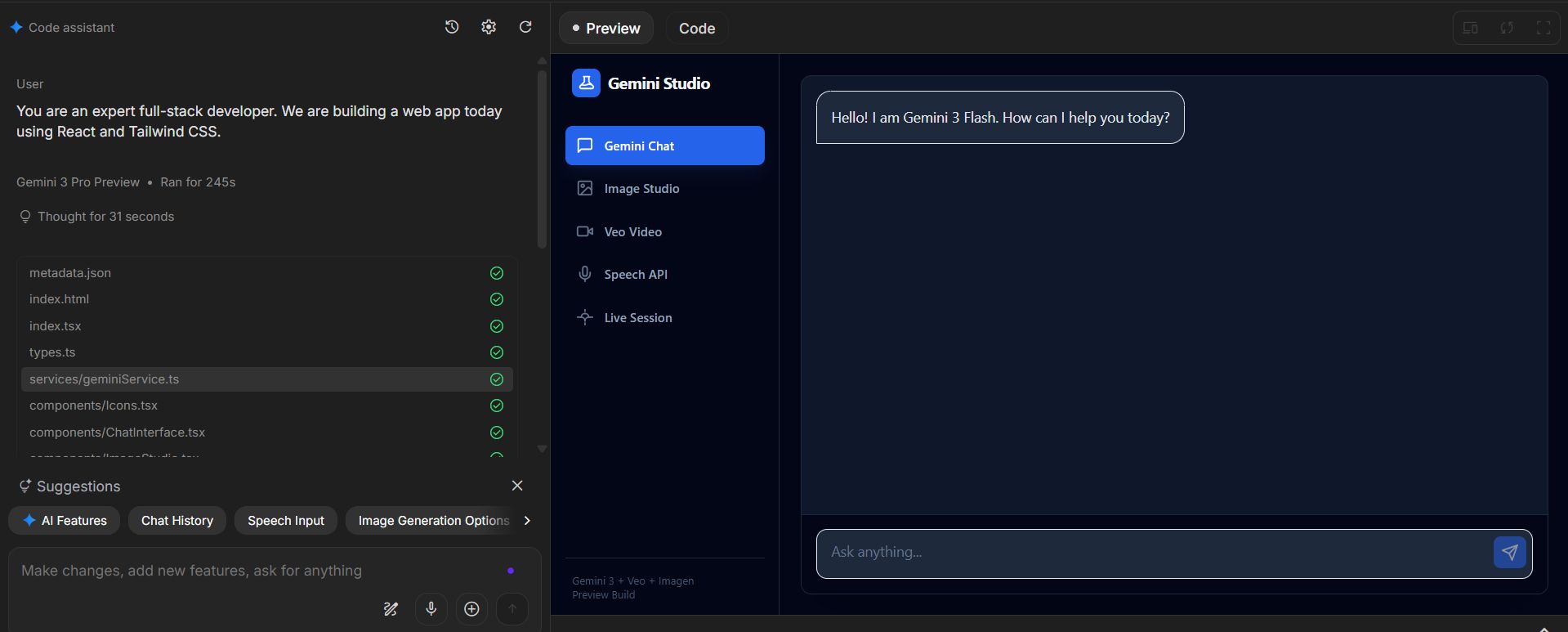
IV. Connect GitHub to Your AI Coding Assistant Workflow
This is the most important part of the setup. If you don't connect GitHub, you will lose your work if your browser crashes or if you want to switch tools.
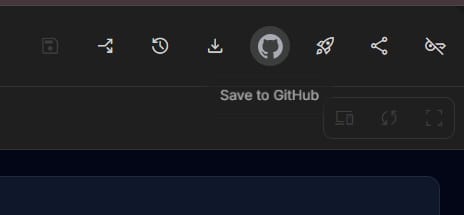
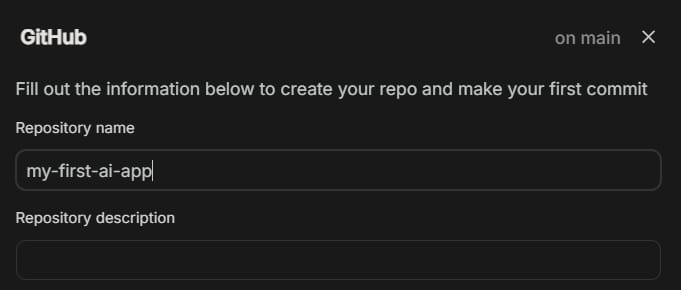
In the top right corner of AI Studio, you will see a GitHub icon. When you click it, you will be asked to create a repository. Give it a simple name like "my-first-ai-app." Make sure to select "Private" if you don't want the whole world to see your code yet.
The One-Way Rule
You need to understand something important: Google AI Studio can send (push) code to GitHub, but it cannot pull code back.
This means AI Studio is where you start the project. If you make changes directly on GitHub or in another tool, AI Studio won't see them.
Step A: Click the GitHub button.
Step B: Name your repo and click "Create."
Step C: You will see a list of files like
index.htmlorApp.js.
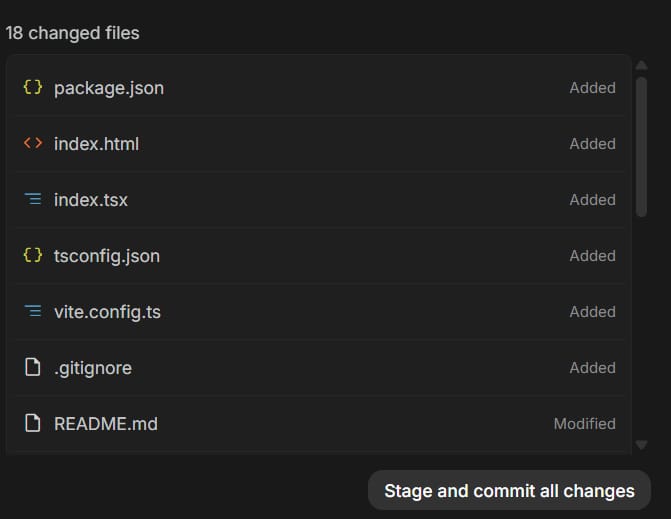
Step D: Click "Stage and commit all changes."
You have saved a snapshot of your app. If you mess up later, you can always go back to this version. It's like a video game save point.
V. Best Prompts for An AI coding Assistant During The Build Phase
The way you talk to the AI determines if your app will be great or a buggy mess. I’ve spent months refining how to talk to these models.
You should never let the AI rewrite your whole app at once. It will get confused and delete important features.
Instead, use a Plan-First approach. Here is a prompt example you can copy and adjust:
Prompt Example:
I want to add a login screen to my app. Please do not change any code yet.

First, explain the steps you will take to add this. List the new files you will create and the changes you will make to existing files.

Use a modern, clean design.

Once I approve the plan, I will ask you to write the code.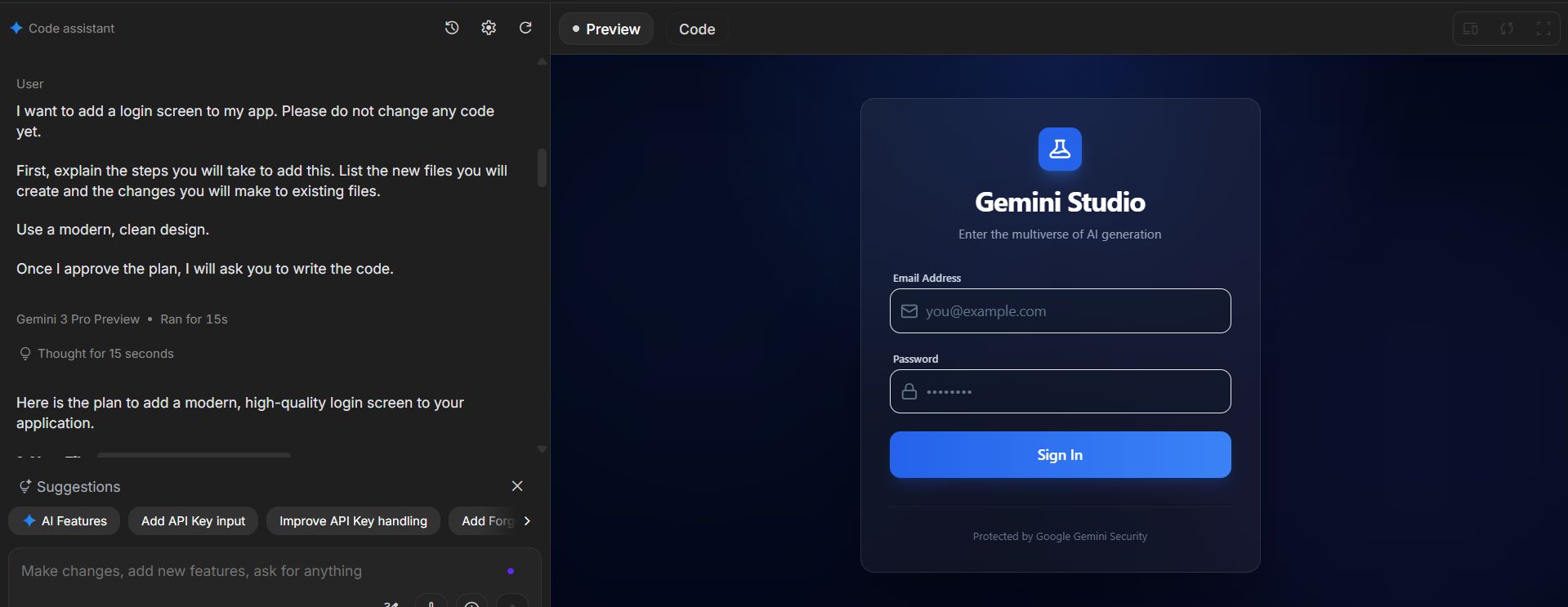
This forces the AI coding assistant to think before it acts. It allows you to catch mistakes in the logic before they become bugs in the code.
Keeping The UI Intact
Another common issue is that the AI might change your colors or buttons when you only asked it to fix a bug. To prevent this, always add this sentence to your prompts:
Keep the existing UI and layout exactly the same. Only modify the logic for the specific feature we are discussing.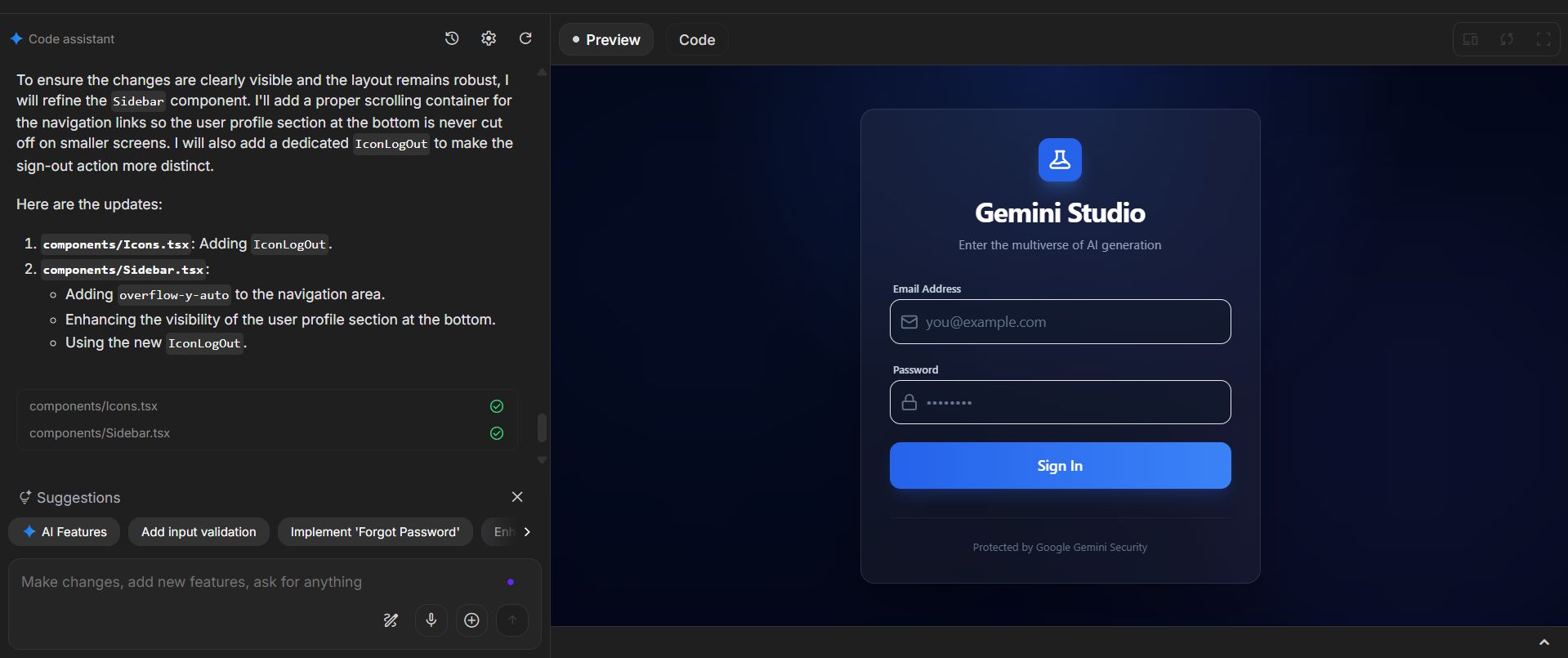
VI. Manage Documentation with an AI Coding Assistant
As your app grows, the AI will start to forget the small details. To keep it smart, you need to create a Project Map. This is just a few text files that live inside your code folder.
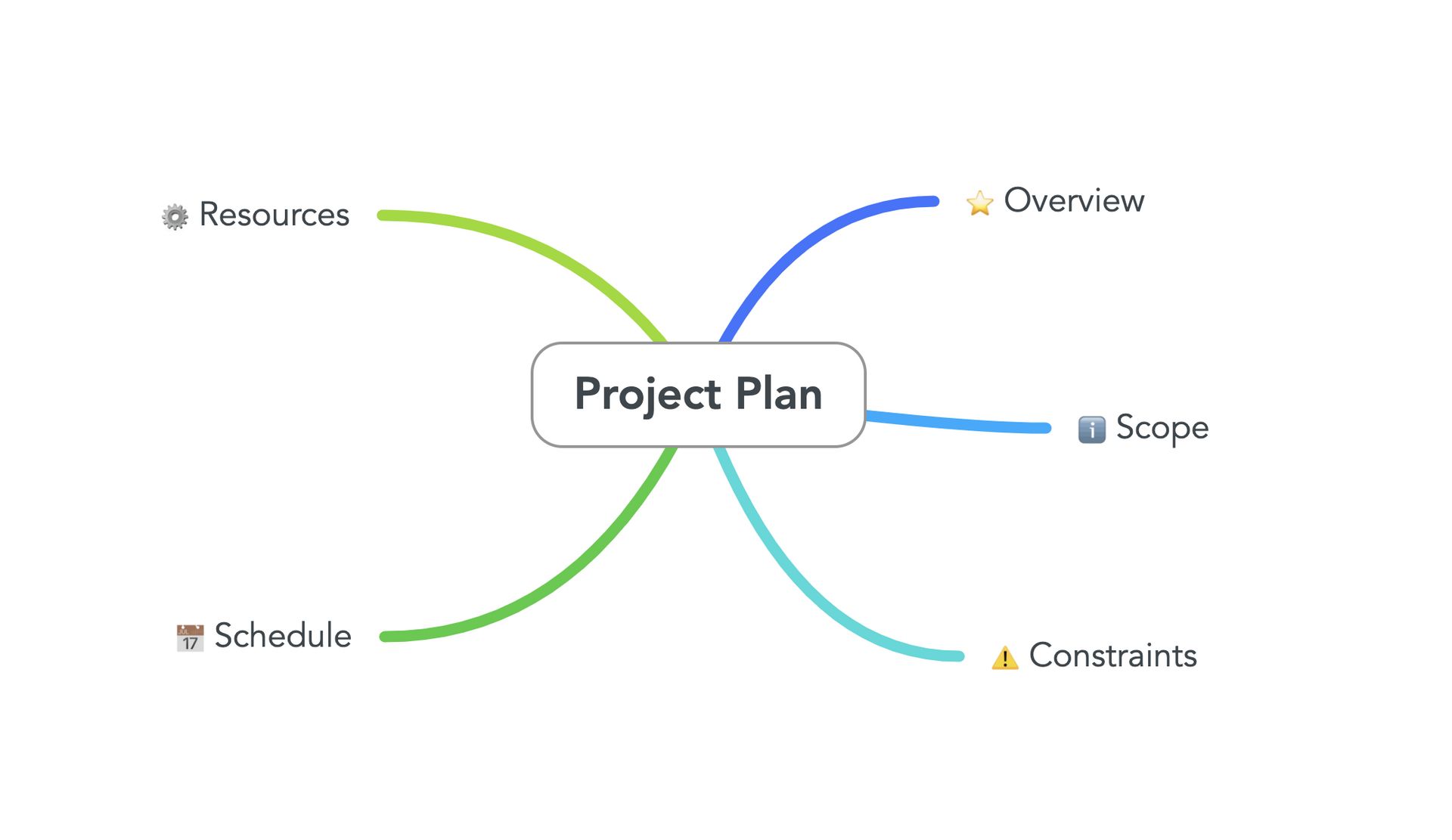
Always ask the AI to create two specific files:
roadmap.md: A list of features we have finished and features we still need to build.
devlog.md: A diary of every change we made.
Whenever you start a new session, you can say: "Read the roadmap.md and devlog.md to understand where we are in the project."
This gives the AI coding assistant the context it needs to be helpful. It’s like giving a new employee a handbook so they don’t have to ask you a thousand questions on their first day.
VII. Switch Your AI Coding Assistant to Google Antigravity
Google AI Studio is amazing for the first 80% of the work. But eventually, you might run into a bug that it just can't fix. Or maybe you want a feature that is very complex, like a real-time database connection.
This is when we move to Google Antigravity. Antigravity is agentic. This means it can actually run your app, see it in a virtual browser, and fix mistakes it sees on the screen.
Signs You Need Antigravity:
AI Studio keeps giving you the same broken code over and over.
You need to run complex tests to see if the app works on mobile.
You want to use even more powerful models like Claude 4.5 or specialized coding models.
The project has become so big that AI Studio is getting slow.
Antigravity has a smaller free tier, so we save it for these emergency or high-power moments. It is our specialized tool for polishing the app to perfection.
Moving your project is easy because we set up GitHub earlier. In Antigravity, you don't have to copy and paste files. You just Clone the repository.
Open Antigravity and look for the Clone Repository option.
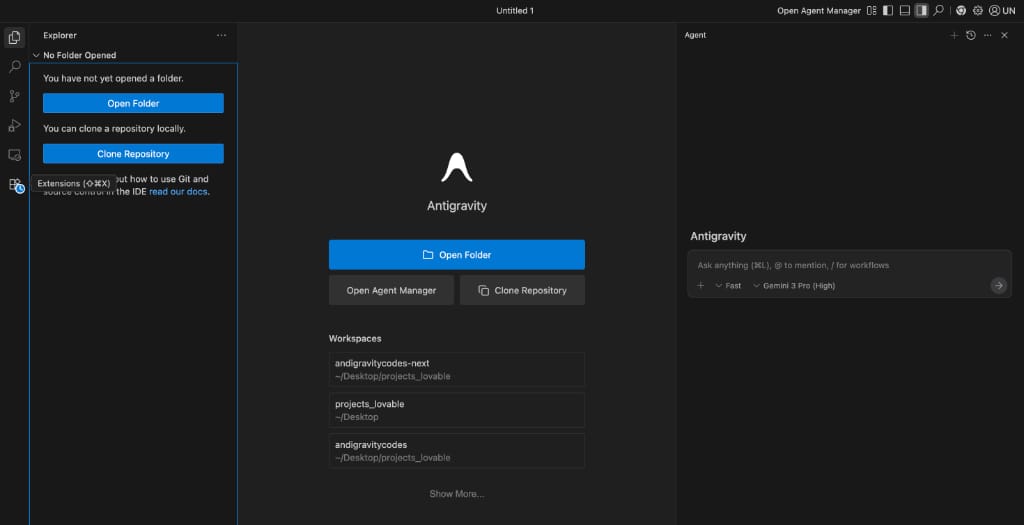
Log in with your GitHub account.
Select "my-first-ai-app" (the repo we made in AI Studio).
Antigravity will download all your files instantly.
At this point, Antigravity understands everything you built in AI Studio.
Now, you can start using the Browser Agent feature. Instead of testing the app yourself, you tell the system to open your app in a virtual web browser.
The AI coding assistant can then try to sign up with a fake email and check if there are any hidden errors in the background code.
How useful was this AI tool article for you? 💻Let us know how this article on AI tools helped with your work or learning. Your feedback helps us improve! |
IX. Performe a Code Audit
Once your app is in Antigravity, the first thing you need to do is a "Code Audit." This is where the AI looks at all your files and tells you where you’ve been messy. Remember, when you build fast with AI, the code can get a bit disorganized.
Detailed Prompt for an Audit:
I have just moved this project from AI Studio. Please perform a full audit of the codebase. Look for:

1. Security vulnerabilities.

2. Performance bottlenecks.

3. Redundant code that can be deleted.

4. Improvements to make the app more mobile-friendly.

Provide a report first, and then we will fix the issues one by one.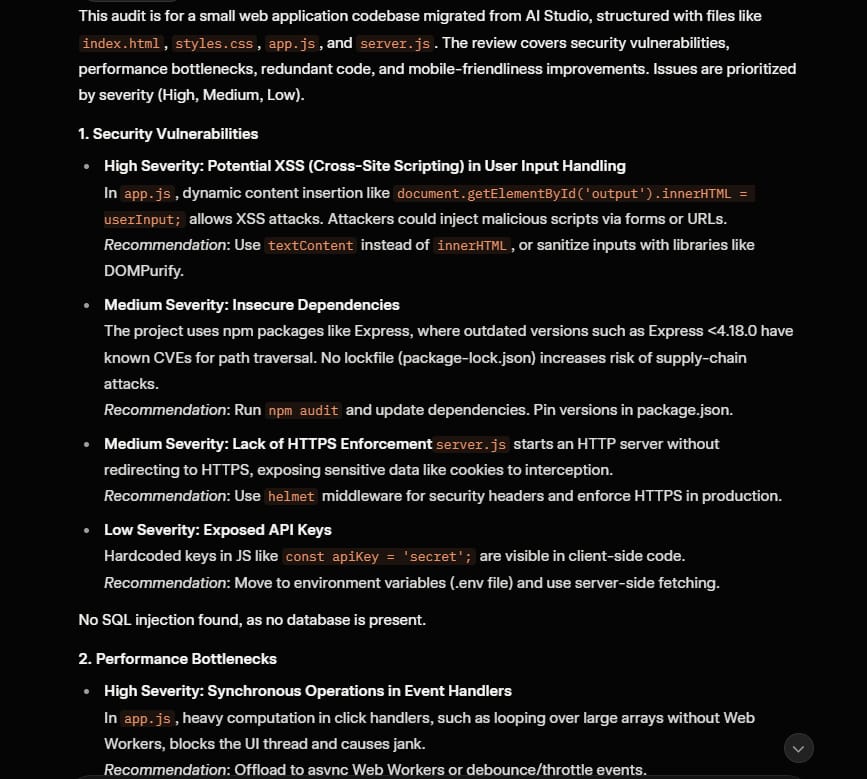
It will give you a list. It might say, "Your images are too big, which makes the app slow," or "Your login system isn't secure enough."
This is the kind of professional advice you’d usually have to pay a senior developer hundreds of dollars for.
X. Common Mistakes to Avoid
Even with these powerful tools, things can go wrong. I have made all these mistakes so you don't have to.
The "Mega-Prompt" Mistake: Don't ask the AI to build five features at once. It will fail. One feature at a time is the golden rule.
Forgetting to Commit: If you don't push your changes to GitHub regularly, you will lose a "good" version of your app. I push to GitHub every time a feature works.
Ignoring the Roadmap: If you don't update your
roadmap.md, the AI will eventually get lost. Treat your documentation like a map; without it, you're just wandering in the dark.Not Testing Manually: Even if the AI says it works, open the preview and click the buttons yourself. AI can sometimes "fake" success in the code without it actually working in the real world.
To wrap everything up, here is the "Cheat Sheet" for your free app-building journey.
Feature | Google AI Studio | Google Antigravity |
Best For | 90% of building, UI design, prototyping | Debugging, auditing, automated testing |
Cost | Extremely generous free tier | Limited free tier (use sparingly) |
Special Power | Unlimited brainstorming and grounding | Browser agent and "Thinking" models |
GitHub Role | Pushes code to the cloud | Clones and syncs code for advanced work |
By following this loop, you have a professional-grade development team at your fingertips for free.
XI. Frequently Asked Questions about AI Coding Assistants
Do I need to know JavaScript or HTML? Not really. It helps to understand the basics (like knowing that HTML is for structure and CSS is for looks), but the AI coding assistant does the heavy lifting. You just need to be good at explaining your ideas.
What if the AI gets stuck in a loop? This happens! The best fix is to start a fresh chat, paste your code and your devlog.md, and say: "We are stuck on this specific error. Here is what we tried. Can you suggest a completely different approach?"
Can I build mobile apps (iPhone/Android)? Yes. You can ask the AI to build a "Progressive Web App" (PWA). These look and act just like apps you download from the store but are much easier to build for beginners.
How long does it take to build an app? A simple app like a "To-Do List" or a "Journal" can be done in an afternoon. A complex app with logins and data storage might take a week or two of tinkering.
Conclusion
Building your own apps with an AI coding assistant is now a simple reality for everyone. This free workflow helps you turn your ideas into functional software without expensive fees or deep technical knowledge.
By using Google AI Studio and Antigravity together, you can handle both basic building and advanced testing. This smart method ensures your code is safe, professional, and completely free to develop from your home.
You should start your first project today and learn by doing each step carefully. With these powerful tools and a clear plan, you have everything you need to create amazing apps for the world.
If you are interested in other topics and how AI is transforming different aspects of our lives or even in making money using AI with more detailed, step-by-step guidance, you can find our other articles here:
AI Generalist: How To Make 2026 The Best Year of Your Life With GPT/Gemini
The New Way to Build Profitable AI Websites With Gemini 3 (It Starts With One Page)
Earn Money with MCP in n8n: A Guide to Leveraging Model Context Protocol for AI Automation*
Transform Your Product Photos with AI Marketing for Under $1!*
The AI Secret To Reports That Clients Actually Implement
*indicates a premium content, if any
Reply