- AI Fire
- Posts
- 📂 From Zero Notes to Full Report: NotebookLM Workflow Remove 100h of Research
📂 From Zero Notes to Full Report: NotebookLM Workflow Remove 100h of Research
Put your personal documents into a private system that actually thinks. This walkthrough shows you how to synthesize data without losing your mind.

Neil Phan
January 19, 2026
TL;DR
Google NotebookLM acts as your "Second Brain," revolutionizing how you study and work by using AI to analyze only the documents you provide. Unlike standard chatbots, it is "source-grounded," preventing hallucinations and allowing deep dives into PDFs, YouTube transcripts, and audio files.
This guide walks you through setting up notebooks, using advanced prompts for analysis, and leveraging the "Audio Overview" feature to turn dry text into engaging, podcast-style debates for better retention.
Key points
Concept: "Source-grounding" means the AI only answers using your uploaded files, ensuring accuracy.
Feature: Audio Overview turns complex documents into natural, conversational podcasts.
Tactic: Use Deep Prompts to force the AI to compare sources or create exam questions.
Critical insight
Don't just upload files; use NotebookLM to "debate" your documents and uncover insights you missed while reading.
🤯 Overwhelmed by your digital clutter? |
Table of Contents
You might read the title and think, 'Why do I need Google NotebookLM? I can just use Perplexity.' Well, this article is here to change that mindset. In fact, it might even convince you to make the switch completely. Just give me 5 minutes of your time, and I promise: you won't regret it.
Have you ever felt like you are swimming in a sea of documents? Maybe a great article online, a 2-hour YouTube video full of knowledge, or a thick stack of professional PDF files.
We save everything, but the truth is we rarely read it all. And even if we do read it, we forget it quickly. That is why you need a "Second Brain." Google NotebookLM is the perfect platform available today to help you do that.
That is why you need a "Second Brain," and Google NotebookLM is the perfect platform available today to help you do that.
To show you its true potential, I actually studied with NotebookLM for 30 days to document the real-world results and identify the number one mistake beginners make during the initial setup.
Part I: What Is Google NotebookLM And Why Is It A Revolution?
Google NotebookLM is a revolutionary "Second Brain" because it uses "Source-grounding," meaning it only answers questions based on the specific documents you upload, preventing the hallucinations common in tools like ChatGPT.
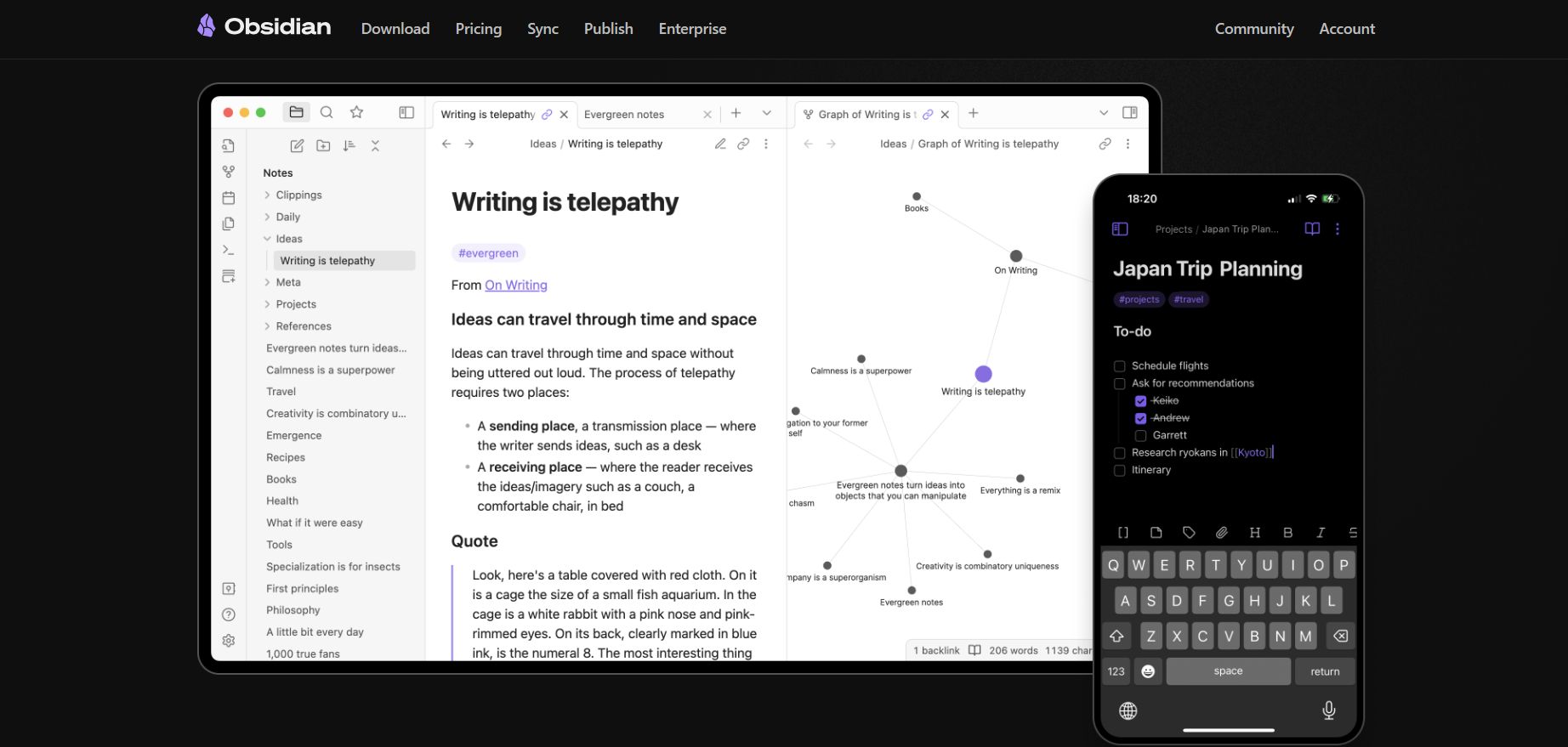
Unlike complex systems like Obsidian that require setup, NotebookLM is ready instantly, allowing beginners to turn messy piles of PDFs and videos into a searchable, intelligent knowledge base.
This focus on your personal data ensures every answer is relevant and backed by a real source you can verify. NotebookLM allows beginners to turn messy piles of PDFs into an intelligent knowledge base instantly.
But the truth is, most users still fail because they ask the wrong questions, a problem I solved in part 2 of my 30-day research result by sharing the exact commands that maximize the AI's analytical power.
Key takeaways
Difference: ChatGPT uses the whole internet; NotebookLM uses only your files.
Safety: "Source-grounding" prevents the AI from making up fake information.
Ease: No coding or complex setup required; just upload and ask.
Goal: Solve information overload by interacting with your specific documents.
It’s not a know-it-all chatbot; it’s a dedicated research assistant that only reads what you give it.
1. What Is The Main Difference Between Google NotebookLM And Normal AI?
If you are used to using ChatGPT, you will see it is like a know-it-all on the internet. However, the problem with this "know-it-all" is that sometimes he talks too much about things that are not related. Even worse, he might make up information when he doesn't know the answer.
Google NotebookLM is different. It works based on a principle called Source-grounding. When you upload your documents, the AI is "locked" inside those documents. It is only allowed to answer based on what you provide.
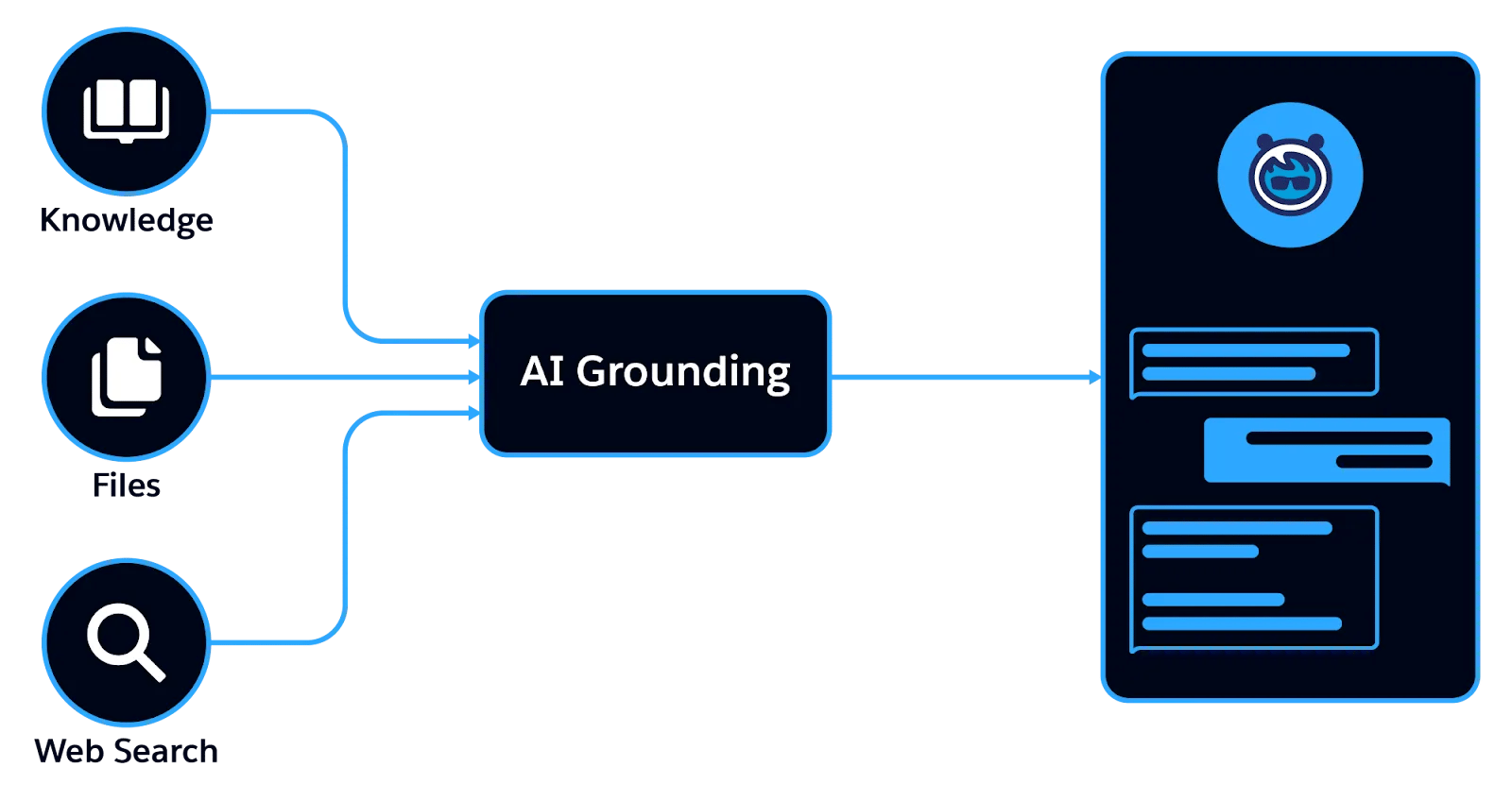
This helps stop the AI from talking nonsense and ensures every piece of information you receive has a real source.
2. Why Should A Beginner Choose This Tool?
With Google NotebookLM, everything is ready as soon as you log in. You don't need to know how to code, and you don't need to learn difficult commands. You just need to know how to read and how to ask.
Part II: How To Set Up And Get Familiar With The Google NotebookLM Interface?
Setting up is simple: log in with your Gmail, click "New Notebook," and treat each notebook as a separate project (e.g., "Weight Loss Plan").
The interface has three clear zones: the Left Column for uploading sources (PDFs, videos), the Center Area for pinning important notes, and the Right Chat Window for asking your AI assistant questions.
This clean layout keeps your "knowledge warehouse" organized and separates your raw data from your active research.
Key takeaways
Left Column: Your Source Library (PDFs, Links, Videos).
Center Area: Your Notes Board for pinning key insights.
Right Window: Your Chat Assistant for querying the data.
Structure: Create separate Notebooks for separate projects (History, Coding, etc.).
Master the three zones: Store on the left, think in the center, ask on the right.
1. Your First Step Into Google NotebookLM
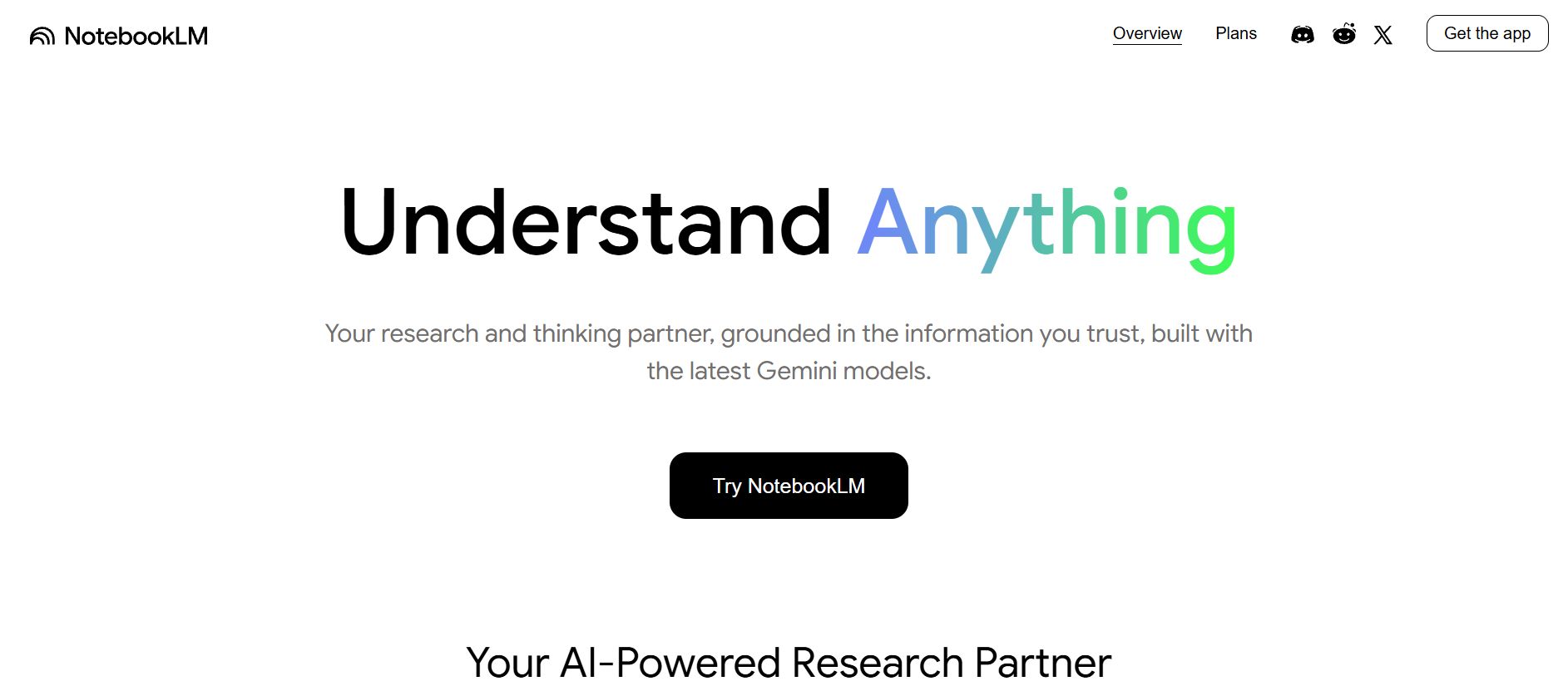
First, open your browser and go to Google NotebookLM. You only need a Gmail account to start right away.
The interface is very simple. You will see a big button that says "New Notebook." Think of each Notebook as a separate research project. For example, I have a Notebook for my "Weight Loss Plan," one for "Learning Python," and another for "Researching History."
Learn How to Make AI Work For You!
Transform your AI skills with the AI Fire Academy Premium Plan - FREE for 14 days! Gain instant access to 500+ AI workflows, advanced tutorials, exclusive case studies and unbeatable discounts. No risks, cancel anytime.
2. Understanding The 3 Main Work Areas
When you open a Notebook, look closely at these three areas because we will use them all the time:
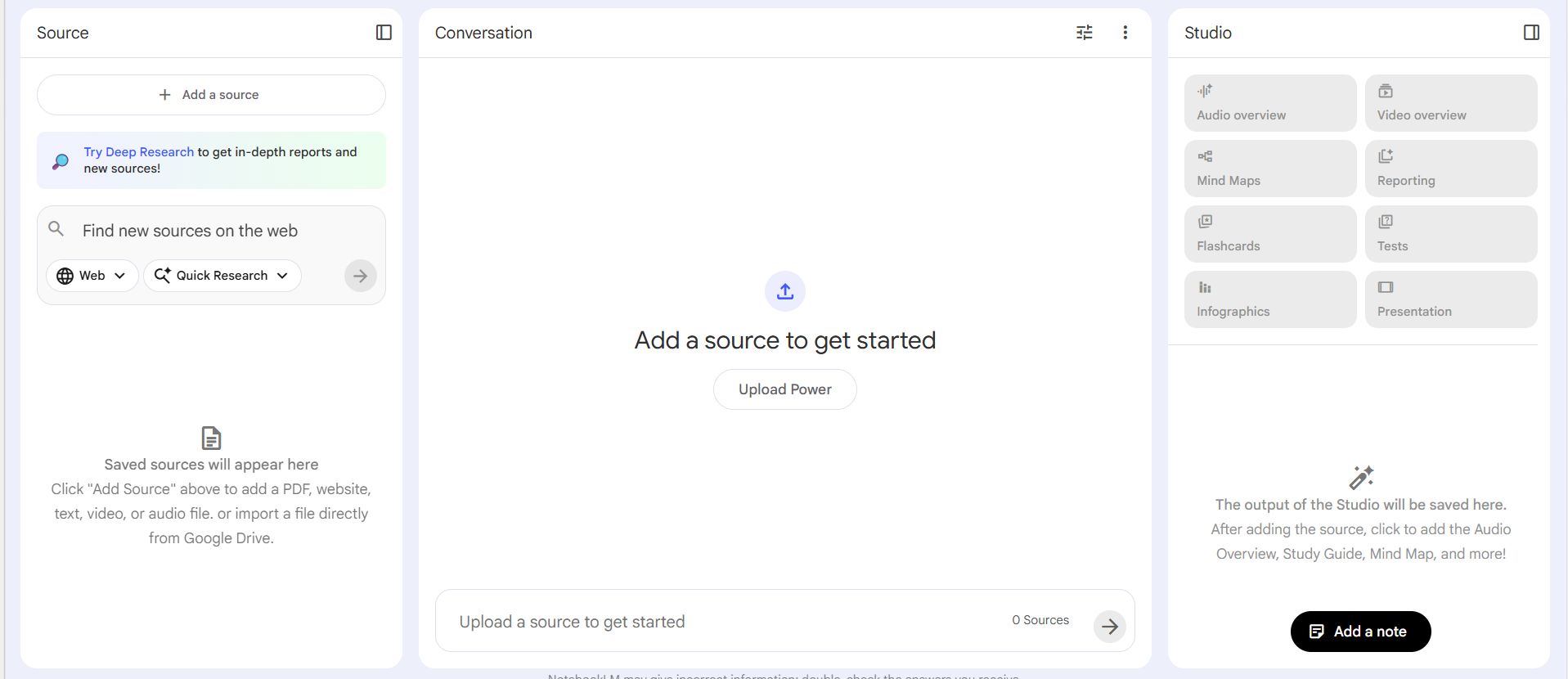
Left Column (Sources): This is your "knowledge warehouse." All the PDFs, websites, and YouTube videos you add will be here. You can click to select or unselect each source so the AI focuses exactly where you want.
Center Area (Notes): This is your "desk." Good answers or sudden ideas will be pinned here as small digital sticky notes.
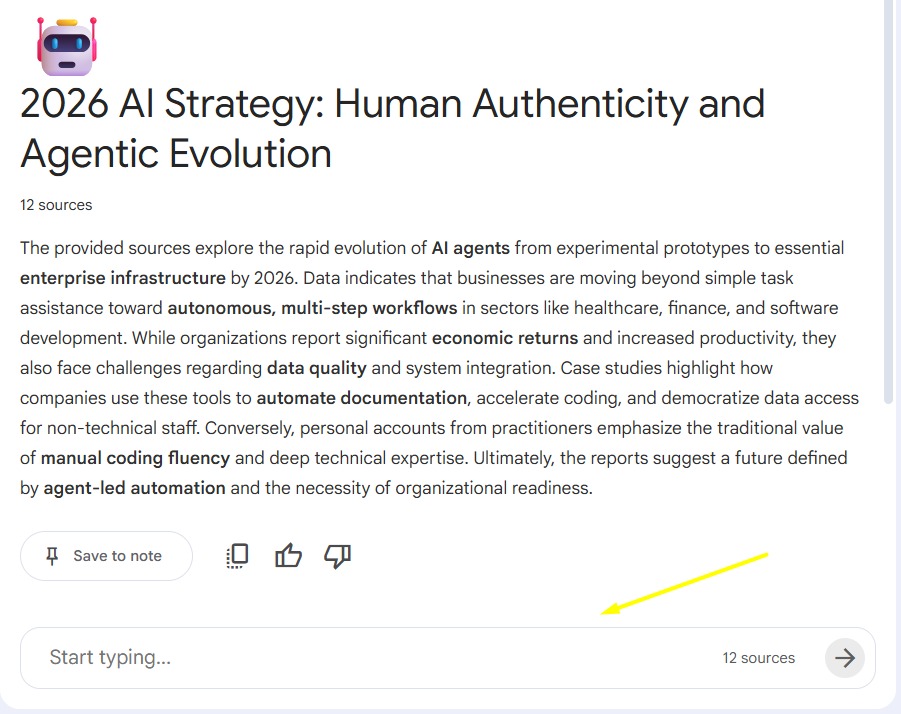
Right Chat Window: This is your "private assistant." You type your questions here and get answers immediately.
Part III: What Kind Of Data Can You Put Into Google NotebookLM To Work Better?
Many people think you can only upload PDF files, but actually, Google NotebookLM is much stronger than that. After many months of testing, I realized that mixing different sources helps the AI become smarter.
1. Using The Power Of YouTube And Websites
You can paste a link to a YouTube video (as long as the video has captions). The AI will not watch the images; it will read the whole transcript of the video. This is very helpful for long courses that you don't have time to watch.
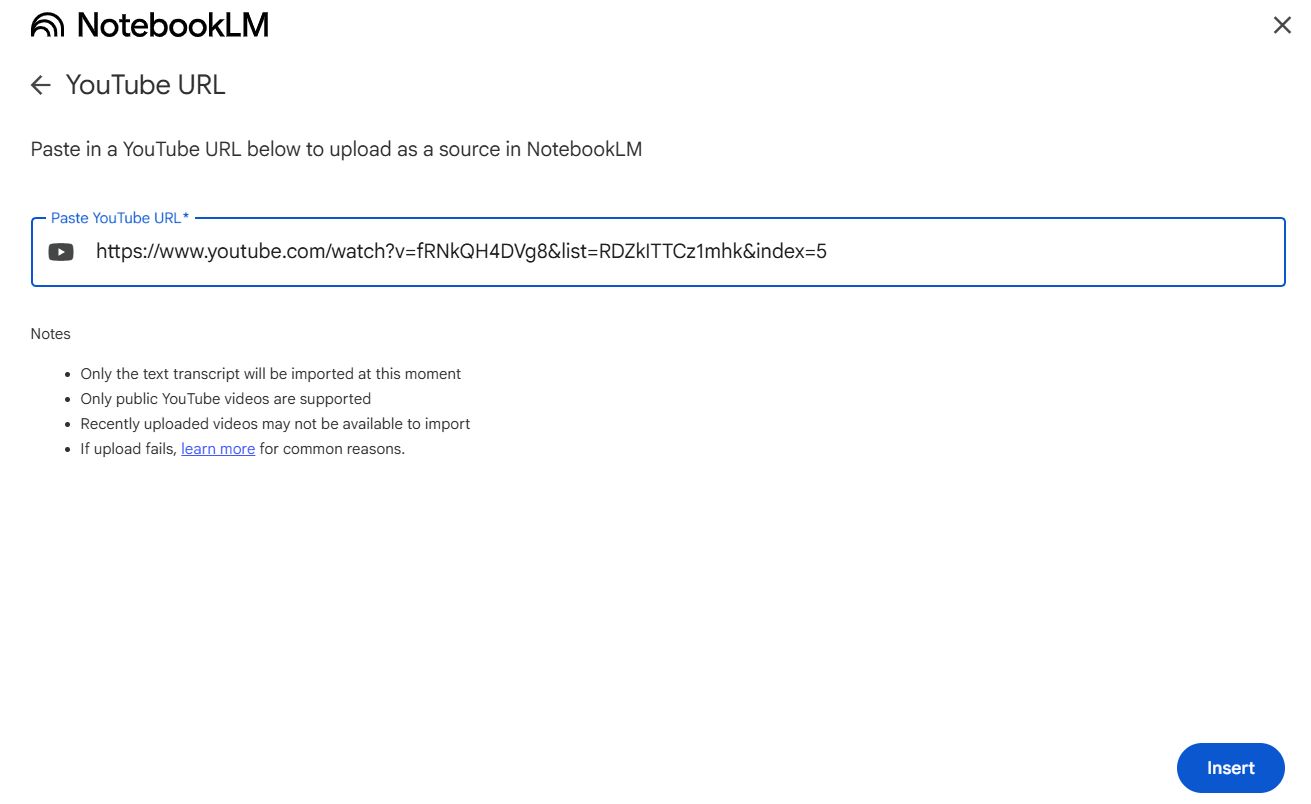
Also, for online articles, you don't need to copy and paste manually. Just paste the URL directly. The AI will automatically remove the trash ads and keep only the main content.
2. Using Personal Files From Google Drive
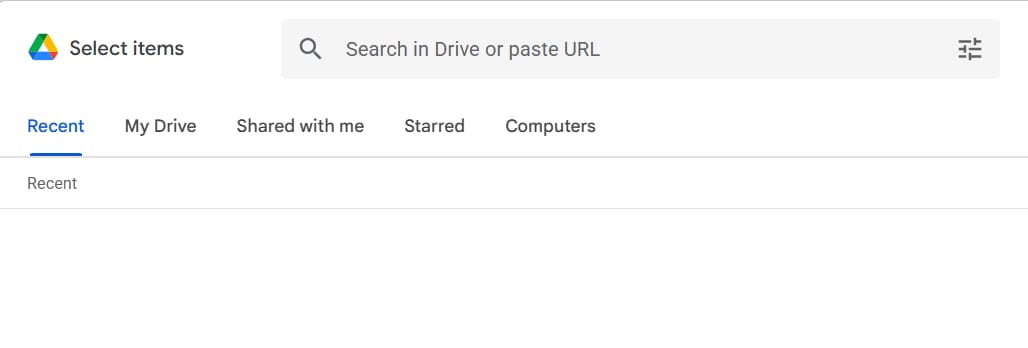
Since this is a Google product, it connects very smoothly with Google Docs and Google Slides. You do not need to download files to your computer and upload them again because you can link them directly from your Drive with just a few clicks.
The real power here is how the AI connects different files together. For example, if you have ten different documents from ten different school lessons, the AI can look at all of them at once to find patterns or answer complex questions.
A great tip for you is that whenever you update your original file on Drive, you can simply refresh the source inside your Notebook.
This ensures your "second brain" always stays up-to-date with your latest thoughts and notes without any extra work.
3. Using Audio Files In Real Life
The ability to upload audio files like MP3 or WAV is a total game-changer for anyone who attends long meetings or lectures.
When you put a recording into Google NotebookLM, the system does not just listen to the sound; it converts every spoken word into a detailed written transcript.
This allows you to do things that seemed impossible before, such as asking the AI what the teacher emphasized at the 20-minute mark or asking it to list the most important parts of a conversation.
Instead of wasting an hour listening to a recording again just to find one small detail, you can now search through that audio just like you are reading a book. This is how you turn floating information in the air into a permanent library of knowledge that you can use whenever you need it.
Part IV: How To Ask Deep Questions To Get The Most From Google NotebookLM
Don't just ask "Summarize this file for me." To really master Google NotebookLM, you need to learn how to ask structured questions. Here are the Prompt sets I have created:
1. Group Of Commands For Analysis And Comparison
When you have 2 or 3 documents talking about the same topic but from different views, try this:
Prompt:
"Based on source [File Name 1] and [File Name 2], please make a comparison table about the pros and cons of Method A. Please point out where the two authors do not agree with each other."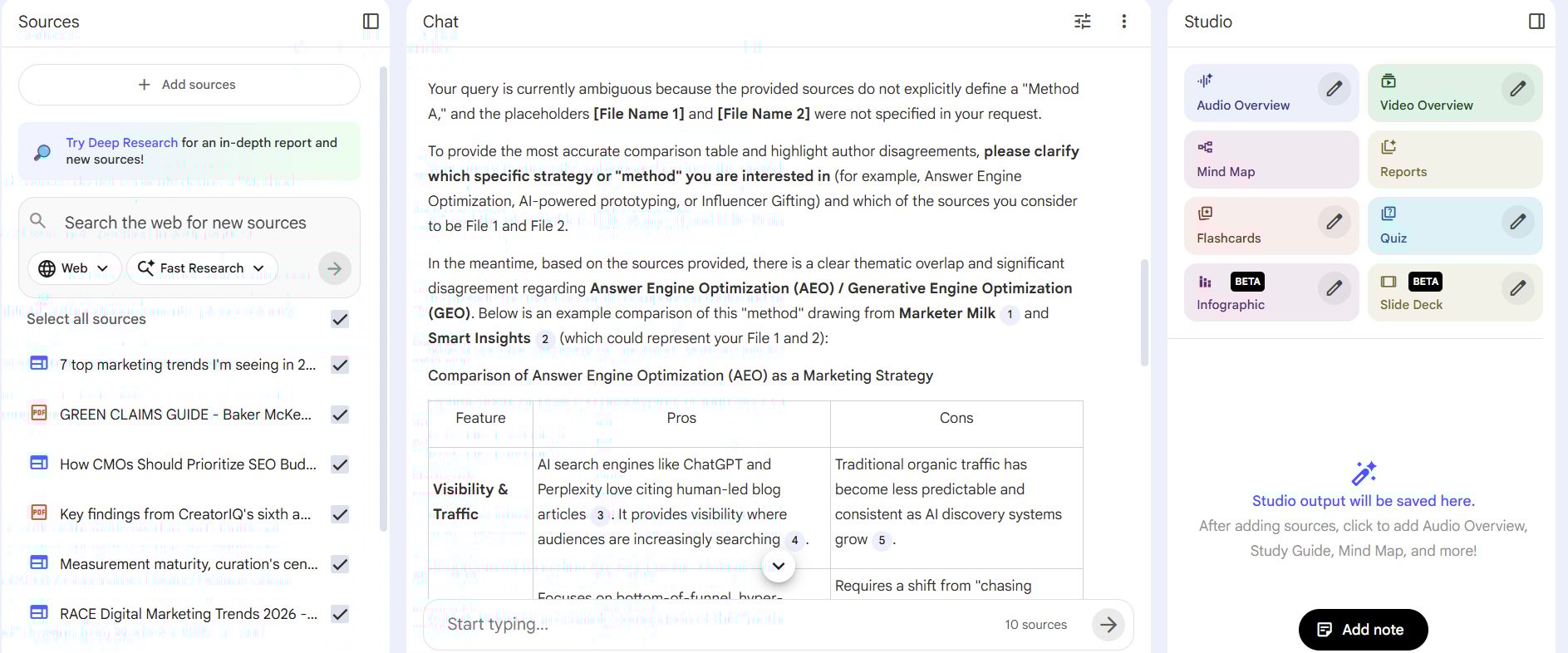
Why it works: It helps you see gaps in knowledge or different opinions that you might miss if you only read with your eyes.
2. Group Of Commands For Creativity And Suggestions
If you are stuck for ideas for your writing, use the AI as a friend to brainstorm:
Prompt:
"I want to write a blog post for beginners about this topic. Based on the documents I gave you, please suggest 5 catchy titles and a detailed outline with 3 main parts. For each part, please quote one impressive sentence from the sources."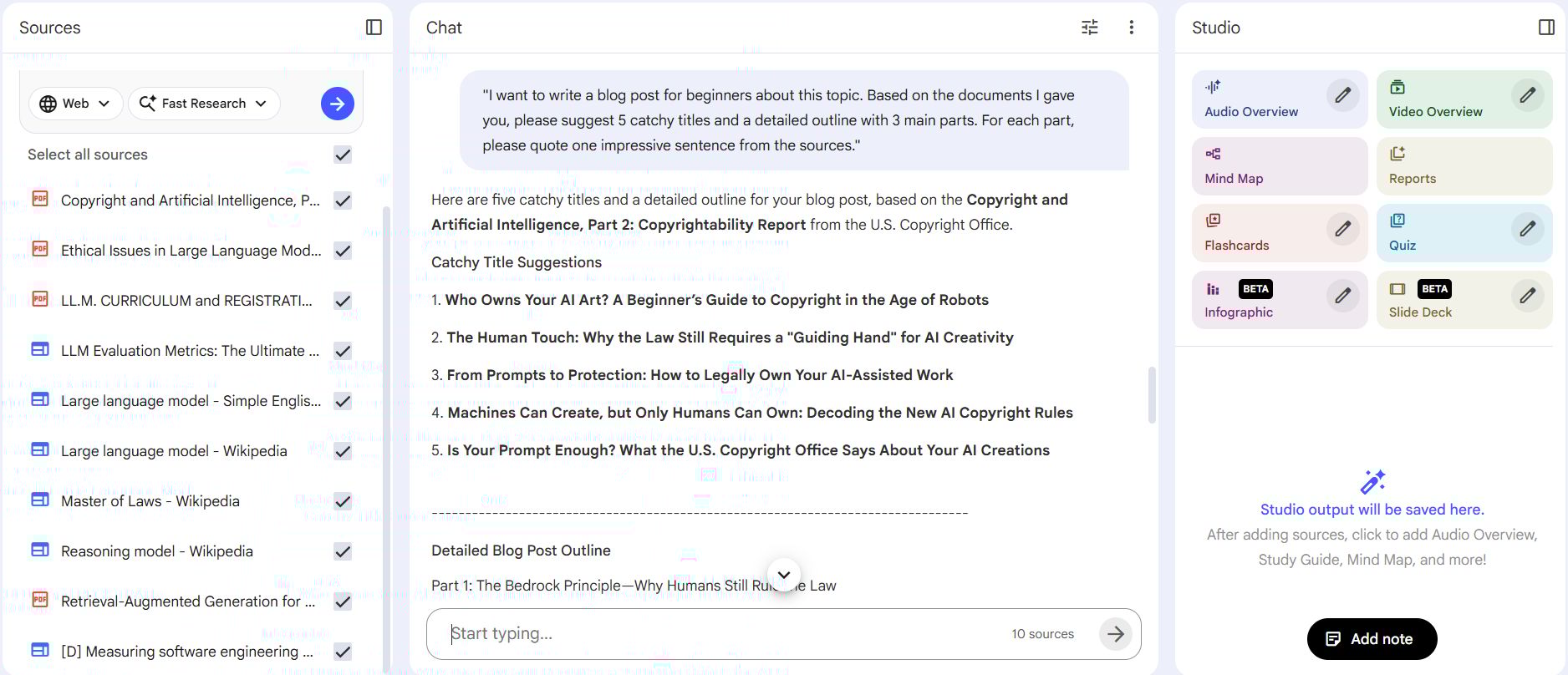
3. Group Of Commands For Testing Knowledge
This is for students who are studying for exams:
Prompt:
"Please act like a strict teacher. Based on the content of Chapter 3, please give me 10 multiple-choice questions with answers. Explain in detail why that answer is correct based on the original text."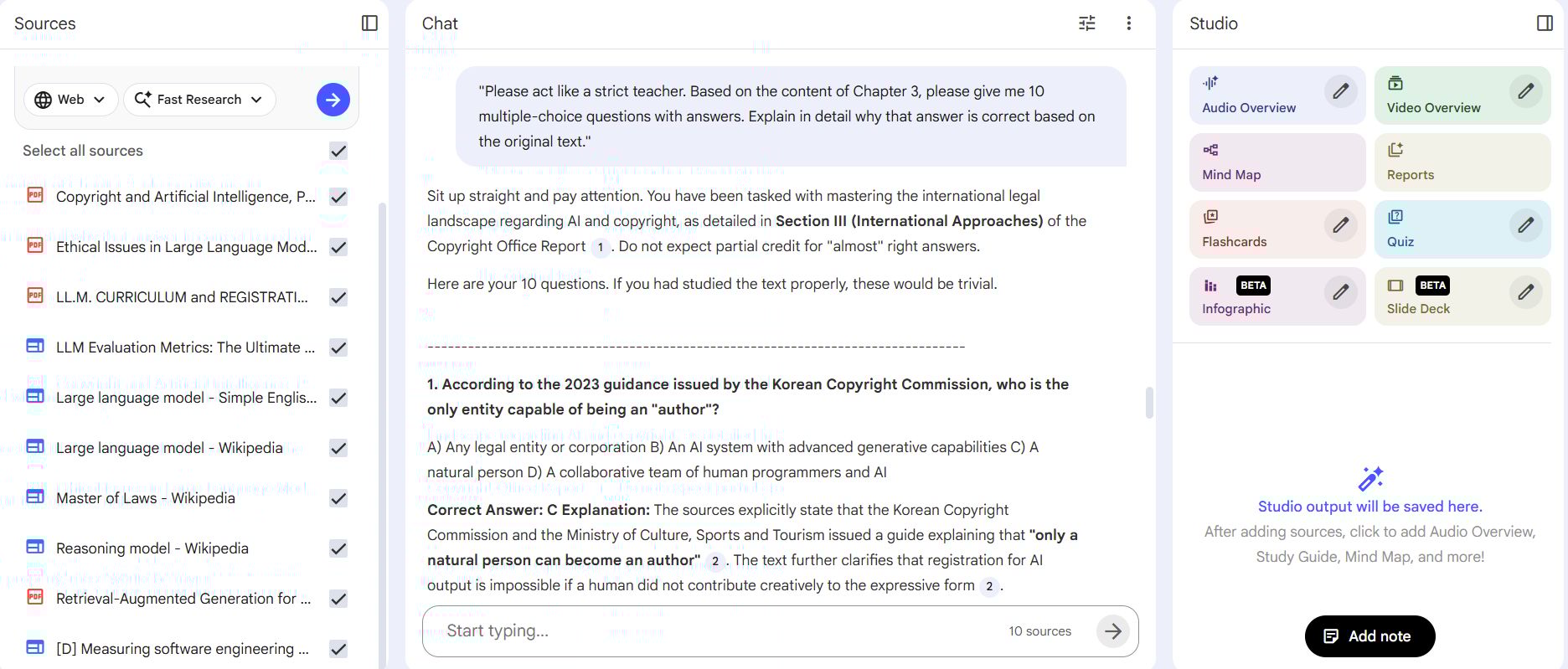
Part V: How To Use Audio Overview Like A Professional
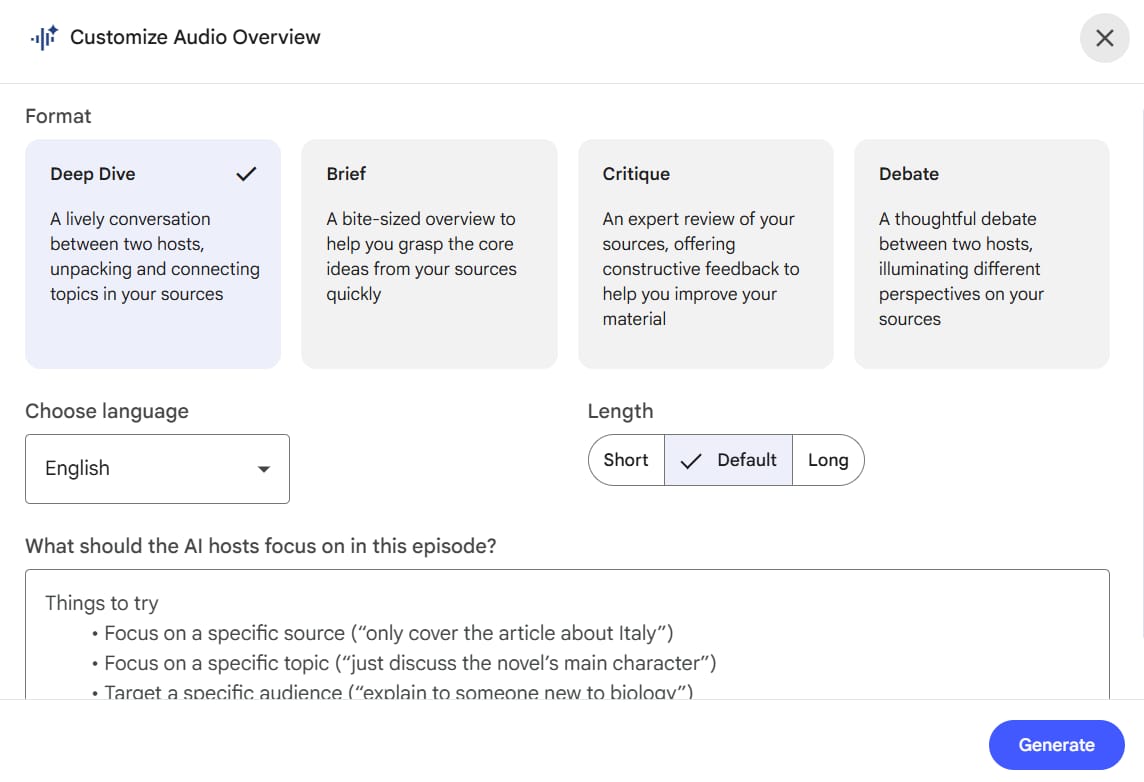
This feature is not just for fun. It is a very powerful passive learning tool. When you ask Google NotebookLM to create an Audio version, the AI will simulate a very natural conversation.
How To Change The Audio Version The Way You Want?
Recently, Google updated the "Instruction" feature for the Audio part. You don't just press "Generate" and stop. You can control it:
Specific request: "Please make this conversation fun, funny, and focus deeply on real-life examples. Do not use too many technical words."
Change the focus: "Please let the two hosts debate strongly about the project's possibility instead of just agreeing with each other."
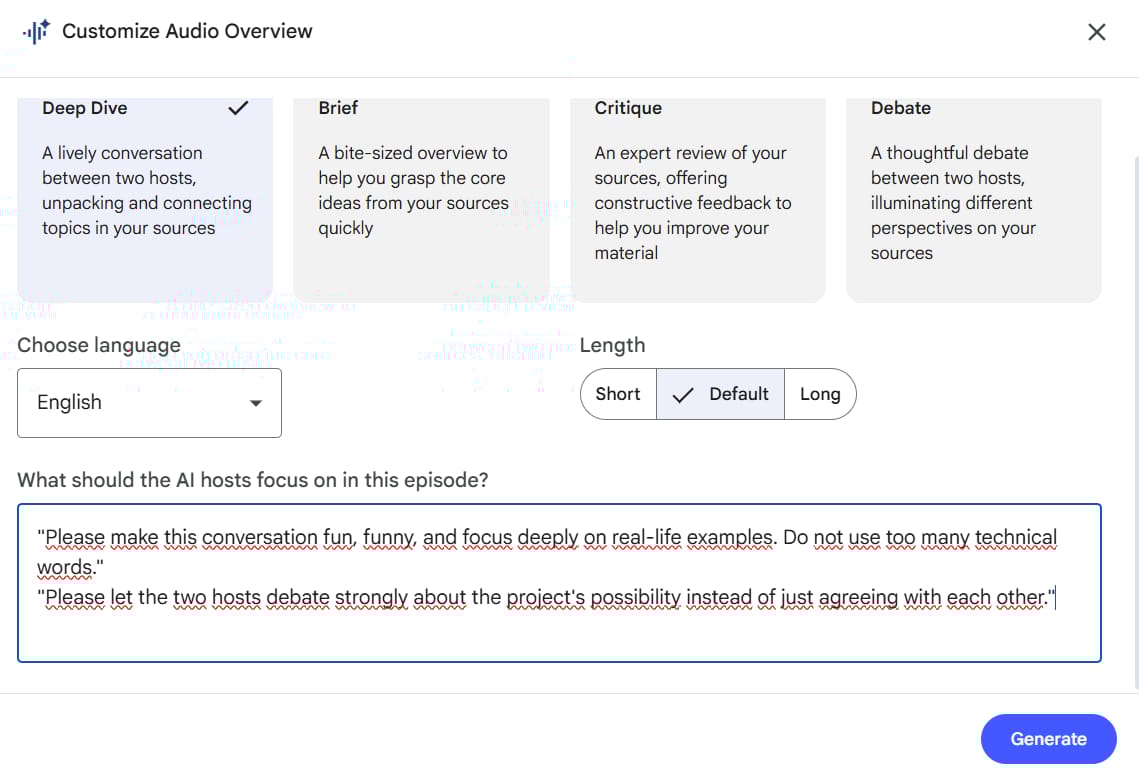
Listening to the AI debate about your own documents will help you remember information much longer than just reading dry words on a screen.
Part VI: Building A 5-Step Research Process With Google NotebookLM
To make your writing deep and professional, you should not work randomly. Please follow this 5-step process:
Step 1: Input Data. Upload everything related into a Notebook. Don't worry about having too much data. More data means the AI has more "ingredients" to cook a great "knowledge meal" for you.
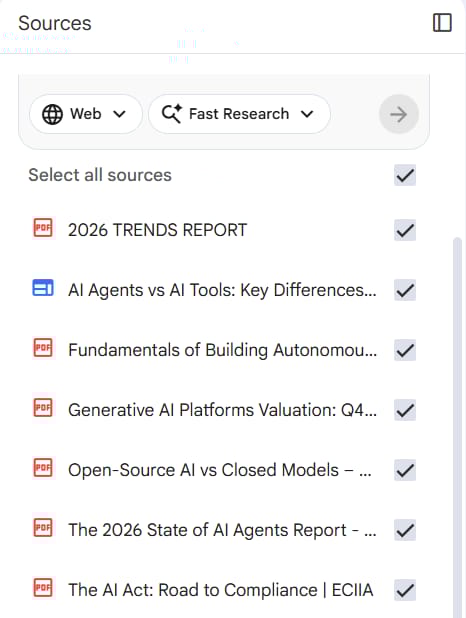
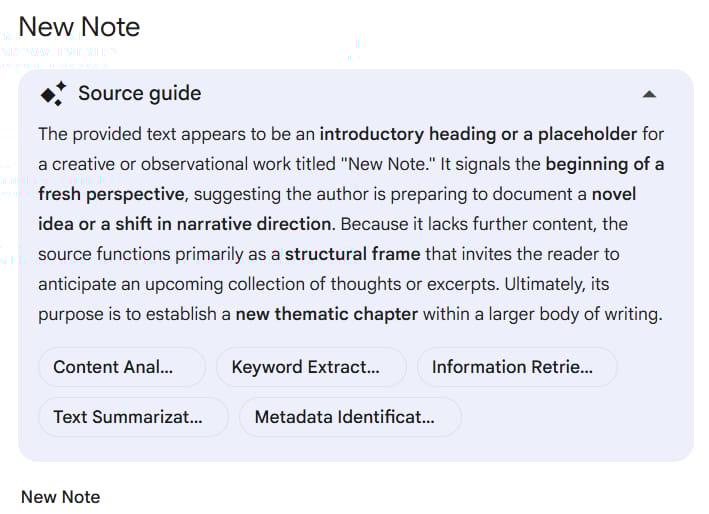
Step 2: Filtering. Use the Notebook Guide feature at the bottom right. Here, the AI will automatically suggest a short summary for the whole notebook. Read this first to see the "big picture."
Step 3: Deep Dive with Chat. Use the deep Prompts I mentioned in Part IV to break down every problem. Every time you find a good idea, press the "Pin" button to save it in the center area.
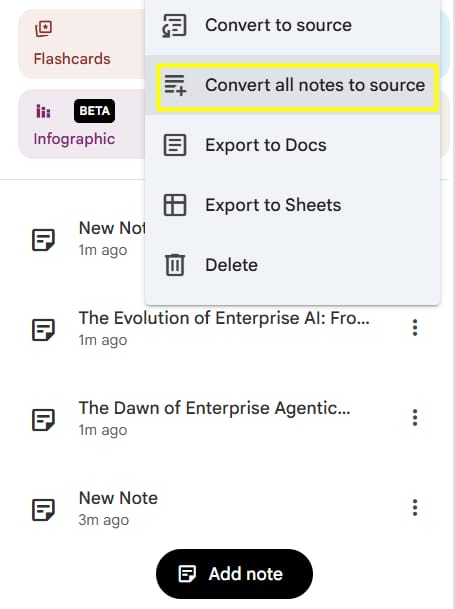
Step 4: Organizing. Now, in the middle of the screen, you will have many Notes. Arrange them in a logical order. You can select all these Notes and choose "Combine all note to source" to create the first draft of your writing.
Step 5: Verification. This is the most important step for your writing to be valuable. Check the citation numbers. Google NotebookLM will take you to the exact page in the book. Read the original sentence to make sure the AI did not misunderstand the author.
Part VII: Why Google NotebookLM Is The Perfect Partner For Your Specific Goals?
I want to show you how Google NotebookLM works in the real world. It is not just a tool for reading; it is a tool for solving problems.
Depending on who you are, this "second brain" can change your life in different ways because it understands the context of your specific work.
1. For Content Creators
The biggest challenge for a YouTuber or Blogger is to be different. Google NotebookLM is a perfect fit because it can read dozens of competitor transcripts at once to find knowledge gaps they haven't talked about.
Instead of wasting hours watching videos, you can simply ask the AI to find fresh perspectives. This tool helps you avoid repeating old ideas and allows you to create deep, original content that stands out in the market.
For example: Imagine you want to make a video about Time Management. Instead of creating another generic video about the Pomodoro technique, you can upload transcripts from the top 10 most popular videos on YouTube about this topic.
Then, ask NotebookLM:
What are the 3 most common tips everyone repeats (so I can avoid them), and find me 1 unique, scientific counter-argument that was only mentioned briefly?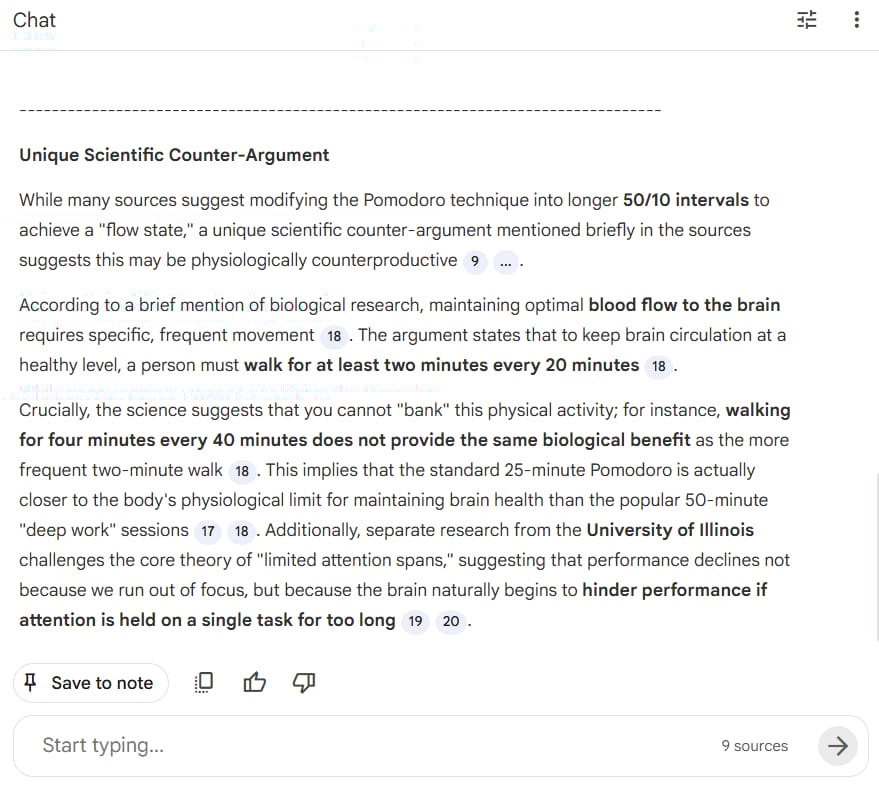
The result: The AI digs up a specific biological fact that is buried in the data: you cannot "bank" physical activity. It points out that walking for 4 minutes every 40 minutes does not provide the same benefits for brain blood flow as walking 2 minutes every 20 minutes.
Boom. Now you have a killer, contrarian hook: "Why 50-Minute Deep Work Sessions Are Ruining Your Focus (According to Biology)," backed by specific research from the University of Illinois that your competitors completely ignored.
2. For Language Learners
Learning English from textbooks is often boring and unnatural. Google NotebookLM is ideal because it lets you learn from materials you actually enjoy, such as real news articles or podcast recordings.
When you ask the AI to explain grammar or vocabulary based on those specific files, you see how native speakers communicate in real life. It turns any dry document into a personalized lesson, helping you remember information much faster and more naturally.
For example: You are self-studying the HSK 4 Standard Course textbook, but reading the dialogues alone is boring and ineffective.
Step 1 (Upload): Upload the PDF of your HSK 4 Textbook.
Step 2 (Prompt): Ask:
I am studying Lesson 5 about "Job Interviews". Act as the interviewer and interview me. You must ONLY use the vocabulary and grammar structures found in Lesson 5. After each of my answers, fix my grammar mistakes.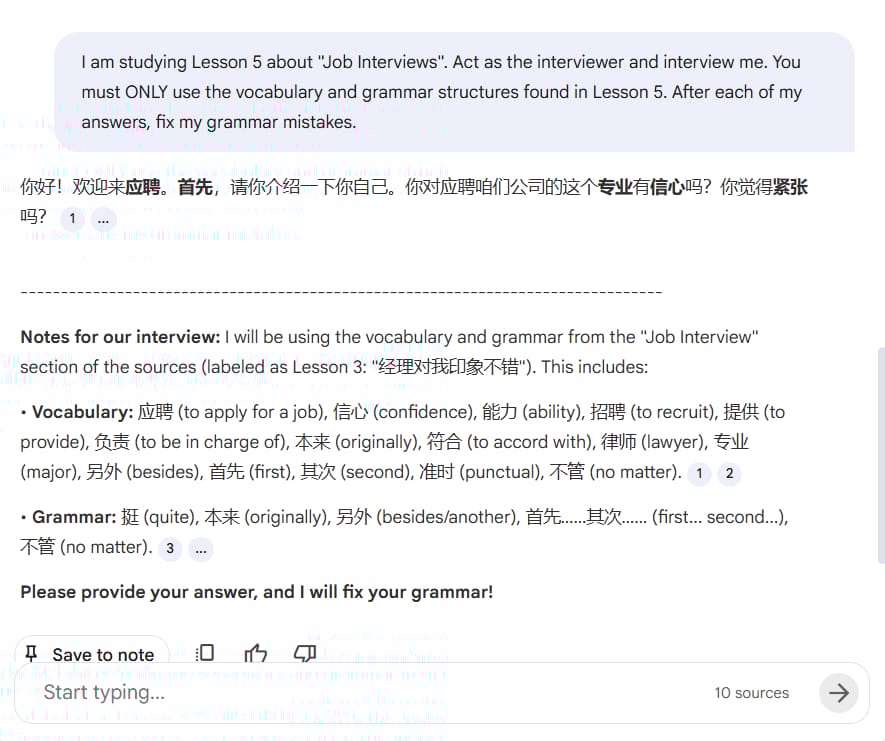
The Result: The AI instantly turns into a practice partner. It asks you relevant questions using the exact words you need to review, turning a static book chapter into a live, interactive mock interview."
3. For Project Managers
Managing a project means managing small details that are easily forgotten. Google NotebookLM acts as a permanent memory when you upload all your meeting notes.
It is extremely useful because it can compare information from different dates to remind you of unfinished tasks or forgotten promises.
You will save a lot of time on manual reviews, keeping your project on track without having to dig through messy folders of old documents.
Part VIII: Security And Limits You Need To Know
1. Privacy Issues
Google says that the data you upload to Google NotebookLM is private and is not used to train their big AI models like Gemini. However, as a smart user, you should still be careful. I suggest you do not upload documents like:
Copies of your ID card or passport.
Lists of personal passwords.
Financial contracts that are very secret.
2. Technical Limits
Source limit: Right now you can only upload a maximum of 50 sources for one notebook.
Document length: Each PDF file should not be more than 500,000 words. But this is already enough for most people.
Image processing: Right now, Google NotebookLM mostly focuses on text. If your document has many complex charts, the AI might find it difficult to analyze the numbers inside those images.
Part IX: Advanced Tips To Become A Google NotebookLM Superhuman
After you are good at the basic steps, try to use these small but powerful tips:
Use Emojis in Prompts: It sounds strange, but when you ask the AI: "Please summarize and use 💡 for ideas, and ⚠️ for warnings", your notes will look much better and easier to read.
Sort by color: Even though the interface is simple, you can name your Notes to find them easily. For example: [IMPORTANT], [TO DO], [REFERENCE].
Combine with other tools: You can use Perplexity AI to find the newest documents on the internet, then upload them to Google NotebookLM to analyze deeply.
This is a perfect mix of "Searching" and "Researching." In fact, mastering this workflow through a 1-hour AI preparation session can save you over 100 hours of study by ensuring you build a clear knowledge map instead of learning the wrong way.
Conclusion: What Is Your Next Step?
Building a "second brain" is not something you do in one day. It is a habit. Start by creating a Notebook for a small hobby, like "How to take care of plants" or "Italian Cooking Recipes."
The more you use Google NotebookLM, the more you will be amazed by how it connects information. It doesn't just help you work faster, but more importantly, it helps you become wiser by understanding deeply what you have learned.
I hope this article gave you everything you need to start. Don't just read, act now. Your brain deserves to be free from the heavy weight of too much information.
If you are interested in other topics and how AI is transforming different aspects of our lives or even in making money using AI with more detailed, step-by-step guidance, you can find our other articles here:
Forget Film School! THIS Is The Future Of AI Video Creation!*
5 AI Habits You Must Build Now to Decide Who Wins & Who Falls Behind in 2026
n8n Wizard Secrets Pt 2: 12 Tricks For EPIC Automation Workflow!*
8 AI Tools That Will Completely Change How You Work (Not Just Hype)
Business Strategy: If We Started A Business in 2026, We'd Ignore all the Noise & Do This Instead
*indicates a premium content, if any
How useful was this AI tool article for you? 💻Let us know how this article on AI tools helped with your work or learning. Your feedback helps us improve! |
Reply