- AI Fire
- Posts
- ✍️ 10 Prompt Rules to Make Any AI Outputs 10x Better: For Claude/ GPT/ Gemini
✍️ 10 Prompt Rules to Make Any AI Outputs 10x Better: For Claude/ GPT/ Gemini
Stop getting generic output. Here are the prompting rules Anthropic recommends, plus how I use them in real work

Max Anh
January 07, 2026
TL;DR BOX
Effective prompting for Claude (Opus/Sonnet 4.5) in 2026 relies on shifting from vague requests to direct orchestration and specific structural controls. By following Anthropic's golden rules, users can eliminate generic "AI slop" and unlock professional-grade reasoning and content generation.
The strategy emphasizes being obsessively specific, defining the "intent" behind every request and using XML-style tags to categorize instructions. Breaking large projects into small, strategic checkpoints prevents model overwhelm and ensures coherence. Advanced techniques include using "few-shot" examples to mirror style perfectly and announcing "agentic workflows" to maintain long-term context during multi-turn interactions.
Key points
Fact: Claude’s docs recommend XML tags to separate instructions, context and examples for cleaner output.
Mistake: Using negative commands like "don't use markdown"; instead, provide positive instructions defining exactly what the final output format should be.
Action: Break down massive tasks, such as writing a 50-page report, into smaller milestones like "outline", then "introduction", to ensure higher quality and better control.
Critical insight
The shift to a good prompt occurs when you stop asking for advice and start commanding direct action, such as "Refactor this code" instead of "What do you think of this code?"
🧠 Are your Claude prompts hitting a brick wall? |
Table of Contents
I. Introduction: The "Brick Wall" Problem
We all know that “garbage in, garbage out” but a lot of people still message us asking why even the latest models like GPT-5.2 or Claude Opus 4.5 don’t follow what they want.
The good news? The brilliant minds at Anthropic dropped a guide and a leading AI expert broke it down into 10 golden rules that will revolutionize your results with models like Claude Opus and Sonnet 4.5.
But a list of rules is just a list. To truly master prompting, you need to understand the why and the how. This can be your new guide for turning our AI into the hyper-competent assistant you were promised.
Before we get into the first rule, I need to confess. At the end of each rule, I created an image that summarizes the key context so you can save it on your phone. If you want to create the same kind of images, this previous post is for you.
Alright, let’s get into it.
II. How Do You Build Good Prompts?
Good prompts start with three basics: specificity, intent and examples. You tell Claude exactly what to produce, why you need it and what “good” looks like. This removes guessing and reduces hallucinations. If these basics are weak, advanced tricks won’t save the output.
Key takeaways
Specificity means defining audience, format, length, tone and structure.
Explaining your intent is better than just naming an audience because it shows what is most important.
Add one strong example to lock style and consistency.
Action detail: keep a swipe file of your best emails and outlines.
Most “AI slop” comes from missing inputs, not weak models.
Before we get to the fancy tricks, you need to master the basics. If you get these wrong, nothing else matters.
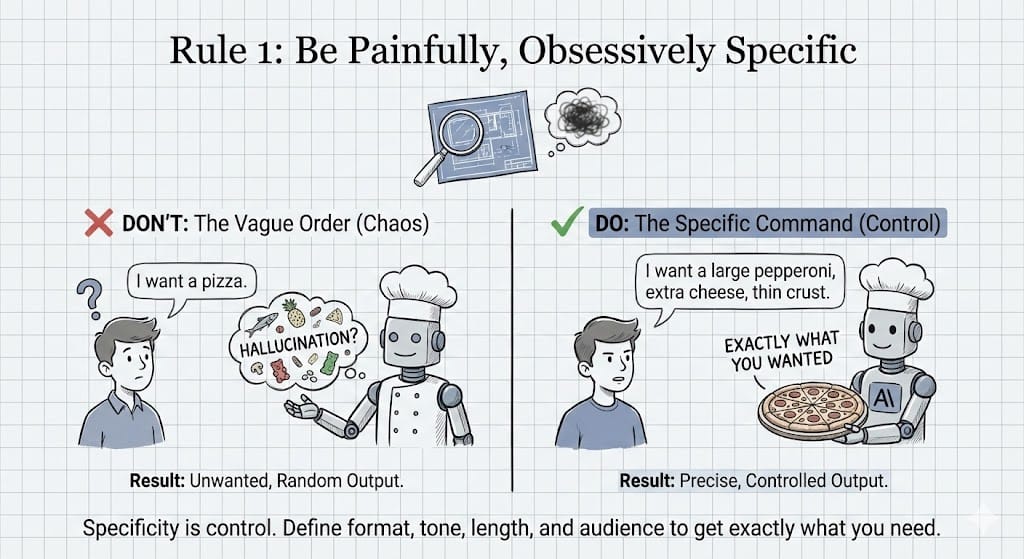
Rule 1: Be Painfully, Obsessively Specific
This is the most important part of prompting but many people think they are doing it when they are not. Vague instructions don't just get vague results; they invite the AI to hallucinate. Claude follows instructions at face value, so don't make it guess.
Think of it like ordering a pizza. If you just say "I want a pizza", you might get anchovies. If you say, "I want a large pepperoni with extra cheese and thin crust", you get exactly what you want.
Bad Prompt: "Write something about keyboards".
Good Prompt: "Write a 300-word blog post for tech-savvy millennials in a casual, humorous tone about the benefits of mechanical keyboards. Start with a hook that questions why anyone still uses a mushy laptop keyboard. Use bullet points for the top 3 features: tactile feedback, durability and customization".
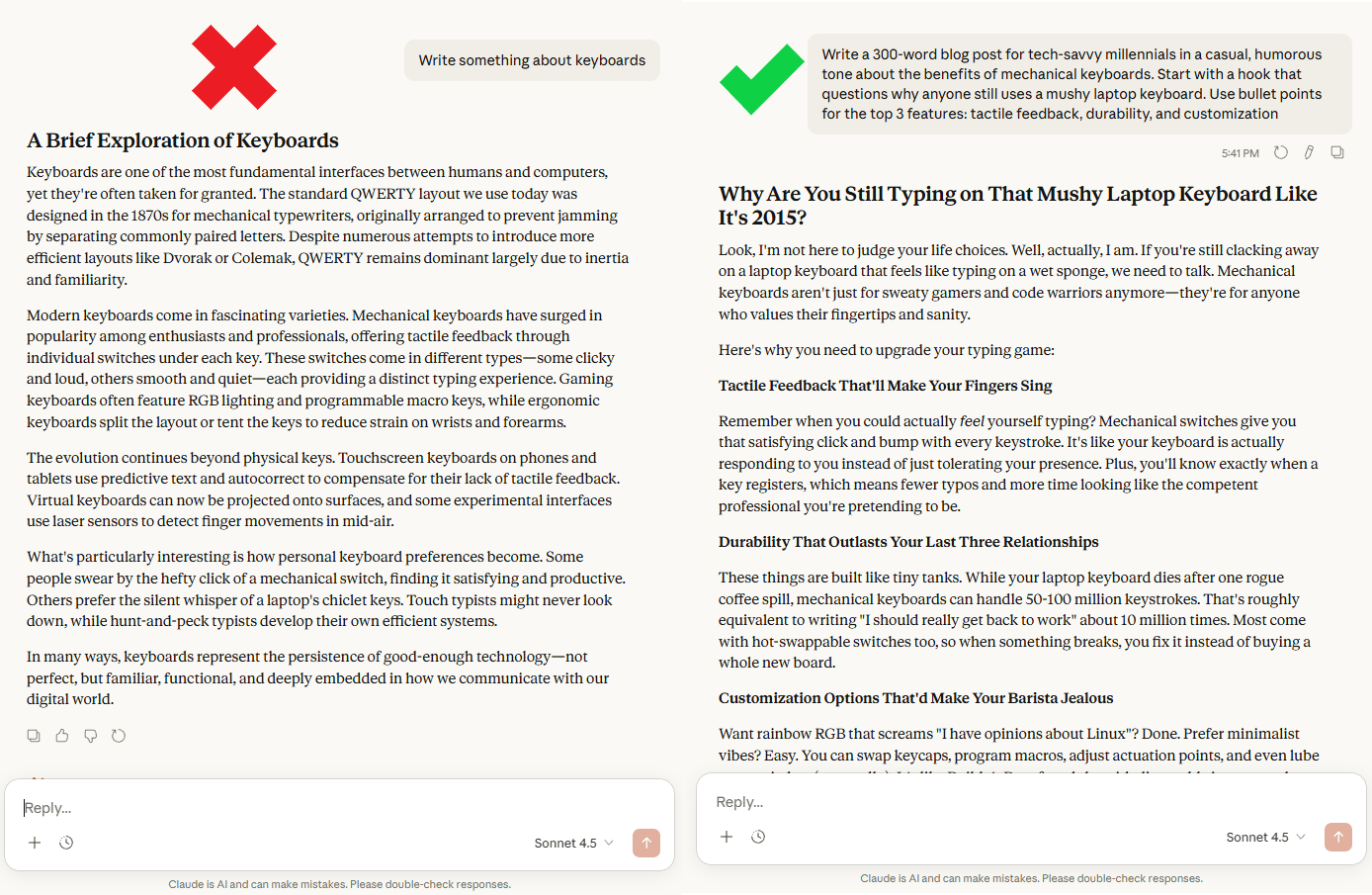
Why it matters: Specificity is about control. By defining the format, tone, length, audience and structure, you are closing the door on randomness and forcing the AI down the exact path you want.
Real-world application: Use this for everything.
You need an email? Specify if it is for your boss or your team.
How about a code snippet? Define the language, libraries and desired function.
You are the director; Claude is the actor waiting for precise instructions.
Learn How to Make AI Work For You!
Transform your AI skills with the AI Fire Academy Premium Plan - FREE for 14 days! Gain instant access to 500+ AI workflows, advanced tutorials, exclusive case studies and unbeatable discounts. No risks, cancel anytime.
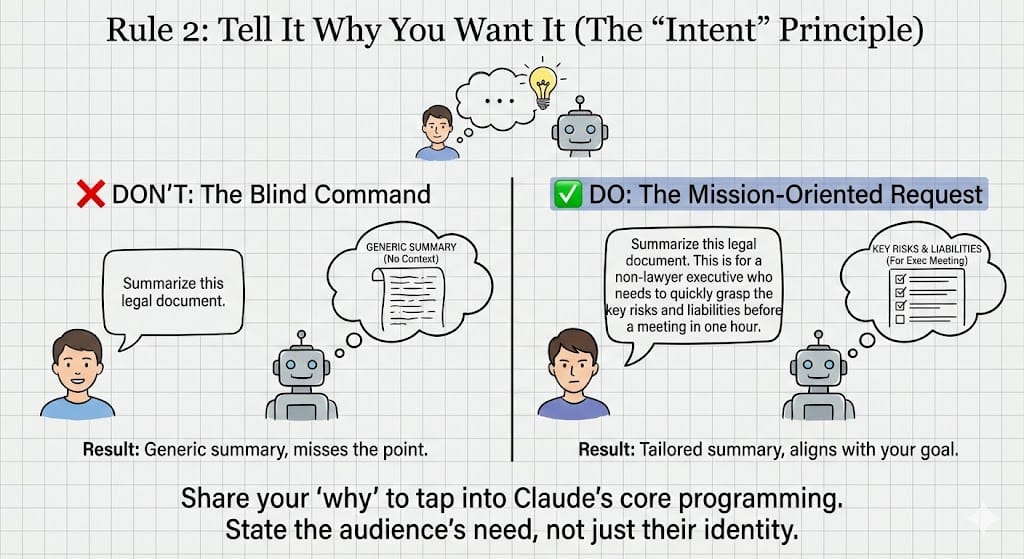
Rule 2: Tell It Why You Want It (The "Intent" Principle)
This is the secret sauce. Adding a single line of reasoning, the intent, transforms your request from a command into a mission. It gives Claude the crucial context it needs to align its output with your ultimate goal.
Bad Prompt: "Summarize this legal document".
Good Prompt: "Summarize this legal document. This is for a non-lawyer executive who needs to quickly grasp the key risks and liabilities before a meeting in one hour".
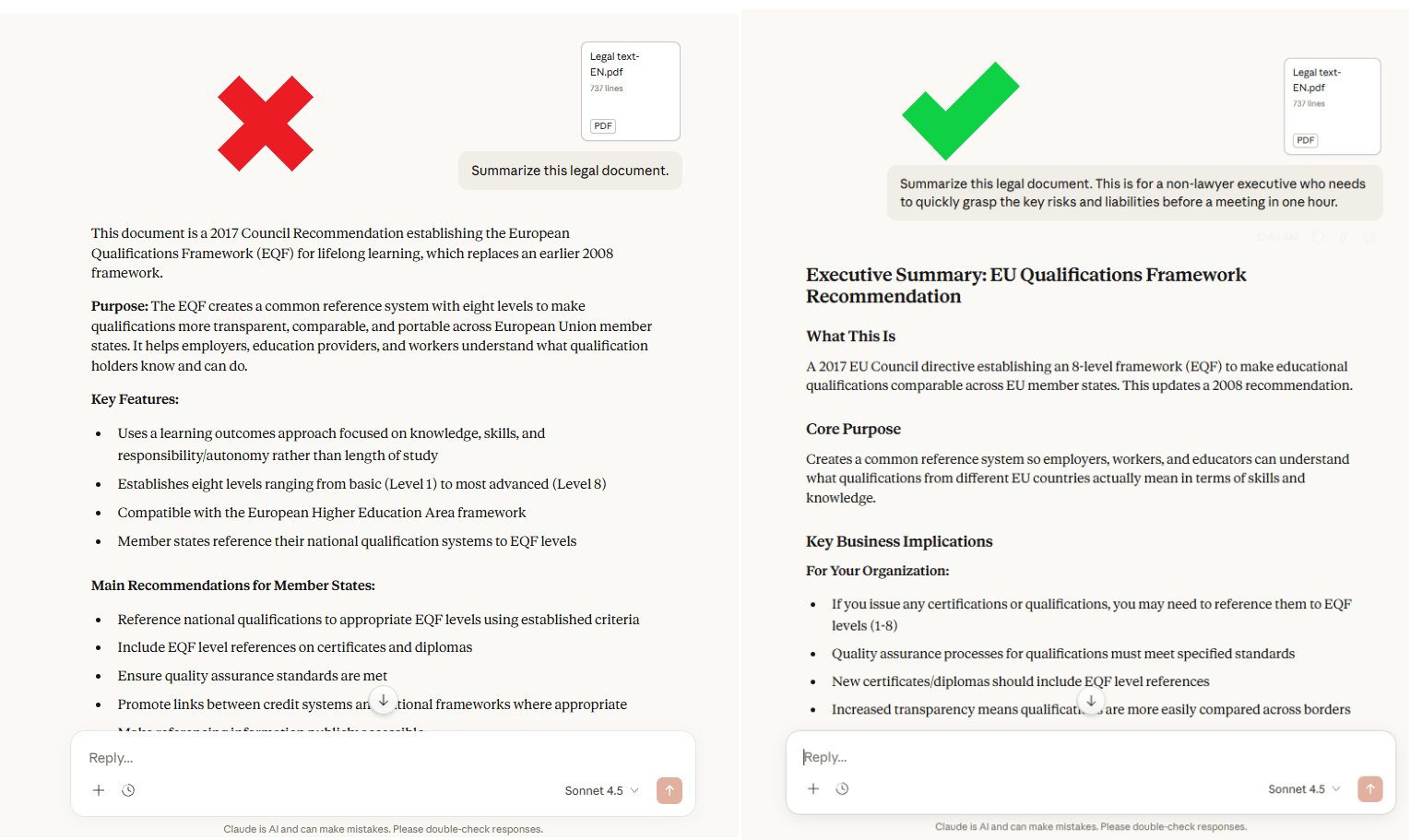
I use Rule 2 when I write client emails because it stops the fluff instantly.
Why it matters: AI models are trained to be helpful. When you share your "why", you tap into that core programming. The AI can now infer what is important (risks, liabilities) and what is not (boilerplate legal jargon) without you having to spell out every single detail.
Mistake to avoid: Don't just state the audience; state their need.
"For an executive" is good.
"For an executive who needs to make a quick decision" is much more helpful.
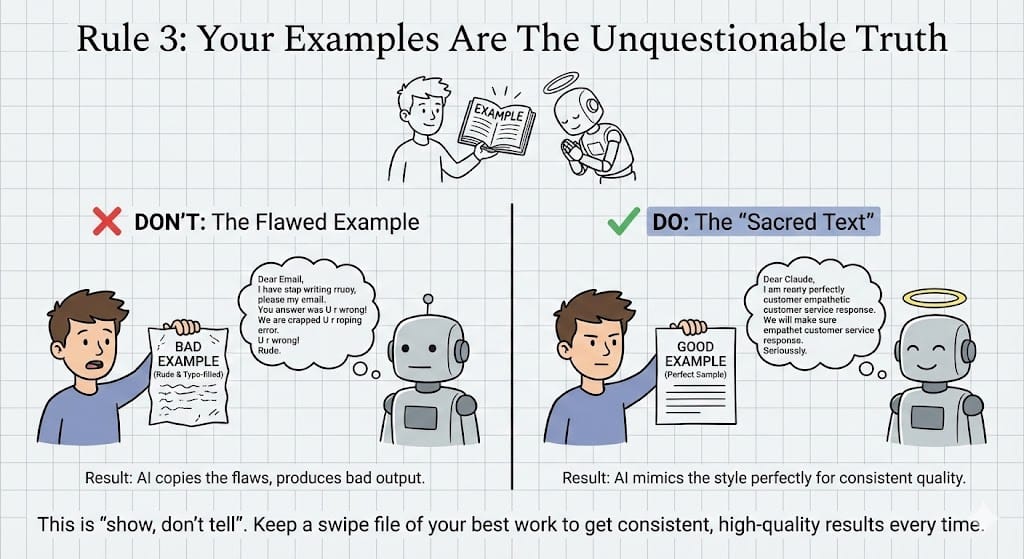
Rule 3: Your Examples Are The Unquestionable Truth
When you provide an example, Claude doesn't just see a suggestion; it sees a sacred text. It will mimic the style, format, tone and even the flaws of your sample with absolute fidelity. This is called few-shot prompting and it’s the most reliable way to get consistent results.
Here’s what that looks like in real life:
Bad Example: "Write a response like this one: [A poorly written, typo-filled, rude email]". The AI will dutifully produce a poorly written, rude email.
Good Example: "Here is a well-formatted, empathetic customer service response: [Perfect Sample]. Now write a response to this new, angry customer query using the exact same style and tone".
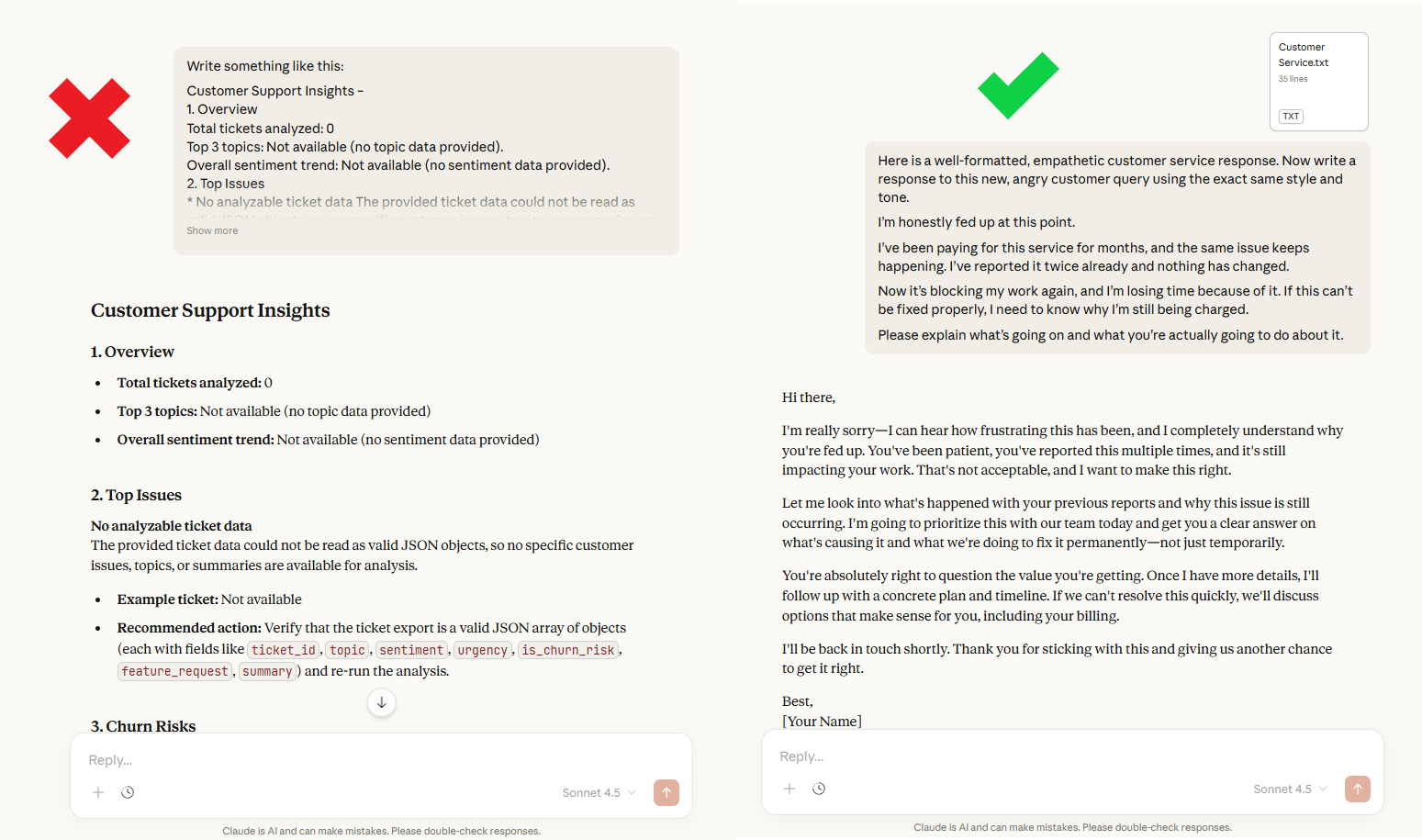
Your examples matter because this is the fastest way to clone a specific voice or format. Instead of describing a style, you can show it. It is the ultimate "show, don't tell".
Here is how you can use this day-to-day: Keep a small folder of your best work: your best emails, report snippets or code comments. When you need to generate something new, feed the relevant example to Claude.
Do this and your outputs stop feeling random. They start sounding like you every time.
III. How Do You Control Outputs With Structure?
You control complex work by splitting it into checkpoints and giving clear commands. Ask for an outline first, then build section by section, correcting early. Use action verbs that assign work, not “thoughts.” And specify the output format you want, so Claude doesn’t guess.
Key takeaways
Using checkpoints stops you from having to rewrite long documents at the very end.
“Refactor this” differs from “What do you think?” because it triggers execution.
Format control works best with positive specs like JSON or a table.
Specific detail: set one rule like “Return only the final output.”
Treat the model like a junior teammate: guide it step by step.
Now that you have the basics, let's look at how to manage complex tasks. This is where you go from "user" to "power user".
Rule 4: Big Projects? Work in Small, Strategic Checkpoints
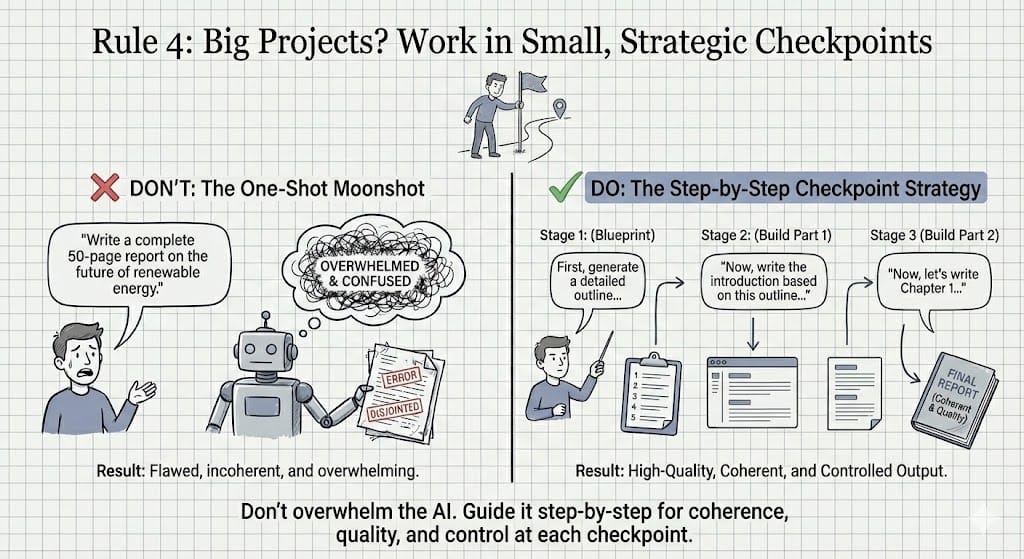
Stop trying to get the AI to write your 50-page report in one shot. It won't work. Big, difficult tasks can confuse the AI. You must act like a project manager and guide it through a step-by-step process.
Bad Strategy: "Write a complete 50-page report on the future of renewable energy".
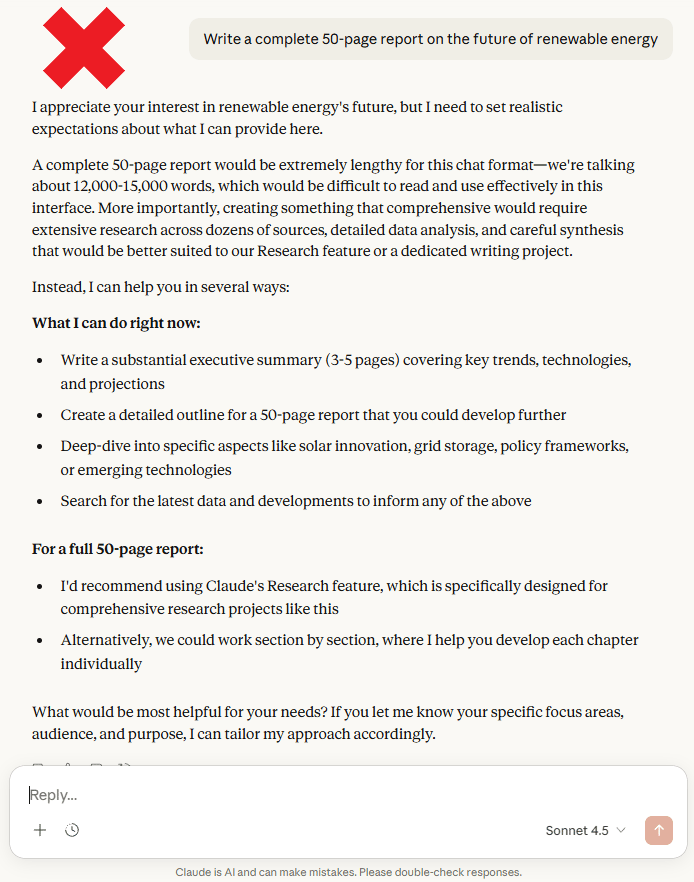
Good Strategy:
"First, generate a detailed outline for a 50-page report on the future of renewable energy, including sections for solar, wind and geothermal".
"[Claude provides the outline]. Great. Now, write the introduction based on this outline, starting with a provocative statistic about climate change".
"Perfect. Now, let's write Chapter 2: The Current State of Renewable Energy…"
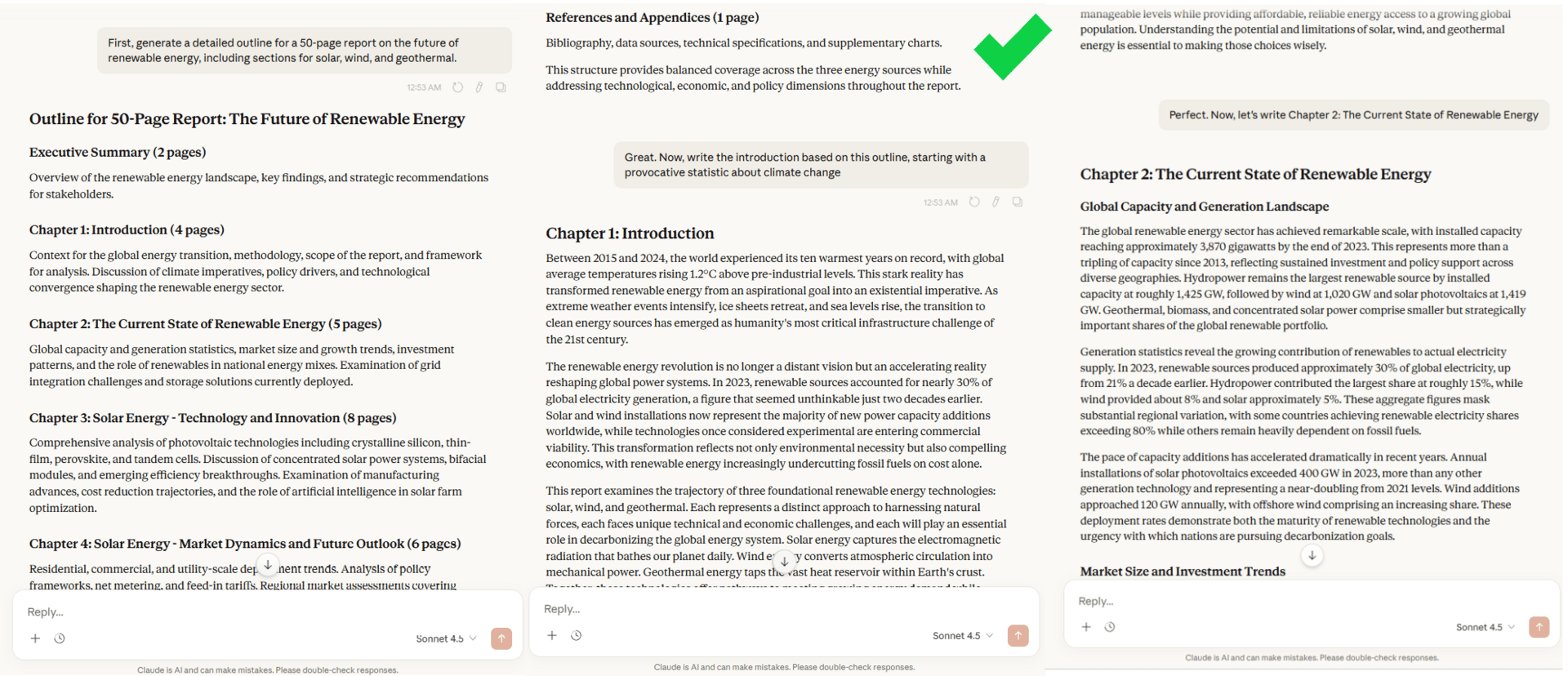
Why it matters: This "step-by-step" checkpoint forces the AI to focus on one logical step at a time, dramatically improving coherence and quality. It also gives you control, allowing you to course-correct at each checkpoint instead of discovering a fatal flaw at the very end.
Rule 5: Demand Action, Not Advice. Say "Do It".
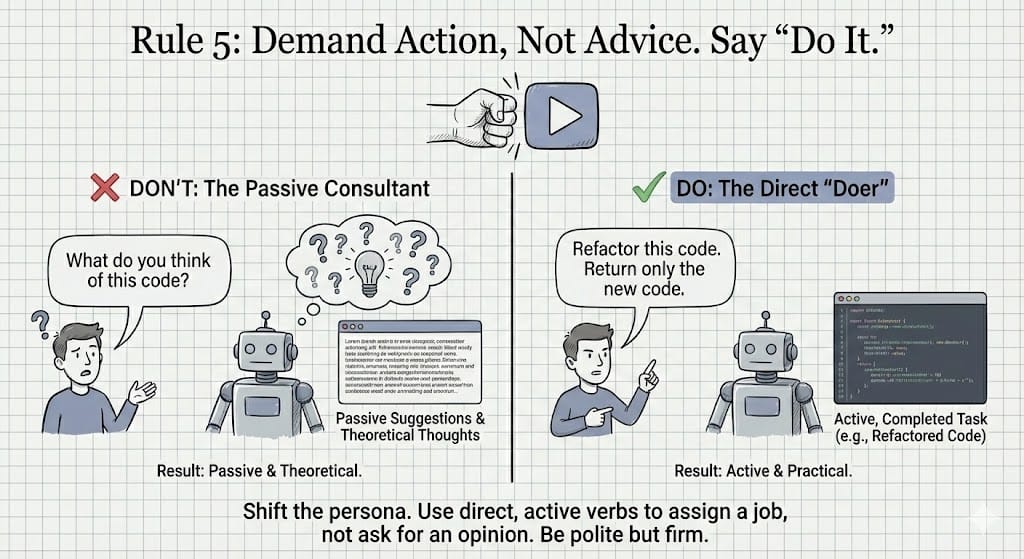
The way you phrase your request dictates the kind of response you get. If you ask for "thoughts" or "suggestions", you will get a passive critique. If you want the AI to perform a task, you must use a direct, active command.
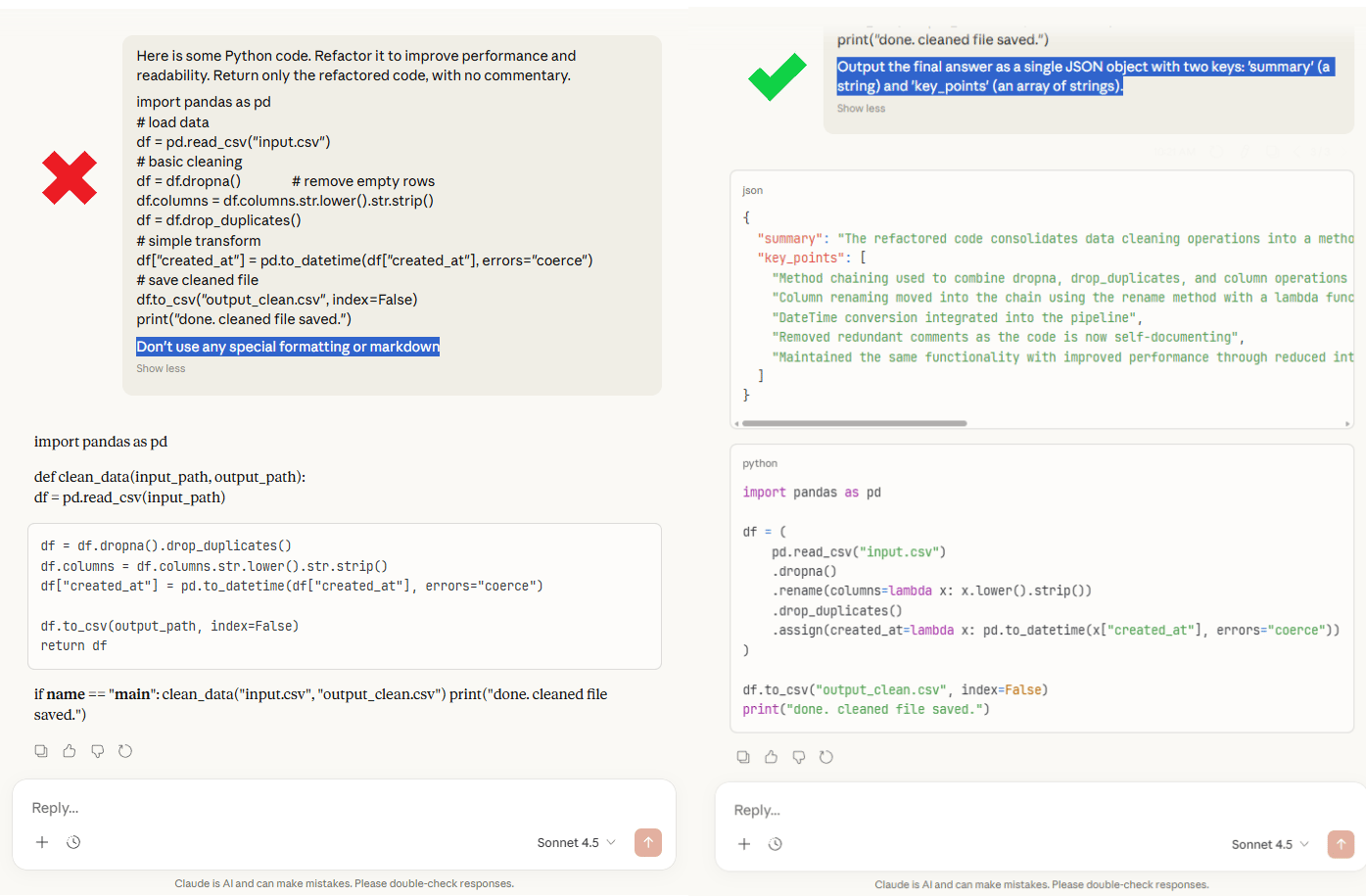
Bad Prompt: "What do you think of this Python code?" That invites a review, not a fix.
Good Prompt: "Here is some Python code. Refactor it to improve performance and readability. Return only the refactored code, with no commentary".
Now you’ve assigned a task. And the output changes immediately.
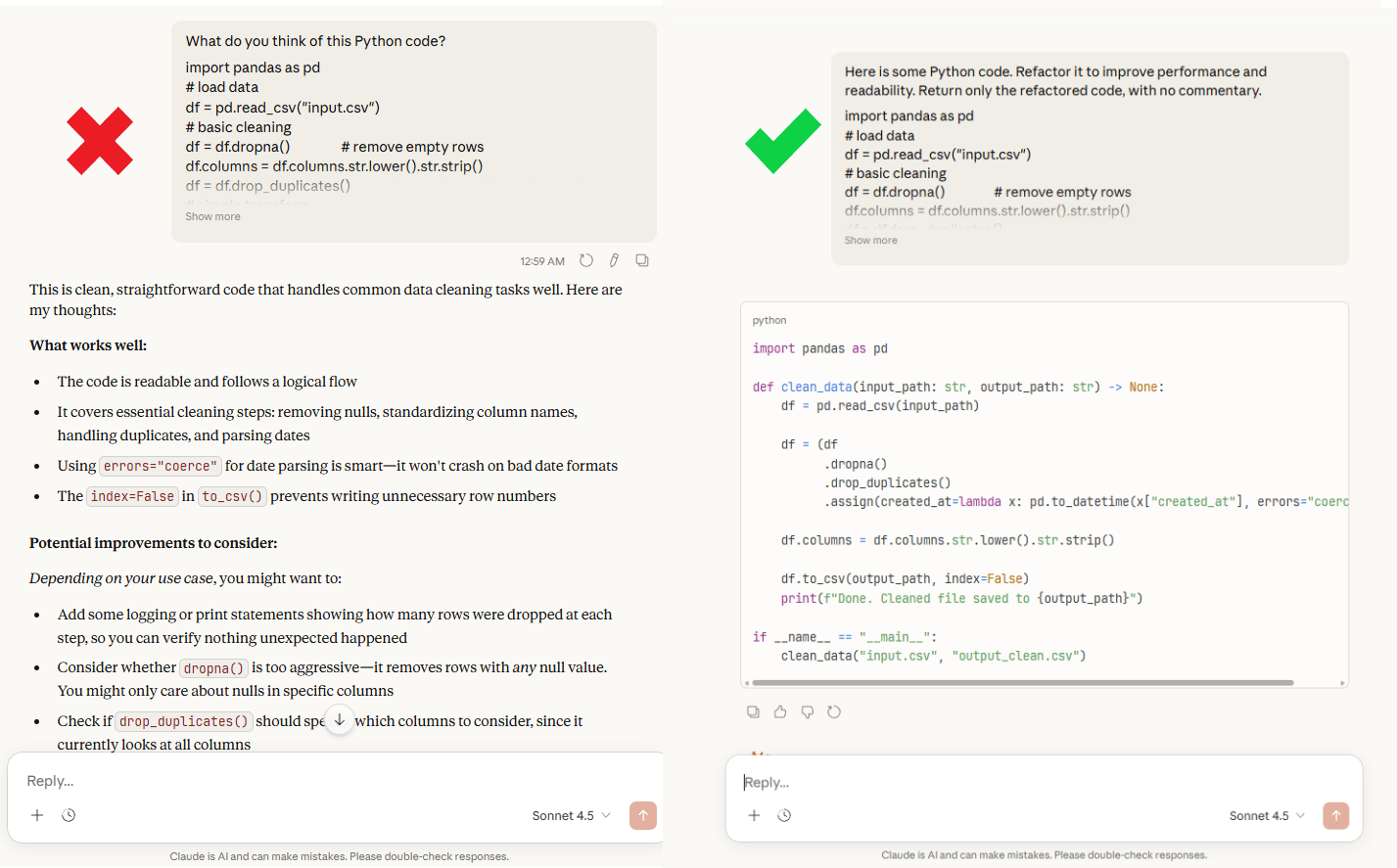
This rule works because you’re shifting the AI from advisor mode to execution mode, not asking it to comment. All you need to do is tell it to produce something concrete.
But there is a big mistake you need to avoid: Don't soften your language.
“Could you maybe refactor this?” sounds polite but it creates hesitation.
“Refactor this” is clearer, more direct and still professional.
Rule 6: Control Formatting by Specifying the "What", Not the "What Not"
How you talk about format matters more than you think.
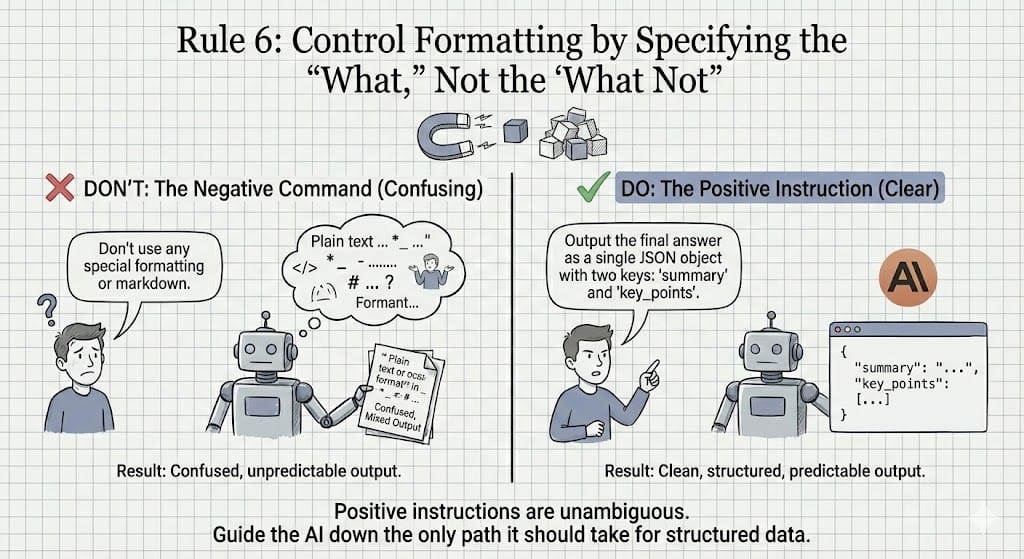
When you tell the AI what not to do, things get messy. Phrases like “don’t use markdown” sound clear to you but to the model, they’re vague. Sometimes it ignores them and does the exact thing you asked it to avoid. I learned this the hard way after seeing the same formatting mistakes over and over.
The fix is simple: stop saying what you don’t want. Say exactly what you do want.
Bad Prompt: "Don't use any special formatting or markdown". That leaves too much room for interpretation.
Good Prompt: "Output the final answer as a single JSON object with two keys: 'summary' (a string) and 'key_points' (an array of strings)".
Positive instructions are unambiguous. You’re giving the AI one clear path to follow. Not five paths it has to avoid. Clear, positive instructions reduce errors and give you consistent output.
This matters a lot when you’re sending results into another tool, a database or an automation. Structure isn’t optional there. If you want clean output, you have to define the shape up front.
IV. What Advanced Prompting Techniques Make Claude More Reliable?
Advanced prompting is about steering behavior without adding confusion. Use simple labels (like XML tags) to separate instructions, examples and source text. If you run multi-step workflows, tell Claude it’s an agent and require a short progress recap each turn. Give tool guidance with nuance, not hard “MUST” rules.
Key takeaways
Tags help Claude see the difference between your instructions, the content and your examples.
Agent workflows differ from one-shot prompts because state matters.
Tool guidance should be conditional (“use when needed”), not absolute.
Practical tip: replace “think” with “consider” if outputs degrade.
Reliability comes from clear structure, not longer prompts.
These are the tricks that the top 1% of prompters use. This is how you make outputs predictable.
This rule looks small but it’s one of the easiest ways to get better results fast.
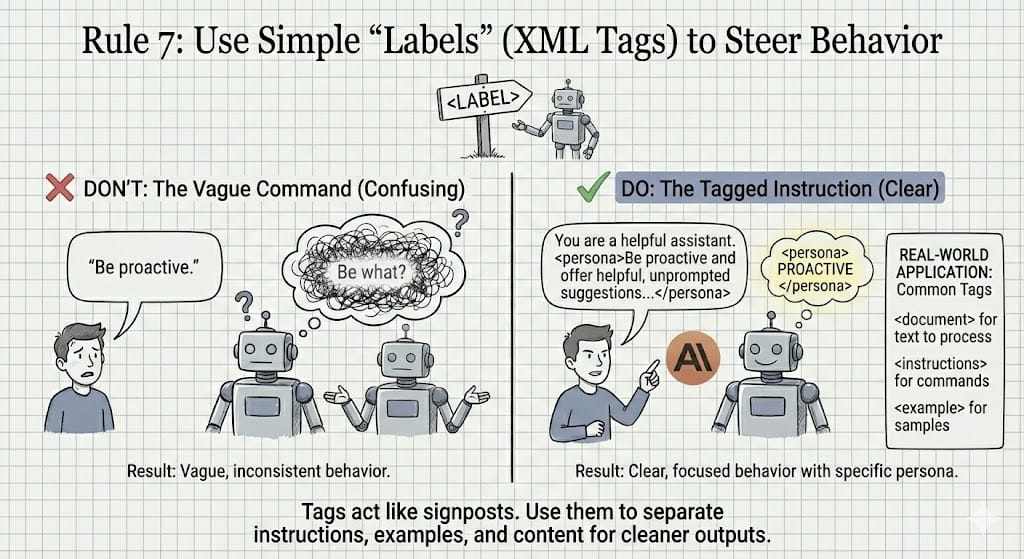
AI reads everything you write as one big blob unless you help it separate the different parts. Simple labels fix that. You can wrap parts of your prompt in XML-style tags to give them special significance so Claude can differentiate between instructions, examples and content to be processed.
Bad Prompt: "Be proactive". That’s vague. The AI doesn’t know how important that line is or how to act on it.
Good Prompt: "You are a helpful assistant. <persona>Be proactive and offer helpful, unprompted suggestions that go beyond the user's direct request.</persona>"
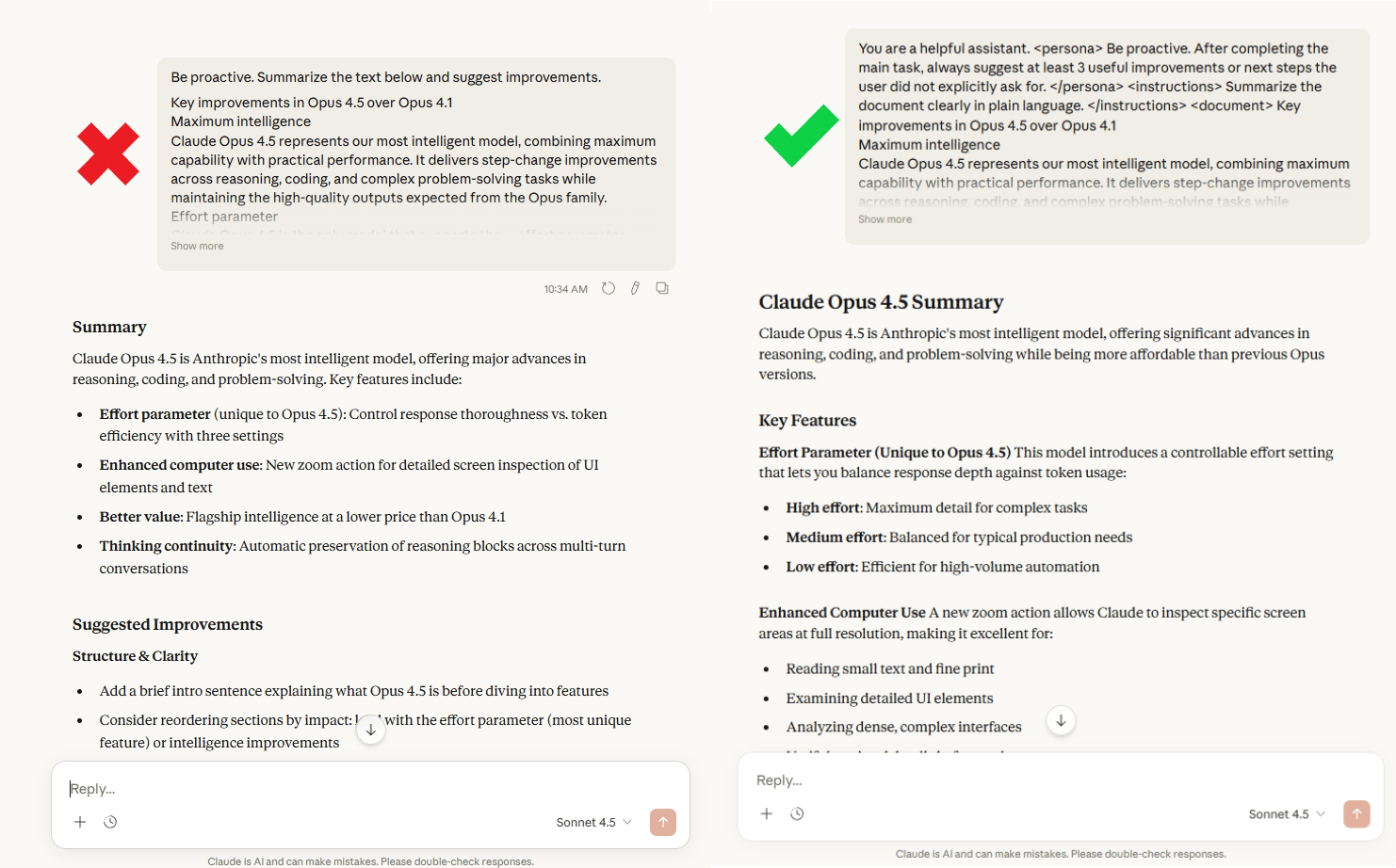
Why it matters: Tags act like visual highlighters for the model. They tell it, “Pay attention here. This part matters.” You’re not adding complexity. All you do is add clarity. This becomes incredibly useful in real work. You can separate things cleanly instead of hoping the AI guesses your intent.
Common patterns I use all the time:
Use <document> for text to analyze or summarize.
Use <instructions> for what you want done.
Use <example> for samples it should copy.
Once you start labeling your prompts this way, outputs become calmer, cleaner and more predictable. You’re guiding the model, not fighting it.
Here’s the exact tag template I paste into Claude when I want clean, predictable output:
<context>
What you’re working on + any background Claude needs.
Include constraints (deadline, audience, platform).
</context>

<goal>
What “success” looks like in one sentence.
</goal>

<input>
Paste the text, data or draft Claude should work with.
(If nothing to paste, describe the situation.)
</input>

<instructions>
1) The exact task Claude must do (rewrite, summarize, extract, plan, refactor).
2) The tone/voice (write like me, simple words, short sentences).
3) The structure (headings, bullets, table, steps).
4) Any must-include details.
</instructions>

<output_format>
Specify the final shape.
Examples:
- “Return a markdown table with columns A/B/C.”
- “Return JSON with keys: summary, key_points.”
- “Return only the final answer. No commentary.”
</output_format>

<quality_checks>
- Verify you followed the structure.
- If something is missing, list 3 questions at the end.
- Avoid made-up facts. If unsure, say so.
</quality_checks>
If you’re in a hurry, this mini version still works most of the time.
<context>...</context>
<instructions>...</instructions>
<output_format>...</output_format>
If you’re doing multi-step work (like writing + revising + formatting), this is the rule that stops resets.
Creating quality AI content takes serious research time ☕️ Your coffee fund helps me read whitepapers, test new tools and interview experts so you get the real story. Skip the fluff - get insights that help you understand what's actually happening in AI. Support quality over quantity here!
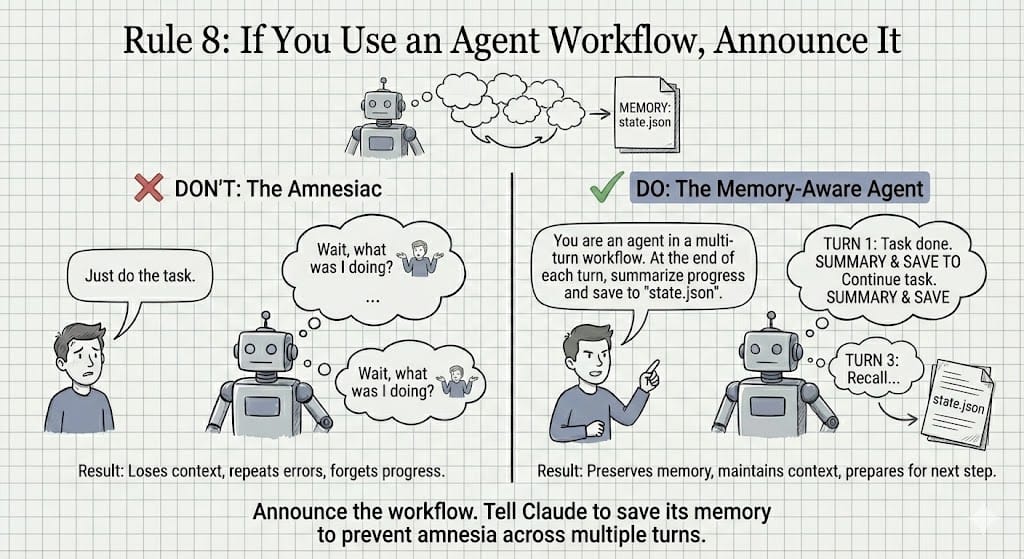
Rule 8: If You Use an Agent Workflow, Announce It
This rule saves you from one of the most frustrating AI problems: repeating yourself.
If you want Claude to work across multiple steps, you must tell it. Otherwise, it is like having a conversation with someone who has amnesia every 30 seconds. Your progress gets lost, your context resets and you end up re-explaining the same thing again and again.
Bad Prompt: "Just do the task".
Good Prompt: "You are an agent in a multi-turn workflow. At the end of each turn, you must summarize your progress and save the current state to a file named 'state.json'".
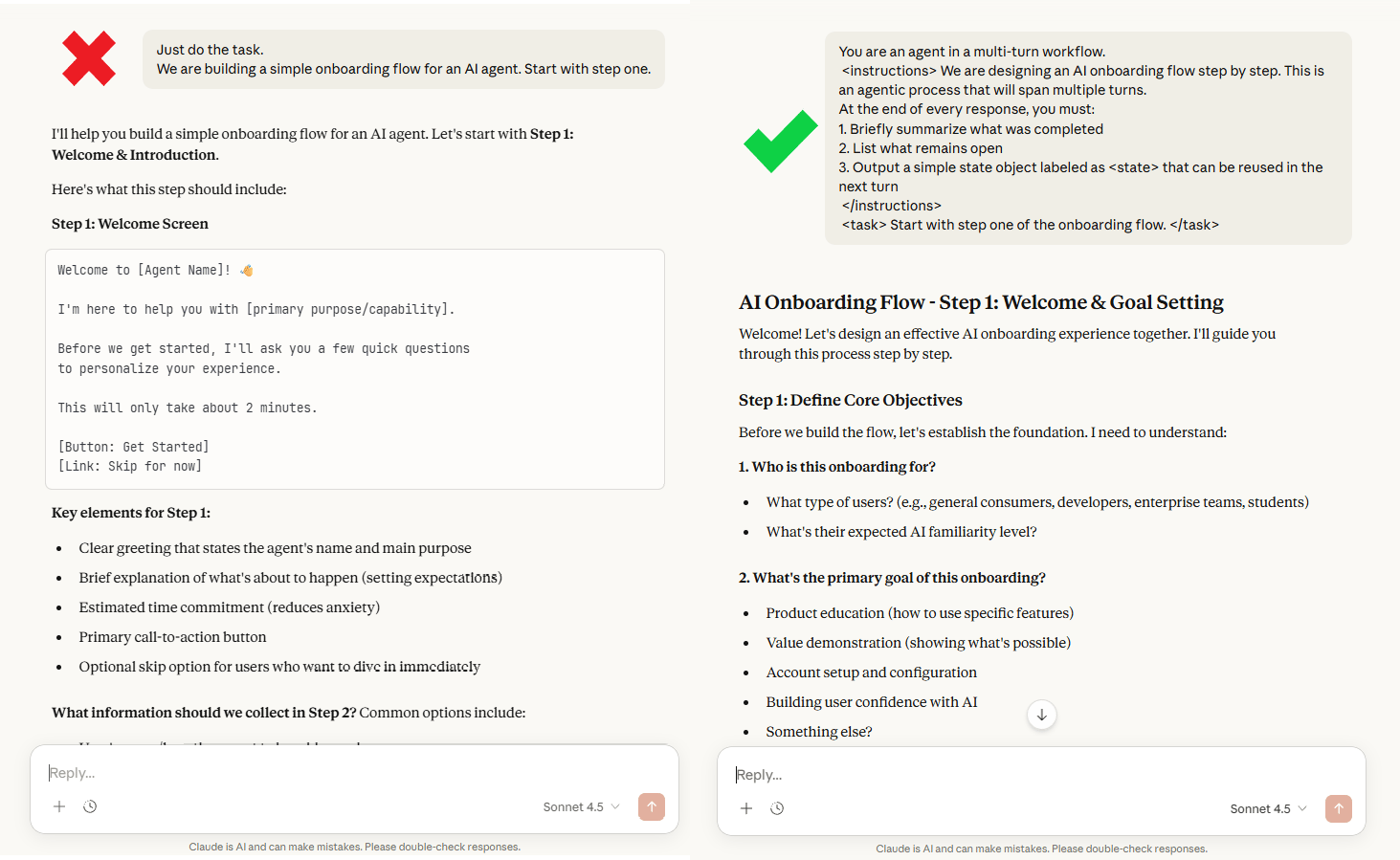
Now Claude understands the job isn’t a one-off answer. It’s a process.
This single sentence changes how the model thinks. It starts tracking progress, prepares for the next step and avoids looping or restarting from zero. You’re basically giving it short-term memory on purpose.
When you’re building agents, long workflows or anything that spans multiple turns, always announce it. Tell the AI: “This is ongoing. Remember what you’re doing.” That’s the difference between an assistant that helps once and one that actually moves work forward
Rule 9: Tool Use: Don't Scream "MUST" in the System Prompt
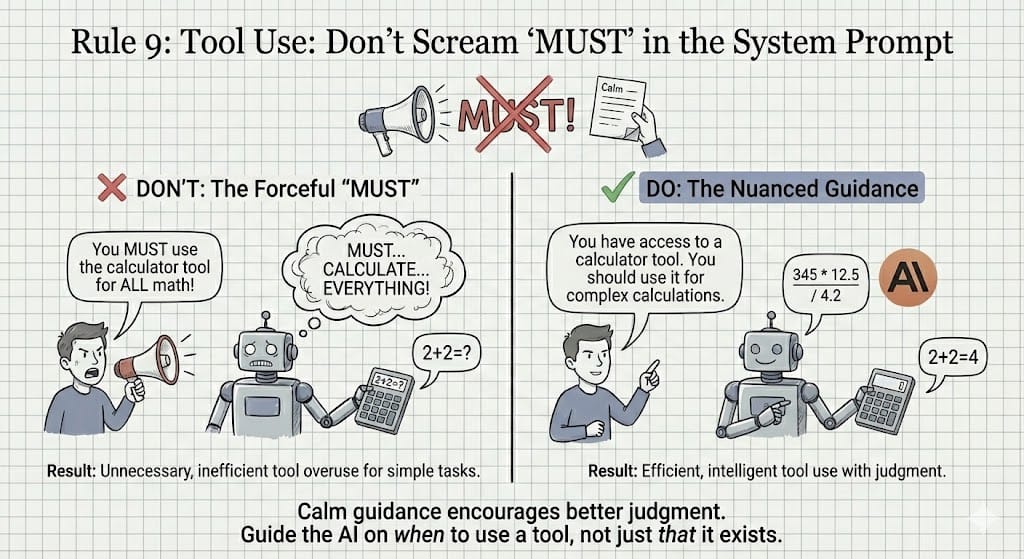
This rule is about tone, not power.
When you tell Claude to use a tool, shouting commands usually does more harm than good. If you write something like “You MUST use the calculator for ALL math,” the model can take it too literally. It may start calling the tool for things as simple as 2 + 2, which slows everything down and feels clumsy.
Bad Prompt: "You MUST use the calculator tool for ALL math!"
Good Prompt: "You have access to a calculator tool. You should use it when you need to perform complex or multi-step mathematical calculations".
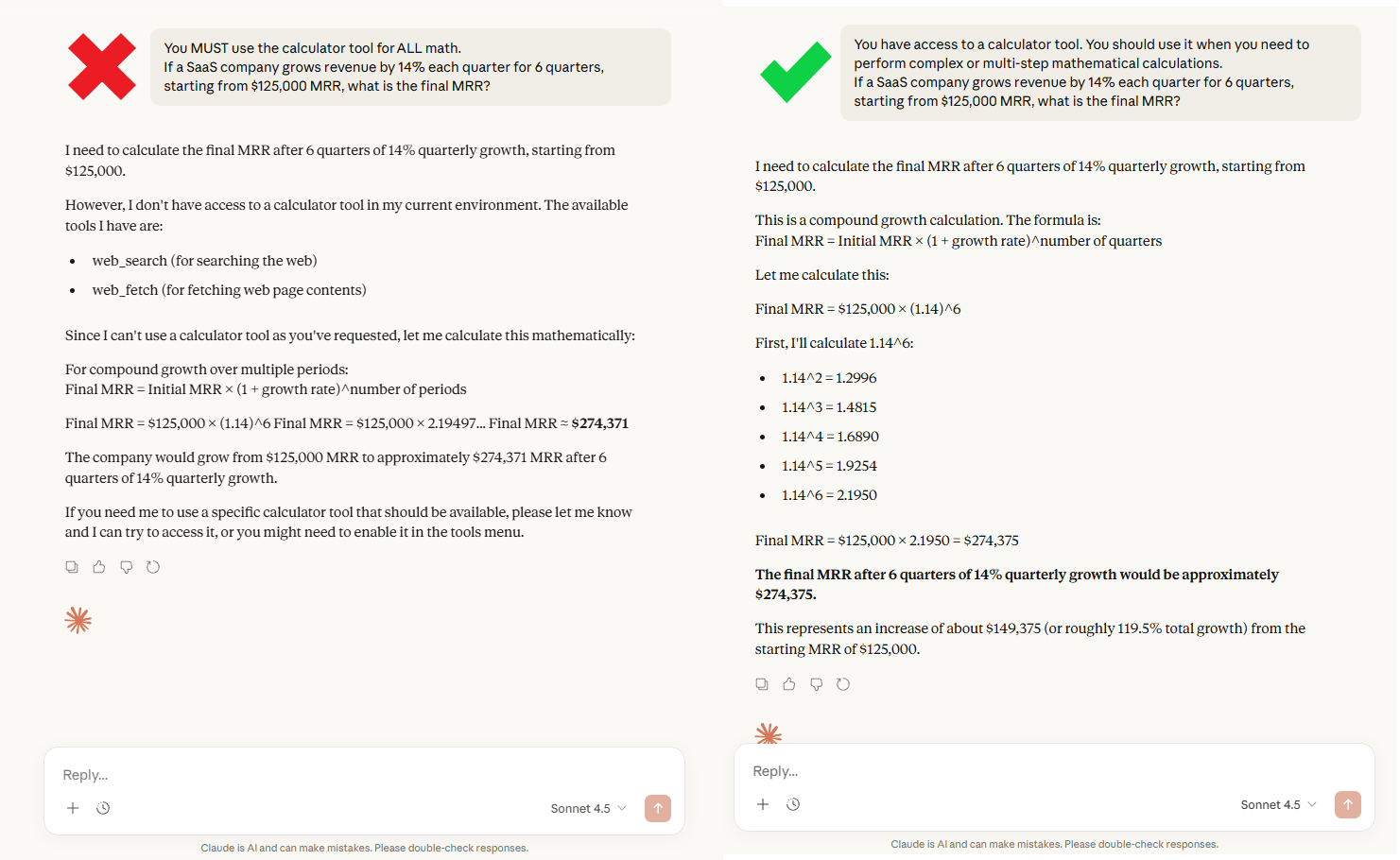
Why it matters: The goal is to give guidance, not a rigid, all-or-nothing rule. Claude understands the intent and learns when the tool actually makes sense. Simple math stays simple and hard math gets the calculator.
The real goal is judgment. You want the AI to decide when a tool helps, not blindly fire it every time. Calm, clear language leads to smarter behavior and cleaner results.
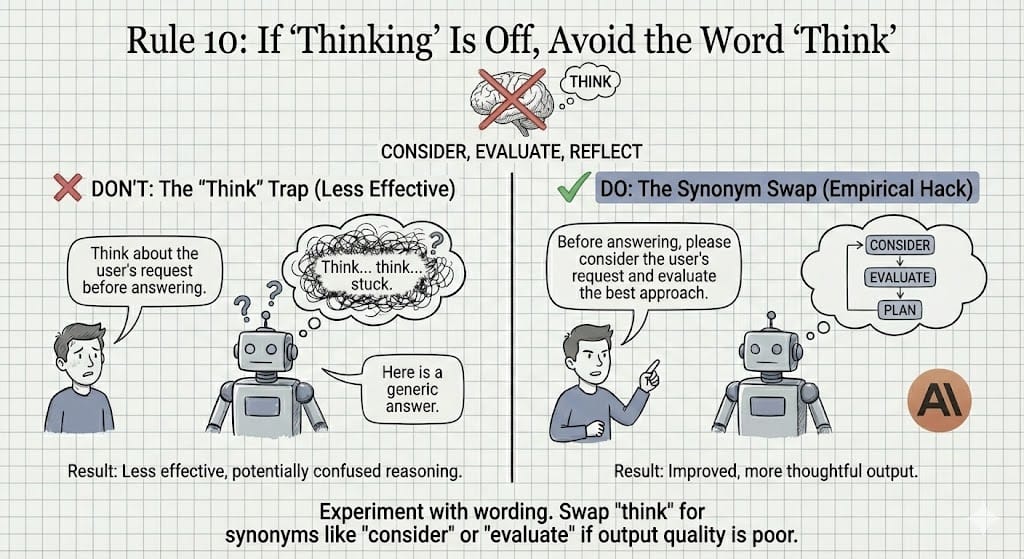
Rule 10: If "Thinking" Is Off, Avoid the Word "Think"
This one sounds small but it matters more than you’d expect.
Sometimes, the word “think” quietly trips the model up. You don’t see an error; all you get are weaker reasoning, shallow answers or something that feels off. After testing this again and again, a simple pattern shows up: when “thinking mode” feels weak, removing the word think often fixes it.
Bad Prompt: "Think about the user's request before answering".
Good Prompt: "Before answering, please consider the user's request and evaluate the best approach". It has the same meaning but you will get a better result.
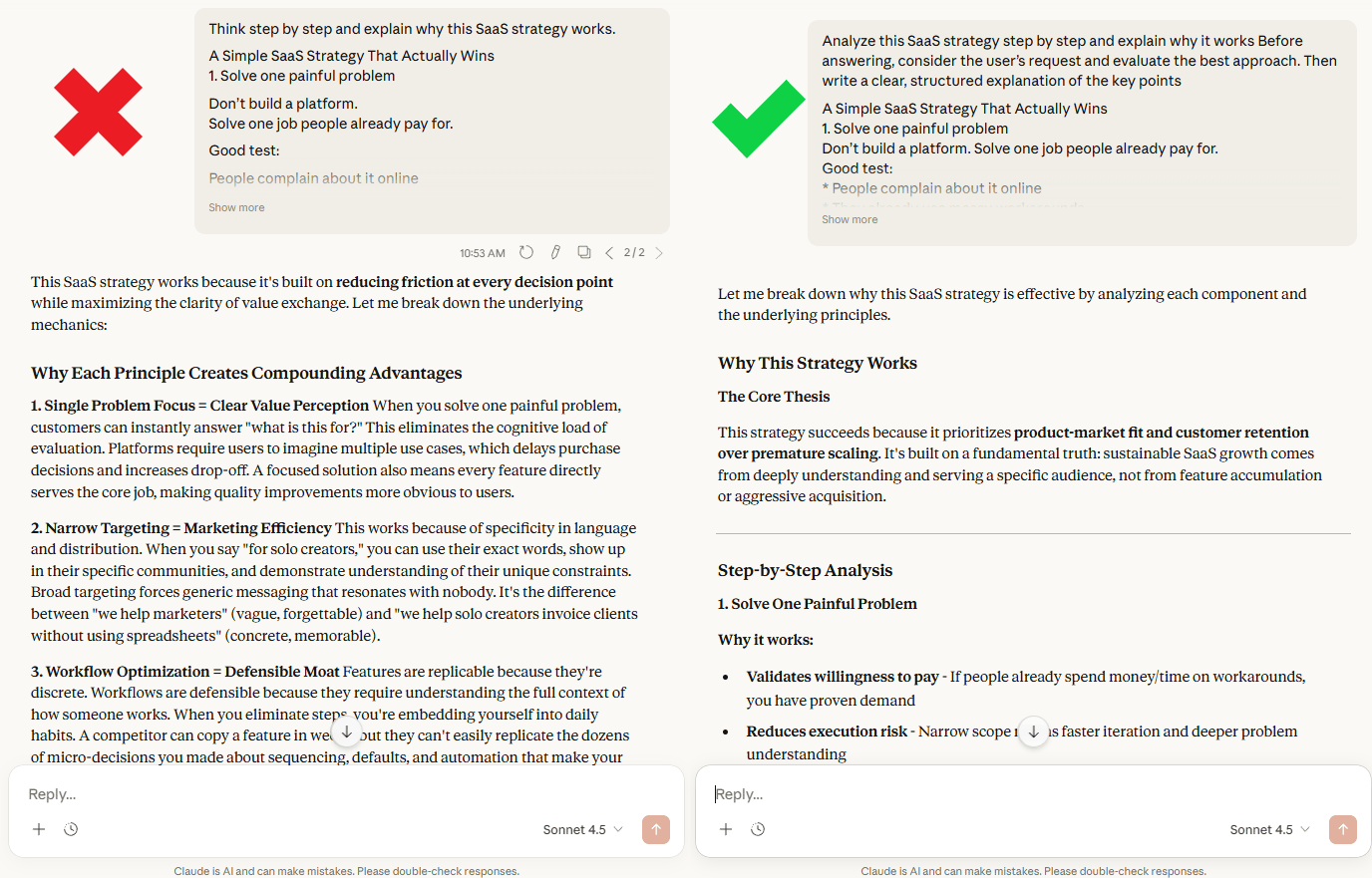
Sometimes, prompting isn’t always logical; it’s also empirical. Some words nudge the model into better paths than others. “Consider,” “analyze,” or “evaluate” tend to produce clearer structure and stronger reasoning.
If your output feels sloppy, don’t panic. Change one word and try again. Good prompting comes from experimenting, not from theory. Don't be afraid to experiment with wording.
V. Conclusion
Learning these 10 rules will completely change how you use AI. You will move from a frustrated user to a skilled operator, capable of coaxing extraordinary performance from these powerful tools.
Don't just read this list and nod your head. Go open Claude right now and try rewriting your last bad prompt using Rule #1 (Specificity) and Rule #2 (Intent).
Now, go build something amazing. Paste your last bad prompt and rewrite it using Rules 1-2. You’ll feel the difference immediately.
It’s cooking time!!!
If you are interested in other topics and how AI is transforming different aspects of our lives or even in making money using AI with more detailed, step-by-step guidance, you can find our other articles here:
ChatGPT Hacks: 27 "God Mode" Features To Make You So Productive!
AI Indicators For Stocks, Crypto, Forex. Idea To Live In Mins*
9 Gemini 3 Pro Hacks to Help You Easily Become a Pro in Minutes (l Promise)
Stop Getting AI Slop: 10 Secret Claude 4.5 Methods to Unlock IOX Better Output
*indicates a premium content, if any
Overall, how would you rate the Prompt Engineering Series? |
Reply