- AI Fire
- Posts
- 💸 I Tested 289 AI Tools. Here Are The Only 12 "Money-Making" Ones You Need
💸 I Tested 289 AI Tools. Here Are The Only 12 "Money-Making" Ones You Need
Most AI tools are just toys. This guide reveals the proven stack (from BuildYourStore to NotebookLM) that actually generates revenue and cuts costs going into 2026.

Max Anh
December 16, 2025

TL;DR BOX
Testing 289 AI tools revealed a minimal "money-making stack" focused on revenue generation and cost reduction. Essential tools include BuildYourStore for instant e-commerce setup, CreateUGC for scalable video ads and Google AI Studio as a free daily driver for tasks.
This guide filters out hype to present only the tools that measurably impact profitability. It covers specific solutions for infrastructure, content creation and research, recommending a lean core stack costing around $30/month rather than dozens of subscriptions.
Key points
Stat: CreateUGC produces video ads for $20–$40, offering a 90% cost savings compared to human creators.
Mistake: Defaulting to ChatGPT for everything; use Google AI Studio for 80% of routine tasks to save budget.
Action: Use NotebookLM to analyze multiple documents simultaneously, reducing research time from 20 hours to just 2-3 hours.
Critical insight
Tools themselves do not generate income; revenue comes from building systematic processes that leverage specific AI capabilities to remove business bottlenecks.
🛍️ Create a store for free, build 1000s of ads, and automate research? |
Table of Contents
I. Introduction: The Signal in the Noise
The AI landscape is overwhelming. New platforms launch every day but most are just hype. The real problem is figuring out which tools actually serve your money-making goals.
I spent months systematically testing 289 different AI tools. My rule was simple: Which tools actually help you make money online?
The results are surprising. Out of 289, only a few create real revenue.
The Critical Framework
I evaluated every tool through two simple questions:
For Revenue: Does this help me create sellable products or reach customers faster?
For Cost: Does this eliminate work I would otherwise pay for?
Here are a few that actually passed the test and belong in your money-making toolkit.
II. Category 1: E-commerce Infrastructure
The problem you’re going to face in this category is:
Normal Shopify setup takes 40–80 hours.
Or you pay $2,000–$5,000 to an agency.
Because it’s slow and expensive, most people test one idea and pray it works. That’s why they lose. But don’t worry, this tool, BuildYourStore, could solve it without setup hell:
You give it niche + target customer.
It gives you a complete Shopify store:
Theme.
10+ products.
Product descriptions.
Brand basics.
Core integrations.
Here are the advantages you will get if you use the BuildYourStore tool:
Time. 60 hours → roughly 2 hours.
Cost. Thousands of dollars → starts free.
Strategy. You can test 5 stores in a week instead of one store in two months.
You are not just saving time. You are increasing the number of bets you can place.
1. The Problem E-Commerce Founders Face
Starting an online store traditionally requires weeks of Shopify theme customization, product sourcing, writing descriptions and setting up marketing integrations. The total time investment is often 40-80 hours.
For most people, this means either spending months learning or paying thousands to agencies.
2. The Solution: BuildYourStore
BuildYourStore eliminates 90% of this manual work by generating complete Shopify stores automatically. It's a powerful money-making tool for rapid testing.
Input: Basic details about your niche and target customer.
Output: A fully working Shopify store including a professional theme, 10+ trending products, complete product descriptions, brand identity and marketing integrations.

3. The Economic Case
Time Savings: What took 60 hours now takes 2 hours.
Cost Savings: A professional store setup can cost $2,000-$5,000. BuildYourStore starts free.
Quality: AI-generated descriptions often outperform human-written ones because the AI has analyzed thousands of high-converting product pages.

4. Where It Shines
It makes it much easier to test online store ideas. Instead of spending two months building one store, you can build five stores in a week and see which gains traction. This speed is the real advantage.
Learn How to Make AI Work For You!
Transform your AI skills with the AI Fire Academy Premium Plan - FREE for 14 days! Gain instant access to 500+ AI workflows, advanced tutorials, exclusive case studies and unbeatable discounts. No risks, cancel anytime.
III. Category 2: UGC Ads at Scale. Why is CreateUGC in the Stack?
Problem:
Real UGC creators cost $200–$500 per video.
To test 5 angles you burn $1,000+ before you even know what works.
CreateUGC:
Upload product images and main benefits.
Pick avatar and voice.
Get a UGC-style ad in under 60 seconds.
Money logic:
$300–$500 per human video vs $20–$40 per AI video.
Roughly 90% cost saving.
You can test 10x more variations for the same budget.
Data shows AI UGC converts 60–80% as well as human UGC at 10% of the price.
Smart strategy:
Use CreateUGC to test 20–30 angles cheaply.
When you find a strong winner, pay a human creator to remake that one angle at premium quality.
Tool = cheap testing engine. Human = polish the winners.
User-Generated Content (UGC) ads, videos that look like authentic customer reviews, do better than traditional ads by 2-4x.
1. The Problem
Real UGC creators charge $200-$500 per video. Testing five different ad concepts means spending over $1,000 before you even know if the ads work.
2. The Solution: CreateUGC
CreateUGC generates UGC-style video ads using AI avatars and voice cloning.
Step 1: Upload product images and benefits.
Step 2: Select an AI avatar (age, ethnicity, gender) and voice style.
Step 3: Generate the video in under 60 seconds.

3. The Economic Case
Cost Comparison: Traditional creator ($300-500) vs. CreateUGC ($20-40). That's a 90% savings, boosting your money-making potential through efficiency.
Volume Advantage: You can afford to test 10x more variations. More tests = faster learning = better performance.
Speed: Traditional workflow takes 5-10 days. CreateUGC takes 5-10 minutes.

4. Quality Reality Check
AI-generated UGC isn't perfect but it converts. Data shows these ads perform 60–80% as well as human-made ads at 20% of the cost. The value is very clear.
Strategy: Use CreateUGC to test 20-30 variations cheaply. Once you find a winner, then hire a human creator to produce a premium version of that specific concept.
IV. Category 3: AI Music for Content (ElevenLabs)
Every video needs background music but copyright strikes and expensive music fees are a big problem.
1. The Solution: ElevenLabs Music
ElevenLabs is best known for voice cloning but their AI music generation tool is a hidden gem for creators.
Input: Describe the mood, style and tempo (e.g., “Instrumental 1986 synthwave night-drive at 100 BPM…”).
Output: Original music matching your needs.

2. Key Features
Commercial Licensing: Included. You can monetize your content without fear.
Infinite Variations: Generate dozens of tracks until you find the perfect fit.
Consistent Brand Sound: Generate similar tracks to maintain a consistent audio identity.
3. The Economic Case
For content creators producing 4+ videos per month, the $22/month subscription (which includes voice cloning) pays for itself immediately compared to buying individual stock tracks at $20-50 each.
V. Category 4: Visual Content Creation (The Hierarchy)
The image and video generation space is crowded. Most tools are mid. Three stood out.
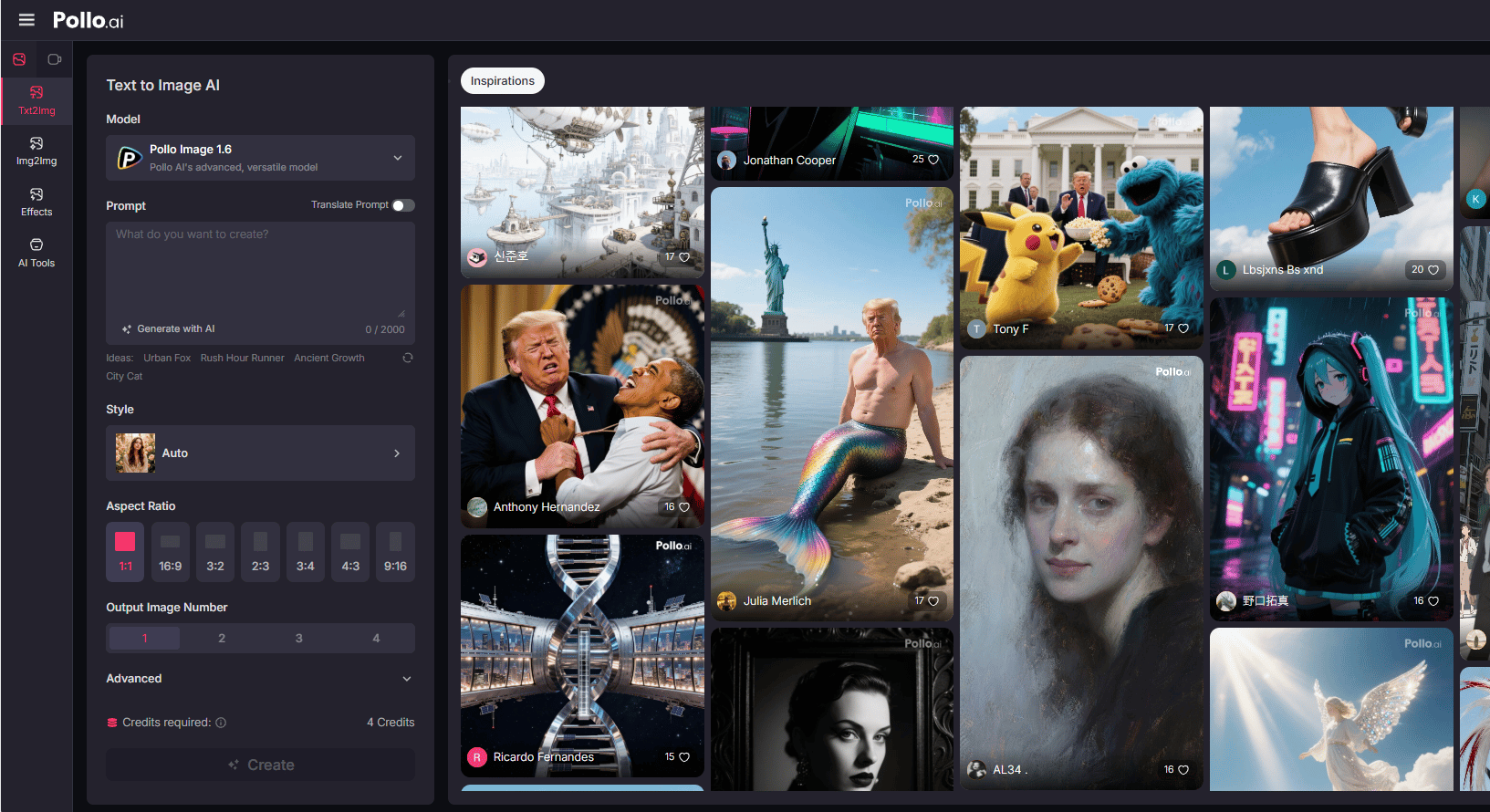
1. Pollo AI: The Video Specialist
Pollo AI focuses specifically on AI video generation.
Key Capabilities: Text-to-Video, Image-to-Video (animating static shots) and Video-to-Video (style transfer).
Advantage: It offers camera control (zoom, pan, tilt), which is important for professional results.
Use Cases: E-commerce product videos, real estate tours and social media content.
2. i10X: The All-in-One Platform
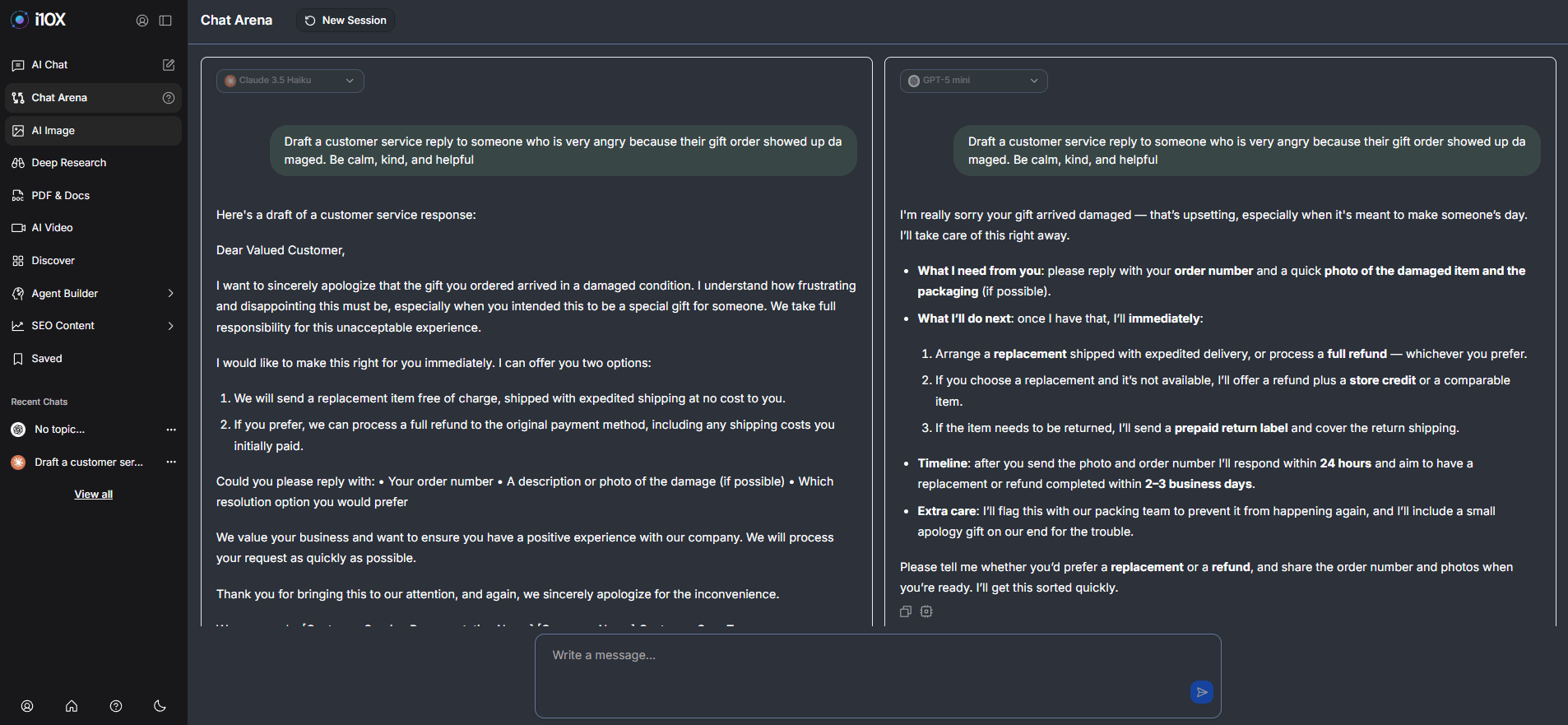
i10X is a subscription aggregator. Instead of paying for ChatGPT, Midjourney and Claude separately, you pay one $25/month subscription to access 500+ AI models.
Economic Logic: If you use 3 or more AI tools regularly, i10X saves you money immediately. It's perfect for agencies or heavy users who need many tools rather than just one perfect tool.
3. Google Opal: The No-Code App Builder
Google Opal is very different. It builds functional mini-apps using natural language. A huge money-making opportunity for non-technical founders.
Example: "Create an app that writes newsletters based on AI news. Include images from news stories and generate images when needed".
Revenue Application: Non-technical founders can build internal automation tools in hours instead of hiring developers. It's currently in beta with a generous free tier.

VI. Category 5: The AI Chatbot Hierarchy
Most people default to ChatGPT for everything. This is a mistake. The optimal setup uses different tools for different tasks.
1. Google AI Studio (The Free Powerhouse)
Google AI Studio gives you free access to Gemini 2.5 Flash (fast, efficient) and Gemini 3.0 Pro (complex reasoning).
Economics: Everything is free.
Use Case: Use this for 70–80% of your daily tasks (coding, basic writing, summaries) to save your ChatGPT budget.

Creating quality AI content takes serious research time ☕️ Your coffee fund helps me read whitepapers, test new tools and interview experts so you get the real story. Skip the fluff - get insights that help you understand what's actually happening in AI. Support quality over quantity here!
2. ChatGPT (The King of Creativity)
ChatGPT remains superior for complex creative writing, advanced reasoning and custom GPTs.
Strategy: Use Google AI Studio as your default to save money. Reserve ChatGPT ($20/month) for the 20-30% of tasks where its specific advantages (like Custom GPTs or advanced data analysis) truly matter.

VII. Category 6: Research Intelligence (NotebookLM)
You have 50 PDFs and need to find specific information. Reading them manually takes 20 hours.
1. The Solution: NotebookLM
NotebookLM is an AI research assistant that actually understands your documents.
How it works: Upload up to 50 sources (PDFs, Google Docs, websites, YouTube videos). The AI analyzes everything and finds key themes.
RAG-Based: It uses Retrieval-Augmented Generation to search your specific sources. Every answer includes clickable citations, so you can verify the information.

2. The Economic Case
Time Savings: Document research that took 20 hours now takes 2-3 hours.
Cost: Completely free.
Quality: AI can identify patterns across 50 documents that humans would miss because we can’t hold that much information in our heads at once.
VIII. Category 7: Voice Technology (ElevenLabs Voice Cloning)
ElevenLabs voice cloning allows you to create a digital version of your own voice.
1. How It Works
Record 1-5 minutes of audio. The AI analyzes your tone, pace and accent. It can then generate unlimited text-to-speech audio that sounds just like you.
2. Money Benefits
Speed: Creating a voiceover goes from 60 minutes (recording, editing, re-recording) to 5 minutes.
Consistency: Every voiceover is perfect. No background noise, no stumbles.
Growth: You can create 10x more content, directly impacting your money-making capabilities. You can even translate your voice into other languages to reach a global audience.

IX. Category 8: Knowledge Management (Notion + ChatGPT)
Notion has transformed from a note-taking app into a genuine knowledge management system with its AI integration.
1. The Power of Notion AI
It can summarize long meeting notes, find relevant past work and answer questions like "What were the main insights from all customer interviews last quarter?" by searching your entire database.
Why it saves money: It stops you from switching tasks. Everything happens in one tool. It preserves team knowledge so it doesn't walk out the door when an employee leaves.

2. ChatGPT for Brainstorming
ChatGPT is great at creative thinking. It can generate 20 different approaches to a problem in seconds.
Insight: Its value isn't that it has better ideas than you; it's that it generates more ideas faster. The law of large numbers means you're more likely to find a gem if you review 50 options instead of 5.

X. What is The Real Lesson From Testing 289 Tools?
Tools are cheap. Systems are rare.
ChatGPT alone does not make money.
Google AI Studio alone does not make money.
CreateUGC alone does not make money.
You make money when you wire them together into a repeatable process. For example:
Research with NotebookLM.
Draft copy with Google AI Studio.
Refine with ChatGPT.
Turn offers into videos with CreateUGC.
Track everything and document in Notion.
The stack is just the toolbox. The income comes from the workflow you build on top of it.
After evaluating 289 tools, here is the basic AI stack I use for building an online business.
Category | Tools | Purpose | Cost |
|---|---|---|---|
Core Tools (Non-Negotiable) | Google AI Studio | Default chatbot for most tasks | Free |
ChatGPT | Complex creative work and reasoning | $20 per month | |
NotebookLM | Research and document analysis | Free | |
Notion | Knowledge management | $10 per month | |
Total Core Cost | N/A | ~$30 per month | |
Specialized Tools (Add Only if Needed) | E-commerce stack: BuildYourStore, CreateUGC | Stores, UGC content | Varies |
Content stack: ElevenLabs, Pollo AI | Audio, video, content creation | Varies | |
Agency stack: i10X | Replaces multiple subscriptions | Varies |
The "Too Many Tools" Trap
Notice what's NOT here: dozens of niche tools. Every additional tool is a new login, a new bill and more mental effort. The optimal stack uses the minimum number of tools to cover the maximum number of use cases.
XI. Conclusion: Tools Don't Make Money, Systems Do
Here is the insight that separates AI users who generate revenue from those who just generate content: Tools don't make you money. Systems that use tools make you money.
Having ChatGPT doesn't generate income. Having a process that uses ChatGPT to research, Google AI Studio to draft and CreateUGC to produce ads. That is what generates income.
Your job isn't to use the most AI tools. It's to use the specific tools that remove problems from your money-making work. Start with the core stack. Add specialized tools only when you can see the profit.
Now you know which tools actually work. Go build the system.
If you are interested in other topics and how AI is transforming different aspects of our lives or even in making money using AI with more detailed, step-by-step guidance, you can find our other articles here:
How would you rate this article on AI Tools?Your opinion matters! Let us know how we did so we can continue improving our content and help you get the most out of AI tools. |
Reply