- AI Fire
- Posts
- 📝 Google Just SOLVED The Biggest Problems In Image Generation
📝 Google Just SOLVED The Biggest Problems In Image Generation
Our hands-on review of Nano Banana Pro. It finally nails text in images, character consistency and even brand guidelines; in one shot

Max Anh
December 04, 2025
TL;DR BOX
Nano Banana Pro is Google's revolutionary new image generation model that finally solves two major industry problems: creating accurate text within images and maintaining consistent character appearances across multiple scenes.
Powered by Gemini 3, it "thinks" and researches before generating, resulting in factually accurate infographics, complex diagrams with readable text and consistent branded assets. Users can generate dozens of character poses or product placements without visual drifting.
Key points
Stat: Free users on the Gemini app currently get a limit of 2 daily images with Nano Banana Pro due to high demand.
Mistake: Trying to edit existing text within an image often leads to errors; it is much better to generate new images with the text included from scratch.
Action: Upload brand guidelines or character sheets as reference images to "lock in" consistency for marketing campaigns.
Critical insight
The model's true power is not just image creation but its conceptual understanding, allowing it to reverse-engineer recipes from a photo or translate text directly within a scene.
🤯 What’s your biggest frustration with current AI image tools? |
Table of Contents
I. Introduction: A Leap, Not Just a Step in Image Generation
Google just released Nano Banana Pro and it makes every other AI image generation model look outdated overnight.
Powered by Gemini 3, this model finally solves the two biggest headaches in AI art: generating perfect text inside images and maintaining flawless character consistency. We are talking about creating marketing-ready infographics, consistent brand assets and complex scenes in a single shot.
This is not just an incremental update; it's a generational leap in image generation. In this guide, I will show you exactly what it can do and how you can use it to revolutionize your creative workflow today.
II. What Makes Nano Banana Pro Actually Revolutionary
Answer:
The key difference is that Gemini 3 reasons through your prompt, checks facts and designs the layout before any pixels are made. You can even see the “thinking” trace. Most models just guess visually. Nano Banana Pro treats each image like a tiny research project.
Key takeaways
Uses web search and reasoning before generation.
Produces charts and timelines that are fact aware.
Cuts down on pretty but wrong visuals.
Critical insight
This is closer to a research designer than a pure art model.
Before getting into specific capabilities, let me explain what fundamentally separates Nano Banana Pro from every other image generation model I have in my toolkit.
1. The Gemini 3 Integration: AI That Thinks Before It Generates
Most image generators take your prompt and immediately start creating. Nano Banana Pro does something fundamentally different. It thinks first.
The Process:
You provide your prompt.
Gemini 3 (one of the most advanced LLMs available) reasons through what you're asking.
It can utilize web search to gather real-time information or verify facts.
It plans the image generation approach.
Only then does it create the image.
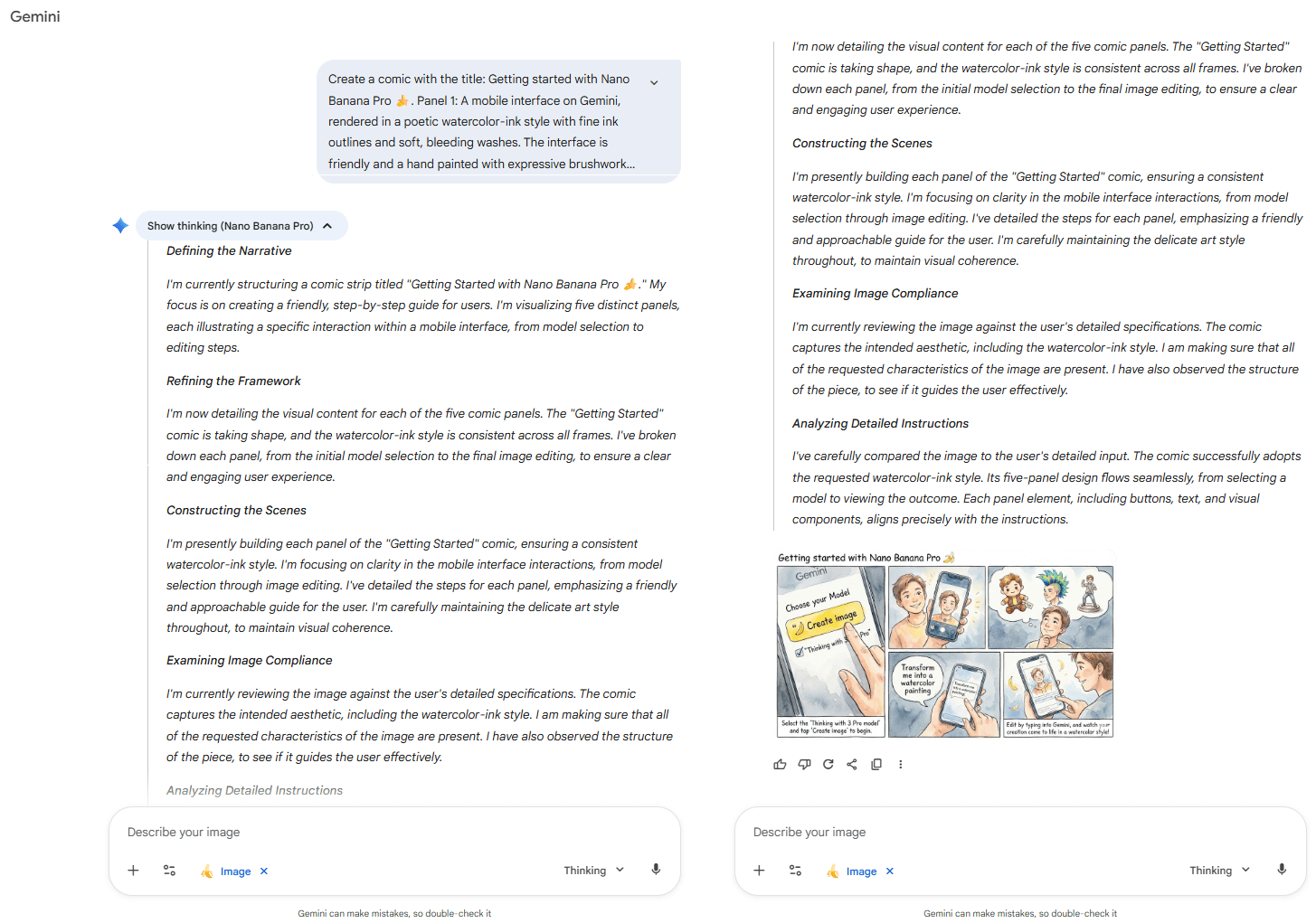
Why this matters: I could actually open a "thinking" dropdown after generation to see the reasoning process. For example, when I asked it to create a history of LLMs, I watched Gemini 3 trace the evolution, map the timeline, verify historical facts and then generate the image.
The Difference: Other models generate something that looks nice but contains errors. Nano Banana Pro ensures factual accuracy before generating.
Learn How to Make AI Work For You!
Transform your AI skills with the AI Fire Academy Premium Plan - FREE for 14 days! Gain instant access to 500+ AI workflows, advanced tutorials, exclusive case studies and unbeatable discounts. No risks, cancel anytime.
2. Text Generation: The Previously Impossible
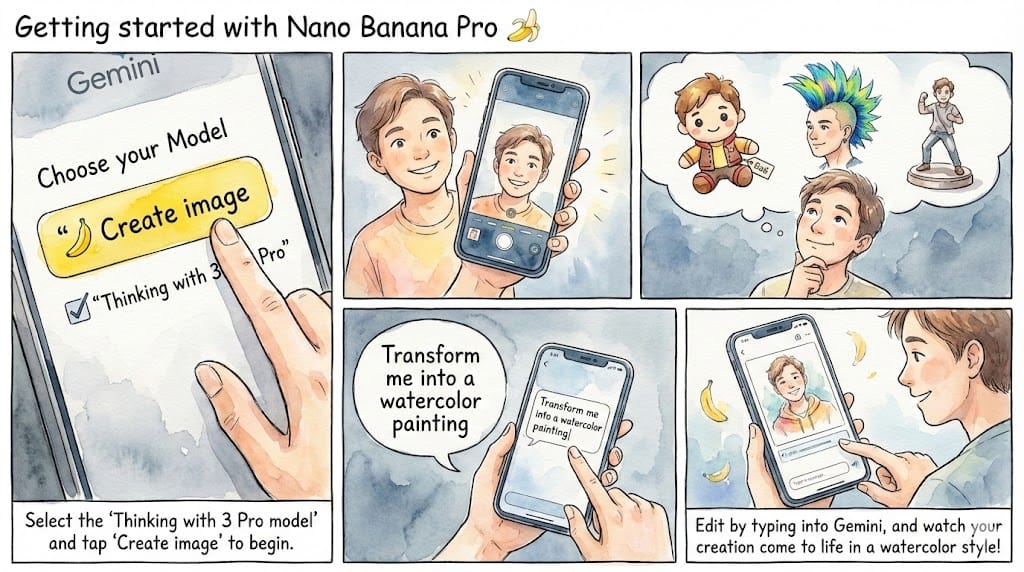
Anyone who's used AI image generators knows the frustration: text is almost always garbled, misspelled or completely nonsensical. Nano Banana Pro solves this completely.
My Assessment: "This is such an insane thing to be able to do this easily... just one shot text-to-image generation".
"One Shot": No iteration required. No fixing mistakes. First generation, perfect result.
Example
III. How Does Nano Banana Pro Change Text And Infographics?
Answer:
It makes text inside images finally usable. It can fill infographics, cheat sheets and comparison charts with long, clean copy that stays readable and accurate. Things that used to need Figma now come out of one prompt.
Key takeaways
Long labels and paragraphs render correctly.
Great for health, fitness and tech diagrams.
Can research products, then lay them out as charts.
Critical insight
You can ship “good enough to publish” infographics in one shot, then only tweak details.
Both reviewers agreed on one thing immediately: Nano Banana Pro is shockingly good at generating visuals that contain long, accurate text; no gibberish, no misspellings, no random symbols. Here’s what I tested.
1. Health & Fitness Infographic Tests
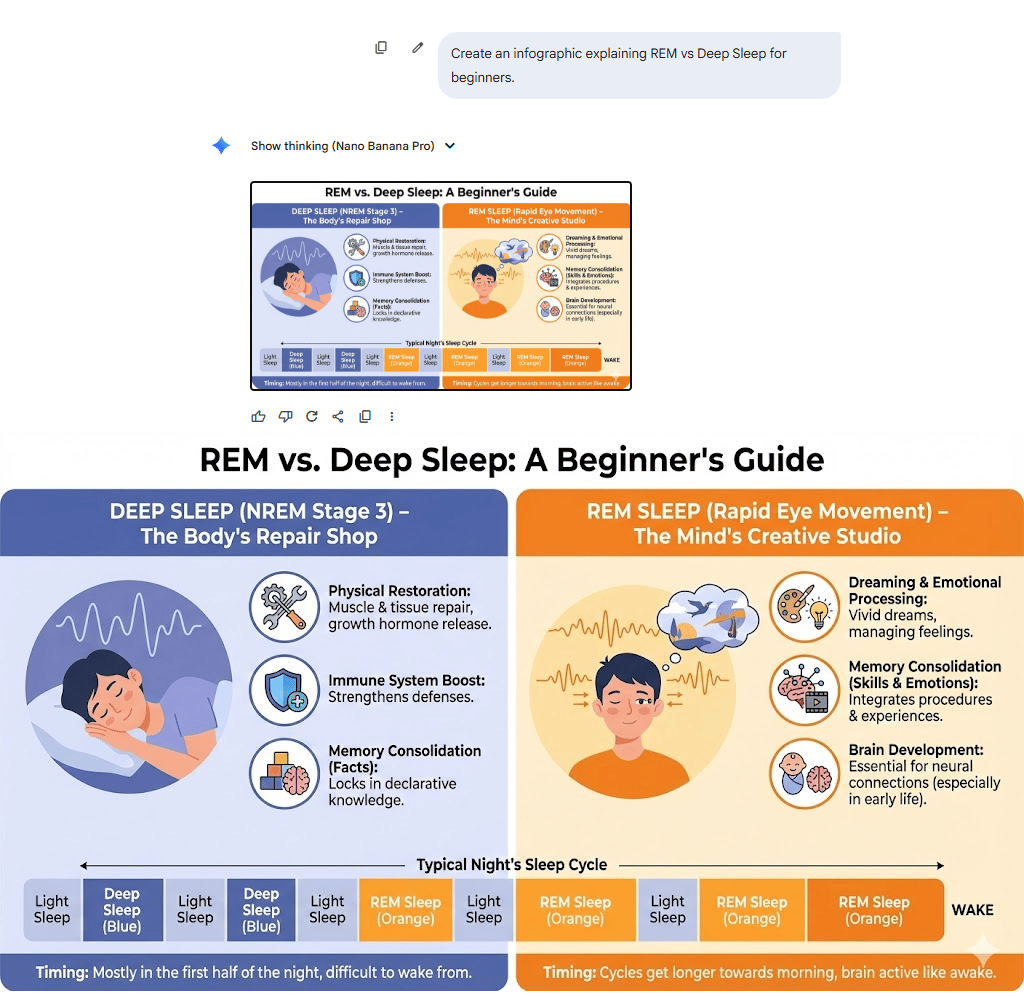
Test 1: The Human Sleep Cycle
Prompt:
Create an infographic explaining REM vs Deep Sleep for beginners.Result:
A clean, medical-style infographic breaking down stages of sleep, hormone cycles and tips for improving rest, all with perfectly readable labels and correct terminology.
Test 2: Meal Prep Guide
Prompt:
Make a weekly meal prep cheat sheet with grocery list, recipes and calorie breakdown.Result:
A detailed chart with accurate nutrition values, clear icons and a layout that looked like something from a fitness magazine.
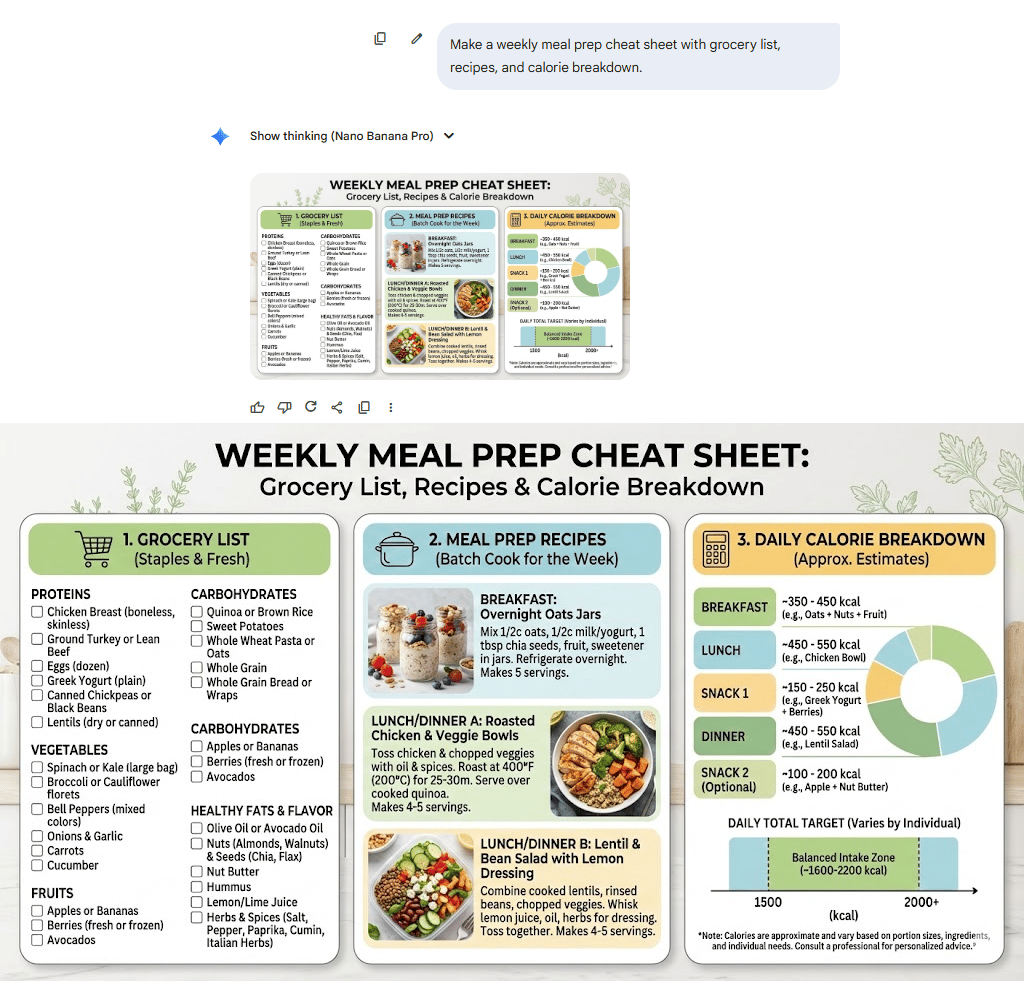
My Reaction: It’s wild. There are paragraphs of text on this image and every single word is correct. No AI weirdness anywhere.
2. Gamer-Style Technical Diagram
Setup: The reviewer wanted a fun but technical breakdown of a PC upgrade.
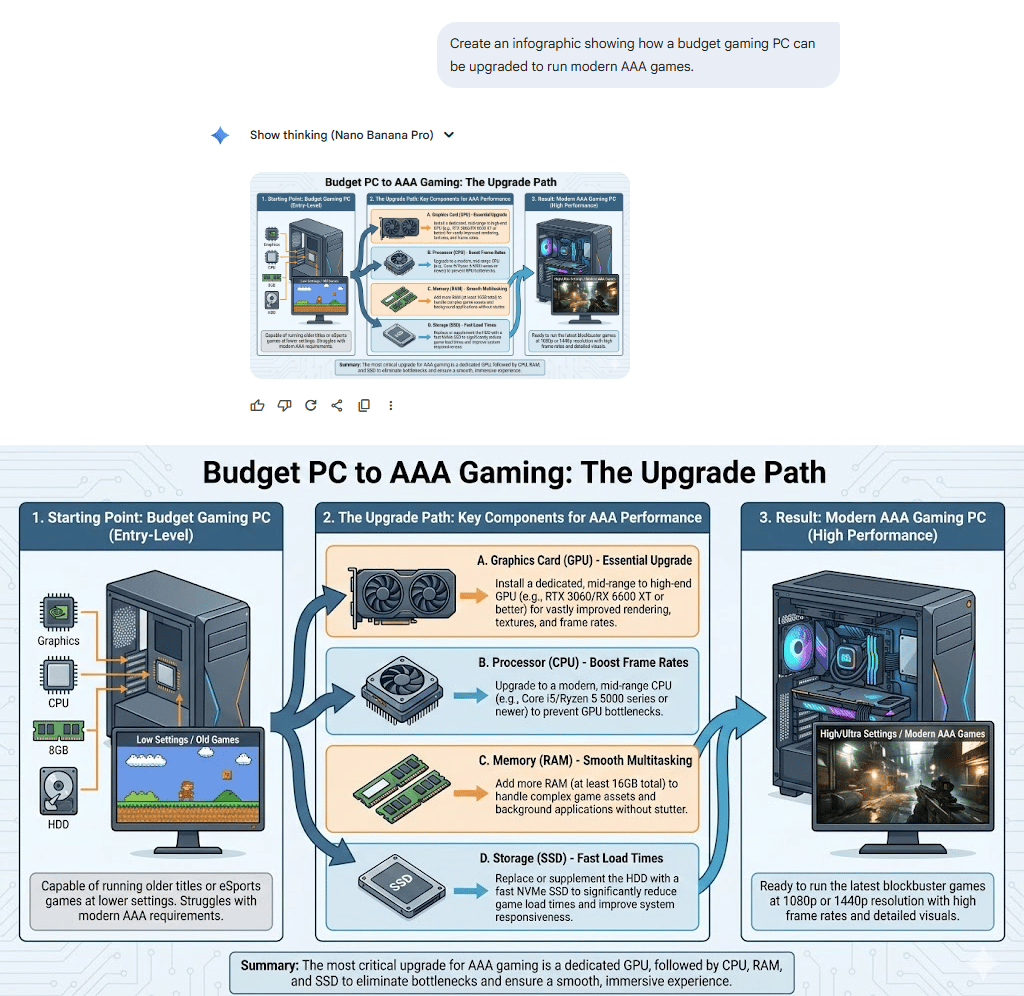
Prompt:
Create an infographic showing how a budget gaming PC can be upgraded to run modern AAA games.Result: A polished hardware diagram labeling GPU tiers, RAM recommendations, airflow direction and upgrade priorities; all spelled correctly.
My Assessment: This looks like something you’d see taped on the wall behind the tech desk at Best Buy.
3. Real-World Application: Practical Daily-Life Application
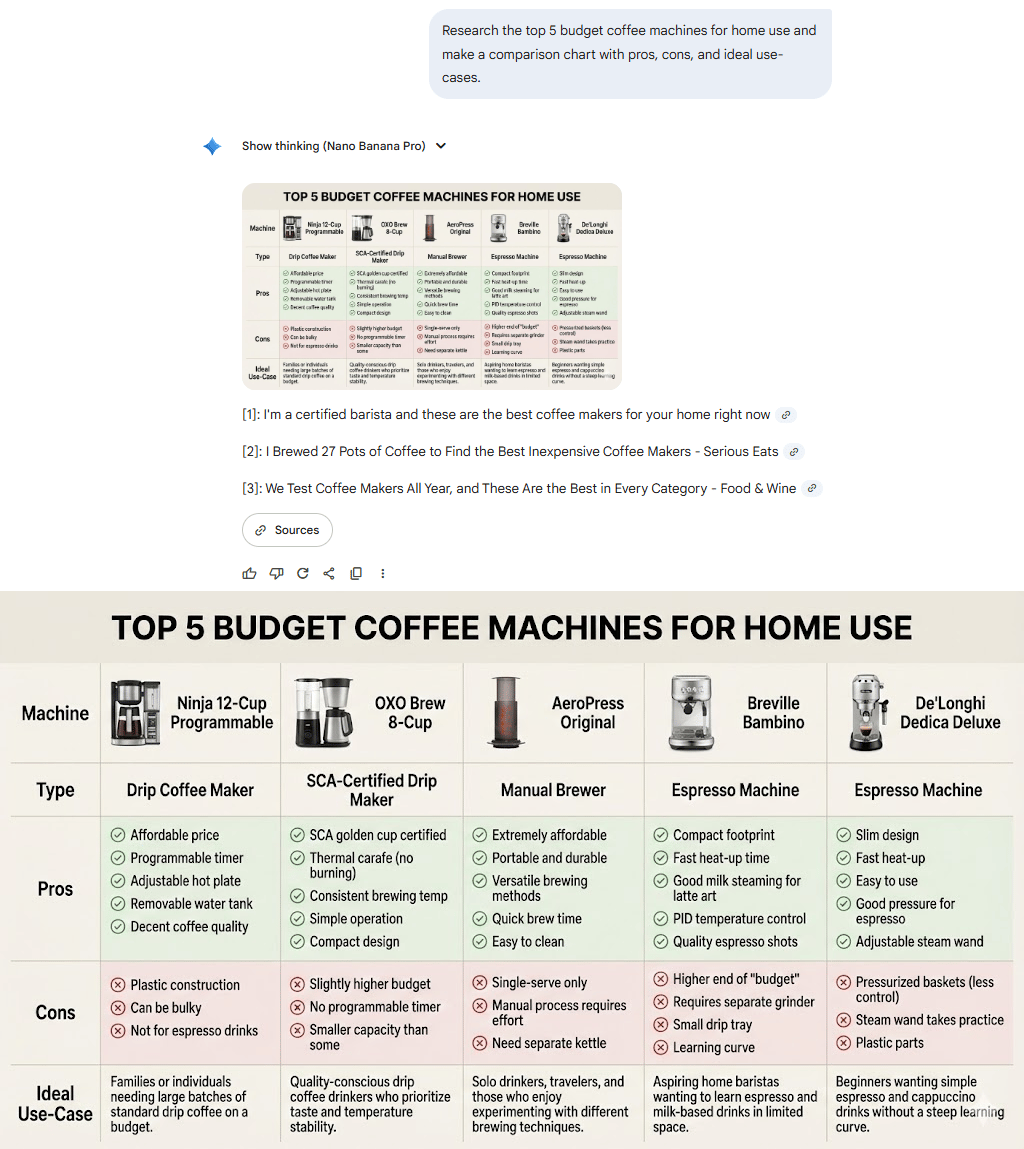
Prompt:
Research the top 5 budget coffee machines for home use and make a comparison chart with pros, cons and ideal use-cases.Result: It pulled real products, accurate ratings, extracted pros/cons from multiple sources and laid everything out in a neat, side-by-side chart that looked printable.
Why This Matters: This is the moment where AI becomes your personal designer + researcher in one tap.
IV. The Comic Encyclopedia Test: Heavy Text Meets Visual Chaos
One of the most impressive demonstrations came from a test trying to recreate a comic-style character encyclopedia.
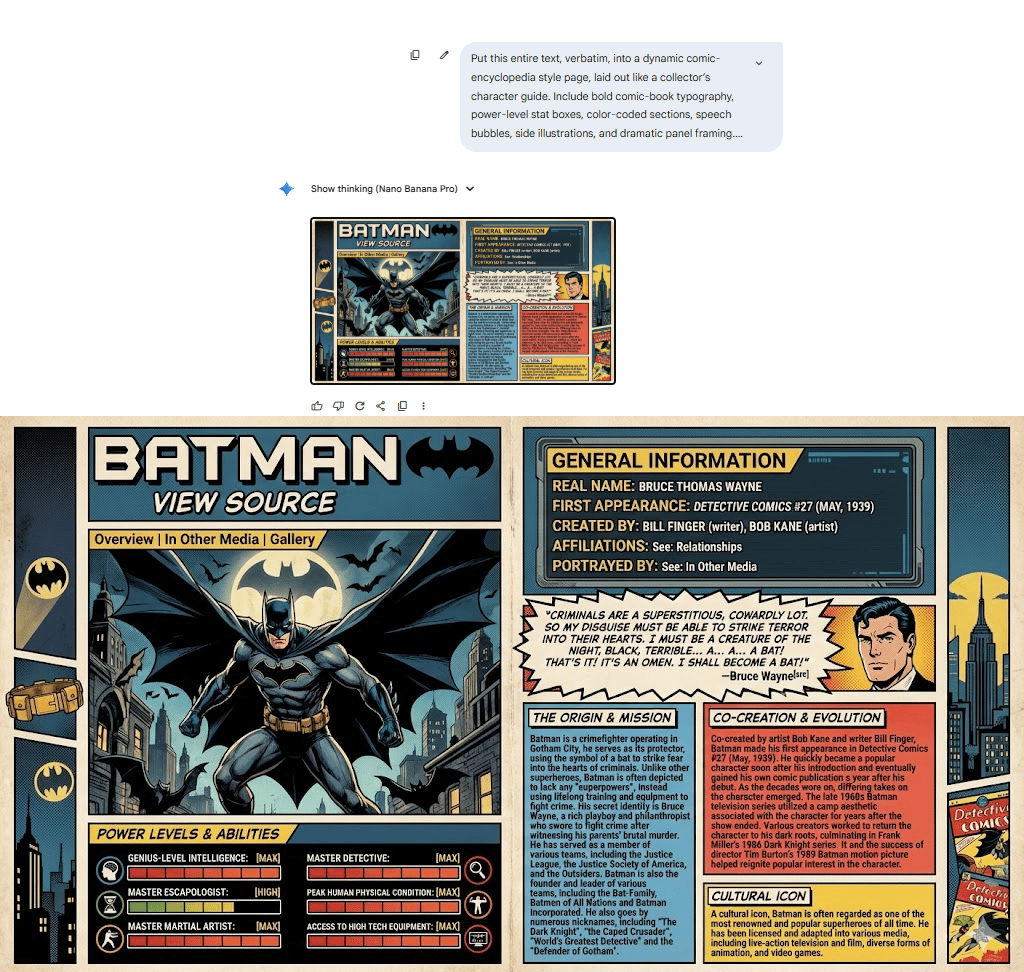
The Challenge: Take Batman's bio and place it inside a dynamic comic layout with speech boxes, power-level stats and full illustrations.
The Prompt:
Put this entire text, verbatim, into a dynamic comic-encyclopedia style page, laid out like a collector’s character guide. Include bold comic-book typography, power-level stat boxes, color-coded sections, speech bubbles, side illustrations and dramatic panel framing. The text:
[...the unformatted article].
What This Tests: Paragraph fitting, font variety, comic-style text bubbles, color-coding and maintaining accuracy through large blocks of quirky text.
The Result: “It nailed everything (the bios, the speech bubbles, the stats) about Batman. Not one spelling error. Looks like a real collector’s book.”
Why This Matters: Comic encyclopedia pages are normally a nightmare to format. The system generated a publish-ready layout instantly, even with dense text.
V. Brand Consistency: My Pro Workflow
One of the biggest challenges is maintaining brand consistency. I developed a sophisticated technique using Gemini to solve this.
1. The Brand Guidelines Workflow
Step 1: Create Brand Guidelines with Gemini. I uploaded a logo and asked Gemini to create a brand guideline document (vibe description, color palettes and typography).
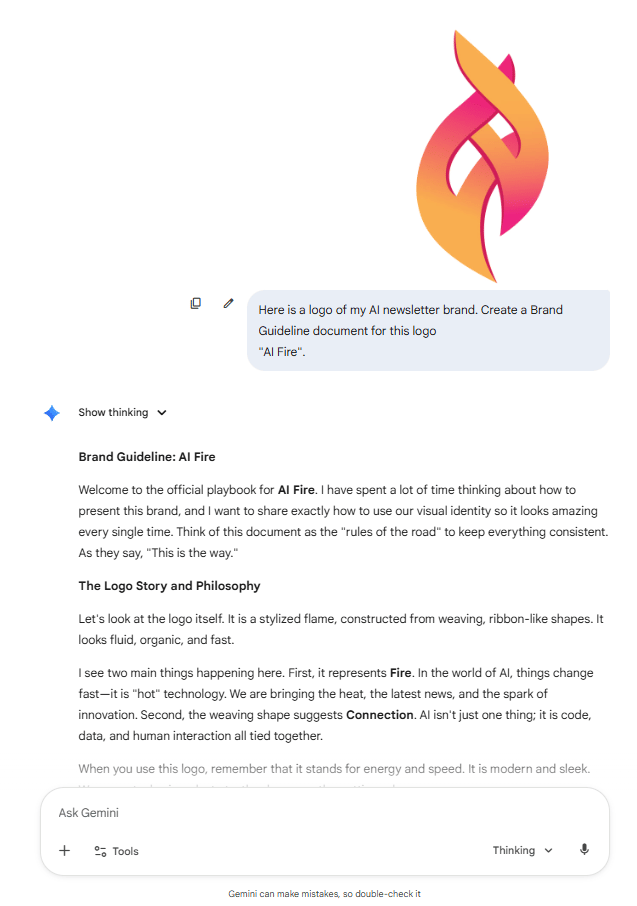
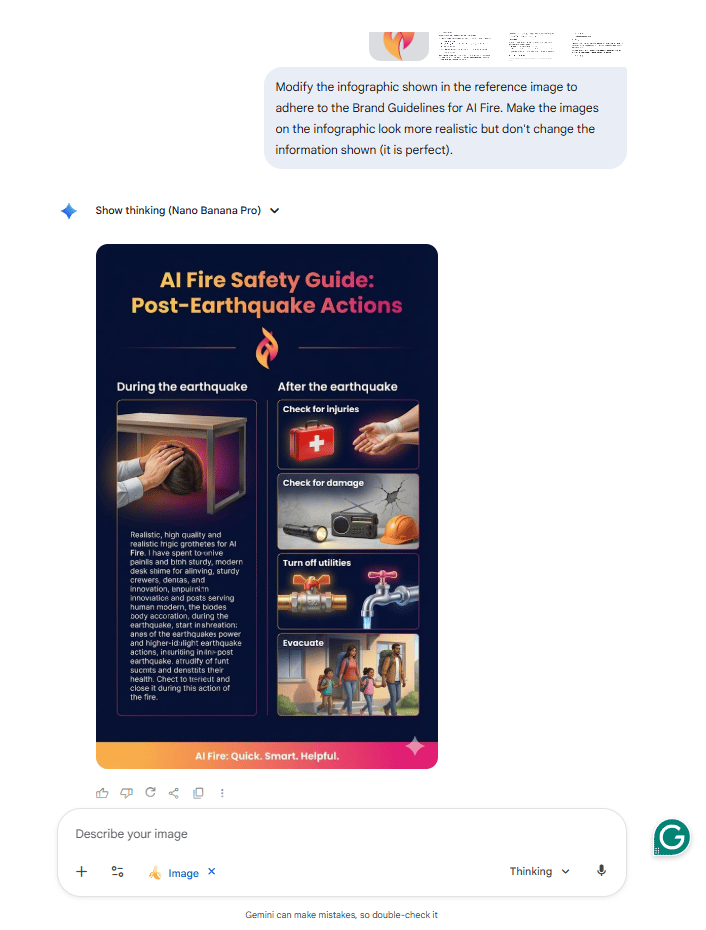
Step 2: Feed Guidelines to Nano Banana Pro. I copied the guidelines (converting them to screenshots) and uploaded them as reference images.
Step 3: Generate. I included the prompt:
Modify the infographic shown in the reference image to adhere to the Brand Guidelines for AI Fire. Make the images on the infographic look more realistic but don't change the information shown (it is perfect).The Result: A complete aesthetic overhaul that matches brand colors and typography perfectly while maintaining data accuracy.
2. Style Replication
The Challenge: Reproduce the clean, neon-accented UI design from a futuristic dashboard screenshot.
The Solution: Upload the UI reference to Gemini to extract the design rules (spacing, typography, glow effects and color ratios).
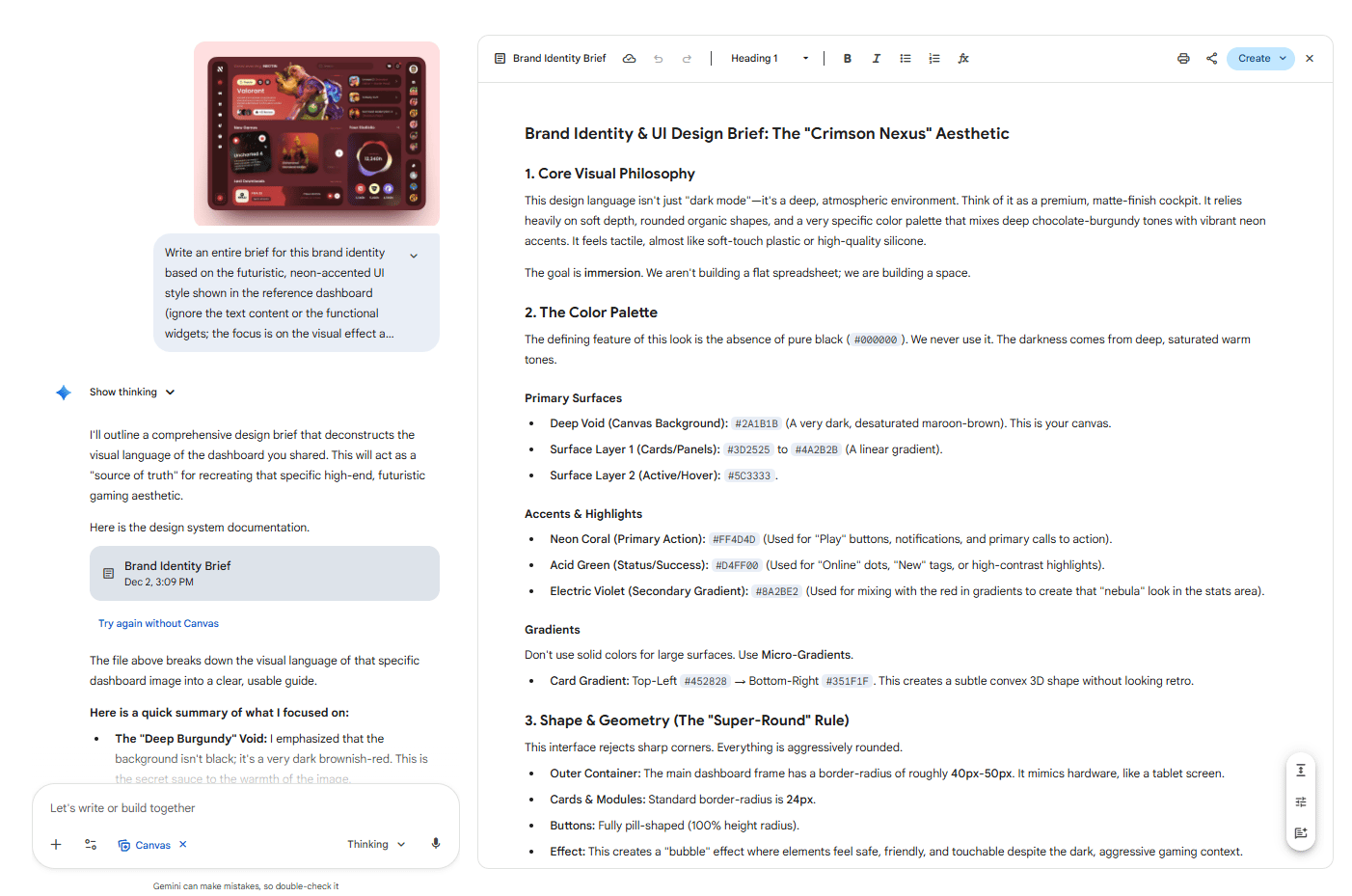
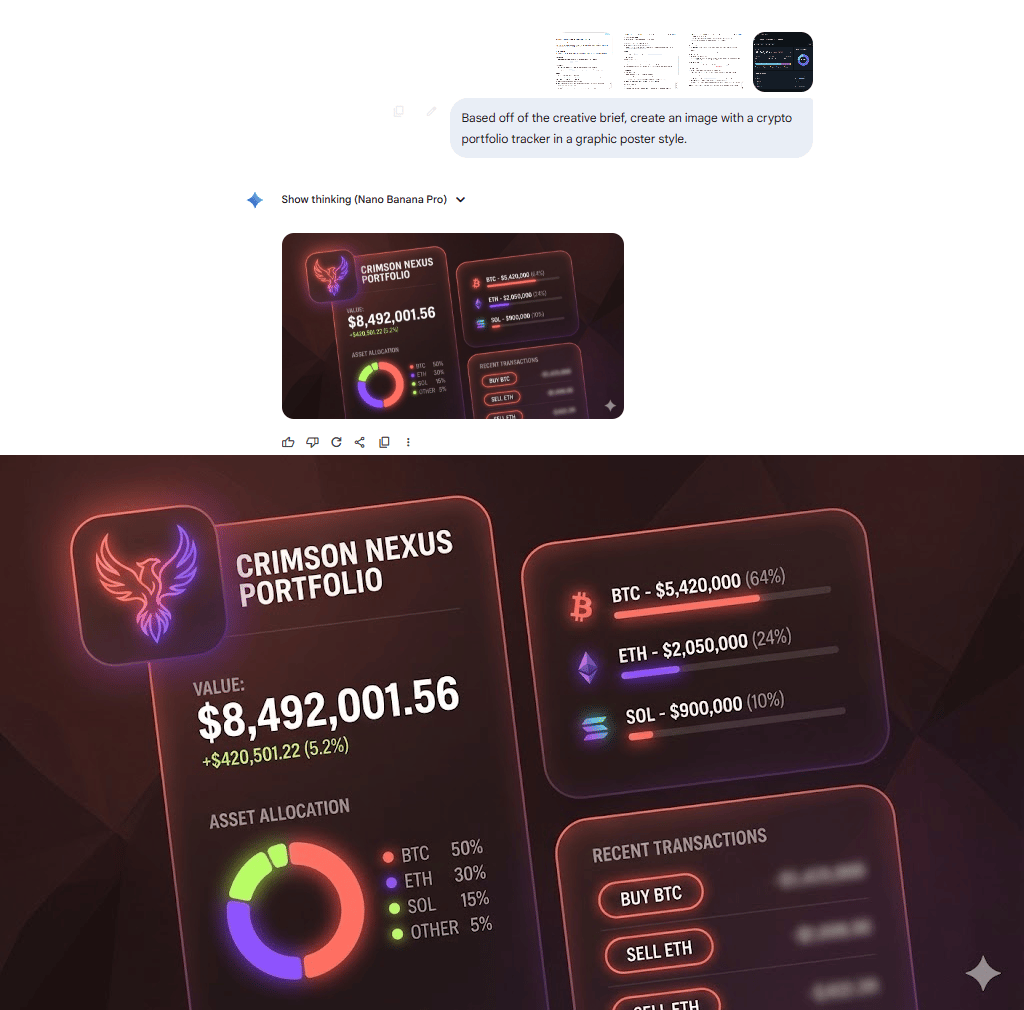
Use those rules in Nano Banana Pro to generate a brand-new dashboard for a different purpose, like “a crypto portfolio tracker.”
The Result: A new dashboard with the exact same futuristic look, perfect alignment, matching glow effects and identical layout rhythm, just with new data.
VI. Consistent Characters: Finally Solved
Character consistency has been the Achilles’ heel of AI image generation. In my testing, Nano Banana Pro changed this dramatically.
1. Brand Mascot Consistency Tests
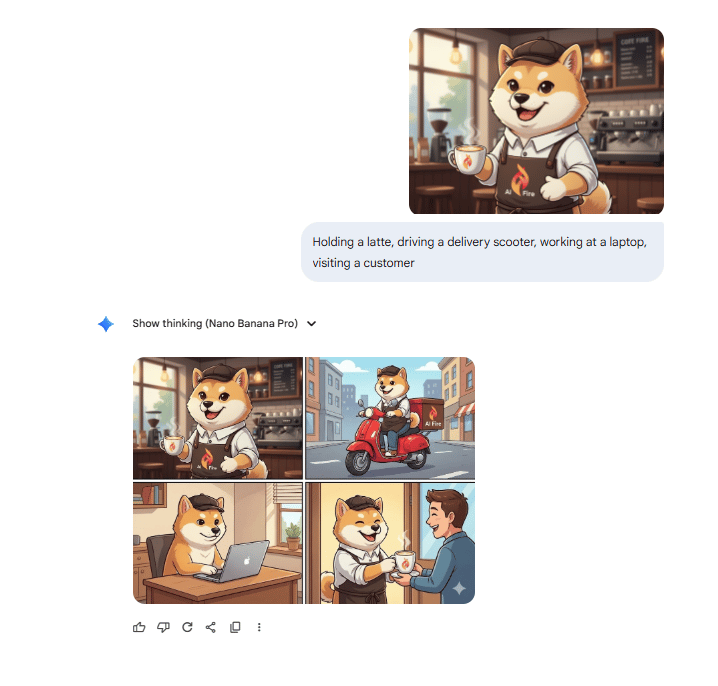
Test Subject: I used a custom cartoon mascot for a coffee brand.
Scenarios: Holding a latte, driving a delivery scooter, working at a laptop, visiting a customer.
The Result: All of those were amazing on the first try. The mascot was perfectly reproducible across every scenario, with identical line weight, proportions and style.
Ideal for brands needing consistent assets across campaigns.
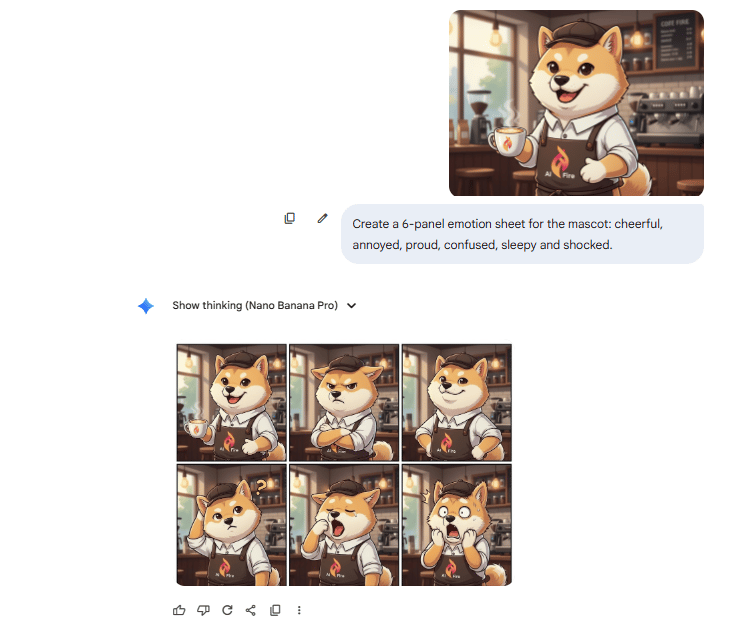
2. Emotions Panel for Branding
My Prompt:
Create a 6-panel emotion sheet for the mascot: cheerful, annoyed, proud, confused, sleepy and shocked.The Significance: Character sheets normally require a designer to draw emotions manually.
The Result: Each emotion was clear and on-model. No distortion, no mismatched angles, no differences in structure.
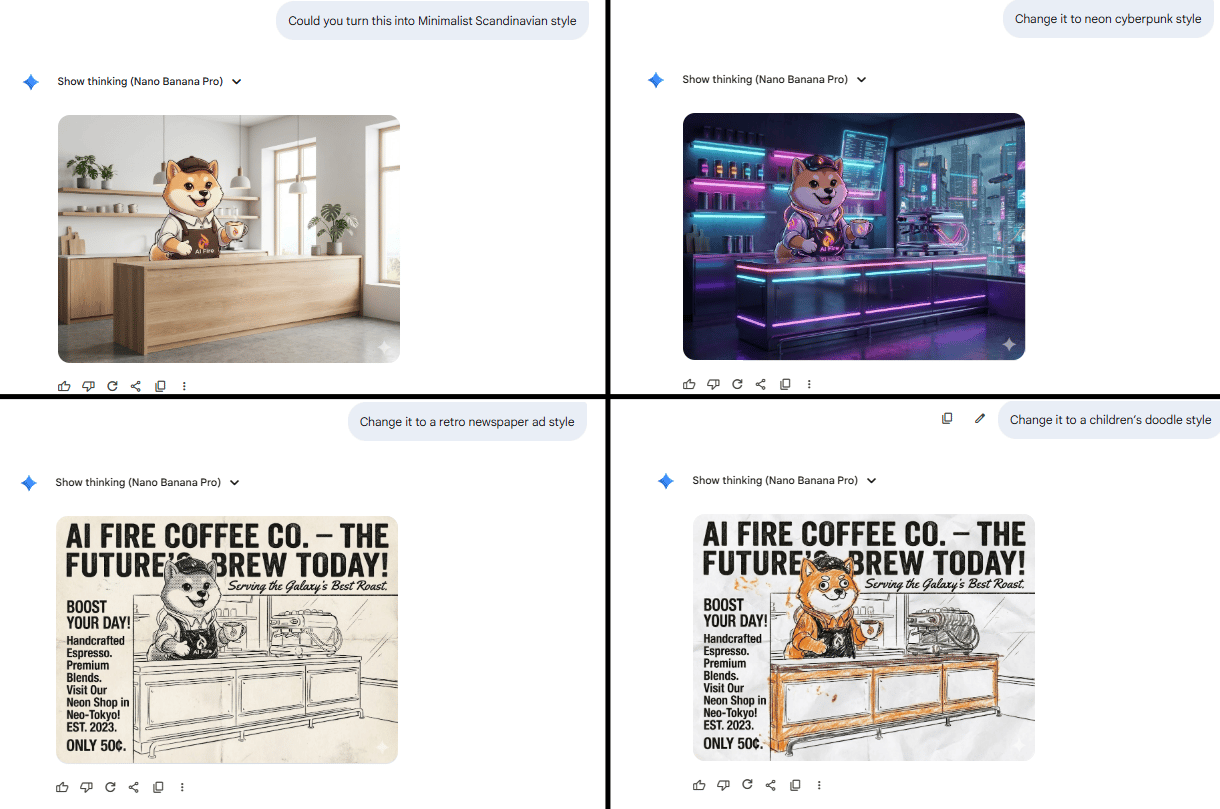
3. Marketing Style Transfer
I tested my character across different styles: Minimalist Scandinavian, neon cyberpunk, retro newspaper ad and children’s doodle style.
The Result: It nailed every one of those. The mascot stayed consistent in all styles, while the design language shifted cleanly. This is useful for multi-platform campaigns.
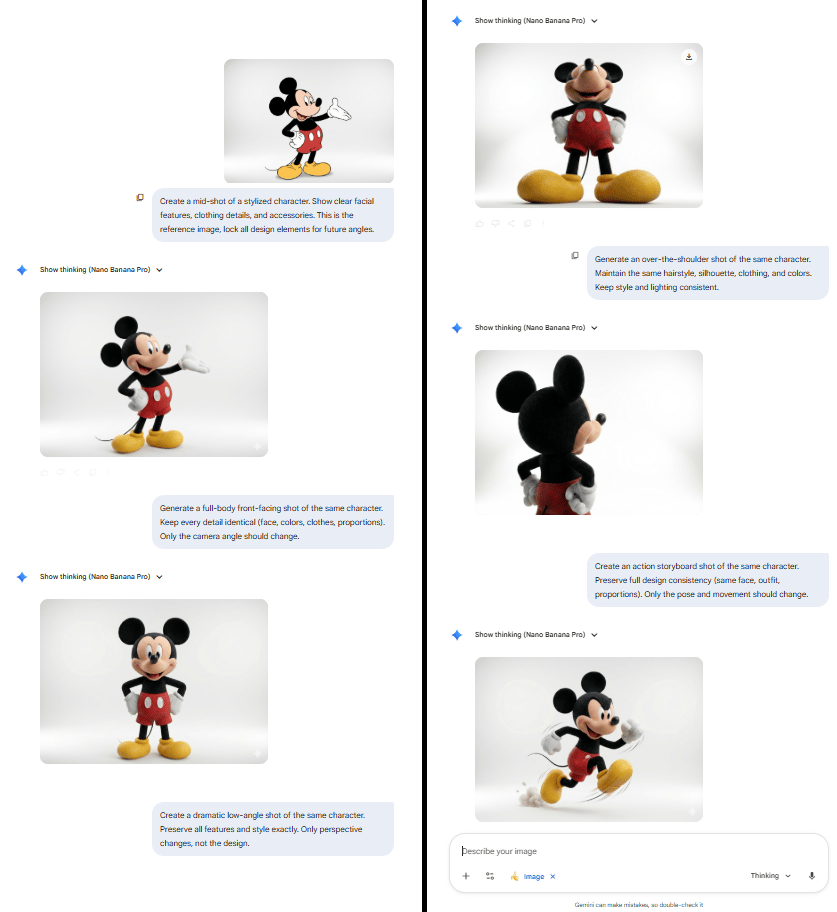
4. Storyboard Camera Tests
I wanted to test whether the model could shift camera angles for storyboard work while keeping the character perfectly consistent.
The Test: I started with a stylized brand character in a standard mid-shot, then asked for a front-facing full-body shot for the next storyboard panel.
The Challenge: Changing the angle completely often causes the character’s features to drift. Small details like facial structure, clothing folds and accessories usually get lost when the perspective shifts.
The Result: It handled the angle change flawlessly. The character stayed identical across both shots, with every detail preserved. It feels like consistent character + consistent scenes are finally solved.
VII. Real-World Marketing Applications
I tested practical marketing use cases to determine if this tool is truly production-ready.
1. Gadget Swap & Promo Boards
Custom Smartwatch Concept: I designed a futuristic “PulseOne” smartwatch.
Test: "Replace the Apple Watch in this fitness photo with the PulseOne smartwatch" in stock photos.
Result: Accurate wrist positioning, proper screen reflections and believable lighting; looked like a real wearable ad.
Minor Weakness: Small UI icons on the watch face weren’t perfectly crisp at high zoom.
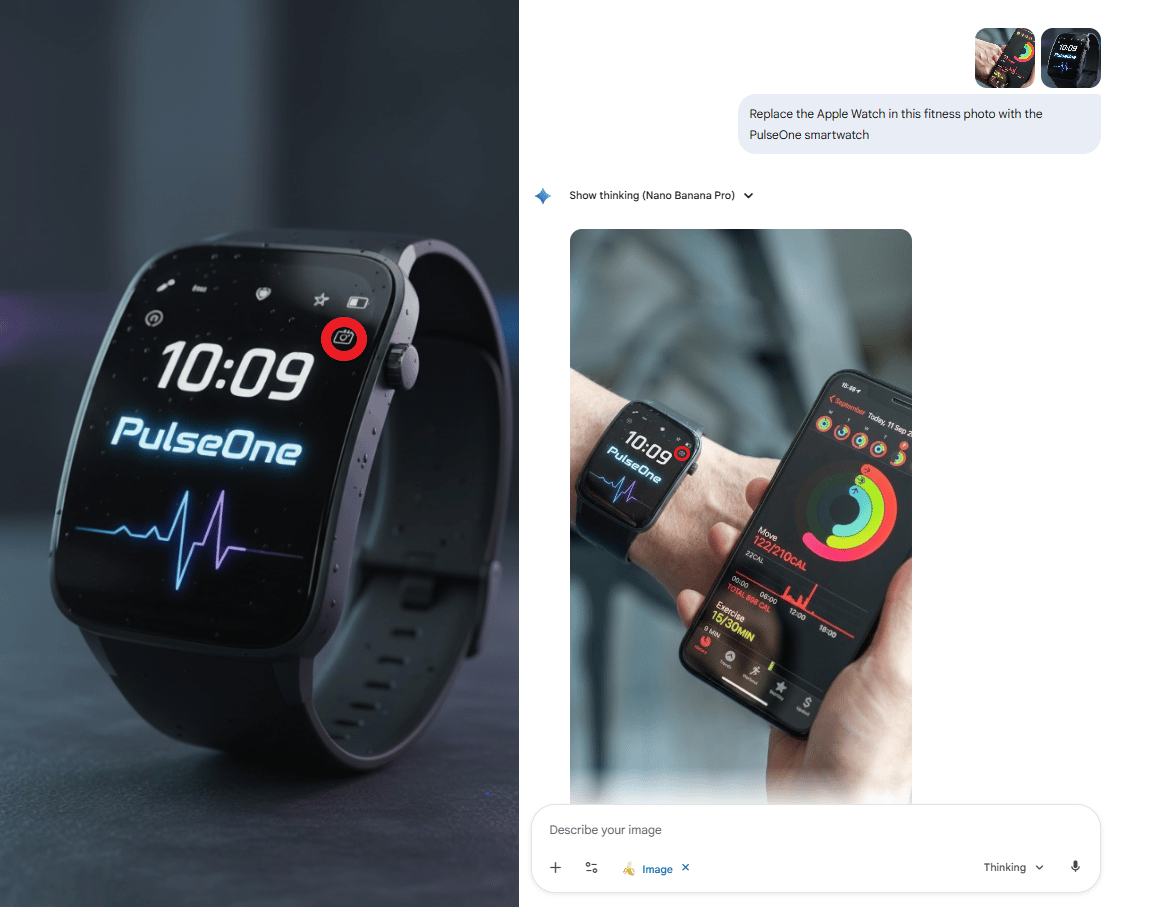
I highlighted the minor weakness with the red circle.
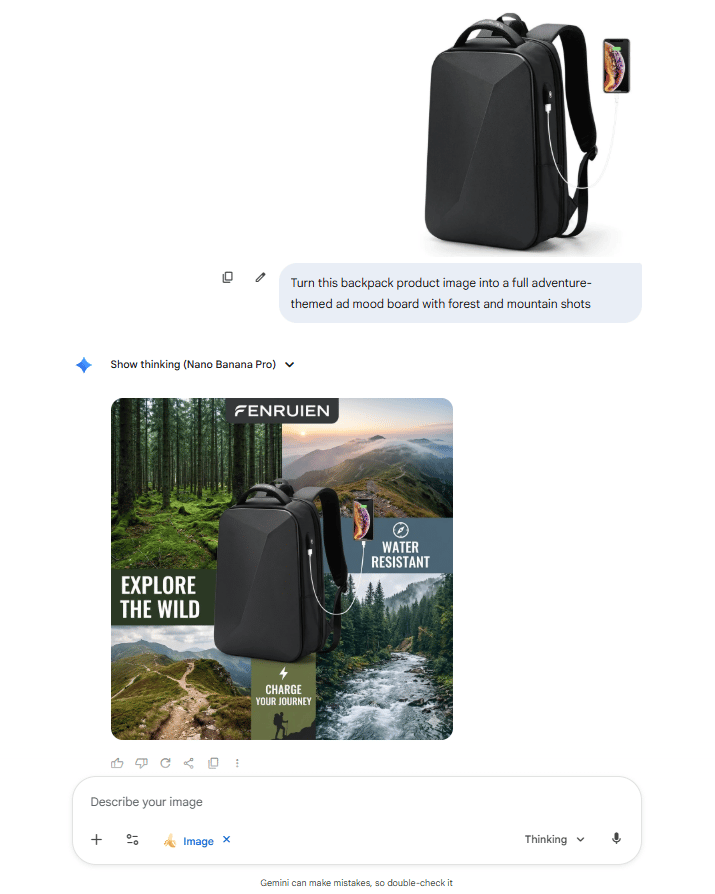
Travel Backpack Campaign:
Prompt: "Turn this backpack product image into a full adventure-themed ad mood board with forest and mountain shots".
Result: A complete campaign kit with consistent product features across all angles.
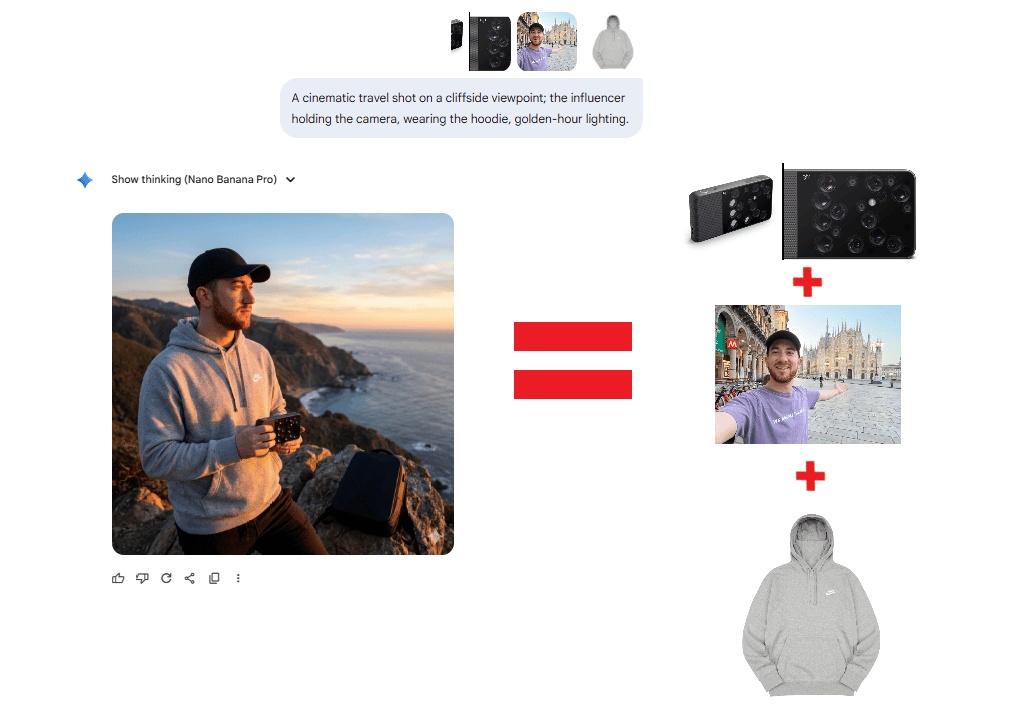
2. Complex Multi-Reference Tourism Shot
The Inputs: I tried a unique camera design, a specific travel influencer and a branded hoodie.
The Prompt: “A cinematic travel shot on a cliffside viewpoint; the influencer holding the camera, wearing the hoodie, golden-hour lighting.”
The Result: All three elements appeared perfectly: same face, correct hoodie print, accurate camera design, all in a unified cinematic frame.
Creating quality AI content takes serious research time ☕️ Your coffee fund helps me read whitepapers, test new tools and interview experts so you get the real story. Skip the fluff - get insights that help you understand what's actually happening in AI. Support quality over quantity here!
VIII. Advanced Conceptual Understanding
I found that Nano Banana Pro doesn't just generate pixels; it understands concepts.
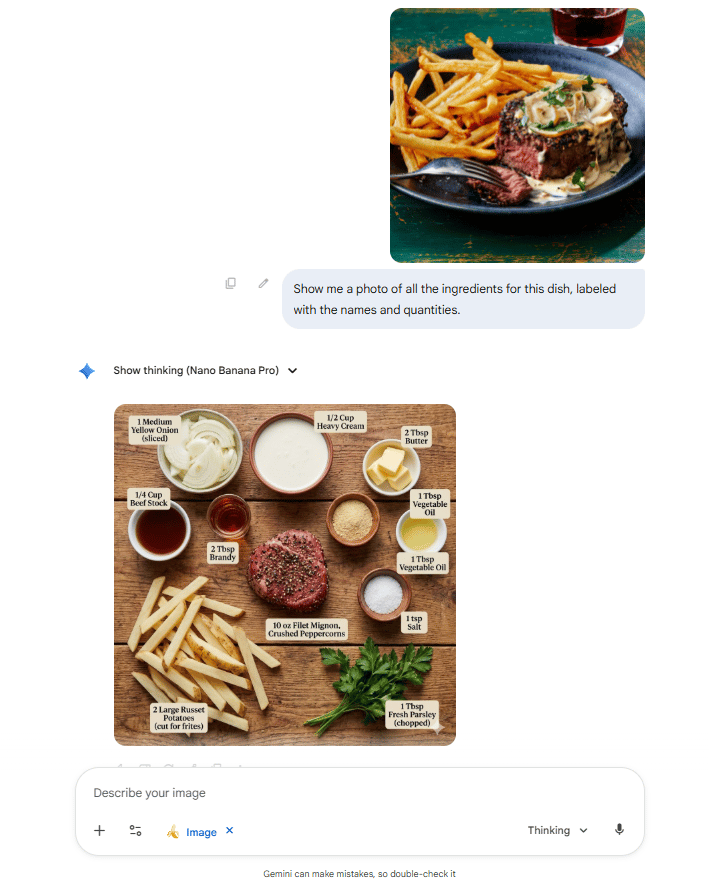
1. Reverse Engineering a Recipe
Test: I uploaded an image of a finished steak dish.
Prompt: "Show me a photo of all the ingredients for this dish labeled with the names and quantities".
The Result: It reverse-engineered the steak recipe just by looking at the final image. It correctly identified and visually represented the meat butter, heavy cream, onion and even the garlic.
2. Geographic Intelligence
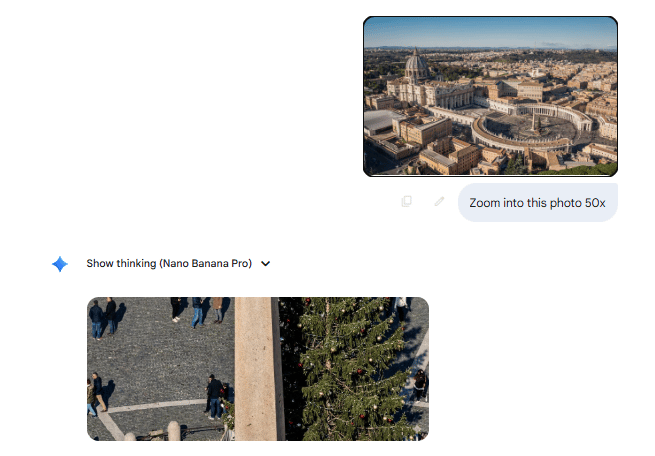
Test: Zooming in on an aerial view of Vatican City.
The Result: It maintained accurate tree and obelisk positions across 50x and 67x zooms. It understands spatial relationships, not just patterns.
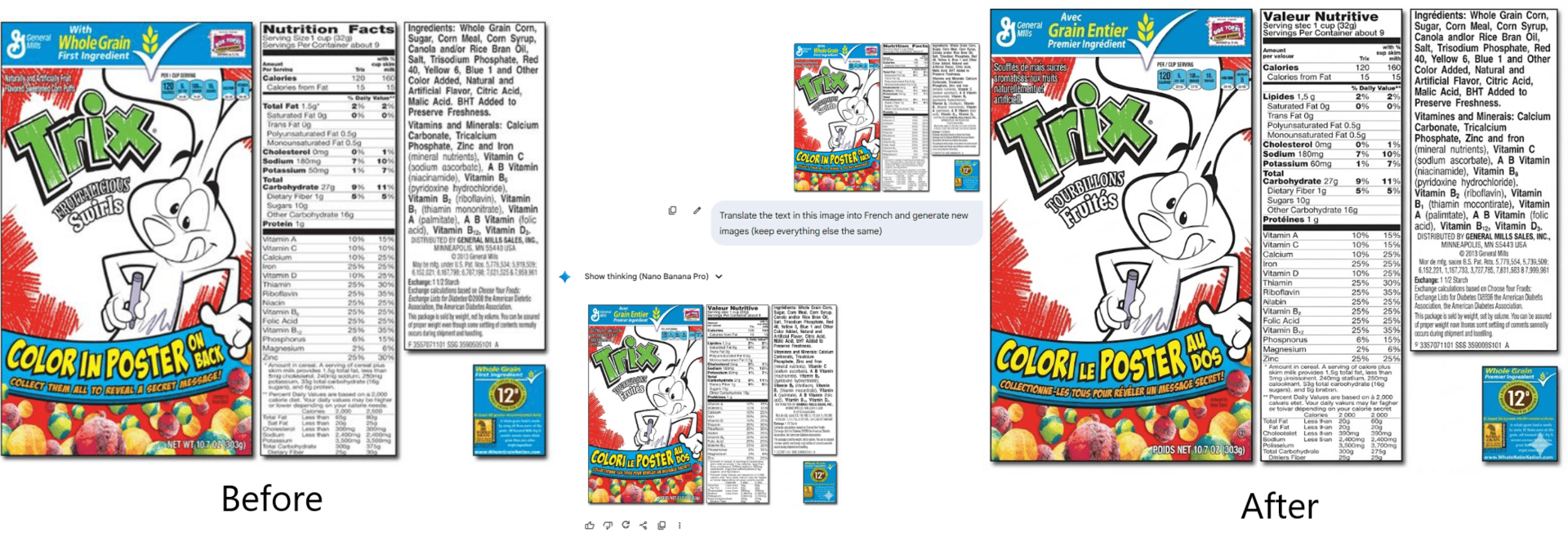
3. Translation Accuracy
Test: Translating English text on a cereal box into French.
The Result: All the text seems coherent with no made-up words. It demonstrates actual language understanding.
IX. What Are Nano Banana Pro’s Current Limitations?
Answer:
It still struggles with strict pose control and tiny text. If you want a character to exactly copy a complex pose sketch, it often ignores the reference. Fine print on packaging also breaks when you zoom in too far. Results can vary across users.
Key takeaways
Pose following is weaker than some rivals.
Small labels lose fidelity at high zoom.
Shared prompts do not always give identical outputs.
Critical insight
You still need human taste, retries and sometimes manual touch-ups.
While impressive, it is not perfect. Here are the limitations I found.
1. Pose Control
The Challenge: I asked it to make characters adopt specific poses shown in reference drawings (e.g., a fight scene with a skeleton and a cat).
The Result: Nano Banana Pro ignored the reference drawing and generated its own poses.
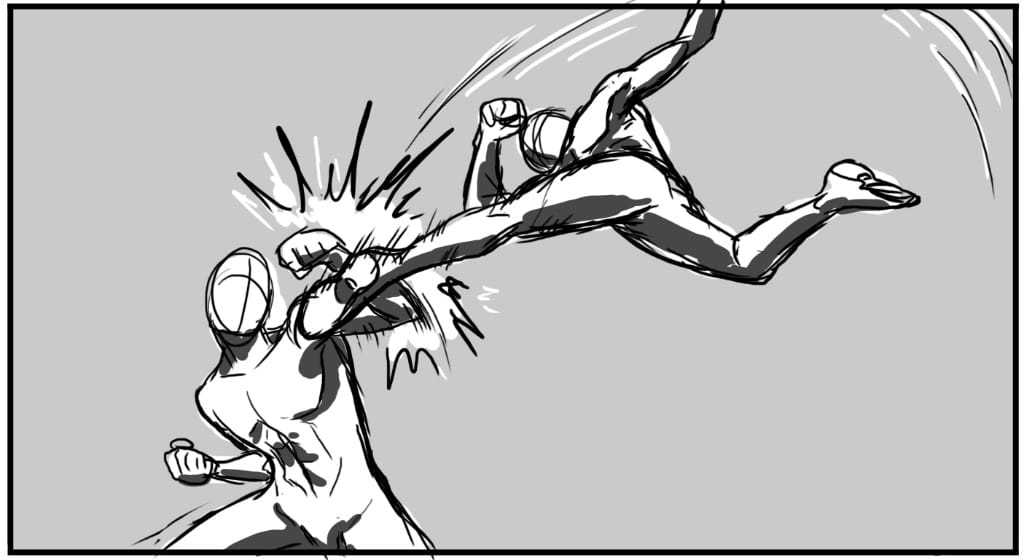
The pose I wanted.
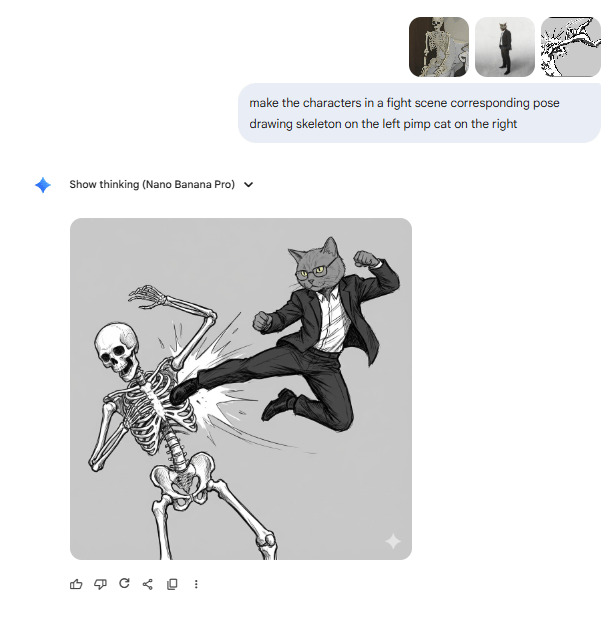
The result
2. Small Text on Products
The Issue: When placing products with small text labels into scenes, the tiny text often doesn't render accurately when zoomed in closely.
The Workaround: This is less of an issue for products with large, bold logos but it’s problematic for fine print.
3. Inconsistent Community Results
The Reality: Not everyone gets the same quality results with identical prompts.
Why: Model updates, subtle prompt differences and random variation in generation can all affect the output. Even with an excellent model, I expect some iteration.
X. The Verdict: Best in Class
After all this testing, my verdict is clear.
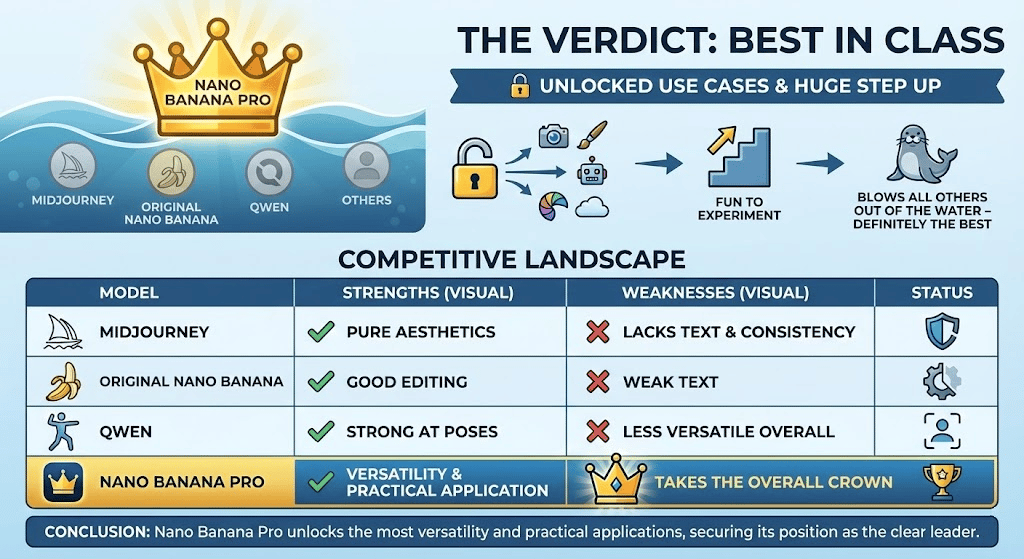
Nano Banana Pro has unlocked so many different use cases. It's been a ton of fun to experiment with. It is a huge step up from the previous model. In my opinion, it absolutely blows all other image generation models out of the water. It is definitely the best one I have tried to date.
Competitive Landscape
Midjourney: Still strong for pure aesthetics but lacks text and consistency.
Original Nano Banana: Good editing, weak text.
Qwen: Strong at poses, less versatile overall.
Nano Banana Pro: Takes the overall crown for versatility and practical application.
XI. What This Means for You
Answer:
Marketers get fast, on-brand campaigns. Educators get instant visual explainers and solo creators get stable characters for stories and channels. You can move from “I wish I had a designer” to “I can test 10 designs myself in an hour.”
Key takeaways
Marketers can ship more variants per campaign.
Teachers can show complex ideas without a design team.
Creators can build full worlds around one mascot.
Critical insight
It pushes visual work closer to how we already write. think, prompt, refine.
The implications extend beyond impressive tech demos.
For Marketers: Generate campaign-ready assets with simple prompts. AI maintains brand guidelines automatically across unlimited assets.
For Educators: Describe a concept and get a publication-ready visual explanation. Generate content in multiple languages while keeping visual consistency.
For Creators: Generate consistent characters across unlimited scenarios. Control camera angles and sequences with text descriptions.
XII. Practical Workflow Recommendations
Based on my extensive testing, here is how to maximize effectiveness in your image generation workflow.
Use Case | Goal | Best Practices |
|---|---|---|
1. Brand Consistency | Maintain a unified visual identity across all outputs. | • Use Gemini to create full brand guidelines. • If guidelines exceed text limits, convert them to screenshots. • Attach these screenshots as reference images for every generation to “lock in” colors, fonts, layout and style. |
2. Complex Projects | Improve quality while reducing wasted credits/time. | • Begin with low-res test generations (1K-2K). • Iterate prompts until the look is correct. • Only then generate finals at 4K. • Use multiple reference images for richer context and accuracy. |
3. Text-Heavy Content | Produce accurate text inside images. | • Use Nano Banana Pro to generate text from scratch (its strongest use case). • Be cautious when editing existing text inside images, as errors are more likely. • Always manually verify technical, specialized or foreign-language text. |
XIII. Conclusion: The Accessible Revolution
What strikes me most about these tests is the accessibility message: these image generation features are available today.
The text generation alone represents years of AI research paying off in a single practical leap. The character consistency solves problems that plagued the entire industry. The conceptual understanding moves beyond pattern matching toward genuine comprehension.
The tools exist. The capabilities are proven. The only question remaining is: what will you create?
If you are interested in other topics and how AI is transforming different aspects of our lives or even in making money using AI with more detailed, step-by-step guidance, you can find our other articles here:
How would you rate this article on AI Tools?Your opinion matters! Let us know how we did so we can continue improving our content and help you get the most out of AI tools. |
Reply