- AI Fire
- Posts
- ⚙️ Review Top 10 Free AI Education Tools That Can Save You 10+ Hours Every Week
⚙️ Review Top 10 Free AI Education Tools That Can Save You 10+ Hours Every Week
The Sunday Scaries don’t have to exist. These tools handle lesson plans, grading, and slides so you can focus on actually teaching.

Max Anh
January 15, 2026

TL;DR BOX
By 2026, educators can automate up to 54% of their weekly workload (tasks traditionally spent on grading, formatting and prep) by using tools designed for AI education. Key strategies include using ChatGPT for instant lesson brainstorming, SlidesAI to convert text to presentations and Quillionz for rapid quiz generation.
To enhance student outcomes, tools like Edpuzzle and Curipod drive active engagement through interactive video and polling. For personalized support, Khanmigo and Socratic by Google act as 24/7 Socratic tutors, guiding students without merely providing answers. By implementing a Two-Week Pilot Strategy, teachers can reclaim their Sundays and focus on what truly matters: human connection and inspirational teaching.
Key points
Fact: Verification for Canva for Education is free for teachers and includes "Magic Write", which can generate instructional content and design high-quality infographics in minutes for use in AI education.
Mistake: Assuming AI outputs are 100% accurate; always perform an "expert eye" review to catch potential "hallucinations" before presenting to students.
Action: Start with one task you dislike (e.g., creating quizzes) and use Quillionz for two weeks to measure how much time it actually saves you.
Critical insight
AI’s greatest value in education is not replacing the teacher but removing the "mechanical" friction of the classroom. The goal is to automate the robot-work so you can be a more empathetic and inspirational human for your students.
Table of Contents
I. Introduction: Reclaiming Your Sundays from the ‘Sunday Scaries’
If you are an educator in 2026 and you are still manually creating every quiz, designing every slide and spending your precious Sunday afternoons formatting worksheets... we need to talk.
Not because you’re doing something wrong but because you’re working far harder than you need to.
The average teacher works about 54 hours a week but they only spend 46% of that time actually teaching. The rest goes to grading, formatting and repetitive prep. That’s the real grind.

Source: EducationWeek.
I get it. The AI education space feels overwhelming, too many tools and not enough time to test them. Every week there is a new "game-changing" tool and you are just trying to get through Thursday without losing your mind.
So here’s the point of this guide. It’s a focused list of 10 free, practical AI education tools organized by the exact problems they solve, so you can save hours every week.
Ready? Let’s rescue your evenings.
📅 Spending your Sunday relaxing or stressing? |
II. Category 1: Content Creation and Lesson Planning
These tools handle the heavy lifting of content creation. They turn hours of work into minutes while maintaining quality.
1. ChatGPT: The All-Purpose Teaching Assistant
Think of ChatGPT as a helpful assistant who never gets tired. While the paid version is powerful, the free version is more than enough to act as your primary brainstormer.
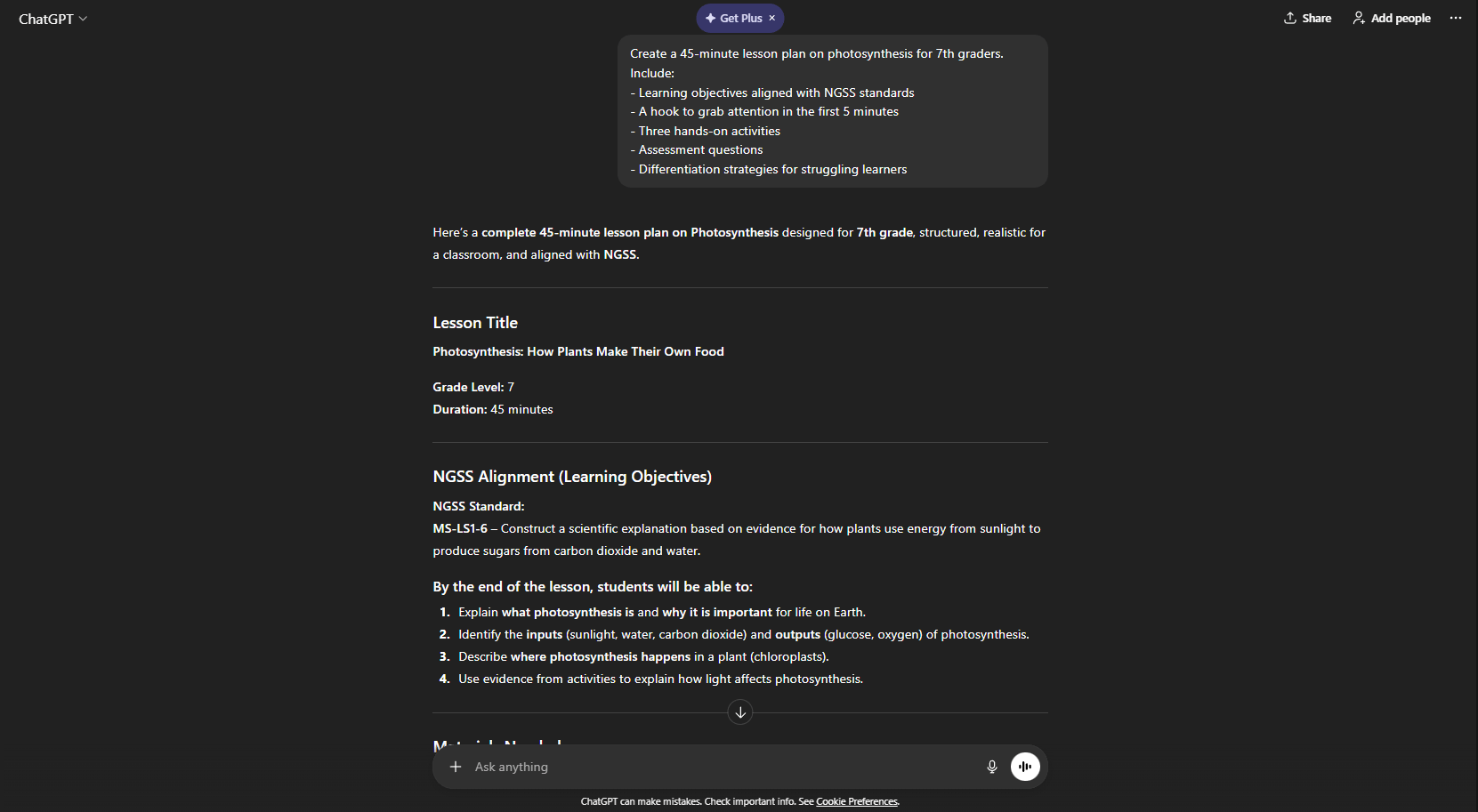
Here's a real example: you need a photosynthesis lesson for 7th graders tomorrow. Type this:
Create a 45-minute lesson plan on photosynthesis for 7th graders. Include:
- Learning objectives aligned with NGSS standards
- A hook to grab attention in the first 5 minutes
- Three hands-on activities
- Assessment questions
- Differentiation strategies for struggling learners
You’ll get a complete, structured lesson in under 60 seconds. Tasks that normally take 2-3 hours are done before you finish your coffee.
The key to getting good results is being specific. When you give it a "Prompt" (instructions), make sure that the more specific you are, the better the result.
Save your best prompts in a document. When you find phrasing that works, reuse it. This builds a personal prompt library that gets better over time. Oh and don’t worry if your first result isn't perfect, you can always ask it to revise specific sections.

One major limitation: Never assume the facts are 100% accurate. ChatGPT can sometimes "hallucinate" (make up) facts. Always give the output a quick expert eye review before printing.
2. SlidesAI: The Formatting Shortcut
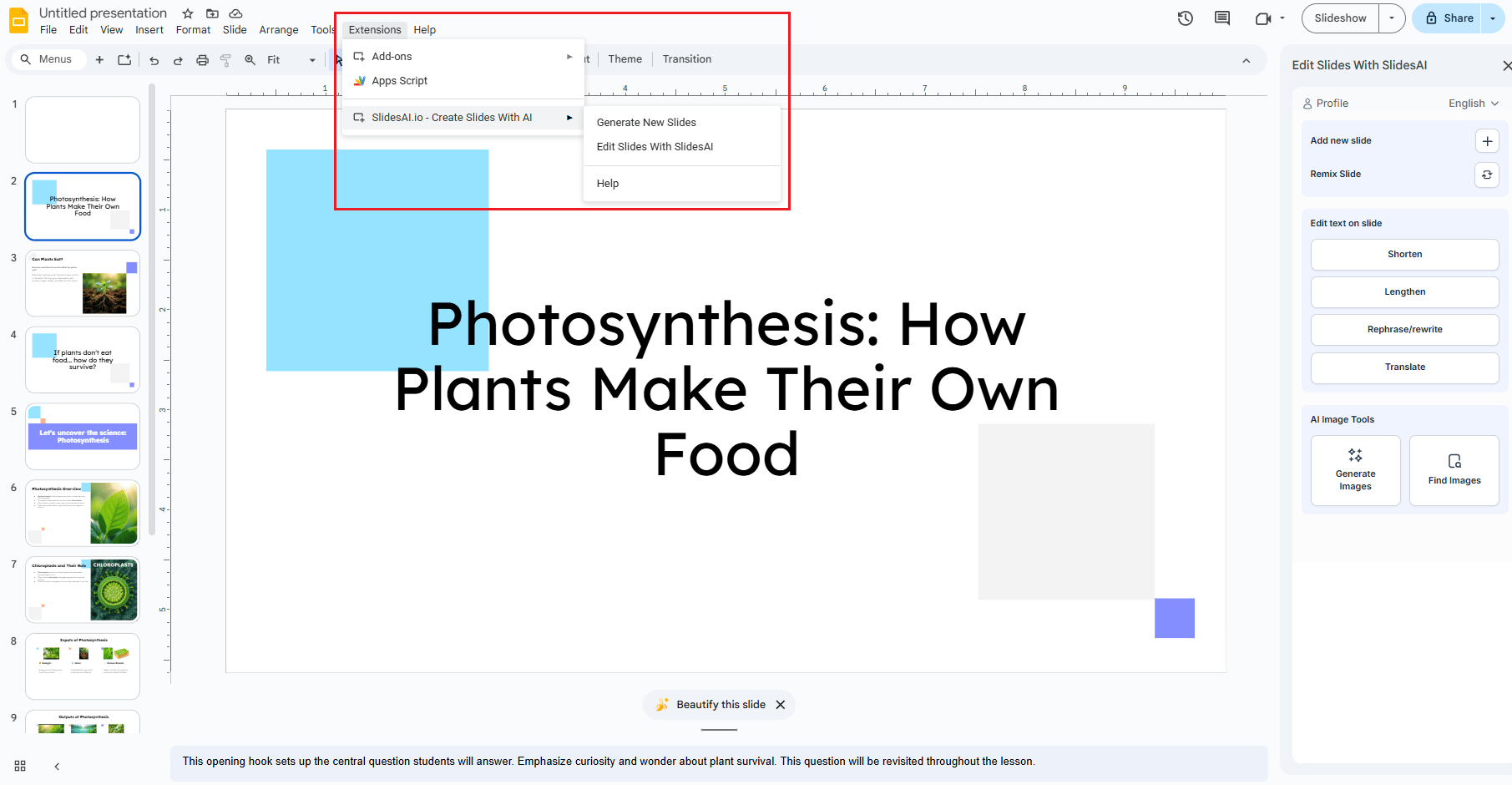
You have the lesson notes but turning them into a deck takes hours of clicking and dragging. SlidesAI turns your notes into a beautiful Google Slides presentation in minutes.
Here's the workflow:
Write or paste your lecture notes, outline or any text content.
SlidesAI analyzes everything and creates logical slide breaks, generates titles and bullet points, adds relevant images from stock libraries and applies professional layouts.

The time difference is dramatic. Creating a 20-slide deck traditionally takes 2-3 hours. With SlidesAI, you spend 10 minutes on generation plus 5-10 minutes tweaking details.
This works brilliantly for converting lesson notes into student presentations, creating professional development materials, building parent night slides and designing lecture content for online learning.
All you need to do is start with well-structured input. Just like ChatGPT, “garbage in, garbage out” applies here.
One more thing: The tool works specifically with Google Slides, not PowerPoint. The free tier limits monthly presentations. So, you'll still want to add personal touches and adjust details.
But the core formatting work is handled automatically. This is a cornerstone of efficient AI education prep.
Learn How to Make AI Work For You!
Transform your AI skills with the AI Fire Academy Premium Plan - FREE for 14 days! Gain instant access to 500+ AI workflows, advanced tutorials, exclusive case studies and unbeatable discounts. No risks, cancel anytime.
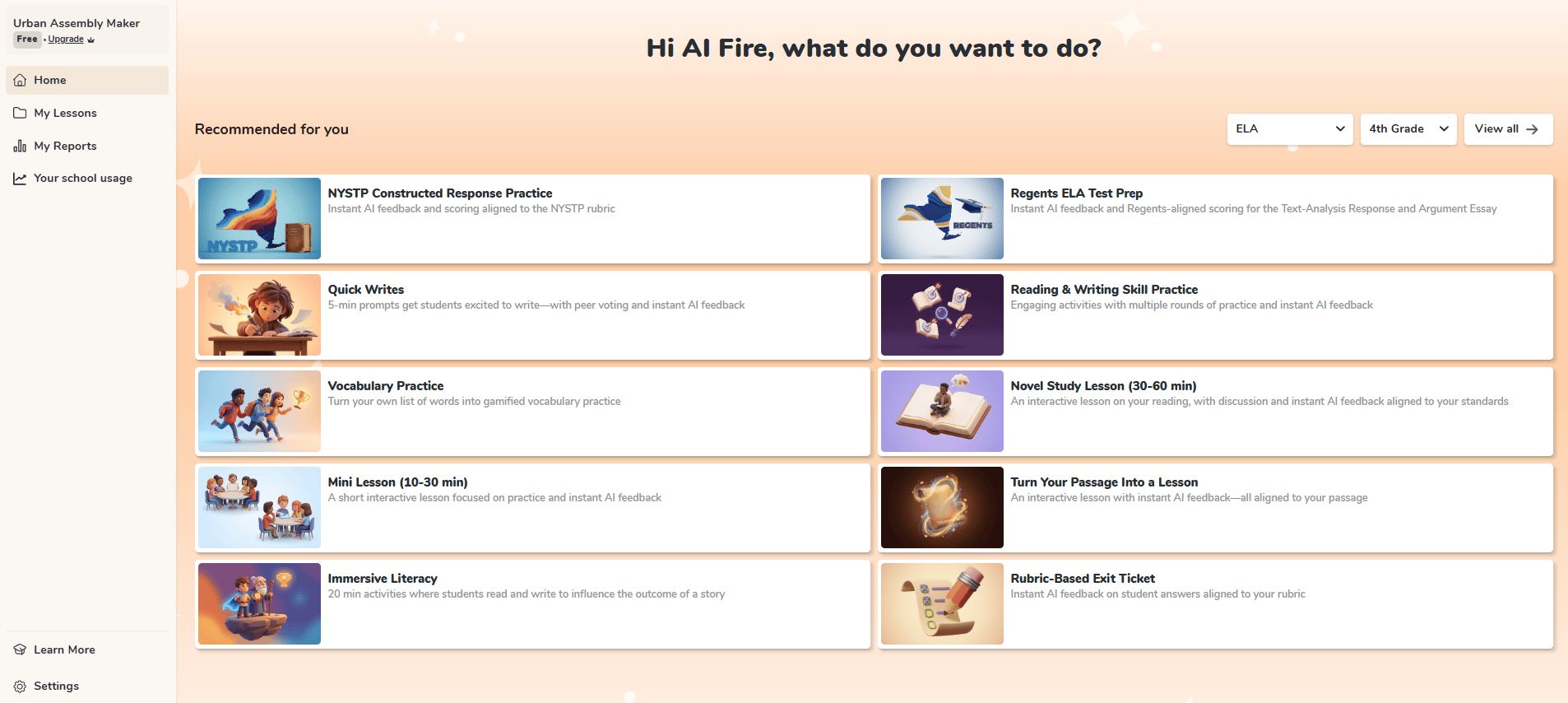
3. Curipod: The Engagement Engine
While SlidesAI focuses on looks, Curipod focuses on participation. It creates interactive lessons that force students to move from "passive listeners" to "active participants".

Request a lesson on climate change for 9th graders. Then Curipod builds an opening poll asking students to rate their concern on a 1-10 scale, a word cloud activity capturing immediate associations, information slides with key concepts, a discussion prompt about personal actions and an exit ticket for quick assessment.
Students engage from slide one because participation is mandatory, not optional.

This works exceptionally well for middle and high school classrooms, teachers struggling with engagement, remote or hybrid learning and formative assessment during instruction.
The built-in interactivity removes the need for constant teacher prompting. Students respond because the tool requires it.
4. Canva for Education: The Design Pro
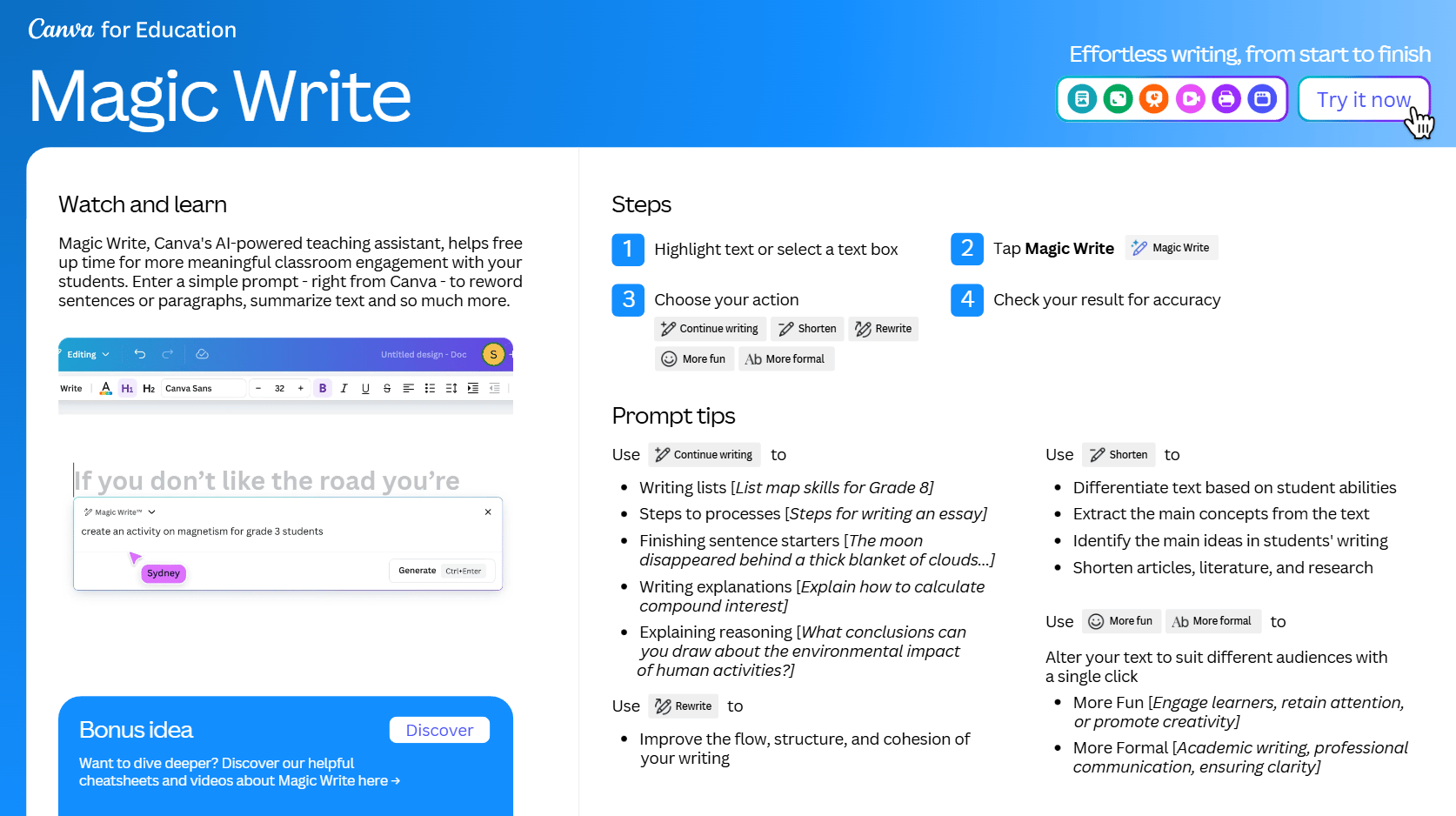
Canva is a visual powerhouse that is completely free for verified teachers. It now includes "Magic Write", an AI tool that helps you write text for posters, certificates and newsletters.
Teachers use Canva for creating modern infographics, worksheets, posters, certificates, newsletters and classroom visuals that support your AI education initiatives.
The Magic Write feature helps when you need text but your brain is empty.
Example: "Write a motivational quote for a growth mindset poster"
Magic Write generates: "Embrace challenges, for they are the stepping stones to your greatest growth".

Save templates for recurring designs like weekly newsletters or assignment headers. Use the resizing feature to design once and adapt for different platforms. Share editing access with your colleagues for consistent school branding.

Creating a professional infographic that takes 2 hours in PowerPoint? Done in 15 minutes in Canva.
You can get free access at canva.com/education. Verify your teacher status with a school email. Approval typically takes 1-2 business days.
III. Category 2: Student Assessment and Engagement
These platforms move beyond passive listening. You get interactive experiences plus insights into what's actually working.
5. Quillionz: The Instant Quiz Generator
Writing good multiple-choice questions is a skill that takes time. Quillionz takes any text (an article, a chapter summary) and instantly turns it into a quiz.
Here's the workflow: You paste a 3-page article on the American Revolution. Quillionz generates 15 questions in 30 seconds.
Sample outputs include:
"Which event marked the start of the American Revolutionary War?
A) The signing of the Declaration of Independence
B) The Boston Tea Party
C) The Battles of Lexington and Concord
D) The Proclamation of 1763"

"True or False: The Declaration of Independence initiated the start of the Revolutionary War".

"The American Revolutionary War began in April 1775 with the ________".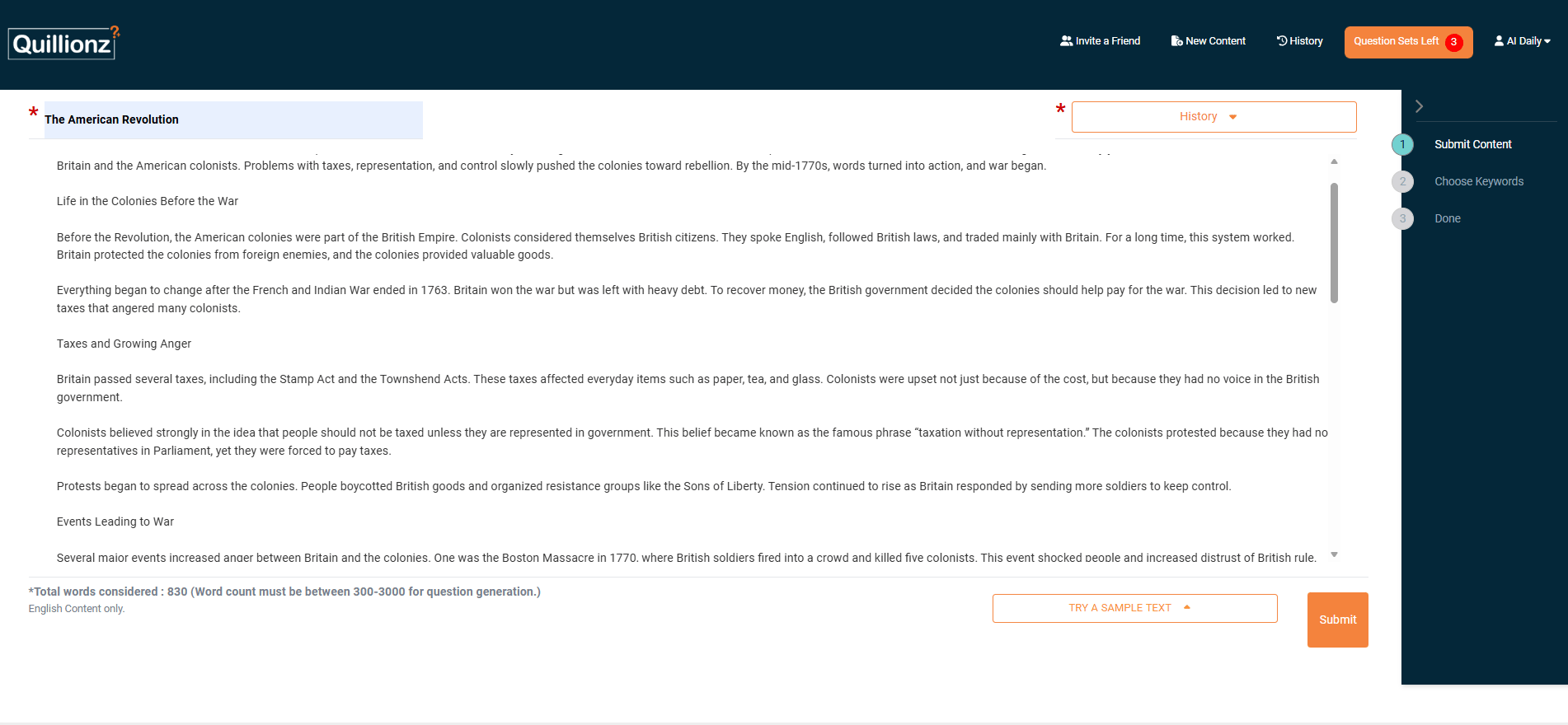


The best use cases are reading comprehension checks, study guide creation, formative assessments and exam review materials.
The process is simple: Copy an article → Paste into Quillionz → Review and export questions to Google Forms. And your time investment drops from 60+ minutes to roughly 10 minutes.
One critical note: question quality depends on input quality. Well-written, clear articles generate better questions than dense academic papers.
6. Edpuzzle: Active Video Learning
Perhaps you assign a video but half the students don't watch it. Most of the rest watch while scrolling their phones; only a tiny fraction pays genuine attention.
Edpuzzle fixes that by turning videos into interactive lessons. You can add questions, notes and audio comments directly into any video (from YouTube, Khan Academy or your own uploads).

Students cannot skip through the video. You can see exactly who watched it and where they had trouble.
Here's the process: You find or upload a video → add interactive elements at key moments → assign it to students → review the data.
For example, a short biology video can start with a warm-up question, pause to explain a tricky concept, check understanding midway and end with a quick exit task. By the time class starts, you already know what needs clarification.
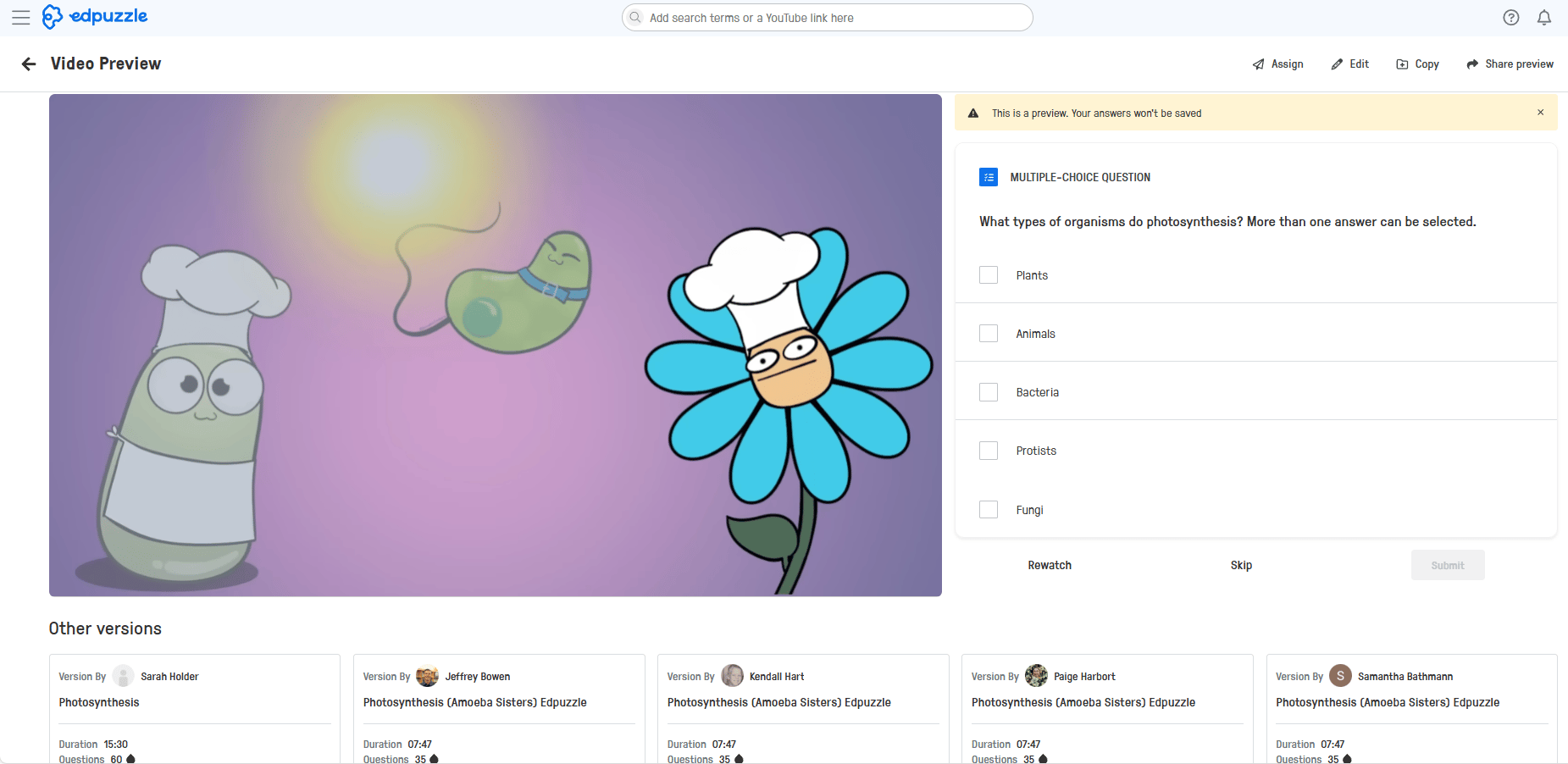
The dashboard shows engagement, missed questions and both individual and class-wide performance.
With recent updates like AI-generated questions and automatic feedback, Edpuzzle works especially well for flipped classrooms, homework, substitute days and differentiated instruction.
IV. Category 3: Personalized Tutoring and Homework Support
Closing knowledge gaps usually requires one-on-one time that you simply don't have. These tools act as a "24/7 tutor" for your students.
7. Khanmigo: The AI Tutor
Khanmigo is an AI-powered tutor built directly into Khan Academy and it works very differently from ChatGPT.

If a student asks ChatGPT a math question, it usually solves the problem and shows the full solution. Khanmigo doesn’t do that. Instead, it guides students step by step. It asks questions, gives hints and helps them think through the problem on their own.
For example, when a student asks about a quadratic equation, Khanmigo responds with prompts like: “What is the standard form of a quadratic equation?” or “Which formula do you remember?” The goal is learning, not speed.
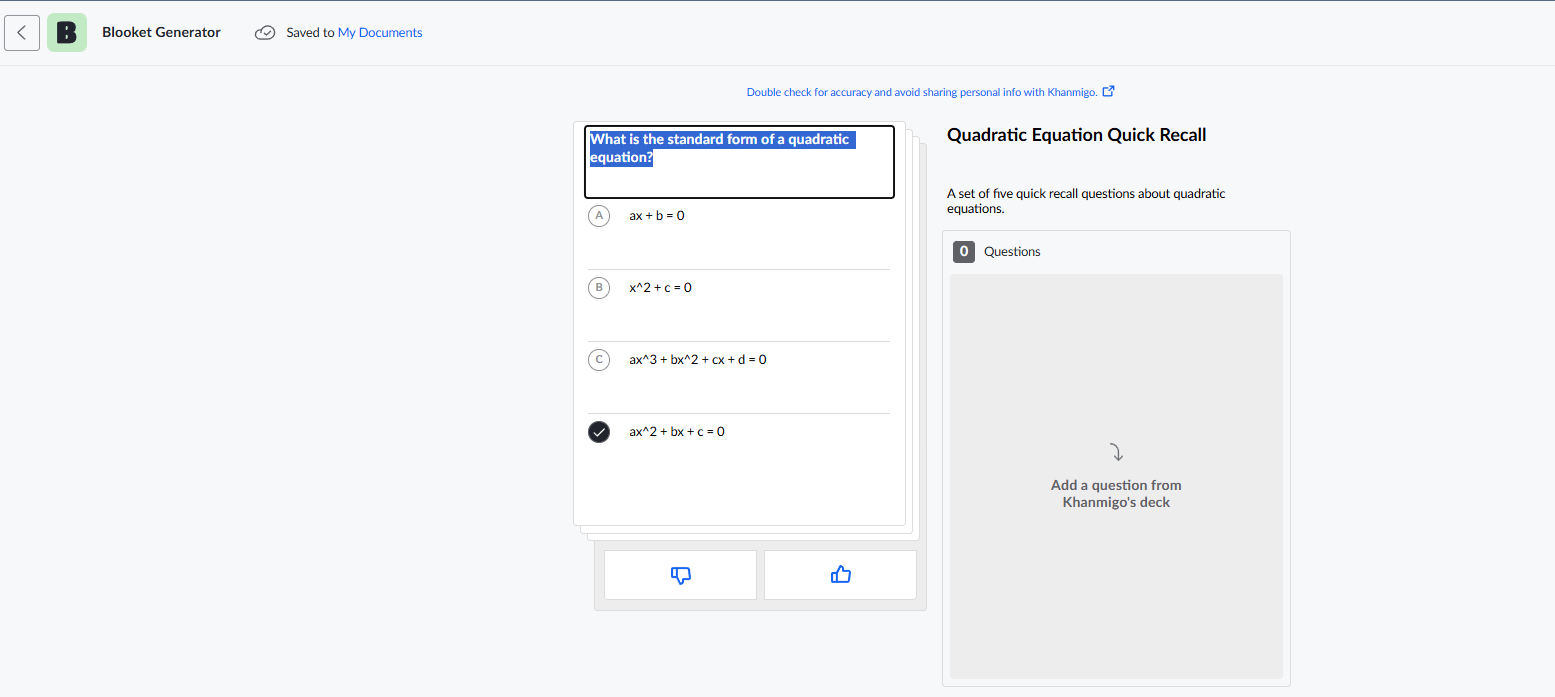
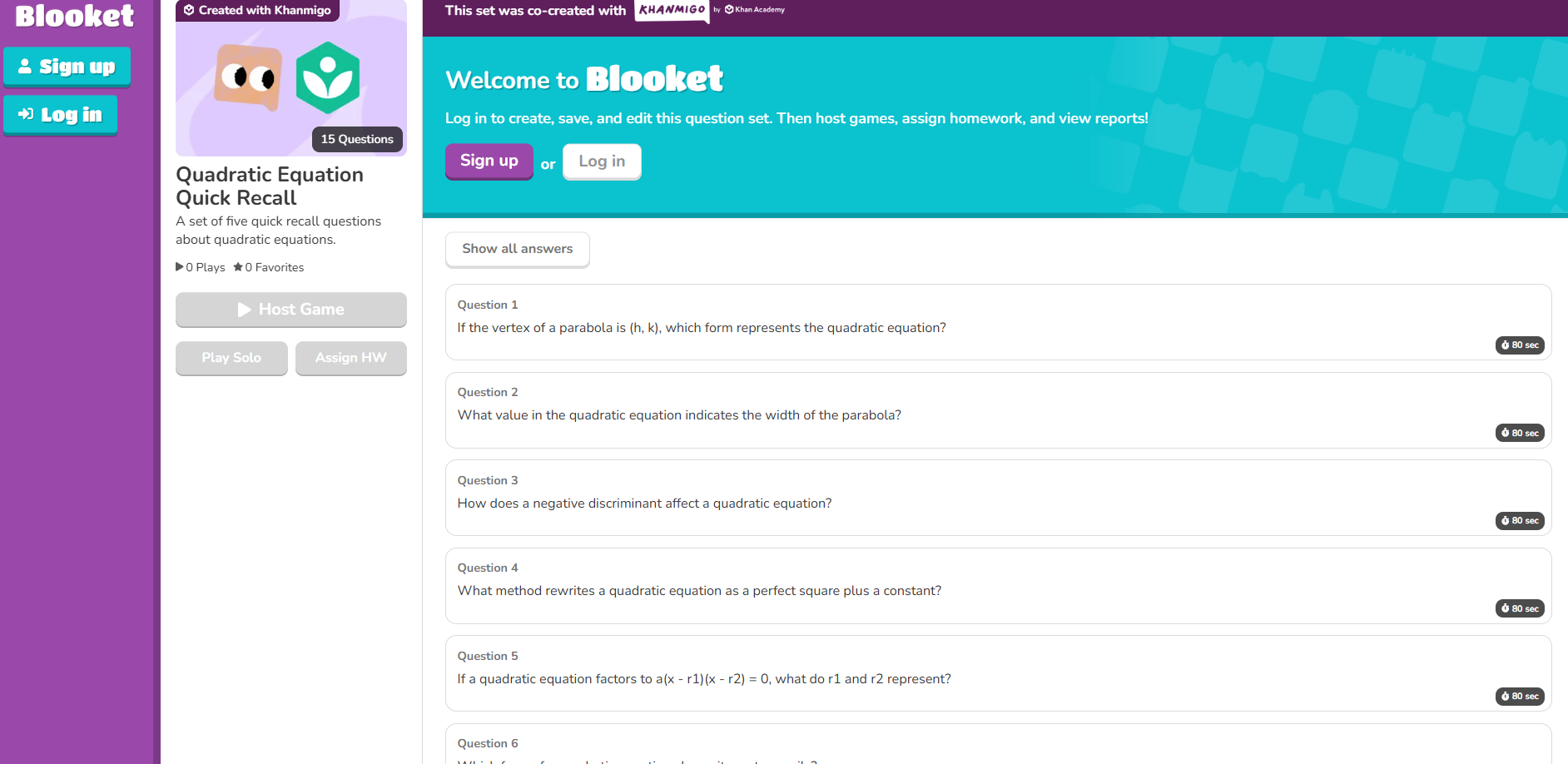
This approach is intentional. Khanmigo uses Socratic questioning, breaks problems into smaller steps and adjusts difficulty based on student progress. Your students get support without being handed answers.
In practice, this changes behavior. When students get stuck at home, they don’t copy answers from Google, give up or message you late at night. They ask Khanmigo and keep working.
Khanmigo is still rolling out gradually, so availability varies. But the value is clear: it acts like a personal tutor for every student; one that helps them learn instead of doing the work for them.
Creating quality AI content takes serious research time ☕️ Your coffee fund helps me read whitepapers, test new tools and interview experts so you get the real story. Skip the fluff - get insights that help you understand what's actually happening in AI. Support quality over quantity here!
8. Socratic by Google: The Concept Helper
Socratic is a free mobile app that helps students understand homework by explaining the why, not just giving answers.
The flow is simple: Your student takes a photo of a problem → Socratic recognizes it and walks through the concept step by step → It adds videos (often from Khan Academy or YouTube), diagrams and related practice so the idea actually sticks.

You’ll immediately see the difference: Instead of copying answers, students learn how the problem works.
For example, your student snaps a photo of a physics question about projectile motion. Socratic explains the equations, shows a visual simulation, links to a short video and offers similar problems to practice.
This works best for high school students (ages 13-18), especially in STEM subjects like math, physics, chemistry and biology. It’s most useful during independent study or homework time, especially when parents can’t help.

The key is how it’s used. Socratic should support understanding, not replace thinking. It’s best for checking work, reviewing mistakes and reinforcing concepts.
There are limits. Because it focuses mostly on STEM, works best with clearly defined problems and requires a smartphone. But used correctly, it’s one of the most practical free study tools available.
V. Category 4: Organization and Niche Instruction
These tools manage the "chaos" of teaching and help you as specialized instructors who handle diverse student needs.
9. Notion AI: The Second Brain
Teaching means juggling a massive amount of information (lesson plans, standards, student notes, meetings and endless documents). Notion AI organizes all of this in one searchable workspace.
Here is what you can do with it:

Summarizes long documents into clear takeaways.
Turns messy meeting notes into simple to-do lists.
Drafts content like parent newsletters.
Organizes scattered notes into clean unit outlines.
Before Notion, everything lives everywhere (Docs, PDFs, notebooks, folders) and you barely remember where things are.
With Notion, it all sits in one searchable workspace organized by units, standards and dates, with AI helping you find and connect what matters.
Notion AI is free for personal use, which covers most teachers. There is a learning curve and setup takes a few hours but the long-term time savings are worth it.

You just need to start small. Don't migrate your entire teaching life into Notion immediately. Begin with one semester's lesson plans and expand from there.
How would you rate this article on AI Tools?Your opinion matters! Let us know how we did so we can continue improving our content and help you get the most out of AI tools. |
10. Twee: The ESL Teacher’s Secret Weapon
If you teach English Language Learners, Twee is a game-changer in AI education. It generates conversation prompts, grammar exercises and vocabulary lists tailored to specific proficiency levels (A1 to C2).
With Twee, you can quickly create:
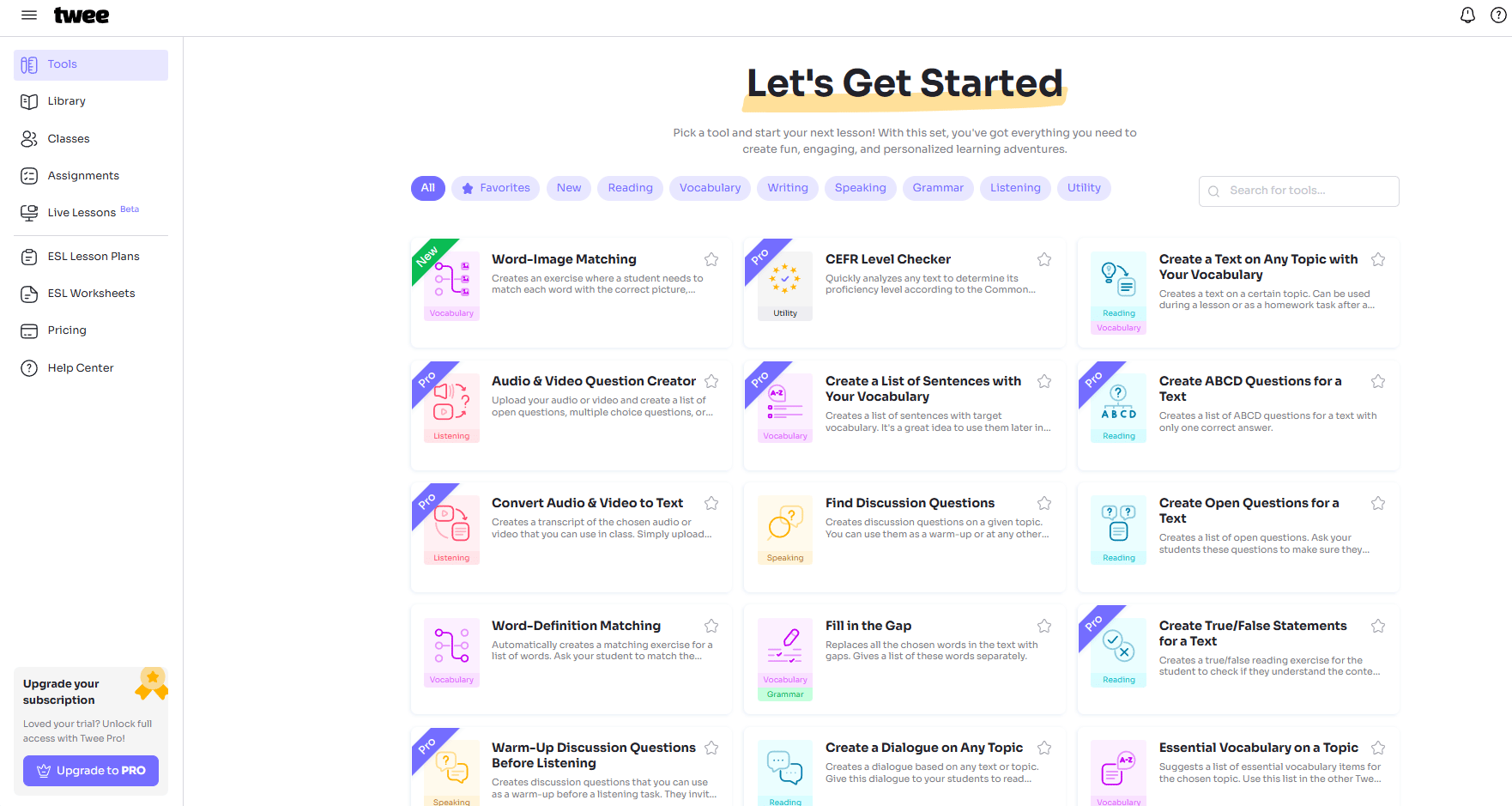
Conversation prompts around real topics like work, travel or culture.
Grammar exercises focused on specific points (present perfect, conditionals, articles) without feeling robotic.
Vocabulary lists come with examples and pronunciation.
Reading passages adjust to student level and include questions and discussion prompts.
You can ask for a B1 lesson on job interviews and Twee delivers a full package: warm-up questions, targeted vocabulary, sample dialogue, grammar focus, role-play and a quick assessment.
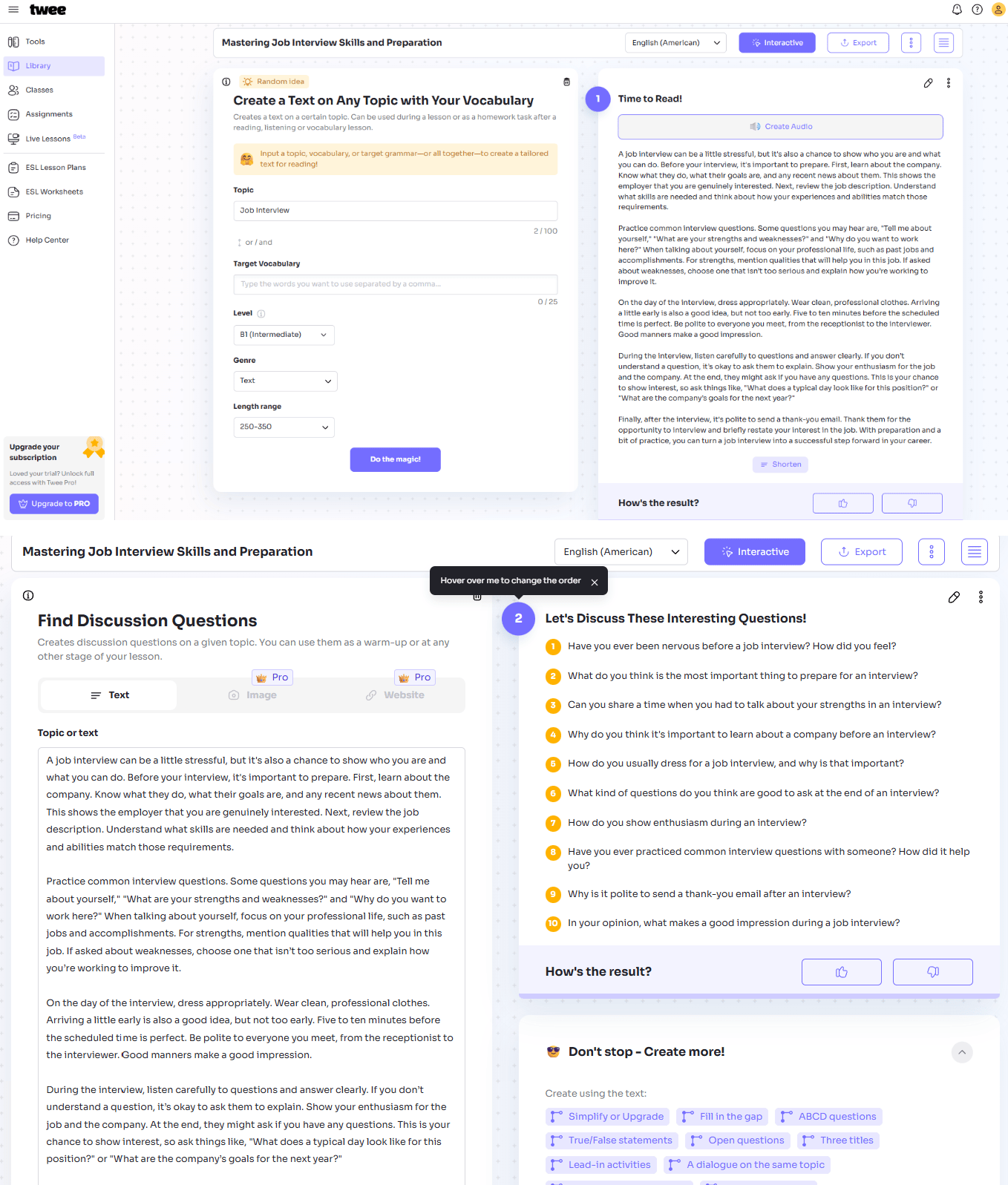
Twee works best for supplementary materials, speaking activities, vocabulary practice and reading comprehension. The trade-off is focus.
If you don’t teach English learners, this tool won’t matter much. For language teachers, though, it’s a massive time-saver for anyone involved in language-based AI education.
VI. Implementation: The Two-Week Pilot Strategy
You now have 10 powerful tools. Here's what not to do. Don't try learning all of them at once. That is a recipe for burnout.
Here's the effective approach:
Identify the Pain: Pick the one task you hate most (e.g., grading quizzes or making slides).
Pick the Tool: Match it to the tool above (e.g., Quillionz or SlidesAI).
The Pilot: Commit to using that one tool for just two weeks.
Check the Results: If the tool saves you at least one hour a week, keep using it!
Share What Works: If you found something valuable, show it.
If you’re not sure where to start, this simple Tool → Task cheat sheet shows exactly which AI tool to use for each teaching job.
VII. What Risks Should Teachers Watch for When Using AI?
AI introduces privacy, accuracy and bias risks. Teachers must review outputs carefully. Student data should be protected. AI should assist thinking, not replace it.
Key takeaways
Avoid uploading student data
Double-check facts
Watch for bias
Ensure equitable access
AI is awesome but it’s not neutral. AI is a powerful engine but you need to be the driver. Before using it in the classroom, a few guardrails matter:
1/ Data Privacy Concerns
Before using any tool, you need to know where student data goes, whether it follows school regulations and what happens if the company disappears.
The safest approach is simple: avoid uploading personal student information, use school-approved tools when possible and check privacy policies, even if they’re boring.

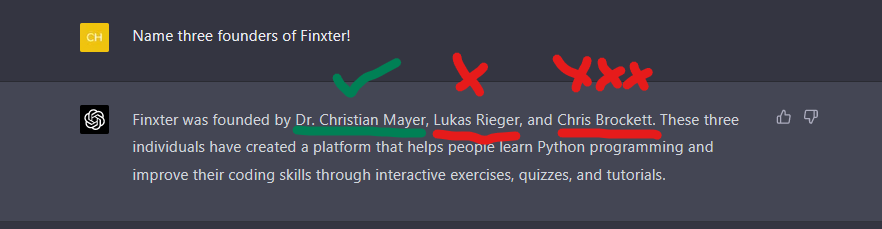
2/ AI Hallucinations (When AI Invents Facts)
AI can sound confident while being wrong. So, make sure you always double-check it: Dates, facts, statistics and citations are common failure points. You should treat AI as a starting point, not a final answer.
Always verify before sharing anything with students.
3/ Bias in AI Systems
AI is trained on internet data, which means it can reflect real-world bias. Review outputs critically, use multiple sources and teach students that AI isn’t neutral. This is part of modern digital literacy.
4/ Over-Reliance on AI
AI should support thinking, not replace it. You should use it to brainstorm or scaffold ideas but design assignments that still require your analysis, creativity and judgment. Students should learn when AI helps and when it doesn’t.
5/ The Digital Divide (Unequal Access)
Not every student has the same access to devices, internet or quiet space at home. Build time into class for AI-assisted work, offer alternatives when needed and don’t assume equal access outside school.
If you use AI in the right ways, it helps. If you use it the wrong way, it creates new problems.
Conclusion: The Teacher is the Soul of the Classroom
Here is the paradox: The better we get at using AI education tools to automate the mechanical parts of teaching, the more time we have for the parts that actually require a human.
AI can make a quiz in 30 seconds but it cannot see if a student is feeling sad. It can explain a math formula but it cannot inspire a love of learning through a personal connection.
The goal is to free you from the "robot work" so you can be more human.
So here is the challenge: Pick one tool. Use it to save one hour this week. Then, you use that hour to have a real conversation with a student or actually leave school before 6 PM.
You are the teacher. AI is just a tool to help you be an even better teacher.
If you are interested in other topics and how AI is transforming different aspects of our lives or even in making money using AI with more detailed, step-by-step guidance, you can find our other articles here:
Reply