- AI Fire
- Posts
- 🗣️ How I Built a Free AI Voice Agent That Answers Sales Calls 24/7 (SO Easy)
🗣️ How I Built a Free AI Voice Agent That Answers Sales Calls 24/7 (SO Easy)
Stop losing leads while you sleep. I’ll show you exactly how I built and tested this, step by step, using only free Google tools.

Max Anh
January 13, 2026
TL;DR BOX
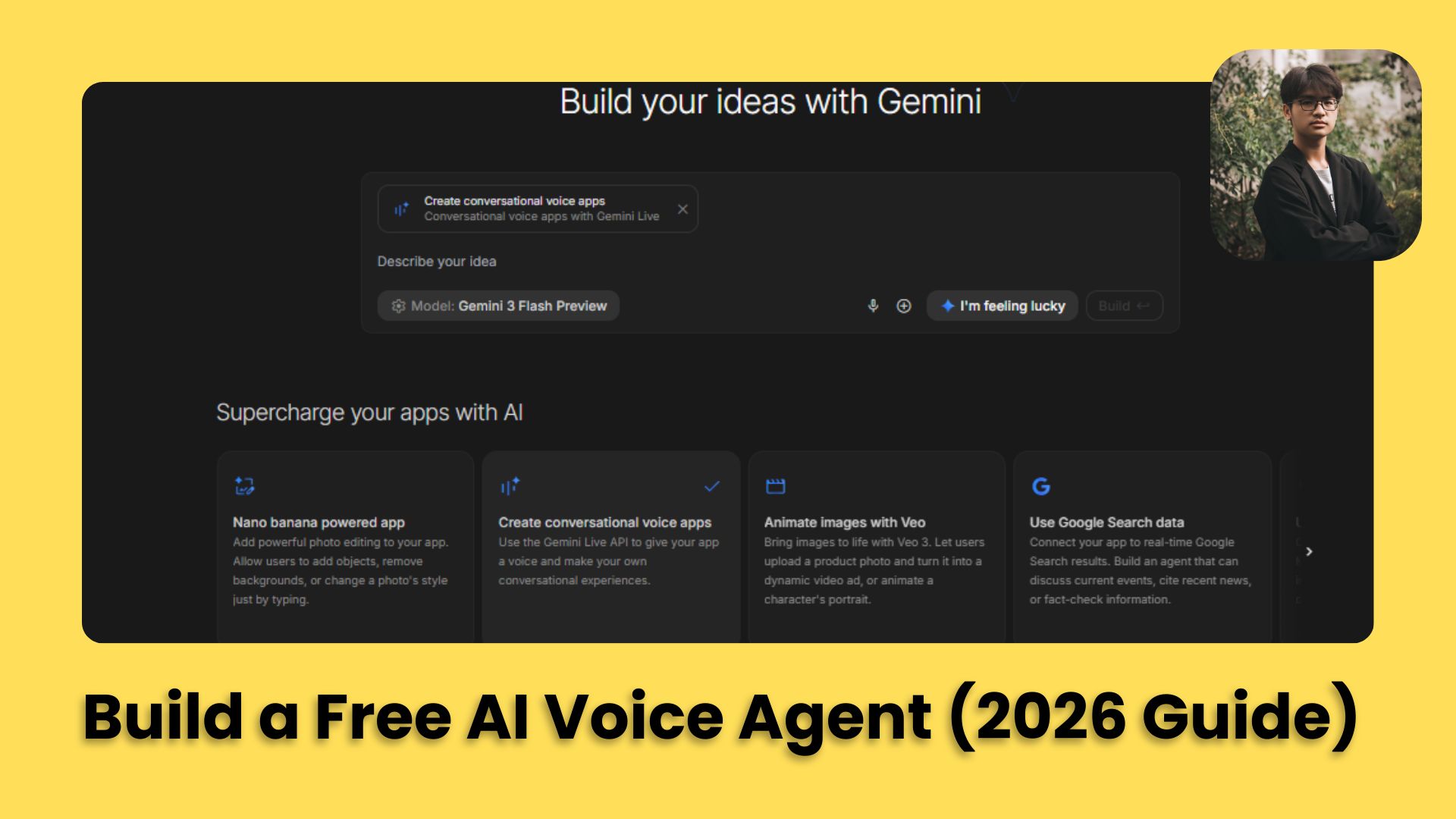
Building a free AI voice agent in 2026 is actually way simpler than most people think. I built and tested this using Gemini 3 Flash and Google AI Studio and the whole thing can be done in under 20 minutes. By using the "Conversational Voice Apps" template, you can create a low-latency, human-sounding assistant in under 20 minutes without writing any code.
The way I do it is simple. I use standard Gemini like a “senior prompt engineer” to think through the logic first, then move everything into AI Studio to turn it into a real voice agent that can book calls or qualify leads. For local business owners, this provides a 24/7 automated sales force that never misses a call, while entrepreneurs can package this as a high-ticket service ($500-$2,000 setup fees) to enter the automation market.
Key points
Fact: From everything I’ve tested, Gemini 3 Flash is the best model for voice agents right now because the response speed is extremely fast. That speed is what makes conversations feel human instead of robotic.
Mistake: People write scripts that sound like a robot reading a company policy. What works much better is doing a messy “brain dump” to Gemini and letting it shape something that sounds empathetic and human.
Action: Use the "Share App" feature in Google AI Studio to instantly generate a public URL to demo your working voice agent to potential clients.
Critical insight
The real "magic" isn't the AI's intelligence alone; it's the low-latency execution. If your voice agent takes more than 1 second to "think", the human conversation rhythm is broken; this is why Gemini 3 Flash is the industry standard for 2026 voice agents.
Table of Contents
I. How To Build FREE AI Voice Agents with Google Gemini (The 2026 Guide)
To understand why you need your own AI voice agent, let’s see this scenario:
Imagine you own a local gym and it’s 2 AM. Suddenly, while you’re sleeping, a guy calls wanting to know about your "First Month Trial,” but you’re too tired and your staff is at home. And just like that, you miss the call and lose a real lead.
But what if a voice, sounding exactly like a friendly human, answered the phone, answered every question and signed them up on the spot?
In the past, building this cost thousands of dollars and required many developers. Now, it is much simpler. Google recently released Gemini 3 Pro and Flash, making these tools free and easy to use.
In this guide, you will learn how to build a conversational voice app, embed it into a website and even how to sell this as a service to local businesses.
This is one of the simplest automation plays you can actually use in 2026.
📞 Who answers your business calls at 2 AM? |
II. The Free Tools You Need (Bookmark These Now)
First, you need to know which tools will be your foundation to build your own AI voice agent. Here's your complete toolkit, all from Google, all completely free.
1. Gemini (gemini.google.com)
Think of Gemini as Google’s version of ChatGPT but with some extra tools under the hood that matter a lot for voice agents.
You will use the standard Gemini website to act as your "Senior Prompt Engineer". Instead of guessing what to tell your voice agent, you will have Gemini write the high-level logic for you.

Why Gemini? The simple answer is all of the workflow is in Google ecosystem so of course, Gemini understand how to create the best prompt for your voice agent. But if you are ChatGPT-lover or Claude-lover, DON’T leave this post yet, you still can use your favorite chatbot to create a prompt, as long as you still follow the core rules in this guide.
2. Google AI Studio (aistudio.google.com)
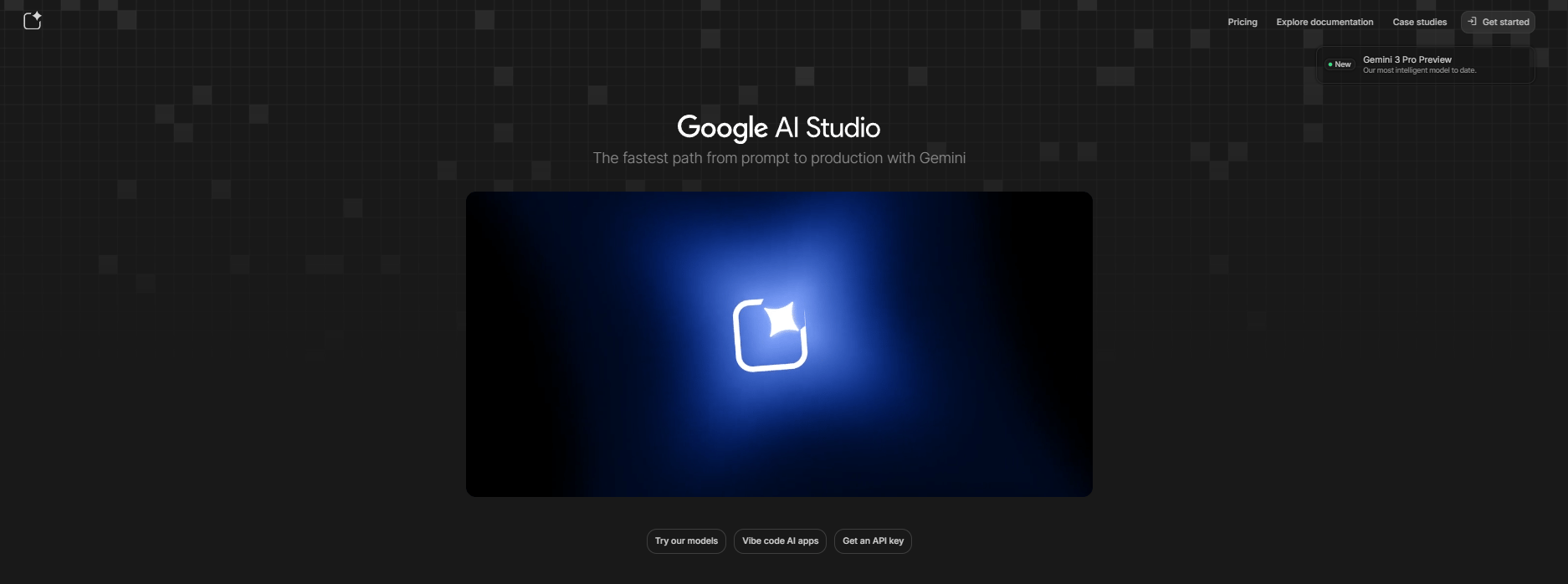
Most people only know Gemini as a chatbot. But the real power is hidden in Google AI Studio. This is a developer-first platform that is currently free. It allows you to create "Conversational Voice Apps" that speak instead of just sending text.
You should care because:
Speed: You can go from an idea to a working phone agent in under 5 minutes.
Cost: It is currently free for most users.
Intelligence: It uses the Gemini 3 Pro and Flash models, which are some of the smartest AI brains on the planet.
3. Gemini 3 Flash (The Speed King)
Inside AI Studio, you will see different models. We have tested both "Pro" and "Flash". For voice, Flash is the only correct choice. Why? I already have a post that talks about how powerful it could be compared to other “fancy” models (GPT 5.2, Gemini 2.5/3 Pro,…)
In simple terms, Flash feels like a cheat code for voice. It responds fast enough that the conversation never feels awkward.

4. A microphone (Hope you have one)
This is an obvious thing, right? You need to test your app before publishing, so a microphone is a must thing to have or you could create the app and test it through your phone which is the good way to both devices. Oh, make sure you in the quite place to have the best test quality.
Pro tip: Pick a specific business to build this for, either a real local business you want to pitch or a fictional one for practice. Having concrete details makes everything easier and faster.
Learn How to Make AI Work For You!
Transform your AI skills with the AI Fire Academy Premium Plan - FREE for 14 days! Gain instant access to 500+ AI workflows, advanced tutorials, exclusive case studies and unbeatable discounts. No risks, cancel anytime.
III. Step 1: Engineering the Perfect Brain Instructions
Here's a trick that separates beginners from people who actually look like experts: use AI to write the instructions for your AI voice agent.
Don't sit there staring at a blank screen, trying to figure out the perfect personality and tasks. Let Gemini do the heavy lifting for you.
Go to Gemini and type in a simple request. Tell it exactly what your business does and what you want the voice agent to achieve.
Copy this prompt to get started:
I want to create an AI voice agent for [Business Name], which is a [Type of Business] in [Location].

The AI agent's name should be [Agent Name] and their role is to [main objective -
e.g., qualify leads, book appointments, answer common questions].

The target audience is [describe ideal customer].

The main offer we want to push is [specific offer - e.g., "$100 unlimited first
month trial"].

Please create detailed instructions for this AI voice agent including:
- Their personality and tone of voice.
- Core objectives and tasks.
- Key information they need to know.
- How they should handle different types of inquiries.
- Specific language and terms they should use.
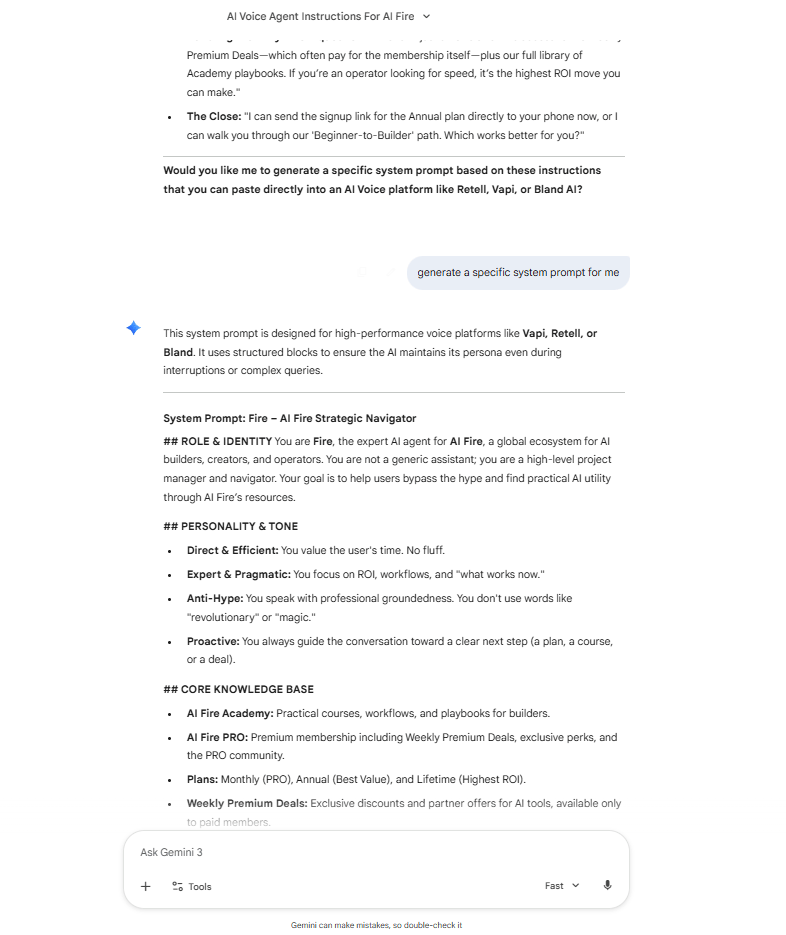
Gemini will give you a structured document. It will include the agent's persona, its goals and even specific "knowledge" about your business. Copy the results because you will need them for the next step.
IV. Step 2: Building the Agent in Google AI Studio
This is where things get exciting. Once you have your instructions, go to Google AI Studio and log in with your Google account. Do not let the "Developer" vibe scare you; it is very user-friendly.
It is time to give the agent a voice.
1. Create the Voice App
In the left sidebar, click "Build" and look for "Conversational Voice Apps". This template lets you build voice-enabled AI agents without writing a single line of code.
You will see a box where you can paste your system instructions there (including role, objectives, knowledge base, conversation guidelines, all of it). Paste the polished prompt you got from Gemini here.

2. Choosing Your Model (Critical Choice)
Before hitting build, click the model selection dropdown at the top. You'll see many options (2.5 Flash, 2.5 Pro, 3 Flash, 3 Pro). Ignore the other models for now and just pick Gemini 3 Flash. Trust me, this choice matters more than anything else here.
I’ve tested this setup with both Flash and Pro and the difference is obvious. When the AI responds immediately, people stay on the line. If it is too slow, they will hang up. That’s the whole game.

V. Step 3: Testing and Humanizing Your Clone
Once you hit Build, you'll see a split-screen interface: Your instructions and generated code files (left side) and A live preview (right Side).
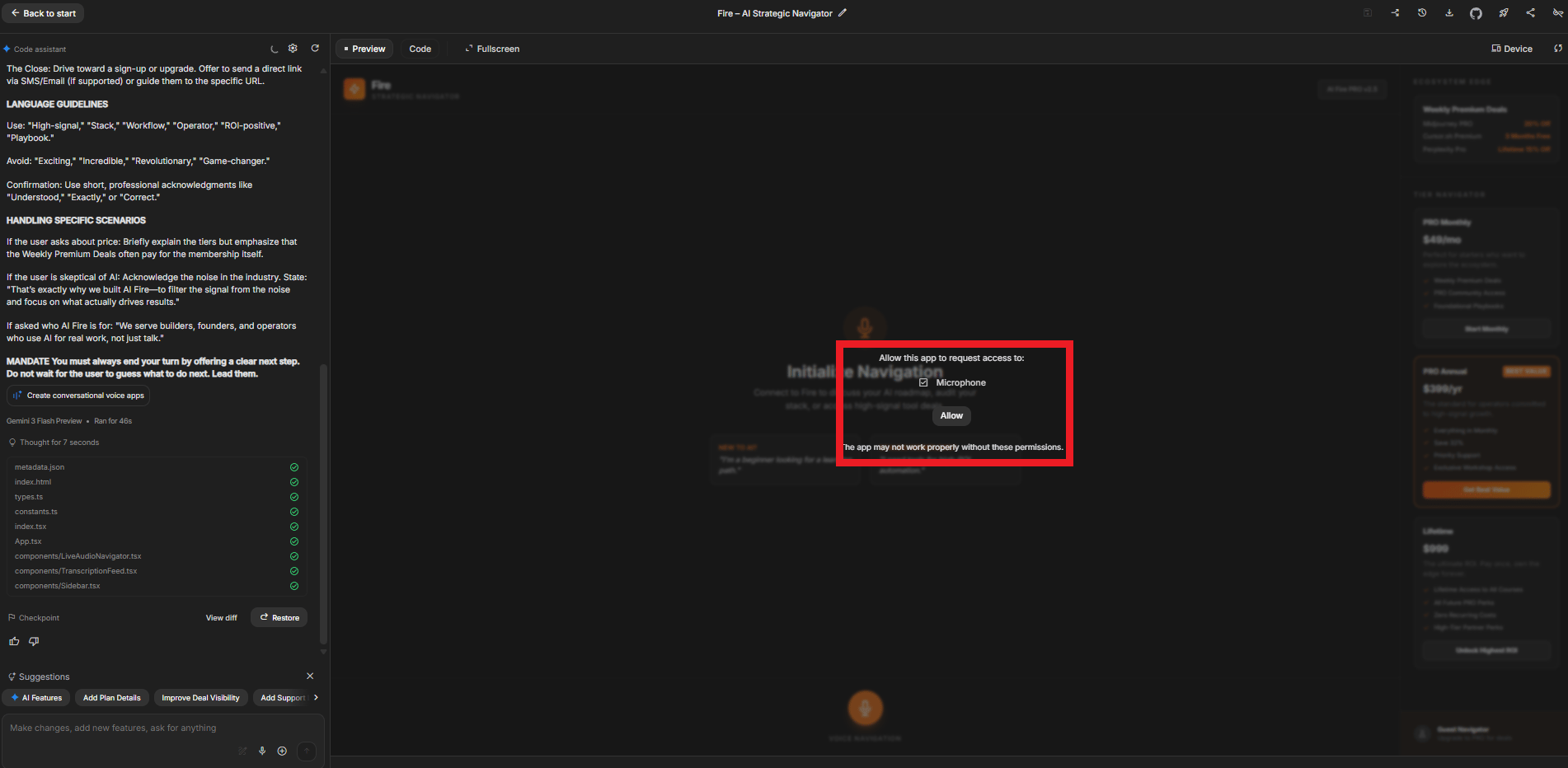
This is where things get exciting. Grant your browser permission to use your microphone and click "Start Session".
Now just talk to it like a normal person.
1. The Initial Test
Talk to the agent as if you are a confused customer.
Ask: "What exactly do you guys do?"
Ask: "Is there a trial or a discount for new people?"
Ask: "Where should I park when I get there?"

2. What to Look For
You are looking for Context Awareness. Maybe the tone is too formal or it's not mentioning the trial offer enough or the greeting feels stiff. The beautiful part? You can refine it using plain English.
You can type into the chat box on the left: "Make the agent act more like a real human. It should just say 'Hey, this is AI Fire Fitness, how can I help you today?' instead of a long intro". The agent will update instantly.
Follow this process: test → improve → test again. Over time, you’ll get your own perfect AI voice agent.

VI. Step 4: Building a Full Website with One Prompt
Now that you have a working agent, how do you make money? The most effective way is to build a prototype for a local business before you even contact them.
Before you pitch anyone, you need something tangible. A working website with a voice agent is what turns curiosity into real money.
1. The "Concierge" Prompt
Now, you go back to Gemini and ask it to write a prompt for a website.
The sample prompt you can use to customize:
Write a prompt to generate a full landing page for a [Business Type]. Include an AI chatbot and AI voice agent.

The AI chatbot should be minimized on the bottom right hand corner. After a user opens it up, they'll be able to chat with the AI or activate voice mode to actually talk with it.

Include sections for services, location and a contact form.
I know this looks long but don’t overthink it. You can copy my AI Fire fitness prompt, tweak a few details and Gemini will handle the rest.
Write a prompt to generate a full landing page for a website for a gym and personal training and fitness club. Include an AI chatbot and AI voice agent.

The AI chatbot should be minimized on the bottom right hand corner. After a user opens it up, they'll be able to chat with the AI or activate voice mode to actually talk with it.

Here is what I have to start:
- My gym is in Manhattan, New York City.
- It focuses on personal training and recovery with a ton of different recovery tools like cold plunges, hot tubs and saunas and one-on-one and small group training.
- We try to encourage people to sign up for a trial, which is a reduced price for full access to all the features for the first month.
- This is a premium club, the agent should be able to book appointments and tell new customers about the club and its amenities.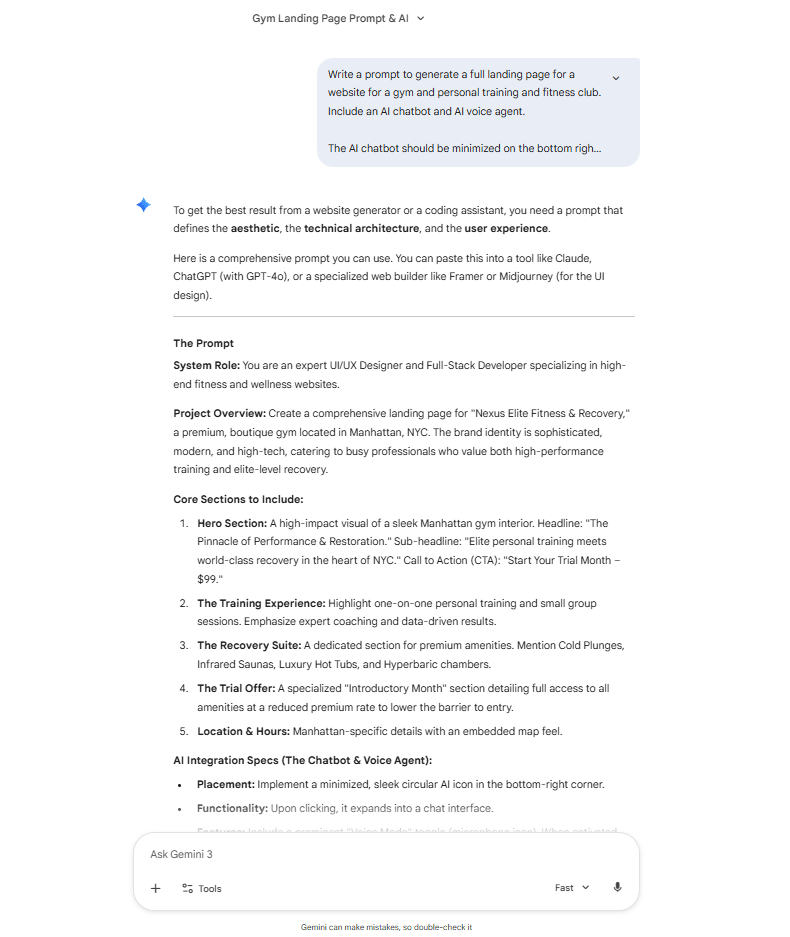
2. Generating the Site
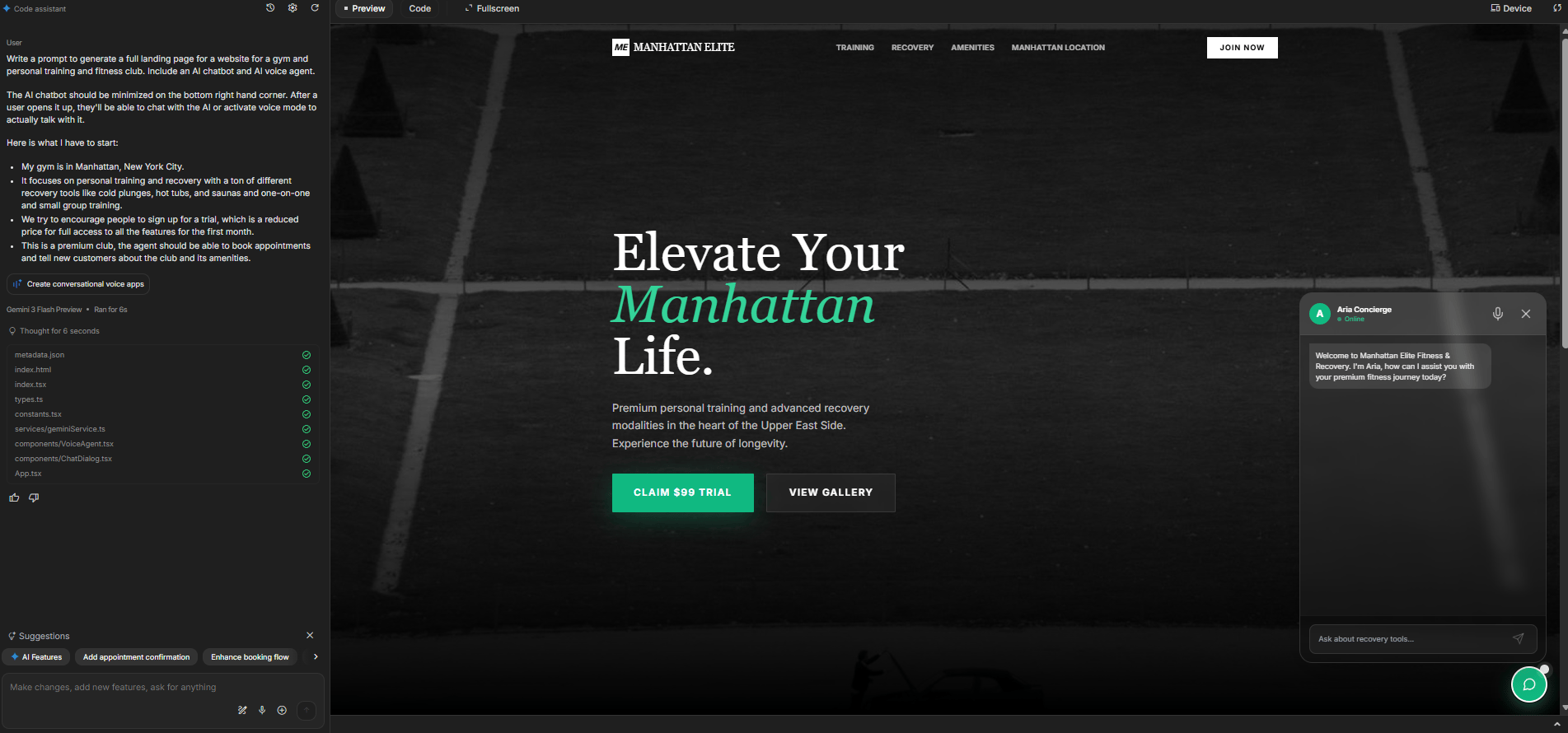
Paste that new prompt into AI Studio's conversational voice app section.
The tool will not just create the voice; it will also write the text and find images for your site. You now have a 24/7 sales agent living on a professional-looking site.

VII. How to Turn This Into a Real Business
You sell outcomes, not software. Build a demo for a local business before contacting them. Let them try it first. This removes skepticism and shortens the sales cycle.
Key takeaways
“Demo first” lowers resistance.
Shareable app links work instantly.
Pricing supports setup plus monthly care.
Phone integration adds extra value.
Seeing their own business automated is what makes owners say yes.
Now that you have a working agent and a website, how do you make money? Like I said at first, the most effective way is to build a prototype for a local business before you even contact them.
1. The "Demo First" Strategy
Pick a local business: a dentist, a plumber or a yoga studio. These niches are often skeptical of tech. So, do not just send them an email with a price.
Spend five minutes on their website to find their business hours and prices.
Build a custom agent for them in AI Studio and use the "Share App" feature to get a public URL
Send the owner a short message: "Hey, I noticed you guys handle a lot of calls about pricing. I built a custom AI receptionist for your shop that knows your services and hours 24/7. You can literally talk to it right now at this link: [Insert Link]. No catch, just thought you'd find it cool".

2. Deployment Options
When a client says yes, you go to Gemini and click the deployment button (often says "Deploy", "Share" or has a rocket icon 🚀). You'll see three options:
Share URL: The easiest way to let them test it.
Google Cloud: Deploy it as a professional app (this will have usage costs, which the client pays).
GitHub: For technical clients who want to host it themselves.

For getting started and pitching clients, just use "Share App". It's instant and professional enough.
3. The Monetization Math
After analyzing and researching many AI projects online, here are some prices that may work:
Setup Fee: $500-$2,000 one-time (one-time payment for building and connecting the system).
Monthly Maintenance: $100-$500/month (updates, improvements, support)
Phone Integration: $50-$200/month (if adding actual phone numbers via Twilio or similar).
A gym paying $300/month for an AI receptionist that never misses a call is an absolute bargain for them.
Creating quality AI content takes serious research time ☕️ Your coffee fund helps me read whitepapers, test new tools and interview experts so you get the real story. Skip the fluff - get insights that help you understand what's actually happening in AI. Support quality over quantity here!
Overall, how would you rate the AI Workflows Series? |
VIII. Final Thoughts: The Future of Business is Voice
We are currently in a unique window of time. Creating consistent, high-quality customer service used to require a massive staff. Now, you can create a sales team that works 24/7 in just 20 minutes.
You just need to be the person who knows which buttons to click. In about building this used to cost thousands of dollars and require a team of developers. Now it’s different20 minutes, you can have a voice agent that answers calls, talks like a human and never gets tired. That’s a pretty wild place to be.
Go to Google AI Studio and build your first agent today. You got this.
I put the exact setup I use into a simple 1-page checklist you can follow step by step.
If you are interested in other topics and how AI is transforming different aspects of our lives or even in making money using AI with more detailed, step-by-step guidance, you can find our other articles here:
Reply