- AI Fire
- Posts
- 🤖 5 Simple But Weird GPT-5.2 Tricks to Get a 10x High-Quality Response
🤖 5 Simple But Weird GPT-5.2 Tricks to Get a 10x High-Quality Response
OpenAI changed how GPT-5.2 modes work. Here are 5 patterns, signals, structure, and self-checks, that make answers more consistent

Max Anh
January 28, 2026
TL;DR BOX
Getting world-class results from ChatGPT-5.2 in 2026 works differently now because ChatGPT uses a routing layer that picks the right mode behind the scenes. Unlike previous models where you manually selected GPT-4 or o1, GPT-5.2 has multiple modes (Instant, Thinking, Pro). In ChatGPT, paid plans can pick Instant/Thinking and some tiers can access Pro. There’s also routing/auto behavior in some experiences, so your prompt clarity still decides how much “thinking” you get.
What works best is: (1) signal stakes/accuracy needs, (2) remove vagueness with constraints/examples, (3) add structure (XML tags) and (4) force a quick self-check before final output. By utilizing the Prompt Optimizer on the OpenAI Playground and enforcing a Self-Reflection loop, you can reduce obvious mistakes for high-stakes tasks by adding structure + checks. Still verify anything critical.
Key points
Fact: GPT-5.2's "Thinking" engine is designed for deep reasoning but is more expensive to run; the Router will default you to the faster, cheaper "Base" engine unless you use high-stakes trigger words.
Mistake: Using subjective words like "nice," "fun," or "engaging." Subjectivity confuses the router's logic, leading to generic, surface-level responses.
Action: Before submitting a complex prompt, wrap your context and task in XML tags. This signals logical boundaries that the model is explicitly trained to recognize.
Critical insight
In 2026, the real skill isn't "writing prompts"; it's "Router Influence." You win by giving the AI the exact structural and linguistic signals it needs to assign your task to its most capable internal model.
Table of Contents
I. Introduction: The GPT-5.2 Paradox
Here is something nobody told you when ChatGPT-5.2 launched: Getting good responses became harder, not easier.
I know that sounds backwards. It’s smarter. But why does it sometimes feel harder to use?
The answer is architecture. GPT-5.2 fundamentally changed how ChatGPT works under the hood. I have spent the last few months testing every prompting strategy from OpenAI's official documentation.
What I found is the five patterns that made the biggest difference. These are weird, counterintuitive tricks that work because of how GPT-5.2's routing system operates.
🤔 Be honest: Does GPT-5.2 feel smarter or dumber to you? |
II. Why GPT-5.2 Can Feel Harder to Use
GPT-5.2 now decides which mode to use, how much reasoning to apply and how long the response should be. If your prompt is unclear, it may get routed to a lighter mode.
Key takeaways
Model choice is more automated now
Router controls reasoning depth and verbosity
Poor prompts can trigger “cheap” routing
Your job is to make complexity obvious
When control becomes invisible, prompt quality becomes your steering wheel.
Before GPT-5.2, you often picked the exact model from a menu. That gave you so many options based on your jobs, tasks, or even for testing. But now, ChatGPT changes it a little bit differently.
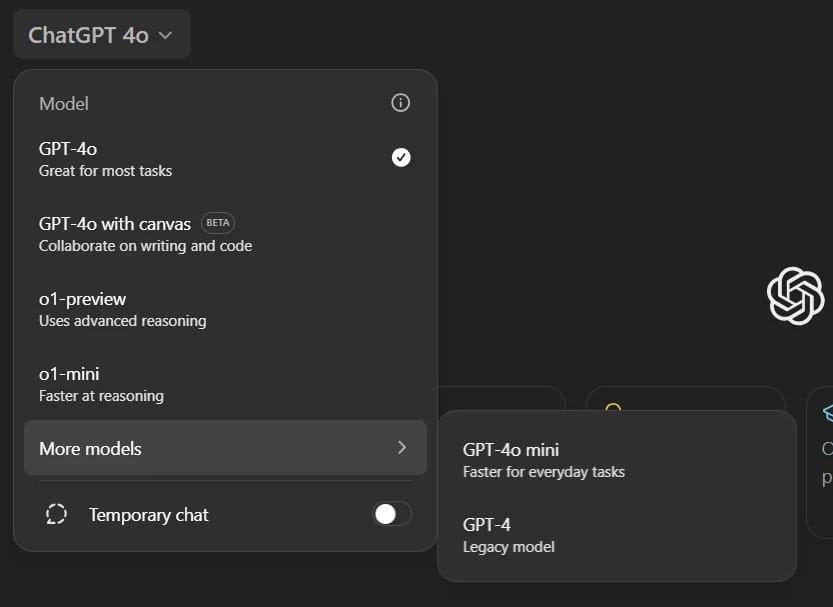
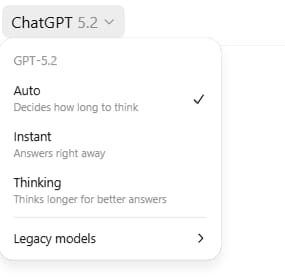
After the GPT-5 model, you’ll usually see Instant and Thinking in the picker (and Pro on higher tiers). Some routing/auto behavior still happens depending on plan/experience, so prompt quality still matters a lot.
When you send a prompt now, it goes through a Router, an AI system that decides:
Which model receives your prompt (base, thinking or pro).
How much reasoning to apply (minimal, low, medium or high).
How verbose the response should be (short, medium or detailed).
This happens invisibly and you see none of it.
If you prompt poorly, the router might send your complex question to the base model with minimal reasoning, even when you need deep analysis. The result feels like you're getting worse answers from a supposedly better model.
The five tricks below influence the router to make better routing decisions on your behalf.
III. ChatGPT Trick #1: Trigger Words (Router Nudges)
GPT-5.2 is designed to be efficient. If you ask a simple question, it gives you a simple, cheap answer.
To get the high-level reasoning you actually paid for, you must use specific "Trigger Words" that signal the task is high-stakes.
According to official documentation, adding these phrases to your prompt significantly increases the reasoning effort the router assigns to your task:
"Think deeply about this"
"Double-check your work"
"Be extremely thorough"
"This is critical to get right"
"Consider all possibilities"
"Analyze this carefully"
How to Apply This
Here is a basic prompt that looks like:
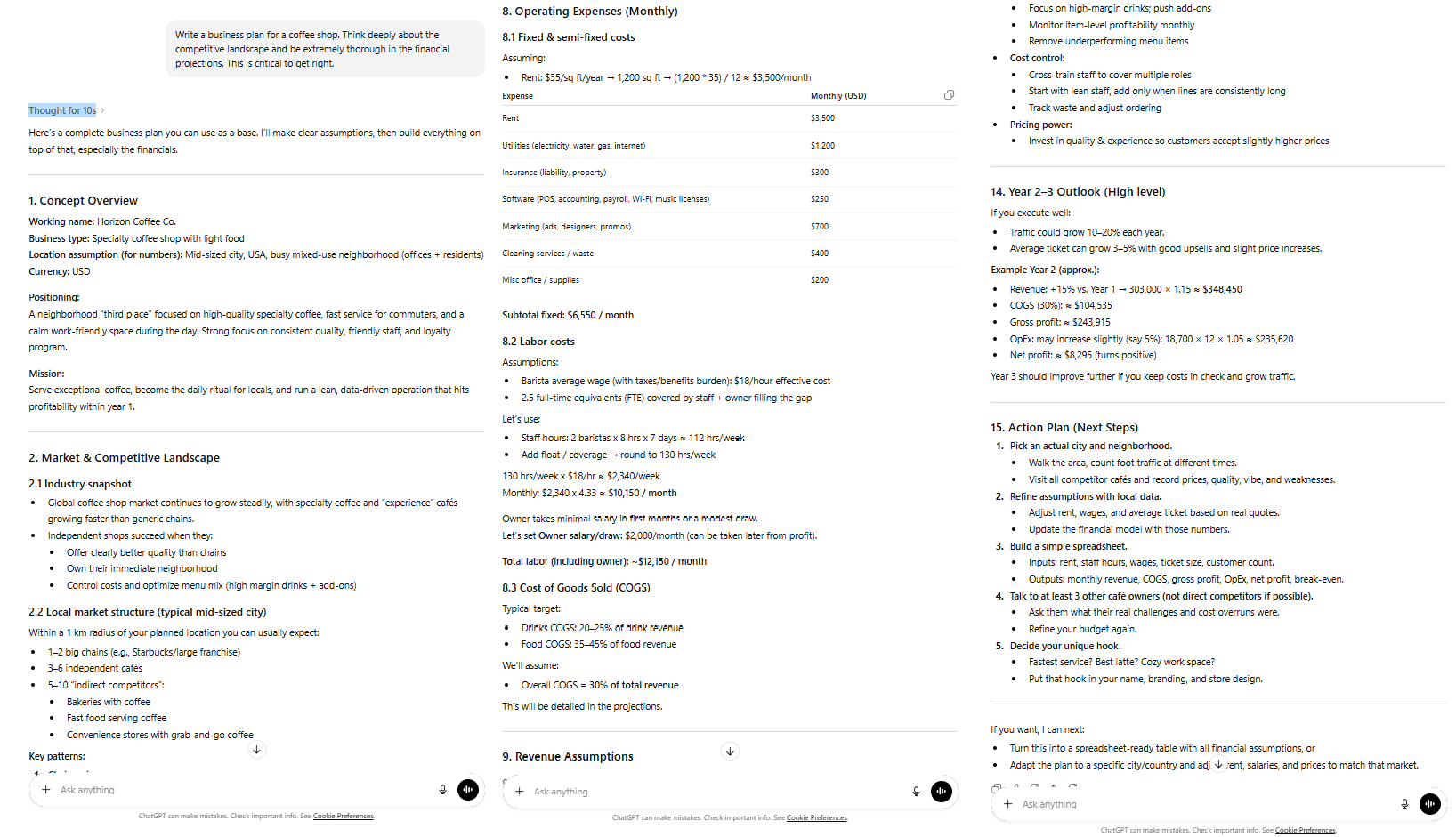
Write a business plan for a coffee shop.As you can see, this is a normal prompt you could use anywhere, even in your chat box. Now, by simply adding some trigger words, you get this prompt:
Write a business plan for a coffee shop. Think deeply about the competitive landscape and be extremely thorough in the financial projections. This is critical to get right.The second version signals complexity to the router, increasing the likelihood of routing to higher-capability models with elevated reasoning.
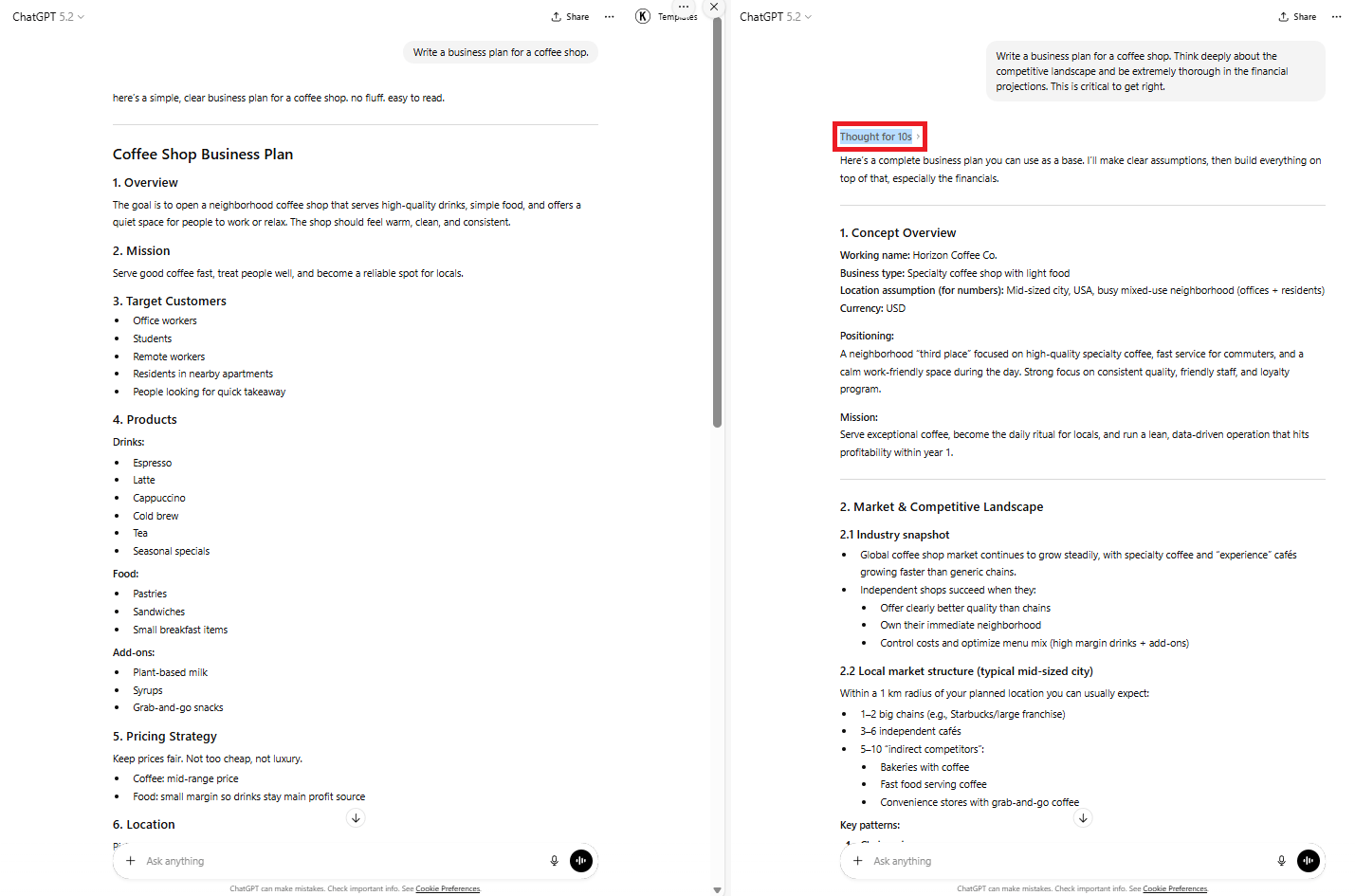
In this data analysis test, identical tasks produced drastically different results:
Without triggers: Surface-level analysis in two paragraphs.
With triggers: Routed to GPT-5.2 Thinking, 8 paragraphs with detailed methodology breakdown.
When to Use Triggers
These trigger words are powerful but you should only apply them when:
The task genuinely requires complexity.
Accuracy matters more than speed.
Initial responses lack sufficient depth.
Avoid spamming triggers on simple questions, like "What's the capital of France? Think deeply about this and be extremely thorough".
It wastes reasoning effort and potentially increases costs if using the API.

Learn How to Make AI Work For You!
Transform your AI skills with the AI Fire Academy Premium Plan - FREE for 14 days! Gain instant access to 500+ AI workflows, advanced tutorials, exclusive case studies and unbeatable discounts. No risks, cancel anytime.
IV. ChatGPT Trick #2: The Prompt Optimizer (Let AI Fix Your Prompts)
OpenAI realized that humans are generally bad at writing instructions. To fix this, they built a tool that uses AI to rewrite your prompts based on GPT-5.2's internal best practices. I don’t know why they don’t introduce it; maybe they forgot it.
The Prompt Optimizer is in the OpenAI dashboard. Cost depends on the model/usage, so treat it like any other API-style run.
You can access the tool by clicking into this text “Prompt Optimizer”. Use it for your most important recurring prompts: custom GPTs, system prompts and repeated tasks.
How the Prompt Optimizer Works
The flow is simple and repeatable:
You paste in your original prompt
The tool analyzes where it’s weak
It rewrites the prompt with improvements
It explains why each change was made
Instead of guessing what went wrong, you see it clearly
Real Optimization Example
Now, it’s time to test it. You could use this copy-paste prompt below as an example:
Rewrite my newsletter drafts. Make them engaging and clear. Keep it simple and write at a fifth-grade reading level. That's really important. Focus on the best writing.
At first look, it looks great but actually, it’s full of problems, like: it includes vague terms like "engaging" and "best," unclear structure and undefined process.
After using the prompt optimizer, here’s what an optimized version might look like:
Rewrite newsletter drafts to be engaging and clear. Ensure the writing is at a fifth-grade reading level; simple language is required. Focus on producing high-quality, easy-to-understand content.The optimized version eliminated vague terms, created explicit processes, set measurable criteria and structured output expectations.

Why This Works
The optimizer applies GPT-5.2-specific best practices automatically:
Eliminates contradictions.
Removes vague language.
Adds structure and process.
Defines success criteria.
Sets clear output format.
You stop hoping the model “gets it” and start telling it exactly what winning looks like.
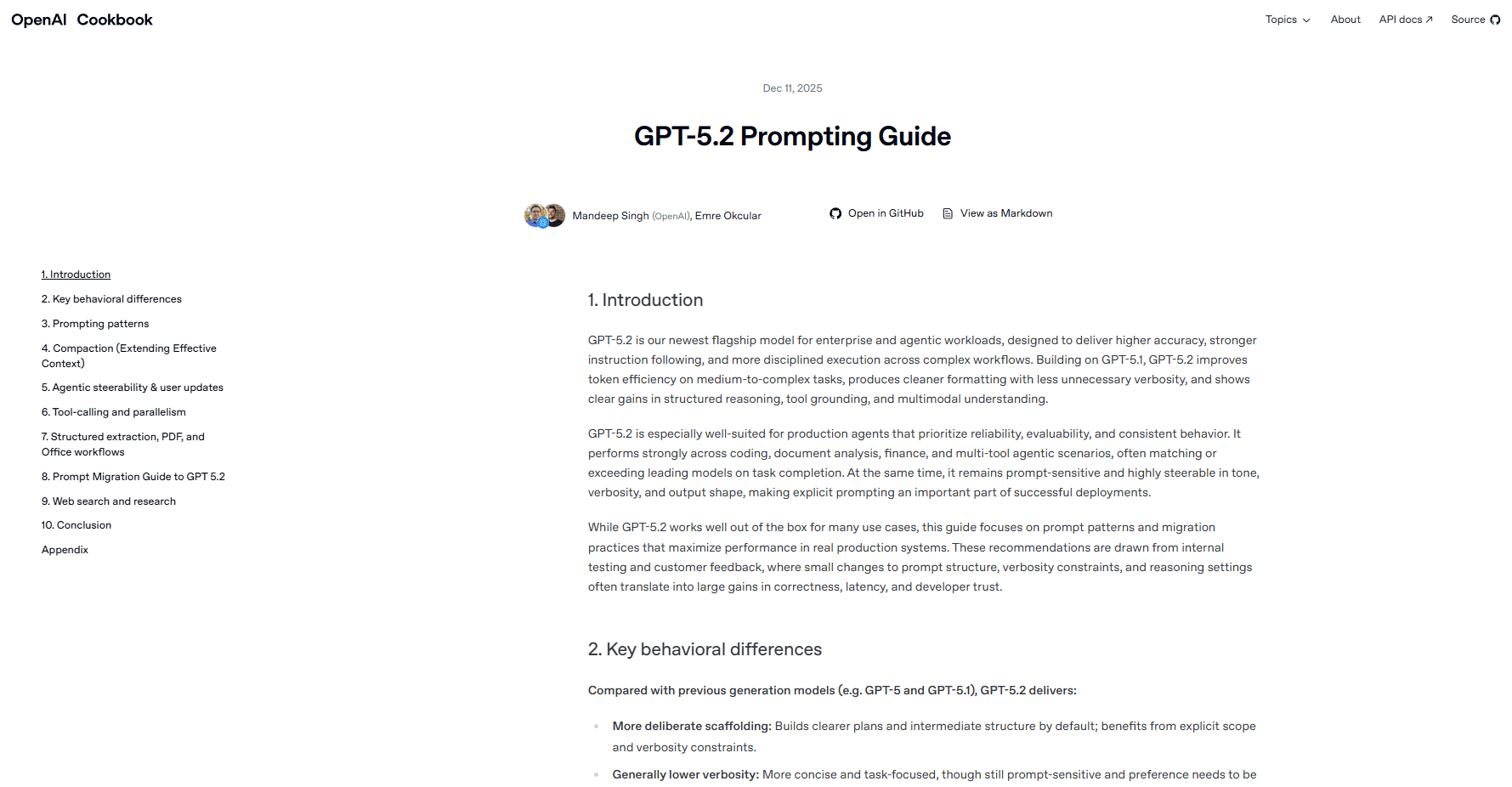
I know it costs you a few pennies but the time and quality it gives you is worth paying for.
Overall, how would you rate the Prompt Engineering Series? |
V. ChatGPT Trick #3: Radical Specificity (Words Matter)
Previous models were forgiving. If you were vague, they would guess what you meant. GPT-5.2 is different; its routing system needs total clarity to function. That’s why you need to replace vague words with constraints and examples.
The Vagueness Problem
This prompt contains multiple ambiguous terms:
Help me plan a nice party. Make it fun but not too crazy.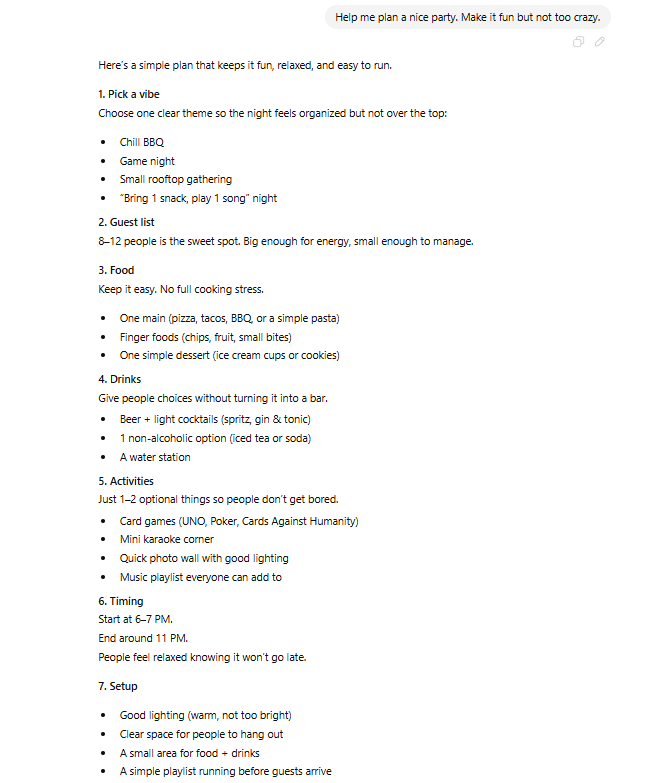
What's vague:
"Nice" (by whose standards?).
"Fun" (what kind of fun?).
"Not too crazy" (where's the boundary?).
The result is GPT-5.2 spends its reasoning budget trying to figure out what "nice" means.
The Specificity Solution
To fix it, you replace subjective words with data. So, instead of "nice," you have to give it clear information, like this prompt:
Help me plan a birthday party for my 8-year-old daughter.
- 10 kids attending.
- Budget: $200.
- Duration: 2 hours.
- Theme: Unicorns.
- Location: Our backyard.

Provide a detailed plan including:
- Activity schedule (with time allocations).
- Supply list with estimated costs.
- Backup plan for rain.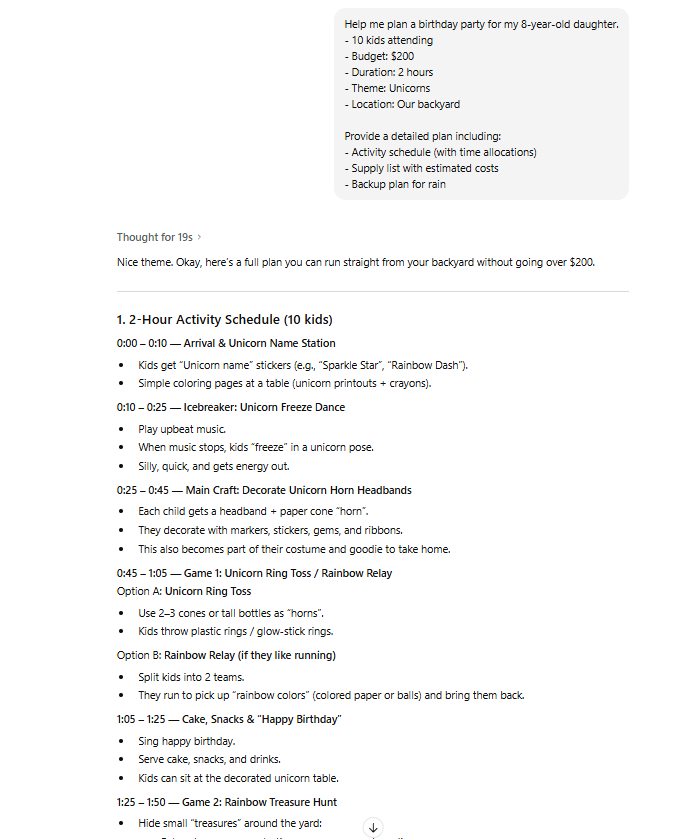
And now you get the better result. Because the router immediately understands the complexity and provides a specific activity schedule and supply list instead of a generic list of tips.
The Testing Framework
So, how could you improve your prompt writing? Don’t worry, it’s not that hard. All you have to do is answer three questions before sending any prompt:
Can someone else read this and understand exactly what you want?
Are there subjective words without definitions?
Have you specified constraints and success criteria?
If you answer "no" to question one or "yes" to question two, rewrite before sending.
VI. ChatGPT Trick #4: XML Structure (The Secret Syntax)
OpenAI recommends clear structure; XML tags are one useful way to separate sections of a prompt.
What XML Prompting Looks Like
Instead of one block of text, you separate intent into clear sections:
<context>
Background information goes here
</context>

<task>
What you want the AI to do
</task>

<format>
How you want the output structured
</format>
Source: Fonto XML Editor.
Why This Works
GPT-5.2 is trained to read XML tags as intent signals.
<context>= background only.<task>= the actual job.<format>= output rules.
Without structure, the AI infers what's what and guesses but with structure, it knows exactly what each part means.
Don’t believe me? Why don’t you test it yourself with these two prompts below?
Without XML:
You write newsletters about AI for business owners. They should be practical and actionable. Use examples. Make it 500 words. Use a conversational tone but stay professional. Focus on immediate value.With XML:
<prompt>
  <role>
    You are an AI business consultant writing a weekly newsletter.
  </role>

  <audience>
    Small business owners with 10-100 employees.
    They have limited technical knowledge.
    They care about ROI and practical use cases.
  </audience>

  <task>
    Turn current AI news or research into clear, actionable business insights.
  </task>

  <structure>
    <hook>
      1 sentence stating a clear problem or opportunity for the reader.
    </hook>

    <context>
      2 short paragraphs explaining why this matters right now,
      using real business examples or recent data.
    </context>

    <action_steps>
      3-5 bullet points.
      Each bullet must be something the reader can do this week.
    </action_steps>

    <resources>
      1-2 relevant tools or guides.
      Include a short explanation of why each is useful.
    </resources>

    <cta>
      One clear next step in a single sentence.
    </cta>
  </structure>

  <constraints>
    Word count: 450-550 words.
    Reading level: 8th grade (short sentences, simple words).
    Tone: conversational, confident and practical.
    No hype, no fluff.
    Every claim must include a concrete example, stat or real use case.
  </constraints>

  <output>
    Provide the complete newsletter, ready to send.
  </output>
</prompt>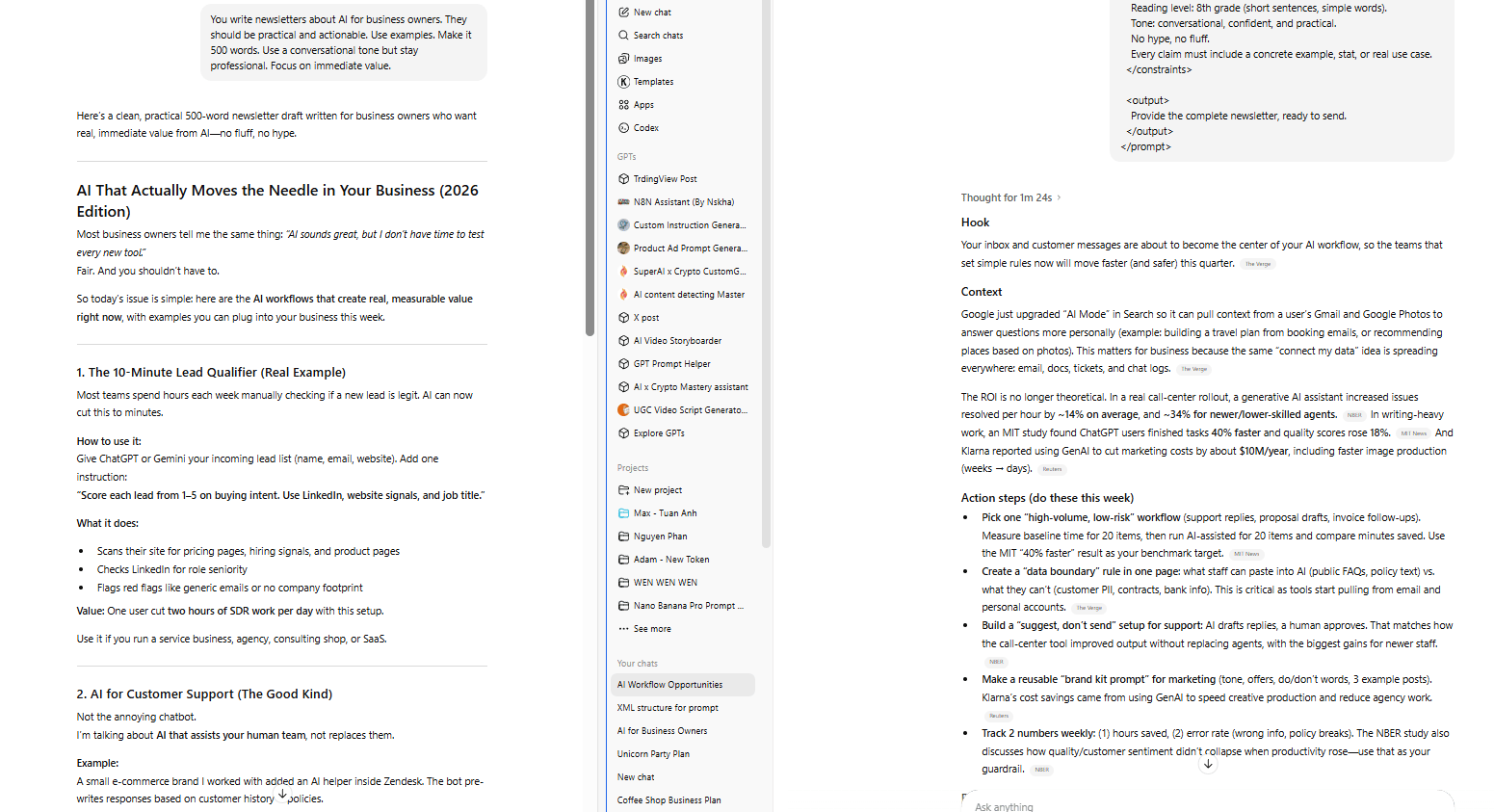
The result is consistently better because the AI knows exactly what each instruction applies to.
When to Use XML
Even this structure is good to tell ChatGPT-5.2 what it should do but you only use this for:
Custom GPTs (system prompts benefit massively).
GPT Projects (multi-step workflows need clear structure).
Complex tasks (anything with multiple requirements).
Recurring prompts (templates you'll use repeatedly).
Skip it for simple requests like summaries.
The Shortcut
You don’t even need to write XML yourself, just ask ChatGPT:
Convert this prompt into XML structure with clear sections:

[Paste your prompt]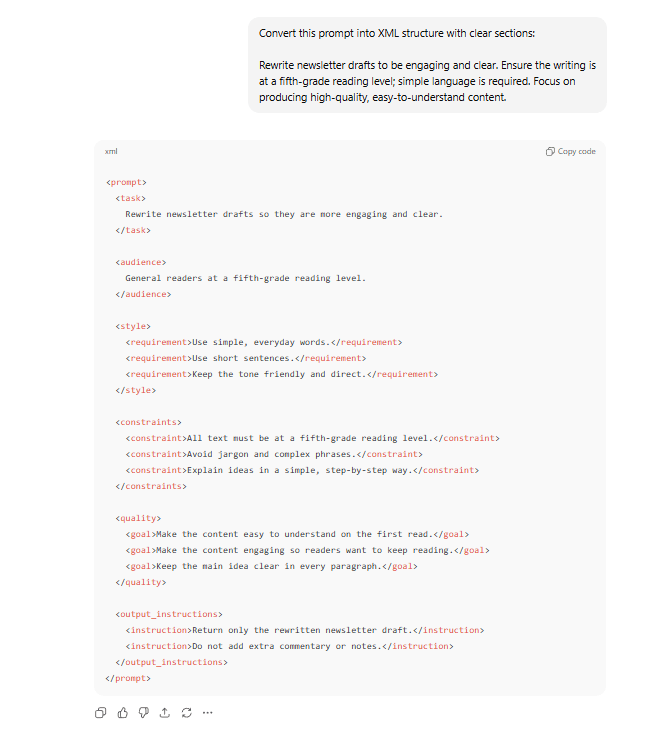
Now, your job is only copy, refine and use it. That’s how prompts go from “pretty good” to reliably excellent.
Creating quality AI content takes serious research time ☕️ Your coffee fund helps me read whitepapers, test new tools and interview experts so you get the real story. Skip the fluff - get insights that help you understand what's actually happening in AI. Support quality over quantity here!
VII. ChatGPT Trick #5: Self-Reflection (Built-In Quality Control)
When you ask ChatGPT a question, it usually generates a response once and stops. That response might be 60% accurate, 80% complete or 70% aligned with your needs. But you don't know which percentage you got. And you shouldn’t assume it knows, so you add a checking step.
That’s where self-reflection fixes that. So, instead of trusting the first output, you make the AI slow down and check its own work before handing it to you.
Here’s the idea: Before delivering anything, you force it to:
Create quality criteria.
Generate a response.
Judge that response against criteria.
Iterate until meeting standards.
Deliver only the final, refined version.
After that, you only get the refined result.
The Prompt Structure
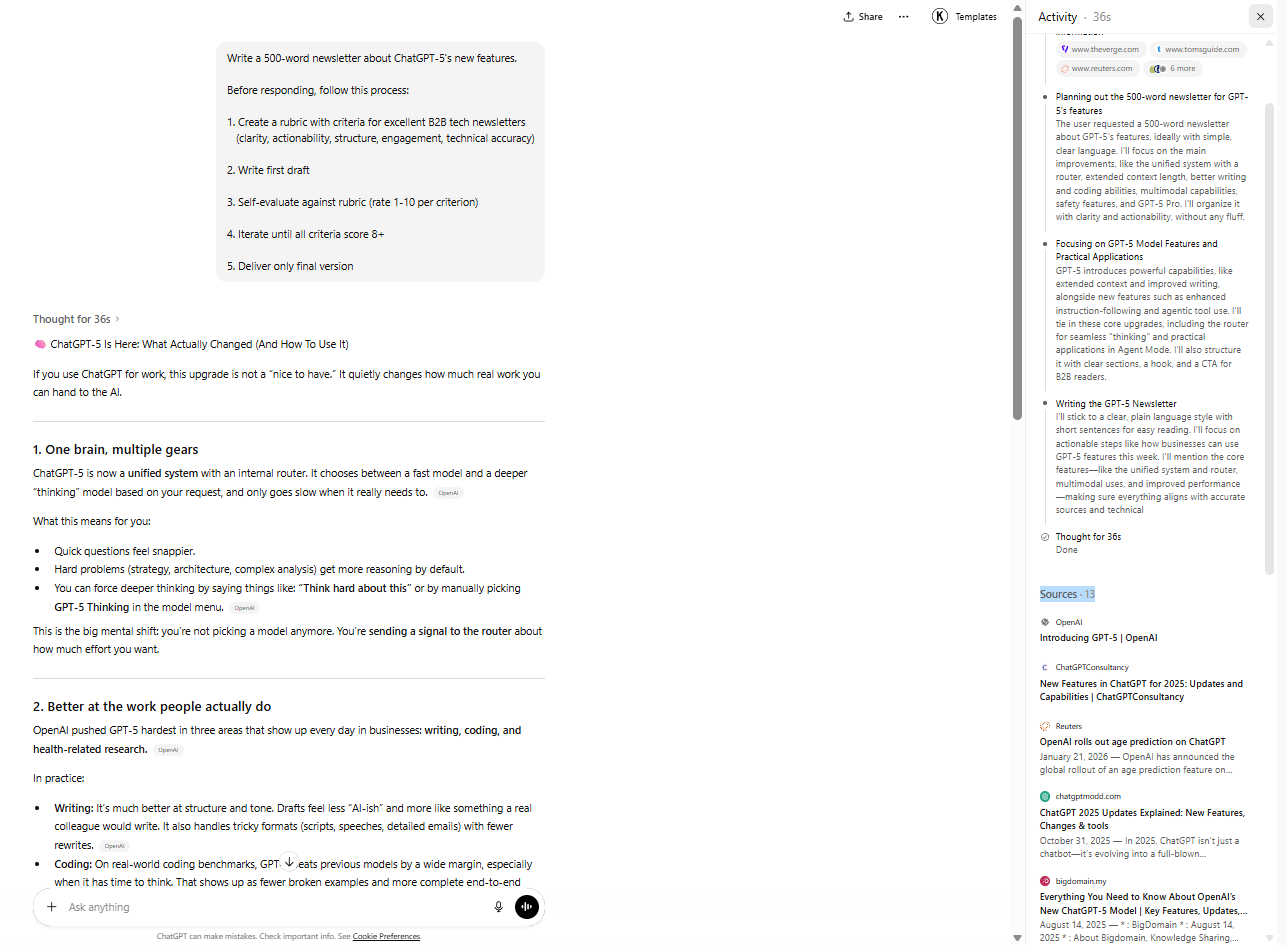
You give the task, then require this process:
Task: [Your request]

Before responding, follow this process:

Step 1: Create a rubric
Based on the intent of this task, define 3-5 quality criteria
that excellent output should meet. List specific, measurable
standards.

Step 2: Generate first draft
Create your initial response to the task.

Step 3: Self-evaluate
Rate your draft 1-10 against each rubric criterion.
Identify specific gaps or weaknesses.

Step 4: Iterate
If any criterion scores below 8, revise that section.
Repeat until all criteria score 8+.

Step 5: Deliver
Provide only the final, refined response. Do not show your
thinking process or drafts.
You don't see this but here's what occurs:
The AI creates a rubric with criteria like clarity, actionability, structure, engagement and technical accuracy. It writes a first draft, then scores each criterion from 1-10.
If clarity scores 6, actionability scores 5 and engagement scores 7, the AI identifies specific issues:
Clarity: Too much jargon in paragraph 2
Actionability: Only mentioned 2 actions, need 3+
Engagement: Hook is weak
It rewrites, rescores and delivers only when all criteria hit 8 or above. You receive a polished result that went through 2-4 internal revisions.
Advanced Application
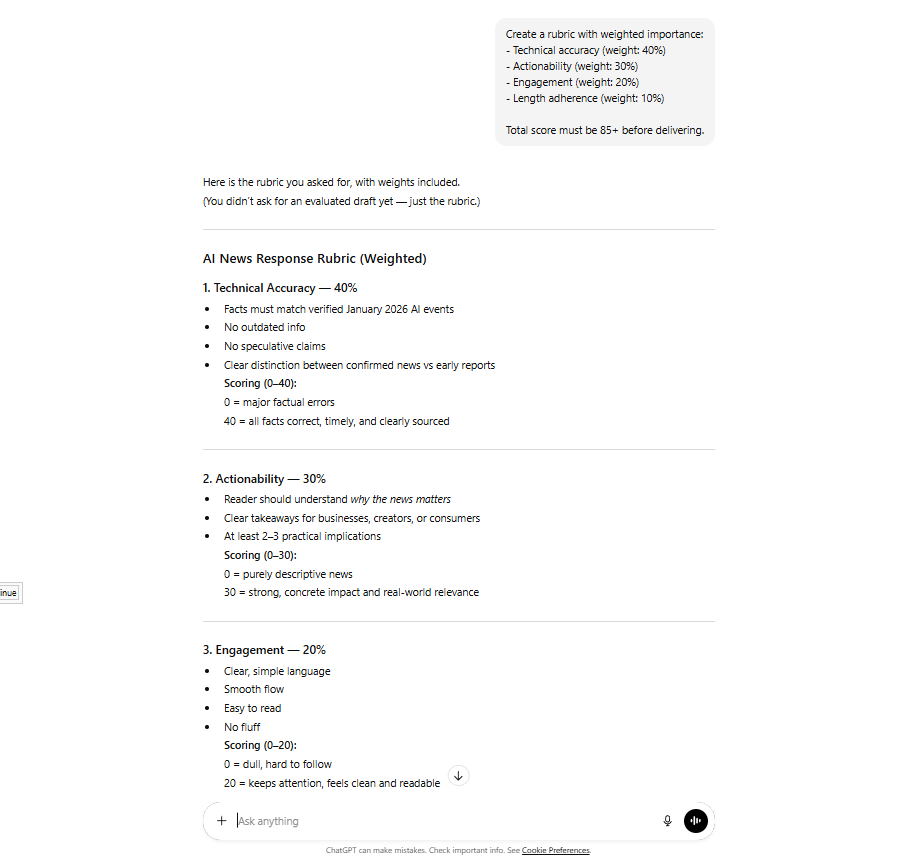
For high-stakes work, you can force prioritization:
Create a rubric with weighted importance:
- Technical accuracy (weight: 40%)
- Actionability (weight: 30%)
- Engagement (weight: 20%)
- Length adherence (weight: 10%)

Total score must be 85+ before delivering.
The AI keeps refining until the total score is high enough.
Apply this for high-stakes content: client deliverables, important emails and published content. And skip it for quick tasks where speed matters more than perfection.
VIII. The Ultimate Template (All Five Combined)
You could use the Master Template for your most important work. It combines XML tags, trigger words and self-reflection into one powerful prompt:
<context>
[Background: What you're working on, why this matters]
</context>

<task>
[Specific request with clear constraints and success criteria]
</task>

<process>
Before responding:

1. Create quality rubric (3-5 criteria for excellence)
2. Generate first draft
3. Self-evaluate (rate 1-10 per criterion)
4. Iterate until all criteria score 8+
5. Deliver final version only
</process>

<format>
[Exact structure you want the output in]
</format>

<constraints>
- [Specific limitation 1]
- [Specific limitation 2]
- [Specific limitation 3]
</constraints>

Think deeply about this and be extremely thorough.
This is critical to get right.
I only recommend you apply the full template for:
Custom GPT system prompts.
High-stakes content creation.
Complex analysis tasks.
Recurring workflows.
And skip it when you use simpler prompts for: quick questions, simple tasks, exploratory brainstorming.
IX. Conclusion: The New Divide
Most people will never use these techniques. They’ll prompt like it’s still GPT-4, get average results and say GPT-5.2 isn’t impressive.
For them, that’s true, because GPT-5.2's power is locked behind prompting skill.
There are now two types of users:
Router-Aware Users: These people understand the router. They use trigger words and structure to get 10 times better results.
Everyone Else: Prompt like it's 2023 and they still blame the model.
The router is routing. The question is: Are you giving it the right signals?
If you are interested in other topics and how AI is transforming different aspects of our lives or even in making money using AI with more detailed, step-by-step guidance, you can find our other articles here:
GPT Image 1.5 vs Nano Banana Pro: Which One Truly Wins for Real Work?
How To Build Your "AI Employees" (And Stop Prompting Like An Intern)*
A Simple 60% Rule Stops Context Rot in ChatGPT, Claude, Gemini or Any Other Als
How To Build An AI Workflow The Right Way (Using n8n's AI Builder)
*indicates a premium content, if any
Reply