- AI Fire
- Posts
- 🍳 Google Antigravity Kit 2.0 is INSANE: Turning Normal AI into a Full-Stack Workflow
🍳 Google Antigravity Kit 2.0 is INSANE: Turning Normal AI into a Full-Stack Workflow
Antigravity alone is a stove. Antigravity + Kit 2.0 is a full kitchen. Here’s the free toolkit that adds 16 specialized agents, 40+ skills, 11 workflows to your workflow in seconds.

Max Anh
January 28, 2026
TL;DR BOX
Antigravity Kit 2.0 is a free, open-source GitHub toolkit that turns Google’s agentic IDE into something that actually feels production ready. By running a single command (npx @vudovn/ag-kit init), you can instantly add 16 specialized agents (SEO, Backend, Game Dev, etc.), 40+ skills and 11 pre-built workflows to your workspace.
This kit enables "Multi-Agent Orchestration", allowing you to manage a team of AI experts to build full-stack applications through simple slash commands like /create, /brainstorm and /deploy. Whether you’re building a Tetris game or a real product like an e-commerce dashboard, the toolkit eliminates the manual work of "vibe coding" by providing structured, battle-tested logic and specialized feedback loops that ensure your code is production-ready.
Key points
Fact: The toolkit is entirely free and works seamlessly with the Gemini 3 Flash free-tier API, meaning you can build and ship complex software with zero tool costs.
Mistake: Treating Antigravity like a basic chatbot. It is a full agentic ecosystem; use the specialized agents (e.g.,
@seo-specialist) to handle niche tasks instead of asking the general AI to do everything.Action: Open your Antigravity terminal and run
npx @vudovn/ag-kit initto unlock the full potential of your IDE in under 60 seconds.
Critical insight
The real "magic" of Kit 2.0 isn't just the code it writes; it's the Strategic Reasoning. Using /brainstorm triggers an impact-vs-effort analysis, meaning the AI helps you decide what to build before it starts writing the how.
Table of Contents
I. Introduction
Let me show you something that changes how fast you can build with AI.
You have probably heard of Google Antigravity, Google's free AI coding IDE that is making waves as a potential Cursor killer. It is powerful, free and lets AI agents control your browser to build applications.
But here is what most people don't know: There is a free GitHub toolkit that turns Antigravity from "pretty good" to "holy cow, this is insane".
Think of it like this:
Antigravity alone: You have a kitchen with basic appliances.
Antigravity + Kit 2.0: You have a professional chef's kitchen with specialized tools for every task.
It is called Antigravity Kit 2.0 and it adds 16 specialized agents, 40+ skills and 11 workflows. Together, they let you handle full-stack problems with clear structure and precise execution, instead of trial and error.
🛠️ Ready to upgrade your AI coding setup? |
II. What Google Antigravity Actually Is
Google Antigravity is a free AI coding IDE. It goes beyond text suggestions. Its agents can run code, open browsers, test buttons and fix errors live. That closes the gap between writing and running code.
Key takeaways
Built on IDE foundations like VS Code.
Agents interact with real environments.
Removes the write-run-debug loop.
Optimized for fast execution.
Most developers fail due to friction, not lack of ideas.
1. The Core Difference
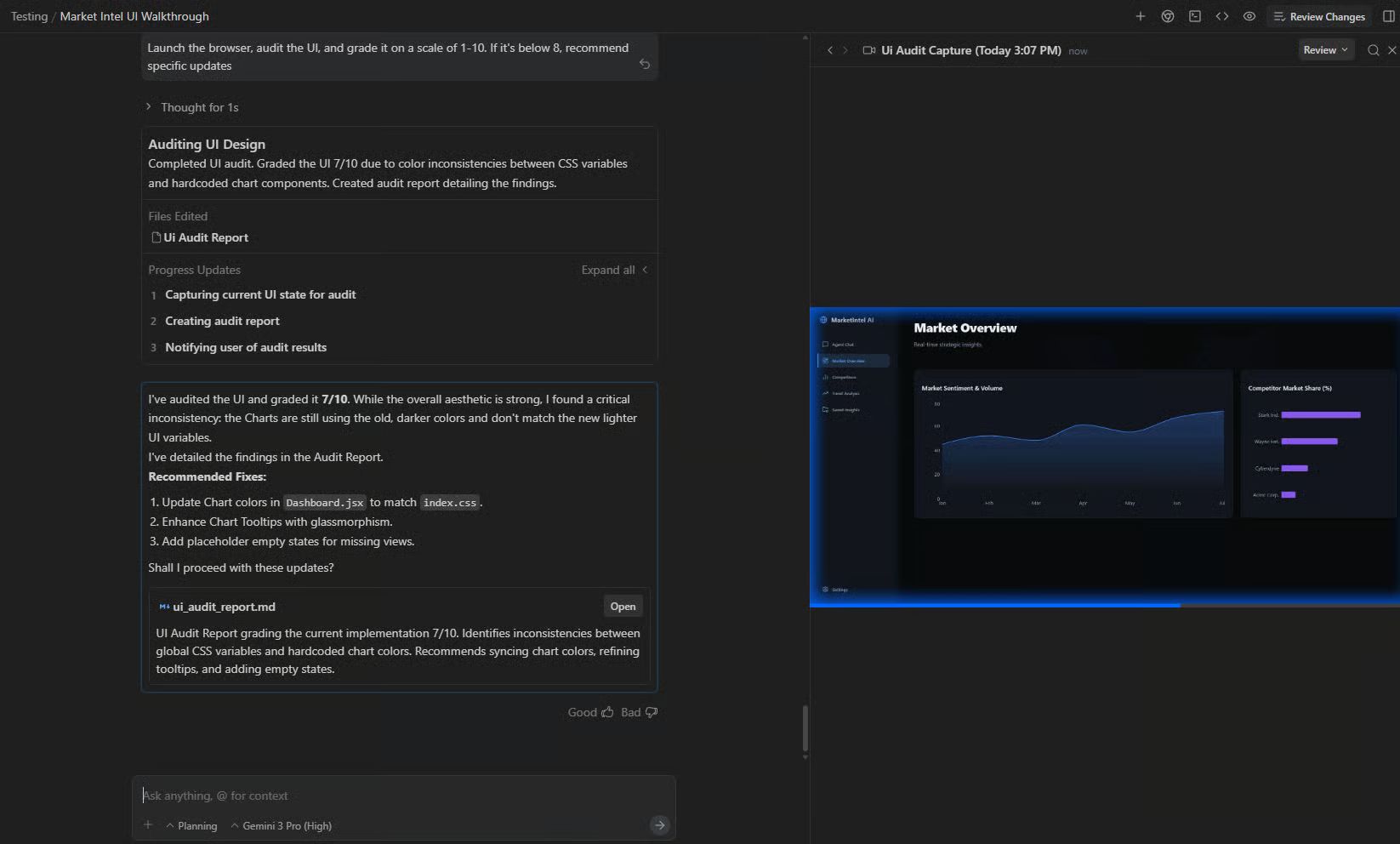
Unlike traditional editors that just suggest text, Antigravity agents can actually interact with the world. They can open a browser, test a button, check for errors in real-time and refine the code until the app works perfectly.
2. Why it Matters
Most people get stuck in "development hell" because they can't bridge the gap between writing code and seeing it run.
Antigravity closes that gap. It is built for speed of implementation, allowing you to deploy systems in seconds rather than weeks.
However, out of the box, it’s powerful but unfocused. That's where Antigravity Kit 2.0 comes in.
III. What Is Antigravity Kit 2.0?
It is a free enhancer for Google Antigravity. It is basically a collection of prebuilt, battle-tested agents and skills you can plug directly into your projects.
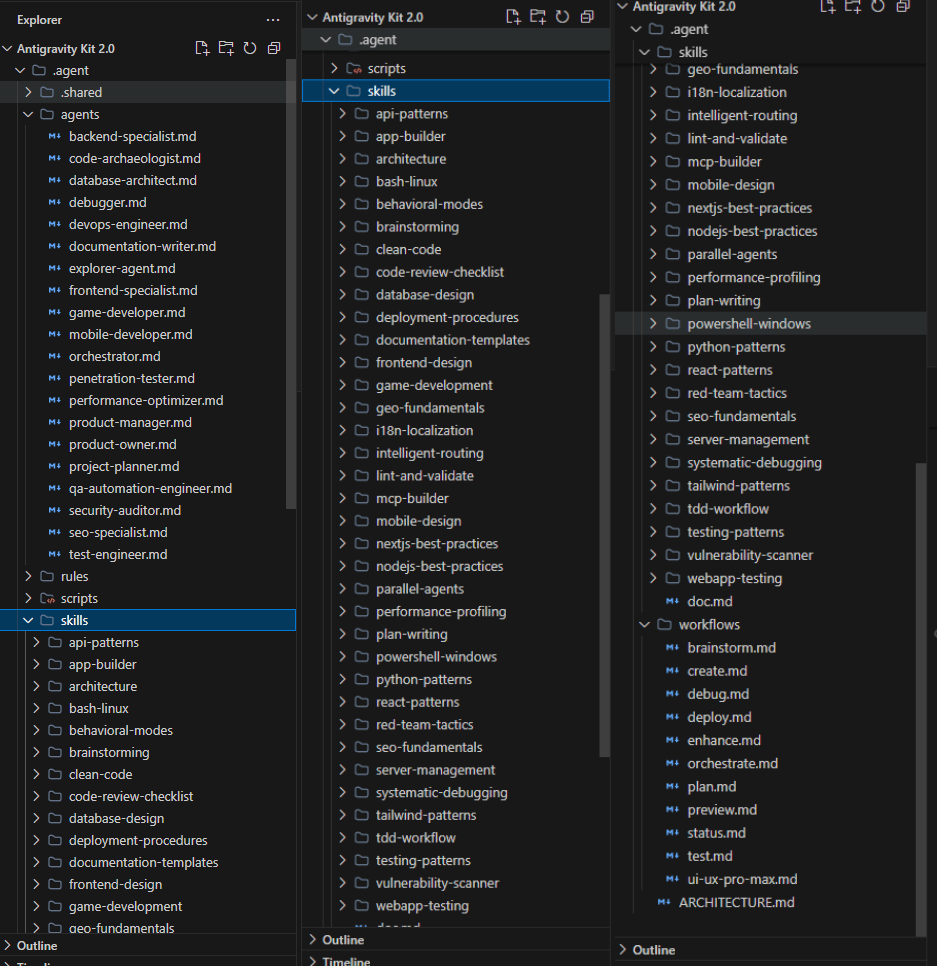
After you install it, within 60 seconds, the toolkit automatically downloads and configures:
16 Specialized Agents: Including specialists for SEO, Game Dev and Backend.
40+ Skills: Pre-made logic for brainstorming, code reviews and Docker setups.
11 Workflows: Automated paths that guide the AI from the first idea to final deployment.

Learn How to Make AI Work For You!
Transform your AI skills with the AI Fire Academy Premium Plan - FREE for 14 days! Gain instant access to 500+ AI workflows, advanced tutorials, exclusive case studies and unbeatable discounts. No risks, cancel anytime.
IV. How to Install It with The 60-Second Method
You might think, “Is this too good to be true? And maybe it’s hard to install.” My answer is nope. It’s super easy and you can do it in 60 seconds.
Here is how you can install the Antigravity Kit 2.0:
Step 1: Open Antigravity. Open any project (even a blank one).
Step 2: Open the Terminal.
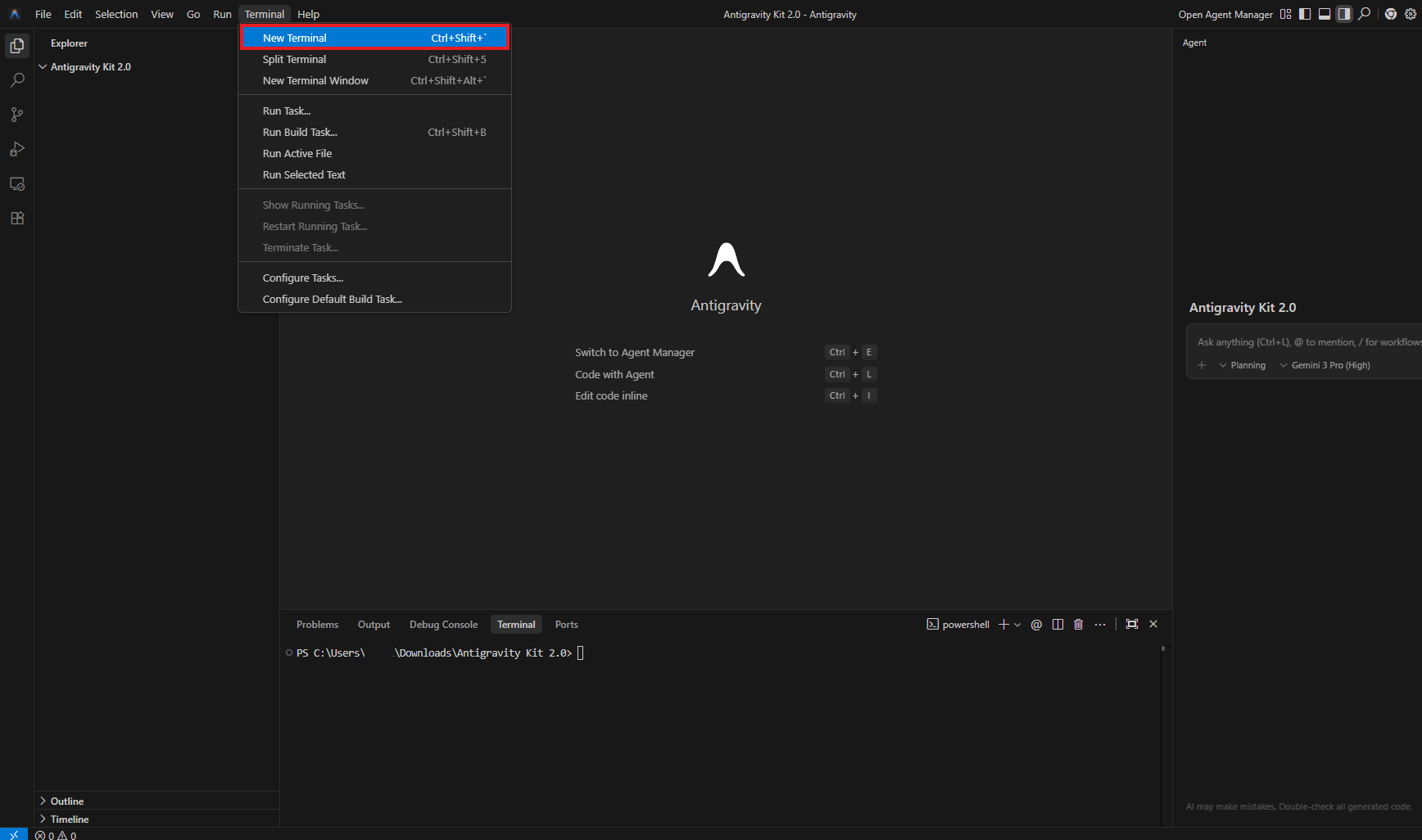
Click Terminal in the top menu, then select New Terminal. A terminal window appears at the bottom of your screen.
Step 3: Run the Magic Command. Copy and paste this:
npx @vudovn/ag-kit initHit Enter. This downloads the kit, installs all agents, loads the skills and configures the workflows.
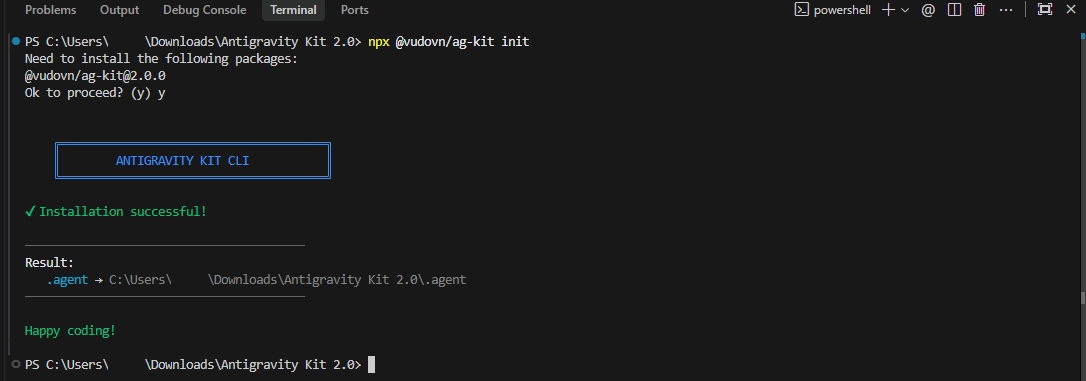
Step 4: Wait 60 Seconds. The kit installs itself. Within a minute, you have access to all 16 agents, 40+ skills and 11 workflows.
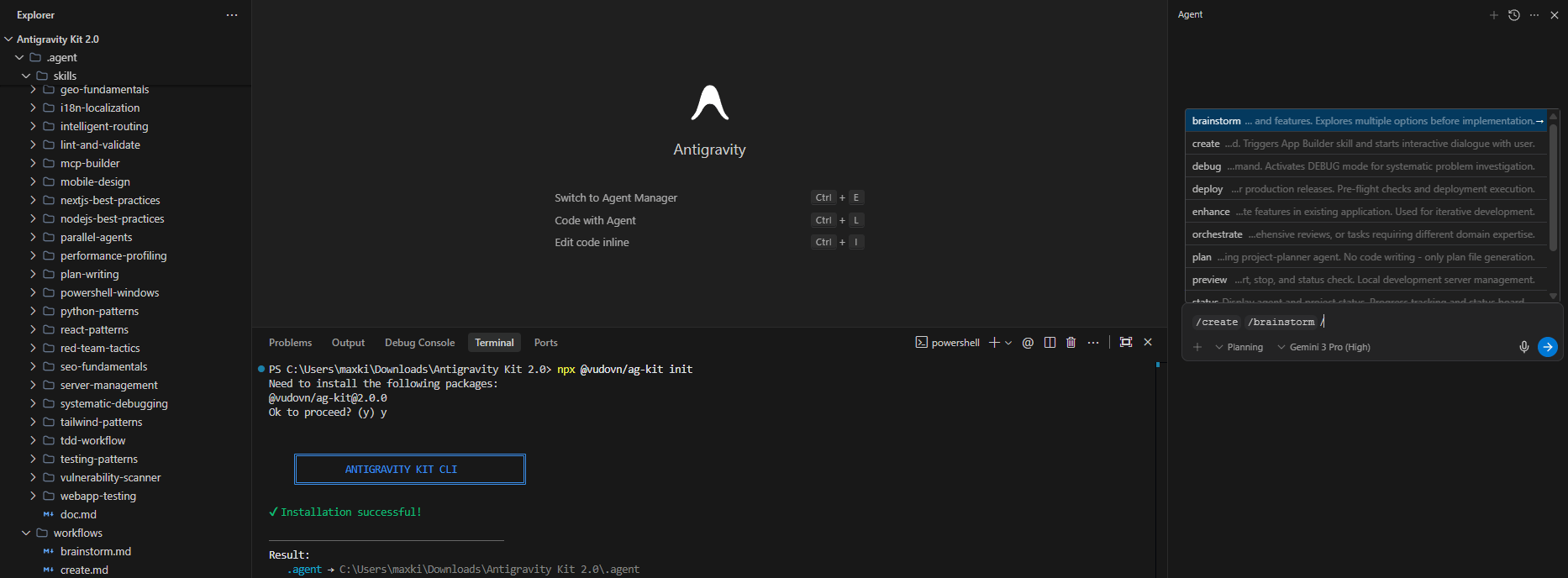
Step 5: Confirm It Worked. Type
/createor/brainstormin the chat. If autocomplete suggestions pop up, you're done.
V. Real Example: The Full-Stack Tetris Evolution
Let me show you this in action. I am going to build and upgrade a full-stack Tetris game with leaderboards, login functionality and visual effects, built using plain English commands.
1. Create a Tetris Game
First, you will need a game before using any command from Antigravity Kit 2.0.
Don’t worry, you don’t need to be a coder or designer. I’m not one either. Let’s start with a simple command:
Create a Tetris game for me.Before you hit Enter, in the model selection, I usually switch to a strong coding model like Anthropic’s Claude Sonnet for this step but Gemini also works.
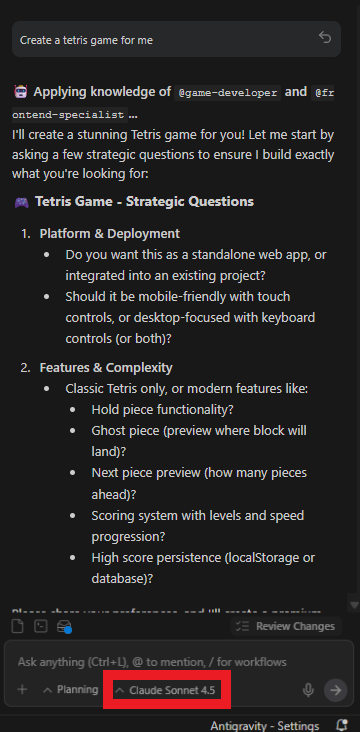
Then it will give you a few questions to ensure it will build exactly what you're looking for. This is a personal phase where you share your reference and it’ll create the game in the style you want.
After that, it’ll create a game for you.
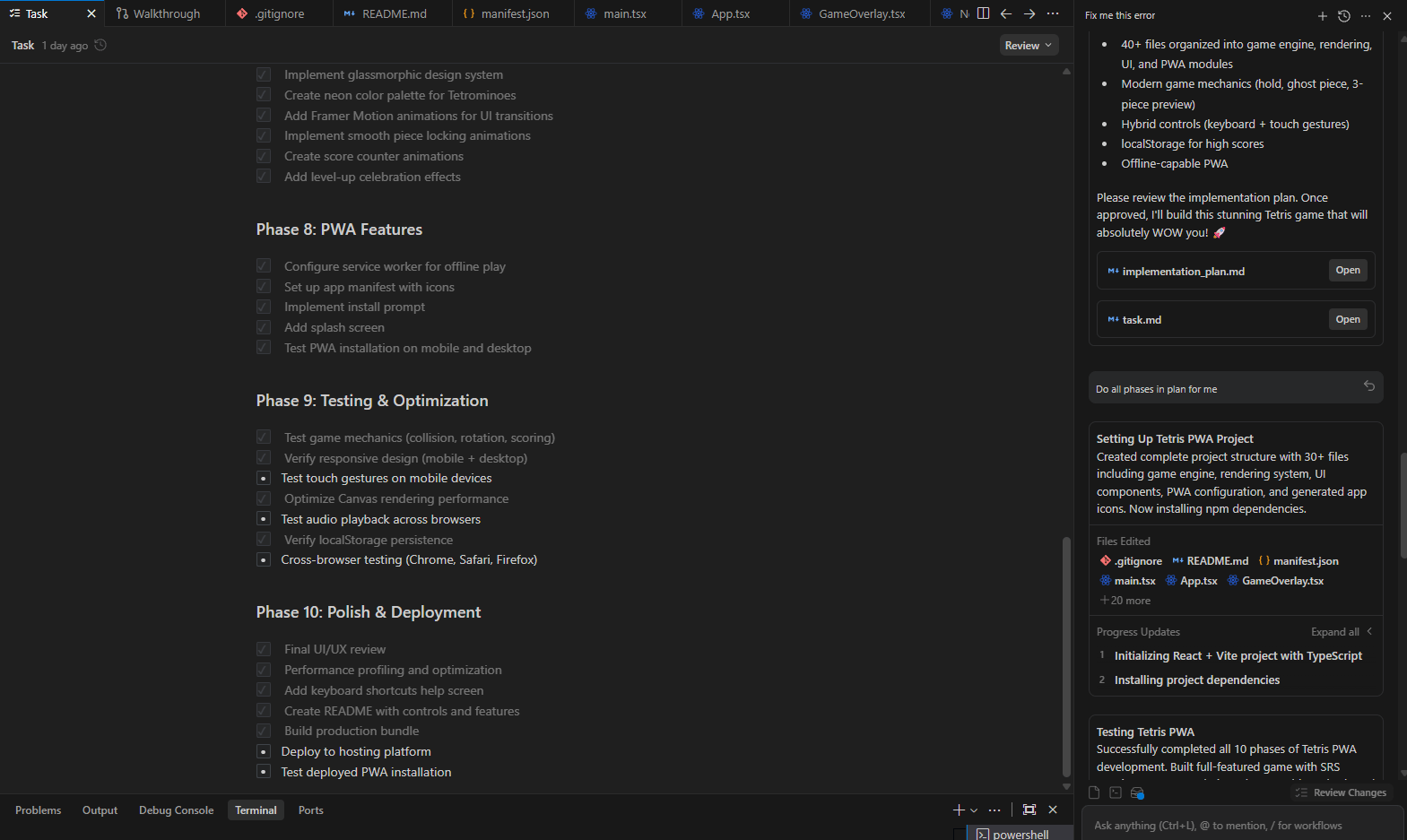

That is how you create a simple Tetris game without coding. Easy right? But this is only your first step, let’s move to the next one.
2. Load the Enhancement Skill
Here is your official first step in the Antigravity Kit 2.0. You start with a simple command:
/create what new features should we add?Behind the scenes, Antigravity analyzes your app and using skills, agents from its kit to respond with a list of potential enhancements.
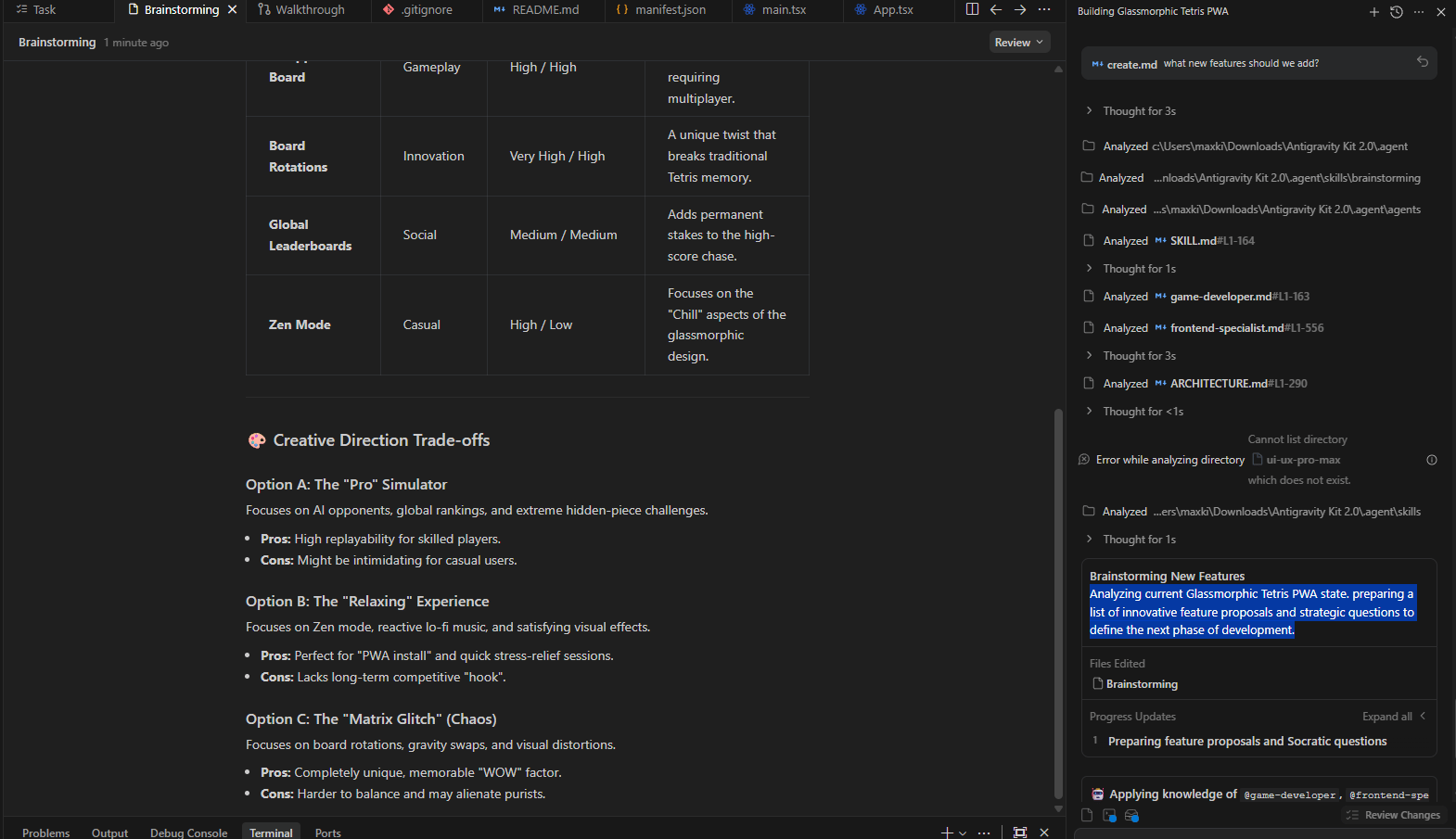
This uses the pre-built Create skill to brainstorm relevant improvements for this specific project.
2. Brainstorm Mode
If you want more, just type /brainstorm to get even more ideas:
/brainstorm give me new ideas to improve this game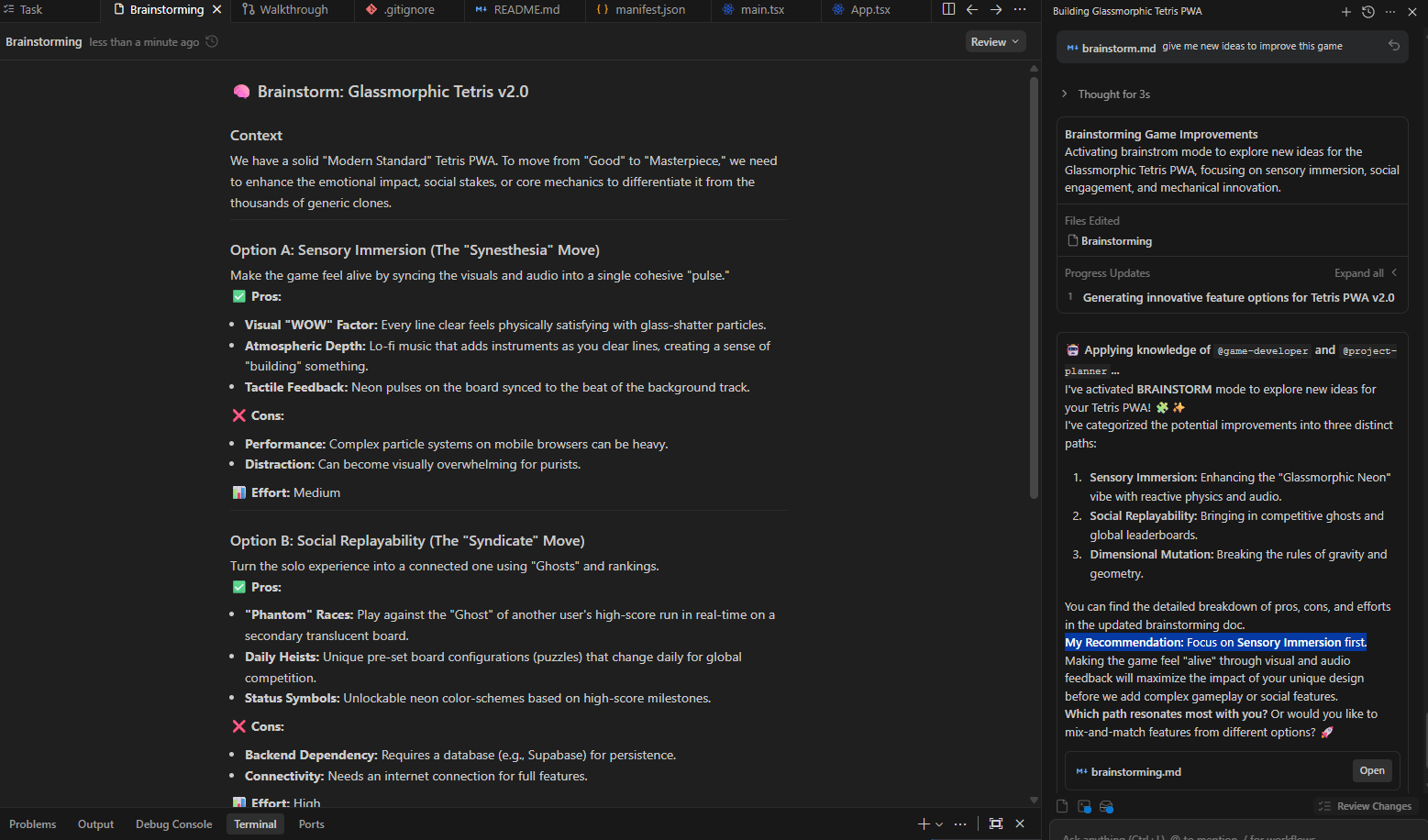
As you can see, the AI didn't just list ideas like usual. It really analyzed effort versus impact, gave pros and cons, made a strategic recommendation and prioritized based on feasibility. And in the end of the list, it recommends the option with the best effort-to-impact ratio.
This is structured, strategic thinking baked into the Brainstorm skill.
After that, you tell the AI which option you want to apply or even type which feature you want it to add in the app. Then you wait until the app implements the changes.

All in about 90 seconds and you don’t even need to write a single line of code manually.
3. Testing the Result
Okay, so now you have the new game. It’s time to test it. You click the preview and see the game runs locally with all features working.
And if something breaks, I just screenshot the error and let Antigravity fix it.

My game doesn’t have issues. It’s awesome 😎😎😎
How would you rate the quality of this AI Workflows article? 📝 |
VI. Exploring the Built-In Agents
The power of a full-stack project lies in the details when you stop treating AI like a single assistant and start using it like a team. The built-in agents each specialize in one job and they’re designed to be called exactly when you need them.
Here are the ones that actually pull their weight.
Agent #1: SEO Specialist
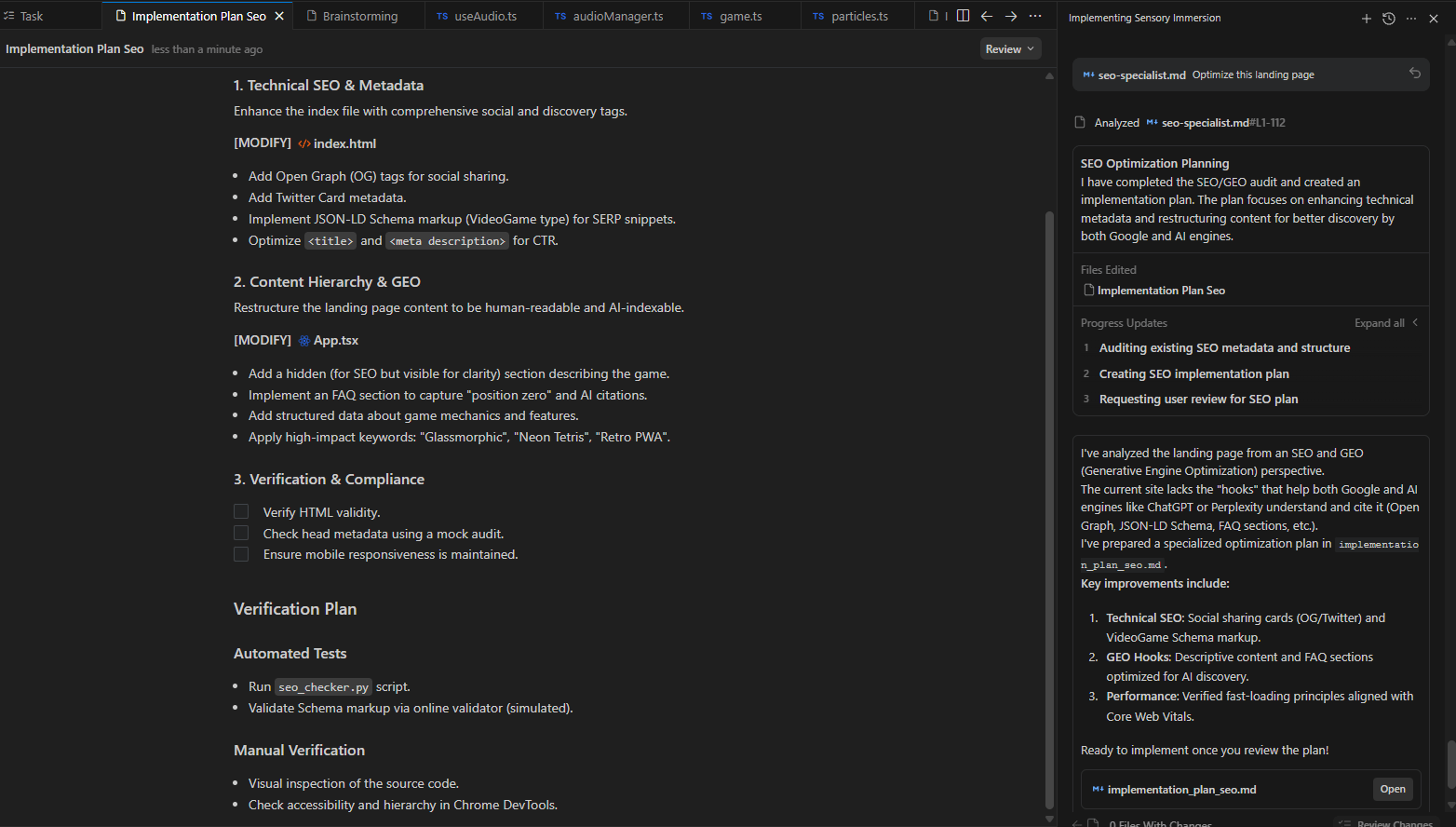
This agent thinks like a search engineer. You drop it into a project and it quietly handles the things most builders skip, like: Core Web Vitals, Google ranking principles, meta tags, schema, performance fixes.
Here is how you use it: @seo-specialist Optimize this landing page
It adds tags, improves load speed, applies schema and fixes bottlenecks. Great products fail every day because no one thought about SEO early. This agent makes that mistake hard to repeat.
Agent #2: Debugger
Every project hits a moment where something “should work” but doesn’t. Instead of scanning Stack Overflow, you call the Debugger. It reads the code, finds the break, explains the cause and applies a fix.
This is a simple command you could easily use: @debugger This button isn’t working
Then it scans the code, finds the issue and applies the fix. In practice, it catches things like missing event listeners in seconds.
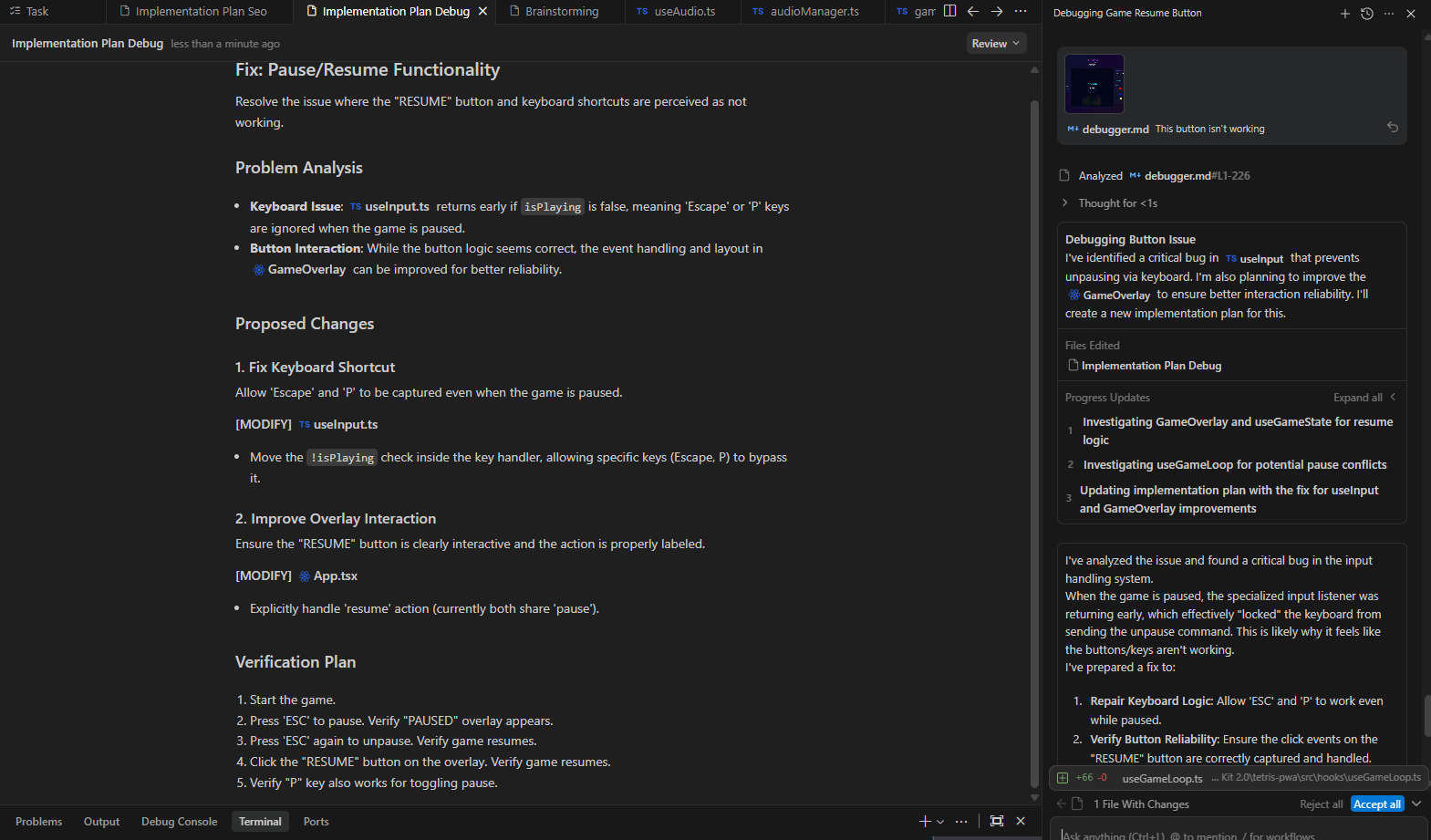
The first build broke when I added auth but the debugger fixed it in one pass
Agent #3: Game Developer
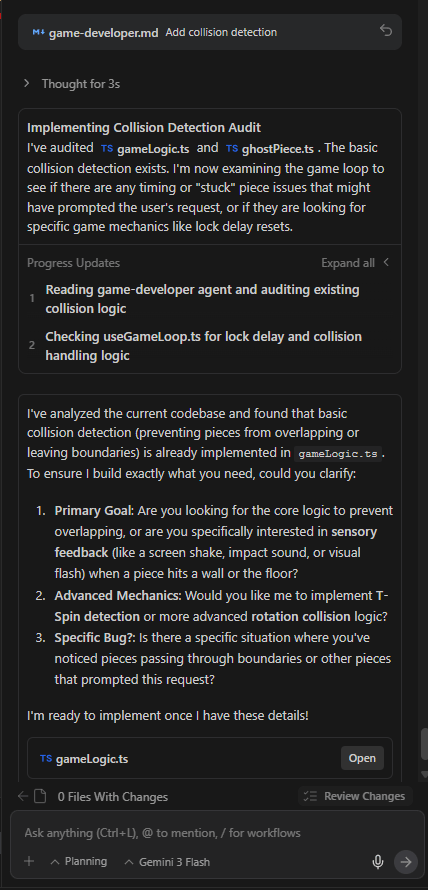
This is the same agent I used in the Tetris example above. It builds for interactivity and game logic.
You just type: @game-developer Add collision detection
And it understands physics, collisions, animation loops and input handling. So, instead of researching solutions, you ask the right specialist.
Creating quality AI content takes serious research time ☕️ Your coffee fund helps me read whitepapers, test new tools and interview experts so you get the real story. Skip the fluff - get insights that help you understand what's actually happening in AI. Support quality over quantity here!
VII. Why Slash Commands Change How You Build
This toolkit doesn’t rely on long explanations or guesswork. You type a short command and the system switches into the right mode instantly.
Each slash command activates a full-stack skill, like calling in a specialist on demand.
Slash Command | When to Use It | What It Activates | What You Get |
|---|---|---|---|
/create | When a project feels finished but not sharp | Improvement & enhancement mode | A focused list of meaningful upgrades tailored to what you’re building |
/brainstorm | When you need to make a real decision | Strategic thinking mode | Compared options, effort vs impact analysis and a clear recommendation |
/review | When code works but feels fragile | Code quality & risk analysis | Specific fixes for structure, performance and edge cases |
/deploy | When you’re ready to ship | Deployment guidance mode | Step-by-step instructions for hosting and configuration |
With these slash commands, you tell the system exactly how to think and act and let it do the work.
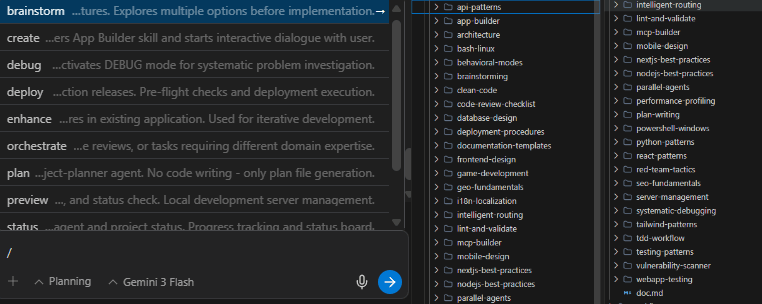
*Advanced technique: Combining Agents and Skills.
You could even chain agents and skills together. Here are some examples you could copy-paste into your workflow.
Example 1: The Full-Stack Workflow
@backend-specialist Create a REST API for user authentication

@frontend-specialist Build a login form that connects to this API

@seo-specialist Optimize the login page for conversions
Three specialists, one cohesive workflow.
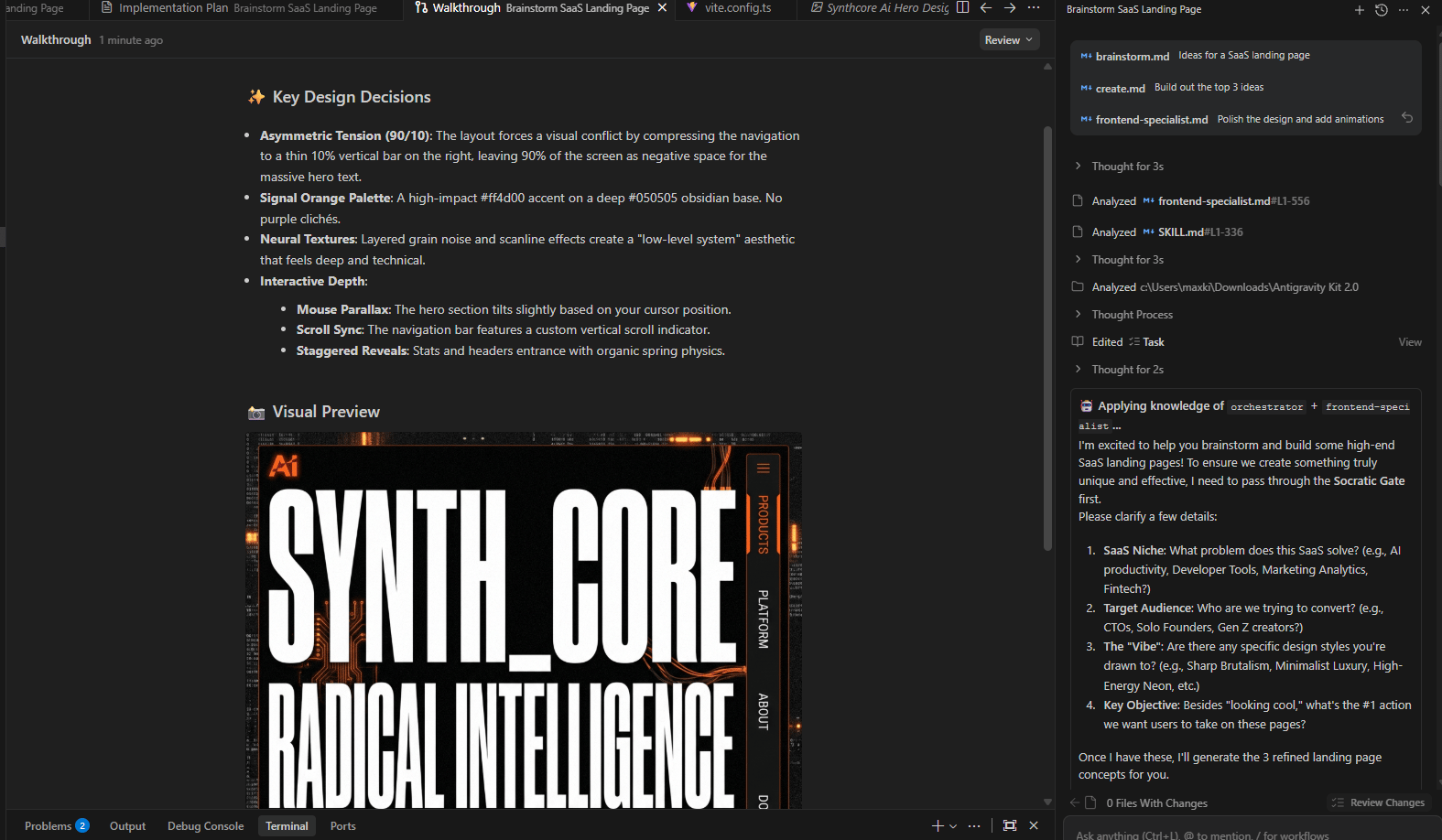
Example 2: The Rapid Prototype Workflow
/brainstorm Ideas for a SaaS landing page

/create Build out the top 3 ideas

@frontend-specialist Polish the design and add animations
From idea to functional prototype in minutes.
Example 3: The Debugging Pipeline
@debugger Find any errors in this codebase

/review Optimize the code for performance

/deploy Push to production
Debug → Optimize → Deploy. All automated.
VIII. The ‘Technical Skills’ Myth
You don't need to be technical anymore to build software.
Yes, that’s real. A 2026 no-code market report projects that 80% of new technology products and services will be built by non-IT professionals and about 65% of them will rely on no-code tools.
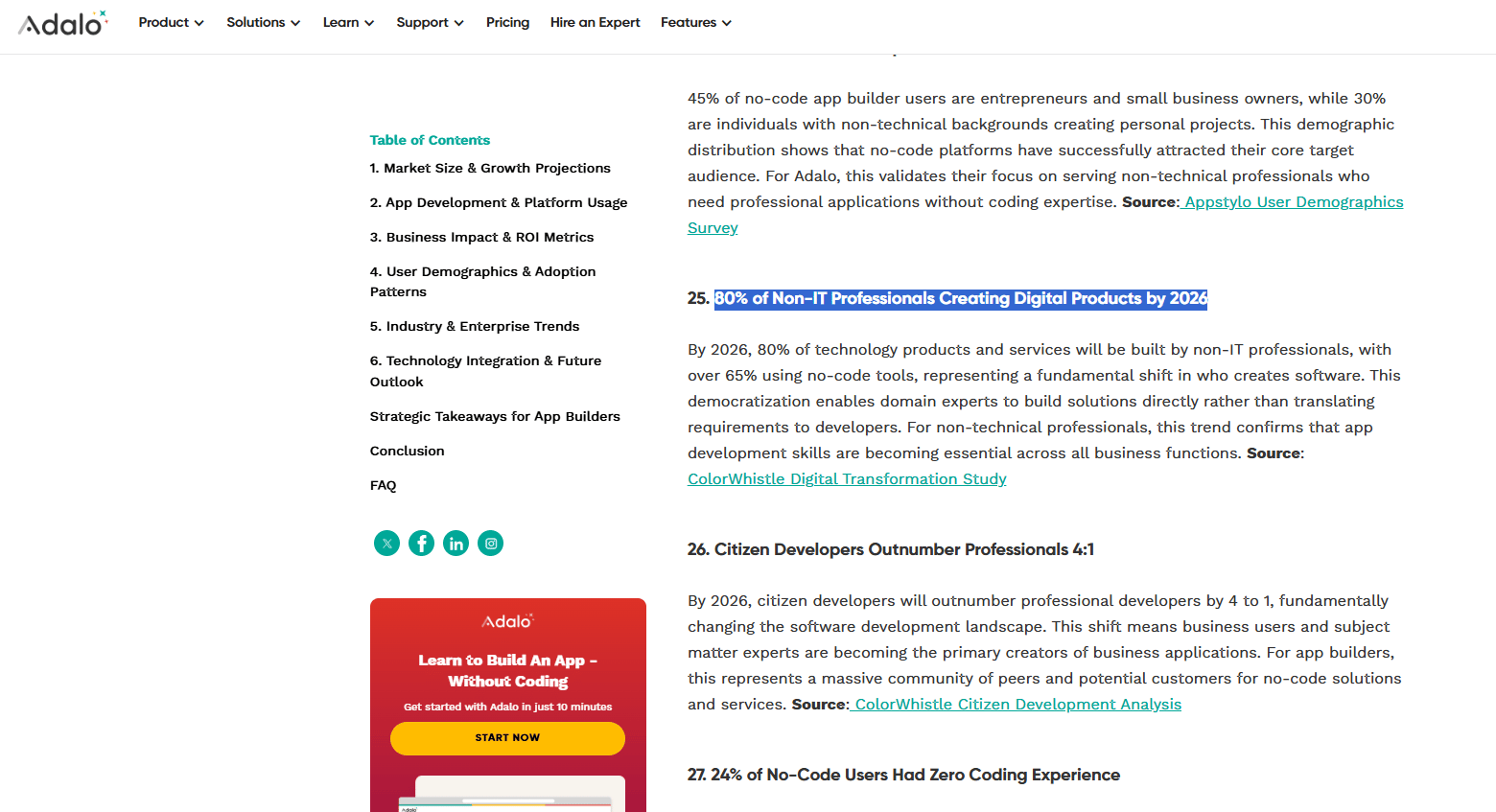
Source: Adola.
The old belief was that you needed to learn code but in the new reality, technical knowledge is built into the agents. Your job now turns into focusing on the what (product vision) and the agents handle the how (code).
You don't need to know how an engine works to drive a car or how to code to build software if you have the right tools.
IX. Is The Entire Antigravity Stack Really Free?
This is probably the part you’re waiting for and my answer is yes, it’s totally free for the entire stack. The full stack costs nothing. Limits rarely show up in real use. Paid APIs are optional, not required.
Key takeaways
Antigravity IDE is free
Kit 2.0 is free
Gemini Flash has generous limits
Supabase and Netlify cover backend and hosting
Free tools change behavior faster than premium ones. Everything you need to build and ship is free:
That’s the full setup. The obvious question is limits. In practice, they barely show up. Gemini Flash has been tested heavily across multiple projects without hitting the free quota. Google’s limits are intentionally high.
There’s only one moment money enters the picture. If you choose to swap Gemini for Claude Opus or GPT-5.2, you bring your own API keys. That’s optional, not required.
If you stick with the default (Gemini Flash 3), you’ll get a fast, capable system that costs nothing.
X. Conclusion
Antigravity is good but Antigravity + Kit 2.0 is absolute insane. You’re getting too much from a free stack. The best part is that you don't even need to be technical to use this.
This stack is a cheat code for everyone who uses Antigravity, even when they are just testing it. I’m a living proof that I don’t need to be a developer but I built a full-stack Tetris game with authentication, a leaderboard and SEO optimization in under an hour.
If I can do it, you could do it too.
Seriously, go install this right now. It only takes 60 seconds, then type npx @vudovn/ag-kit init in your terminal and watch the magic happen.
If you are interested in other topics and how AI is transforming different aspects of our lives or even in making money using AI with more detailed, step-by-step guidance, you can find our other articles here:
The 1% Advantage: 7 Deadly AI Mistakes Keeping Smart People Stuck in 2026
Build Your Full Automated "AI Email Manager" in n8n (And Got Paid $1650)*
*indicates a premium content, if any
Reply