- AI Fire
- Posts
- 💥 Unlock Every Google AI Tool in 2026: A Complete Guide to All the Tools You Need (Almost Free)
💥 Unlock Every Google AI Tool in 2026: A Complete Guide to All the Tools You Need (Almost Free)
Wondering what Google’s AI tools in 2026 can do? This full A-Z guide explains every free tool, from powerful research assistants to automation hacks. Save this!

Max Anh
April 02, 2026
TL;DR BOX
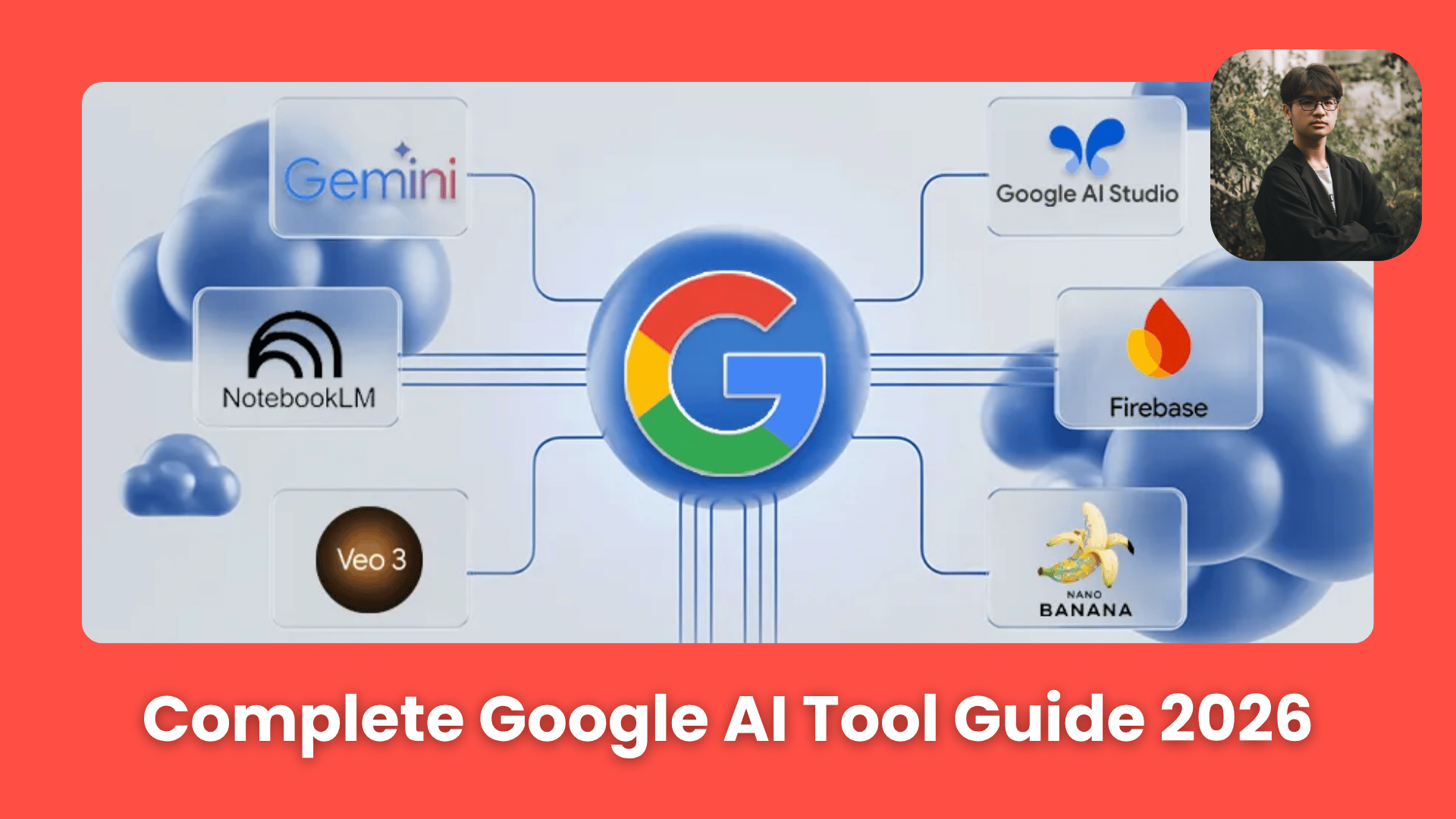
In 2026, every Google AI tool is more than just a chatbot. It is now a part of everything you use, like Docs, Gmail and Search. Gemini 3.1 powers research tools like NotebookLM, creative tools like Veo and Nano Banana and automation tools across Google Workspace.
Major upgrades this year include NotebookLM’s multimedia research features and Project Mariner’s ability to navigate the web like a human. Many of these tools are free or included in the Google AI Pro plan, meaning most users already have access to a powerful Google AI tool stack without changing their workflow.
Key Points
Fact: On April 1, 2026, Google upgraded Flow (Labs) with Veo 3.1, offering faster video generation and "Lite" models for rapid prototyping.
Mistake: Thinking Google AI Studio is only for developers. In 2026, it is the "cheat code" for free, high-volume image generation, offering 500-1,000 daily images via the Gemini 3.1 Flash model.
Action: Try NotebookLM for your next project. It now generates Mind Maps, Flashcards and Interactive Infographics directly from your uploaded PDFs and YouTube links.
Critical Insight
When you enable Personal Intelligence (Section IV), Gemini connects to your Gmail, Photos and Drive to become a proactive partner that knows your context before you even type a prompt.
Table of Contents
📊 How many browser tabs do you have open right now? |
I. Introduction
Actually, Google didn't build one big AI product. It introduced many smaller AI features and placed them inside tools people already use every day.
AI now sits inside Docs, Sheets, Gmail, Search, Drive, Photos, Chrome and even your phone.
So, this isn't a guide that will make you download 20 new apps, because most of the tools are already free or built into products you already pay for.
This is a clean breakdown of the entire Google AI tools in 2026 organized by what each tool is designed to help you do, explained in simple terms so you can quickly see where each one fits.
II. How Does Google Think About AI?
Gemini powers much of the ecosystem but the real value comes from how it connects research, creativity, automation and productivity tools. AI becomes part of daily work instead of a separate destination. This makes adoption feel natural instead of forced.
Key takeaways
Gemini acts as the core engine.
AI connects multiple tools together.
The focus is on workflow integration.
Familiar interfaces reduce the learning curve.
As mentioned earlier, Google did not focus on building the best standalone chatbot or on hoping everyone would switch to it.
At the center is Gemini. The point is everything built around Gemini: research assistants, creative tools, coding environments, inbox summaries, automation scripts, app builders and more.

Source: AI blew my mind
Learn How to Make AI Work For You!
Transform your AI skills with the AI Fire Academy Premium Plan - FREE for 14 days! Gain instant access to 500+ AI workflows, advanced tutorials, exclusive case studies and unbeatable discounts. No risks, cancel anytime.
III. Google AI Tools for Researching and Learning
This is where Google currently feels strongest. If your work depends on reading, understanding or organizing information, these tools can change how you handle research.
1. NotebookLM
NotebookLM is the breakout star of Google's AI lineup. It's the tool people try once and then start finding excuses to use for everything.
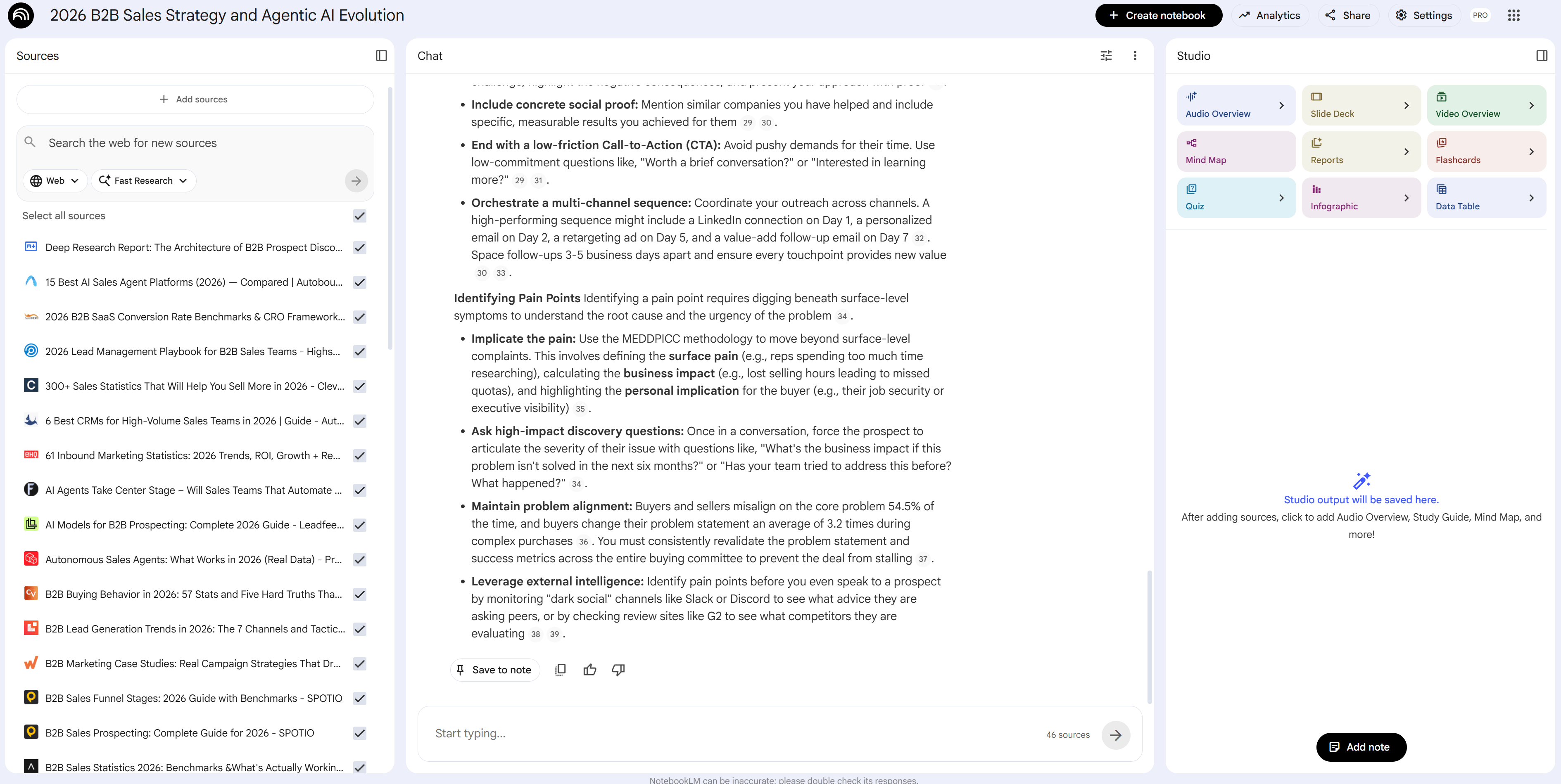
Here's how it works: you upload documents, Google Drive files, YouTube videos or links and then ask questions directly against those sources. Every answer stays grounded in the material you provided, with citations included.
Beyond summaries and Q&A, it can transform your content into different formats such as Audio Overviews (like a two-host podcast explaining your content), Video Overviews, mind maps, infographics, quizzes, flashcards and exportable data tables.
If you've ever had 40 browser tabs open and called that "research", NotebookLM helps you turn a mess of notes into something clear and easy to use.
Best for: Researchers, students, writers and anyone dealing with large amounts of source material.
Cost: Core features are free, advanced tiers included in AI Pro or Ultra plans.
If you want to build reusable expert agents, see the NotebookLM skill workflow guide.
2. Disco
Disco is a Google Labs experiment that sounds odd until you see it. It takes your open browser tabs and converts them into structured dashboards called GenTabs. For example:
Competitor research tabs can become a comparison table.
Travel tabs can become an itinerary.
Recipe tabs can turn into a shopping list and meal plan.
In short: Instead of manually organizing information, Disco builds structure automatically from what you already opened.
Best for: Anyone who works with lots of open research tabs.
Cost: Experimental, macOS only, currently on a waitlist.
3. Illuminate
Illuminate is built for people who need to understand dense research papers, books or complicated web content without suffering through it alone.
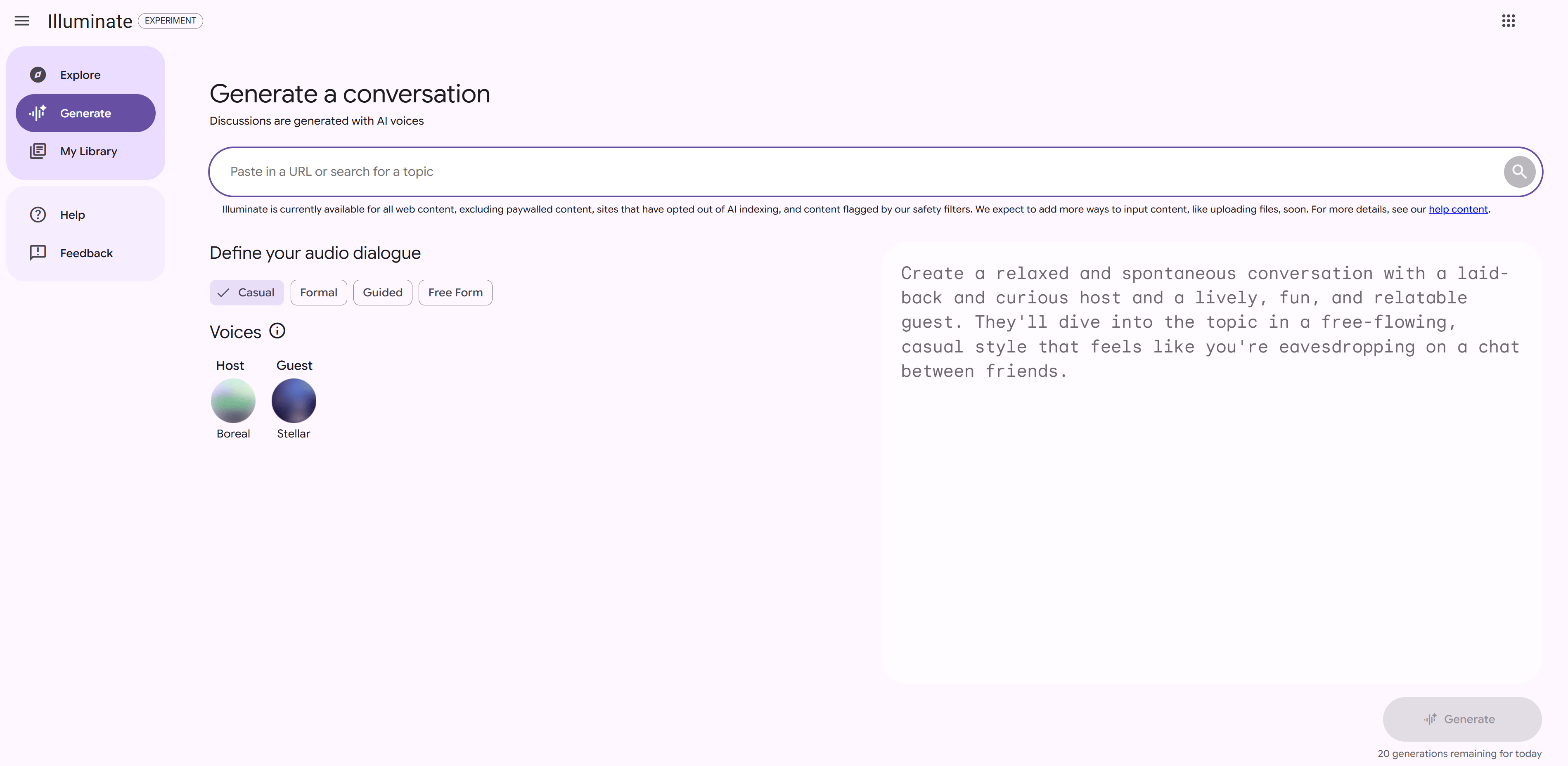
All you need to do is paste in a URL and the tool creates a conversational audio explanation between 2 AI voices in plain language, along with an interactive transcript and follow-up question support.
Illuminate helps you understand hard topics by turning them into a simple conversation you can listen to.

Best for: Academics, curious readers, anyone staring at a research paper in despair.
Cost: Free, 20 generations per day, experimental.
4. Learn About
Learn About focuses on structured learning rather than simple search results.
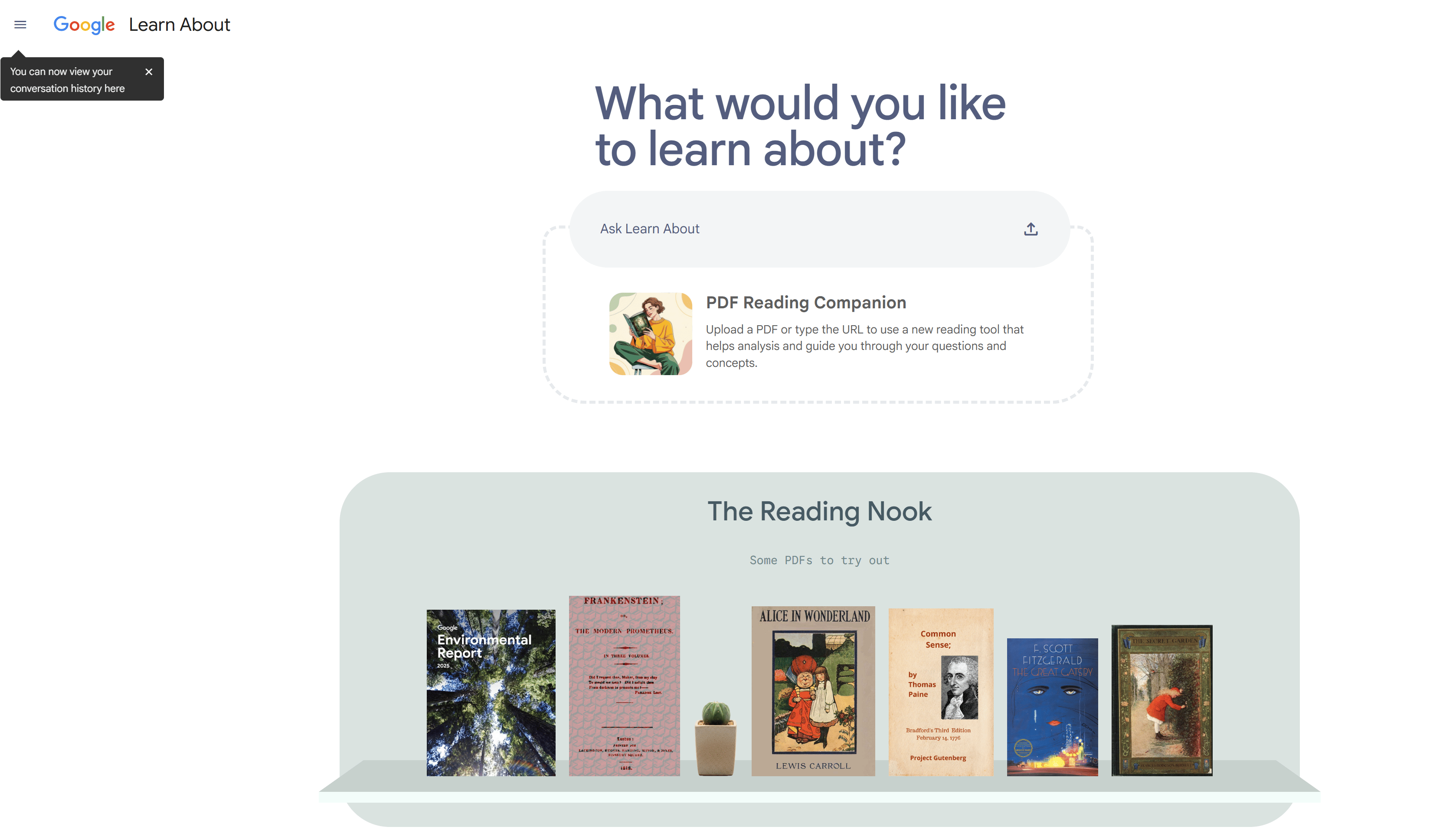
Instead of giving you a paragraph answer, it creates textbook-style interactive pages complete with diagrams, videos, analogies, quizzes, vocabulary help and checkpoints to test understanding.
It is powered by LearnLM, Google’s model designed specifically for education. For new topics, it often feels closer to guided learning than search.
Best for: Learning new topics from scratch.
Cost: Free, though it may require a VPN in some regions.
5. Learn Your Way
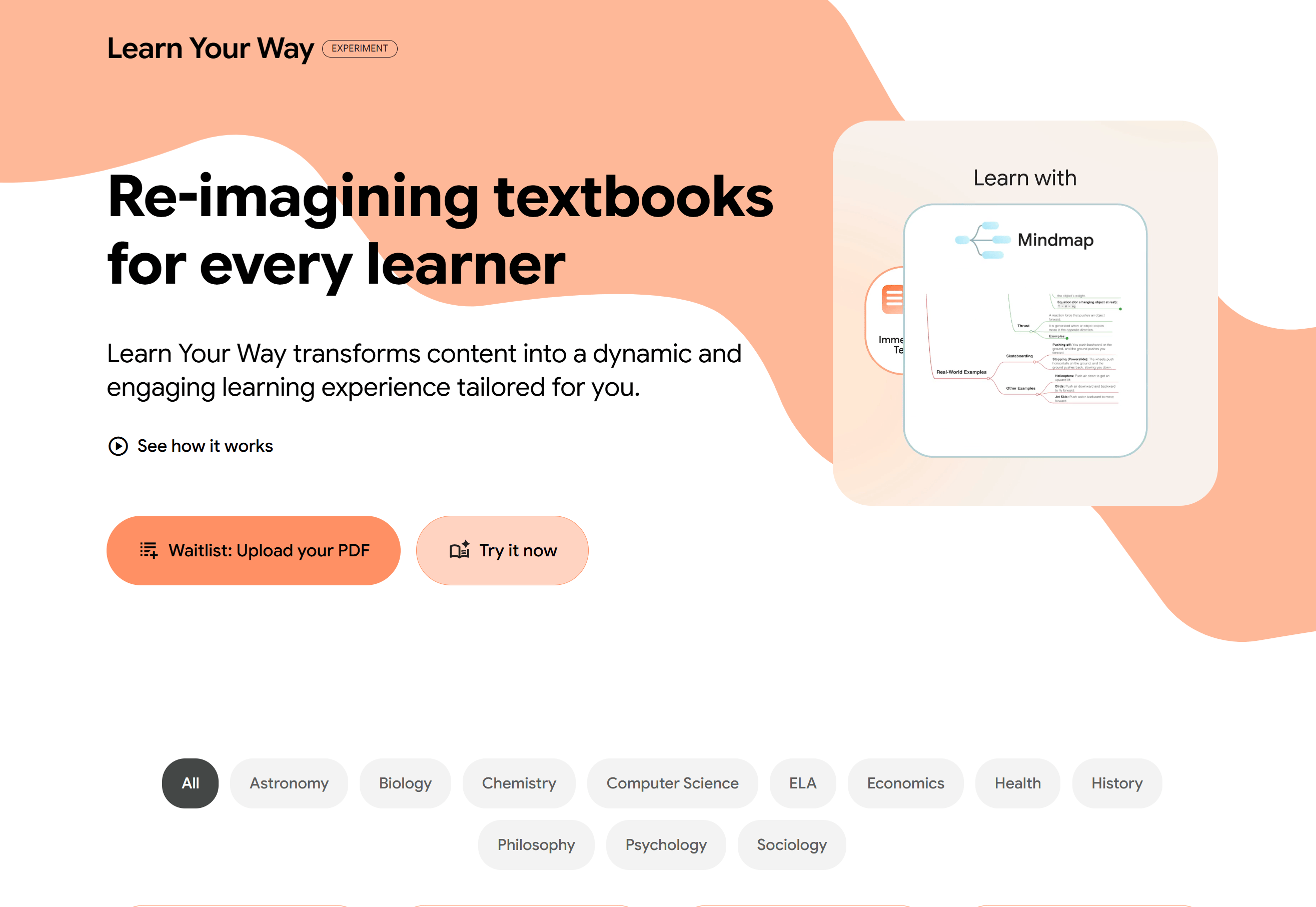
Learn Your Way is a Google Labs experiment focused on turning traditional study material into interactive lessons.
You can explore the same topic through multiple formats, such as guided reading with embedded questions, narrated slides, audio lessons, quizzes or mind maps. Everything comes from the same source material but is adapted to different learning styles.
You choose a topic, adjust the difficulty level and the system personalizes the material based on your background and goals. This makes it useful for both beginners trying to understand a new subject and advanced learners reviewing complex ideas.
Best for: Students, self-learners and anyone who prefers structured learning instead of passive reading.
Cost: Free Google Labs experiment. Uploading your own PDFs is currently limited to waitlist access and some regions may require a VPN.
If you think Google Learn Your Way sounds like Google Learn About, this comparison table helps you clarify them:
Feature | Learn About | Learn Your Way |
|---|---|---|
Main purpose | Understand a new topic from the beginning | Convert content into multiple learning formats |
Learning style | Guided, structured explanations | Flexible, format-based learning |
Input type | Topic or question | Textbooks, articles, educational material |
Output formats | Interactive lessons, visuals, quizzes | Audio lessons, slides, mind maps, quizzes |
Personalization | Adapts explanations to your level | Adapts format to your learning preference |
Best use case | Learning something completely new | Studying or revising existing material |
Model foundation | Powered by the LearnLM educational model | Google Labs experimental adaptive learning tool |
Cost | Free (experimental) | Free (experimental) |
For the easiest, you can think of it this way:
Learn About = guided learning from scratch.
Learn Your Way = a tool that changes your notes into the best format for you to learn.
IV. Google AI Tools for Images, Videos, Music, Visual Ideation
In 2025-2026, Google pushed heavily into creative tools. The result is a full set of tools for images, video, mood boards, brand assets and even music, all connected inside the same ecosystem.
1. Nano Banana
Nano Banana is Google's image generation model, built directly into Gemini.
It lets you create images from a text description and edit them using simple instructions, while keeping characters and visual style consistent across multiple generations.
The Pro version supports up to 14 reference images, which matters a lot for brand work and consistent character design.
It's closer to directing an art assistant than operating a tool.

Best for: Marketers, creators or anyone who needs images fast without learning design software.
Cost: Inside Gemini, more generations on AI Pro/Ultra.
*Bonus: If you want to use Nano Banana for free 100%, you can use it on Google AI Studio or Google Flow. These 2 platforms are still part of the Google AI ecosystem, so you don’t have to worry about their legitimacy.
2. Veo
Veo is Google’s video generation model that creates short clips directly from text prompts. It understands cinematic instructions such as camera movement, shot type or pacing and can even generate synchronized audio.
If you need short-form video clips without a production crew, Veo is the current best option in Google's lineup.

Best for: Content creators, marketers and video producers who need quick visual assets.
Cost: Inside Gemini/Google Flow/Google AI Studio, works best with Pro or Ultra.
*Quick Update: As of April 1, 2026, Google has upgraded its AI filmmaking tool Flow (Google Labs) by adding Veo 3.1 and the cheaper Veo 3.1 Lite model. The new update makes videos faster, cheaper and look much better for everyone.

3. Flow
Personally, this is one of my favorite tools in Google AI tools.
Flow is what Veo becomes when you need to tell a longer story. It's designed for multi-scene video projects: consistent characters, timeline assembly and background music matched to pacing.
In simple terms, Veo creates individual shots, while Flow helps you structure the full video.
Also, I usually generate AI images here using advanced models (Nano Banana 2/Pro) for free and without limits.

AI Video Generation.

AI Image Generation.
Best for: Creators who want to produce full short-form videos, not just individual clips.
Cost: Free to start with daily credit refreshes.
4. Whisk and Whisk Animate
Whisk breaks image creation into three parts: subject, scene and style. You can upload or describe each part individually, then combines them into one visual idea.
For example, you might upload a product photo, choose a background style and apply an artistic look. The tool blends everything together and makes it easy to test multiple directions quickly.
Whisk Animate then turns any Whisk image into a looping animation. This tool is both genuinely useful for concept work and dangerously fun to play with.
Best for: Brand teams, designers or anyone exploring visual directions quickly.
Cost: Free Google Labs experiment.
5. Pomelli
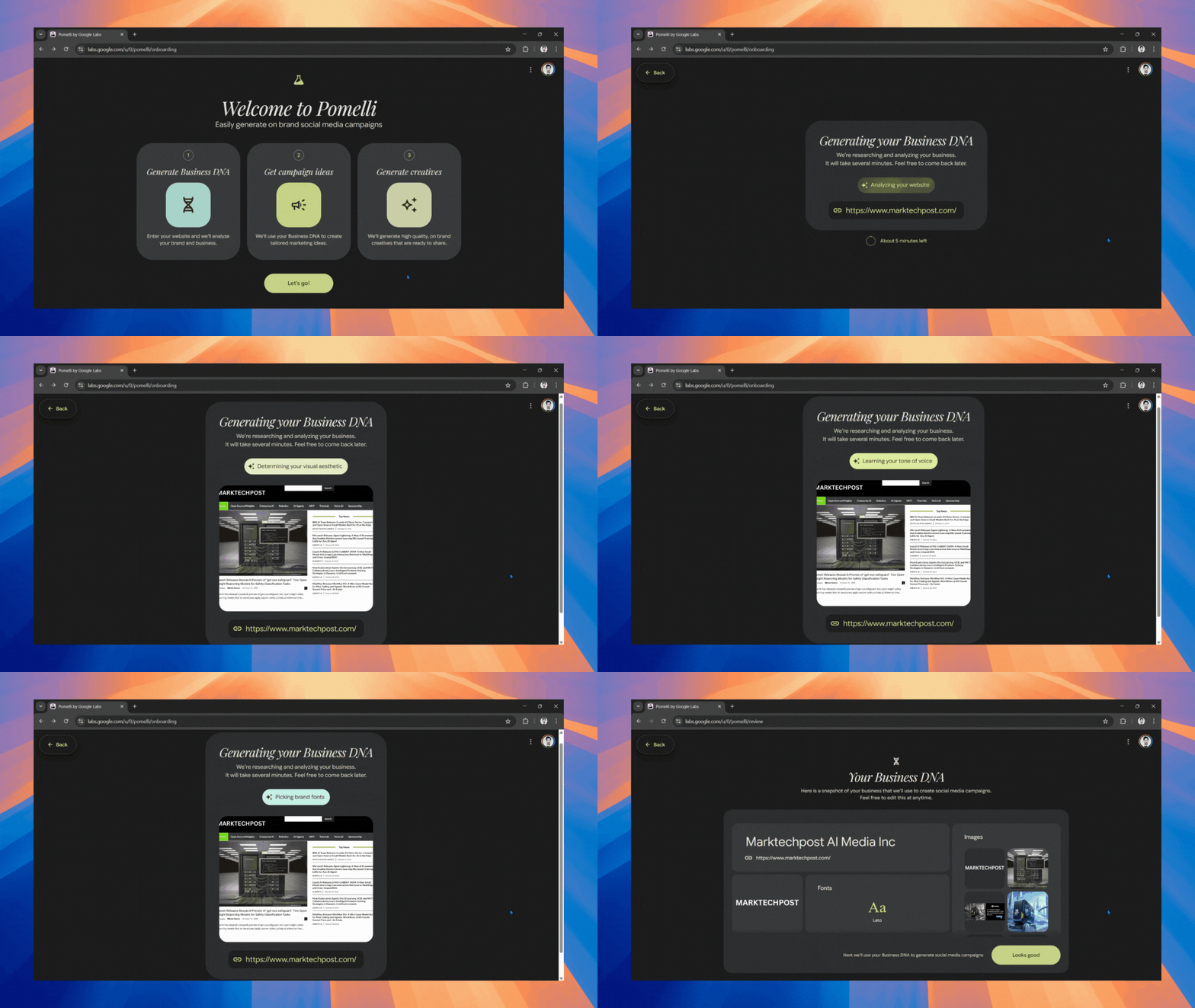
Pomelli specifically focuses on brand consistency.
You feed it your website URL and the tool analyzes your visual identity (colors, fonts and tone) to generate social media posts, ads and marketing assets that match your brand.
It can even place your products inside AI-generated lifestyle scenes, helping smaller teams create marketing visuals without a dedicated designer.
Best for: Small business owners, marketing teams, social media managers.
Cost: Free Google Labs experiment. Currently available in the US, Canada, Australia and New Zealand.
How would you rate this article on AI Tools?Your opinion matters! Let us know how we did so we can continue improving our content and help you get the most out of AI tools. |
6. Mixboard
Mixboard works like an AI mood board where multiple visual ideas can be generated and compared on a single canvas. It supports combining references, maintaining consistent visual styles and applying designs to product mockups.
There is also a "Circle to Edit" feature that lets you modify one part of an image without regenerating the whole thing.

Best for: Print-on-demand sellers, brand designers or anyone building visual systems.
Cost: Free Google Labs experiment.
7. MusicFX
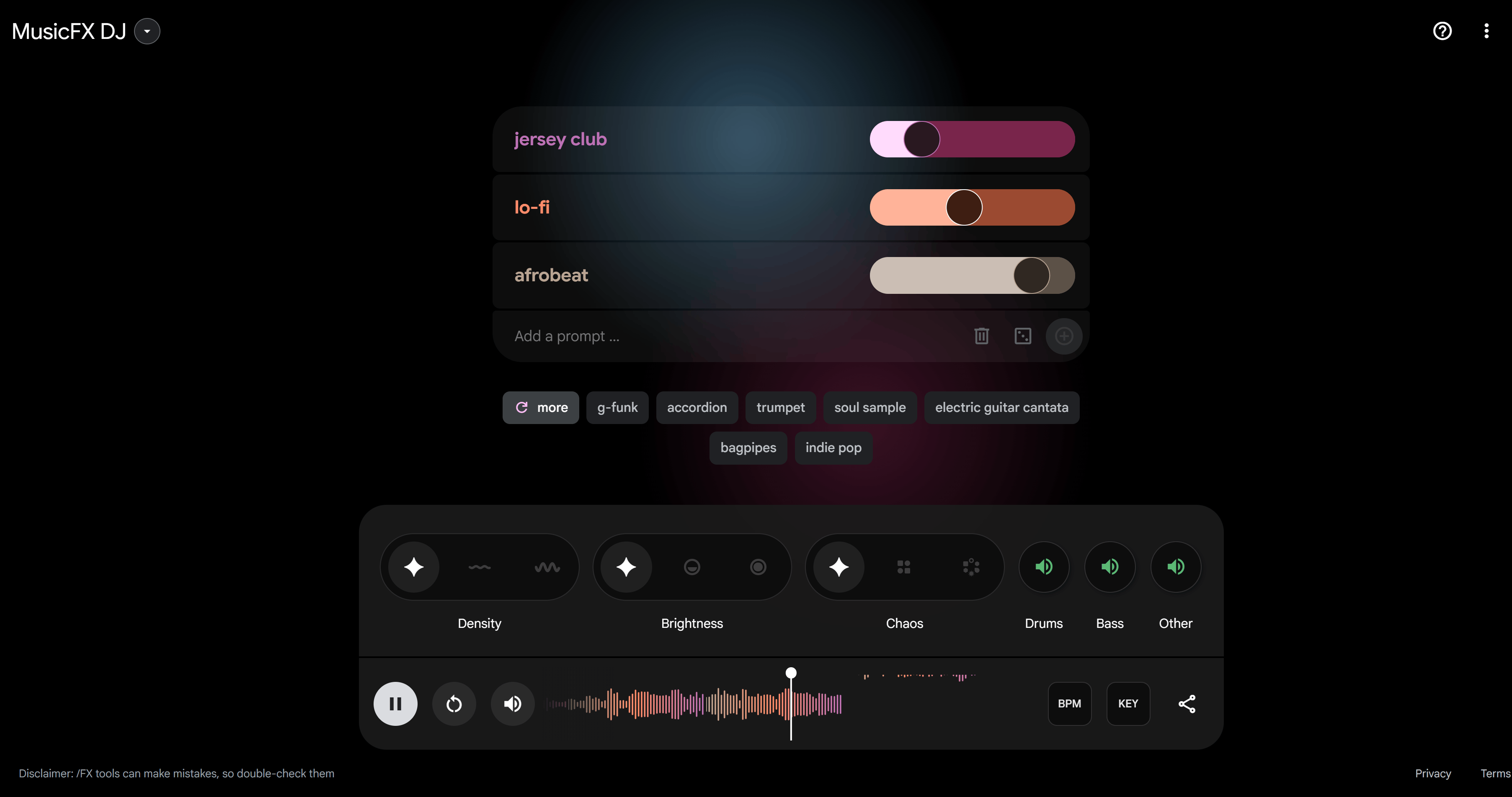
Google's Lyria model lets you generate music tracks from text prompts. You can describe mood, genre, tempo or style and get a custom audio track back.
It integrates into several Google tools and experiments, making it useful for adding background music to videos or other creative projects.
Best for: Content creators who need background music and video producers.
Cost: Varies by integration.
8. TextFX
TextFX is a creative writing playground developed in collaboration with rapper Lupe Fiasco. It focuses on helping writers experiment with language rather than generating full articles automatically.
The tool includes a set of language transformations such as generating unusual comparisons, building semantic word chains, exploring sound-based associations and introducing unexpected twists into sentences.
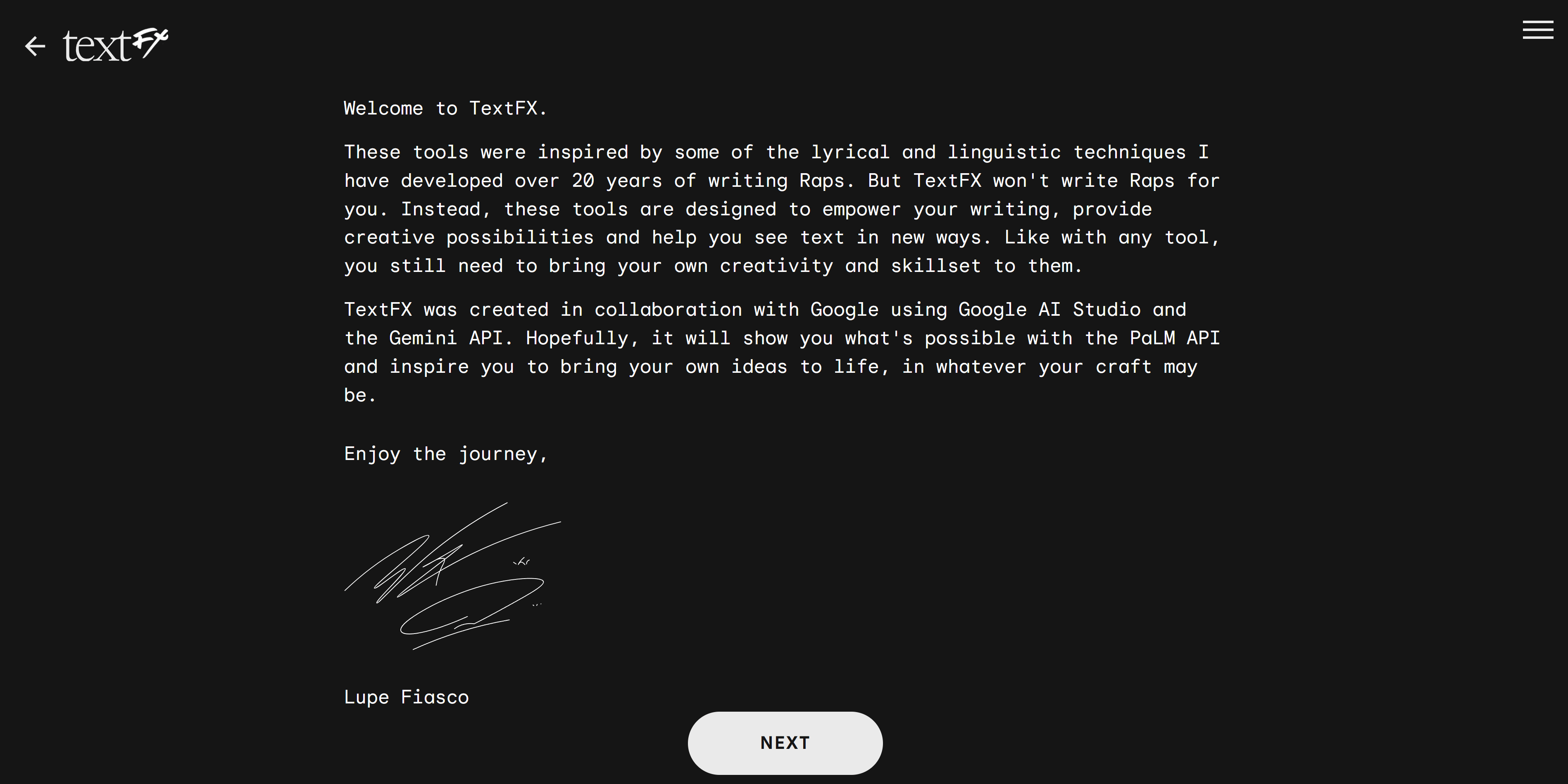


For example, one tool helps create fresh similes, another expands a single idea into related concepts and another suggests surprising phrasing directions that can spark new creative angles.
Best for: Writers, marketers, lyricists and anyone looking for more original phrasing ideas.
Cost: Free Google Labs experiment.
V. Google AI Tools for Agents and Automation
1. Project Mariner
Project Mariner is a DeepMind research prototype that interacts with websites visually, recognizing buttons, forms and layout elements the way a person would.
You describe a task and it moves through websites, compares options, filters information and compiles what it finds while you watch.
It is still experimental but it shows how future AI agents may operate directly inside real environments rather than only inside chat interfaces.

Best for: Watching where automation technology is going.
Cost: AI Ultra only, research prototype.
2. Gemini Side Panel + Auto Browse
This is the consumer-facing version of some of what Project Mariner previews.
It lives in your browser as a panel next to whatever tab you already have open. It can summarize the page you are viewing, compare options across multiple tabs, answer questions about what you are reading and connect to Google apps.
The most powerful feature is Auto Browse, which handles multi-step tasks automatically: collecting documents, getting quotes, managing subscriptions or shopping within constraints.
It pauses before sensitive actions, while keeping you in control.
Best for: Anyone who spends most of their day in a browser.
Cost: Rolling out broadly, some features for US Pro/Ultra users.
3. CC (Inbox Agent)
CC is an AI agent built into your Gmail inbox.
So, every morning, it sends you a personalized summary of your schedule, tasks and emails that need replies with context pulled from Calendar and Drive.
You can reply to that summary email and ask it to draft agendas, compose follow-ups or prepare for upcoming meetings.
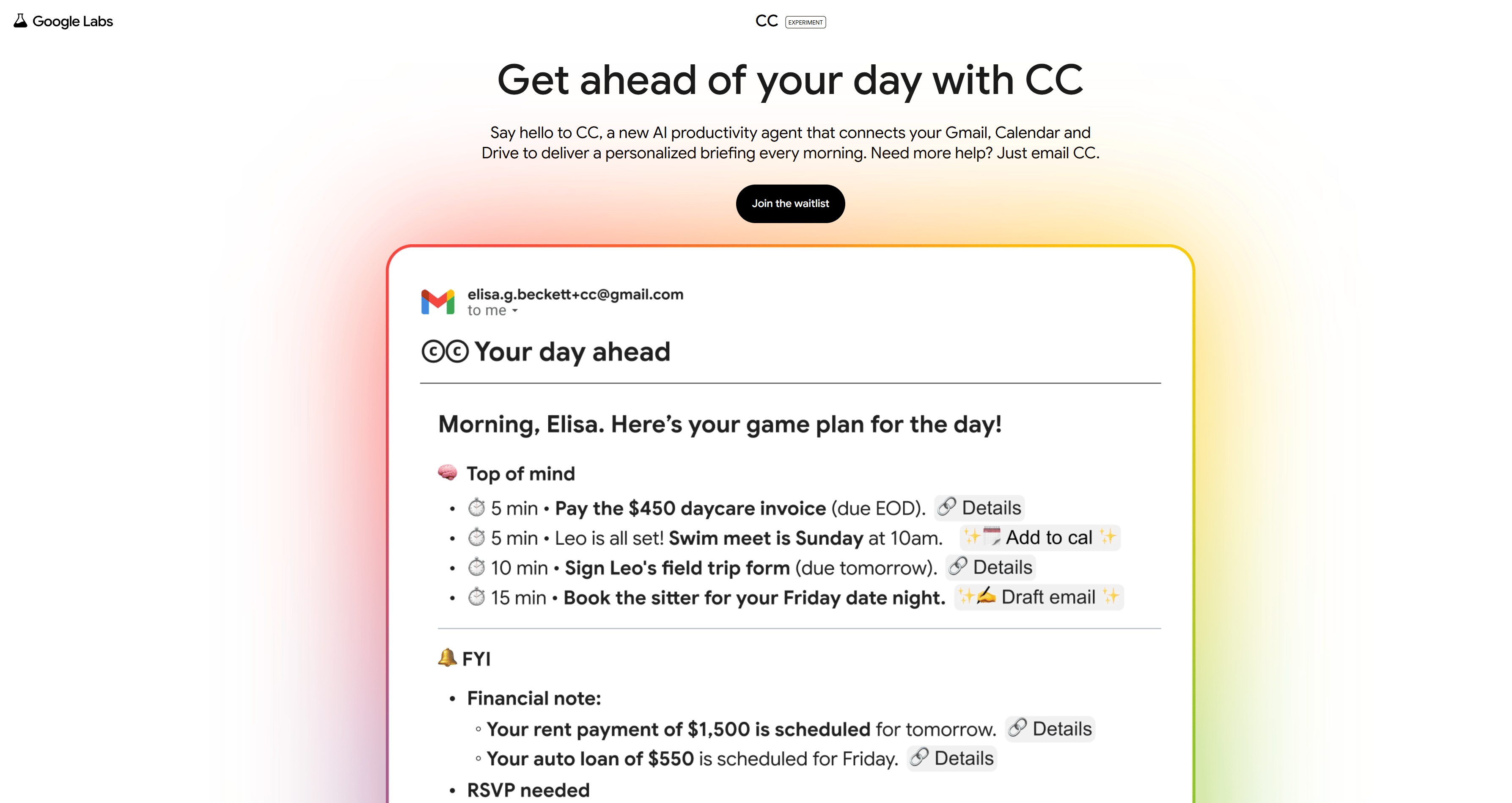
It is like having a robot assistant who reads your emails and sends you a short summary of the important ones. Sounds odd but it's actually useful.
Best for: Anyone with a chaotic inbox and a packed calendar.
Cost: Experimental, waitlist.
4. Opal
Opal is Google's no-code app builder that creates small apps from plain language instructions.
You describe what you need in plain English and it generates the interface, logic and backend connections, then gives you a shareable URL.
If Google AI Studio is the option for people who don't mind a little code, Opal is the option for people who refuse to learn syntax out of principle.
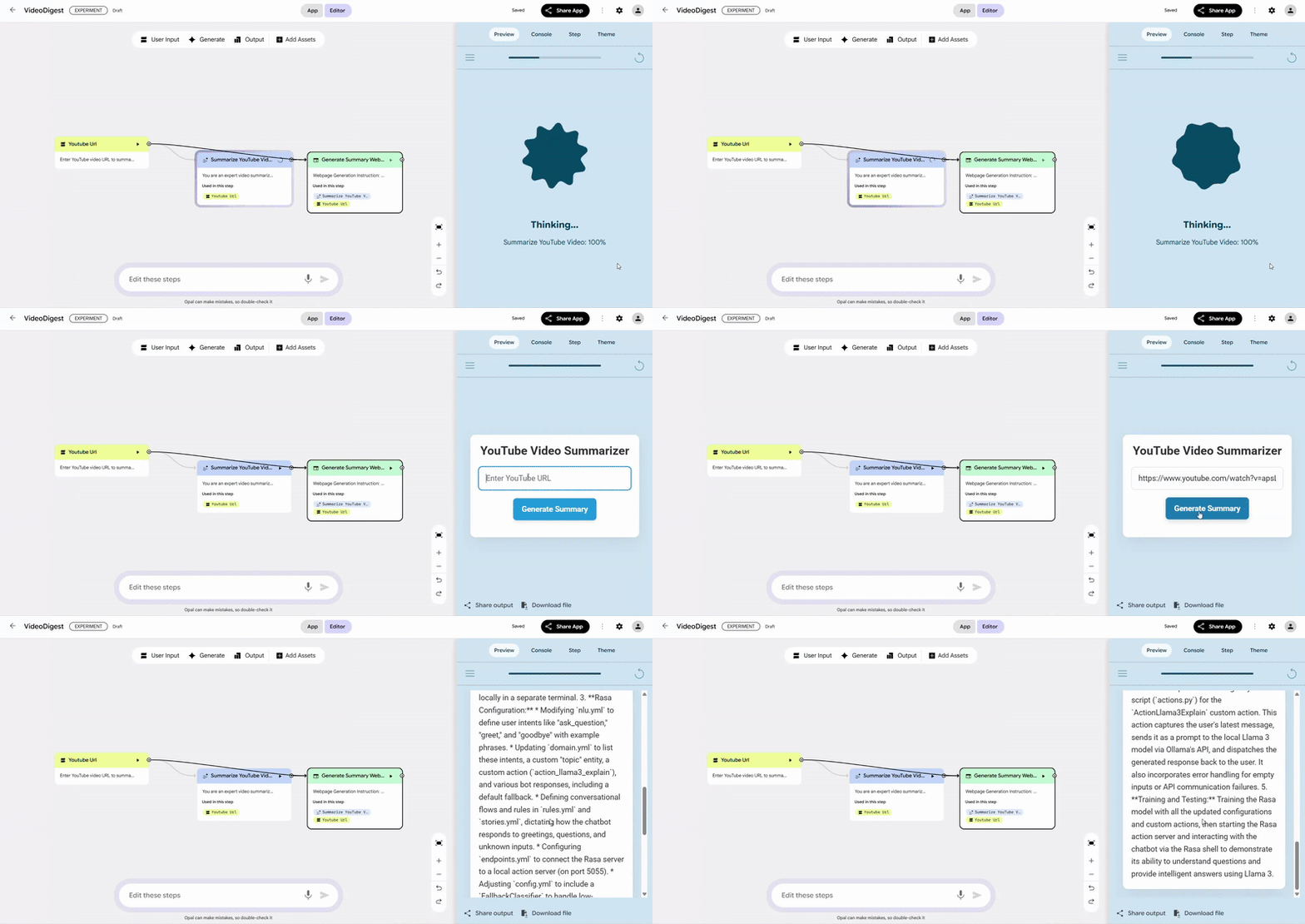
Example of a workflow about a YouTube Video Summary.
Best for: Non-technical founders, team leads who want internal tools without a developer.
Cost: Free Google Labs experiment.
5. Google Apps Script + Gemini
Apps Script is Google's classic automation layer for connecting Google products together. Now, with Gemini assisting in writing scripts, the process becomes much easier.
You describe the workflow in natural language and Gemini generates the script, even though you don’t know anything about JavaScript.
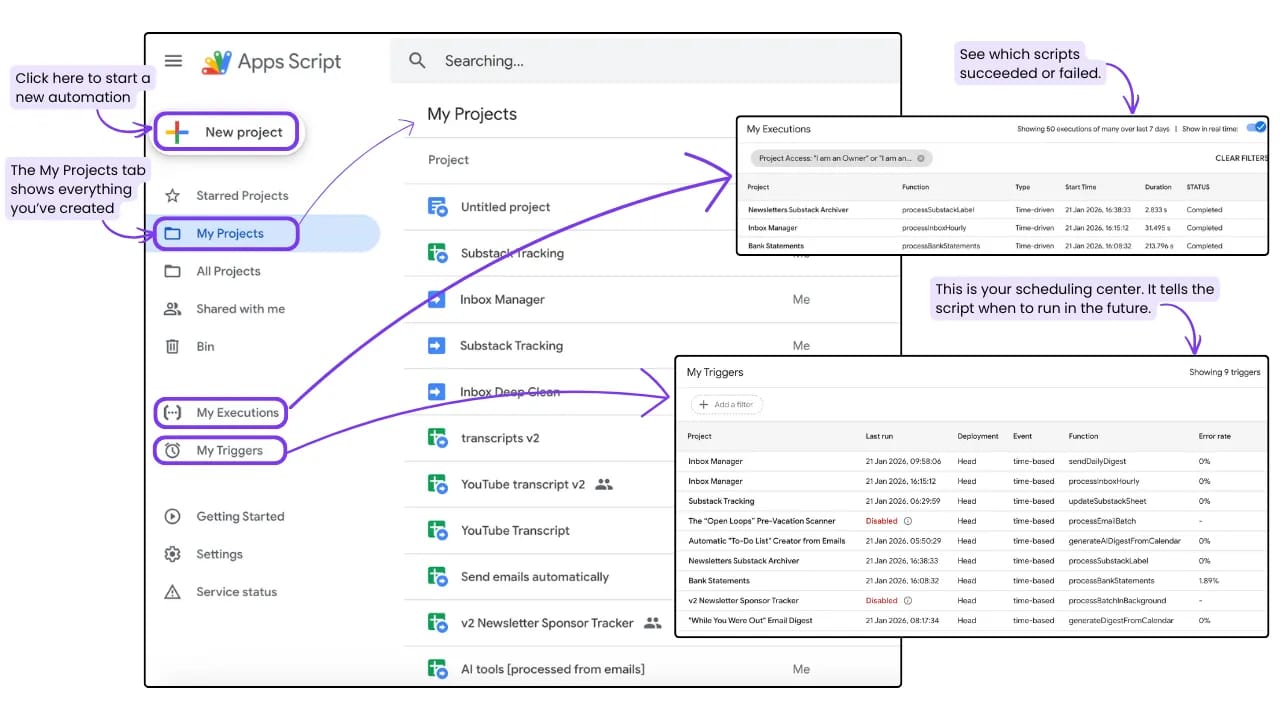
For example, you can ask it to:
Check Gmail for emails labeled Invoices.
Save the attachments to Drive.
Log the sender and date in Sheets.
…
Tasks that once required scripting knowledge now start with a clear description of what should happen.
Best for: Power users who want custom automation without hiring a developer.
Cost: Free.
Creating quality AI content takes serious research time ☕️ Your coffee fund helps me read whitepapers, test new tools and interview experts so you get the real story. Skip the fluff - get insights that help you understand what's actually happening in AI. Support quality over quantity here!
VI. Google AI Tools for Prototyping & Developer
Google has made serious moves toward helping people build and ship things with AI, whether you write code every day or are just getting started.
1. Stitch
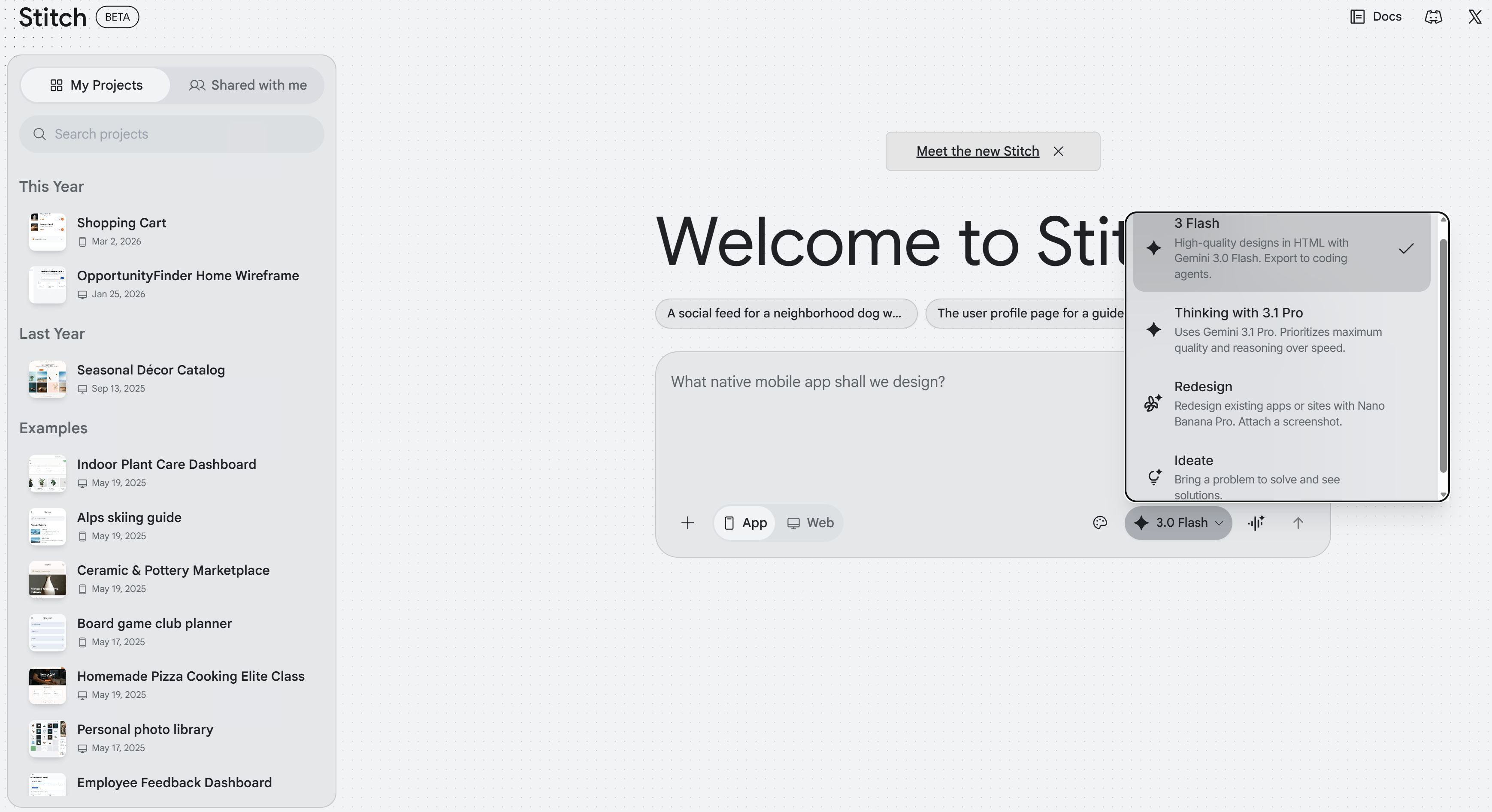
Stitch helps turn rough ideas into clean interface designs.
You can upload a simple hand-drawn wireframe or just describe the layout in text and Stitch converts it into a polished UI.
It can also export the result as a Figma file or ready-to-use code in HTML, CSS or React, making it easier to move from concept to implementation without rebuilding everything manually.
Best for: Designers, founders with ideas on paper and startup teams who need to move fast.
Cost: Free Google Labs experiment.
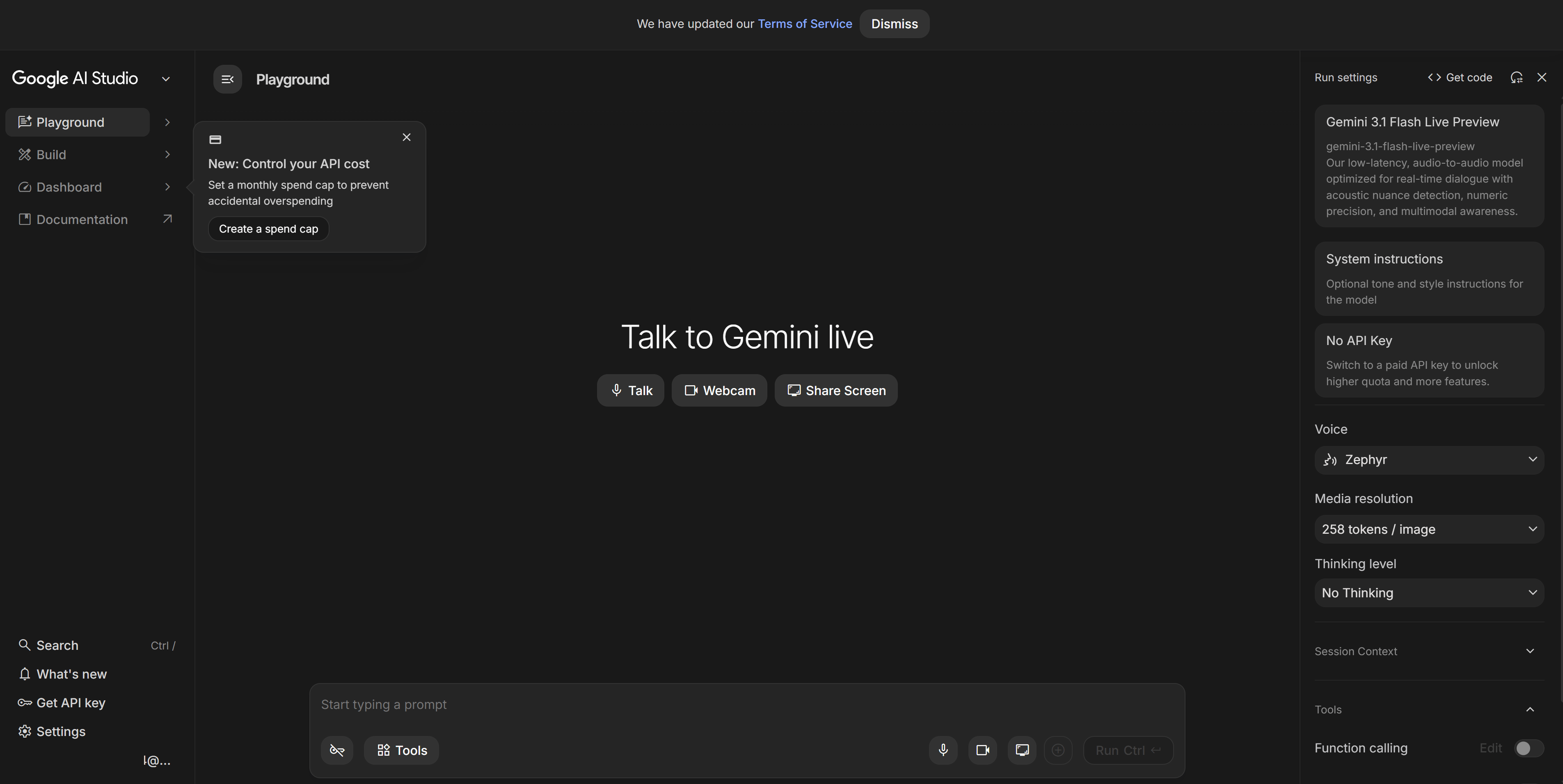
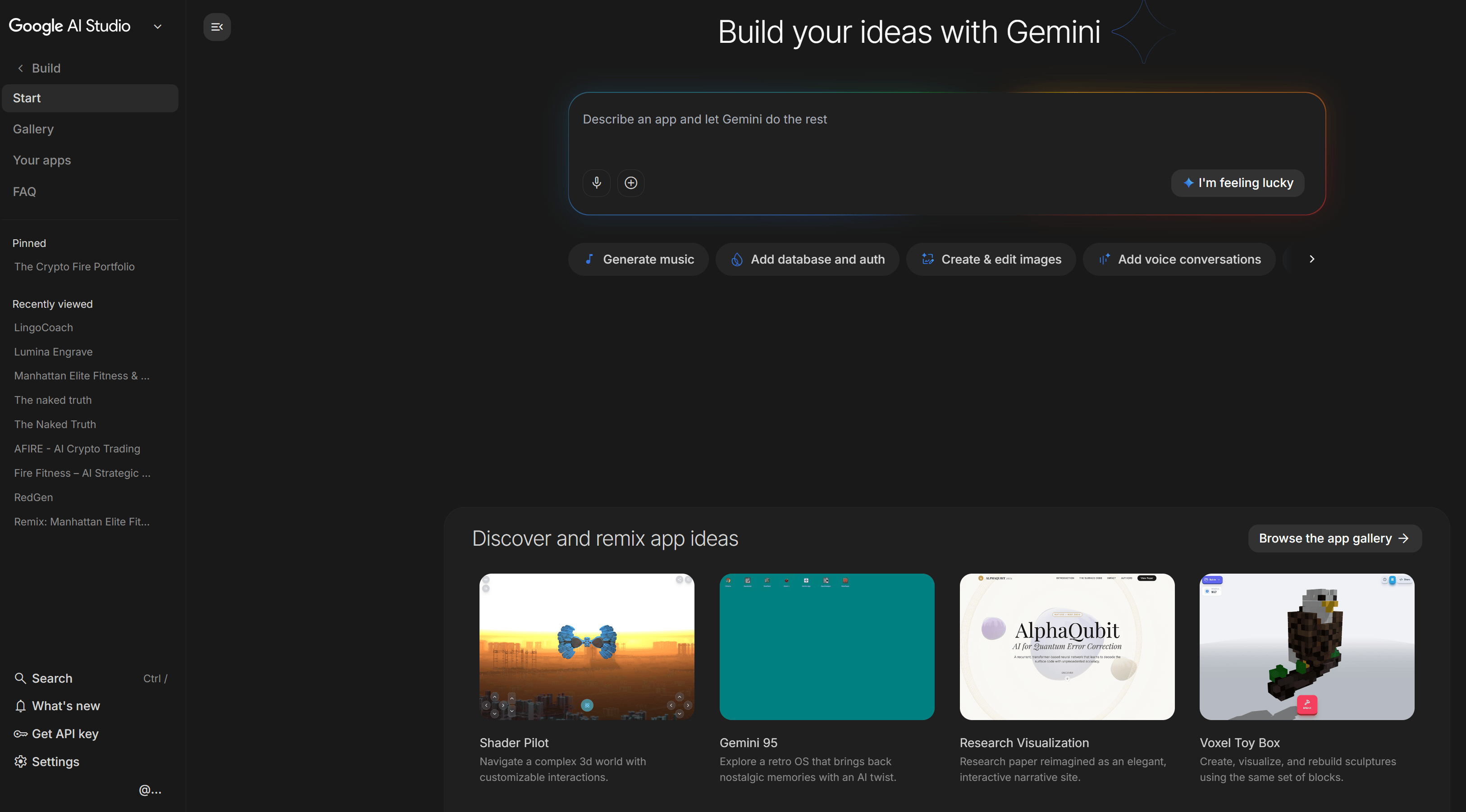
2. Google AI Studio
AI Studio began as a place to test models but it has evolved into a simple way to prototype small applications.
You can describe an app in plain language, watch it get built in real time, connect it to APIs, deploy it publicly and click parts of the generated interface to edit them directly.
For many people, this is the fastest path from idea to working prototype, especially when you want to test whether something is useful before investing more time.
Best for: Builders, developers, curious non-coders who want to prototype fast.
Cost: Free to experiment.
3. Firebase Studio
Firebase Studio takes things further than AI Studio by spinning up full-stack app environments: authentication, backend logic, database, visual annotations and one-click deployment.
This is where Google's AI stack starts to feel like a complete development pipeline: from idea, to interface, to code, to infrastructure.

Best for: Developers who want to ship full apps quickly.
Cost: Part of the Firebase ecosystem.
4. Antigravity
Antigravity is Google’s new agent-focused coding environment, created after acquiring Windsurf. You assign tasks and let AI agents handle the implementation while you supervise the process.
You describe the change you want and the agent reads your existing codebase, plans the required modifications, writes the code, tests the result inside a built-in browser and shows a summary of what changed.
For example, you can request a feature such as a dark mode toggle and the agent handles the full workflow from planning to testing.
The experience feels closer to managing a technical team than directly editing files.
Best for: Developers, founders and builders who want to move faster by delegating implementation tasks to AI agents.
Cost: Free public preview. Supports Gemini, Claude and open-source models.
VII. Google AI Tools for Daily Workspace
This is the most practical category and the easiest to underestimate because the tools are already part of your routine.
1. Gmail
Gemini in Gmail can draft emails, summarize long threads, adjust tone, proofread messages, answer questions about your inbox and support AI search that works in plain English.
It can also generate quick inbox briefings that highlight tasks hidden inside emails.
It won't change your life but email is often where work slows down. Anything that makes your inbox more manageable is a real win.

2. Google Docs
Gemini in Docs can rewrite highlighted text, change tone on demand, shorten sections and generate full documents from prompts.
It can pull information from files stored in Drive and insert images directly into documents. You can even use custom Gems directly in the side panel.
This changes Google Docs from an empty, scary page into a place where you and the AI write together.

3. Google Sheets
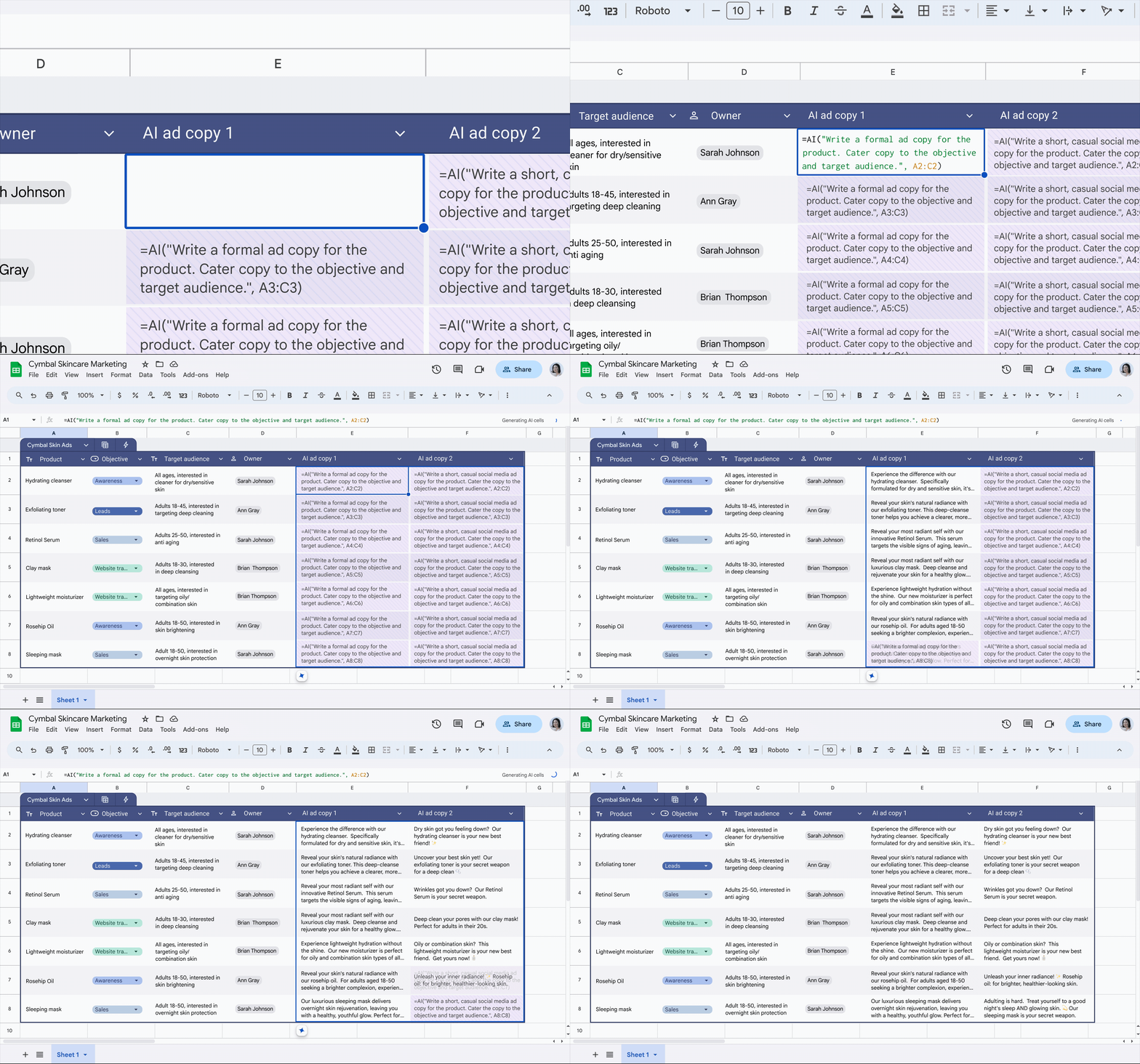
The =AI() function is the most interesting new feature here. It allows Sheets to classify text, extract action items, generate content, summarize data and pull in real-time information from Search, right inside a cell formula.
Combined with enhanced Smart Fill and multi-step editing, Sheets has quietly become much more useful for workflows that involve large amounts of text or structured data.
4. Slides, Vids and Drive
Google Slides now supports image generation, infographic creation, layout suggestions, background removal and deck summarization.
Google Vids can turn prompts, Docs or Slides into full videos complete with AI voiceover, stock media, scripts and music.
Google Drive gets a Gemini side panel that can search, summarize organize files and create new Docs, Sheets or Slides folders using natural language.
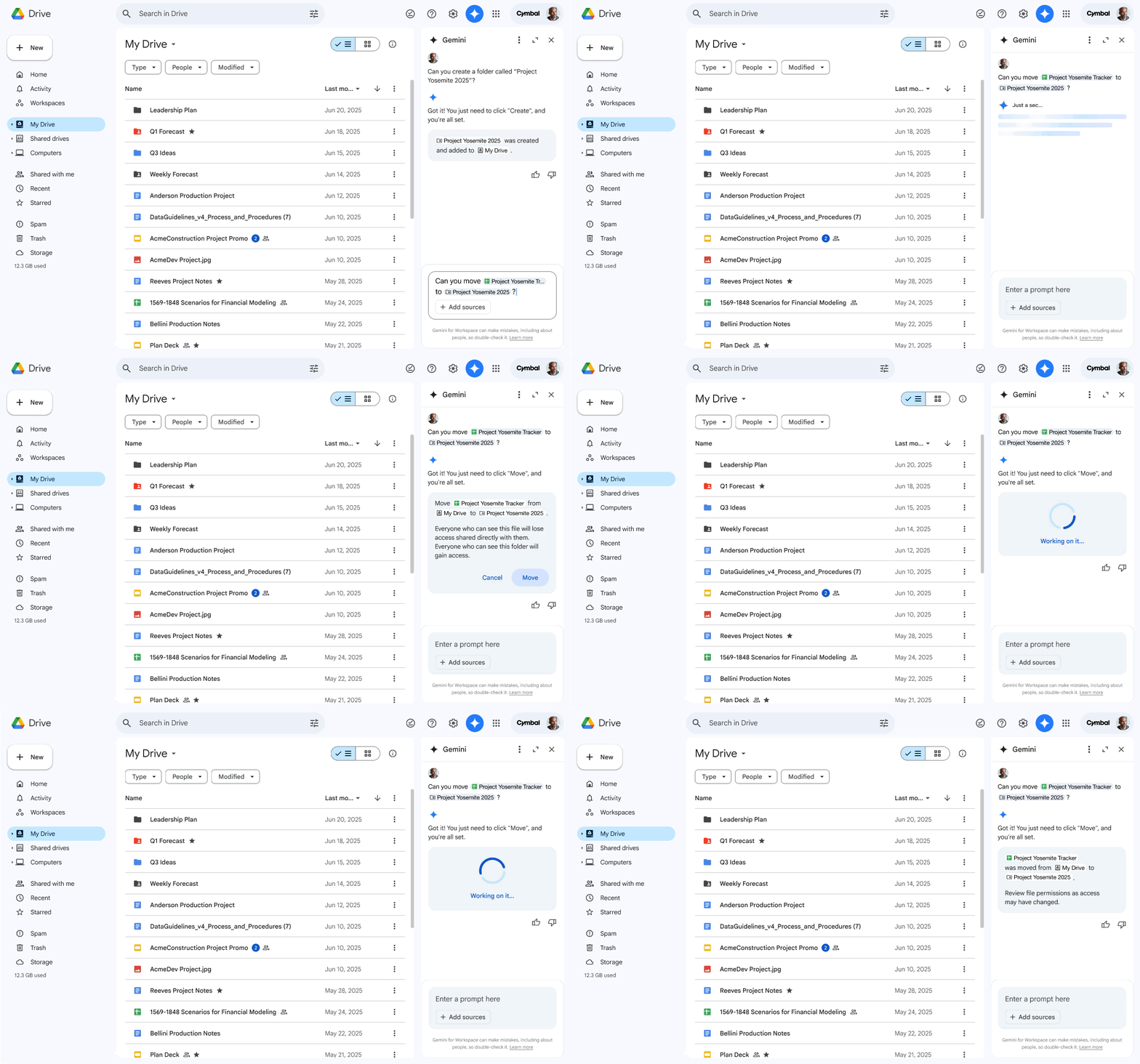
If you already work inside Google Workspace, this is one of the easiest ways to start using AI because the tools are already there. All you need to do is open the side panel you have probably been ignoring.
VIII. Everyday Google Products with AI Built In
The most important shift is not the arrival of new tools but how familiar Google products now quietly include AI as part of the normal experience.
AI Mode in Search, AI Overviews, Shopping in AI Mode, Google Lens, Ask Photos, Ask Maps, Daily Listen and live translation all follow the same idea: AI becomes the default layer on top of things people already do every day.
Google Search feels more like a conversation.
Google Maps answers context-aware questions.
Google Photos helps you rediscover moments and ask about them.
Google Shopping provides comparisons without clicking through ten product pages.
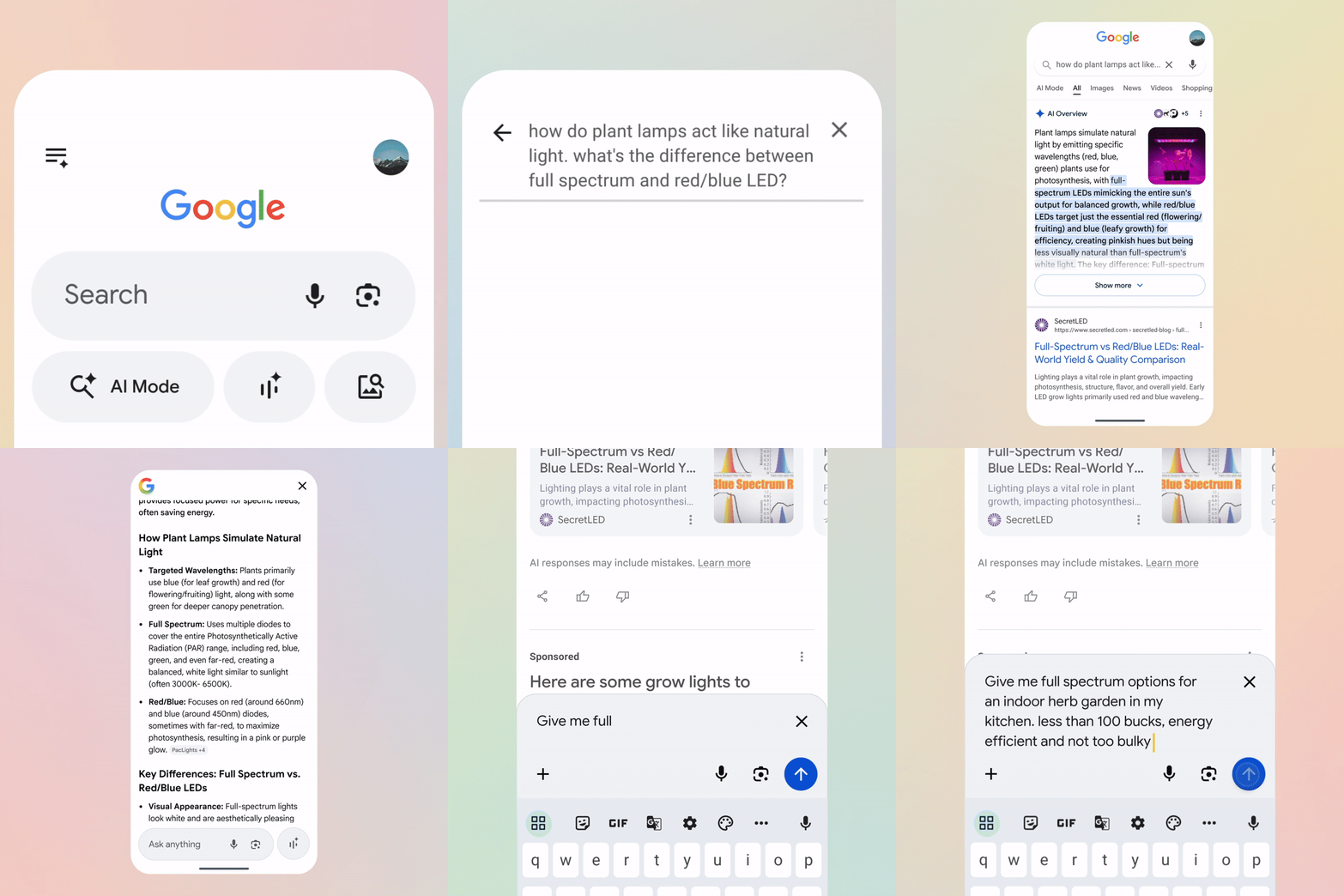
Instead of positioning AI as something separate, Google is blending it into everyday workflows. The goal is not to create a new destination but to make existing tools more capable without changing how people use them.
IX. Where Should You Start Using Google AI Tools?
Choose one tool that matches your workflow instead of trying everything at once. NotebookLM works well for research-heavy tasks. Google AI Studio helps prototype small tools quickly. Workspace integrations are the easiest entry point because they fit existing habits. Starting small helps build familiarity naturally.
Key takeaways
Start with one practical tool.
Match tools to real tasks.
Experiment before expanding.
Build familiarity gradually.
If you try everything at once, you'll try nothing properly. Pick one category that matches what you actually do.
If your work involves research or writing, open NotebookLM, upload a few documents, explore the responses and generate an Audio Overview to see how the system organizes information.
If you want to build something practical, open Google AI Studio and experiment with creating a small tool or automation. Starting simple helps you understand what is possible.
If your focus is creative work, try Nano Banana or Whisk. One focuses on generating and editing visuals directly inside Gemini, while the other helps explore and combine visual ideas.
If you already spend most of your time inside Google Workspace, explore the Gemini panel inside Docs, Sheets or Gmail. It integrates directly into tools you already use, making it one of the easiest ways to begin.
X. Conclusion
Google’s AI tools in 2026 don’t exist as a single product. It's a layer spread across research, creativity, automation, development and everyday productivity.
And because most of these tools are free or already built into products people use every day, cost was never the problem.
The real barrier was simply knowing what is available and how it fits into real workflows.
Follow this quick-start checklist to test Google’s AI ecosystem step-by-step and identify which tools actually improve your daily workflow.
If you are interested in other topics and how AI is transforming different aspects of our lives or even in making money using AI with more detailed, step-by-step guidance, you can find our other articles here:
3 Easy & Practical Ways to Run Open-Source AI Cheaper Than ChatGPT, Claude or Gemini
Your Realistic AI Clone: Step-by- Step Guide to Talking Avatars That Looks Exactly Like!*
2M AI Agents Built a Secret Society + 7 Major Google, OpenAI & Anthropic Changes
TOP 4 Open-Source AI Projects You NEED to Try Right Now. Seriously!!! (All Free)
Finally, We SOLVED the Missing Piece With ALL AI Videos: Custom Voice + Perfect Lip-Sync Guide*
*indicates a premium content, if any
Reply