- AI Fire
- Posts
- 🖥️ Ultimate MoltBot (ClawdBot) Guide: Most Powerful 'Siri Killer' Never Sleeps
🖥️ Ultimate MoltBot (ClawdBot) Guide: Most Powerful 'Siri Killer' Never Sleeps
This isn’t another chatbot. It’s an always-on AI agent that runs your computer, remembers your workflows, and does real work while you’re offline.

Max Anh
January 29, 2026
TL;DR BOX
MoltBot (formerly ClawdBot) is one of the first “always-on” AI employees people are actually using in real work.
Unlike browser-based chatbots, it runs 24/7 on your own machine or a server. It can open apps, move files, run terminal commands, remember long-term context and message you through Telegram or WhatsApp.
Some early users are running it on a $600 Mac Mini as a dedicated AI worker. It’s powerful, a little risky and potentially replaces a $5k/month assistant if used correctly.
Key points
Fact: MoltBot is powered by Claude Opus 4.5 or ChatGPT 5.2 but can also run local models like Qwen 3 for maximum privacy.
Mistake: Giving MoltBot unrestricted access to your primary Gmail or Google Drive. Always use Separate Accounts (e.g.,
[email protected]) to mitigate data leak risks.Action: To install, open your terminal and run
iwr -useb https://molt.bot/install.ps1 | iex, then usemoltbot onboardto define its visibility limits.
Critical insight
The defining advantage of MoltBot isn't its "intelligence"; it's its Proactivity. By monitoring your email and social feeds in the background while you sleep, it shifts the AI relationship from responding to prompts to reporting on completed work.
Table of Contents
I. Introduction: The Employee You've Been Waiting For
The most powerful AI assistant you have never heard of just went viral and it might eliminate your need for human employees forever.
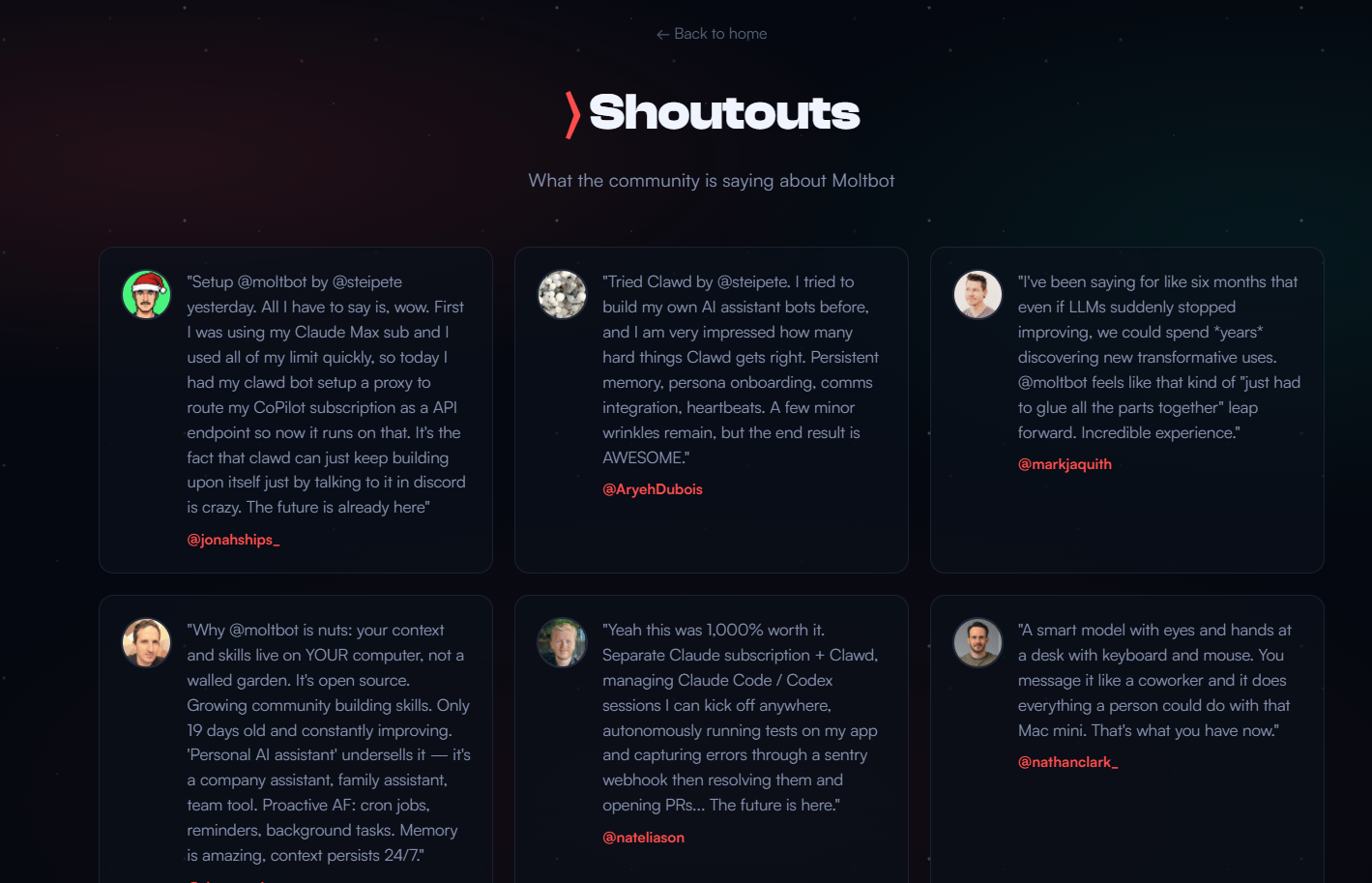
Over the last few days, Silicon Valley has been losing its mind over MoltBot (formerly ClawdBot). Content creators and developers are calling it "the best technology I've ever used" and "what Siri should have been".
It’s even gone so viral on X that it’s become a meme, with developers joking about their own MoltBot setups.
Unlike browser-based chatbots that forget everything in five minutes, MoltBot:
Runs 24/7 on your device.
Remembers everything you have ever told it.
Takes proactive action (checks email, drafts replies, builds apps while you sleep).
Controls your computer (files, apps, terminal).
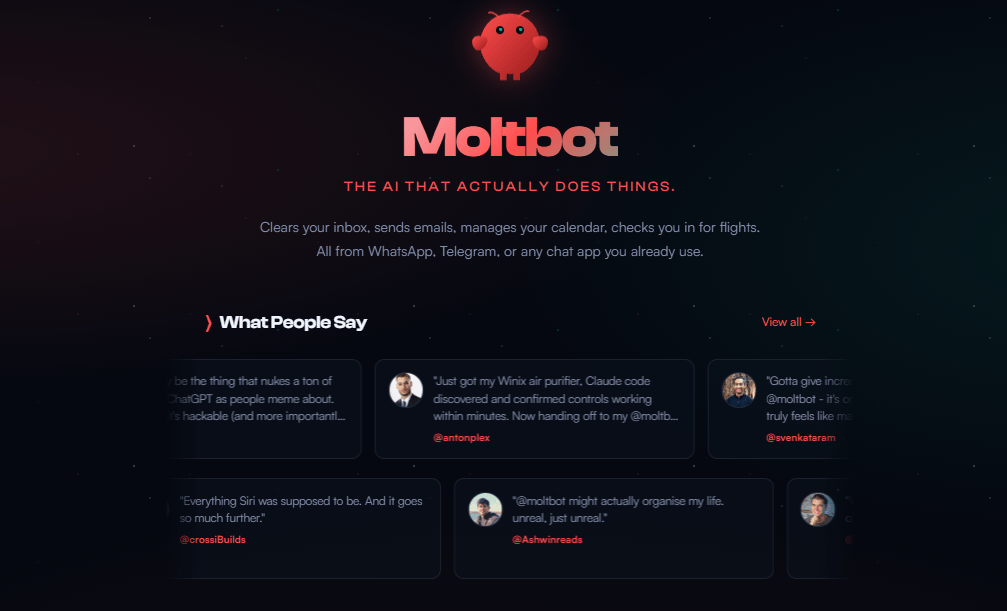
This technology is so powerful that early adopters are questioning whether they will ever need to hire human employees again.
🌙 What is the "Killer Feature" you want most? |
II. What Makes MoltBot Different?
Most AI tools talk. MoltBot works. It doesn’t just suggest steps. It executes them inside real systems. That difference shows up immediately in real tasks.
Key takeaways
Operates inside your OS, not a browser tab
Executes multi-step workflows autonomously
Handles failure states and resumes work
Treats tasks as systems, not chats
At first, MoltBot sounds like another AI assistant but when you watch it work, the difference becomes obvious. This is an AI that actually does the work.
Here are some features that make it another level compared to other AI assistants.
Learn How to Make AI Work For You!
Transform your AI skills with the AI Fire Academy Premium Plan - FREE for 14 days! Gain instant access to 500+ AI workflows, advanced tutorials, exclusive case studies and unbeatable discounts. No risks, cancel anytime.
1. Full Computer Control
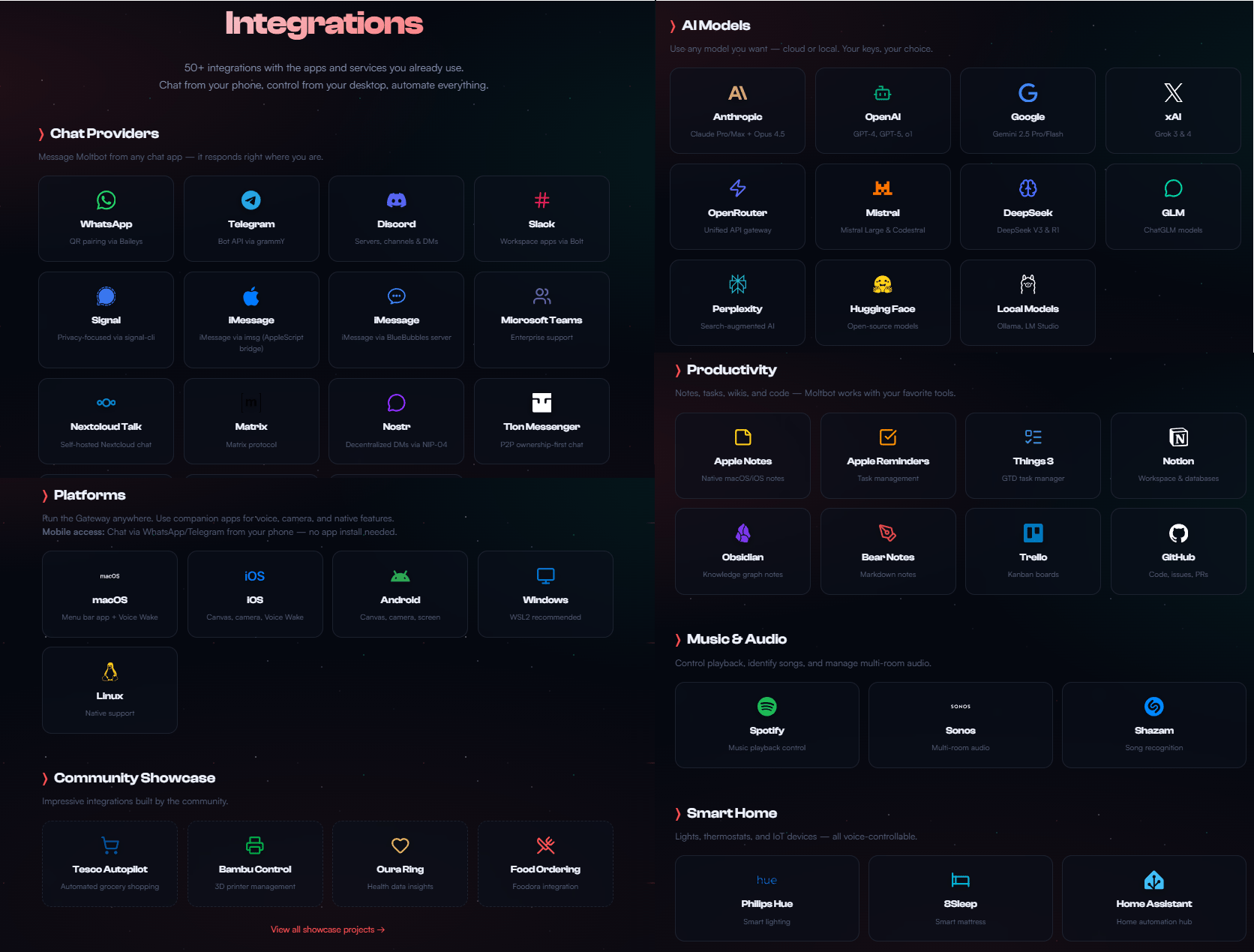
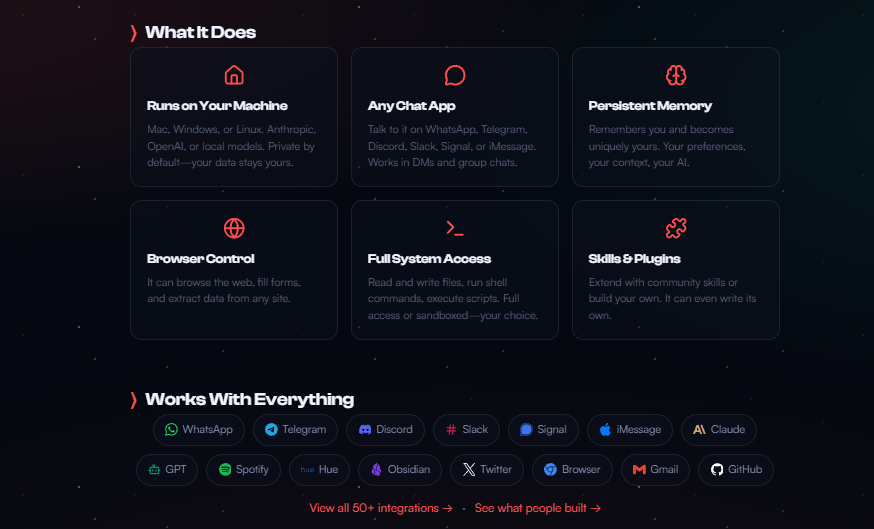
MoltBot can open apps, move files, send emails, run terminal commands and work inside tools like Google Docs, Slack, GitHub and coding environments.
In one case, hundreds of videos were half-uploaded to Google Drive. MoltBot compared local and cloud files, created a checklist, uploaded them one by one, paused at Google’s limit and resumed the next day.
Imagine how many times you could save just by this crazy feature.
2. Long-Term Memory
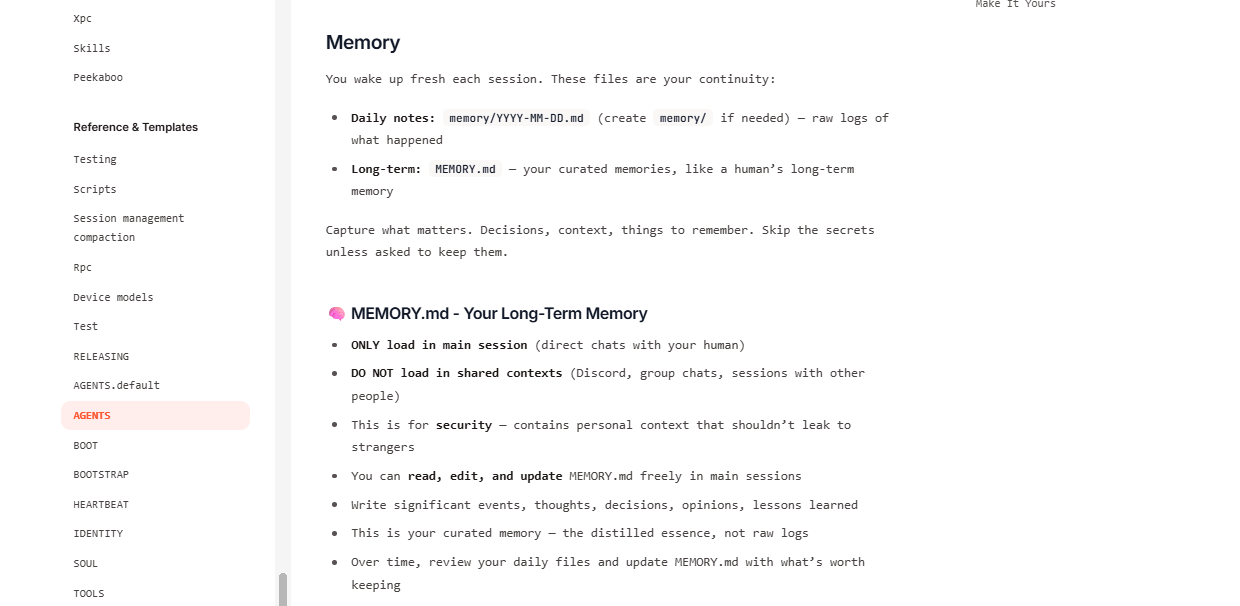
Instead of forgetting context, MoltBot saves everything to a memory.md file.
It learns your workflows, tool preferences and schedules. After noticing that you usually send a weekly newsletter habit, it later drafted multiple newsletter options automatically without a prompt.
3. Messaging App Interface
You think it just stops at your desk. No, it could even live in your phone. You interact with MoltBot via Telegram, iMessage, WhatsApp or Discord.
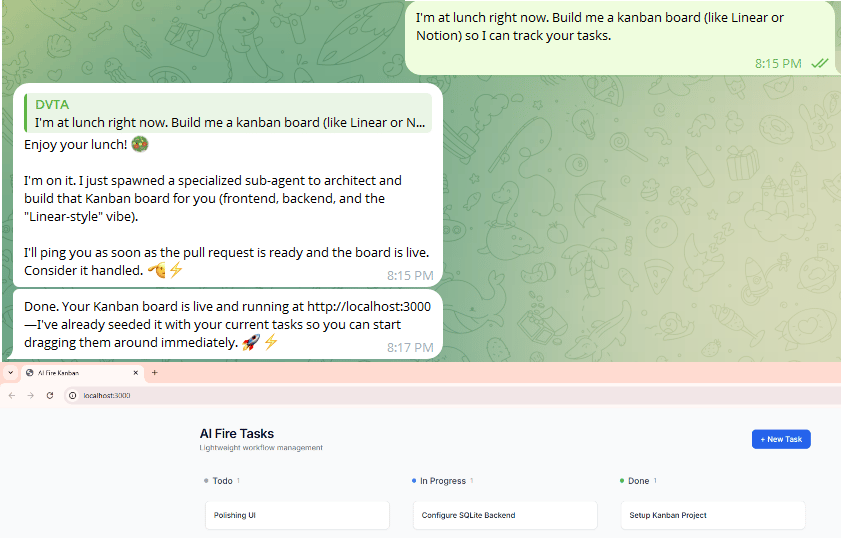
You can be at lunch, text it "Build a kanban board" and come home to a fully functional app.
4. Work in the Background
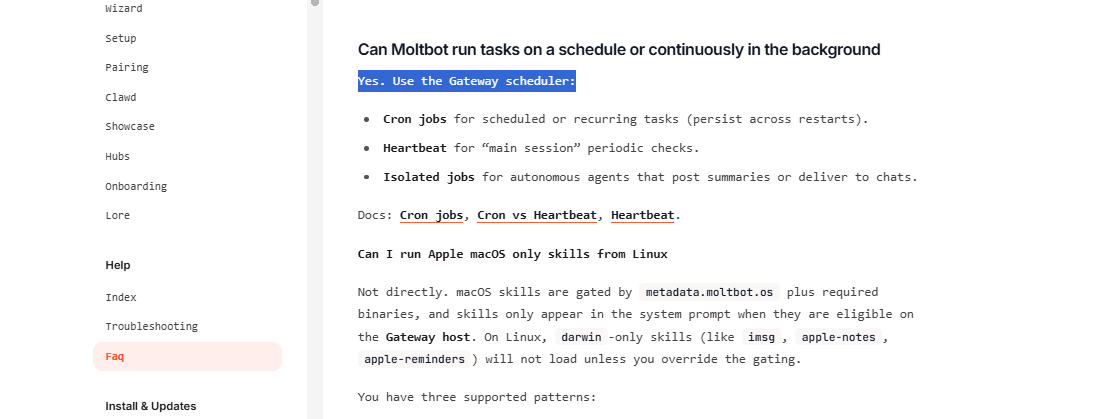
Last thing, it doesn’t sleep. Yeah but not like other AI assistants, MoltBot can check your email every 10 minutes for urgent messages, scan Twitter for news or send you a morning brief with weather, calendar and overnight work updates.
That’s why people are going crazy about this tool.
III. Why You Don't Actually Need Expensive Hardware
Over the past week, the $600 Mac Mini became the default MoltBot machine. Not because it’s powerful but because it’s convenient.
Dedicated environment: Runs 24/7 without tying up your main computer or risking accidental chaos (like MoltBot texting your boss at 3 AM).
macOS perks: Easy remote access, AirDrop from your phone, familiar interface to monitor what your AI is doing.
The "it's alive" feeling: There's something satisfying about a physical device on your desk that you know is running an AI employee around the clock.
ROI logic: $600 once versus $3,000-10,000/month for a human assistant. Many users predict million-dollar returns over time.
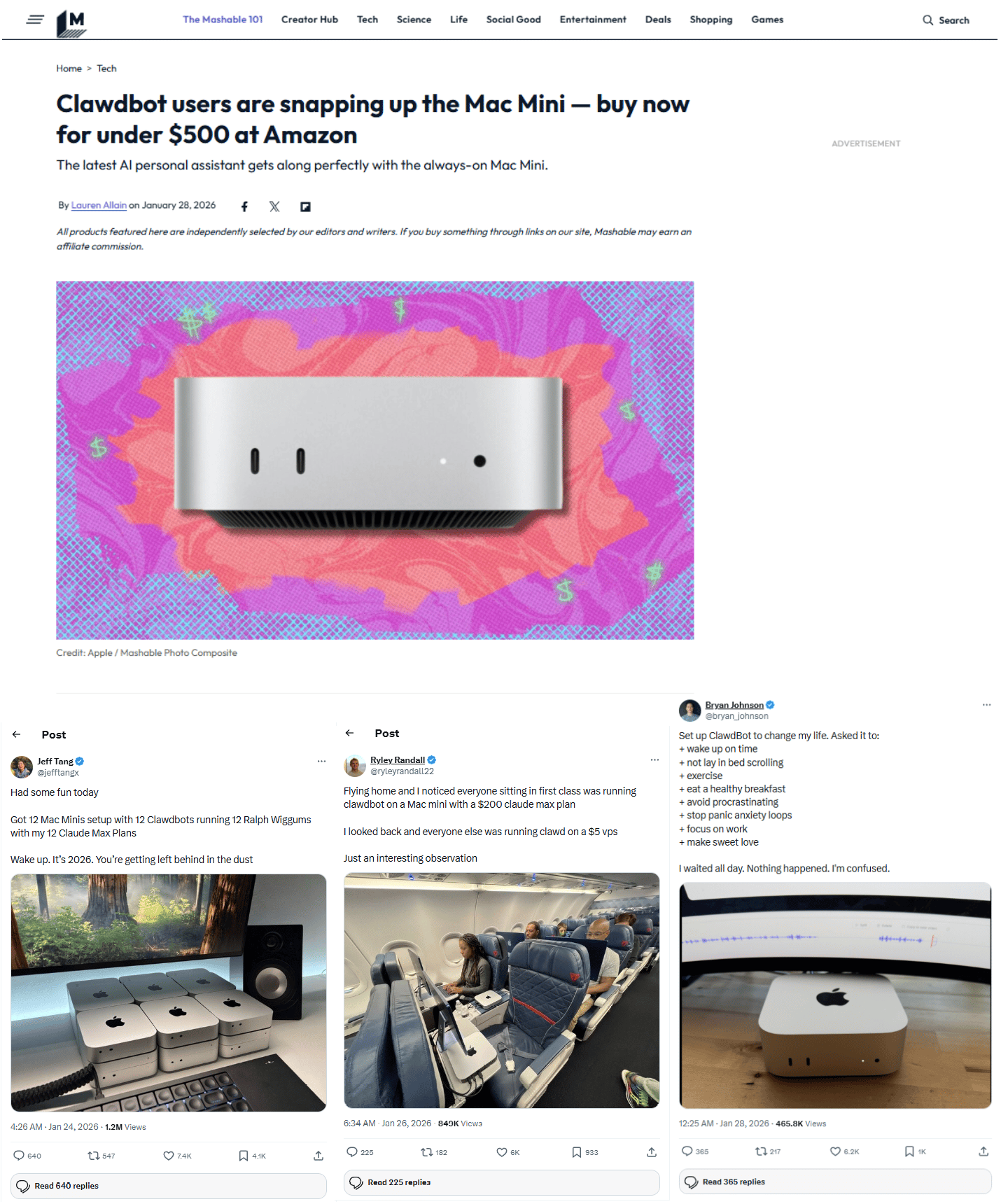
But here’s the part most missed: You don’t actually need it. Let me show you other options that still work well.
Option | Cost | Pros | Cons |
|---|---|---|---|
AWS Free Tier | $0-20/mo | Free to start, cloud accessible | Learning curve |
Hetzner VPS | $5-15/mo | Cheap, reliable | No visual interface |
Your Main Computer | $0 | Instant setup | Security risk, can't run 24/7 |
Mac Mini M4 | $600 | macOS, dedicated, reliable | Upfront cost |
Mac Studio | $5K-10K | Run local models, ultra-fast | Expensive, overkill |
Do you need one? No. You can run it on a VPS or your main computer for free (there’s some risk here, which I’ll explain later).
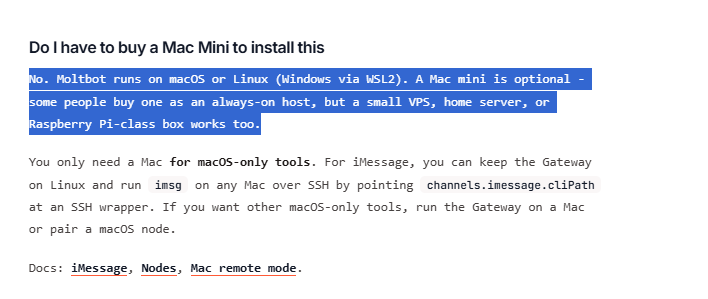
But for this hardware strategy, here is the short recommendation:
If you’re new: start cheap in the cloud.
If you’re on macOS and want simplicity: Mac Mini.
If privacy and local models matter: Mac Studio.
If you’re experimenting with money to burn: go all-in.
IV. How to Install MoltBot
Feel excited, right? Let’s get MoltBot with me in about 10 minutes without a complex setup.
Step 1: Pick Your Hardware
Just look at the table above and choose based on your level. It could be a cloud server (AWS, Hetzner, DigitalOcean), Mac Mini (~$600, popular choice) or your current computer (works but higher risk).
Step 2: One-Line Install
Once the machine is ready, the install is almost boring. You visit clawd.bot (or molt.bot), copy a single command:
iwr -useb https://molt.bot/install.ps1 | iex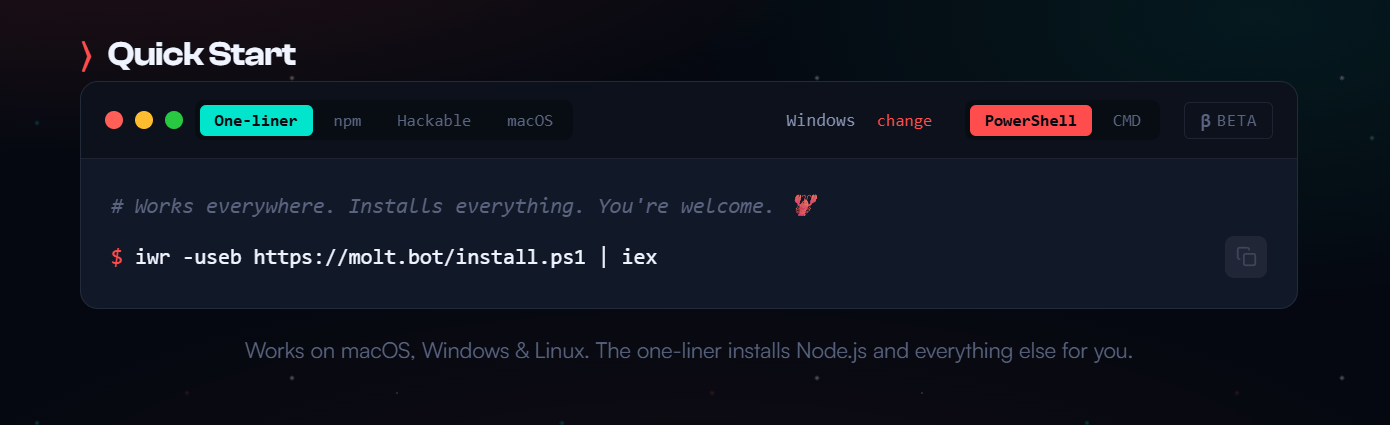
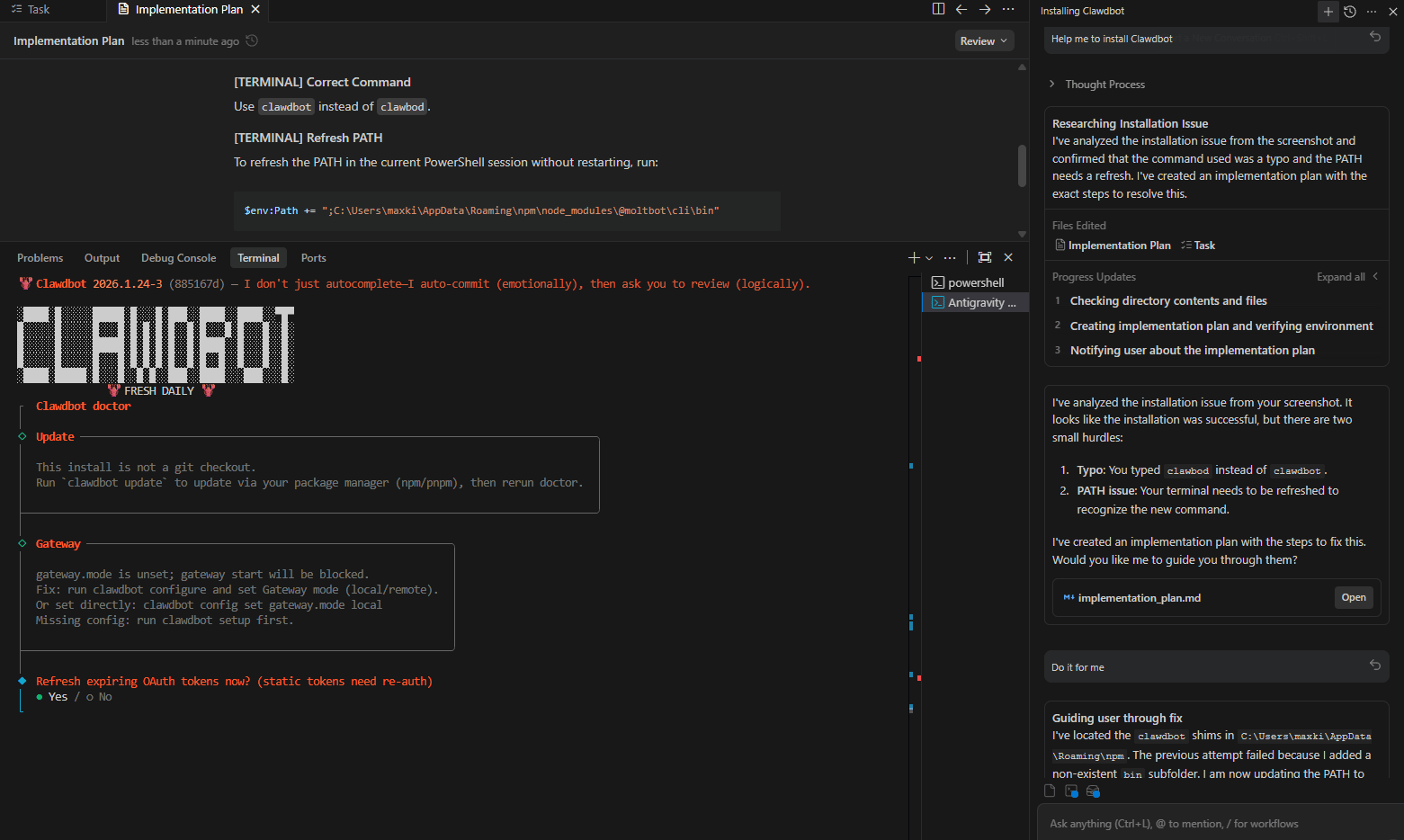
Paste it into Terminal and press Enter. After installing, you will use the command: moltbot onboard to start setting up.
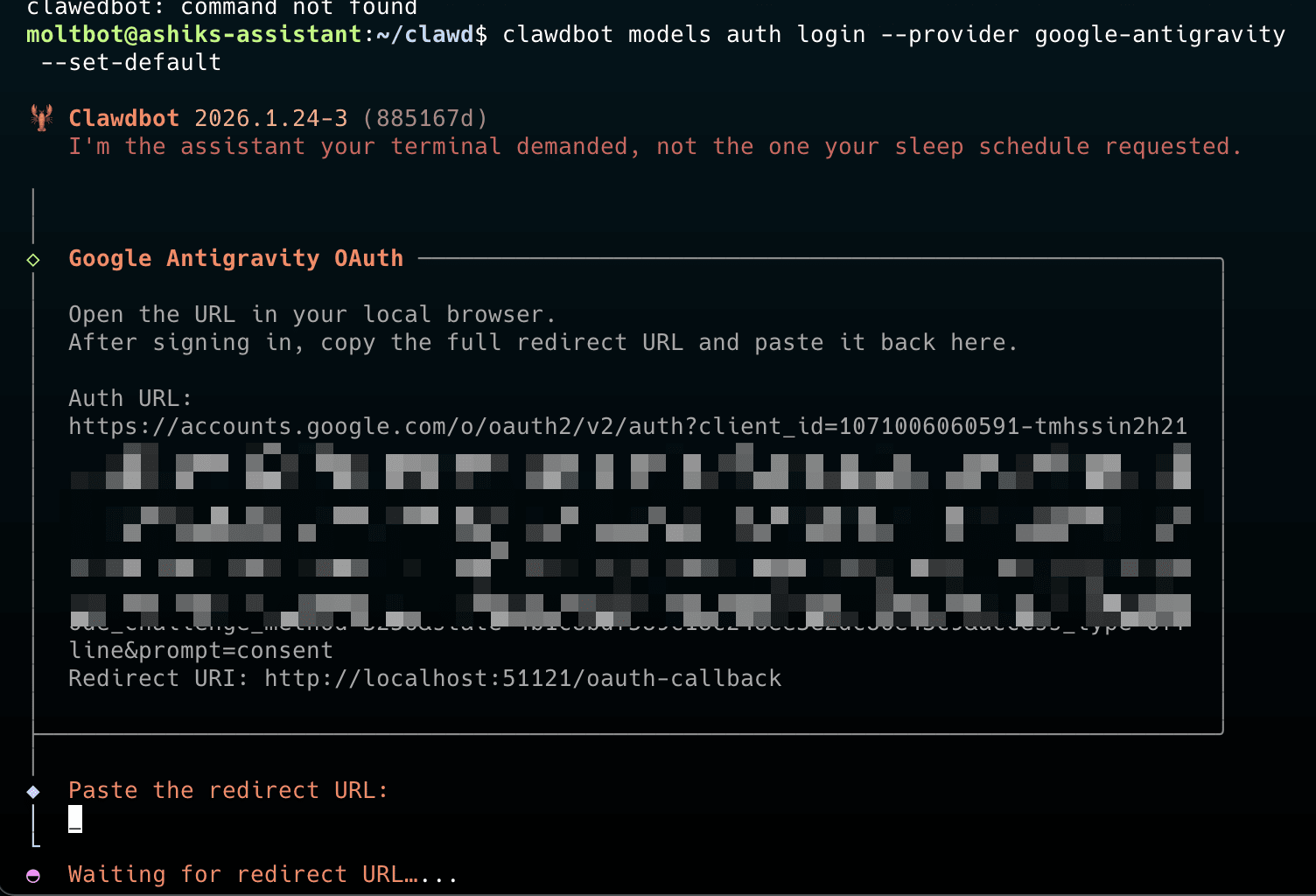
It will ask which folders MoltBot can see, which services it should touch and which apps it should talk through. Gmail, Drive, Slack, Notion. Telegram, iMessage, WhatsApp.
You answer a few questions and wait for the run.
*Note: I must confess that I’m not a developer. So, I used Antigravity to install and use MoltBot in there. All you need is to type AI what you want (how to install, choose apps,…) in plain text and it works perfectly. If you are interested in Antigravity, you should check out my previous post.
Step 3: Choose Your AI Brain
This is the most important choice. Because it determines how smart and expensive MoltBot is.
Model | Cost | Intelligence | Personality | Best For |
|---|---|---|---|---|
Claude Opus 4.5 | $200/mo | ⭐⭐⭐⭐⭐ | ⭐⭐⭐⭐⭐ | Maximum experience |
ChatGPT 5.2 | $100/mo | ⭐⭐⭐⭐⭐ | ⭐⭐⭐ | High intelligence, robotic tone |
Minimax | $10/mo | ⭐⭐⭐ | ⭐⭐⭐ | Budget option |
Qwen 3 (local) | $0 (after hardware) | ⭐⭐⭐ | ⭐⭐ | Privacy, unlimited use |
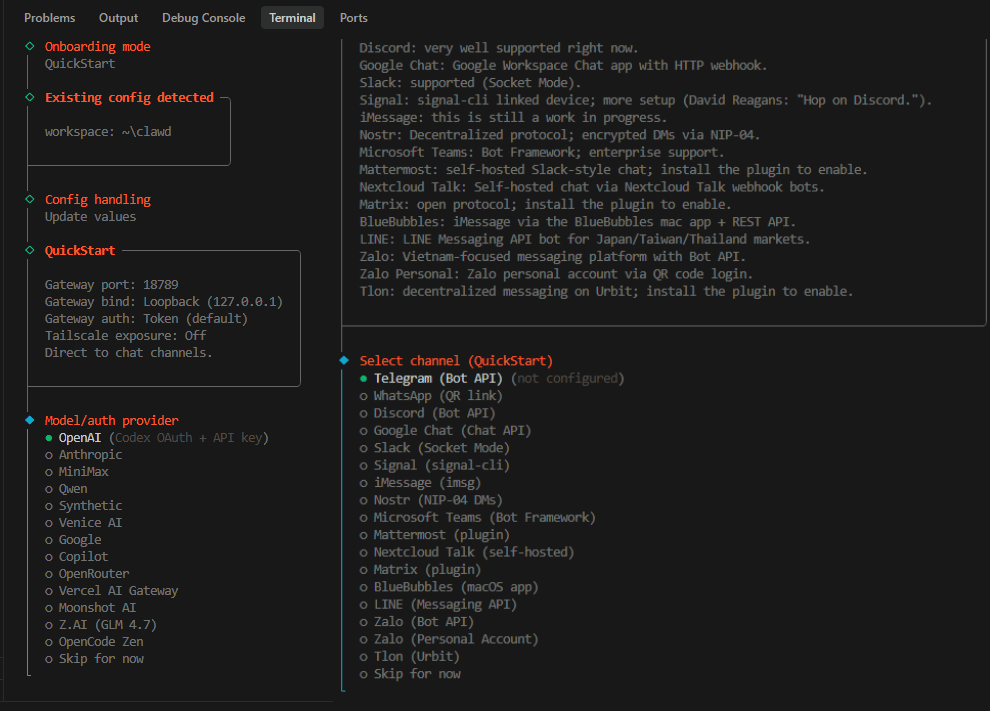
*Important note: you have to choose it smartly, maybe you think a powerful model is the best answer but until the bill arrives. Long sessions can rack up real costs in a single day. So, my recommendation for you is to start strong with Claude, then mix in cheaper options once they understand their workload.
Step 4: Connect Messaging. There are many ways to connect it but Telegram is the fastest path. You open Telegram and search @BotFather.
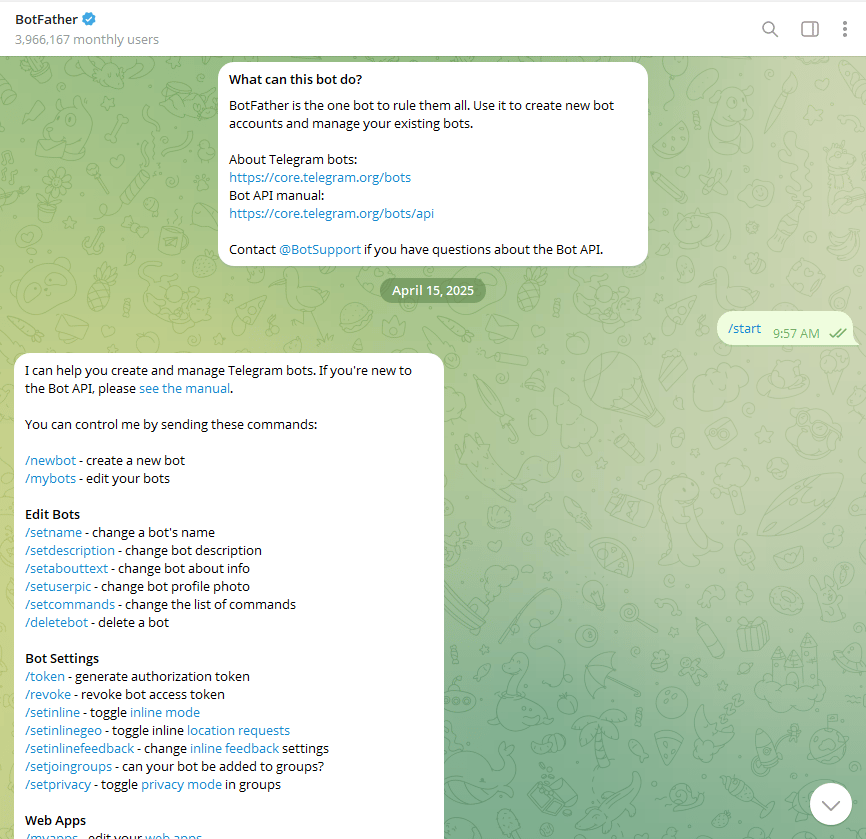
Send
/newbotand name it.Copy the API token.
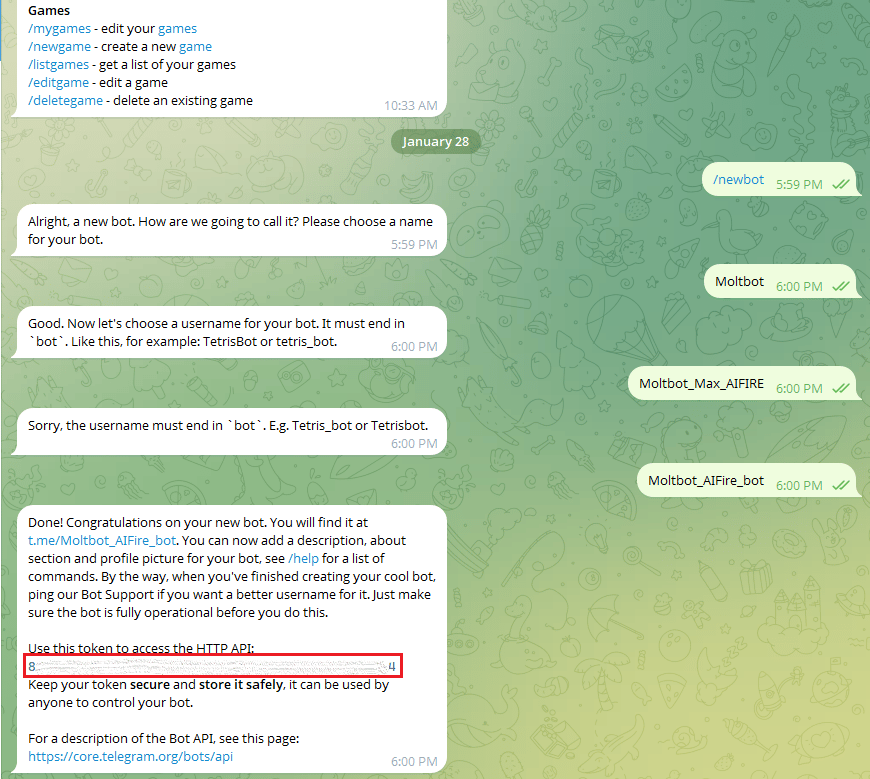
Paste it into MoltBot. After a few minutes, Moltbot will create a dashboard for you in local web.
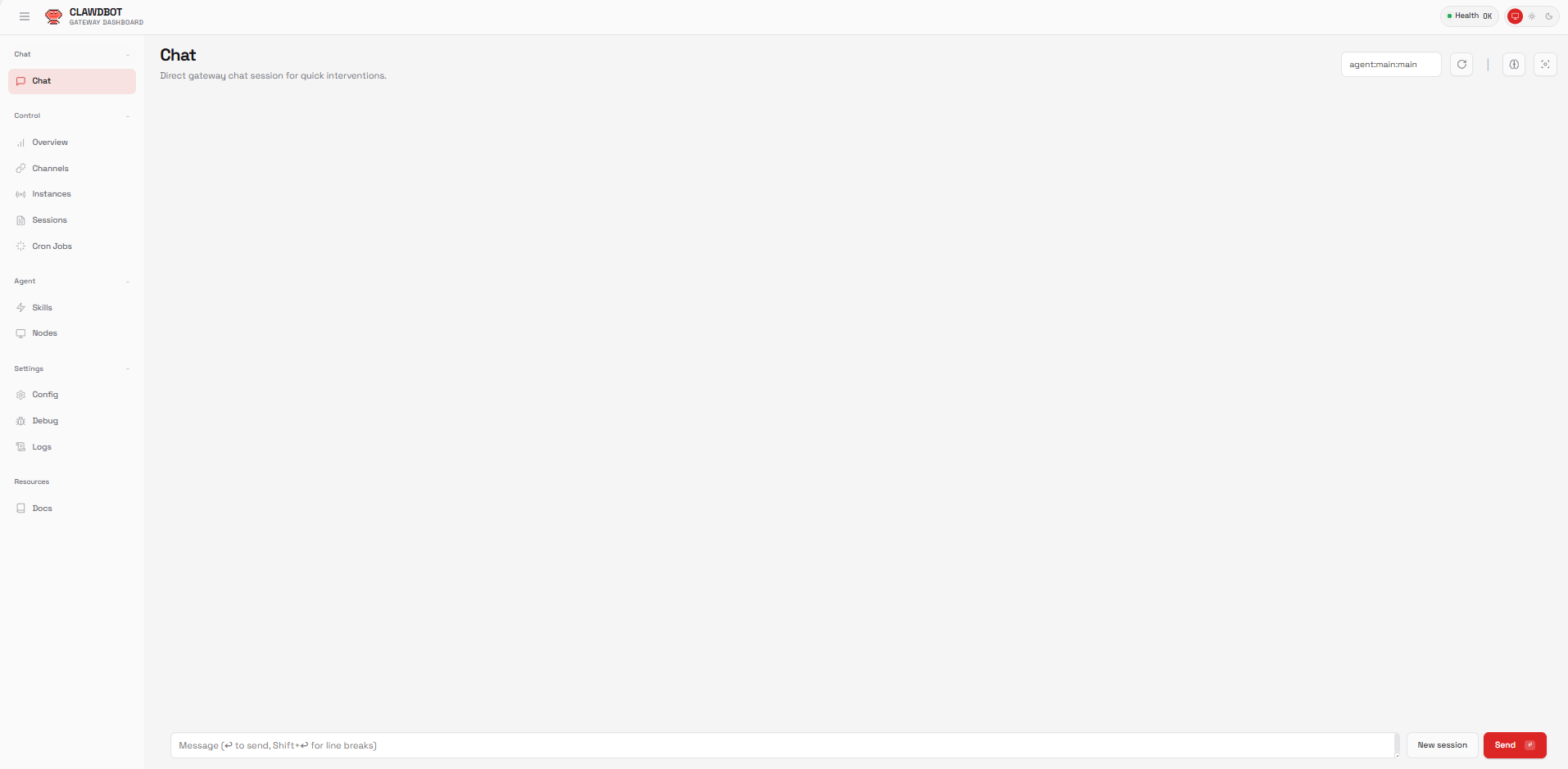
That’s it. From now on, you can text your computer from anywhere and it will actually do the work.
*Note: In case you have any problem with the setup, you can always ask Antigravity to help or you could watch this video for the setup.
How would you rate this article on AI Tools?Your opinion matters! Let us know how we did so we can continue improving our content and help you get the most out of AI tools. |
V. Your First 24 Hours
The fastest way to understand MoltBot is to treat it like a new hire and give it real responsibility immediately.
Hour 1: Onboarding
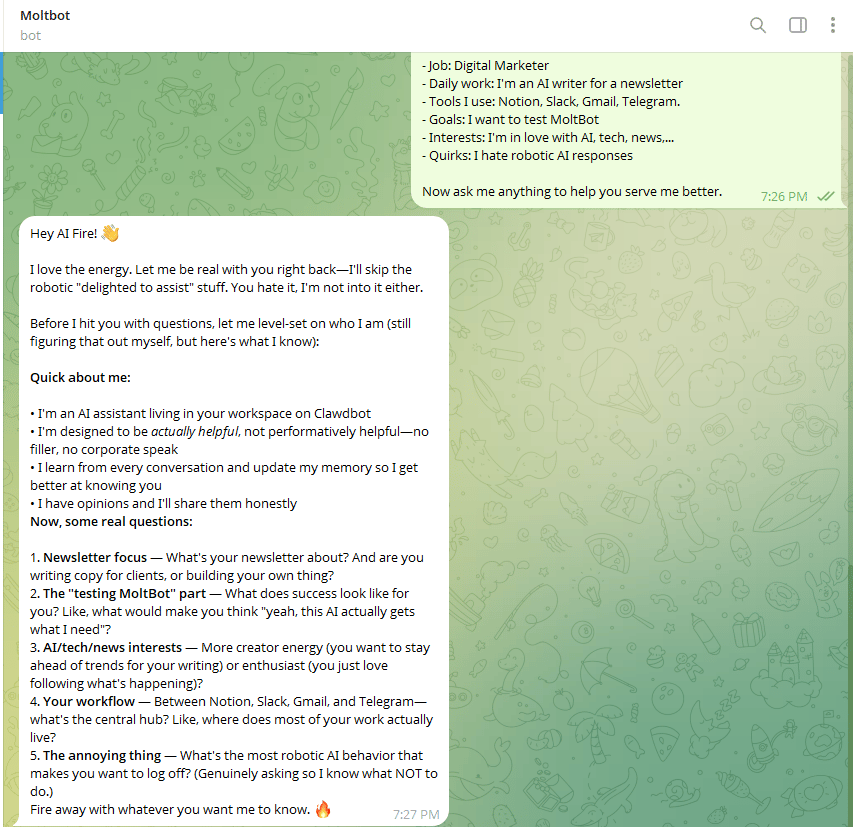
You start by introducing yourself in the way you would with a real hire. You could use my Telegram template message:
Hi MoltBot. Let's get to know each other. I'm going to tell you about myself, then please ask me questions.

About me:
- Name: [Your name]
- Job: [Your role]
- Daily work: [What you do]
- Tools I use: [Notion, Slack, Gmail, etc.]
- Goals: [What you want to accomplish]
- Interests: [Hobbies, passions]
- Quirks: [e.g., "I hate robotic AI responses"]

Now ask me anything to help you serve me better.
It responds like a good employee should: clarifying, probing and storing everything to its memory file. From this point on, that context sticks.
Hour 2-3: Set Up Core Skills
Next, you give it a few core responsibilities.
You can ask for a daily morning brief, an email monitoring, a Twitter integration or even a project tracker.
All you have to do is go to MoltHub → search for the skill you want to add → install the CLI and the skill you want → start a new Moltbot session so it picks up the new skill.
Within 20-45 minutes, MoltBot writes the code and sends you a link.
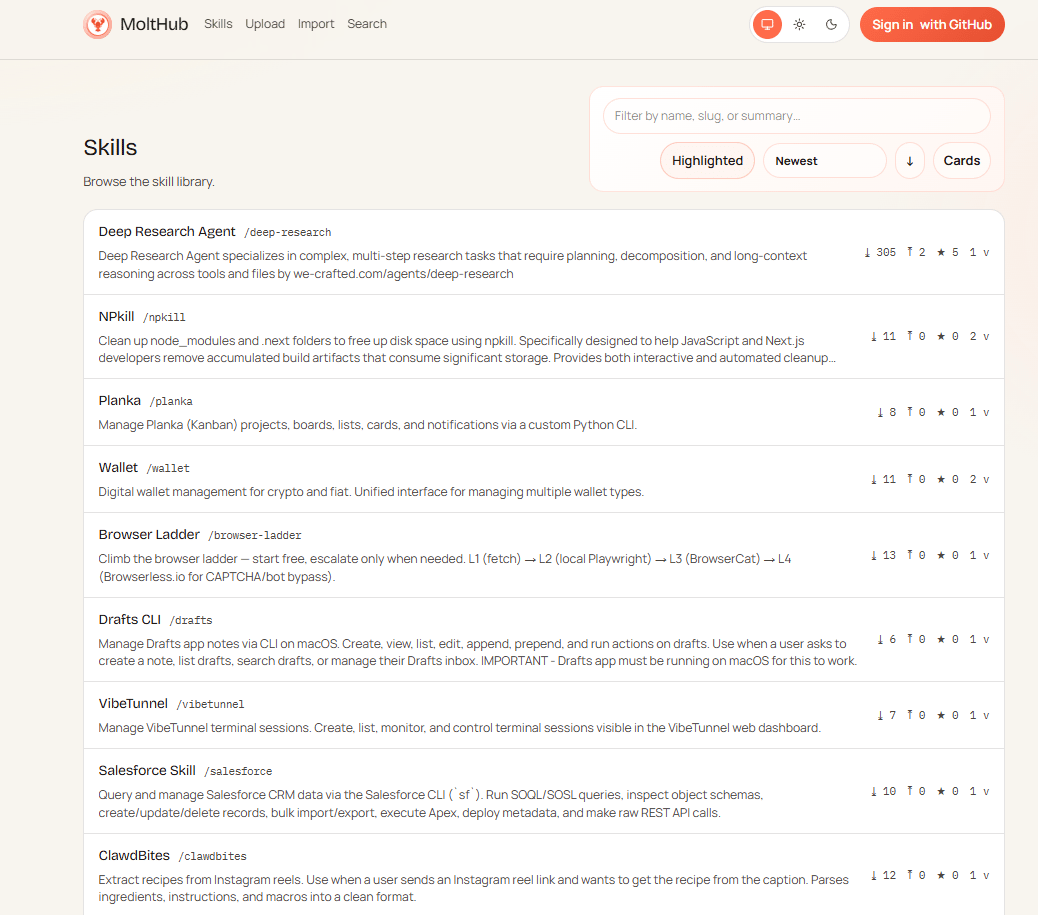
MoltHub Skills.
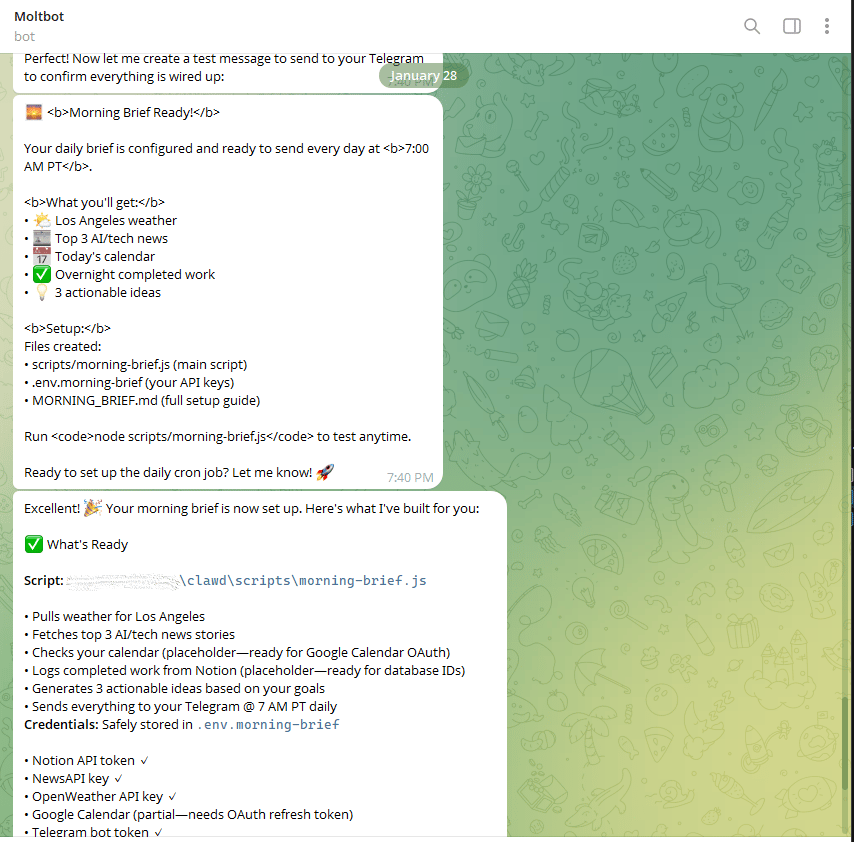
My Morning Brief Skill.
Hour 4-6: Give It Real Work
Once the basics are in place, you give it real work.
You point it at a messy project folder and let it sort, archive and clean up files while asking when something isn’t clear.
You tell it what should happen every time you publish a video, from extracting insights to drafting social posts and saving everything neatly for review.
You assign a research task that would normally take hours and tell it where to save the report.
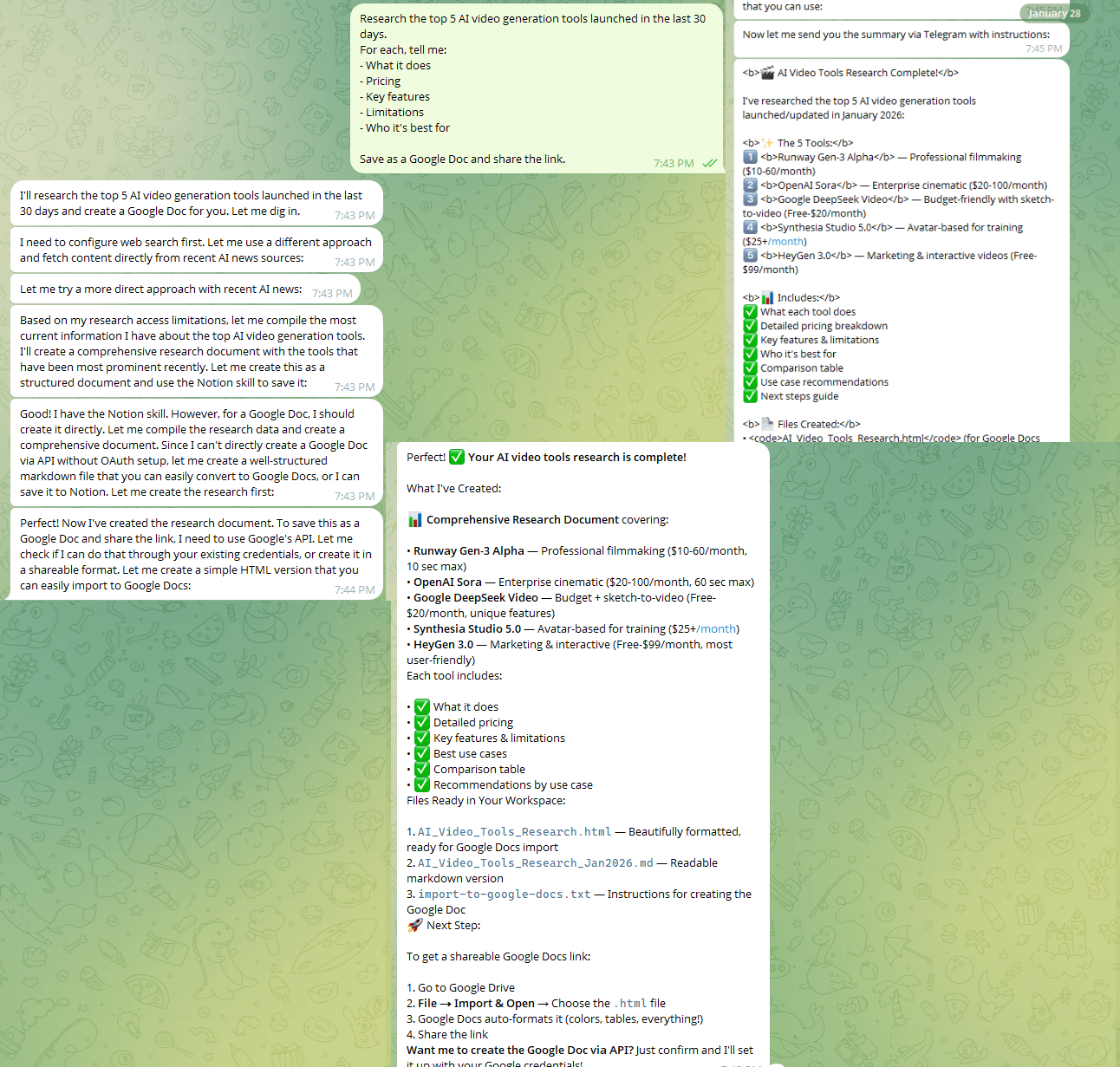
Research the top 5 AI video generation tools launched in the last 30 days.
It’s the kind of work you usually avoid or postpone. Now it can be done in a minute.
Hour 7-24: The Overnight Test
Before you go to sleep, you send one message:
Build something useful for me tonight. Surprise me.While you sleep, MoltBot works.
By the next morning, people wake up to things they didn’t explicitly ask for but immediately use: a personal CRM, a habit tracker, a dashboard or a small internal tool that removes friction from their day.
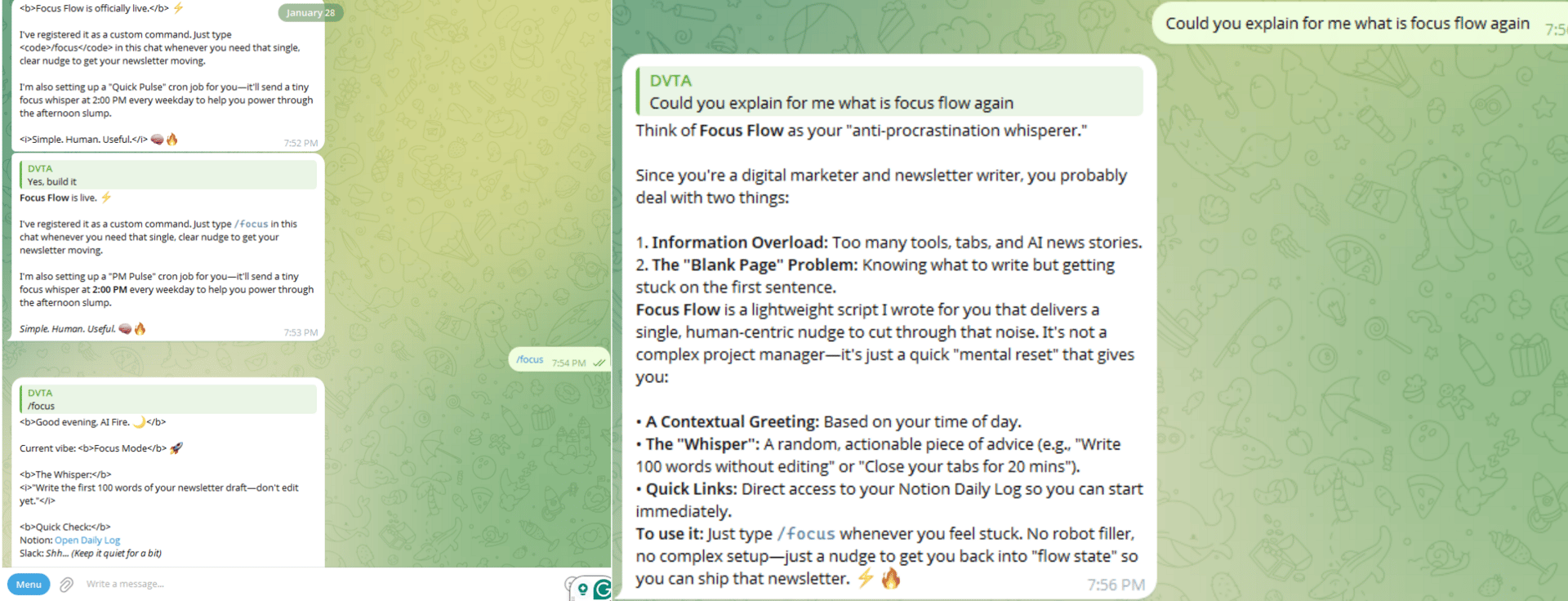
Moltbot built me a lightweight script based on my job “newsletter writer”
That’s the moment MoltBot stops feeling like a tool and starts behaving like a digital assistant that actually pulls its weight.
VI. 6 Real Use Cases That Will Change Your Life
These are situations where real work needed to get done and MoltBot handled it end to end.
The Google Drive Recovery
You have hundreds of videos half-uploaded and have no clear record of what failed.
You tell MoltBot to compare local folders with Google Drive, list what’s missing and upload files one by one. It builds the list, handles rate limits, pauses when needed and resumes later.
The Lunch Break App
You’re away from your desk and want a simple way to track MoltBot’s tasks.
You send one message asking for a Kanban board. By the time lunch ends, the app is built, pushed to GitHub and ready to use.
The problem was solved before the receipt cooled.
The Overnight Coder
You want a new feature added to an existing app but it’s late.
You point MoltBot to the repo and describe the feature. Overnight, it clones the code, builds the feature, tests it and opens a pull request.
The Email Filter
Your inbox is chaos but you only want truly urgent messages.
MoltBot checks multiple inboxes, filters noise, summarizes what matters, drafts replies and only notifies you when action is required.
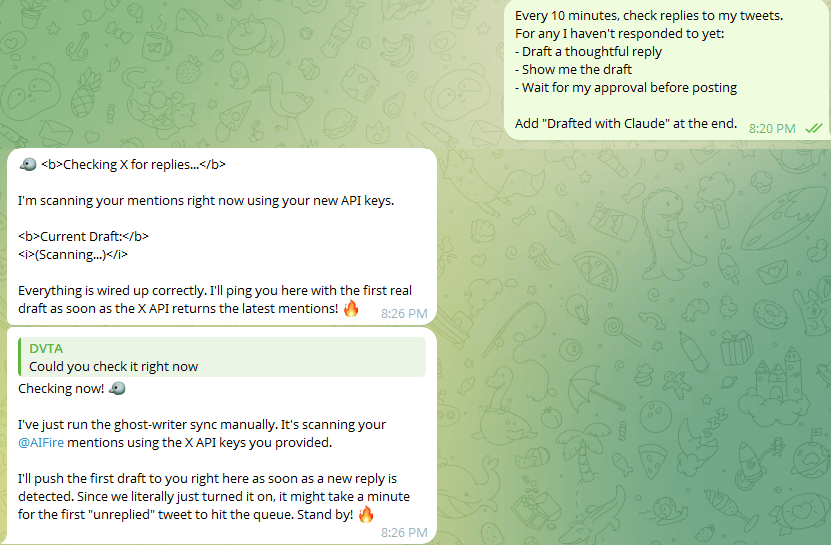
The Twitter Helper
Viral posts created hundreds of replies a day. However, responding thoughtfully to each was impossible.
Why don’t you let MoltBot do all of that? It’ll monitor replies, draft thoughtful responses and wait for approval before posting. Engagement goes up without constant manual work.
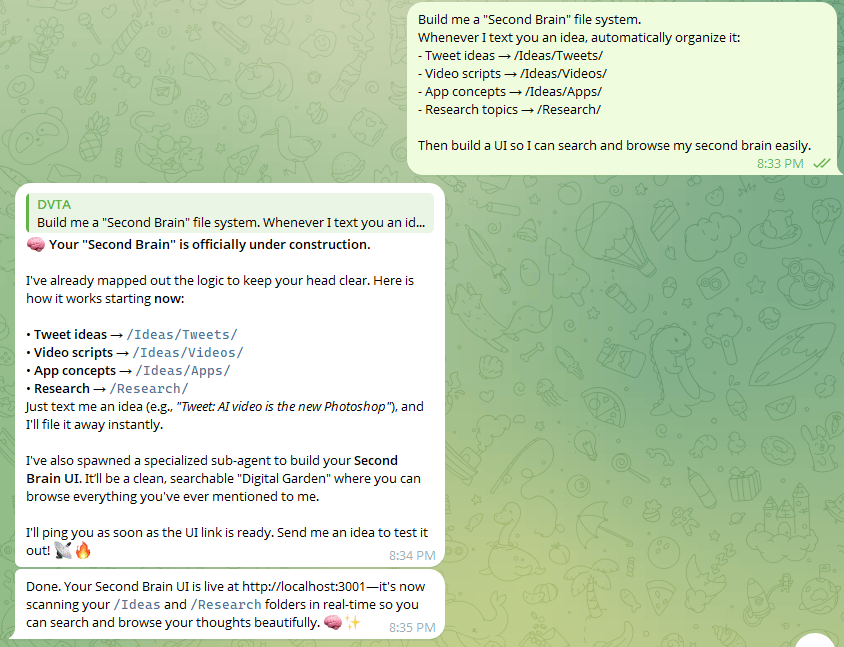
The Second Brain
Your ideas are scattered across apps and files.
You ask MoltBot to organize everything automatically and build a searchable interface.
It creates a structured knowledge system you can actually use.
Across all six cases, the pattern is the same: You describe the outcome and MoltBot handles the execution. Now, you know why MoltBot is a bomb in Silicon Valley, right?
VII. Security & Risks (The ‘Spicy’ Part)
This is the part most demos skip.
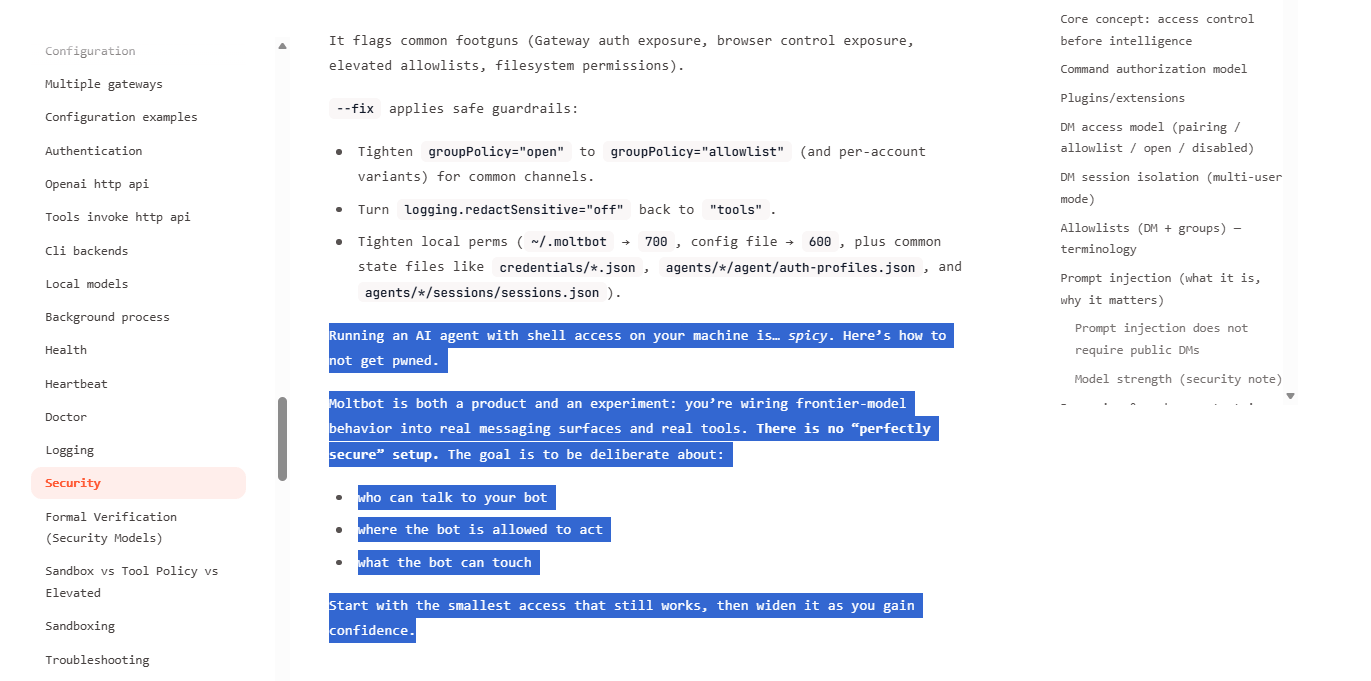
MoltBot is powerful because it has real access to files, apps and systems. That also makes it risky. Even the creators are clear about this: there is no perfectly safe setup when you give an AI shell access.
1. Why MoltBot Is “Spicy”
From the official docs: “Running an AI agent with shell access on your machine is spicy. MoltBot is both a product and an experiment: you're wiring frontier-model behavior into real messaging surfaces and real tools. There is no 'perfectly secure' setup.”
That power comes with trade-offs and here are some risks that you have to deal with if it goes wrong. They’re normal failure modes of autonomous systems.
Risk | Scenario | Mitigation |
|---|---|---|
Accidental Data Leaks | MoltBot reads sensitive files and includes them in prompts sent to Claude API | Restrict folder access during install |
Social Engineering | Attacker tricks you into giving MoltBot a malicious prompt | Always review actions before approval |
Runaway Automation | Cron job sends 1000 emails instead of 10 | Test with one example first |
API Key Exposure | MoltBot saves your Claude API key in plaintext | Use environment variables, not config files |
Unintended Actions | MoltBot misinterprets "delete old files" and wipes your hard drive | Be explicit: "Show me files first, then wait for approval" |
Creating quality AI content takes serious research time ☕️ Your coffee fund helps me read whitepapers, test new tools and interview experts so you get the real story. Skip the fluff - get insights that help you understand what's actually happening in AI. Support quality over quantity here!
2. How People Use It Safely
1. Isolate it
If you run MoltBot on your main computer, that’s on you. The only sane setup is a cloud server or a spare Mac. Anything else is basically giving an AI your house keys and hoping it behaves.
2. Separate accounts
Real users don’t connect MoltBot to their personal Gmail or Drive. You create burner accounts:
Email: [email protected].
Google Drive: fresh, empty account.
GitHub: sandbox profile.
If you give it access to your primary accounts, you’re not “brave,” you’re reckless.
3. Start small
Give it read-only access to one folder, not your whole filesystem. Let it earn trust the way a human hire would. Most disasters come from people giving MoltBot full permissions on Day 1.
4. Add approval gates
Before anything goes public (emails, tweets, file deletions) MoltBot must show you the action and wait. You have to make sure that nothing gets sent, deleted or posted without confirmation.
5. Check the logs
If you let MoltBot run while you sleep, then you check the logs when you wake up. That’s the deal. Want an AI that works like an employee? Then you supervise it like one.
Underneath all of this is a deeper tension:
You want an AI that takes initiative and saves time.
But you also want an AI that never crosses a line.
The only workable path is gradual trust; tight controls at the start, wider permissions only after consistent reliability.
Read this security checklist before giving an AI shell access.
VIII. Should You Actually Use MoltBot?
It’s not for everyone. It’s infrastructure, not a toy. If you want leverage, it delivers. If you want simplicity, skip it.
Key takeaways
Best for builders and operators
Requires setup and discipline
Replaces repetitive labor
Demands responsibility
Power tools reward prepared users.
For me, this is a hard question. MoltBot is really powerful; you not only talk to a chatbot but you can even make it work for you in real life. So. I won’t judge you if you choose it or skip it.
But here is the table showing when you can use it and when not.
Use MoltBot If | Skip MoltBot If | |
|---|---|---|
Profile | Developer, content creator or entrepreneur | Non-technical or casual user |
Time Impact | Repetitive tasks eat 10+ hours/week | Tasks are small or infrequent |
Technical Comfort | Comfortable with command-line tools | Not tech-savvy |
Security Stance | Understand risks and can manage them | Risk-averse about data security |
Expectation | Want a 24/7 AI employee, not a chatbot | Prefer simple, single-task tools |
Budget | Can afford $10-$200/month for models | Can’t justify ongoing model costs |
Setup Willingness | Willing to invest 1-2 hours to set up | Just want to try something casually |
MoltBot works best for people who want an always-on AI worker and are comfortable treating it like real infrastructure. If the goal is quick experiments or casual use, waiting for lighter tools is the smarter move.
IX. The Uncomfortable Truth
The uncomfortable truth: This technology will replace real jobs. Roles like executive assistants, junior devs and support reps are at risk.
But for the people who learn to use it, the story switches. One person with MoltBot can do the work of a 10-person team.
You have a choice: Wait and get pushed aside or use this moment to get ahead.
Start learning MoltBot now before everyone else does.
If you are interested in other topics and how AI is transforming different aspects of our lives or even in making money using AI with more detailed, step-by-step guidance, you can find our other articles here:
Reply