- AI Fire
- Posts
- 🤖 AI Agents Are Overused. Here’s the AI Workflow That Actually Saves You Real Money
🤖 AI Agents Are Overused. Here’s the AI Workflow That Actually Saves You Real Money
Most companies overspend on complex AI. Learn how a simple, structured approach delivers better results without the high costs or technical headaches.

Neil Phan
January 10, 2026
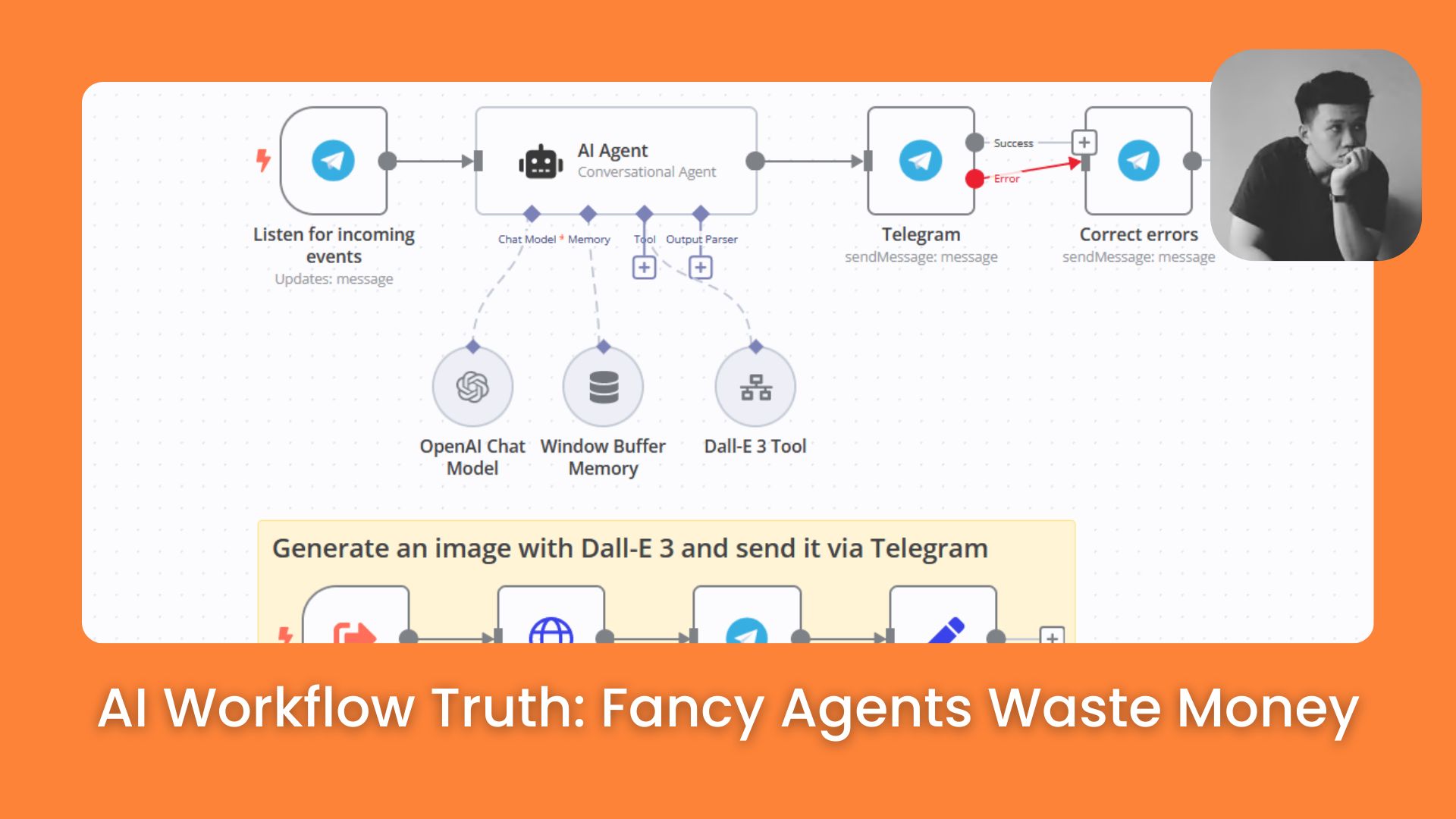
TL;DR
Complex AI agents are overhyped; simple AI workflows are the reliable solution most businesses actually need. This guide introduces the "AI Systems Pyramid," teaching you to choose the simplest tool like a Custom GPT or basic automation, before attempting risky agents. By asking three key questions about human involvement, logic, and predictability, you can build stable, efficient workflows that solve real problems without the headaches of autonomous decision-making.
Key points
Strategy: Start at the bottom of the "AI Systems Pyramid" (Custom GPTs) and only move up if necessary.
Framework: Use the "3-Question Framework" (People involved? Logic only? Fixed path?) to pick the right tool.
Comparison: AI Workflows follow a safe, fixed path; AI Agents make risky, unpredictable choices.
Critical insight
An agent has an "ego" that makes risky choices; a workflow has a "process" that guarantees results.
Is your AI setup too complex to work? 🤯 |
Table of Contents
AI agents are everywhere right now. Everyone is talking about them, building them, and selling courses on them. But here is a truth that most people won’t tell you: you probably don’t need a complex agent. You need a reliable AI Workflow.
After building hundreds of systems, being a good problem solver is not about using the fanciest technology. It is about picking the simplest solution that actually works.
Think of it this way: you would not use a bulldozer to hang a small picture frame on your wall. The same logic applies to AI.
In this guide, we will walk through a simple framework together. It will help you choose the right system for any problem. No confusing jargon, no complicated theory, just practical steps you can follow today to build your first AI Workflow.
Part 1: Why Is An AI Workflow Better Than A Complex Agent?
Beginners often chase the hype of autonomous agents, but these complex systems are unpredictable and prone to errors, like making bad decisions at 3 AM. An AI Workflow, by contrast, functions like a reliable assembly line where every step is fixed and transparent. Choosing a simple, structured workflow over a "loose cannon" agent saves time, money, and prevents the frustration of fixing broken autonomous actions.
Key takeaways
Stability: Workflows are predictable assembly lines; agents are unpredictable decision-makers.
Risk: Agents can make costly mistakes without supervision.
Advice: Simple solutions almost always outperform complex ones for business tasks.
Analogy: Don't use a bulldozer to hang a picture frame.
When you start looking into automation, it is easy to get distracted by "shiny objects." You see videos of autonomous agents doing a hundred tasks at once, and you think, "I want that!"
An AI Workflow is like a well-planned assembly line. Each step is clear, and you know exactly what comes next. On the other hand, an agent is like a loose cannon. It makes its own decisions, which sounds great until it decides to do something completely wrong at 3 AM.
By the end of this article, you will see why staying low on the complexity scale will save you time, money, and a lot of grey hair.
Part 2: What Are the Four Levels Of The AI Systems Pyramid?
The "AI Systems Pyramid" ranks solutions from simplest to most complex, with the goal of staying as low as possible. Level 1 is a Custom GPT for manual assistance, while Level 2 is Simple Automation (no AI) for basic logic tasks. Level 3, the AI Workflow, adds AI intelligence to a fixed path, offering the best balance of power and reliability before reaching the risky, expensive Level 4 AI Agent.
While staying low on the pyramid is safer, for those ready to tackle high-level complexity, you can explore how to construct a no-code AI agent team to manage multiple assistants working together for your business.
Key takeaways
Level 1 (Custom GPT): Best for tasks requiring human interaction (e.g., writing emails).
Level 2 (Simple Automation): Best for strict logic (If X, then Y) without AI costs.
Level 3 (AI Workflow): The "sweet spot" combining fixed steps with AI reasoning.
Level 4 (AI Agent): Expensive and fragile; only for problems where the path changes constantly.
Imagine a pyramid with four levels. At the bottom, we have the simplest, cheapest, and most reliable solutions. As we climb up, things get more complex, more expensive, and more likely to break. Our goal is to stay as low on this pyramid as possible while still solving the problem.
Level 1: Custom GPT (The Foundation)
This is the bottom layer. For many people, this is all you will ever need. You can use tools like ChatGPT, Claude, or Gemini.
What it is: Think of a Custom GPT as a smart assistant who knows your business. You give it instructions and upload files.
The Catch: It only works when you talk to it. It won't run in the background while you sleep.
Perfect for: Tasks where you need to be involved. For example, if you want help writing emails but want to read every single one before clicking send.
🚀 Bonus: Master Level 1 First!
Not sure where to start with ChatGPT or Custom GPTs? Don't worry. Before you dive into complex automation, I have compiled the best field-tested tips to help you master the basics effectively.
📖 Read Now:
Learn How to Make AI Work For You!
Transform your AI skills with the AI Fire Academy Premium Plan - FREE for 14 days! Gain instant access to 500+ AI workflows, advanced tutorials, exclusive case studies and unbeatable discounts. No risks, cancel anytime.
Level 2: Simple Workflow Automation (No AI Required)
Surprisingly, about half of all business tasks don't need AI at all. They just need basic logic.

Ready to build your first background automation? Don't just guess learn from my experiments. Here are my best guides on mastering n8n (a powerful, cost-effective alternative to Zapier) to get you started on the right foot:
Level 3: AI Workflow (The Sweet Spot)
Now we add a "brain" to our automation, but only at specific points.
What it is: The path is fixed (Step A → Step B → Step C). However, one of those steps uses AI to understand text or make a choice.
Why it wins: It is predictable. You know exactly what the AI is doing because it only has one specific job within a larger chain.
Level 4: AI Agent (The Top)
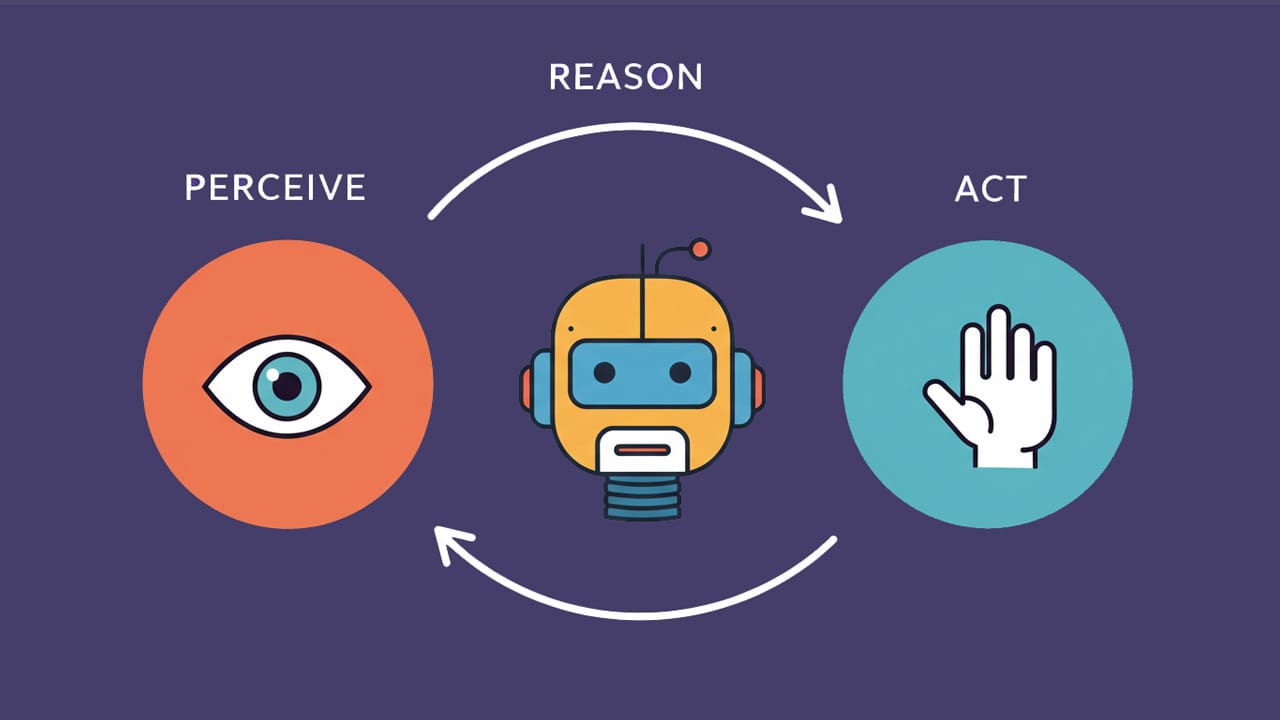
This is the most complex and fragile option.
What it is: You give it a goal, and it chooses the steps and tools itself.
The Reality: It is expensive and hard to fix. Only use this if the path to the solution changes every single time.
Part 3: How Do You Set Up A Basic AI Workflow For Content?
You don't need complex software to start; you can run a "semi-automated" workflow directly inside ChatGPT by acting as the Director. Follow a 3-step process: Input the article, Process it with a structured "Senior Editor" prompt that defines style and tone, and Review the output manually.
This approach gives you total control over quality and allows for instant adjustments without paying for external automation tools.
In fact, once you combine this manual workflow with these powerful ChatGPT hacks to boost your productivity, you can transform these steps into simple shortcuts that save you over 20 hours a week.
Key takeaways
Process: Input (Paste text) -> Processing (Structured Prompt) -> Review (Human Check).
Prompting: Act as a "Teacher" giving specific style rules (e.g., "no cheesy hashtags").
Tool: Custom GPT can save this prompt so you don't have to re-paste it every time.
Benefit: Zero cost and high flexibility compared to rigid API automations.
If you are a beginner, the best way to learn is by doing. Instead of connecting complex software via APIs, we are going to build a "semi-automated" system right inside ChatGPT. We will turn a long, boring article into a high-quality LinkedIn post.
This is still a classic AI Workflow because it follows a fixed set of steps, but instead of a machine running it in the background, you act as the "Director" to ensure the highest quality output.
1. The 3-Step Execution Process
Instead of letting a system run hidden behind the scenes, you will handle this process like a professional production line:
Step 1 (Input): You provide the article link or paste the full text into ChatGPT.
Step 2 (Processing): You use a structured prompt to make the AI act as a "Senior Editor." The AI reads, filters the main points, and rewrites them specifically for the LinkedIn audience.
Step 3 (Review): You check the results directly in the chat, ask for adjustments if needed, and copy the finished post.
2. Detailed Prompt Example For Your AI Workflow On ChatGPT
The biggest mistake beginners make is saying: "Summarize this for me." To get professional results, you must act like a "Teacher" giving specific instructions. Try using the prompt structure below, I have refined it to make the AI sound more human:
Sample Prompt: "I am going to give you the content of a long article. Your job is to act as a LinkedIn Content Specialist.

Your Workflow:
- Read the text below carefully.
- Identify the 3 most practical and valuable lessons for the reader.
- Write a LinkedIn post of about 200 words.

Style Requirements:
- Use short, punchy sentences.
- Use double spacing between lines so it is easy to read on mobile.
- Use a helpful, experience-sharing tone (do not sound 'preachy').
- Avoid 'AI-sounding' words like 'transform', 'harness', or 'unlock'.
- Do not use generic hashtags like #hustle or #blessed.

Article Content: [Paste article text here]"
3. Why Building A Workflow On ChatGPT Is Effective
Total Control: You can stop the process at any step. If the AI writes something too corporate in Step 2, you can immediately say: "This part is too theoretical; give me a more practical example."
No Middleman Costs: You don’t need to pay for Zapier or n8n. You only need a ChatGPT account (even the free version works with models like GPT-5.2).
Flexibility: You can ask for format changes instantly. For example: "Based on this LinkedIn post, now write a 30-second short video script for me."
4. Pro Tip For Scaling: Use A "Custom GPT"
If you have ChatGPT Plus, you can create a Custom GPT named "LinkedIn Creator." Paste the entire instruction prompt above into the "Instructions" section of the configuration.
From then on, whenever you have a new article, you just drop the text in. The AI will automatically remember all the steps and "produce" the final result immediately without you having to re-paste a long prompt every time. This is the moment you move from simply "chatting" to running a real AI Workflow.
Part 4: Can A Simple Automation Replace An AI Workflow?
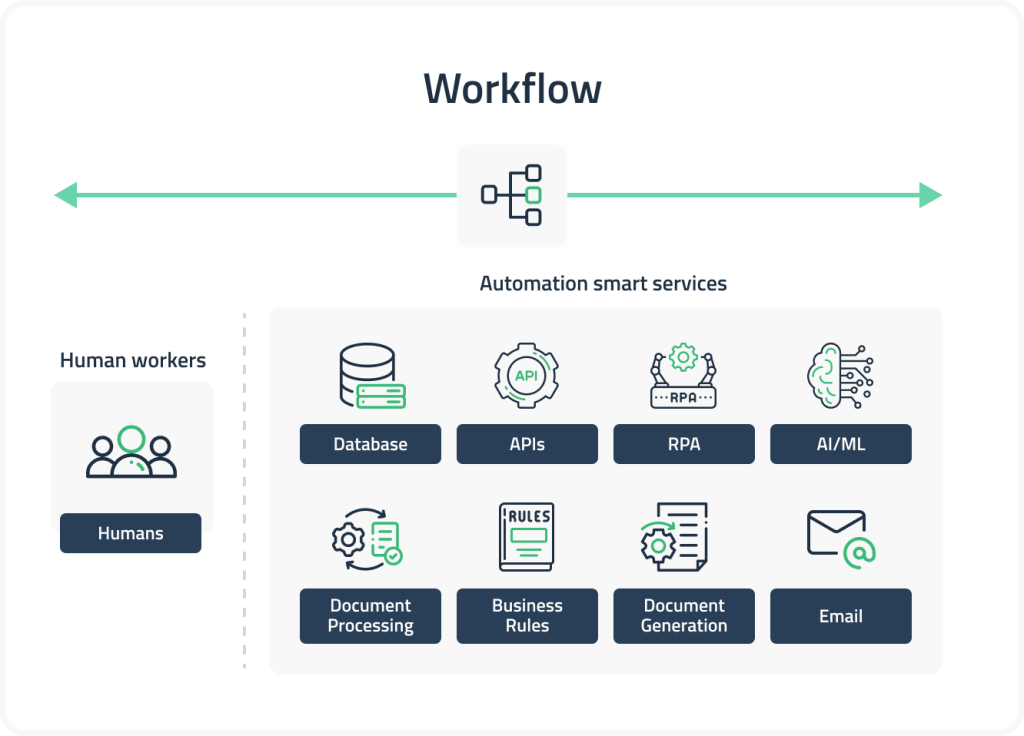
I see people trying to use AI for things that don't need it. This wastes money. Every time you call an AI model (like GPT-5), it costs a few cents. Over a month, that adds up.
If your task follows a strict rule, use a "Filter" or "If-Then" logic in your automation tool instead.
Scenario A: "If the email subject contains the word 'Invoice', move it to the Finance folder." -> Simple Automation.
Scenario B: "Read this email and decide if the customer is angry or happy. If they are angry, alert the boss." -> AI Workflow.
You see the difference? Scenario A uses a specific word. Scenario B needs to understand "feeling" or "intent." Always check if you can use a simple word filter first. It is faster and never fails.
Part 5: How Do You Use The Three-Question Framework For Your AI Workflow?
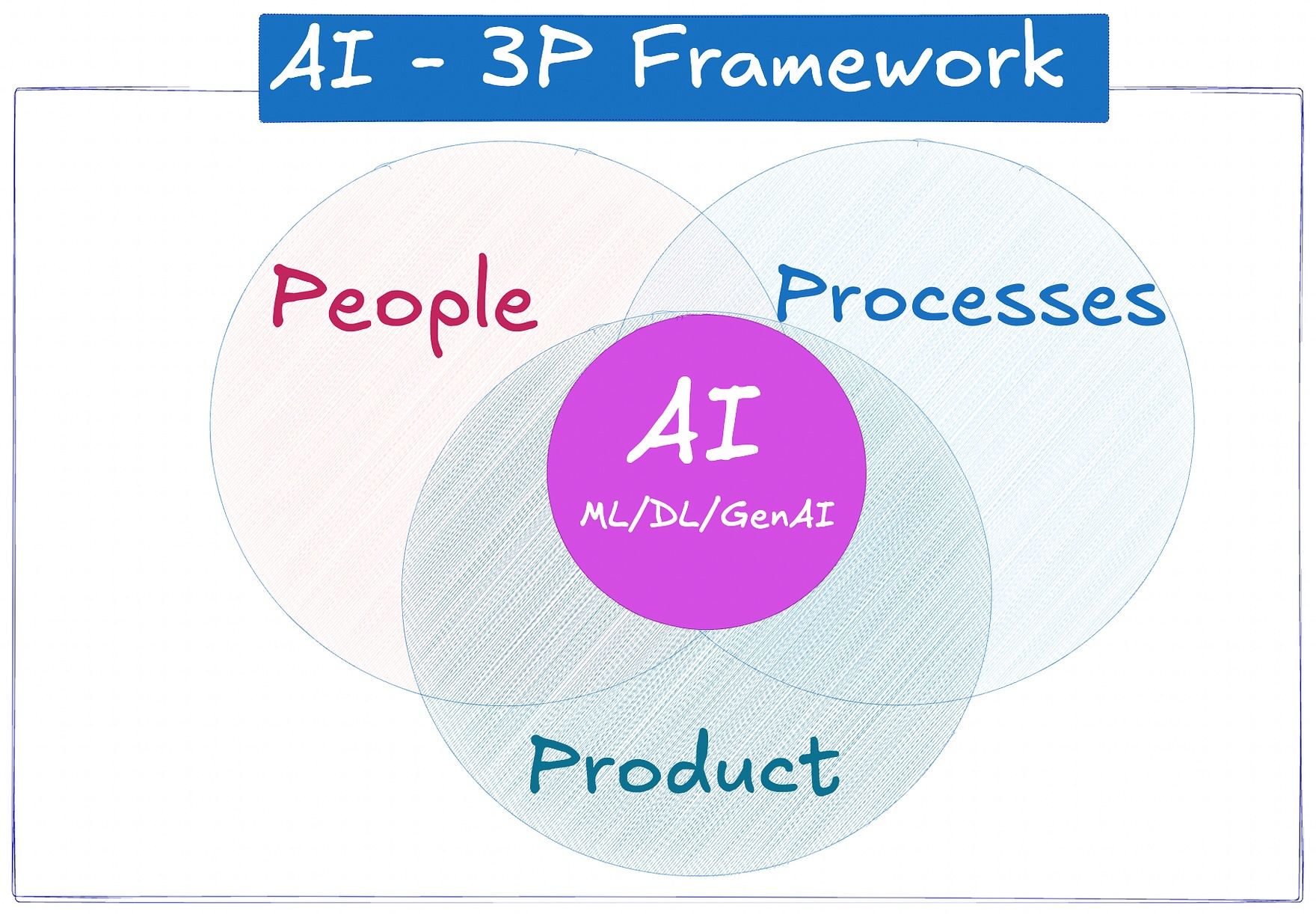
To make sure you don't overbuild, I want you to ask these three questions in order every time you have a new idea. This framework ensures that your AI Workflow stays balanced between three core elements: People, Processes, and Product.
As you can see in the diagram above, AI only works effectively when it sits at the center of these three circles. My three-question framework is designed to help you find that perfect center:
Question 1: Do I need to be involved every time? (The People Factor)
If the answer is YES, stop here. Just build a Custom GPT.
Why? This relates to the "People" part of the 3P Framework. If you (the person) want to "chat" with the result and change it manually every time, putting it in an automated workflow is just extra work for nothing. You are the "brain" in this scenario.
Question 2: Are all the steps 100% logic-based? (The Process Factor)
If the answer is YES, build a Simple Workflow.
How to tell: This is about your "Process." If you can explain the task to a 10-year-old using only the words "If," "Then," and "Else," you don't need AI. For example: "If the price is over $100, send an email. Else, do nothing." A solid process doesn't always need an AI brain.
Question 3: Is the order of operations fixed and predictable? (The Product Factor)
If the answer is YES, you have found your winner: the AI Workflow.
The Benefit: This is where you create a high-value "Product" for your business. You get the power of AI "thinking" but the safety of a fixed path. You won't have an agent accidentally spending your whole budget or sending weird messages to clients.
Part 6: Why Should You Avoid Moving To The Agent Level Of The AI Workflow?
I spent three weeks trying to build an "Agent" to manage my calendar. It was a disaster. The agent would try to be "smart" and reschedule meetings it thought weren't important. It cost me $50 in API fees just to test it.
Eventually, I deleted it and built a simple AI Workflow instead.
This is much better. An agent has "agency" - it makes choices. But in business, choices lead to risks. A workflow gives you the "intelligence" of AI without the "ego" of an agent.
Part 7: What Are The Most Common Mistakes When Building An AI Workflow?
I have made all these mistakes, so you don't have to.
Too many steps: Beginners try to build a 20-step workflow on day one. It will break, and you won't know why. Start with 2 steps. Once that works for a week, add step 3.
Bad Prompts: People give the AI vague instructions. Treat the AI like a very fast intern who has no common sense. You have to tell it exactly what to do, what to avoid, and what the final result should look like.
Ignoring the "human in the loop": Even in a great AI Workflow, you should have a "checkpoint." Use a tool like Airtable or Trello to hold the AI's output so you can look at it before it goes live.
Part 8: How Do You Scale Your AI Workflow As Your Business Grows?
Once you have one workflow running, you might feel like you've reached a limit. You haven't. The beauty of a structured AI Workflow is that it is modular.
You can connect workflows together.

Workflow 1: Transcribes your YouTube video and saves the text.
Workflow 2: Takes that text and creates 5 tweets.
Workflow 3: Takes those tweets and schedules them on Buffer.
By keeping them separate, if the "Twitter" part breaks, your transcription part still works perfectly. This is much more stable than one giant "Agent" trying to do all three things at once.
Part 9: Comparison Table: Choosing Your System
To make your decision easier, I have summarized the key differences below. Think of this table as your ultimate "Decision Cheat Sheet."
📌 Save this section now. The next time you face a new business problem, don't guess, just glance at this matrix to instantly pick the right tool for the job.
Feature | Custom GPT | Simple Automation | AI Workflow | AI Agent |
Effort to build | Very Low | Low | Medium | High |
Reliability | High (Human led) | Very High | High | Low/Medium |
Cost | Fixed Monthly | Very Cheap | Per usage (Low) | Per usage (High) |
Best Use | Brainstorming | Moving Data | Summarizing/Deciding | Complex Research |
Part 10: Frequently Asked Questions About The AI Workflow
Do I need to know how to code? No. Tools like n8n or Zapier allow you to build an AI Workflow by dragging and dropping boxes. You just need to know how to write a good prompt.
Which AI model is best for workflows? For most tasks, "smaller" models like GPT-4o-mini or Claude Haiku are perfect. They are extremely fast and cost almost nothing. Use the big, expensive models only for very complex creative writing.
How do I know if my workflow is working? Always build an "Error Notification." In your automation tool, add a final step: "If any step fails, send me a message." This way, you don't have to check it every day.
Concusion: Your Action Plan
We have covered a lot today, but don't let it overwhelm you. The world doesn't need more complex agents; it needs more problems solved efficiently. Here is what I want you to do right now:
Identify one boring task: Something you do every day that takes 10-15 minutes.
Run the questions: Does it need you? Is it just logic? Is it a fixed path?
Build the simplest version: Even if it is just a Custom GPT for now.
Test and Repeat: Use it for a week. If you like it, try to move it one level up the pyramid.
Remember, the best system is the one that works while you are not there. Start simple, stay reliable, and focus on building a solid AI Workflow.
If you are interested in other topics and how AI is transforming different aspects of our lives or even in making money using AI with more detailed, step-by-step guidance, you can find our other articles here:
Reply