- AI Fire
- Posts
- 👑 Kling 3.0 is Crazy and Can Do Anything. Ultimate Guide with Pro Tips & Prompts to Try
👑 Kling 3.0 is Crazy and Can Do Anything. Ultimate Guide with Pro Tips & Prompts to Try
Clip generation is over. Kling 3.0 introduces true scene-level AI video with multi-shot control, longer takes, and real continuity.

Max Anh
February 09, 2026

TL;DR BOX
In early 2026, Kling 3.0 is much better than the older version, Kling 2.6, by transitioning from a clip generator to a full AI Directing System.. Built on an All-in-One System, the model now handles 15-second continuous clips, native 4K output and a multi-shot storytelling system that automatically plans, shoots and cuts multiple angles (like shot-reverse-shot) from a single prompt.
The "Omni" version of the model introduces Video Element References; this lets you keep the character's face and voice the same by uploading a short video. This ensures the character does not change during the story. With enhanced Native Text Rendering for branded content and Bilingual Dialogue support, Kling 3.0 is the first version of Kling designed for end-to-end production.
Key points
Fact: Kling 3.0 supports Bilingual Dialogue (e.g., English and French in the same scene) with perfectly matched lip-sync and facial expressions.
Mistake: Stitching short 5s clips manually. Kling 3.0 can now generate 15-second scenes with intentional pacing and complete character actions.
Action: If you are an Ultra subscriber, use Storyboard Mode in Video 3.0 Omni to define duration, framing and camera motion for each shot before hitting generate.
Critical insight
The defining advantage of 3.0 is Native Multi-Shot Logic. By describing a scene (rather than a single shot), the AI acts as a director, deciding when to cut from a wide establishing shot to an emotional close-up based on the dialogue in your prompt.
Table of Contents
I. Introduction
Alright, let's talk about the previous king in the AI video: Kling 2.6. Now, Kling 3.0 has just been released. Is it like adding wings to a tiger or just another overhyped release?
If you've been anywhere near AI video generation lately, you've seen the hype. But this update feels different. Kling 3.0 is more than just a small fix. It's the moment AI video changes from a "fun test" into a real tool for professional work.
Think longer clips, native 4K output and physics that don’t collapse under motion or complex actions. So what should you do? Don’t wait.
This guide breaks down everything Kling 3.0 brings to the table, shows you exactly how it compares to version 2.6 and gives you a practical game plan so you can start creating right away.
🎥 Kling 3.0 just dropped. What's your gut feeling? |
II. What Is Kling?
Before getting into the new features, let's start at the beginning for anyone new here.
Kling is an AI video generation platform from Kuaishou. It's become wildly popular because it does something most AI tools struggle with: it actually works the way creators work.
You give it a text prompt or a reference image. Boom, it delivers outputs that look cinematic, the motion is generally coherent and you can iterate quickly without a film degree being required.

However, Kling 2.6 still has clear limits:
Clips are short (5-10 seconds max),
Motion can break in complex scenes (hello, melting hands),
Character consistency across multiple shots is still a dice roll.
You're stuck stitching clips together manually for longer content.
It's powerful but it still feels like a generation tool, not a full production system. Now, let’s see what Kling 3.0 can do.
Learn How to Make AI Work For You!
Transform your AI skills with the AI Fire Academy Premium Plan - FREE for 14 days! Gain instant access to 500+ AI workflows, advanced tutorials, exclusive case studies and unbeatable discounts. No risks, cancel anytime.
III. What's Actually New in Kling 3.0?
Kling 3.0 introduces a unified system that handles video, audio, references and editing together. This removes breaks in the workflow. Results stay visually and narratively consistent across an entire scene instead of drifting shot by shot.
Key takeaways
One model, not many.
Text, image, video unified.
Faster iteration.
Fewer tool switches.
Consistency comes from unification, not more features.
Most AI updates promise big changes but just a few of them actually change how you work. Kling 3.0 is one of the rare ones that does.
These are features already shipping in the official release and they quietly move AI video to a higher level.
Here’s what’s actually new and why it matters in practice.
1. All-in-One System
Kling 3.0 is built on a completely new foundation. Instead of separate models for different tasks, everything runs through one unified system. Text-to-video, image-to-video, reference-to-video, video editing and audio generation are all handled natively by one model.
For you, that means fewer breaks in the workflow. So, you iterate faster, results stay consistent and you’re no longer jumping between tools hoping they behave the same way.

2. Extended Duration (Up to 15 Seconds)
This update solves one of the 2.6 version’s limits: Time.
Kling 3.0 can now make one continuous video for up to 15 seconds, long enough for complete actions and emotional beats. That sounds minor on paper but in practice it changes everything.
With longer video length, you get real scenes, characters can finish actions, dialogue has room to unfold and pacing feels intentional instead of rushed.
Most tools still cap out at 5 to 10 seconds, which forces you to stitch fragments together by hand. Here, you can generate full scenes and focus on the story instead of technical cleanup.

3. Native Multi-Shot Storytelling
Kling 3.0 automatically understands multi-shot storytelling from your prompt.
When you describe a scene, it plans the sequence, chooses camera angles and delivers multiple shots in a single output. Classic filmmaking techniques like shot-reverse-shot dialogue, cross-cutting and voice-over are all handled automatically without tedious cutting or editing.
That makes it more like a director than just a renderer. Techniques that used to require manual editing now happen automatically.

4. Enhanced Element Consistency
Consistency, which used to be a weak spot in Kling 2.6, is now a strength in Kling 3.0.
Kling 3.0 allows you to use multiple images or even short video clips as references for characters, objects or environments. Once those elements are locked in, the model preserves their appearance across camera movements and scene changes.
In earlier versions, the same character could subtly change from shot to shot. Here, you upload reference images or a short video clip (3-8 seconds) and the model extracts appearance traits and maintains them across your entire generation.

5. Upgraded Native Audio with Character Referencing
Kling 3.0 doesn't just generate sound; it understands who's speaking and matches audio to specific characters.
In multi-character scenes, you can specify which character says what. Lip movements and facial expressions match the audio naturally. It also supports Chinese, English, Japanese, Korean, Spanish, plus dialects and accents. You can even run bilingual dialogue inside one scene without breaking immersion.
This removes the need for awkward silent videos or heavy post-production audio work.

6. Native Text Rendering
Kling 3.0 can render clear, readable text that stays sharp as the camera moves or lighting changes. That means signs, captions and product labels are all rendered with precise lettering and well-structured layouts.
That’s essential for e-commerce ads, branded content and any work requiring readable text on screen. So, instead of distorted or drifting letters, text behaves like part of the scene.
7. Video 3.0 Omni: Advanced Reference Controls
For creators who want deeper control, Kling 3.0 Omni extends these capabilities further. Here’s what the Omni version adds:
Video element references: You can upload character videos and the model extracts both appearance and voice, preserving both across scenes.
Storyboard mode: Shot-level control over duration, framing, perspective and camera motion. You can now generate structured multi-shot sequences up to 15 seconds with smooth transitions.
Multi-image elements with voice: You can even combine multiple reference images with a voice clip so visual and audio traits stay locked together across the entire sequence.

That’s what’s actually new.
IV. The Evolution: How Kling 3.0 Got Here
To appreciate the power of 3.0, you have to look at the "baby steps" the platform took over the last year.
Kling didn't just appear out of nowhere; it was built through a relentless cycle of solving creator pain points.
Kling 1.6: Multi-image input (better consistency when anchoring to reference images)
Kling 2.0: 10-second generation (longer clips, better semantic understanding)
Kling 2.1: Cinematic camera control (actual directorial control like dolly shots and tracking)
Kling 2.5: Turbo mode (faster generation without quality loss)
Kling 2.6: Audio-visual co-generation ("what you see is what you hear")
Kling Omni (O1): All-in-One System (natural language video editing, all-in-one approach)

Do you see the pattern? Each release handled a specific creator pain point while building toward a more unified system.
Kling 3.0 is the culmination: taking all those pieces and making them work together seamlessly in one native framework.
V. Kling 3.0 vs Kling 2.6: The Real Comparison
Okay, forget the hype for a moment and let’s go with me to focus on what creators actually care about.
What matters is how these tools behave when you’re actually trying to create something.
Category | Kling 3.0 | Kling 2.6 | Verdict / Why It Matters |
|---|---|---|---|
Availability | Rolling out to Ultra subscribers first | Widely available on multiple platforms | Use 3.0 if you have access. Otherwise, 2.6 is still solid |
Output Quality | Much higher realism, expressive characters, stronger prompt adherence | Good 1080p quality for social and web | 3.0 clearly raises the visual bar |
Clip Duration | 3-15 seconds, flexible control | 5-10 seconds max | Longer clips = real scenes, not stitched fragments |
Multi-Shot Capability | Native multi-shot generation with automatic angle changes | Single continuous shot only | Game-changer. Director-level output without manual edits |
Character Consistency | Strong consistency using multi-image & video references | Manual references, frequent character drift | Narrative work is far easier in 3.0 |
Audio Integration | Character-specific audio, dialects, accents, multi-language | Basic native audio | Dialogue-heavy content strongly favors 3.0 |
Text Rendering | Reliable native text with layout control | Unreliable text rendering | Unlocks branded and product video use cases |
Workflow Integration | Unified multimodal system (one model) | Separate tools for different tasks | Faster iteration, less exporting/importing |
As you can see, Kling 2.6 is still good for most tasks. Kling 3.0 is making everything that is already good better.

VI. Real-World Test & How to Use Kling 3.0 Features
These are the features that turn Kling 3.0 from a clip generator into a real production tool and real examples of them.
*Note: I had an issue with my Kling account, so I tested it using Fal AI instead. Fal AI is a unified hub for building complex AI media products and it works as a solid alternative to using Kling 3.0 on the official website.
1. Multi-Shot: Your AI Director
The first feature is multi-shot creation. This is when Kling 3.0 stops acting like a simple tool and starts acting like a movie director.
Instead of asking for one shot at a time, you describe the scene as a whole. In your prompt, you mention the action, the mood and how the camera should move. From that, Kling 3.0 automatically generates multiple angles and cuts them together.
Here is a copy-paste prompt to test this feature:
Cinematic scene set on the open-air terrace of a European countryside villa. A young Caucasian woman, barefoot, wears a blue-and-white striped short-sleeve top and khaki shorts secured with a brown belt. She sits at a table covered in a blue-and-white gingham cloth, facing a young Caucasian man dressed in a plain white T-shirt.

The camera performs a slow, deliberate push forward. The woman gently rotates a glass of juice in her hand, eyes fixed on the forest beyond the terrace and softly says, “These trees will turn yellow in a month.” Cut to a close-up of the man as he dips his head slightly and murmurs, “But they’ll be green again next summer.”

The woman turns toward him with a warm smile and asks, “Are you always this hopeful?”
He meets her gaze and answers, “Only when it comes to summers with you.”

Ultra-high-quality 4K visuals, lifelike textures, natural daylight, intimate and emotional mood.
The result is a complete sequence with an establishing shot all in one 15-second generation.

With this feature, you're not just generating clips anymore. You're generating edited sequences. That's the difference between a tool and a production system.
How would you rate this article on AI Tools?Your opinion matters! Let us know how we did so we can continue improving our content and help you get the most out of AI tools. |
2. Element Consistency: Lock In Your Characters
The big problem in Kling 2.6 is that character drift killed so many projects but Kling 3.0 solves this by letting you lock in characters.
You upload a few reference images or even a short video and the model extracts appearance traits like face structure, body type, clothing and posture.
Advanced option: you can also upload a video reference (3-8 seconds). The model captures both visual appearance and voice characteristics.
Example workflow:
Upload 3-5 images of your character from different angles.
Optionally add a 3-second voice clip.
Generate your scenes.
The character looks and sounds the same across all shots.

An example of a Sci-Fi video.
Now, you can finally create a storytelling video and build multi-scene narratives with the same character throughout without any glitches or errors.
3. Native Audio with Character Binding
Like I said earlier, usually, audio is just an afterthought. The AI will generate the whole video first and add sound later, which leads to videos where the sound doesn’t match the character's performance.
In Kling 3.0, the audio becomes a part of the performance. You specify who is speaking and the model handles lip movement, facial expression and timing automatically.
Also, multiple languages are supported and scenes can include natural language switching without breaking immersion. A conversation can move between languages while still feeling grounded and believable, both visually and emotionally.
I’m using this prompt to force Kling 3.0 to plan shot coverage, emotional pacing and dialogue timing instead of generating a single flat clip.
Mid-long shot, full body, camera gently pushes in; @English man and @French woman sit at a small outdoor café table from @image, cinematic quality.
Close-up, half-body shot of the @English man, he says in English: “Do you come here often?”
Close-up, tight shot of the @French woman, she replies in French: “Oui, j’aime beaucoup cet endroit.”

Mid-long shot, the @English man says in English: “I’m glad I found it today,” finishes speaking and raises his coffee cup slightly toward her; the @French woman smiles and nods.

Back shot, camera slowly pushes in, focusing on their backs at the table, the @French woman turns her head slightly toward the @English man.
4. 15-Second Generation: Room to Breathe
We all agree that short clips force everything to rush but with up to 15 seconds per generation, scenes have more room to breathe.
Here is what you can do in 15 seconds:
Complete action sequences (character enters, interacts with object, exits frame).
Full dialogue exchanges (question, response, reaction).
Environmental storytelling (camera reveals details as it moves through space).
Emotional beats (character processes information, makes a decision, acts).
With flexible duration, you're no longer locked into 15 seconds anymore; you can choose anywhere from 3 to 15 based on your scene needs.
This is a simple prompt that you can use immediately:
Ultra-wide medium-long shot with horizontal tracking opening, low-angle stabilizer movement close to the floor, warm high-contrast cinematic color grading with amber sunset light and long shadows, grounded realism with heroic dramatic atmosphere; the subject is a young courier in a dark jacket sprinting at full speed through a crowded old-city street, messenger bag bouncing, breath tense, determined eyes forward; at the 4-second mark, as he accelerates, pedestrians and cyclists enter frame from both sides moving in opposite directions, some turning and calling out but no one stops him, suggesting urgency and pursuit; at the 8-second mark, the camera zooms into a medium shot, shifts to front tracking and rises slightly, he looks sideways toward a woman running from another alley, their eyes lock for a brief charged moment and they sync pace and run together; at the 12-second mark, the sound and motion peak as the camera stays tight on his profile and whipping jacket while he throws a sealed envelope upward, which spins in slow motion above the street as the crowd rushes underneath; in the final 3 seconds, the camera keeps pushing forward without cutting as the pair break past the traffic and race toward a bright bridge exit at the end of the street, their figures centered in frame; the overall atmosphere is urgent, emotional and defiant, like a decisive escape driven by trust and commitment.
5. Storyboard Mode (Video 3.0 Omni): Director-Level Control
For situations where control matters most, storyboard mode takes things further. This is where Kling 3.0 Omni feels like a director’s tool.
You define each shot individually with specific parameters:
Shot duration (down to the second).
Camera framing (wide, medium, close-up).
Camera movement (static, dolly orbit, tracking).
Narrative content (dialogue, action, reaction).
Character references (which elements appear).
When generation starts, the system executes the entire plan in one pass, producing a scene with precise timing and smooth transitions.
Example setup
- Shot 1: The woman looks off into the distance and declares, “今日本座在此!” She then glances briefly toward the man before facing forward again, adding confidently, “看谁能欺负我家乖乖大人!”
- Shot 2: Tight close-up of the man leaning gently and timidly against the woman, his voice soft and sincere as he says, “幸亏有你”.
- Shot 3: The man and woman remain in the foreground, slightly blurred. The camera suddenly rushes forward with a fast zoom, cutting through them to land on a close-up of an elderly onlooker’s wide, astonished eyes.
VII. Comparison: Kling 3.0 vs Sora 2 & Others
There are many other AI tools to choose from right now. The AI video space is crowded, fast-moving and highly competitive, with each major player pushing a different strength.
Some models focus on realism, others on control, speed or style. That context matters when judging where Kling 3.0 actually fits.
Model | Primary Strength | Best At | When to Choose It |
|---|---|---|---|
Sora 2 | Long-form generation, physical realism | Coherent scenes, realistic motion, longer narratives | You want believable, continuous scenes that feel grounded |
Runway Gen-3 | Fine control, character consistency | Camera control, repeatable characters, polished shots | You need precision and consistency across multiple clips |
Pika 2 | Speed, creative effects | Rapid iteration, playful visuals, experiments | You’re testing ideas fast or making short, stylized content |
Vidu 2 | Asian aesthetics, cultural nuance | Anime-style, regional visual language, cultural tone | Your content targets Asian markets or specific cultural styles |
Then there’s Kling 3.0, which takes a different path; that’s where the advantages show up:
Native multi-shot capability (unique in the market).
Up to 15-second generation (competitive with Sora).
Unified workflow (all tasks in one model).
Strong audio-visual integration (best-in-class).
Multi-language support with authentic accents.
But it doesn’t mean Kling 3.0 wins every category.
Runway still has an edge when it comes to pixel-level editing and precise visual adjustments.
Sora is still very good at showing how objects move naturally, where realism is the main goal.
The verdict is simple: Kling 3.0 is now a top-tier production tool, competing head-to-head with the best models available and in multi-shot storytelling, it is setting the pace.
Creating quality AI content takes serious research time ☕️ Your coffee fund helps me read whitepapers, test new tools and interview experts so you get the real story. Skip the fluff - get insights that help you understand what's actually happening in AI. Support quality over quantity here!
VIII. What Actually Improves Cinematic Results?
Clear composition, slow camera movement and intentional lighting matter most. Overloading prompts hurts results. Simplicity wins.
Key takeaways
One action per shot.
Slow, purposeful camera moves.
Clear light source.
Strong references.
Direction matters more than effects. After testing Kling 3.0 extensively, here's what actually helps you get cinematic videos:
Area | Core Principle | What to Do | What to Avoid |
|---|---|---|---|
Composition | Composition first, effects second | Use one clear focal subject, add foreground → subject → background layers and leave negative space | Crowded frames, too many subjects competing for attention |
Camera Movement | Less is more | Use slow dollies, subtle orbits, gentle tracking. Embrace static shots when they work | Spinning fast or moving all the time without a reason for the story |
Lighting | Lighting defines mood | Name the key light source, specify time of day, add atmosphere (fog, rain, dust) | Vague lighting (“cinematic lighting”), ignoring mood or time |
Action Design | Clarity beats complexity | Keep one main action per shot. Split complex action into multiple shots | Overloaded actions (fighting + spinning camera + effects in one shot) |
Multi-Shot Prompting | Be explicit about coverage | Define Shot 1 / Shot 2 / Shot 3, set durations, name transitions, match eyelines | Letting the model guess angles, pacing or character positions |
Reference Images | Strong references lock consistency | Upload 3-5 angles, keep lighting consistent, use clear, high-quality images | Blurry images, mismatched lighting, distorted close-ups |
Video References | Short and clear beats long and messy | Use 3-8 second clips, show clear face, include natural motion/speech if needed | Long clips, unclear faces, excessive movement |
However, these are just the surface. If you really want to generate a cinematic video, you should check out this post, which contains the full step-by-step guide and available prompts for easy copying.
IX. FAQ
Here are some common questions about Kling 3.0 and the answers to them.
Q: Is Kling 3.0 available to everyone yet?
A: Not yet. It's currently in early access for Ultra subscribers. Everyone can use it soon but we do not know the exact date yet.
Q: Will my Kling 2.6 prompts work in Kling 3.0?
A: Yes. The core prompt structure (subject, setting, camera movement, lighting, action, style) transfers directly. You'll just get better results with enhanced capabilities.
Q: What's the biggest difference between Video 3.0 and Video 3.0 Omni?
A: Video 3.0 is the standard model with all the core features (multi-shot, element consistency, native audio, 15s duration). Video 3.0 Omni adds advanced controls like video element references, character voice binding, storyboard mode and custom multi-shot panels.
Q: Can I use Kling 3.0 for commercial projects?
A: Check the platform's terms of service. Most platforms allow commercial use but licensing details may vary. Always verify before using AI-generated content in paid client work.
Q: How much will Kling 3.0 cost?
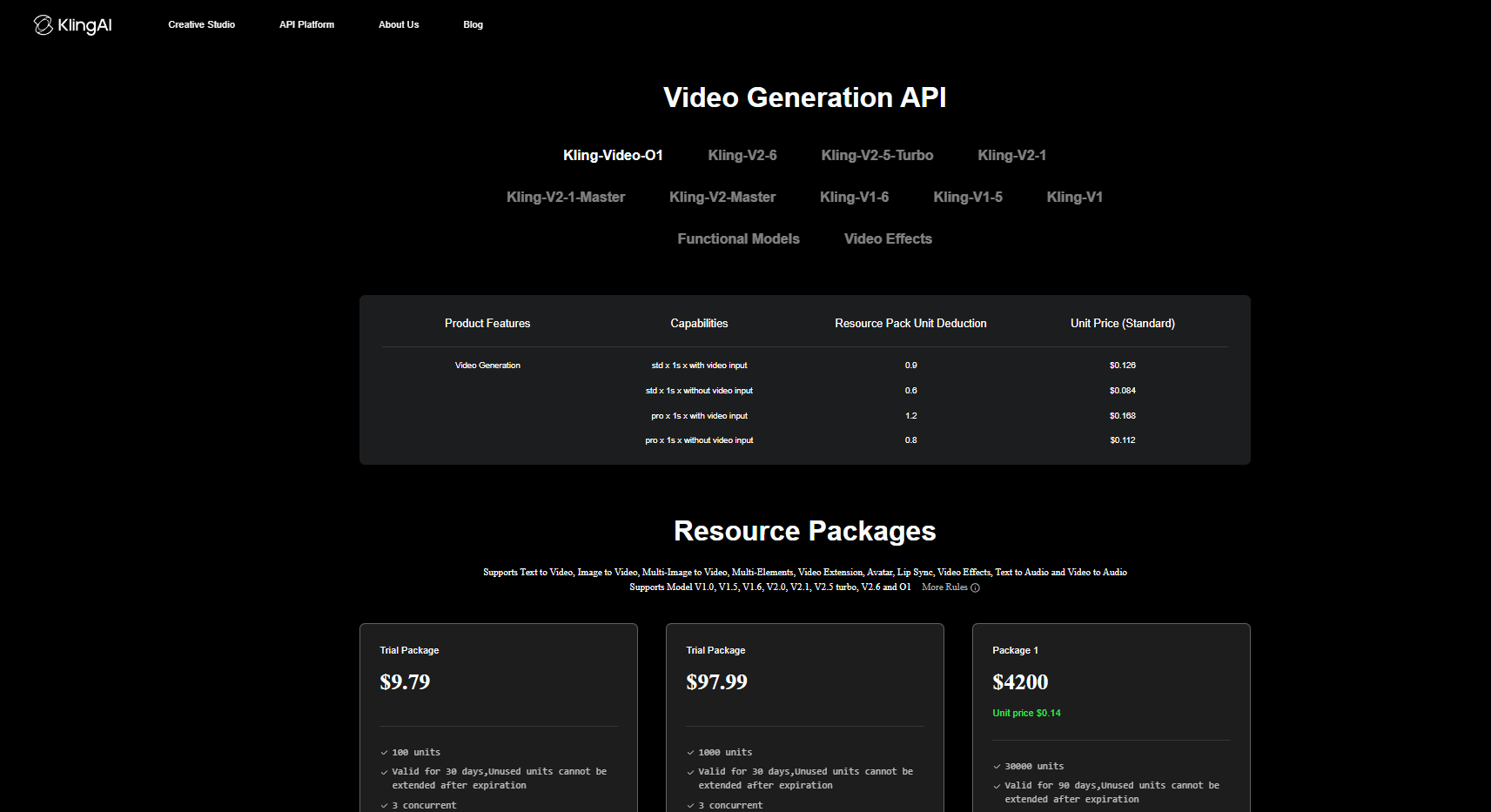
A: Pricing hasn't been announced yet for general access. Expect tiered options based on features and usage limits.
Q: Does the 15-second limit mean I can't make longer videos?
A: You can generate multiple 15-second scenes and edit them together. The 15-second limit is for each clip but your final video can be much longer.
Q: What's the best way to ensure character consistency?
A: Use element references. Upload 3-5 clear images of your character from different angles. For maximum consistency, use Video 3.0 Omni's video reference feature with a 3-8 second character clip.
X. Final Takeaway
Kling 3.0 represents a fundamental shift. AI video is no longer about generating impressive clips; it’s about building complete productions.
For solo creators, this means cinematic output without a Hollywood budget.
For agencies, it means scaling content 10x faster.
For businesses, this means professional brand content at a fraction of traditional costs
It is now much easier for anyone to tell professional stories with video. If you have access to Kling 3.0, start creating immediately, test the multi-shot features, build character elements and push the duration limits.
We’ve crossed the line from “impressive clips” to actual scene-level production. That’s the shift and Kling 3.0 is the first tool where it feels real.
If you are interested in other topics and how AI is transforming different aspects of our lives or even in making money using AI with more detailed, step-by-step guidance, you can find our other articles here:
Stop Writing Proposals: Turn Sales Calls Into Decks in 3 Minutes With Al (Free Template)*
Google's New "Personal Intelligence" Makes Gemini Feel Personal (Here's How It Works)
Here's One "Boring" Al Business NOBODY Talks About Yet Solo Founders Are Winning*
n8n Just Launched An AI That Builds Your AI Automations FOR YOU
2 Free Al Video Generators You Can Run Offline to Replace Sora 2/Veo 3.1 (No Limits)
*indicates a premium content, if any
Reply